
Author: Anže Vidmar
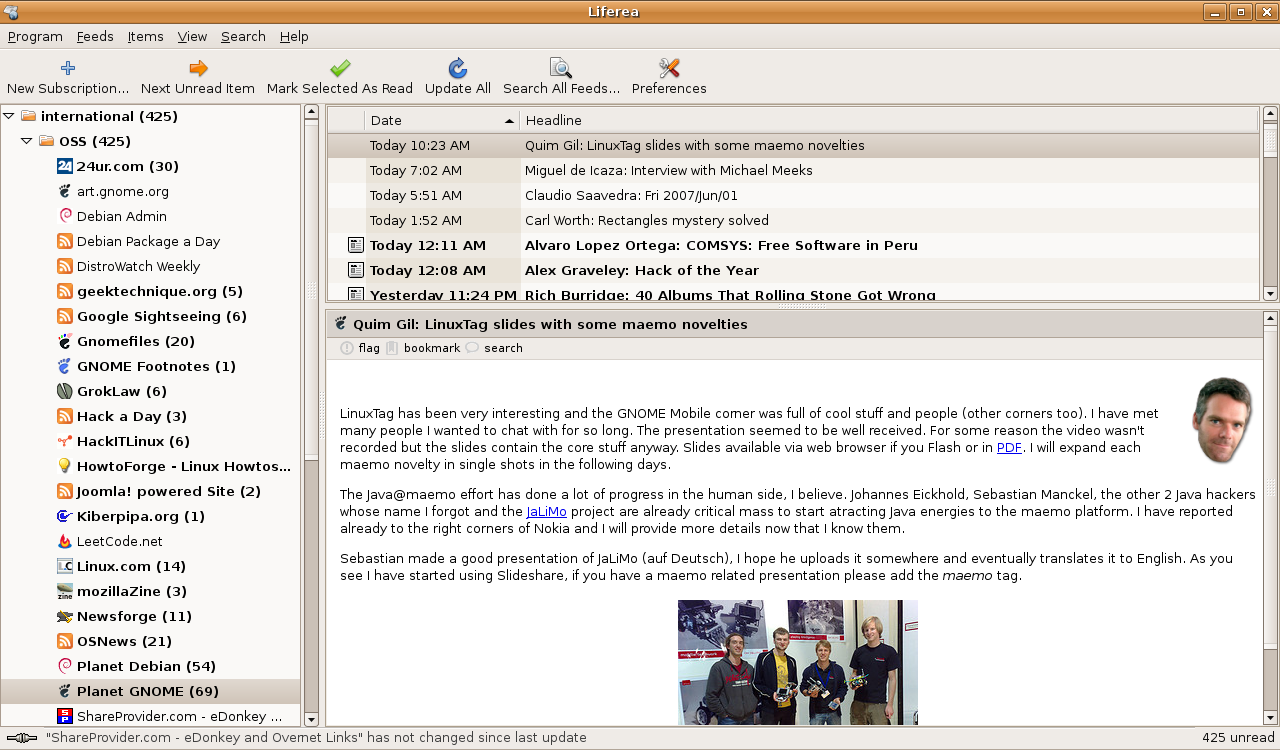
A news aggregator eliminates the need for surfing the Web as much. Instead of going to all the Web pages you have bookmarked to read your favorite blogs, news, or media presentations, you can simply add an RSS/RDF or Atomsyndication format to Liferea and have all the news feeds at your command. Of course this works only for Web sites that support these syndication formats, but most modern sites do support at least one of them.
Liferea installation is easy. You can find it in most popular Linux distribution repositories and install it with a single click or a simple command. To check whether Liferea is in your distribution’s repository, refer to the project’s list of distribution packages. If it’s not there, you can grab the latest source tarball and use the standard method for compiling binaries from source:
tar xvfz liferea*
cd liferea*
./configure
make
make install
After the successful installation, Liferea will be accessible from the Application -> Internet -> Liferea Feed Reader menu.
To start using it, you can add subscriptions to your newly installed feed reader. When adding new feeds you can specify the exact URL feed or use autodiscovery, which will find and add the correct feed URL for you when you specify base URL (such as linux.com, for example). This is useful if you don’t know the exact syndication format URL.
Besides standard news feeds, you can also add your Gmail account subscription to Liferea. In the New Subscription dialog box, type the URL https://mail.google.com/mail/feed/atom. The software will ask for your Gmail username and password, then let you see your messages. Be warned, however, that Liferea saves the authentication information in plain text in the ~/.liferea_1.2/feedlist.opml file.
If you like Liferea and decide that you want to use it on a second computer, you can export the feedlist.opml file and import it to another Liferea installation, and enjoy reading your favorite feeds pronto. Under Liferea’s Feeds menu you’ll find options to Import Feed List and Export Feed List.
Once you’ve added some subscriptions, you can sort them into folders by dragging and dropping them. For example, you could create folders called blogs, news, and comics, and drop appropriate subscriptions into the appropriate folders.
Liferea displays feed text (including pictures) in its reading panel. If you would like to visit a feed URL in your browser, you have two choices. By default, double-clicking on a feed will open your system Web browser and open that page for you. If you prefer Web browsing integration with your feed reader, you can configure Liferea to use the Mozilla browser module, so that when you double-click on a feed, the page is loaded inside Liferea. You can enable this feature by checking the “Open links in Liferea’s windows” option under the Browser tab in preferences.
Searching through your feeds is easy and fast. Liferea provides a search form into which you can type a search string. You can choose to display the results in the feeds panel, or placed them in a new folder that you specify before you click on the Search button.
You can configure Liferea to sit in the system tray and to update all feeds in some user-defined time period. The tray icon will alert you via pop-up window when new feeds arrive.
Liferea’s interface is slick and simple, and the software supports all kinds of useful features. It’s an application that just might change your Web browsing habits.
Category:
- Internet & WWW


