
Oracle has rejected SAP’s offer of $306 million to settle a copyright infringement case launched in 2007, according to SAP.
Read more at ZDNet News
Adopting Linux as a platform has helped change Oracle over the past 15 years from a fragmented, decentralized behemoth to a sleek, consolidated service provider, said Senior VP and CIO Mark Sunday in Oracle’s LinuxCon keynote presentation Friday morning.
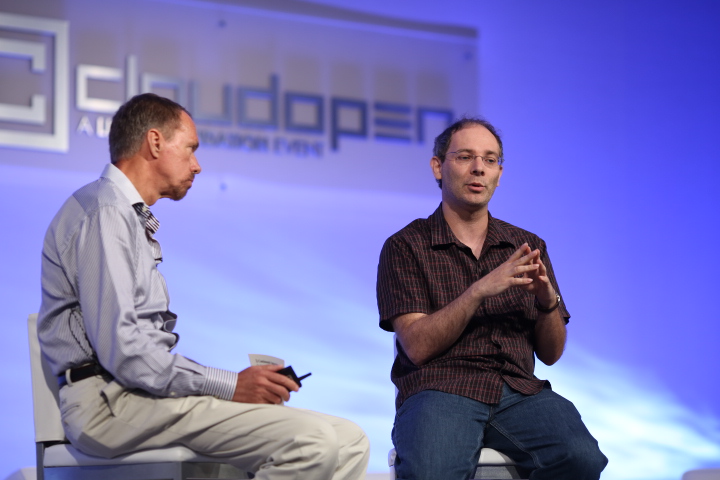 In exchange, Oracle also played a large role in shaping Linux, especially in the server space, said Wim Coekaerts, Oracle’s Senior Vice President of Linux and Virtualization Engineering, during the presentation.
Linux is the standard operating system for all of Oracle’s internal business systems and product development as well as the basis for the business services the company offers its customers, he said.
“Everything we do… is done leveraging Linux,” Sunday said.
On the product development side Oracle now has 40,000 environments all running on heavily virtualized Linux servers. This “Oracle farm” was the company’s first cloud deployment, allowing on-demand provisioning of resources that are scalable and widely available, Sunday said. The company offers those same resources to customers with managed hosting on Oracle products and a wide variety of software-as-a-service products.
Now the company is scaling up again and integrating Linux into the systems it builds for customers. The roughly 100 acquisitions Oracle has made over the past eight years have been aimed at gathering all of the components to make a complete integration possible, Sunday said. For example, companies no longer need to buy servers and storage networking then layer in a file system and a database. Oracle packages it into a single IT product.
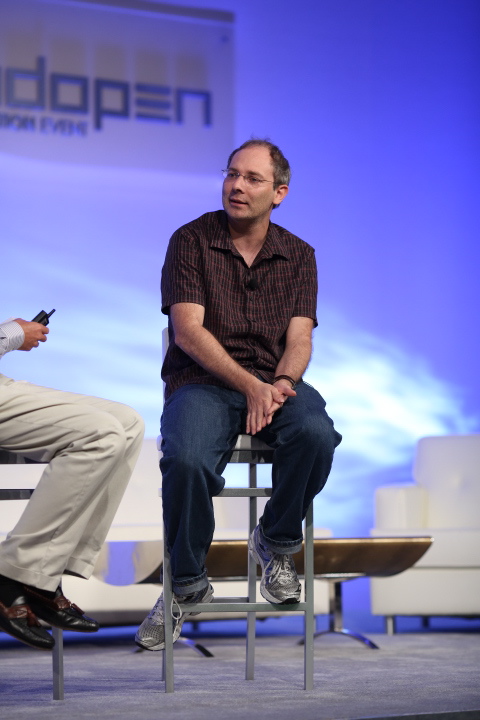
Oracle contributions to the Linux kernel helped bring the operating system up to speed with other Unix-based systems in the early days. The company’s involvement eventually led to the “somewhat controversial” decision to become a Linux distribution vendor, providing support for the whole stack, said Coekaerts.
The next step in Oracle’s evolution with Linux was building an extensive testing system in 2008 and 2009, Coekaerts said.
“It’s not just about development when you produce a product,” he said. “Bug fixing and QA is the less cool part but a very critical part.”
In the past few years the development model for Linux has changed and the pace of releases has become very rapid. New features are available for customers as soon as they are added and users are increasingly defining the platform.
After kernel developer Greg Kroah-Hartman pushed legacy vendors to be more current, Oracle began providing a kernel to customers that is more mainline-based, within five to six months of the new releases, Coekaerts said.
“Linux has been very useful to us in getting new features into the hands of customers sooner,” Coekaerts said.
“If we’re closer to what Linus maintains we have new features sooner,” he said.
The challenge now lies in continuing to improve the operating system’s performance and reliability. The QA process will be critical to this, Coekaerts said, but not all developers have in-house access to a test suite like the larger distributions provide to their developers, he said.
“We need to have a test suite for the operating system that ships with the kernel source,” Coekaerts said. “It’s important to start building test suites for Linux features as the kernel develops.”
Xfce 4.10 is the latest release of the excellent Xfce desktop, full of useful incremental improvements and no shocking surprises.
Workflow and efficiency are everything. I want my Linux graphical environment to be the way I like it, and not an obese system hog. I have a lot of favorite Linux desktop environments (Fluxbox, KDE4, Ratpoison, E17, Razor-qt) and Xfce is always near the top.
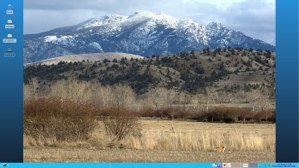
Xfce 4.10 was released on April 28, and Linux Mint 13 Xfce was released on July 21 with Xfce 4.10. After beating up Linux Mint 13 Xfce for a few weeks my executive summary is Xfce 4.10 is Pretty Darn Good, and a worthwhile upgrade from 4.8. There isn’t anything radically new, but more of a nice bit of polish and finishing touches.
To me XFCE is a useful blend of the best of GNOME 2 and KDE: It’s fairly easy to configure, it uses middle- and right-click menus and it handles GNOME and KDE applications without freaking out. Some Linux users prefer pure environments and have only pure GNOME, or pure KDE, or whatever their favorite is. Not me — I want it all. I install whatever apps I jolly well feel like installing, and mix software repositories: different distros, official and unofficial, third party and different versions. It’s a testament to how good Linux package management has become that I can do all this crazy stuff, and suffer dependency conflicts only once in a great while.
In appearance it’s nothing radical, and that is fine with me (left).
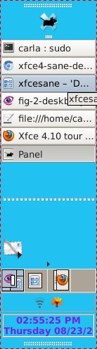
I put my panel at the bottom. It contains the system menu, a launcher with my most-used applications, a pager for fast switching between virtual desktops, a window menu button so I can quickly see all open applications in all desktops, audio control, a systray (called “notification area”) and a clock and calendar. This is a fair bit of complexity handled nicely and in a user-friendly way. For example, the clock/calendar is Orage, which is also a scheduler, task manager, and reminder, all just a click away. I can manage a giant mess of open apps and virtual desktops with one or two clicks. This is what useful simplicity looks like: managing a complex workflow with the least hassle, not removing functionality wholesale.
A nice upgrade to the panel is Deskbar Mode. This aligns everything horizontally, and supports multiple rows, so it looks good in a vertical orientation. And this nice new feature, which is friendly to wide screens, was rolled out without a lot of heartburn, is fully-configurable and just works.
There are a number of functions that I expect the computer to handle. When I connect any kind of removable media I expect it to be automatically recognized and managed according to how I’ve configured it. I’ve gotten used to Network Manager, which does a nice job. Though I’m still bugged it is incompatible with the traditional networking configuration files, so you can only use one or the other. I don’t want to be pestered with endless notifications like in GNOME 3, Unity, and KDE4. Xfce handles these mundane chores without drama.
I work on a 24″ widescreen, and I like to tile two documents side-by-side. In Settings > Window Manager > Keyboard there is a gaggle of useful configurable shortcuts, like tiling windows to the left and right, or top and bottom.
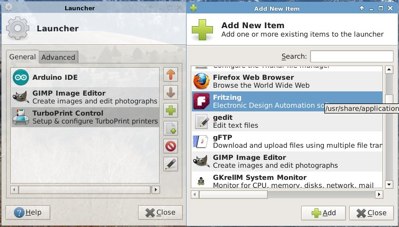
The newfangled desktops like KDE and Unity have invested a lot of resources into application search. I’m fine with browsing system menus and package managers to see what’s on my system, and creating a special menu or launcher with the apps I use the most. Xfce still doesn’t have a built-in graphical system menu editor, but it’s very easy to create a custom launcher for the panel (below). Just right-click anywhere on the panel, then click Panel > Add New Items.
The Application Finder is new to Xfce 4.10. This has two modes. In collapsed mode it’s similar to the alt+f2 run command dialog, and in expanded mode you can browse by categories (below).
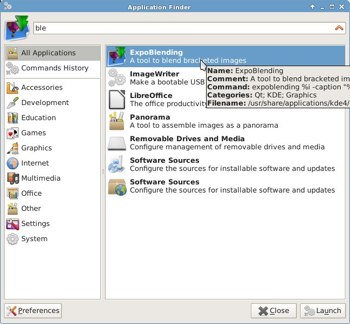
This has some useful Preferences options such as remembering the last category you looked at, and you can create a library of custom commands. You can also drag program icons to the panel to automatically create a launcher.
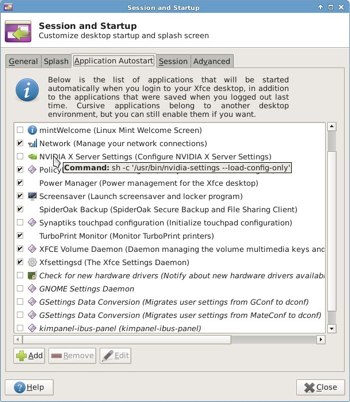
The Session and Startup manager is a great tool for controlling which apps run at startup. Nothing weird or convoluted, just nice easy checkboxes. On the Application Autostart tab, it even shows you the exact command for each item (below). Non-Xfce apps are in italics. This works in concert with the logout/shutdown dialog, which has a “save session for future logins” option. You can create multiple sessions that open different programs at startup, and use the Session Chooser to manage them.
The Settings Editor has a couple of very useful and time-saving improvements. One, it won’t close until you actually click the Close button, so you can make giant batches of changes quickly. Two, it has a live monitor for all settings so you can see what’s happening as you make changes.
The new MIME type editor is a fast and easy tool for managing which applications open which file types.
Xfce doesn’t have the vast roaring tsunamis of appearance configurations like KDE4, but it does let you make a number of useful tweaks. You can put your open, close and minimize buttons in whatever order you want; put any photo or image on your desktop background; create a slideshow on the desktop background; drag pictures to the desktop to create clickable thumbnails; control colors and gradients; have as many panels as you want wherever you want; and there are always nice reliable text configuration files if the graphical configs don’t do you what you want, or for easy copying.
I can’t pick a single favorite Linux desktop, but Xfce is definitely in my top five because it doesn’t hide things, it manages complex workflows sanely, and it does it will without putting on a big show.
 The Linux Foundation’s interesting LinuxCon and CloudOpen conferences are winding down today in San Diego, Caliornia.. Both conferences have had remarkably rich schedules, as we covered here. And, lots of new data on cloud computing arrived in conjunction with CloudOpen, all of which is prompting debate about just how confusing the open source cloud computing space is getting. People are having trouble differentiating open cloud platforms from each other. Here are some thoughts coming out of the conference.
Earlier this week, we published this infographic rounding up some data on the convergence of open source and the cloud from an upcoming IDC research report:

In conjunction with the infographic above, The Linux Foundation’s Amanda McPherson has a post up where she writes:
“…enterprise users feel openness in the cloud is important. They want to participate in an open ecosystem and value open source software, standards and APIs for their cloud infrastructure and platforms. This is simply what they expect due to two transformative decades of software development thanks to the rise of Linux and open source software. Today, collaborative development isn’t one way to build software; it’s the only way that produces the very best technologies.”
Meanwhile, CNet notes this regarding one of the sessions at CloudOpen:
“During a panel moderated by Red Hat’s John Mark Walker, Greg DeKoenigsberg of Eucalyptus Systems described the situation as ‘fighting to maintain openness in a space that strongly mitigates against it at every opportunity.’ At the same time, several panelists acknowledged that many users will, by default, take the easiest path, whether it’s open or otherwise.”
The last point is a really important one. Many people are reacting to the fierce competition going on in the open source cloud computing race with confusion, as seen in this post. In enterprises, IT departments have a lot of clout, and they often override what users want. IT administrators will gravitate toward simple-to-deploy solutions and they will absolutely demand top-notch support.
With all of the recent cloud platforms fighting for space, in the end the few that win will be the best supported ones. That’s why we can’t, for example, ignore Red Hat’s upcoming OpenStack platform. Hasn’t Red Hat proven that it knows how to support open source software? Citrix, too, with CloudStack, can point to its long history of supporting enterprise users.
Support is where the rubber will really meet the road with emerging open cloud platforms.