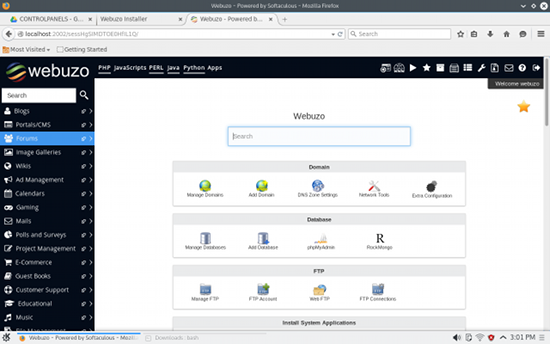
 When you consider web-based control panels, the first thing to comes to mind is the de facto standard cPanel. It’s a powerhouse of a tool, that can do just about everything a server admin could imagine (and then some). Of course, if you’re looking for a cost-effective or open source option, you’d best turn away from that solution. Even though cPanel is one of the most powerful control panel tools available, it is out of the price range of anyone outside of medium to large businesses.
And it’s proprietary.
With that in mind, where do you turn? Linux, that’s where. Fortunately, plenty of options are available to meet almost every need. From web, email, DNS, database, backups, FTP, monitoring, and so much more… open source server control panels have you covered.
Diving into the mix, you might find so many available options, you’re not sure where to start. To alleviate that stress, I’ve narrowed down a list of five such tools I believe fall into the “best of” category.
Each of the following control panels can be installed on your Linux distribution of choice. Some of the offerings are completely free to use (some even open source), whereas others offer inexpensive premium versions. Read on and see if one of these tools is what you’re looking for.
Webuzo (see above) is a LAMP stack application manager that enables you to quickly and easily deploy a large number of web applications and services onto your server. With the ability to, in just a few clicks, install the likes of WordPress, PrestaShop, Drupal, Joomla, phpBB, SMF, Magento, WHMCS, Xoops, Open Real Estate, Mambo, Geeklog, Coppermine, MediaWiki, Dolphin, Jcow, Elgg, OpenClassifieds, Booked, Roundcube, SquirrelMail, Collabtive, and more, Webuzo is a dream tool for anyone needing to deploy apps and services with ease. To make Webuzo even more appealing, the installation is incredibly easy. Download and run the install.sh script and, when prompted, open up your web browser to the given address and you’ll soon be installing and managing more web-based apps than you can imagine.
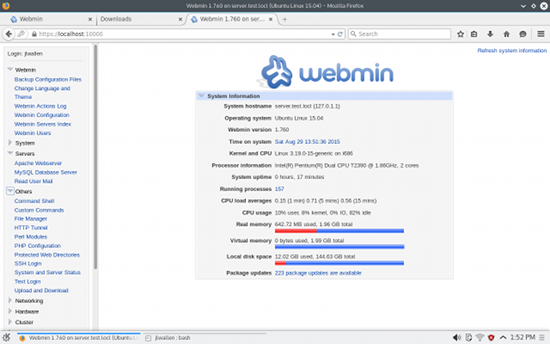 Webmin has been one of the go-to web-based control panels for Linux for a very long time… with good reason. Webmin is very easy to install, enables you to administer nearly every aspect of your Linux server, and even makes the task of administration so much easier. Even better, if the default installation doesn’t have what you need, Webmin offers an extensive plugin system that can extend the functionality of this very well-designed control panel. Search the third-party modules page, and you’ll find a large number of available plugins (you can also simply browse through all the listings manually). Webmin is free and also offers Virtualmin (a Webmin module for managing virtual hosts) as well as Cloudmin (a Webmin module to manage virtual machines).
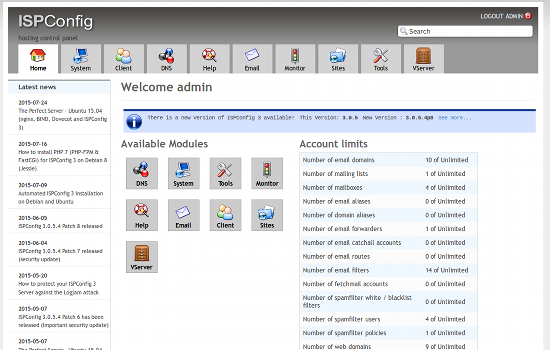 ISPConfig lets you manage multiple servers from a single control panel. With this handy interface you can manage servers/services such as Apache, NGINX, FTP, SQL , BIND DNS, mirroring, clusters, database and virtual servers, email, and others. ISPConfig offers four access levels for amazing flexibility: Administrator, Reseller, Client, Email Login. You will also find add-ons as well as a monitoring app for Android. The one caveat for ISPConfig is that it’s not the easiest to install. In fact, with ISPConfig, you will have to manually install every component you want on the server before installing this control panel. Even with ISPConfig installed, a number of the configurations aren’t one-click actions. In other words, you’re going to have to give this one some time to get beyond the learning curve. However, once installed and mastered, ISPConfig will treat you (and your server) quite well.
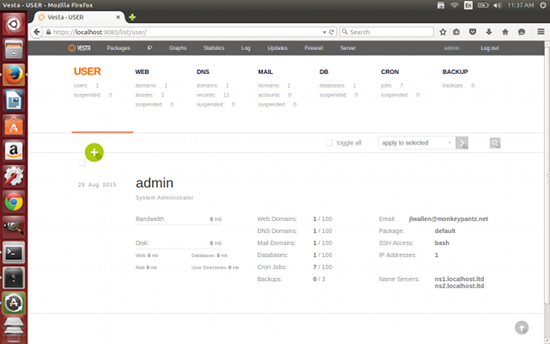 Vesta is one of the easiest control panels to install. You do, however, have to install it on a server where both Apache and MySQL are not previously installed (as the Vesta installer wants to compile them individually). When your server is prepared, all you do is download the install script, run it, and wait to be prompted for your credentials and login link. Once installed, you’ll be managing the likes of: Web, DNS, database, mail, FTP, Nginx, SSL certificates, configuration templates, backups, updates, monitoring, antispam/antivirus, WHMCS billing, and more. Vesta also offers a very clean UI, which makes managing all of your systems and servers incredibly easy.
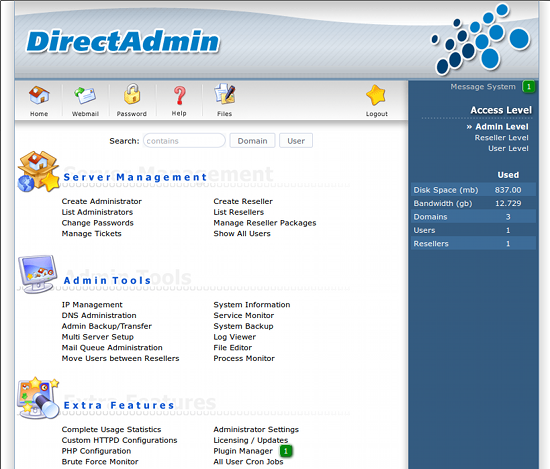 Direct Admin is an open source web hosting platform that allows you to manage an unlimited amount of web sites, email accounts, and much more. One of the best features of Direct Admin (besides the vast amount of configuration options it gives you) is that many of the tasks, once set up, can be automated. You will also find a built-in file manager (for easy handling of direct uploads), as well as an easy system for the creation of error pages, and directory password protection. Clients will enjoy the easy to use the built-in support ticketing system and the user-friendly SSL certification manager. The main caveat to using Direct Admin is that it’s not free. However, you can purchase a lifetime license for $299.00 USD, which includes 90 days of support, automatic upgrades, unlimited domains, and free installation.
And there you have it. Five outstanding web-based control panels, all ready to serve your Linux server. Although not all of the tools are open source, they are all cost effective and incredibly powerful. If you have a need to master your Linux servers, you would be very remiss if you didn’t give one of these systems a try.
Have you found a control panel worth your time and effort? One that does everything you need within a simple, user-friendly, web-based GUI? If so, share with your fellow Linux.com readers.
 This week in Linux news, the Linux Foundation will give away Chromebooks to all who enroll in their training program this month, Xiaomi will release their Linux-based laptop in 2016, and more! Read this week’s digest for the latest Linux stories.
  After pushing the first Release Candidate (RC) version of the upcoming Kodi 15.2 maintenance version of Isengard (Kodi 15) to testers worldwide on the last day of August, the developers of the popular media center software formerly known as XBMC had the pleasure of