When the Chromebook first arrived on the scene, most people thought they’d go the way of the netbook. Maybe the little laptops that could would hang around for a brief period and, once the novelty of the price tag wore off, they’d go away to make room for the devices that do the real work.
Thing is, said real work (from an end-user perspective) tends to be 90 percent browser based. So the Chromebook hung around and eventually became one of the hottest selling devices on the market. Beyond price, one of the reasons for the incredible popularity of the Chromebook is its simplicity. Across the landscape of the PC-verse, it doesn’t get much easier than ChromeOS. However, because Chrome OS is a proprietary solution, owned by Google, you cannot simply download the platform and install it on common x86/64 hardware. To get around that, there are approximations available that can be installed on off-the-shelf hardware that recreate the Chrome OS experience.
With that in mind, it makes perfect sense that a handful of Chrome OS-like Linux distributions would appear. In theory, it’s a perfect amalgamation of simplicity and power. You get the ease of use found with ChromeOS and the added power of the full-blown Linux platform.
But if you’re looking to get such elegant simplicity with the added power, where do you turn? A handful of Linux distributions have popped up over the last few years that do an outstanding job of re-creating ChromeOS. Which of these do the best job of mimicking Chrome OS and which manage to retain all that which makes Linux an outstanding platform?
Here are my top contenders for this title.
Solus
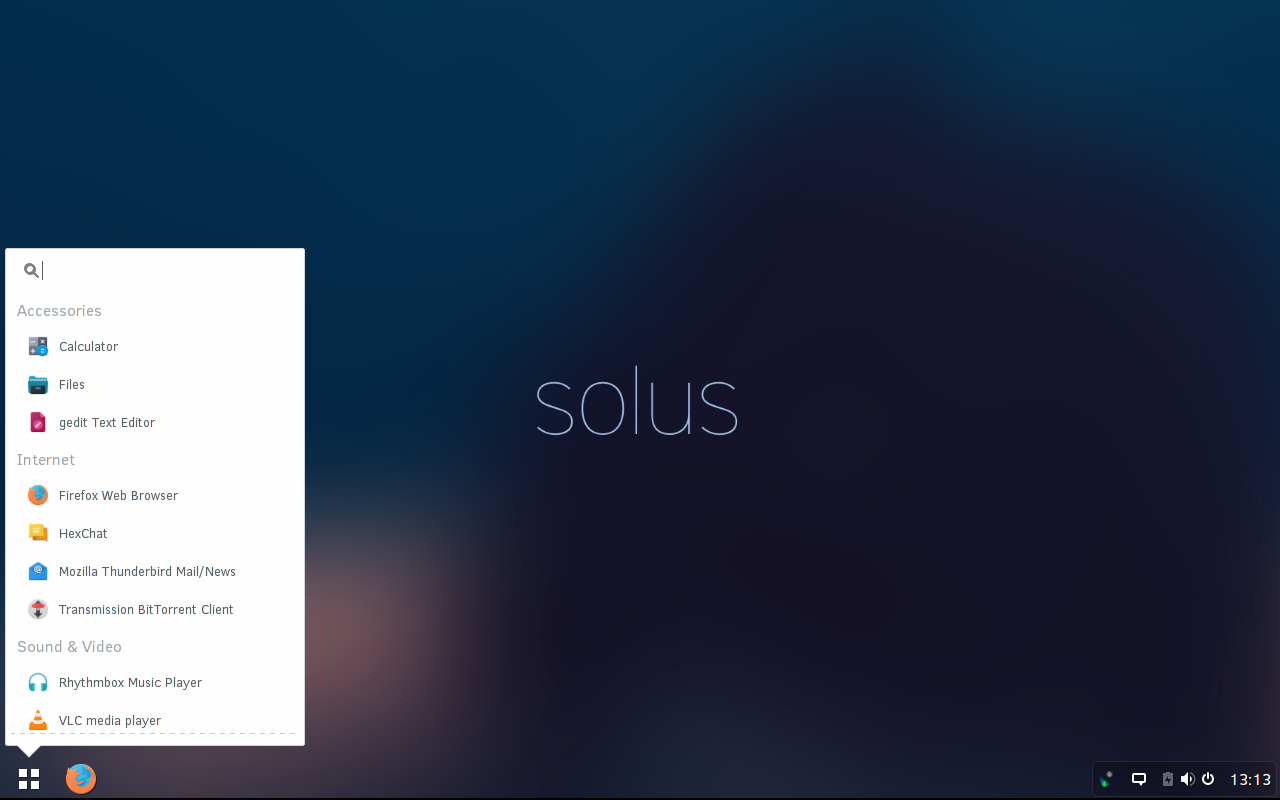
Solus started out as Evolve OS and is, to date, one of the finest Linux distributions to take a swing at the Chrome OS platform. The developers of Solus promise a “no scope-creep” platform that will provide a modern desktop-focused Linux distribution. Under the hood, Solus is pure Linux. In this case, it’s what’s on top that counts… that being the Budgie desktop (Figure 1).
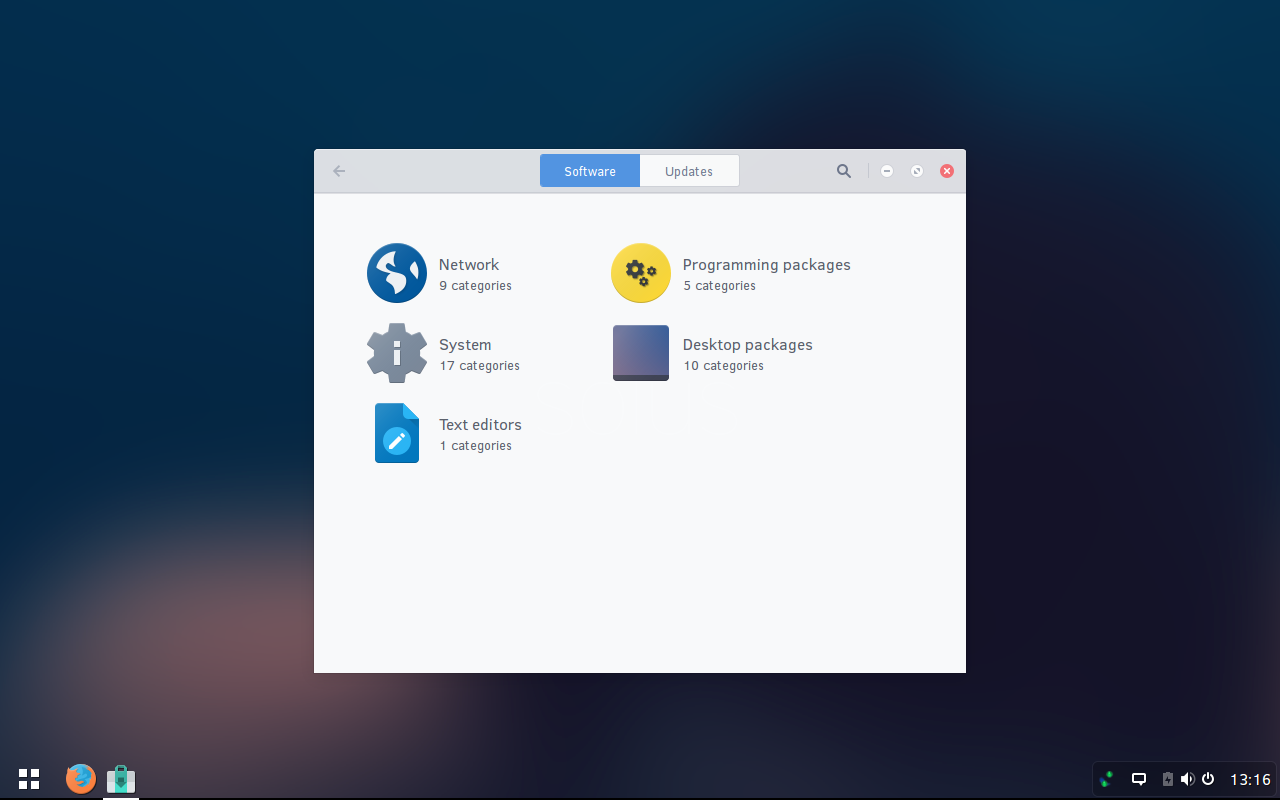
This is a singular desktop environment created to almost perfectly mimic the Chrome OS experience. Budgie does integrate with the GNOME stack, so there is not only the familiar minimalism of Chrome OS, but the power of GNOME underneath. Another unique feature of Solus is the package manager. Forked from Pardus Linux, the package manager offers the same level of simplicity found in Budgie (Figure 2).
What is most impressive about Solus is that this is a fairly new project and is already enjoying an amazing level of stability. Once installed, you’d think you were using a distribution that’s been around the block a few times. Consider this—Solus started out as Evolve OS and the beta of the initial release was only just available January 2015. Now dubbed Solus, the platform is already a production-ready desktop. Another very impressive aspect of Solus is how much thought was put into the overall design. Each and every tool was perfectly themed to retain the look and feel of Solus throughout.
If you’re looking for the one distribution that best fits the Chrome OS mode, and adds just enough Linux to make it more flexible than the official release, Solus is what you’re looking for.
Chromixium
Chromixium is next in line for the title of best in breed for ChromeOS clone. This particular take on Chrome OS is based on Ubuntu Linux, so it already has quite a lot going for it. But the bits and pieces of Ubuntu are mostly under the hood. It’s what’s on top of the hood that will interest most Linux users. The Chromixium distribution uses an old-school approach with the help of the Openbox Window Manager (a derivation of the original Blackbox WM).
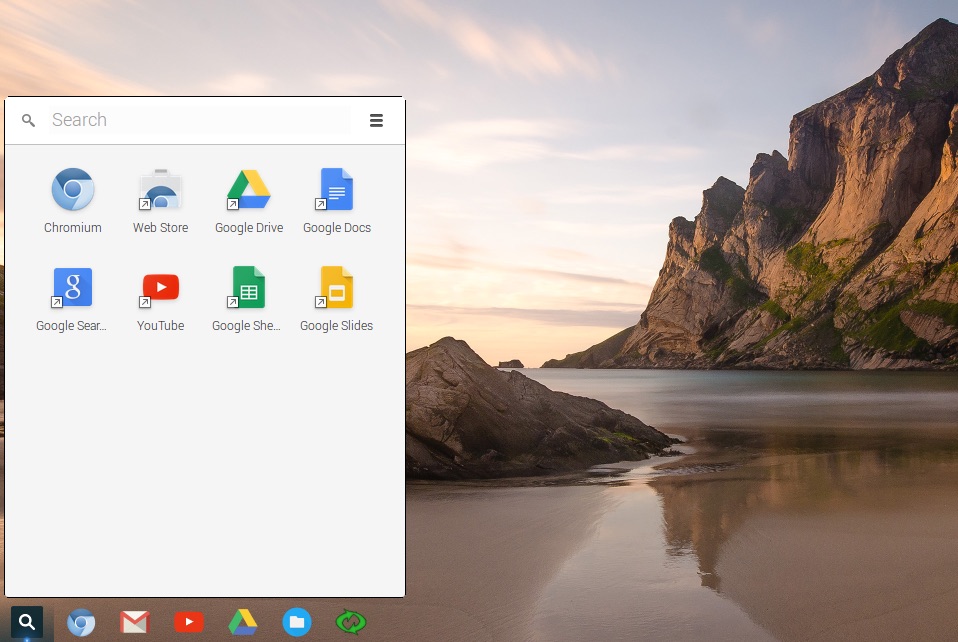
What sets Chromixium apart from Solus is the menu system. If you look on the desktop (Figure 3), you’ll find the ChromeOS-looking menu button that you can click to gain access to all the Googly-goodness the desktop has to offer.
If, however you right-click anywhere on the desktop, you’ll find an Openbox menu ready to give you access to all of the Linux-goodness the desktop has to offer (Figure 4).
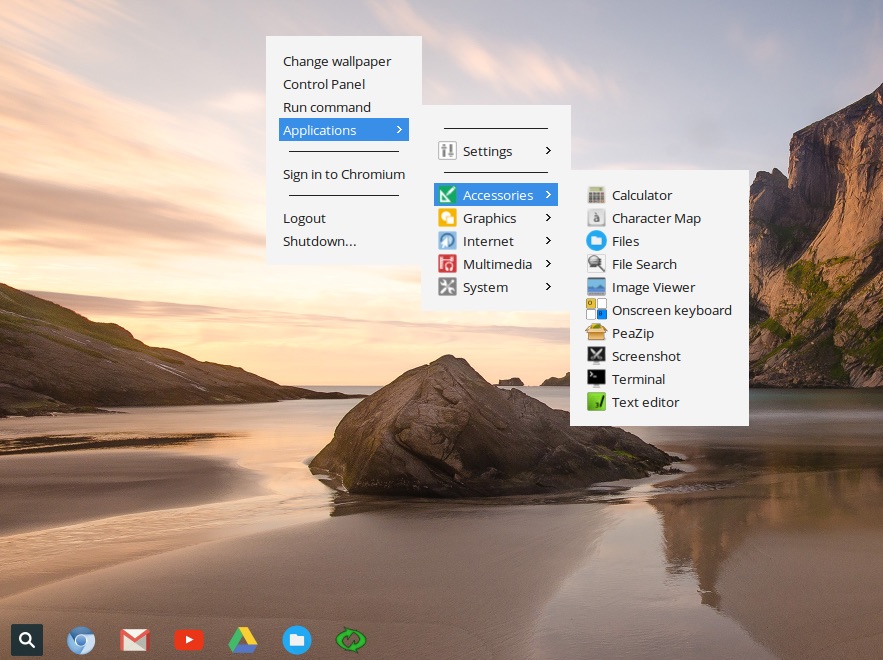
At first, this might seem like a clunky means to handle the desktop menu system. However having the Google bits isolated from everything else does make for an efficient means of isolating searches (as you can search Google from the Chromixium desktop menu).
If you’re looking for a ChromeOS-like Linux distribution that offers a nod to a bit of old-school Linux, give Chromixium a go.
Chromium OS
Chromium OS is an open source project that forms the base of Google’s Chrome OS. This means you can expect a fairly pure form of Chrome OS on your standard hardware. Of course, getting ChromiumOS up and running isn’t nearly as simple as that of either Solus or Chromixium. For ChromiumOS, you either run the platform from a USB flash drive or from a virtual image (with the help of VirtualBox) and then install the platform. This fact does make ChromiumOS a bit of a challenge for the average user, but if you’re interested, you can follow these steps to get ChromiumOS ready to run from a USB drive:
-
Download the appropriate image (according to your architecture)
-
Insert a flash drive
-
Extract the downloaded file
-
Open a terminal window
-
Change into the directory containing the newly extracted image file
-
Issue the command (using admin rights—so either by su’ing to root or using sudo) dd if=ChromeOS.img of=/dev/sdX bs=4M (Where ChromeOS.img is the full name of the image file and sdX is the location of your flash drive*)
-
Allow the command to finish
-
You should now have a bootable Chromium OS USB drive.
* To find out the location of the mounted flash drive, you can issue the command mount and check for the exact location of the drive.
NOTE: If the above instructions fail to produce a working bootable USB drive, you can try using the Win32 Image Writer instead (you’ll need a working copy of Windows for this).
Once you have Chromium OS up and running, you can install the operating system to your hard drive but it will erase your entire drive (You can dual boot but you must install the other OS first and it’s not nearly as easy as dual booting with a standard Linux OS). Also, just to be safe, unplug any external or internal drives that contain data you do not want erased. For information on the actual installation of Chromium OS, check out the official how-tos here and here.
As you might expect, Chromium OS is that which Chrome OS is built upon, so you won’t find any extra Linux goodness within the menu. But, if you’re looking for a pure Chrome OS experience on your non-chromebook hardware, this is the way to go.
Which ChromeOS clone is best?
Which route you take to Chrome OS depends on your needs. If you’re looking for Pure Chrome OS, you’ll want to go with Chromium OS. If you’re looking for a nearly-identical Chrome OS experience, with an additional boost from the Linux desktop, go with Solus. If you want the best of both worlds, give Chromixium a try.
One way or another, you’ll have the look and feel of Chrome OS working on your non-Chromebook hardware.

 Now that the latest update for Ubuntu Touch has a firm launch date, the developers have also released a complete changelog for the upcoming release.
 The Solus operating system has just received another boost of improvements and developers have pushed another stable version out the door. The new daily build should be very interesting, especially with the new system layout.
 Kubuntu’s Jonathan Riddell talked about the recent changes to the licensing procedures on the Ubuntu project, and he said that there are still some important problems that have been left unresolved.
 1) The Linux Foundation Core Infrastructure Initiative finishes its first survey of the Linux toolset.