Ah the web browser… that thing which the world has come to depend upon not only for social interaction and shopping, but for actually getting work done. It’s become such an important aspect of our daily lives that an entire platform was created around it (ChromeOS). You work in it, you learn in it, you play in it.
With a tool this important, you need to have the best available at your fingertips. As with all other types of software, the Linux ecosystem is rife with browsers to choose from—some of which are outstanding options and some, well, not so great. Of all the choices, which browser is best suited for which type of user? Let’s examine some of the many choices and see which one might serve you best.
We’ll start with the obvious choices first.
Chrome
Chrome really needs no introduction. It’s Google’s browser and it does a great job of merging your desktop with all the goodness Google has to offer. It works perfectly with Google tools (Drive, Google+, Google Calendar, Gmail/Inbox, etc.), it allows you to sign into your Google account so your bookmarks, extensions, options, and more are in sync across all your Google-enabled devices, and it even (in certain desktops) offers notification integration. Chrome is fast, reliable, themeable, extendable, and one of the most widely used browsers on the planet. For some, however, there’s an inherent issue with Chrome—Google. Some users don’t trust the search giant and don’t want its fingers digging into their data. Chrome is also not an open source browser—so if you’re looking for a completely open platform, move along, Chrome is not for you.
Chrome also has another, less reported, issue (one that will affect who works with sound a lot). When you open up certain pages on Chrome (the list is many) the browser will hijack your sound system. So if you’re working with the likes of Audacity, and Chrome lands on one such page, you’ll have to close the Chrome tab in question or Audacity will not work.
Chrome can be installed on nearly every Linux distribution from one of the provided downloads on the official Chrome download page. If you like, you can also download and install one of the alternative channels (Beta or Dev) for a more bleeding edge experience.
Chromium
If you like the idea of using the world’s most popular browser, but don’t like the idea of proprietary software living on your GNU/Linux operating system, Chromium might be the browser for you. But don’t think the only benefit is the lack of closed code. Chromium also doesn’t demand nearly the memory of its proprietary cousin. At this point, you might be thinking Chromium is the ideal candidate for my needs! Hold on just a moment before you pull the trigger on that install. There are Chrome features you won’t find on Chromium. Chrome includes the following support (not found in Chromium):
-
AAC, H.264, and MP3 Support
-
Pepper API (PPAPI) Flash plug-in
-
Google Update
-
Security sandbox (Chromium lacks Seccomp-BPF and Yama LSM enforcing sandboxes)
-
Google branding.
I have also, on occasion, found Chromium to be less-than ideal working with Google Drive. But if you’re not looking for perfect Google integration, the whole buffet of multimedia support, all the sandboxing Google has to offer Linux, or Google branding, Chromium is the browser for you.
You can install Chromium from your Linux distribution software manager (such as Ubuntu Software Center, YaST, or Synaptic).
Firefox
What has been the flagship open source browser for years has gone through the wringer for some time now. Tagged as slow, buggy, and poorly managed, the Firefox browser has finally risen above those claims to rival Chrome in speed and best it in stability. Firefox offers tons of features, is the default browser in most Linux distributions, is extendable, works seamlessly with multimedia (out of the box), and renders as well as any browser on the market. Recently, Mozilla released a new feature for the Firefox browser, Hello—a free, open source, cross-platform video chat solution, built into the browser.
But why would you opt for Firefox over Chrome? One reason—stability. Although Chrome isolates each tab as a completely separate process, I have found Firefox (on a fairly consistent basis) to be far more stable with massive sites like Facebook and (ironically enough) Google+.
If Firefox is installed by default, you’ll find it in your distribution’s package management tool.
Midori
We now start to venture into the lesser-known realm of browsers. Midori is a light-weight, fast, and free browser that works well with HTML5 and CSS3, uses the same rendering engine as Chrome (Webkit), and is completely open source. Midori has managed to find its way into the hearts of such distributions as Elementary OS Freya, and Bodhi Linux. Why? Because it leaves behind so much of the bloat that comes with the standard fare. Midori is incredibly fast and renders as well as any browser on the market.
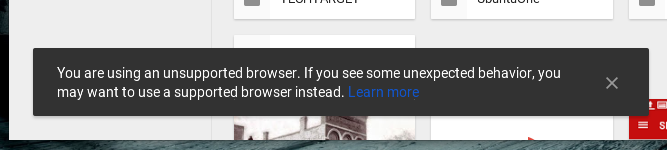
However… there are issues. For example, if you venture over to Google Drive, you will find yourself greeted with the You’re using an unsupported browser message. Although you can dismiss the error (Figure 1), you will quickly find the browser works very poorly within the Google service. This issue is mostly relegated to distributions that do not default to Midori. For instance, on openSUSE, Midori begins to quickly misbehave as you navigate through Drive’s folder hierarchy. In Elementary OS Freya, that same task works fine (the same holds true for Bodhi Linux).
If, however, you’re looking for a minimal, light-weight browser, and you don’t depend upon the likes of Google Apps, Midori will fit that bill. You can install Midori from your distribution’s package manager.
Konqueror
The official KDE browser was, at one time, considered a top contender for Linux web browsers. It was powerful, flexible, and an all around well-respected tool for browsing the web. But times have changed, sites have evolved, and Konqueror has been (on many levels) left behind. As a perfect illustration, Konqueror cannot work with Google’s two-step authentication. Attempting to log into a Google account with two-step authentication will lock Konqueror up tight. Konqueror is also very poor at handling sites like Facebook.
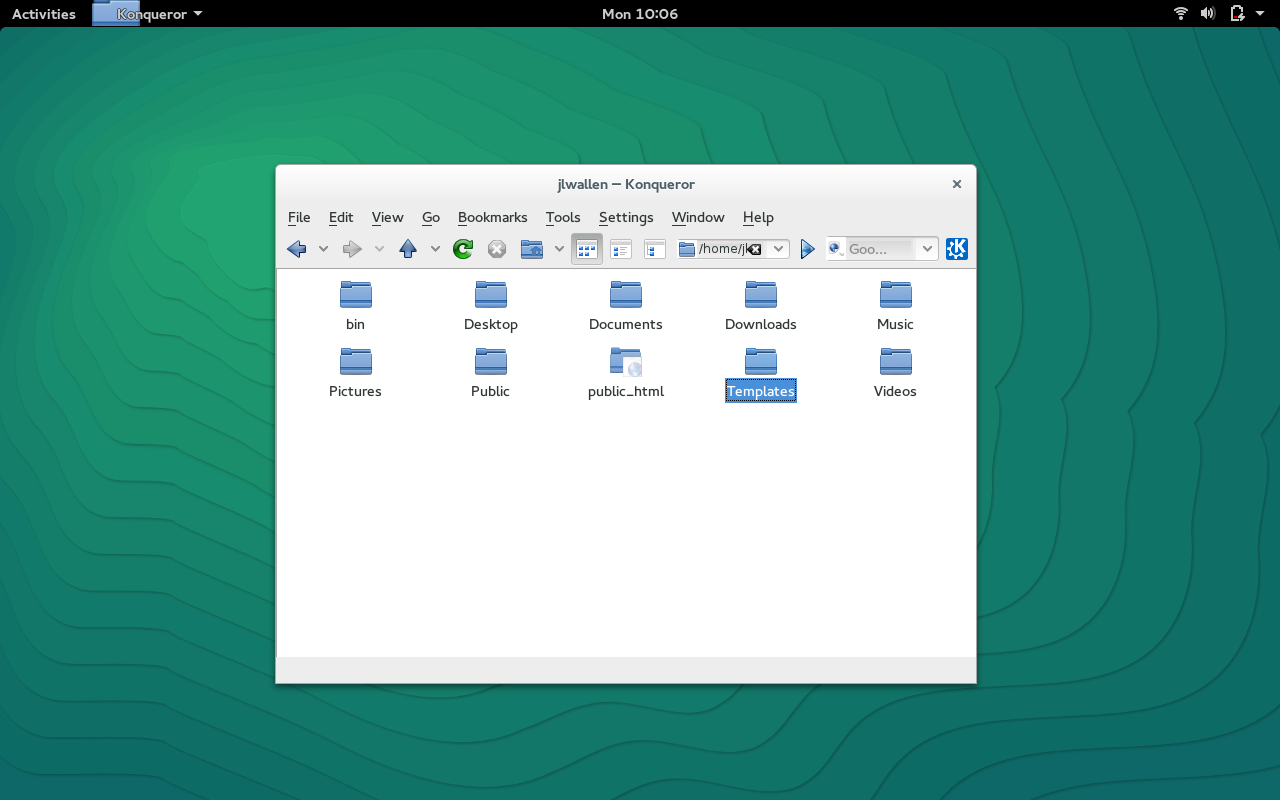
So why would you opt to use a web browser incapable of handling some of the most widely-used sites on the planet? Back in the day, Konqueror stood as one of the most powerful file managers of any platform. Even though Dolphin has taken over handling file management on KDE, Konqueror still manages to best many file managers on the market (Figure 2). So if you’re looking for a web browser (one you can use on basic sites) that doubles as a powerful file manager, give Konqueror a try.
QupZilla
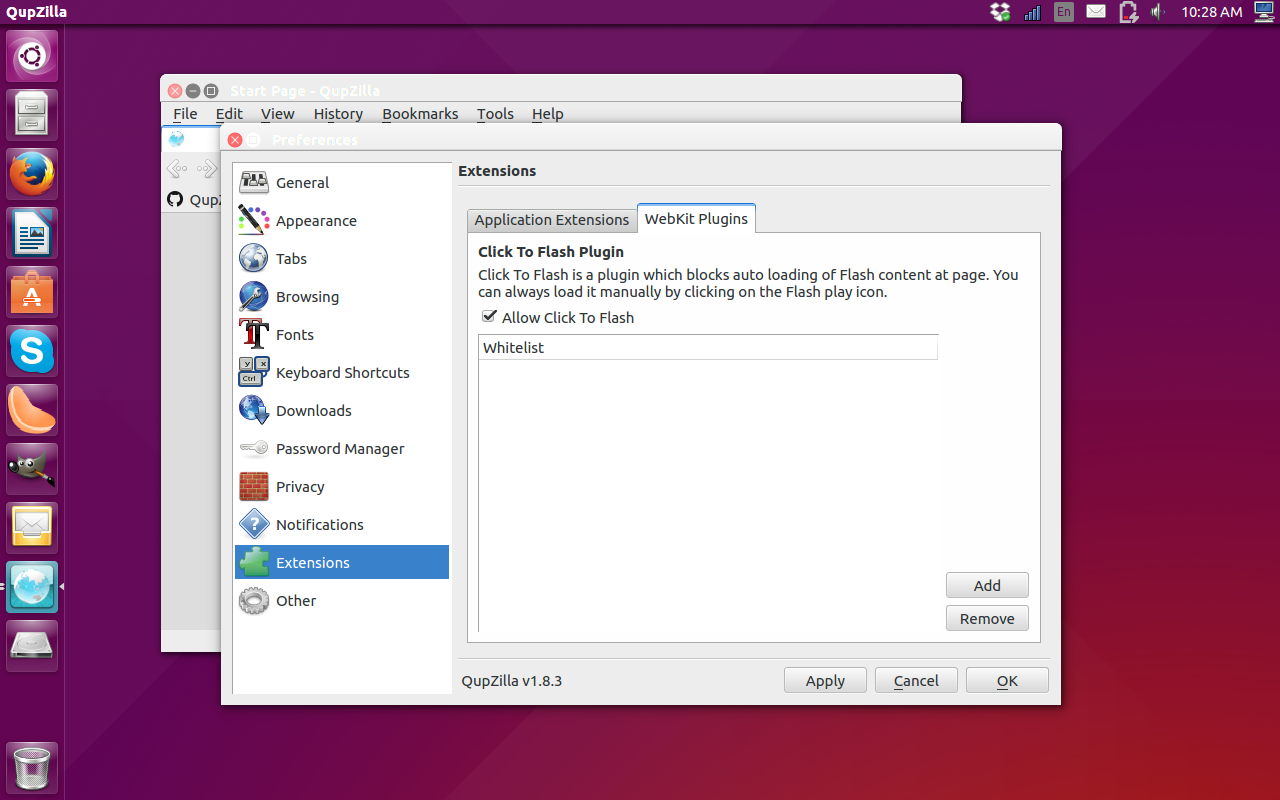
QupZilla might be one of the best lightweight browsers you’ve never heard of. This particularly small browser is ideal for desktops running a smaller footprint and users that don’t need sites that rely on HTML5. Any site that doesn’t make heavy use (or any use) of HTML5 will render perfectly on this tiny browser—unless it uses Flash. But with Flash, there’s a fix. Out of the box, QupZilla has Flash disabled. In order to enable the feature, you must visit the Preferences > Extensions > WebKit Plugins and uncheck the box for Allow Click to Flash (Figure 3).
Why would you use an HTML5-intolerant browser? Because you need fast and light and don’t want the constant crashing of Konqueror. And although sites such as Google Drive report that QupZilla is a non-supported browser, it does function better than Midori within the site.
If you search deep enough, you’ll find even more web browsers for the Linux platform. However, the chances of you needing anything beyond what is listed here are slim. Whether you want the full-blown experience of Chrome and Firefox or you’re looking to slim down your browsing tools, Linux has what you need.
Which browser is your tool of choice?

 Bill Kerr has taught Linux Foundation courses in Linux kernel internals, debugging, device drivers and application development for many years. He helped write the original
  Canonical published details a couple of days ago, in a security notice, about an HAProxy problem that was identified and fixed for its Ubuntu 15.04 and Ubuntu 14.10 operating systems.
 Ubuntu 15.10 is now in the middle of the development cycle, and developers are upgrading packages left and right. One of those packages is the systemd component, which has been recently made default in Ubuntu.