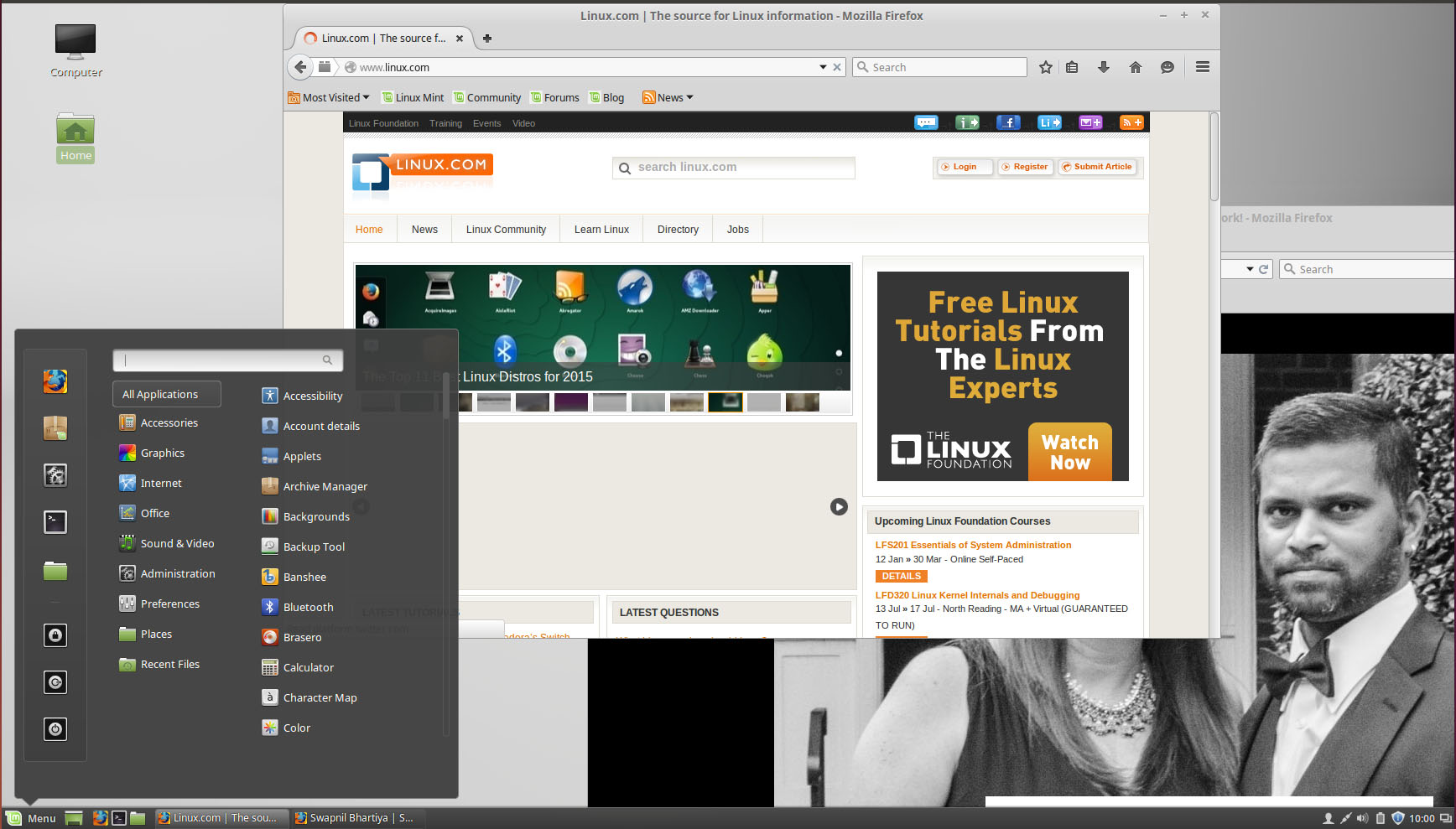
Linux Mint 17.2 “Rafaela” Cinnamon was recently launched and, as usual, I installed it on my machines to see how this distro is progressing. I found a refreshed, faster and more feature-rich distro that’s well worth trying.
Mint has become one of the most popular Linux distributions in recent years, which I attribute to two factors: its focus on what users need and the Gnome 3/Unity debacle. Linux Mint offered refuge to the disgruntled users of Gnome 3/Unity and as a result it grew immensely popular among such users. Personally, I was also affected by it because I was a Gnome user before Unity happened and then I started to look for an alternative and found Plasma. I did try Linux Mint Cinnamon in its earlier days but Cinnamon back then was a bit buggy and lacked many features that I could enjoy in Plasma or KDE 4 which had matured by then.
Based on a stable foundation
Let’s face it: anything between the LTS versions of Ubuntu is a constantly moving target. Canonical is trying way too many things lately – convergence, Unity 8, Mir, Snappy, etc. These get tested in the non-LTS versions. That makes it very hard for a derivative like Linux Mint to focus of the core element of its own OS, as most resources are wasted on keeping up with the moving target.
To address this problem, the Linux Mint team decided to stick to the LTS versions of Ubuntu, which means the team doesn’t have to track a moving target and keep patching things. With the ‘stabilized’ base, they can focus on improving the core Linux Mint experience itself. Since the Mint team has created many of its own forks and projects such as Cinnamon this frees the developers to invest their energies into their own projects.
And we are starting to see the results.
First encounter with Mint
When I booted into Linux Mint, I could feel a refreshed, polished and modern OS – which still offered the time tested WIMP (windows, icons, mouse, pointer) paradigm. The experience was pleasant because not much had changed, despite the obvious progress. I didn’t have to worry about re-learning new things from the previous release because developers keep changing things. I call it the ‘don’t break, what’s fixed’ approach. And Linux Mint is doing a commendable job at it.
I could see visual improvement in almost every area without the frustration of ‘where has that option gone?’
It’s faster and more efficient
My main system is a powerful machine with the latest i7 4790K CPU, 32GB of RAM and an SSD for the OS, so there was really nothing which would tell me if Linux Mint 17.2 was faster. All distros fly on this system. However, I did notice significant improvement on my less powerful machines.
This efficiency is the result of work done by the Mint developers. Linux Mint teams invested time in reviewing the CPU usage of Cinnamon and then optimized it.
Clement Lefebvre, the lead developer of Linux Mint, gave an example on the official blog: “The menu, for instance, is refreshed about 6 times as less as before… signals resulting from connecting a USB device are grouped together and lead to 1 action, reducing 4 concurrent reactions into a single one. The docinfo part of Cinnamon, which handles “recent files”, was optimized a lot. We found out tiny features such as generating thumbnails for “recent” files in the application menu were very expensive in resources and dropping them led to significant reductions in CPU usage. Un-necessary calculations in the window management part of Cinnamon could also be dropped, leading to reduced idle CPU usage (about 40% reduction in the number of CPU wakes per second).”
Fix Freeze
Linux Mint 17.2 comes with Cinnamon 2.6 which was released in June. There were widespread reports of Cinnamon desktops freezing and this release brings a fix for it. The desktop now uses a newer ‘cogl’ API which addresses this problem. In case of system freeze, users can use the keyboard shortcut ‘Ctrl+Alt+Esc’ which restarts the file manager Nemo and Settings Demon. The advantage of using ‘Esc’ instead of ‘Backspace’, which terminates the session, is that users don’t lose current work because only Cinnamon is restarted and not the whole session.
Multiple monitor support
As a user of multiple monitors, the experience with different desktops on Linux distros is mixed. I love the way Plasma handles multiple desktops; every other desktop environment leaves a lot to be desired. And Linux Mint is no exception. However 17.2 has improved things in this space.
What I always miss on a non-Plasma desktop is separate settings or customization for each screen. There is a glimmer of hope with Linux Mint. The latest version allows users to have multiple panels and place them across multiple monitors. Lefebvre says, “Applets are better than before at running multiple instances of themselves and some of them got smarter to accommodate multi-monitor/multi-panel setups.”
You can easily add new panels to the secondary monitors; and then also add desired applets to those panels. I wish there was the possibility of choosing a different desktop background for each monitor.
Nemo is the cure for Nautilus
Nothing frustrates me more than Nautilus, aka Files, on the Gnome desktop. The good news is that Linux Mint has forked Nautilus, as Nemo, and restored or added many features that keep the extremely feature-stripped file manager still usable (though not as good as is KDE’s Dolphin.)
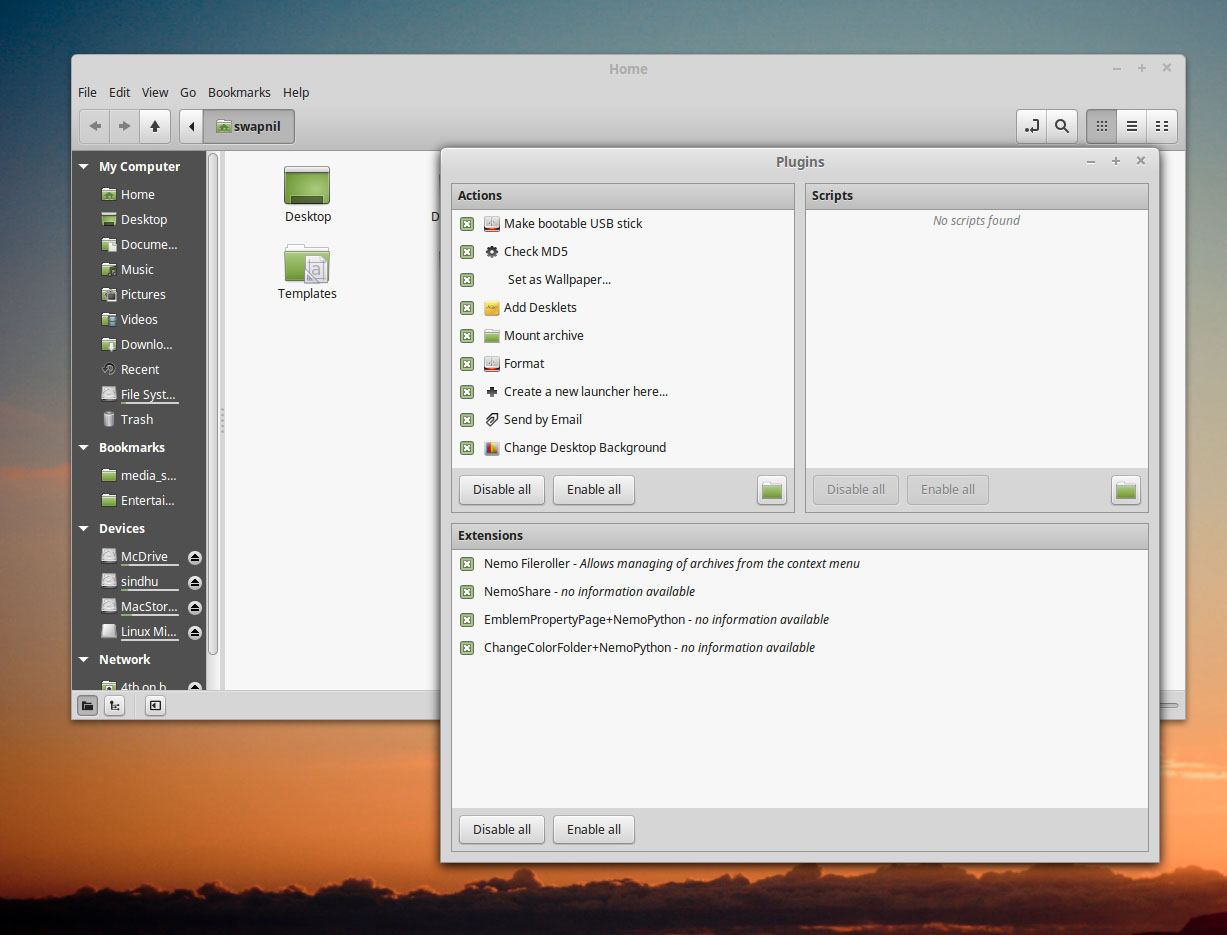
I run a local file server which hosts all my files. This saves me from copying and moving files around as I move between different devices (I do use cloud, but only for those files that need to be shared with others or the ones that I need to access when not on the local network).
I usually mount the directories from the file server to my device and work as if I am working on the local storage of the device. It’s very easy to add such directories across platforms using Finder in Mac OS X, EF File Manager on Android and Dolphin on Linux. All you need to do is drag and drop that folder to the side bar, or choose from the right-click context menu to add it to the desired place. Except for Files; it makes you jump through hoops unnecessarily. Unlike Dolphin or Finder, you have to open that directory and then hit ‘Ctrl+D’ and it will be added to the bookmarks. Painful. Nemo has taken a saner approach and you can simply drag and drop directories to the side panel under the bookmark tab.
Nemo is not perfect and is plagued by some issues it inherited from Files. One issue that I noticed in Nemo was the absence of file previews while accessing networked folders. While I was able to see the thumbnail for certain video files, it was not giving me previews/thumbnails for image files. All of my files stay on the file server so it was a bit of a deal-breaker as I was not able to see thumbnails of my images.
Some improvements that I noticed
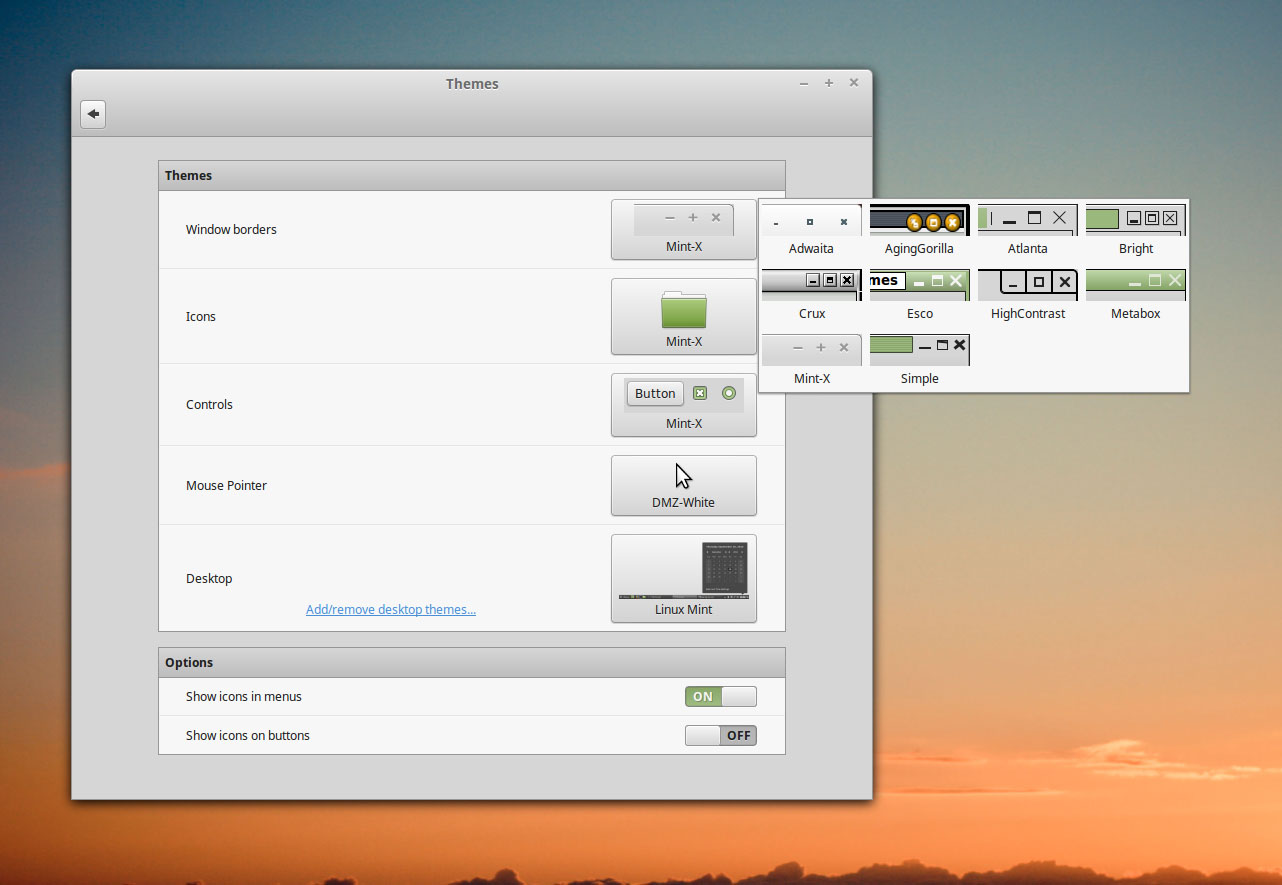
Appearance settings: You will notice subtle improvement in almost every nook and corner of Linux Mint. System Settings are improved and more polished. However I did find that under settings, Theme Selection options look half-baked and contrasts with the otherwise polished look of the distro.
Effects: If you remember the good old days when you could show 3D cube and other such effects on a Linux desktop, then Linux Mint has good news for you. The team has improved many effects and added new ones.
Power management: They have brought together different components that control power management, display brightness and battery usage under one setting. They have also redesigned the power applet which makes the life of a laptop user easier – now you can manage the brightness, backlight, and information about a secondary device, such as a mouse, from one place.
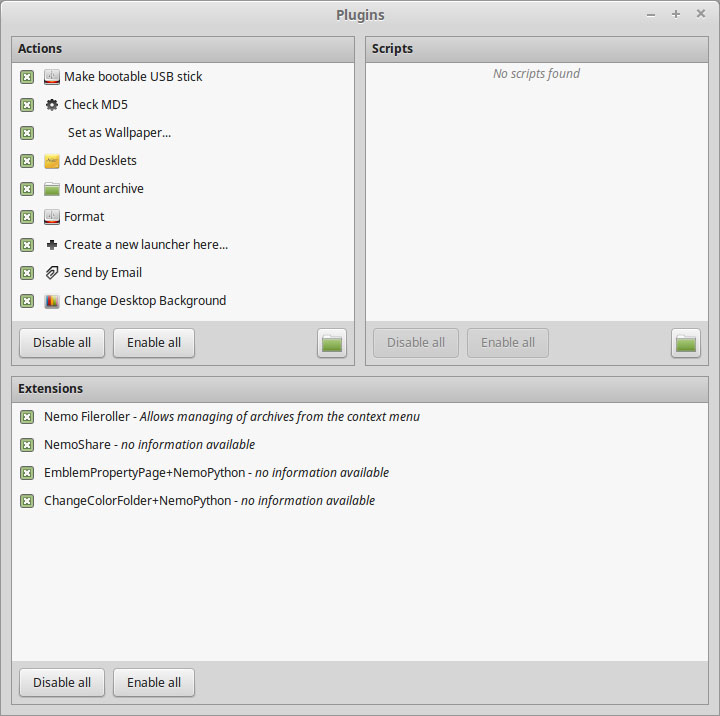
Plugins in Nemo: Nemo, as I stated above, continues to keep the Gnome file manager usable. With the latest version they have added a brand new plugin manager so you can expand its functionality by adding more plugins.
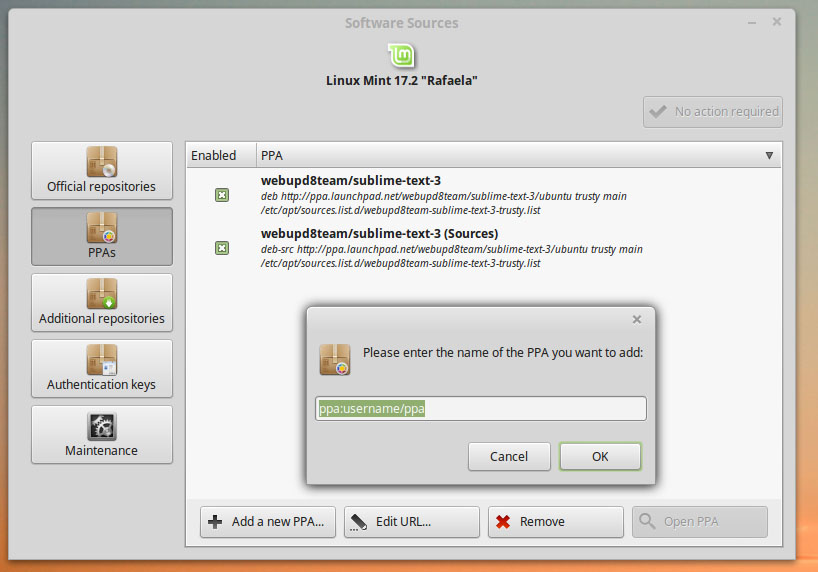
PPA Heaven: As much as I like the flexibility that Ubuntu’s PPA offers, I despise it when compared with AUR of Arch, and openSUSE’s OBS. Despite heavy reliance on PPAs, there is no official tool on Ubuntu desktops to manage PPAs; you have to Google them and add manually.
However, Linux Mint has shown us some hope. The Software Sources tool now makes it easier to add and manage PPAs on the system. I hope that Linux Mint takes it to the next level and introduces a tool which can also search all PPAs so a user doesn’t have to Google it.
MDM improvements: Linux Mint has developed its own display manager – Mint Display Manager and it continues to improve with each release. It now also supports avatars for users with encrypted home directories.
Terminal improvements: It seems Linux Mint has improved the bash completion command. I am spoiled by the zsh shell and Arch Linux, but new Linux Mint users will benefit from this as LM can now do a better job at auto-completion and command arguments. They have also added a new APT command which lists missing recommended packages for a particular package.
Easy upgrades: One of the most notable features of Linux Mint 17.2 is the arrival of an easy upgrade path. You can now easily upgrade to the latest version, as you would do on Debian or Ubuntu systems. I think sticking to LTS may have also played a role there.
Yahoo! Firefox on Linux Mint now comes with Yahoo! as the default search engine, and it’s not very user-friendly to change the default search engine.
Problems that I faced
I did come across a few problems on the new Linux Mint install. It was quite painful to pair my Apple Magic Trackpad. For some unknown reasons Linux Mint (also Ubuntu) wanted me to enter a PIN from the trackpad. Even if I selected the ‘0000’ PIN it failed to connect. It took me quite a few attempts to get it to work. I think the OS should be able to detect what kind of device I am trying to connect with and choose the pairing option intelligently. As I mentioned earlier, missing thumbnails for networked folders was also a deal-breaker.
Conclusion: Personal experience
I use a mix of operating systems, choosing the right tool for the right job. And I also happen to use Mac OS X, once in a while, for some professional film making and image editing. This heterogenous environment allows me to be in a better position to see where the Linux desktop is going vis-a-vis the mainstream, super expensive, operating systems. As an Arch Linux user (who also uses Mac OS X once in a while), I found Linux Mint to be a pleasant distro which adheres to the traditional WIMP paradigm, but also looks modern and polished.
A statement like that coming from an Arch Linux, and an occasional Mac OS X user, says a lot! It’s smooth, polished, mature and one of the best Linux desktops out there. Period.
I am fond of their, what I call ‘don’t break, what’s fixed’ approach. They don’t unnecessarily ‘innovate’ stuff to differentiate themselves from the rest; they do it to fulfill what users need. This makes Linux Mint an extremely user-friendly distro. If you haven’t tried Linux Mint yet, it’s time you must.



 Neil McGovern is the new Debian project leader, and he already made some contributions and opened up some important discussions within the project from his new position. He also revealed what he’s using on a daily basis.
 Canonical has revealed some details in a security notice about a few Oxide vulnerabilities that have been found and repaired in Ubuntu 15.04, Ubuntu 14.10, and Ubuntu 14.04 LTS operating systems.