I’ve tried just about every flavor of Linux available. Not a desktop interface has gone by that hasn’t, in some way, touched down before me. So when I set out to start kicking the tires of Elementary OS Freya, I assumed it was going to be just another take on the same old desktop metaphors. A variation of GNOME, a tweak of Xfce, a dash of OSX or some form of Windows, and the slightest hint of Chrome OS. What I wound up seeing didn’t disappoint on that level—it was a mixed bag of those very things. However, that mixed bag turned out to be something kind of special … something every Linux user should take notice of.
Why? Because Elementary OS Freya gets a lot of things right, including some things that other distributions have failed to bring to light. True user-friendliness.
Elementary OS Freya takes all of the known elements of a good UI, blends them together, and doesn’t toss in anything extraneous that might throw the user for a loop. The end result is a desktop interface that anyone (and I do mean anyone) can use without hiccup.
Before I dive any further into this, I must say that Freya is still in beta (and has been for quite some time). That being said, the beta release of Freya is rock solid. You can download the beta here and install it alongside your current OS or as a virtual guest in VirtualBox.
With that said, let’s examine what it is about Elementary OS Freya that makes it, quite possibly, the most ideal Linux desktop distribution (and maybe what it could use to draw it nearer to perfection).
Design
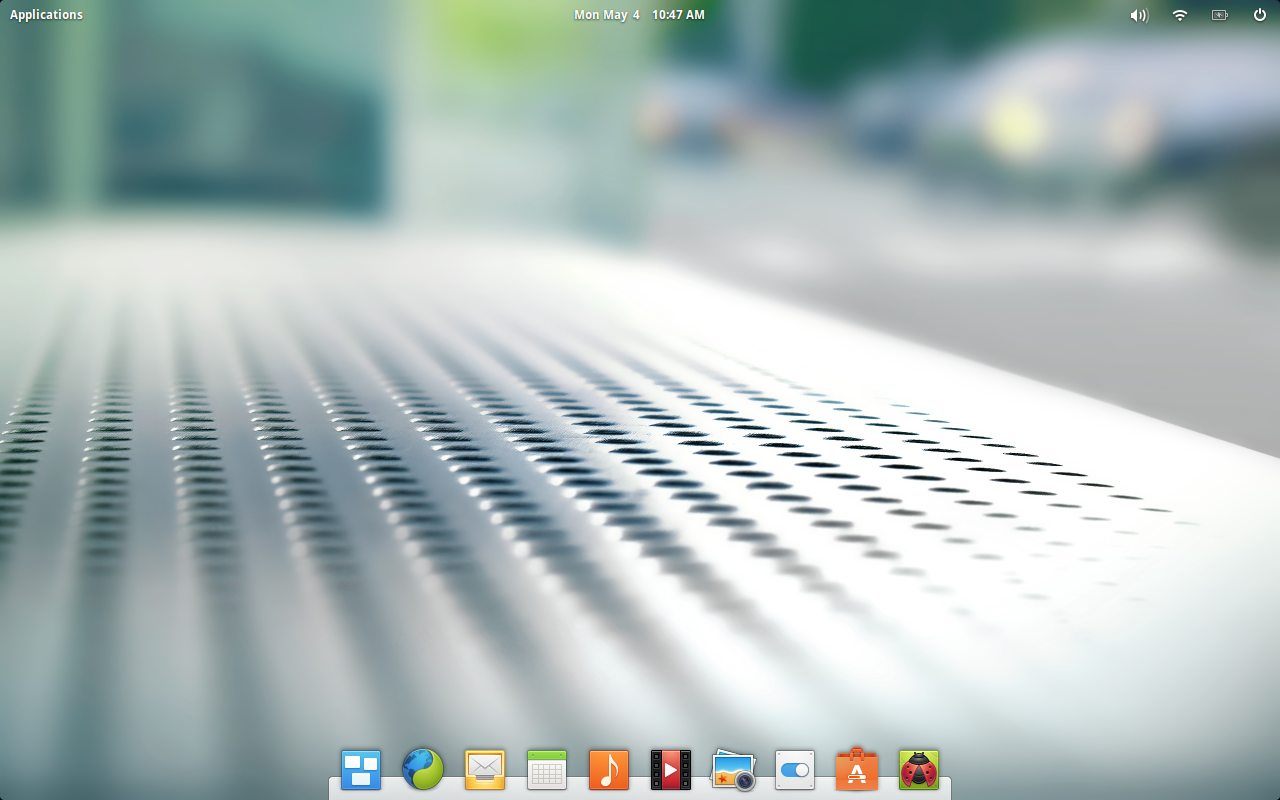
This is where Freya truly nails just about every possible aspect of the desktop interface. Upon installation (or loading up the live image), you are greeted with a minimalist interface that, at first glance, looks like a take on GNOME Shell with an added dock for good measure (Figure 1).
You only need scratch the surface to find out that Freya has taken hints from nearly every major interface and rolled them into a coherent whole that will please everyone. Consider this:
Do you see where that is going? With those pieces working as a cohesive unit, the Freya desktop is already light years ahead of a number of platforms. And they do work together very well.
The foundation
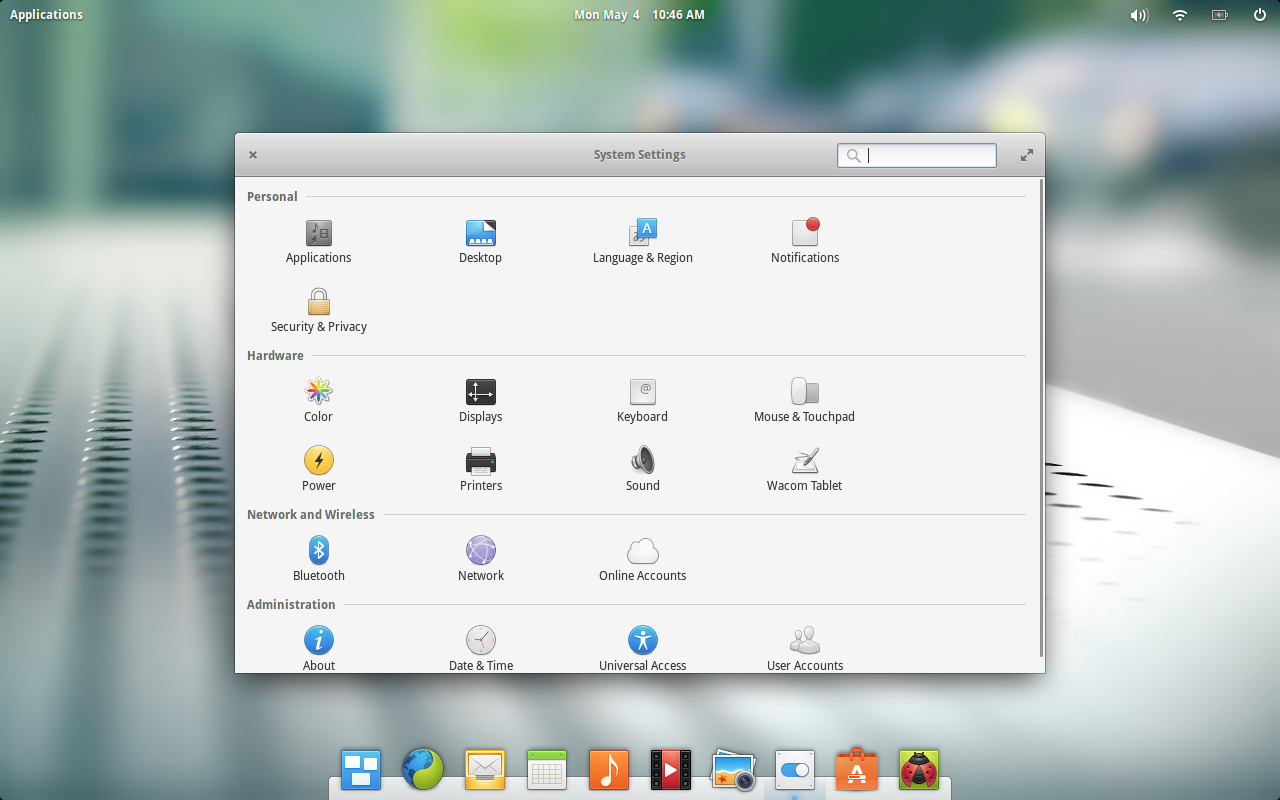
Elementary OS did right by choosing Ubuntu as its foundation. With this, they receive the Ubuntu Software Center, which happens to be one of the most user-friendly package managers within the Linux ecosystem. This also adds the Ubuntu System Settings tool, which is quite simple to use (Figure 2).
Where Elementary OS Freya departs from Ubuntu (besides Unity) is the default applications. This also happens to be one area where Freya does stumble a bit. By this, I mean the default web browser. I get the desire to use Midori over the likes of Chrome or Firefox; but the reality is that choice limits the platform in a number of ways (think supported sites). For someone like me, who depends upon Google Drive, Midori simply does not work. When I try to access Google Drive, I receive the warning You are using an unsupported browser.
To get around this, I must install either Chrome or Firefox. Not a problem, of course. All I need to do is hop on over to the Software Center and install Firefox. If I want Chrome, I head over to the Chrome download location and download the installable .deb file. If you install either Chrome or Firefox, surprisingly enough, the design scheme holds true for both.
NOTE: If you want to install Chrome on the current Freya beta, I highly recommend against doing so. Every attempt to load the Chrome download page (through either Midori or Firefox) actually crashes the Freya desktop to the point where a hard restart is necessary. So install Firefox through the Software Center and then download Chrome with Firefox. I did, however, manage to download the .deb file for Chrome on one machine, transfer it (via USB), and then install Chrome on Elementary OS. Once this was done, the Chrome Download page loaded fine (from Chrome only) and Google Drive worked flawlessly.
Missing apps
Outside of a supported browser, the one area that Elementary OS needs a bit of attention is the application selection. Upon installation, you will find no sign of an office suite or graphics tool. In fact, the closest thing to a word processor is the Scratch text editor. There is no LibreOffice to be found (and with the state of Midori rendering Google Drive useless, this is an issue).
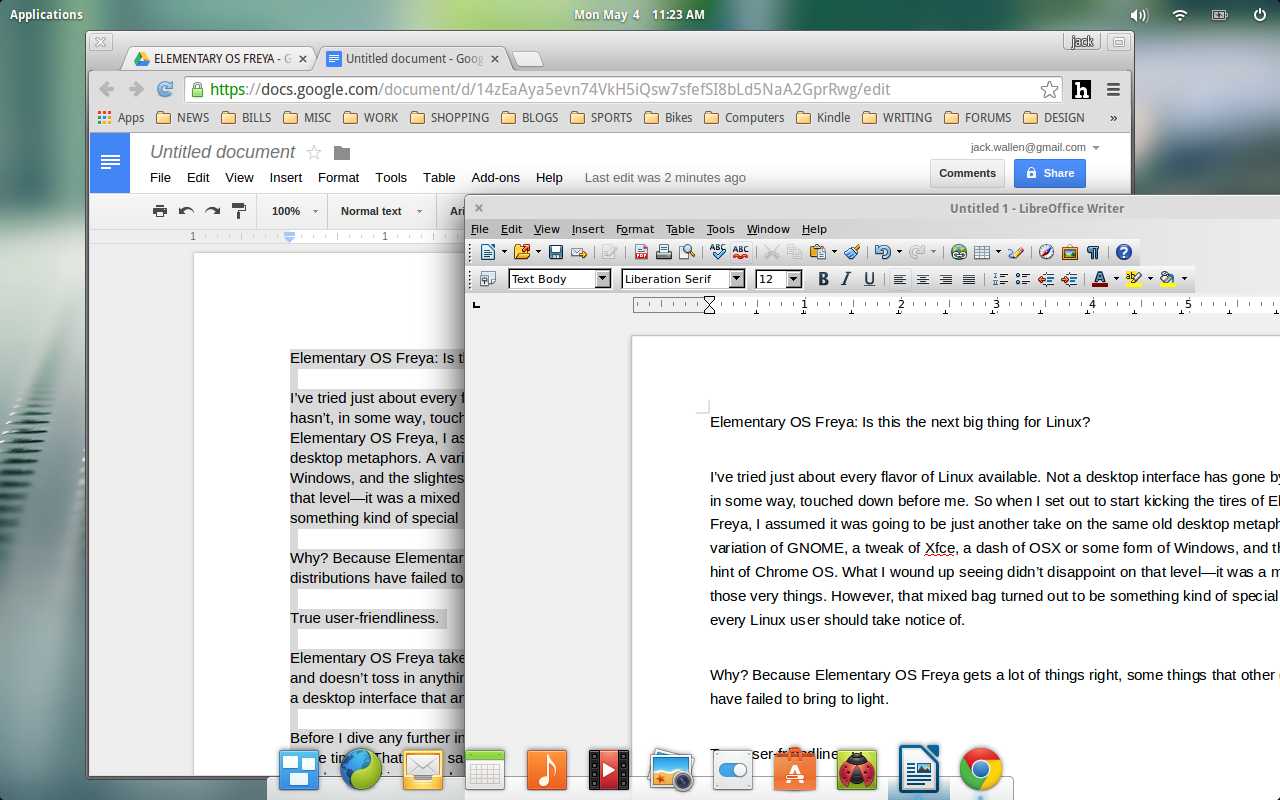
Yes, you can hop over to the Software Center and install LibreOffice, but we’re looking at a Linux desktop variant that offers one of the most well designed interfaces for new users. Why make those users jump through hoops to have what nearly every flavor of Linux installs by default? On top of that, when installing LibreOffice through the Software Center (on Elementary OS), you wind up with a very out of date iteration of the software (4.2.8.2) ─ which completely shatters the aesthetics of the platform (Figure 3).
Including LibreOffice (and an up-to-date version at that) would take next to nothing. The latest iteration of Ubuntu (15.04) includes LibreOffice 4.4. This release of the flagship open source office suite would be much better suited for Elementary OS Freya … on every level. I highly recommend downloading the main LibreOffice installer and installing with the following steps:
-
Open a terminal window.
-
Change into the Downloads folder (assuming you downloaded the file there) with the command cd Downloads.
-
Unpack the file with the command tar xvzf LibreOffice_XXX.tar.gz (Where XXX is the release number).
-
Change into the DEBS subfolder of the newly created directory.
-
Issue the command sudo dpkg -i *deb
Once the installation is complete, you’ll need to run the new install from the command line (since the entries for LibreOffice in the Applications menu will still be the old 4.2 release). The command to run the new version of LibreOffice is libreoffice4.4. Once opened, you can lock the launcher to the dock by right-clicking the LibreOffice icon in the dock and selecting Keep in Dock.
There is so much to love about Elementary OS Freya. Considering this platform is still in beta makes it all the more impressive. Even though there are areas that could use a bit of polish, what we are looking at could easily take over as the single most user-friendly and well designed Linux distribution to date.
Have you given Elementary OS Freya a try? If so, what was your impression? Will you be ready to hop from your current distribution to this new flavor, once it is out of beta? If not, what keeps you from jumping ship?
Ready to try it out? Here are 7 Elementary OS Freya tweaks to make the platform even better.