
A new release of the GNU Guix functional package manager is now available…
Read more at Phoronix
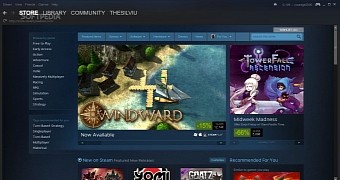 Valve has just released a new update for the Steam gaming client, and it’s a big one. Granted, it’s mostly filled with small fixes and improvements, but it’s important nonetheless.
A few weeks have passed since the previous major Steam update, so it’s time for another one, although it’s nothing too impressive. The developers from Valve seem to focus more on fixing problems and less on adding new features. Some of the updates made to Steam in 2014 were pretty important and a… (read more)

Adrian Otto is project team lead for OpenStack projects Magnum and Solum. Otto founded the OpenStack Containers team in 2014, and is a Principal Architect at Rackspace. He is a serial entrepeneur, with 20 years of experience in technology leadership roles, and gets excited about evolving new technology to shape the future of cloud computing.
Filling a disk with random data can be very time consuming, especially on very large hard drives, but we can use a trick here: we will luks format the device first, and then fill it with 0s (much faster then random). Because of encryption the data will be written on the disk as random, so we’re actually using the luks device as a random data generator device. Then we will override just the header with random data.
cryptsetup luksFormat --hash=sha512 --key-size=512 --cipher=aes-xts-plain64 --verify-passphrase /dev/sda

You will be asked to enter a password for the encryption, it doesn't matter if it's not very secure this time, because we will only use this device as random data generator. Now we must open the device:
cryptsetup luksOpen /dev/sda sda_crypt
dd if=/dev/zero of=/dev/mapper/sda_crypt bs=1M
Usually the header takes a few Megabytes, but to avoid calculations and be rude we will cover the first 10 Mb of the disk. We will use dd with /dev/urandom as random data source this time:
cryptsetup luksClose sda_crypt
dd if=/dev/urandom of=/dev/sda bs=512 count=20480
We have now the disk full of random data. Now for the serious stuff. Just repeat steps 1 and 2 but this time use a very secure passhrase, because it will be the key to unlock your disk
lvm pvcreate /dev/sda
vgcreate vg00 /dev/sda
I usually use 4: one for root, one for the swap partition, one for /home and the other for a data partition, but this is obviously up to you.
lvcreate -n lv00_swap -L 4G vg00
lvcreate -n lv01_root -L 30G vg00
lvcreate -n lv02_home -L 10G vg00
lvcreate -n lv03_data -l +100%FREE vg00
Notice how on the last line i’ve used -l instead of -L. This modifies the command to use logical extends instead of size. The +100%FREE option tells the program to use all remaining space for the logical volume.
Now we must create the boot partition on a separate device, and when installing the system we should mark that device as bootloader device, in which to install grub. I will not cover this here, cause it’s a common operation.
Now format your logical volumes with the filesystem you like, install and enjoy your full encrypted system, but remember that encryption protects your computer only when it’s turned off, for example if someone steal your disk and tries to look for data inside it. Once your machine boots and the disk is decrypted, you will have no special defenses against any other sort of attack or danger.
Samba is the most popular and efficient way with which you can share your files and directories between Linux, Windows and Mac. You just have to create a Samba user, Decide which file/directory you wish to share and Set the permissions, in order to create a Samba share. Well, initially, this might seem to be difficult- especially for beginners, but when you understand all the configuration options, it will seem to be as simple as anything.
Read more at YourOwnLinux
The Linux Kernel 4.0.3 is now available for the users, announced Linus Torvalds. This Linux Kernel version comes with plenty of fixes and improvements. This article will guide you to install or upgrade to Linux Kernel 4.0.3 in your Ubuntu or Linux Mint system.
Read more at YourOwnLinux