
Rich Lander of Microsoft has posted an update concerning the open-sourcing of Microsoft’s .NET core and how they’re looking to do feature work more in the open and with the community’s involvement…
Read more at Phoronix
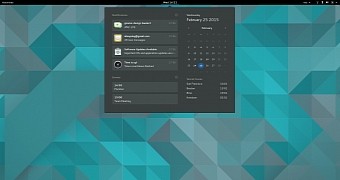 GNOME 3.16 promises to be one of the best releases made so far and numerous changes have been already announced. The new notification system is one of them and it’s definitely something to look forward to.
Not all desktop environments treat notifications the same way. Some are simple, some can’t be dismissed, in others you don’t have a history of recent notifications, and so on. No two DEs treat these notifications in the same way, which is actually a problem. The GNOME dev… (read more)
Michael Tremer has announced the release of IPFire 2.17 Core 87, a major new update of the the project’s specialist Linux distribution designed for firewalls: “This is the official release announcement for IPFire 2.17 – Core Update 87, a new major version of the IPFire firewall distribution coming….
 The Mobile World Congress (MWC) event will take place next week, between March 2-5, in Barcelona, Spain. Meizu, a Chinese mobile phone manufacturer, will be at the event to showcase the forthcoming Meizu MX4 Ubuntu Edition smartphone, according to its latest tweet.
As we reported a few months ago, the Chinese mobile phone manufacturer will make an Ubuntu Edition… (read more)

There are occasions when I require a Voice Over IP (VOIP) session. The single most pressing demand is podcast interviews ─ of which I do a lot. When I need to record an interview, the path of least resistance is recording a VOIP call. That, of course, requires a VOIP client. For the longest time, the only VOIP client of note was Skype. Even though Skype was purchased by Microsoft, it still remains one of the most user-friendly VOIP clients available. And considering Skype’s user-base, it is often considered the de facto standard software for the task.
That doesn’t mean Skype is your only choice. Yes, Skype works on Linux (and, for the most part, works really well); but for those who’d rather choose an option that’s open source (or simply not Microsoft-owned), I present to you a few possible options to satisfy your VOIP needs.
Note: Some of these VOIP clients require creating accounts in order to place calls outside of your LAN. Some of these clients/services do offer free SIP accounts that allow you to call other users within the same service. Finally, the major caveat to using any of these clients is that they cannot make calls to Skype users (as Skype uses an undisclosed, proprietary protocol).
With that said, let’s take a look at some of the best VOIP clients for Linux.
Ekiga not only offers a fully supported Linux client (it can be found in most all standard repositories), it has a very user-friendly setup and a straightforward interface (Figure 1).
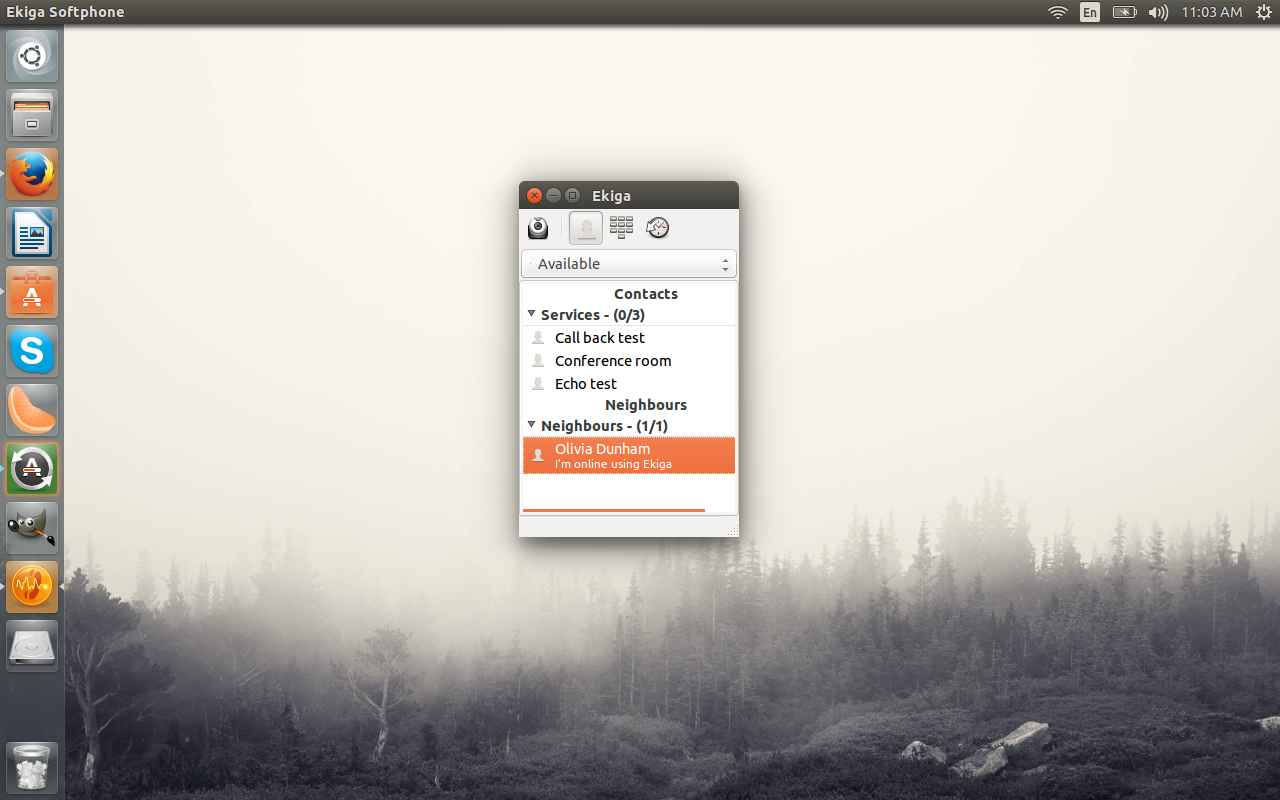
Ekiga is compatible with any router or device that supports Session Initiation Protocol (SIP) or H.323 and can easily communicate to other softphones (such as Windows Messenger, Netmeeting, SJPhone, Eyebeam, X-Lite, and more). Ekiga works seamlessly with Pulseaudio and does a great job of auto-detecting any attached video camera hardware (Figure 2).
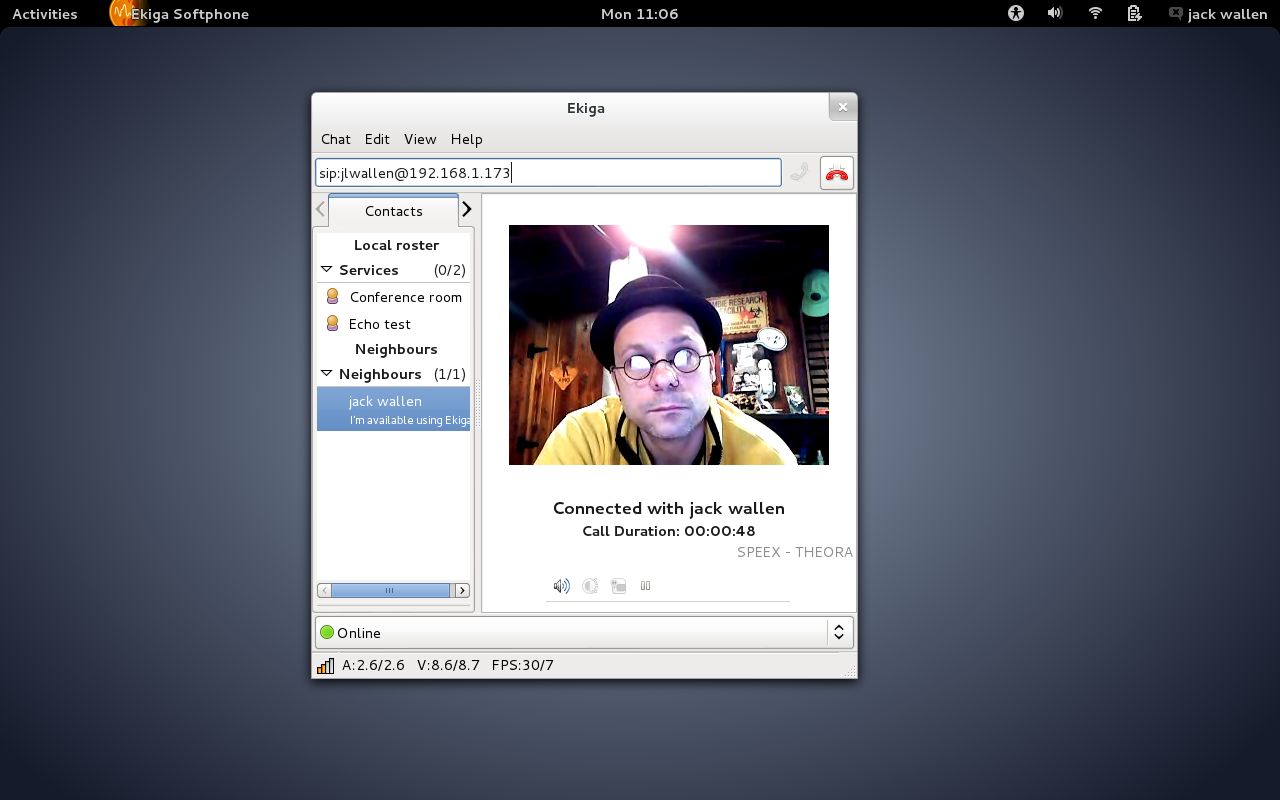
One of the features I really appreciate is the separation of local and remote contacts. By separating out LAN “neighbors” you can easily set up Ekiga as your in-house communication tool without having to create SIP accounts from Ekiga.
When you first install Ekiga, you will walk through a very simple account wizard. Within this wizard you will automatically be signed up for a free Ekiga account (you can opt out of this during the wizard). That free account will allow you to place free VOIP calls to other Ekiga users.
Linphone is not quite as user-friendly as Ekiga (it’s close), but it does a fine job of taking and placing VOIP calls on the Linux platform. With Linphone, you can connect to any SIP account for free (even across other services). The one caveat with placing calls across SIP accounts (i.e. from Linphone to Ekiga) is with video enabled, the clients crash. So if you are placing cross-service SIP calls, your best bet is audio only.
Outside of that, using Linphone is very similar to Ekiga. Upon installation (you’ll find Linphone in most standard repositories) and first run, you’ll be asked to walk through an account setup wizard. If you already have a Linphone account, you can simply authenticate with your account credentials and start using the VOIP client (otherwise, set up a free account). Once you’re logged in with your account, you can call SIP accounts by entering their account address and clicking the call button (Figure 3).
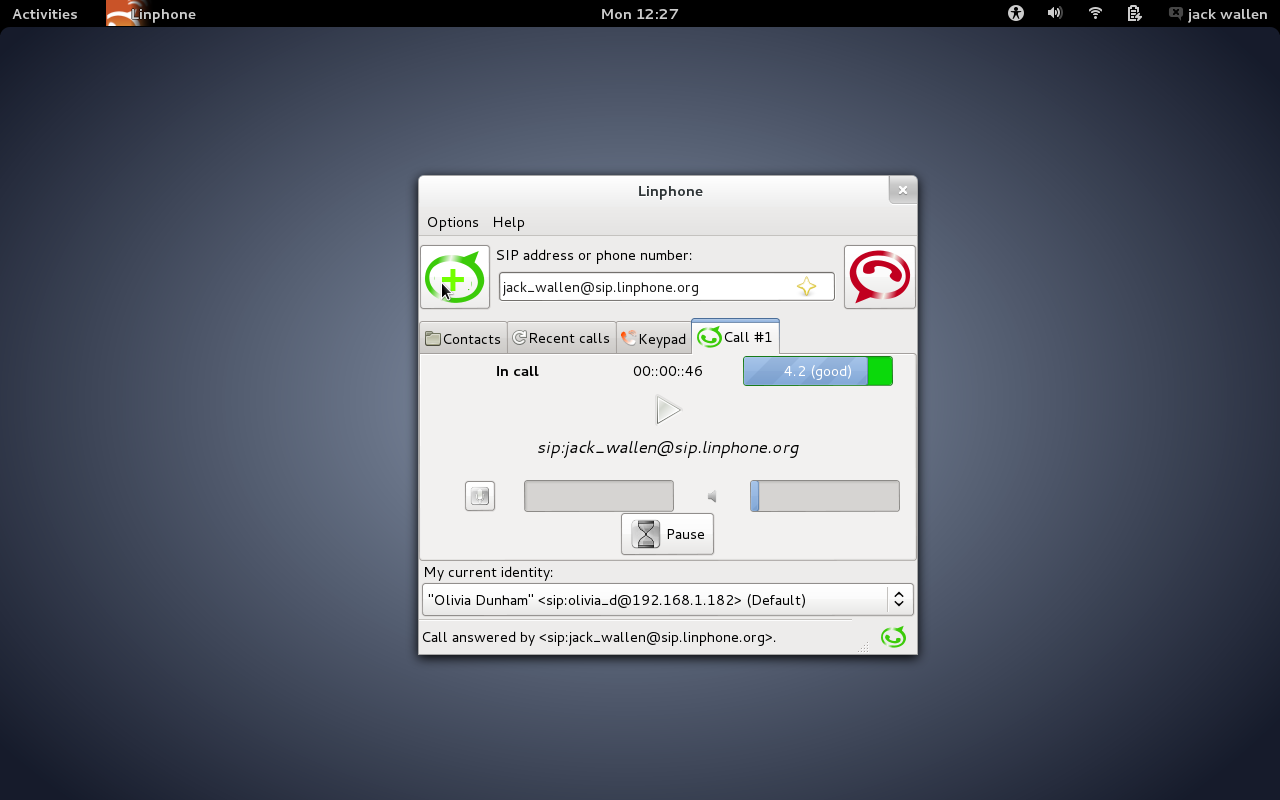
An added bonus to Linphone is that it does also offer an Android client (in case you need VOIP on the go).
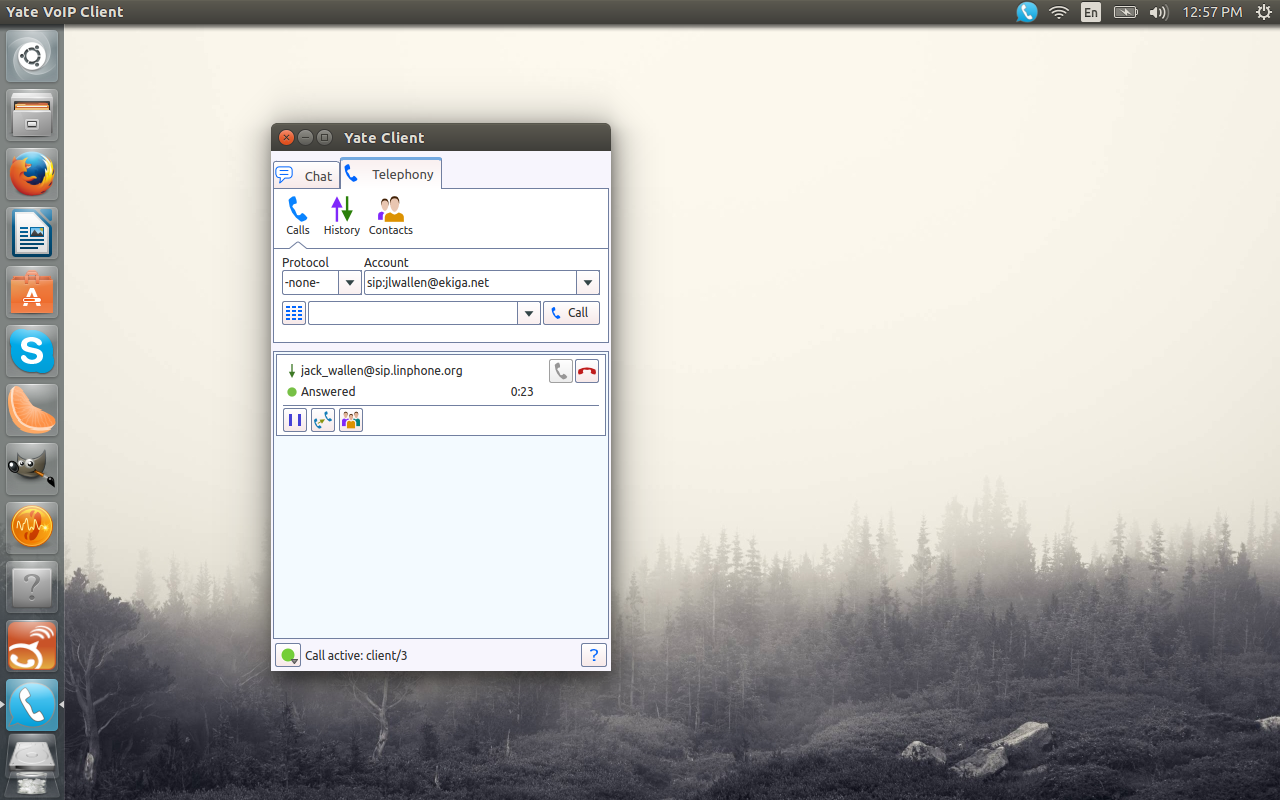
Yate is a bit different in that it allows you to make VOIP calls as well as Facebook Messenger, and Google Talk calls (as well as standard IM chats). When you walk through the setup wizard, you can select from a short list of providers (FWD, iptel.org, sipgate.co.uk, iaxtel.com, ekiga.net, voxgratia.org). Yate works with the SIP, jabber, H.323, and iax protocols.
There is one issue I came across while using Yate as a Google Talk client ─ clearly you have to have a Google Voice account, but if your account uses two-step authentication, Yate will not be able to log in. Another issue I found using Yate was that, on certain machines, the client had to be run with elevated permissions (i.e. running with the sudo command) ─ otherwise the client could not gain access to the audio device.
The Yate interface (Figure 4) is very easy to use and allows quick access to both telephony and chat connections.
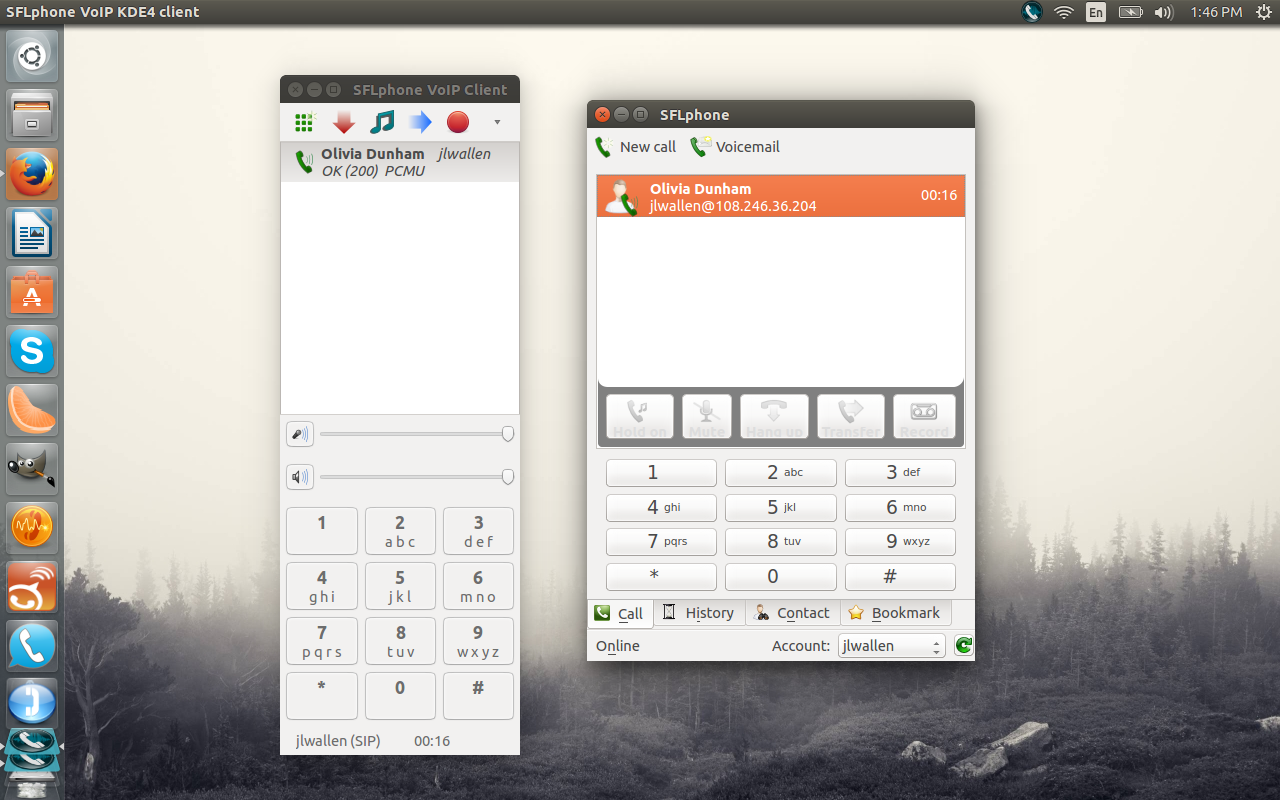
SFLPhone offers GNOME, KDE, and CLI interface and can connect with nearly any SIP or AIX2 server. With this particular “softphone” you gain the features of nearly any VOIP client as well as an unlimited number of lines, attended call transfer, per-account STUN support, voice encryption (via SRTP), auto-open of incoming URLs, and much more. During the setup wizard, you can add an optional voicemail number to use for missed calls.
The difference between the GNOME and KDE interfaces is actually significant ─ with a nod to the KDE iteration for the better client (Figure 5).
SFLPhone can be found in nearly all standard repositories, so installation is simple.
If none of these options fit your bill, there is always Skype. Yes, it’s proprietary (and owned by Microsoft), but if you need easy communication with another Skype user it’s your only option. Skype also has one of the easiest methods for recording incoming/outgoing calls (Skype Call Recorder must be installed).
The Linux desktop need not be left out of play for VOIP calls. There are plenty of options available ─ some of which are just as powerful and user-friendly as the proprietary software. So if you’re looking to connect with other SIP users, give any one of these apps a try and see if they can’t serve as a perfect drop-in replacement for Skype.