
Kolab Systems has announced the release of Kolab Enterprise 14, the latest version of their open-source groupware solution for email, calendar, contacts, tasks, file storage, data sharing, and other tasks…
Read more at Phoronix
“Smart car” technology had a huge presence at CES 2015, from BMW’s 360-degree collision avoidance and parking assist features to Audi’s Human Machine Interface (HMI) that connects to an iPhone or Android device. And with both Apple and Google jumping into the market with their CarPlay and Android Auto IVI systems, the automotive industry is on the brink of some significant changes.
 For example, thanks to new developments in open source virtualization, OEMs and car manufacturers are closer than ever to achieving a secure, flexible, robust, and customizable integrated cockpit — one that keeps drivers safe while meeting consumers’ connected car expectations. Already well-known for providing security, stability, and isolation in the datacenter, automotive virtualization is gaining wider attention due to additional hardening and new support for ARM.
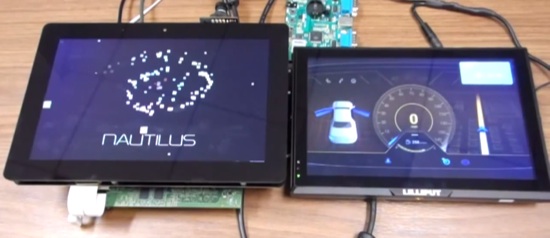
While this is certainly exciting, virtualization remains a roadblock to some in the smart car industry. I personally had the opportunity to demonstrate GlobalLogic’s Nautilus platform for automotive virtualization at GENIVI’s CES demo and networking event. Leveraging a TI J6 SoC, I demo’d a dual-screen virtual cockpit with one screen emulating a Linux-powered driver information display, and the other screen emulating an Android-powered IVI system. The entire configuration ran on Xen Project Hypervisor 4.5 with three domains: Dom0 (thin control), DomU (Linux), and DomU (Android).
During the demo, I showcased how Nautilus achieves an overall system boot time of 8 seconds, an early RVC of 1.5 seconds, and secure and reliable peripheral sharing (including GPUs). Most importantly, I demonstrated how even if the Android virtual machine crashes, it has absolutely no influence on the mission-critical Linux virtual machine. With Nautilus automotive software, developers can host a number of VMs that are completely sandboxed from each other, thereby ensuring that all vehicle services will continue to operate even if one specific component fails.
The demo was well-received by GENIVI’s attendees, and I got the impression that many Tier 1 OEMs were thinking about using virtualization in their next-gen platforms. This is a huge milestone because, up until very recently, virtualization had a bad rep in the automotive industry. Previous attempts at virtualization using ARM A9 architecture ultimately failed because there was no hardware support for it. Many were also highly reluctant to use open source technology because it lacked proper compliance to strict auto industry regulations. But with platforms like Nautilus, developers can leverage cutting-edge open source technology that is ISO 26262 certification ready to create secure and reliable automotive virtualization experiences.
In fact, GlobalLogic’s goal is to make Nautilus part of the reference Automotive Grade Linux (AGL) software, an open source project that is developing a common, Linux-based software stack for the connected car. We are also a founding leader for Xen Project’s Embedded and Automotive initiative. GlobalLogic is working to add the Xen-based technology to the AGL spec and is further developing the platform’s real-time scheduling and peripheral sharing features to improve the use of a single physical CPU for multiple guest OSes and peripheral devices. We’ll soon be extending QNX and Tizen IVI 3.0 support to improve the functionality of other features. Finally, we are also expanding Nautilus to support even more SoCs in the next six months, such as Renesas R-Car H2/M2, which offers hardware support for virtualization.
Based on my work with the Nautilus platform and my observations of the general automotive industry, I wouldn’t be surprised to see the first PoCs for automotive virtualization coming out of China and Japan later this year. The momentum behind smart car technology development is very strong right now, and I’m excited to see what happens when automotive OEMs finally start taking advantage of virtualization’s many possibilities.
Alex Agizim is VP and CTO of Embedded Systems at GlobalLogic.
 A few months ago we told you that one of the hottest office suites out there, LibreOffice, was in development for the Android consumer base. The report also mentioned that the app would be made available soon, but no specific dates were given.
Well, it took The Document Foundation (TDF) some time, but this week we’re happy to announce that LibreOffice Viewer (Beta) for Android has been released in the Google Play Store and is available for download to users of mobile devices such as tablets a… (read more)
Béla Markus has announced the release of version 6.0 of Tiny Core Linux “piCore” edition, a minimalist distribution designed for the Raspberry Pi single-board computer: “Team Tiny Core is pleased to announce the immediate availability of piCore 6.0. The most important change is the use of the official….
Thunderbird, an Open Source and popular email client reached to version 31.4.0. Thunderbird developing under a well known organization Mozilla that also develops Firefox internet browser. Thundrebird with the capability of managing multiple email account can also be used to subscribe to RSS feeds and access online Newsgroups.


Thunderbird default themes can be changed to your desired themes. Thunderbird themes website has a long category of themes types. My favorite category is abstract 🙂 .

Other security features may be added through extensions. For instance, Enigmail offers PGP signing, encryption, and decryption.
Optional security protections<!– Go to www.addthis.com/dashboard to customize your tools –>
<div ></div> also include disabling loading of remote images within messages, enabling only specific media types (sanitizer), and disabling JavaScript.
The French military uses Thunderbird and contributes to its security features, which are claimed to match the requirements for NATO‘s closed messaging system.

$ sudo apt-get install thunderbird
Found any correction or broken link? Report here.
Also read How to install VirtualBox through PPA in ubuntu 14.10/14.10 or other distributions
 Though he eventually built a career as a Linux System Engineer, Jean-Roch Rossi started Linux administration as a hobby and a help-desk job in college.
He switched to Mandrake Linux because his Windows machine kept crashing and built his Linux skills by tinkering on his home computer. As he learned more, he took a series of sysadmin jobs that were progressively more advanced. He’s now a Linux Foundation Certified Engineer and is looking for his next career opportunity.
Here, he tells us more about his career, why he took the LFCE exam, what he thought of it, and offers advice to anyone who’s thinking about becoming a certified system administrator.
Linux.com: First, can you tell me a little about yourself? Where do you live and work? What do you do?
Jean-Roch Rossi: I am french and I live in France, near Strasbourg in a cute city where some houses look like they’ve escaped from Grimm’s fairy tales. I used to work as a Linux System Engineer, but actually I am searching for a position.
How long have you used Linux?
Rossi: I have used Linux for 16 years. In the beginning it was just for me at home, just a “hobby.”
My first install of Linux was in 1999, it was Mandrake 6.0 with a 2.2 kernel, I chose this distro because the shell was with color while the Red Hat console was only white on black. At that moment I didn’t know it was possible to configure it.
At that moment I was student in biochemistry and living on campus. As the network in my room was connected to the university’s network, internet was awesome. When nobody was connected, for example at 3 a.m., the speed could reach 500 Kb/s, which was huge compared to the 4 Kb/s modem speed there was in my parent’s home. So with this amazing bandwidth I spent a lot of time on the internet… mainly during the night.
Unfortunately my Windows9x was crashing very often, at least once per day (per night), when it was not because of bug it was a virus. As a biology student, I couldn’t understand how a machine could be so unreliable…
Then I heard about Linux from a friend of my father who was fixing issues on our PC at home.
So I decided to completely move out the Windows98 and replace it with Linux, but it was more difficult than expected. I was just a simple user with basic knowledge of PCs and in 1999 Linux for desktop was already nice but not as easy as today. To make my Savage4 video card work (simply working, even without 3D stuff) I had to install and configure all the Xfree86 manually, it was hard but very informative. And quite often the only way to install software was by compiling it.
How did you get to where you are today and how did you get started doing system administration?
Rossi: Thanks to all the difficulties I had in order to use Linux at home I gained some good skills on Linux and IT in general. In 2002 I had my first job with computers, it was a kind of help-desk position for a language center at the university. One year later I started to install and administrate a web server (running on Trustix Linux 2.1 with Apache 1.3 and MySQL 4) at this center. It was used by more than 2,000 students every year. My boss was very satisfied with my work, at that moment I understood this was my way and I left my studies – a master in pharmacology that I have never finished.
In the beginning it was difficult to find a job as my experience was small and I had no diplomas in IT. But little by little with experience I got better ones. I also passed LPIC (Linux Professional Institute Certification) in 2006 and it helped me a lot to show I have knowledge in Linux administration.
Why did you decide to get certified by the Linux Foundation?
Rossi: This was by chance. From time to time I read news about Open Source and linux.com was talking about this new certification. It was the right moment as I had free time. The price was good. And I like the fact it is a real practical exam on a real system. On top of that I guess a certification from the Linux Foundation should be nice on a CV.
What, if anything, did you do to prepare for the exam?
Rossi: For the LFCS, I have just done it without any preparation, but for LFCE I had to learn just Squid and Postfix, as I never had to work on it. I took some documents and how-to’s from the internet. I set up a virtual machine with CentOS and tried to install all the services needed by the exam. Once I was feeling confident, I tried to install all the services from the beginning within two hours. It took me more than four hours but as the exam is not asking to do everything, I was feeling ready anyway.
What did you think of the exam?
Rossi: It was fun and at the same time a little stressful. Even if my internet connection was not bad, it was having several lags, even at one moment I thought I lost the session. But nothing is perfect… and I like a lot the fact it can be done at the moment and the place I decide. I did the exam in the kitchen, not to be disturbed, between 1:00 and 3:00 a.m. when there is less traffic. Except that is was adding some “spice,” the lags were not such a big problem in the end.
The best way to test IT skills is by checking in a real environment, which is the case of LFCE.
I already have done the LPIC, the questionnaire was quite difficult as you needed to know by heart many command options. Getting LPIC certification was making me feel confident about my knowledge but not completely about my skills.
Did anything surprise you, or stand out about the exam?
Rossi: No. Maybe because the information from the Linux Foundation website was clear and useful.
Do you have any advice for anyone considering taking the exam to get certified?
Rossi: Even for a skilled Linux Engineer, it is good to create a sandbox virtual machine and play (train) on all topics of the exam. It can help avoid a situation when you know you have done exactly what the question asks, but two years ago and you forgot this magic option…
What are you hoping to do with the certification, now that you have it?
Rossi: This is one more argument to say “yes, I have the skills for a Linux System Engineer position”
Anything else you’d like to add?
Rossi: I like to be on computer at 3 a.m., but no, I am not a vampire. 😉
Interesting in Linux Foundation training and certification? Visit Linux Foundation Training for more information.
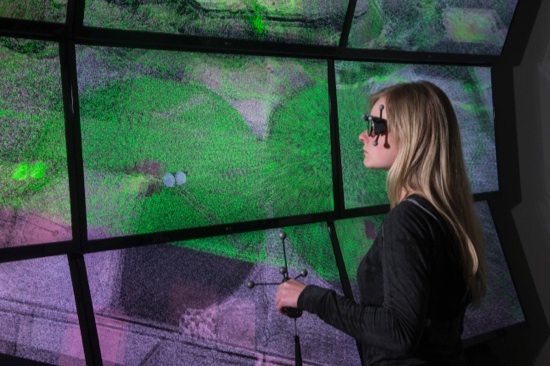
Virtual reality may be best known for its entertainment value, but its practical applications are at least as compelling. With Cave automatic virtual environments (CAVE), for instance, engineers can save time and resources by testing out products and solutions in the lab to see which are best-suited to a particular problem or site in the real world.
The only problem? Cost. CAVE environments can cost millions of dollars, putting them out of reach for many institutions. Unless, of course, they happen to use open-source software.
Enter VuePod, a CAVE that was recently built by a team led by Dr. Dan Ames at Brigham Young University using open source software. Sponsored by the university’s 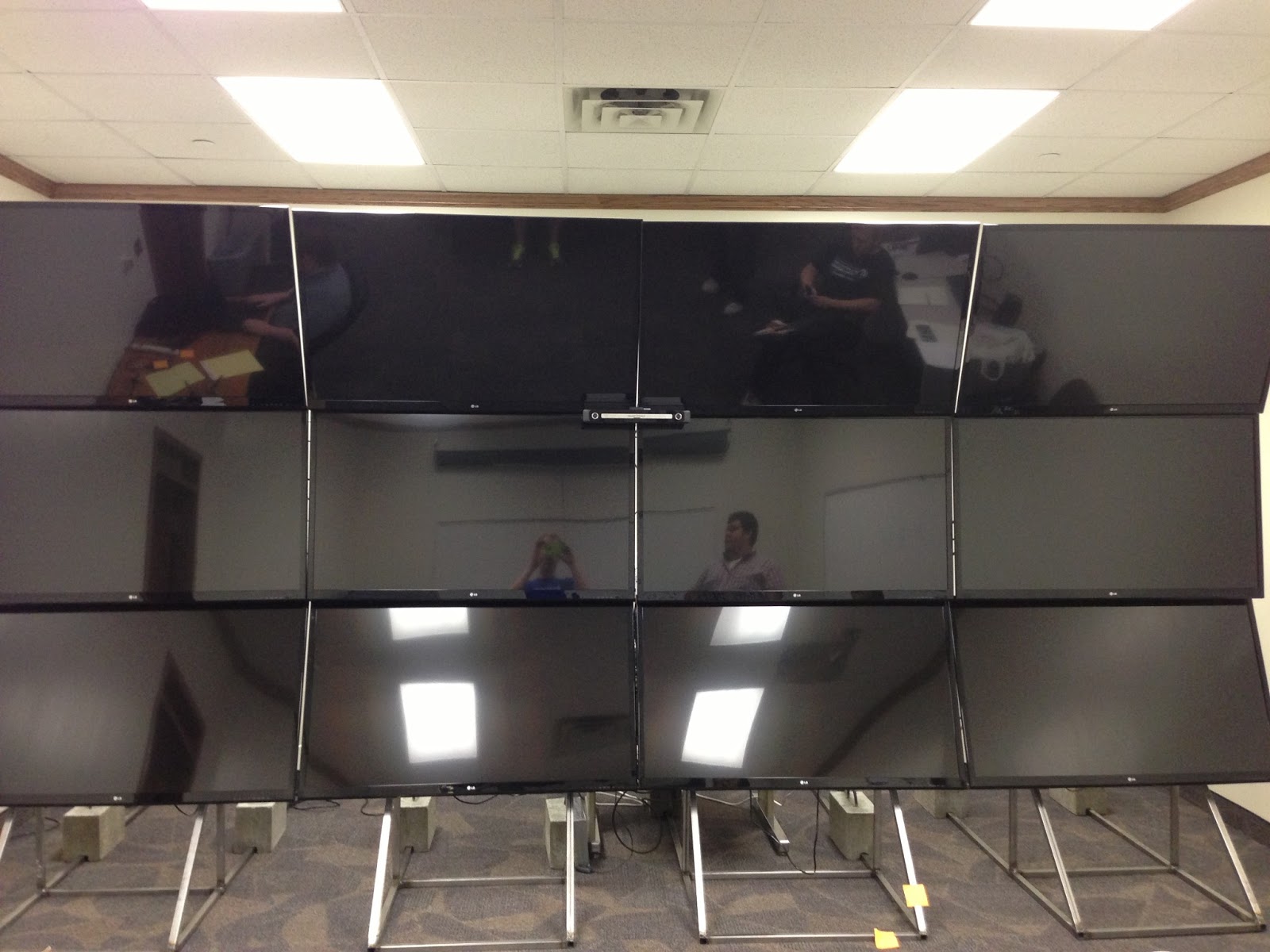 department of Civil and Environmental Engineering, VuePod is student-built and -operated and can be used with LIDAR data to investigate a wide range of engineering problems.
Equipped with 12 consumer-grade, passive 3D television monitors and an active tracking system, VuePod can simulate what it’s like to experience an earthquake, for example. It can also help engineers understand the effects on highways of mudslides and erosion, said Thomas Keene, a former student involved in building the unit who is now a software engineer at Armature Studio. “It’s the next best thing to actually putting your boots on the ground,” Keene told Linux.com.
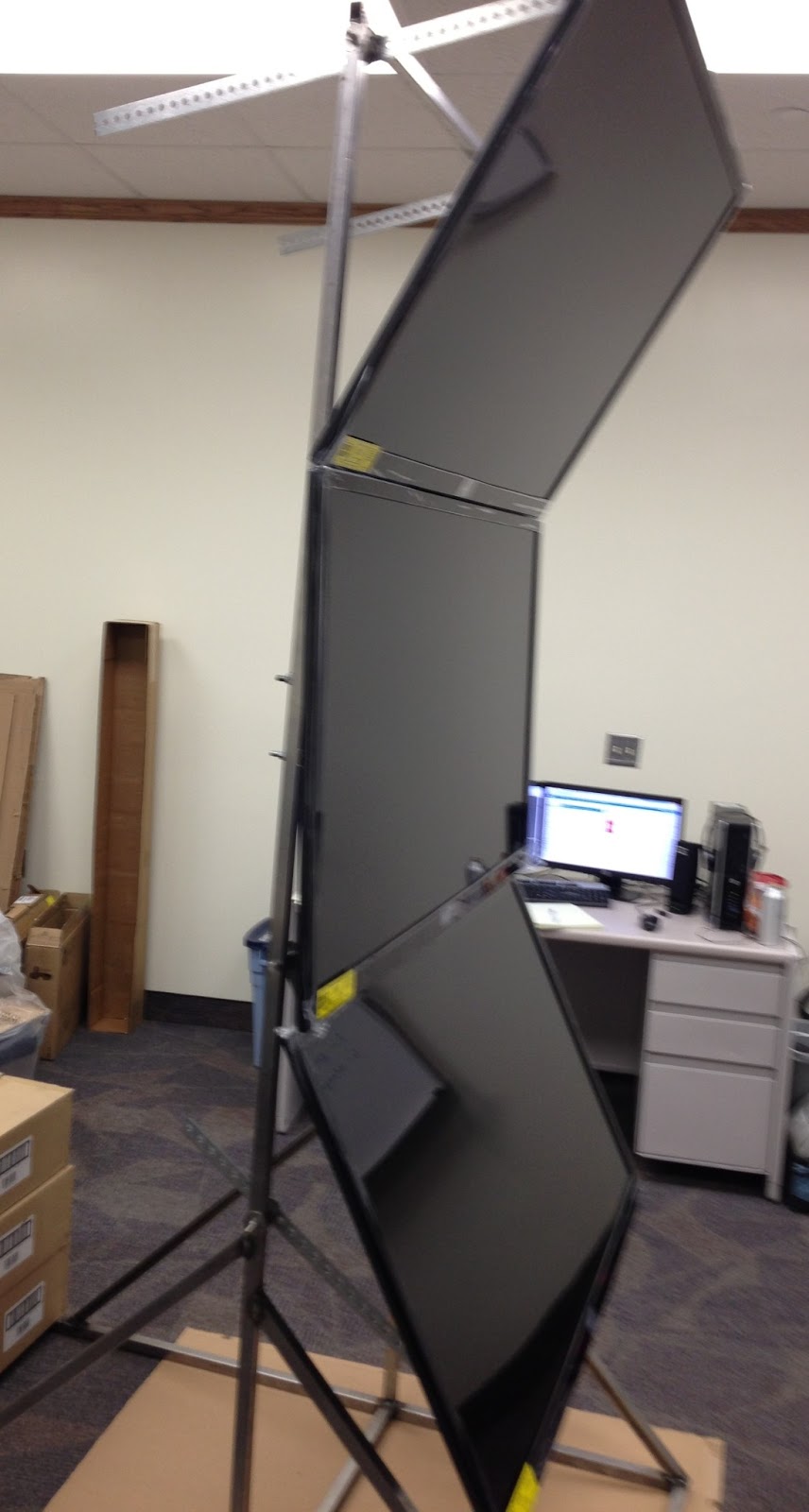
No less impressive than VuePod’s capabilities was its roughly $30,000 cost, which is about a tenth of what similar setups might run, Keene said. A modular approach using off-the-shelf components and open source software is largely responsible for that. VuePod runs Ubuntu Linux 13.04 and uses VRUI — an open source C++ toolkit — to render point clouds of geographical LIDAR scans.
VRUI “handles VR rendering across multiple displays and has extensions for handling input from input devices like our IR motion tracker and Bluetooth Wiimotes via an intermediary process called VRDeviceDaemon,” Keene explained. “We picked it at the recommendation of some folks at Idaho National Laboratories, and because it met our requirements for displaying point cloud data efficiently.”
Cost was a major consideration in the team’s use of open source software, but there have been many other benefits as well, Keene pointed out. For instance, “we had a couple places where we wanted to make modifications,” he noted. “Having access to the source code meant we could pop open the hood and tweak the algorithms.” As an undergraduate student at the time, Keene also appreciated open source for making it easier for him to learn, he said.
Full details on the creation of VuePod are available on the project site and an accompanying blog. More information can also be found in the research team’s September 2014 article in the Journal of Computing in Civil Engineering. Said Ames in a recent NewScientist story, “we want whoever reads this paper to be able to build a better system than we built.”