Home Blog Page 1244

The Companies That Support Linux: Micron Technology Inc.

Steve Moyer Micron TechnologyStorage industry technologies are undergoing a major shift and operating systems must evolve to keep pace with the change. That’s one reason why Micron Technology, a global leader in advanced semiconductor systems including DRAM, NAND and NOR Flash, recently joined the Linux Foundation as a corporate member.

“Micron recognizes the importance of partnering with the Linux community and other providers of storage software to ensure that customers have a great experience with and get the full benefit of our advanced memory products,” said Steve Moyer, vice president of storage software engineering for Micron Technology.

Here, Moyer tells us more about the company, how it uses Linux, and what’s ahead for the storage industry.

Linux.com: What is Micron Technology?

Steve Moyer: Micron Technology is a leader in the design and development of advanced memory and semiconductor technology. Micron’s product portfolio includes innovative volatile and non-volatile memory technologies and solid state storage solutions.

Why did you join the Linux Foundation?

Moyer: Linux is a key IT infrastructure component for many Micron customers. We are committed to working with the Linux community to ensure Micron memory and storage solutions provide a great customer experience when used with Linux. We also believe that for customers to get the full benefit of emerging memory and storage technologies operating systems must evolve and Micron wants to partner with the Linux community to help drive this evolution.

What interesting or innovative trends are you witnessing in tech and what role does Linux play in them?

Moyer: The storage industry is undergoing a fundamental shift toward solid state drives (SSD) and emerging non-volatile memory (NVM) technologies. To fully exploit the capabilities of these technologies the operating system and its storage subsystems must continue to evolve. As the leading open source operating system Linux is well-positioned to play an important role in bringing the benefits of new memory technologies to end-users.

How is Micron Technology participating in that innovation?

Moyer: Micron Technology is a leader in the design and development of innovative non-volatile memory (NVM) technologies and SSD storage solutions. As such Micron recognizes the importance of partnering with the Linux community and other providers of storage software to ensure that customers have a great experience with and get the full benefit of our advanced memory products.

Anything else you’d like to include?

Moyer: Micron is excited to be a sponsor of the Linux Foundation and we look forward to strengthening and evolving our relationship with the Linux community.

Steve Moyer is vice president of storage software engineering for Micron Technology. He is responsible for leading Micron’s strategy to design, develop and deploy storage software solutions addressing the needs of virtualization, big data, database management and cloud-based IT. Moyer was appointed to his current position in April 2014.

Prior to Micron, Moyer’s career included senior leadership at both major corporations and technology start-ups including Dell, Panasas, and Transarc. He also served as a research fellow at Emory University.

He earned a bachelor’s and master’s degree in computer science from Binghamton University and a doctorate in computer science from the University of Virginia.

Interested in joining the Linux Foundation? Visit the Corporate Membership page for more information.

Deepin Linux: A Polished Distro That’s Easy to Install and Use

I usually don’t dig into new distros, unless they have something new to offer. The reason is because there are so many distros that are released everyday that it’s challenging, and to some extent, pointless to track them all.

I was not very excited when I decided to download Deepin as I assumed it to be yet another distro. I was wrong. It turned out to be an extremely polished, robust and easy-to-use distribution targeted at traditional Windows or Mac users. So what makes this OS so special? Almost everything.

One of the most pleasant installers

I have used almost all major GNU/Linux based distributions and Arch Linux is my default OS. That also means I have been through the installation of all these distributions. Based on that experience I can say that Deepin seems to have the simplest installation procedure. Not only is it simpler for a new user, it’s also quite pleasant.

You need to download the multi language iso image of Deepin otherwise you may be stuck with Chinese. Inside the installer, the first screen shows language options and since it’s a Chinese distribution, don’t forget to choose English.
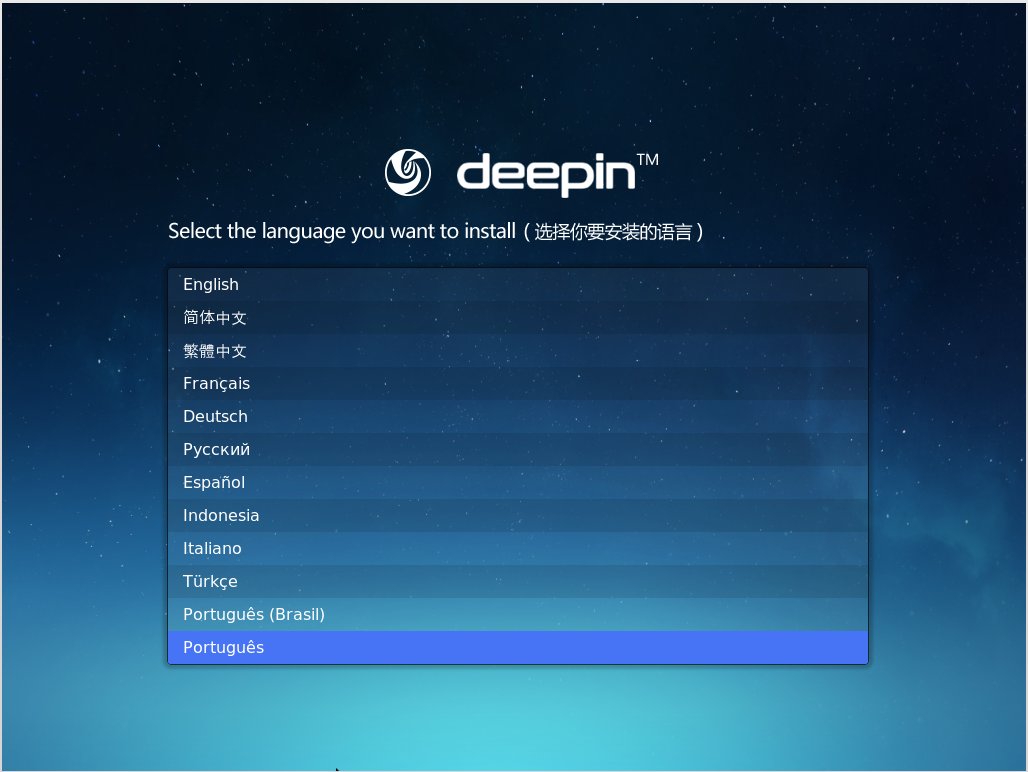
deepin language choice menu

The next window asks you to create a username and password for the system user.
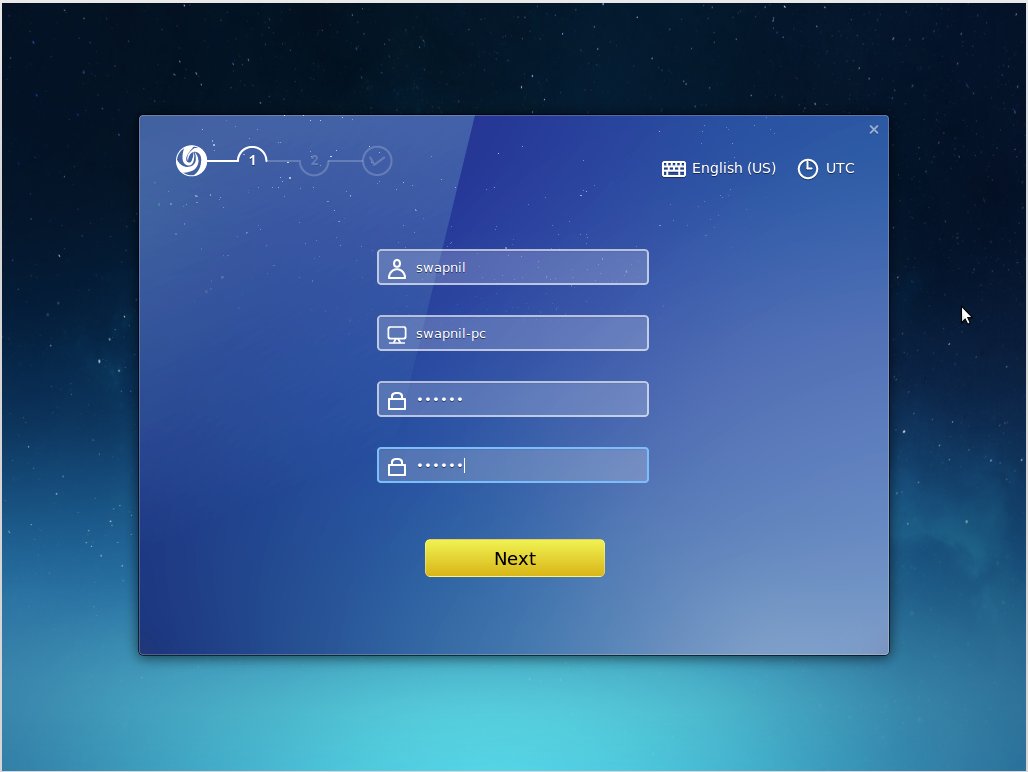
deepin create username

The third screen will let you partition the drive, where you can create root and swap (if needed) partitions. I don’t bother with “home” partition anymore and just give more space to the root partition. You should mount your other partitions or hard drives during installation itself to avoid the frustration of creating fstab entries for those partitions after installation.
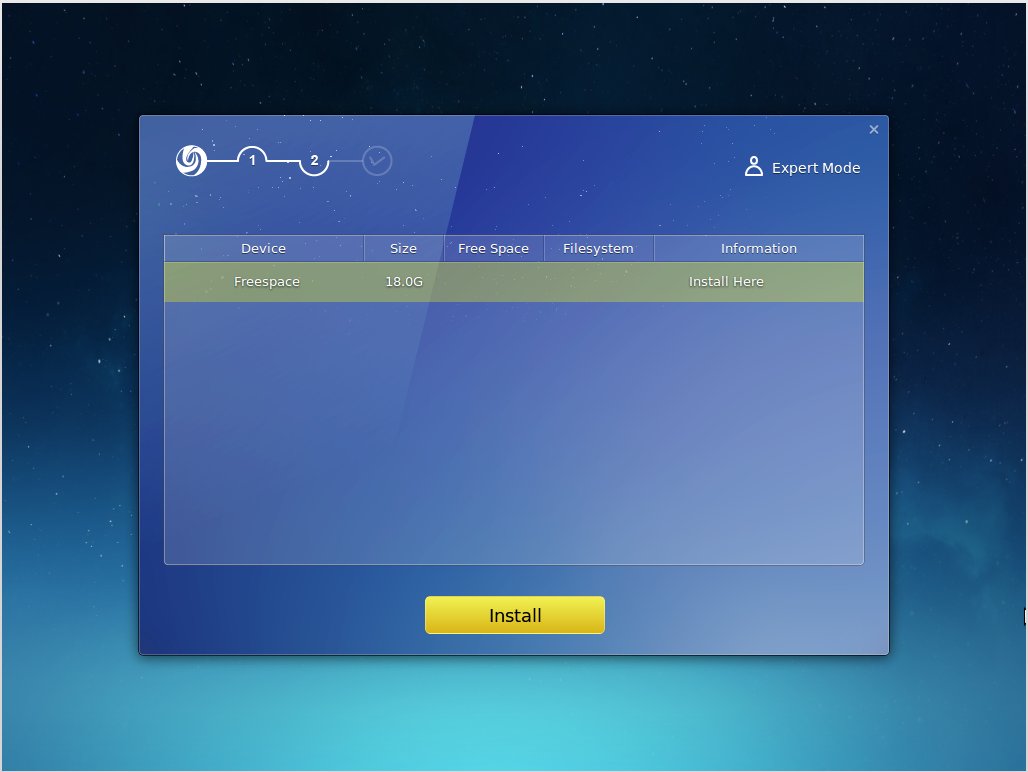
deepin partition setup

Once you click on “install” Deepin gives you a demo of the system while it copies files to your drive and configures the OS. Once the installation is finished, unlike Fedora, it tells you to reboot your system so you can start using your brand new Deepin desktop. I have not come across a simpler installer on Linux for quite some time; it was refreshing. I think Deepin has done an incredible job at making the installation process as easy as it is to install Mac OSX or Windows.

Welcome to the demo shop

Once you reboot into your new system, Deepin will give you an animated demo of the system features and options. This is similar to what you see when you boot into your new Android; Google gives you a walkthrough of the system. That’s really neat because Deepin’s UI (user interface) is different from traditional PCs and a user does need a bit of help. Once again Deepin has done an incredible job at helping out new users.

Skin deep beauty

Deepin clearly has a very clean and clutter-free interface. All you see is a clean desktop, a folder on the top left and launcher at the bottom. The choice of icons is also refreshing and modern compared to the ancient looking default icons of Ubuntu and Gnome.

The desktop has four hot corners, which means if you take your mouse to these corners you will be able to access certain features. The top left corner opens the applications launcher, the bottom left brings you back to the desktop and the bottom right opens the control center.

You can change/configure each corner. Just right-click on the desktop and choose ‘corner navigation’ from the context menu. This will show each active corner with a gear and you can choose the desired action for that corner.
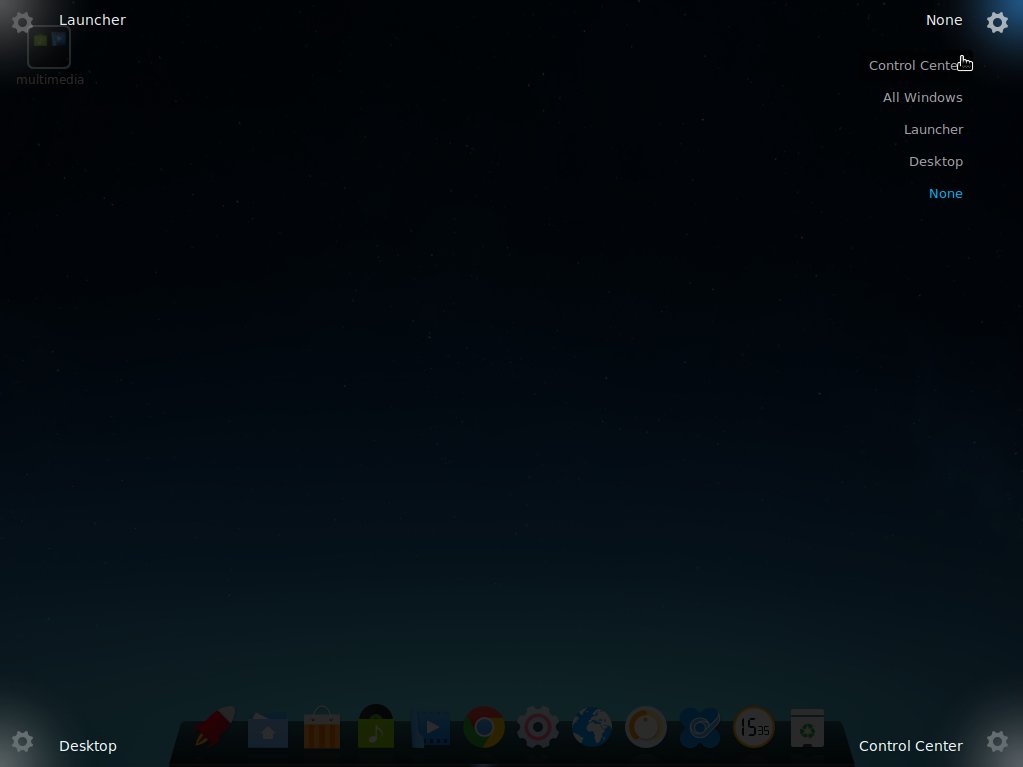
deepin corners demo

Houston, we are in control

Deepin has adopted a different approach to the desktop. All system settings appear as a right panel, instead of a window as seen in other OSes. The control panel allows you to manage users, monitors, default applications, among many other things. The personalization option allows one to change themes, windows, icons, cursors, wallpapers, fonts etc.
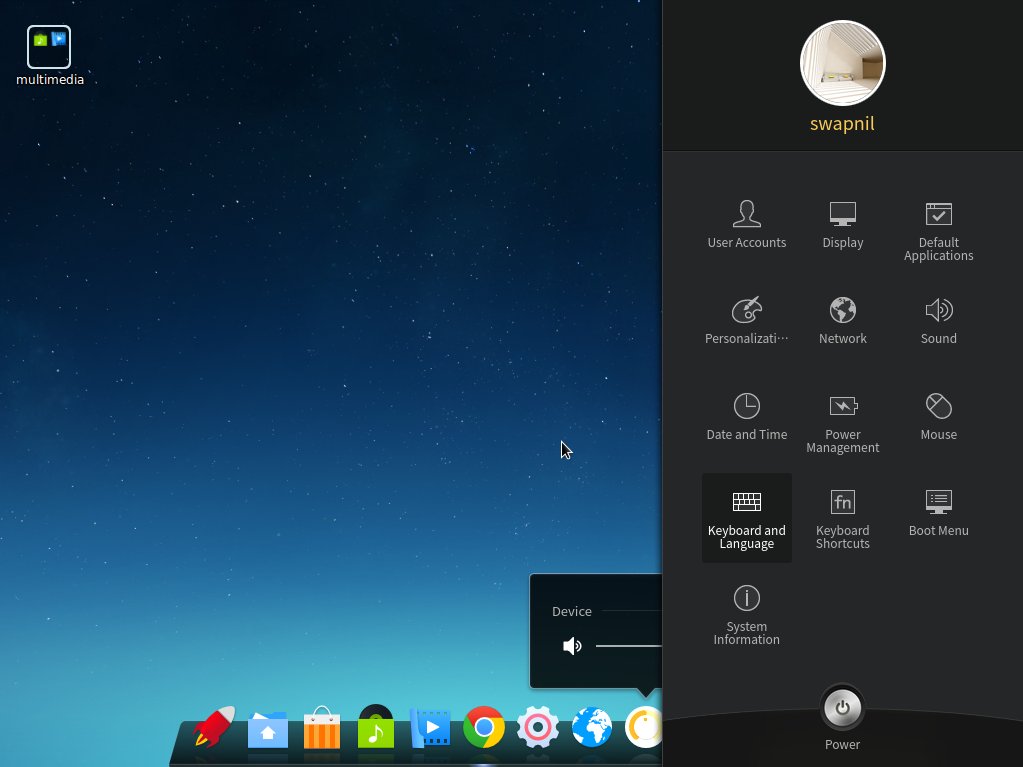
deepin personalization

There is also a clever option to manage the boot menu. You can easily customize the background image for the boot menu. Choosing the default OS, if you have more than one installed, is also extremely easy from the Control Center. It’s reminiscent of the good old Linux days, of the 3D cube, where you could change almost every aspect of your computer, contrary to the dumbed down approach adopted by many contemporary distributions.

Everything that glitters is not Gnome

Even if it looks like Gnome Shell, Deepin is not using the shell. They started off with the Shell, but encountered many problems as they tried to customize it to their needs (that could be one of the many reasons there are so many forks or alternatives to Gnome Shell: Cinnamon, Mate, Elementary OS’ Pantheon, and Unity, among many others).

Similar to other projects Deepin went ahead and developed their own Shell which was simply called Deepin Desktop Environment. DDE is based on HTML5 and WebKit and uses a mix of QML and Go Language for different components. Core components of DDE include the desktop itself, the brand new launcher, bottom Dock, and the control center.
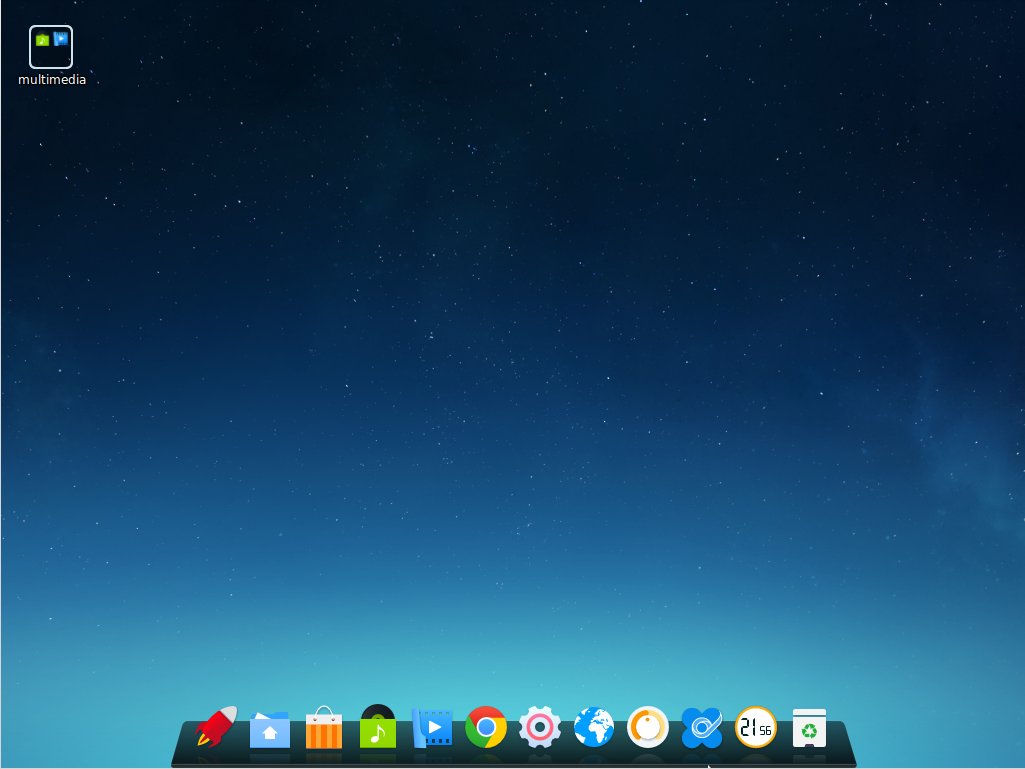
deepin dock

What’s in the box

Deepin comes with a decent set of applications pre-installed so you can get to work immediately. It comes with Chrome, Files (nautilus), LibreOffice suite, Deepin Music and Movie player, Deepin USB Creator, PDF viewer, and Gparted, among many others.
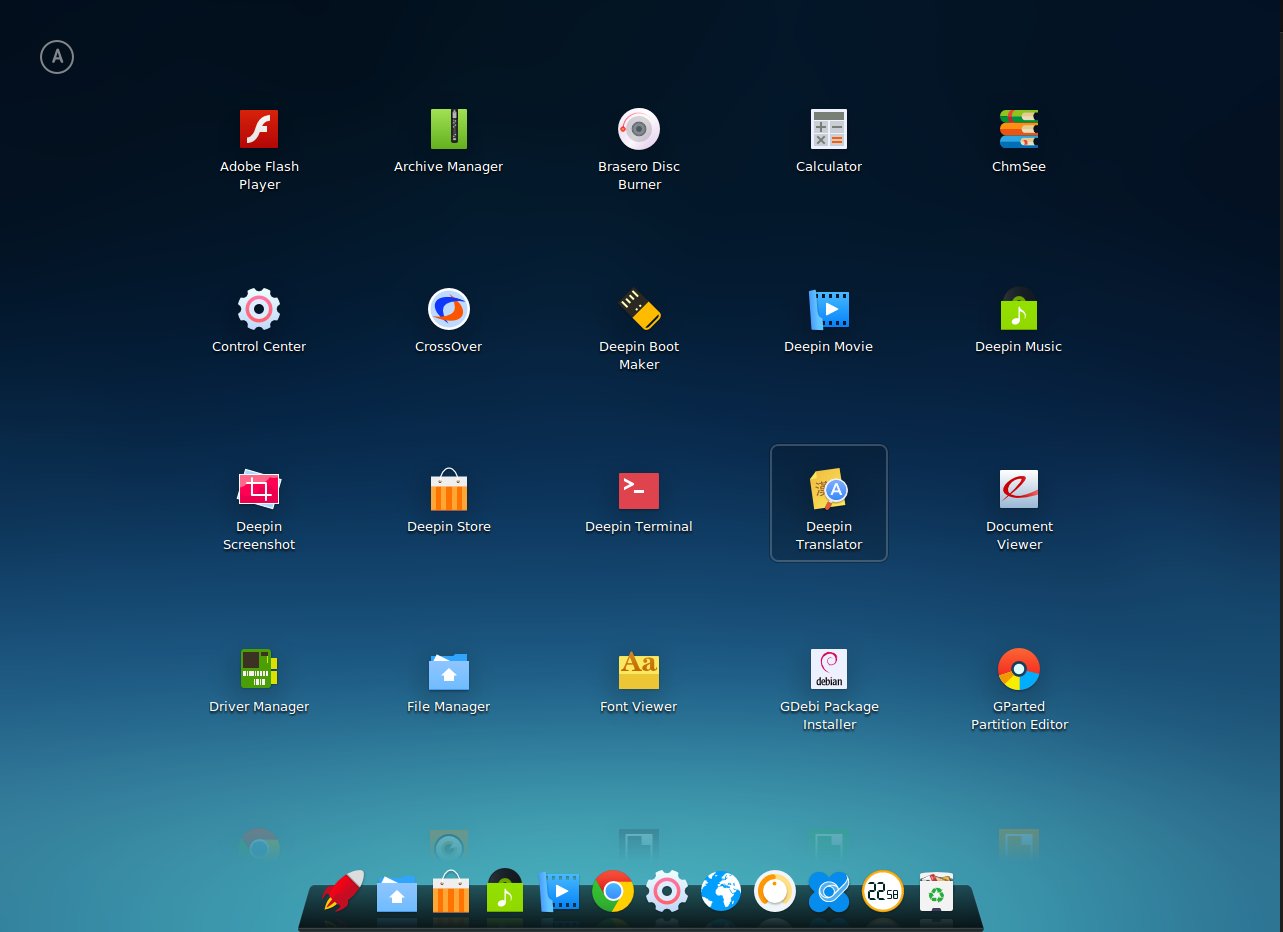
deepin applications

It also comes pre-installed with Adobe Flash Player, which you may not need if you are using Chrome, as Google has implemented Pepper plugin API for Flash support on Chrome. Most of the default apps are developed by the team and branded ‘Deepin’.

Since it’s based on Ubuntu, you can install every single app that’s available for Ubuntu using apt-get, launchpad or by simply downloading the .deb binaries. Deepin comes with an App Store similar to the Ubuntu Software Center which makes it easier to install and remove applications, for those who don’t want to deal with the terminal.

Need to use that legacy Windows app? No worries, it comes with CrossOver which enables installation of supported Windows programs. That alone makes life much easier for a Windows user planning to migrate to Linux.

Setting up printers and non-free drivers

Deepin comes with Jockey which assists a user in detecting any proprietary hardware, such as Nvidia GPUs, and then offers non-free and free drivers to be easily installed by a user. Installing and configuring a printer or scanner is also extremely easy, like it is on any other Ubuntu-based distributions. Just open “printers” from the Launcher and follow the instructions.

Conclusion

I am a loyal Arch Linux/openSUSE user, however I am also a distro hopper (even if I have been using Linux for over a decade now). I keep hunting for new distros just for the sake of freshness and often install them on my second machine after playing with them on VirtualBox. I must admit that Deepin is really getting me excited and if I have to migrate any user from Windows or Mac to Linux I will certainly give Deepin a try. The reasons are simple: It’s easy to install and use, it looks modern and very well polished.

One criticism is that there are some inconsistencies in apps. While Deepin’s own apps don’t have any menu bar, Gnome apps such as Evince have menu bars, which makes it look like patchwork. I assume future updates might blur these differences and all, at least pre-installed, apps will look consistent across the OS.

Other than that I am also not certain about the upgrade path as I have not tried it (upgrading) yet. Since Deepin has diverged way too much from Ubuntu, just like Linux Mint, I can’t really comment on how smooth will the upgrade be. There is no one-click or one-command path. Deepin provides a package to help users in upgrading to the new release and it does take some extra work. So yes, it’s not as easy as running distro-upgrade.

That said, Deepin has all the bells and whistles on top of the simplicity and ease of use. If you have not tried Deepin yet, you certainly should. And if you have tried Deepin let us know what you think about it in the comments below.


The Top 10 Linux Foundation Videos of 2014

How Linux is BuiltThe Linux Foundation original video, “How Linux Was Built,” reached a huge milestone in 2014, surpassing 1 million views on YouTube. The video, one of the ten most popular on the Linux Foundation YouTube channel last year, illustrates how thousands of software developers from all over the world contribute collectively to the Linux kernel codebase. It’s the kind of video you can show to your parents and friends that will help them understand what makes Linux such an amazing software project. And its popularity also illustrates just how mainstream Linux and open source software have become.   
While the other nine most popular videos of the year haven’t quite reached a million views yet, they all help tell the story of Linux and collaborative development in some way, whether it’s through humor (Linus reads mean tweets), fantastic technology demos (Dronecode launch), training the next generation of Linux sysadmins, or simply seeing the home offices of some of the kernel’s key developers.  They all help reinforce how unique and important this work really is.

1.Linus Torvalds Guided Tour of His Home Office

https://www.youtube.com/watch?v=oYfgrI55IqE” frameborder=”0

Why Contributing to the Linux Kernel is Easier Than You Think

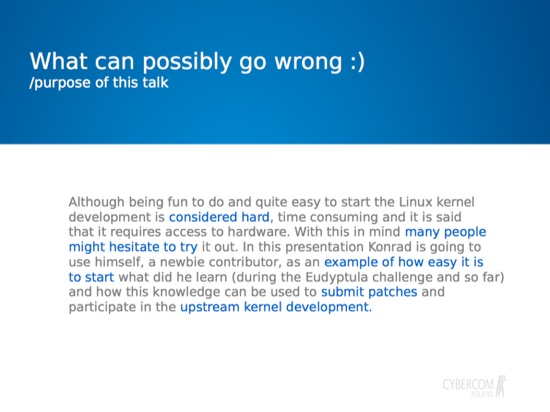
Konrad Zapalowicz LinuxCon slideI gave a talk at LinuxCon Europe in Dusseldorf last year with the main goal being to show people how easy it is to start with Linux kernel development. Despite my fear that the audience might be too advanced and find this topic rather boring I received good feedback with several opinions that these kind of guidelines and advice are more than welcome. Now, since the room capacity was about 30 people, which is not really much, I have the impression that there are more folks out there who would enjoy this topic. Therefore I decided to form the presentation into a series of articles. (See the full presentation at Events.LinuxFoundation.org.)

These articles, similar to the talk, will be divided into three parts. In the first, not really technical article, I will explain that Linux kernel development is super easy especially for those who possess the right attitude. In the second part I’m going to show where to get inspiration and the best angles to approach Linux kernel development for newcomers. And in the third and last part, I will describe some of the things that I wish that I knew before I started.

4 Myths

For some reason there is a group of negative opinions or myths describing either Linux kernel programming itself or the effort required to become a Linux kernel developer. In particular these are:

  • Linux Kernel programming is hard and requires special skills.
  • Linux Kernel programming requires access to special hardware.
  • Linux Kernel programming is pointless because all of the drivers have already been written.
  • Linux Kernel programming is time consuming.

Let’s put more detail into this way of thinking:

Myth #1: The Linux Kernel programming is hard and requires special skills.

This thinking comes from the fact that many people, especially without proper knowledge of the kernel internals tend to view the the whole project as one big blob of code, effectively an operating system itself. Now, we all know that writing the operating system is a damn hard job and requires deep understanding of quite a number of different topics. Usually this is not just a hobby 😉 but something that you are well prepared for. Looking at the top-level Linux kernel developers does not help either because all of them have many years of experience and judging your own skills using them as a reference leads one to believe that special skills are in fact required.

Myth #2:  Linux Kernel programming requires access to a special hardware.

Jim Zemlin, who is the executive director of the Linux Foundation, said during his LinuxCon keynote that open source software is running on 80 percent of electronic devices. The Linux kernel, as the biggest open source project ever, gets more than a huge bite of this cake. In fact this is the most portable software of this size ever created and it supports an insane number of different hardware configurations. With this in mind one might get the impression that working on the kernel is about running it on different kinds of devices and since the most popular are already supported a successful developer needs to have access to all sorts of odd hardware.

Myth #3: Linux Kernel programming is pointless because all of the drivers have already been written.

The very popular impression of Linux kernel programming is writing drivers for various kind of peripheral devices. This is in fact the way that many professional kernel hackers nowadays  have started their Linux carers. However, with the portability that the kernel offers it may seem that it is hard to find unsupported devices. Naturally we could look at the USB devices landscape as here we have the majority of peripherals, however most of those are either already supported or it is better to use the libusb and solve the problem from the user space, thus no kernel work.

Myth #4: Linux Kernel programming is time consuming.

While reading the LKML or any other kernel-related mailing list such as the driverdevel list it is easy to notice that the number of patches sent weekly is significant. For instance the work on the comedi drivers generates sets with many patches in it. It clearly shows that someone is working really hard out there and the comedi is not alone as an example. For people for whom kernel development is going to be a hobby, not a daily job, this might be off-putting as they could feel that they just cannot keep up the pace with that kind of speed of development.

The Facts

These either alone or accumulated can draw a solid, thick line between trying Linux kernel development and letting it go. This is especially true for the less experienced individuals who therefore may fear trying, however the truth is that, to quote Dante, “the devil is not as black as he is painted.” All of these myths can be taken down so let’s do it one by one:

Fact:  Linux Kernel programming is fairly easy.

One can view the kernel code as a single blob with rather high complexity, however this blob is highly modularized. Yes, some of the modules are really hardcore (like scheduler), however there are areas of less complexity and the truth is that in order to do very simple maintenance tasks the required skill is a decent knowledge of C.

Not everyone has to redesign kernel core modules, there is plenty of other work that needs to be done. For example, the very popular newbie task is to improve the code quality by fixing either the code style issues or compiler warnings.

Fact: Special hardware is not required.

Well, the old x86 is still good enough to do some parts of the work and since this architecture is still quite popular I would say that it is more than enough for most people. Those who seek more can buy one of the cheap ARM-based boards such as PandaBoard, BeagleBone or RaspberryPi.

Fact: It is not pointless, there is still work to be done.

The first thing to know is that the Linux kernel is not only about the drivers but also the core code which needs to be taken care of. Second there is still a vast amount of drivers to be completed and help in this area is more than appreciated.

Fact: It does not have to be time consuming.

Whoever works on the kernel allocates as much time as he or she wants. The people who do it out of passion, aside from their daily duties, use a few evenings a week and they still contribute. I started contributing during the period where I run every second day (evening), I still did a complete renovation of part of my apartment, I went for holidays, and I watched almost every game during the World Cup 2014 and World Volleyball Championship 2014. There was not much time left for kernel stuff and still I succeeded in sending a few patches.

The important thing to remember is that unless you are paid for it there is no pressure and no hurry so take it easy and do as much as you can.

A New Mindset

In this first installment of a series aimed at encouraging people to do kernel programming. I introduced a complete change of mindset by explaining that what might have seemed hard is in fact fairly easy to do. Just remember that:

  • Linux kernel programming is fairly easy.
  • It is not required to have access to special hardware.
  • There is still a lot of work to be done.
  • You can allocate as much time as you want and as you can.

Armed with this knowledge we are ready for the next part which will give insight into what could be your starting point in Linux kernel development.

This blog is republished with permission from Zapalowicz.pl.

Read part 2 at Three Ways for Beginners to Contribute to the Linux Kernel

Konrad Zapalowicz is a software developer at Cybercom Poland, a new Linux kernel contributor and a runner. You can reach him at zapalowicz.pl.

Gen-2 SmartThings Hub Migrates to Linux

SmartThings debuted a 2nd generation home automation hub that moves to Linux, and adds new sensors, battery backup, optional cellular, and premium services. Prior to Samsung’s acquisition of SmartThings last August, the company told us its next-generation home automation hub would likely move from an embedded RTOS (real-time operating system) to Linux. A SmartThings rep […]

Read more at LinuxGizmos

Red Hat Reimagines OpenShift 3 PaaS With Docker

The upcoming OpenShift 3 release will integrate Docker and Google Kubernetes as the basis for Red Hat’s cloud platform as a service.

Read more at eWeek

IT Spending to Reach $3.8 Trillion 2015: Gartner

Enterprise software is expected to lead IT spending growth this year as Gartner revises its forecast downward in the face of a strengthening U.S. dollar.

Read more at Datamation

Tech Spending Worldwide to Grow Over Next 2 Years: Forrester

The U.S. market will be a key driver of the increased spending, which will increasingly focus more on software rather than hardware, the analysts say.

Read more at eWeek

Mysteries of NUMA Memory Management Revealed

The memory subsystem is one of the most critical components of modern server systems–it supplies critical run-time data and instructions to applications and to the operating system. Red Hat Enterprise Linux provides a number of tools for managing memory. This post illustrates how you can use these tools to boost the performance of systems with NUMA topologies.

Practically all modern multi-socket server systems are non-uniform memory access (NUMA) machines where local memory is directly connected to each processor. While memory attached to other CPUs is still accessible – access comes at the cost of reduced performance. The result is “non-uniform” access times. The art of managing NUMA lies in achieving affinity between CPUs and memory by placing and binding application processes to the most suitable system resources.

Read more at Red Hat blog.

Why Linux Isn’t Winning Over Mac Users

Resistance to Linux among Mac users is considerable, but some Linux applications get the job done.

Read more at Datamation