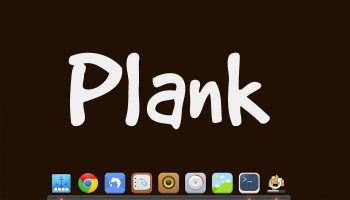
Plank, one of our favourite dock applications for Linux, received a sizeable update last month, adding long-wished-for features and a healthy splat of bug fixes. It introduces a built-in preferences panel where options for position, sizing and theme can be set, toggled, tweaked and adjusted to your heart’s content Not that you need to, mind. Plank’s […]
How to Add a Slick Dock to Your Ubuntu Desktop
The Building Blocks of a Distribution with Linux from Scratch

There is a very, very large number of Linux distributions. Each distribution is built using the same basic building blocks but the end results are always different. The choices made by the distribution developers turn the building blocks into finished structures designed to meet a variety of needs—desktop, server, or some other specialized usage.
Learning how the various building blocks work together to create a cohesive Linux distribution is an excellent way to expand your Linux skills. And Linux from Scratch provides a challenging way for skilled Linux users to do that.
Atom PC is a Compact High Performance Mini PC Powered by OpenSource
Despite the hardware is undisclosed (it will be known I guess) this small powerful and flexible workstation powered by Open Source software looks really great: Atom PC is an easy to setup and use Mini Desktop PC, which is powered by Quad core Cortex-A17 1.8G processor. It supports Dual OS (Android & Ubuntu OS). It’s […]
Continue Reading
Here Comes the Open Source Snow Plow Robot
We present a caterpillar robot based on Arduino Uno, remotely controlled through a Play Station 2 wireless controllers. Since we are not insensitive to solutions making life easier, we have considered the idea of creating and proposing something that could help us avoiding the cold and fatigue of using the usual manual shovel and at […]
Continue Reading
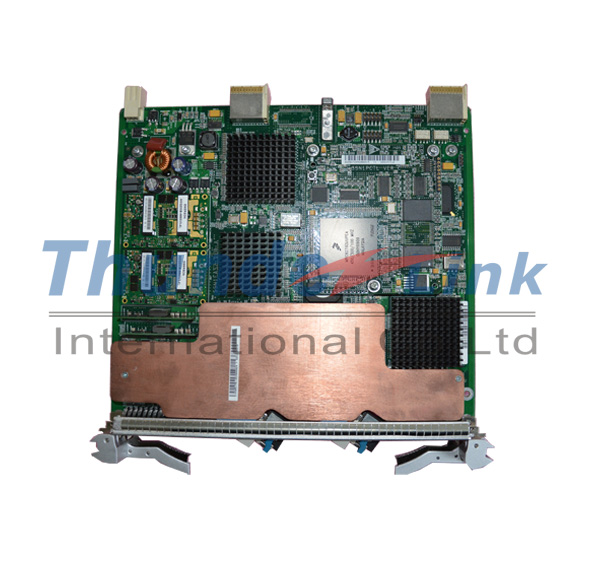
Pay attention to SSN1EAS2 Board Occasional Packet Loss or Ethernet Service Interruption on NG SDH Pr
Problem Description
Trigger condition:
1. SSN1EAS2 transmission board use FPGA 110.
2. Cross-connect boards in slot 10 are active cross-connect boards.
3. The PCB of a cross-connect board is SSN1SXCS1, SST1PSXCSA1, SST1PSXCSA, SST2PSXCS, or SSN2SXCS.
4. When the proceeding three conditions are all met, the problem occurs occasionally (about 10% probability) and is determined by SSN1EAS2 boards and cross-connect boards.

Note:
During an upgrade on the live network, the problem is easily triggered when the cross-connect board in slot 10 replaces that in slot 9 as an active one.
When an SSN1EAS2 board works with a cross-connect board whose PCB is SSN1SXCS1, SST1PSXCSA1, SST1PSXCSA, SST2PSXCS, or SSN2SXCS, there is a high probability that the problem may occur. When an SSN1EAS2 board works with other types of cross-connect boards, this problem never occurs on live networks and in test environment. For details about risky types of cross-connect boards, see the Risky Types of Cross-Connect Boards That May Encounter Header Jitters on FPGA 110 of SSN1EAS2 Boards When They Work Together.
Symptoms:
1. Some packets of Ethernet services on an SSN1EAS2 board are lost, or Ethernet services are interrupted.
2. The board may repeatedly or occasionally reports service alarms related to huawei SDH or GFP services, such as B3_SD, HP_UNEQ, HP_RDI, T_LO**, ALM_GFP_DLFD, and FCS_ERR.
3. The active and standby cross-connect boards may report BUS_ERR alarms simultaneously, and alarm parameters indicate that the SSN1EAS2 board caused the alarm.
Cold reset cannot resolve the problem nor trigger the problem.
Identification methods:
1. If all of the following conditions are met, these fault symptoms are most probably caused by the SSN1EAS2 board:
− An SSN1EAS2 board uses FPGA 110.
− The cross-connect board in slot 10 is the active one.
− The cross-connect board is the type listed in the attachment Risky Types of Cross-Connect Boards That May Encounter Header Jitters on FPGA 110 of SSN1EAS2 Boards When They Work Together.
2. After the cross-connect board in slot 10 replaces that in slot 9, if fault symptoms on the SSN1EAS2 board are cleared, the problem is caused by the SSN1EAS2 board.
[Root Cause]
The design of the FPGA on an SSN1EAS2 board for cross-clock-domain has bugs. When the cross-connect board in slot 10 function as the active one, the headers output to the MAPPER and VSC9128 chips have jitters at the period of 77 Mbit/s. As a result, the VSC9128 chips fail to correctly receive service signals from the cross-connect boards. In addition, the services signals transmitted to the cross-boards may have jitters, resulting in bidirectional packet loss or service interruption.
[Impact and Risk]
Some packets of Ethernet services are lost, or Ethernet services are interrupted in the upstream and downstream direction.
Measures and Solutions
Recovery measures:
Replace the cross-connect board in slot 10 with that in slot 9 as the active one.
Workarounds:
When an SSN1EAS2 board uses FPGA 110 or earlier, avoid using the cross-connect board in slot 10 as the active cross-connect.
Preventive Solutions:
1. Upgrade the FPGA (BOM: 05020AAE) used on an SSN1EAS2 board to version 120 or later, because the FPGAs resolve the design bugs for cross-clock-domain.
− For V100R008 and V100R009 versions, upgrade the device to V100R010C03SPC203 or later.
− For V100R010 versions, upgrade the device to V100R010C03SPC203 or later.
− For V200R011 versions, upgrade the device to V200R011C02SPC106 or later.
− For V200R012 versions, upgrade the device to V200R012C00SPC101/V200R012C01 or later.
During an upgrade, the board version needs to match the device version specified in the version mapping.
On the NE whose version is V100R010C03SPC202, the SSN1EAS2 board can use the software of V100R010C03SPC203 in a weak mapping mode. The software includes BIOS, board software, FPGA, and EPLD.
2. SSN3EAS2 boards can be used. Both SSN1EAS2 and SSN3EAS2 boards are 10GE Ethernet service processing boards. When using an SSN3EAS2 board, ensure that the device version supports the SSN3EAS2 board.
Top 10 Linux.com Tutorials of the Year

If you use Linux, chances are you rely on its vast and knowledgable community of users and developers to help troubleshoot tough problems or simply learn a new concept or technique. (And if you’re such an expert that you don’t need help, come talk to me about writing tutorials!) Here at Linux.com we aim to write articles that address some of the most common applications and issues you’re likely to encounter as a Linux developer, sysadmin or desktop user at any level of experience.
To help make your search a little easier, here are the top 10 most popular tutorials on Linux.com from the last year. Don’t see what you’re looking for here? Search our tutorials, post a question to our Q&A or forums, orsend your tutorial request to Linux.com Editor Libby Clark: lclark (at) LinuxFoundation.org or write it in the comments, below.
1. How to Install Linux on an Acer C720 Chromebook, Jack Wallen
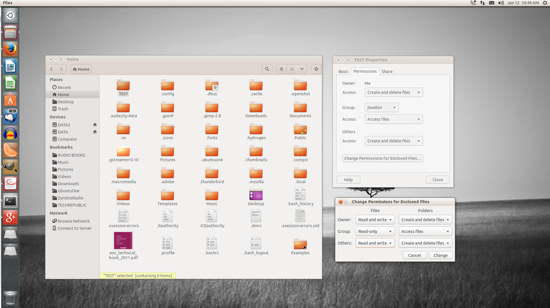
2. How to Manage File and Folder Permissions in Linux, Jack Wallen
3. How to Move Files Using Linux Commands or File Managers, Jack Wallen
4. How to Choose the Best Linux Desktop for You, Jack Wallen
5. Replace the Retiring Windows XP with Linux, Carla Schroder
6. How to Rescue a Non-booting GRUB 2 on Linux, Carla Schroder
7. How to Install and Try Linux the Absolutely Easiest and Safest Way, Carla Schroder
8. Meet Xiki, the Revolutionary Command Shell for Linux and Mac OS X, Carla Schroder
9. How to Use the Super Fast i3 Tiling Window Manager on Linux, Carla Schroder
10. BeagleBone Black: How to Get Interrupts Through Linux GPIO, Ben Martin
All of Samsung’s 2015 Smart TVs Will Be Powered by Tizen
Samsung’s new SUHD TVs announced at CES today will be powered by it’s new Tizen OS.
The company touts Tizen as bringing a “bevy of new features” to the Smart TV, but also offering “intuitive access.” I’m not so sure that’s true; it seems to be more about having control over the software experience.
Read more at The Next Web.
2015: To Ensure an Open Cloud, IT History has to Repeat Itself
In the last 30 years we’ve witnessed countless IT and PC revolutions: circular battles where centralized vs. decentralized, open vs. proprietary forces captured, then lost, ground only to gain ground once again.
Computers existed before of course, but only in the last few decades have consumers and office workers had regular access to computers. A huge industry around hardware, operating systems, applications and services arose. As with every other revolution and huge new market we saw power struggles where the different players were fighting about the rules of this new market. Everybody wants to have the biggest part of the fish.
But users demanded interoperability. Word needed to work on my personal Mac and my office PC. Websites needed to work on all browsers. So, despite wanting to lock people in, vendors had to find a way to play nice – at least semi-nice.
Questions of the Past
Some of the more interesting battles were around the questions:
– Should hardware be monolithic (Apple) or should people and companies be able to buy components and build their own computers (PC)?
– Should an operating system be bundled with the hardware (Apple, partly Microsoft) or should it be sold separately by an independent software vendor (Linux, partly Microsoft)?
– Should applications be bundled with an operating system (IE) or should consumers be able to choose independently (Netscape)?
– Should software be proprietary or is it better to have it open source (GNU, Linux) and if yes, which license is the best?
– Is it useful to have open file format standards (ODF) or is it fine to have de facto standards by some vendors (DOC)?
– Should APIs be open and standardized so that consumers can choose between different operating systems and applications or is it fine to have proprietary APIs?
We don´t have answers to all of these questions yet but most consumers and IT managers understand the challenges and implications if they buy certain hardware, software or services.
But IT is in the middle of its biggest shift ever. All the data is moving to “the cloud” and is no longer primarily hosted on the computers of the users or the companies. Applications, too, are moving to the cloud and local apps and code are becoming less and less relevant. Enterprise IT and consumers are becoming more and more cloud clients. The rise of mobile and tablet computing stimulates this trend even more.
We can be sure that our IT will go through its biggest shift ever in the next 5-10 years.
The architecture of the applications, storage and network already looks very different today than it was 10 years ago — and it will keep on changing with an even higher speed.
Questions for the future
But how will the new cloud world look? What are the current battles and power struggles between the players that will impact this? Who will grab the biggest piece of this new fish and how will the world of consumers and business look in 10 years? Who controls what? What are the new monopolies and what are the rules of this new game?
Most of the well-known questions of the old “local” and non-cloud computing will pop up again.
– Can I run an Amazon or Google or Microsoft compatible cloud stack wherever I want — like at a different provider or on premise — or is hardware and OS locked together again?
– Can I run cloud applications like Salesforce or Gmail on a different cloud stack or are applications and operating systems linked again so that consumers don´t have a choice?
– Why is it that Gmail has very deep Google Calendar integration but can´t talk to a 3rd-party calendar?
– Are the cloud stacks that someone builds their complete IT stack on proprietary or open source? Is there a vendor lock-in?
– Who can review and audit the code and who has access to the data?
– Is it possible to export data from one cloud vendor and import it into another without the need to rewrite all the applications?
– Are there open and standardized APIs so that cloud stacks of different vendors can be mixed?
I think there are a lot of tough and tricky questions to figure out and to solve in the next few years before the cloud is as open and flexible as local IT. Which it will have to be.
I once heard a senior IBM executive tell an audience, “if given the choice between A and B, most customers will choose A…. and B.”
A lot of work has to be done – and will be done — to decouple the individual building blocks of cloud computing before consumers and users can choose what is best for them. Competition and a free market of components and applications are needed to unlock the full potential of cloud computing.
Once again, users are clamoring for interoperability, openness, flexibility. Open source and open standards and APIs are the only option to make this happen.
Frank Karlitschek is co-founder and CTO of OwnCloud.

Cuthbertson: NixOS and Stateless Deployment
Here is a lengthy post from Tim Cuthbertson on the virtues of building servers with NixOS. “It should hopefully be obvious at this point why NixOS is better than puppet: Both are declarative, but puppet is impure and non-exhaustive – when you apply a config, puppet compares everything specified against the current state of the system. Everything not specified is left alone, which means you’re only specifying a very tiny subset of your system. With NixOS, if something is not specified, it is not present.“
Panasonic Reveals Voice-Control Firefox OS TVs
Plus full HD camcorders and home spycams
CES 2015 Panasonic today tore the wraps off Firefox OS-powered 4K TVs, high-def 4K camcorders, and home surveillance cameras, at CES in Las Vegas.…