
Today’s fun command line festivities are inspired by Command Line Magic, who hangs out on Twitter sharing excellent Linux command line incantations for all occasions. Today’s assortment includes shell rainbows, Is the Internet on Fire?, Star Wars Traceroute, and creating annoying sounds from the console.
Rainbows In Your Shell
This little gem creates a colorful scrolling display. Ctrl+c stops it:
$ grep -o --binary-files=text '[[:alpha:[[' /dev/urandom |tr -d '[a-zA-Z]' |xargs -n $(($COLUMNS/2)) |tr -d ' '| lolcat -f | pv -L80k
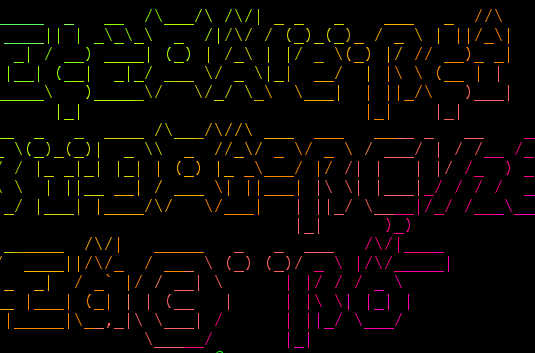
lolcat creates the colors, pv controls the speed, and the COLUMNS value controls the width of the columns. Let’s add figlet to make words (figure 1):
$ grep -o --binary-files=text '[[:alpha:[[' /dev/urandom |tr -d '[a-zA-Z]' |xargs -n $(($COLUMNS/2)) |tr -d ' '| figlet | lolcat -f | pv -L80k
So maybe they’re alien words. This makes scrolling bands of colors (figure 2):
$ yes "$(seq 231 -1 16)" | while read i; do printf "x1b[48;5;${i}mn"; sleep .02; done
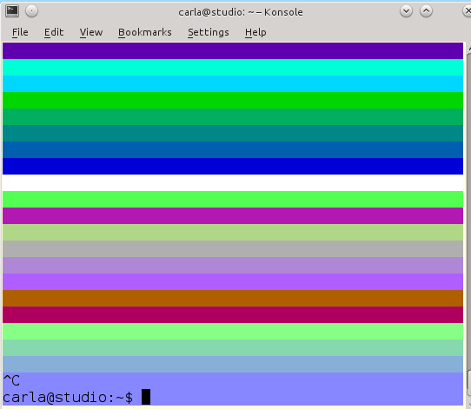
Change the seq and printf numerical values to get different results.
Is the Internet on Fire?
You can get the answer to this question by visiting Is The Internet on Fire.com. Or you can run a fast command-line query:
$ host -t txt istheinternetonfire.com
istheinternetonfire.com descriptive text "Yep.
https://bugzilla.redhat.com/show_bug.cgi?id=CVE-2014-6271https://www.mozilla.org/security/announce/2014/mfsa2014-73.htmlhttp://blog.jquery.com/2014/09/24/update-on-jquery-com-compromises/"
All that does is use the host command to query the TXT DNS record type for istheinternetonfire.com. You can do this for any site, though most of them are boring SPF records and not clever at all. Try the dig command for a more thorough result:
$ dig -t txt istheinternetonfire.com
; <<>> DiG 9.9.5-3-Ubuntu <<>> -t txt istheinternetonfire.com
;; global options: +cmd
;; Got answer:
;; ->>HEADER<<- opcode: QUERY, status: NOERROR, id: 54734
;; flags: qr rd ra; QUERY: 1, ANSWER: 1, AUTHORITY: 3, ADDITIONAL: 1
;; OPT PSEUDOSECTION:
; EDNS: version: 0, flags:; udp: 1280
;; QUESTION SECTION:
;istheinternetonfire.com.       IN      TXT
;; ANSWER SECTION:
istheinternetonfire.com. 9385   IN      TXT     "Yep.
https://bugzilla.redhat.com/show_bug.cgi?id=CVE-2014-6271https://www.mozilla.org/security/announce/2014/mfsa2014-73.htmlhttp://blog.jquery.com/2014/09/24/update-on-jquery-com-compromises/"
;; AUTHORITY SECTION:
istheinternetonfire.com. 84967  IN      NS      a.ns.joker.com.
istheinternetonfire.com. 84967  IN      NS      b.ns.joker.com.
istheinternetonfire.com. 84967  IN      NS      c.ns.joker.com.
;; Query time: 34 msec
;; SERVER: 127.0.1.1#53(127.0.1.1)
;; WHEN: Tue Sep 30 20:13:48 PDT 2014
;; MSG SIZE  rcvd: 316
Use the short option to get the same results as with the host command, though when you do that you miss the funny nameservers in the AUTHORITY section:
$ dig +short -t txt istheinternetonfire.com
"Yep. https://bugzilla.redhat.com/show_bug.cgi?id=CVE-2014-6271https://www.mozilla.org/security/announce/2014/mfsa2014-73.htmlhttp://blog.jquery.com/2014/09/24/update-on-jquery-com-compromises/"
So how do you create fun TXT records? It all depends on which DNS server you are using. If you’re using a hosting service or domain name registrar, then they will have a Web form. If you’re running BIND or Dnsmasq it’s a line in a configuration file, like this example for dnsmasq.conf:
txt-record="Hellos! This is my amazing TXT record. You are l33t to find and read it."
The quotation marks are just normal punctuation; they’re not required because a TXT record can contain any arbitary text.
Star Wars Traceroute
This is an oldie but still ingenious goodie, created by Ryan Werber when he was snowed in and bored. Mr. Werber had an unused /24 address space to play with, a gaggle of Cisco routers, and PowerDNS + MySQL to create the fake domain names like the.DEATH.STAR and destroy.an.entire.planet. First try the plain traceroute with no options:
$ traceroute  216.81.59.173
[...]
24  the.DEATH.STAR (206.214.251.46)  148.961 ms  144.843 ms  146.098 ms
25  an.armored.space.station (206.214.251.49)  146.510 ms with.enough.power.to (206.214.251.54)  144.928 ms an.armored.space.station (206.214.251.49)  148.835 ms
26  destroy.an.entire.planet (206.214.251.57)  147.232 ms with.enough.power.to (206.214.251.54)  145.949 ms  142.546 ms
27  destroy.an.entire.planet (206.214.251.57)  147.386 ms  146.206 ms  148.834 ms
28  Pursued.by.the.Empires (206.214.251.62)
[...]
The first run came out a little garbled for me, but there is a message near the end: Please.Try.Again.Tracerote.to.obiwan.scrye.net. Let’s try that, spelled correctly of course:
$ traceroute obiwan.scrye.net
That looks a little better. But it’s cut off before it finishes because traceroute defaults to 30 hops. So let’s try 100 hops:
$ traceroute -m 100 obiwan.scrye.net
You can see the complete output on Pastebin. So how far does this go? Far enough to get Rickrolled. Thanks a lot, Ryan Werber!
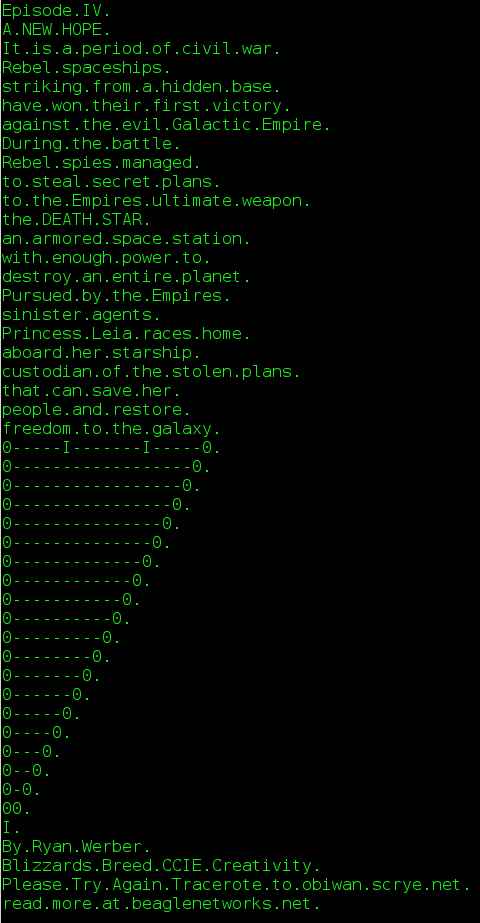
But we’re not done yet, because clever use of the seq, xargs and dig commands pretties it all up nicely:
$ ( seq 1 8 200 ; seq 6 8 200 ) | sort -n | xargs -I{} -n 1 dig +short -x 206.214.251.{}
You may also enjoy ASCII Star Wars:
$ telnet towel.blinkenlights.nl
Turning Command Output into Audio
Way back in the olden daze we thought it was awesome fun to run cat /proc/kcore > /dev/dsp, which piped kernel activity to the audio device to make weird noises. (Hey, we were dull and proud of it.) Everything is different now and there is no /dev/dsp, so try this instead:
$ sudo cat /proc/kcore | aplay
Playing raw data 'stdin' : Unsigned 8 bit, Rate 8000 Hz, Mono
You can pipe just about anything to aplay, like tcpdump:
$ sudo tcpdump -i eth1 | aplay
Or list all files and directories on your system:
$ ls -R / | aplay
Perl translates an English sentence into…I’m not sure what:
$ perl -e '@w = split / /, "First it rubs the lotion in, then it eats the crispy skin. Sometimes it rhymes, sometimes it doesnt."; print "$_n"x1000 foreach @w;' | aplay
You can use any text you want (except single or double quotes), and the longer the text the longer it plays. Change the print value of 1000 to control the speed; smaller is slower and larger is faster.
This one keeps going until you stop it with Ctrl+c:
$ perl -e 'use bytes; for($t=0;;$t++){ print chr($t*(($t>>11|$t>>23)&83&$t>>3)); }' |play -t raw -b8 -r8k -e un -
It sounds like a hypnotic robot march. Play around with the numerical values in ($t>>11|$t>>23)&83&$t>>3) to get different effects.
This little jewel plays a cool space-age sound every time you open a new terminal:
$ echo '(play -q -n synth sine F2 sine C3 remix - fade 0 4 .1 norm -4 bend 0.5,2399,2 fade 0 4.0 0.5 &)' >> ~/.bashrc
Playing with commands like these is a fun way to learn advanced options, and how to ingeniously combine commands. Please share your own favorites here in the comments, and with Command Line Magic on Twitter.