
Home Blog Page 1415

Linux Foundation SysAdmin Aric Gardner Avoids a GUI at All Costs

Happy SysAdmin Day! This profile is part of a series on Linux Foundation system administrators over the past three weeeks. Do you have a super-hero sysadmin you’d like to recognize? Send your nomination to This e-mail address is being protected from spambots. You need JavaScript enabled to view it
 by the end of the day today, July 25, and enter them to win a free ticket to LinuxCon and CloudOpen North America taking place in Chicago August 20-22, 2014. (See the full contest announcement for more details.)

Aric GardnerAric Gardner is a Linux Foundation SysAdmin who works on the OpenDaylight collaborative project. Here he tells the story of how became a sysadmin, shares his specialty in scripting and automation, and describes a typical day at work, among other things.

How long have you been a sys admin?

Aric Gardner: Since 2008. I have what may be an inspiring story about becoming a sysadmin. I had just moved to Montreal, with my then pregnant girlfriend. I was 22 and was working mostly odd jobs unloading shipping containers. My friend had given me his old computer and, let me tell you, Windows XP was not running well. Later that day, I was at the local cafe and I saw an Ubuntu live CD. When I got home I popped it in and was sucked into a world that has yet to spit me out. Three years later on the mlug, Evan Prodromou was looking for a sysadmin for his new startup, identi.ca. I hit the books and taught myself the basics of running a Nagios server. A few weeks later, I met him for an interview, told him I was green but willing, and he took me on. That moment really changed my life. My first task was to create the very Nagios server that would enslave me (happily) for the next three years. A big thanks to the anonymous member of the Linux community that left those live CD’s at my cafe, and to Evan for giving me the opportunity to prove myself.

When did you start at the Linux Foundation and how did you get the job?

April 2014. I was working for eNovance and got headhunted by Konstantin. tsk. tsk.

What do you do for the Linux Foundation? What’s your speciality?

I’m new here so other than learning the ropes, I’ve been making myself useful by migrating OpenDaylight’s build infrastructure to Rackspace.

I don’t like graphical interfaces or repetitive tasks (I know, typical), so I’ve become good at scripting and automating as much of my job as possible. So far I have scripts that grab snmp passwords and add new machines to our cacti servers, create and populate new puppet manifest, generate and distribute ssh keys for rsyncs, and probably a few others I’m forgetting. Just things that make my day more interesting.

Will you describe a typical day at work for you?

Lately, I’ve been creating custom machines for Rackspace (their images don’t have SELinux) puppetizing them and then migrating existing Jenkins systems on to them. I try to leave something hanging from the day before so that I can hook into the that task and ramp up productivity as soon as I’m done with my first coffee. Barring that, I check the ticket queue and then my weekdone to see if anything is hanging. Since I’m new here I still have a lot of questions, so I also spend a good deal of time on IRC bugging tykeal (Andy).
sysadminday2014What’s your favorite part of the job/ thing to do and why?

I like to joke around with my coworkers to feel funny, and write scripts to feel clever. I just want to be loved.

A more serious answer is text processing, basically taking output and making it input to remove the teduim from my job.

What is your nightmare scenario? How have you prepared for it?

Oh boy. Clicking the wrong box on a graphical user interface with dire consequences. I try to avoid using them when I can.

What is your favorite sysadmin tool and how do you use it?

Just the regular tool belt. I like to pimp my vim, I recommend using pathogen to load up at least neocomplcache and syntastic, snip mate can be great as well. I’m also a big fan of awk, and writing good bash. If you want to up your game I really recommend this page. http://mywiki.wooledge.org/BashGuide

The guide is made by the wizards who hang out in #bash on freenode.

What’s your favorite story about working at the Linux Foundation?

Hmm, not sure. I don’t have too many stories. Ask me after August’s LinuxCon in Chicago.

What do you do for fun, in your spare time?

Weekly I play ice hockey, ride my bike and check out my friends’ shows in the local comedy scene. The overall theme of my life is more geared towards spending time on the Ottawa River and trying to tame the wild hearts of my children.

Read more about the Linux Foundation’s system administrators:

Linux Foundation SysAdmin Eric Searcy Lives By Regex

Linux Foundation SysAdmin Clint Savage Reminisces on Weeklong Hackfest

Linux Foundation SysAdmin Konstantin Ryabitsev, an SELinux Expert

Linux Foundation SysAdmin Michael Halstead’s IT Career Started at Age 15

Linux Foundation SysAdmin Andy Grimberg Loves New Tech and Snowboarding

To Linux Foundation SysAdmin Ryan Day, Elegance is the Best Tool
An Interview with Karen Sandler (Model View Culture)

Over at Model View Culture, Adam Saunders interviews Karen Sandler, executive director of the Software Freedom Conservancy (SFC) and formerly the executive director of the GNOME Foundation. Sandler talks about SFC, the Outreach Program for Women, as well as being a cyborg: “I was diagnosed with a heart condition and needed a pacemaker/defibrillator, and none of the device manufacturers would let me see the source code that was to be literally sewn into my body and connected to my heart. My life relies on the proper functioning of software every day, and I have no confidence that it will. The FDA generally doesn’t review the source code of medical devices nor can the public. But multiple researchers have shown that these devices can be maliciously hacked, with fatal consequences. Once you start considering medical devices, you quickly start to realize that it’s all kinds of software that is life and society-critical – cars, voting machines, stock markets… It’s essential that our software be safe, and the only way we can realistically expect that to be the case over time is by ensuring that our software is free and open. If there’s catastrophic failure at Medtronic (the makers of my defibrillator), for example, I wouldn’t be able to fix a bug in my own medical device.

Read more at LWN

Tails Linux Still at Risk Despite Security Fixes

Researchers aim to prove a point “that no software is infallible” by finding bugs in a privacy Linux distribution favored by Edward Snowden.

Read more at eWeek

Chromebooks Emerge as Major New Linux Force on Notebooks

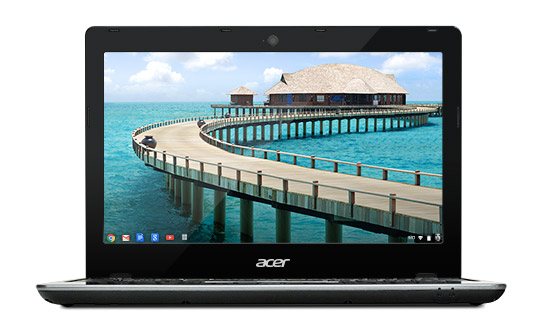
Acer-C720-ChromebookThe Linux faithful have mixed opinions on the success of Google’s Linux- and Chrome browser based Chrome OS. The lightweight OS came along years after Fedora, Ubuntu and other Linux distros, and shares relatively little of their mainstream Linux codebase. Some dismiss it as a limited, browser-only platform — a complaint often applied to Firefox OS — while others warn that Google is co-opting and subjugating Linux, a process already begun with Android.

In the other camp are Chrome OS boosters like long-time Linux chronicler Stephen J. Vaughan-Nichols of ZDNet, who welcomes more open source competition for Windows, no matter what the source. All in all, though, watching Chrome OS surpass Ubuntu and the gang in market share is kind of like watching your kid brother win the trophy you always dreamed of.

Love it, loathe it, or laugh at it, Chrome OS keeps on advancing. According to a Google blog post this week, more than 1 million Chromebooks were sold to schools in the second quarter alone. A July 14 study from research firm NPD Group estimates that Chromebook sales within the U.S. Commercial Channel increased 250 percent year-over-year, representing 35 percent of all channel notebooks sales. For the three weeks ending June 7, the figure moved to 40 percent, says NPD.

Chromebook profits are also spreading to more companies. Acer, which sells the only $199 Chromebook, the C720, has jumped from 7 percent to 31 percent of total Chromebook and Chromebox sales from May 2013 to May 2014, estimates NPD, while Samsung has dropped from 88 percent to 48 percent. Meanwhile, Dell halted sales of its education-oriented Chromebook 11 after it quickly sold out.

Is all this enough to threaten Windows? Microsoft seems to think so. Earlier this month, the software firm said it was working with partners like HP to develop a new line of low-cost Windows-based laptops for the holiday season, starting with a $199 HP Stream model. Showing its concern about the Chromebook invasion, Microsoft even posted a Windows-friendly comparison chart between Windows notebooks and Chromebooks, pointing to the limited printing and gaming support in Chrome OS, and lack of extras like Skype and Microsoft Office. Yet, Google has had success arguing other merits, including low price, ease of learning, low maintenance, and the real Windows killer: better security.

The global market share for the entire desktop PC segment is less clear, especially as research firms have taken to including mobile devices in their breakdowns of computing devices by OS. NetMarketShare still places Linux at only about 1.6 percent of desktop market share in 2014, only slightly better than years past. However, Linux users have long claimed the NetMarketShare tally has underrepresented Linux, even before the Chromebook arrived.

Microsoft wakes up and smells the Chrome

NPD, which noted an overall rebound in the sluggish PC market this year, predicts that Chromebooks will soon face greater competition. “The next test for Chrome will clearly be the most difficult, as both Apple and Microsoft get more aggressive in pricing and deal making over the next few months,” stated NPD Group VP Stephen Baker.

We’ve seen this movie before. Back in 2008 and 2009, Linux briefly represented about 20 to 30 percent of the market for low-cost, small-screen “netbook” notebooks. But then Microsoft finally took the threat seriously, and cut its prices on Windows XP. It also exerted pressures on vendors and retailers and spun some good old-fashioned FUD to crush it.

Microsoft may well slow the Chromebook invasion, but it’s not likely to kill it. Five years later, Microsoft has less clout over PC manufacturers, and consumers are faced with far more computing choices, including a variety of phones, phablets, tablets, smart TVs and other devices . Relatively few of these run Windows. Also, Linux netbooks lacked a clear competitor of the kind Redmond always faced with Apple’s Mac. Intel came closest to being a champion, as it pushed the Moblin and Meego Linux platforms for netbooks while also encouraging Windows netbooks. But Intel was still a close ally to Microsoft, and didn’t care what OS the netbooks were running as long as they ran on Atom processors.

As Chromebooks emerge as a major new Linux force on notebooks, the platform has made another baby step toward touchscreen laptops, convertibles, and tablets. On July 21, Google announced a new stable channel update for Chrome OS that includes pinch to zoom support and a touch-ready window manager. The first touch-enabled Chromebook was Google’s own Chromebook Pixel, which starts at $1,299, but the improved touch support suggests a more competitively priced model may appear before the holidays.

For Half, STEM Degrees Lead to Other Jobs

A U.S. Census Bureau report released earlier this month reports on what happens to people who receive STEM, or science, technology, engineering and math, degrees in college. The report, based on 2012 American Community Survey data, found many well-paid and educated workers who, despite holding a STEM degree, do not have a job in one of those fields.

The Census Bureau reports that only 26% of people with any type of four-year STEM degree are working in a STEM field. For those with a degree specifically in computer, math or statistics, the figure is 49%, nearly the same for engineering degrees.

Read more at ComputerWorld. 

Dive In, Penguins: Upstart Builds Linux Virtual SAN

Three Bulgarian engineers who co-founded a firm called StorPool â€“ which builds a virtual SAN using the aggregated storage of Linux KVM servers – are aiming to expand the reach of their three-year-old project.

StorPool software aggregates a KVM server’s disk and SSD storage into a single, block-addressed pool in which data is replicated and striped across all drives. In effect, there is a storage cluster set up with a shared-nothing architecture. You can scale capacity and performance independently by adding more drives or more servers or upgraded server processors respectively.

Read more at The Register.

SAP Stamps Cloud Foundry and OpenStack with Meaningful Endorsements

SAP may not be on every individual user’s radar, but the company is a giant global force in running enterrprise back-end systems, new forays into the cloud and other new platforms, and managing enterprise class applications. Now, SAP has announced that it is committing to Cloud Foundry and OpenStack, providing a clear path forward for an open cloud ecosystem.

The company will become a sponsor of Cloud Foundry, a leading open platform-as-a-service (PaaS), and the OpenStack Foundation, which helps deliver OpenStack.


Read more at Ostatic

Oracle Linux 7 Released

Another of the Red Hat Enterprise Linux (RHEL) rebuilds has released its version of RHEL 7: Oracle Linux 7 for x86_64 is now available. It does add some features, including DTrace, Ksplice, and Xen. More information can be found in the release notes.

Read more at LWN

Linux Developers Jump Quickly On ACPI 5.1, Helps Out ARM

Fresh off the release of ACPI 5.1 by the UEFI Forum, Linux developers are updating their support against this latest revision to the Advanced Configuration and Power Interface. In particular, ACPI 5.1 is supposed to help out ARM…

Read more at Phoronix

Share a Directory Quickly on Ubuntu Using Boa Webserver

When it comes to HTTP servers, there are many options to choose from. Apache and Nginx are two of the most well known names. Boa is a lesser known lightweight (only ~300 KB) webserver that delivers good performance. Unlike traditional webservers it doesn’t create a new fork for each connection, or, in other words, it is a single-tasking HTTP server. It has a light memory footprint and makes it suitable for running on embedded devices. Configuring Boa is also easy.

Boa runs on desktops, too. Let’s say you want to share a directory from your Ubuntu system with your colleague in a remote branch with a Microsoft Windows system but on the same office network. The files are bigger than your email attachment limit and your colleague needs to choose several files from the directory as per his needs. Boa can be a handy choice in situations like this where you would like to share a directory quickly over HTTP. Of course you can choose other options like Apache but Boa merely takes a minute to install, setup and share any directory over HTTP. This guide will show you how to do that on Ubuntu.

Read more at Muktware