
Distribution Release: Superb Mini Server 2.0.7
A new version of Superb Mini Server (SMS), a Slackware-based distribution designed for servers, has been released: “Superb Mini Server version 2.0.7 released (Linux kernel 3.10.41). After almost 8 months we have a new release with LTS 3.10.41 linux kernel, many server upgrades and security fixes, including OpenSSL….
Development Release: FreeBSD 9.3-BETA2
Less than a week after the release of the initial beta, Glen Barber announced the availability of the second beta build of FreeBSD 9.3, the upcoming new version of the project’s legacy branch: “The second BETA build of the 9.3-RELEASE release cycle is now available on the FTP….
RSync Command to Backup and Synchronize Files in Linux
RSync or Remote Sync is the Linux command usually used for backup of files/directories and synchronizing them locally or remotely in an efficient way. One of the reasons of why RSync is preferred over all other alternatives is the speed of operation, RSync copies the chunk of data to other location at a significantly faster rate. This is because, whenever Rsync is executed for the very first occasion, it transfers all the data from source to the destination. On the next turn, it would just copy the files/directories whose contents are changed.
Syntax:
rsync [OPTIONS] SOURCE DESTINATIONImportant Options:
-v : indicates Verbose mode which provides detailed information.
-r : indicates Recursive operation, timestamps and file permissions are not preserved
-a : indicates Archive mode,timestamps and file permissions are preserved
-z : indicates Compression, it compresses the data before it is transferred to destination.
-h : indicates Human Readable output format.
Read More at YourOwnLinux.
Sound branding Linux Distributions
As I watch the wallpapers of Linux Mint 17 cinnamon I wonder. What is the music that goes along with these images? This gives me the idea that each Linux distribution release could have its own music. A small playlist of creative commons music. I think relaxing, acoustic or very good audiophile recordings are a given choice. Then you probably would want a dedicated way of playing these. Here I’m thinking of a simple toggle button on the panel and a fast key.
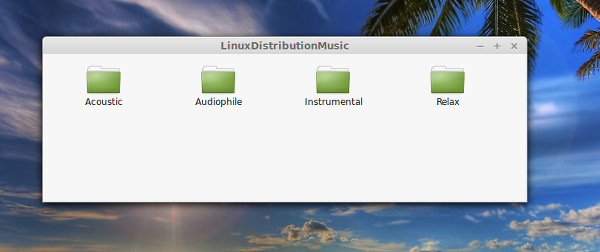
Maybe this could further enhance the Linux experience.
The Best Linux Distribution for New Users
This is a debate that most certainly brings out the beast in many a Linux user. The argument doesn’t generally boil down to which distribution is truly best suited for new users, but which distribution is favored by those in the debate. If we set our personal preferences aside, a clearer picture can arise. But even that clarity can quickly get obscured by the needs and desires of the new users. Given that, I decided to take a different approach to finding the “best distro for new users.” My criteria for best distribution must not only be easy to use, but also must appeal to a more modern design aesthetic brought about by the ever-growing thrust of the mobile interface metaphor.
For the purposes of this examination, to be included in the short list a distribution must:
-
Be incredibly user-friendly
-
Include, out of the box, all common apps
-
Include some form of an app store
-
Offer a modern user interface.
Let me explain each criteria.
User-friendliness
This is such a hotly debatable topic. But the truth of the matter is – a new user must be able to pick up a flavor of Linux and just start using it, with little to no explaining. If too much explanation must be given, then the distribution is not user friendly. I hate to be that guy, but nearly any user can sit in front of a Windows 7 or OS X desktop and start using it with almost zero coaching. That is what every Linux desktop should shoot for.
Common apps
Users should not have to install the necessities out of the box. Period. And just what are the necessities? The list grows shorter every year. Currently, the list of must-have apps are:
-
Web browser: Either Chrome or Firefox (sorry, all other browsers need not apply)
-
Email client: Thunderbird is the obvious choice
-
Office Suite: LibreOffice. End of story
-
Music player: Play local files and connect to streaming services (such as Spotify).
That’s the short list of apps nearly every user depends upon.
App store
Thanks to that ever-growing dependency on mobile devices, users have grown accustomed to app stores. Linux has had these for quite some time (Synaptic being one of the oldest). Without a well thought-out app store, users will struggle with adding software in the Linux environment. This is, without a doubt, crucial.
Modern interface
I’ve mentioned the mobile landscape a number of times already. Thanks to iOS and Android, users have grown fond of the modern UI. The desktop needs to follow suit and draw the attention of users with a unique, modern, yet easy-to-use interface. The old metaphor is no longer as effective in a multi-touch-friendly, mobile world.
Top three distros
With the criteria in place, which distributions meet (or exceed) our needs? First, let’s examine the top three candidates. Each of the following meets (or exceeds) the criteria.
Ubuntu
Ubuntu Linux has long reigned the king of user-friendly Linux. Out of the box, it’s a challenge to find a desktop (Unity) that is more engaging and easy to use… even for those unfamiliar to the platform. The desktop layout, although different, is logical and intuitive. With the addition of one of the single most powerful search tools of any desktop environment, Ubuntu Unity should be considered a crowning achievement among the Linux faithful.
Linux Mint
If there is a distribution set to usurp the crown from the king, it is Linux Mint. Linux Mint takes a more standard approach to the desktop, but layers just enough eye candy and variation to make it stand out from the long-in-the-tooth desktop metaphor. Linux Mint is based on Ubuntu, so it does benefit from the stability and reliability found in its big brother.
Linux Deepin
New to the user-friendly list is Linux Deepin. This relatively new distribution hails from China and should be making some serious waves. Why? Because it takes the Linux desktop and turns it into a thing of artistic beauty; while at the same time retaining a high level of user-friendliness. When the newest iteration of this distribution is released, I expect big things. Linux Deepin takes the GNOME 3 desktop and retools it into something completely different and completely marvelous.
Scoring the Distros
With the top contenders listed, let’s compare each to our criteria and rank each. Scoring for the distributions is as such: For each criteria, the distributions are ranked first to last (first getting 1 point, last getting 3 points). In the end, all scores are totaled to determine the winner — lowest score wins.
User-friendliness
This is probably the tightest of categories and hardest to judge. Each distribution is tops in user-friendliness in different ways. In the end, I’d rank the top three:
1. Linux Mint
2. Ubuntu Linux
3. Linux Deepin
Why? Mint gains a slight edge simply because it still holds to the old metaphor of start menu, task bar, and desktop icons. The margin of victory is incredibly slim though, as both Ubuntu and Linux Deepin require next to zero learning curve – even for the yet-to-be-initiated.
Common apps
The only reason this category is hard to judge is because each distribution includes all of the necessary applications. Although Linux Deepin currently offers Kingsoft Office (one of the finest mobile office suite solutions), the plans are to default to LibreOffice in the 2014 release.
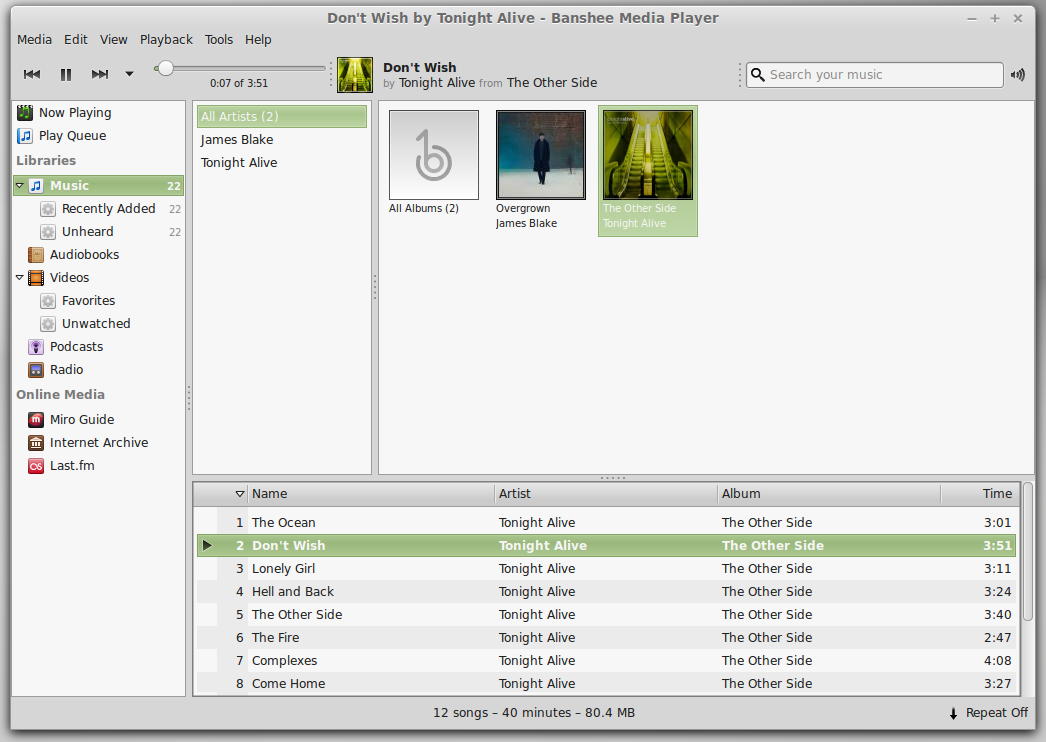
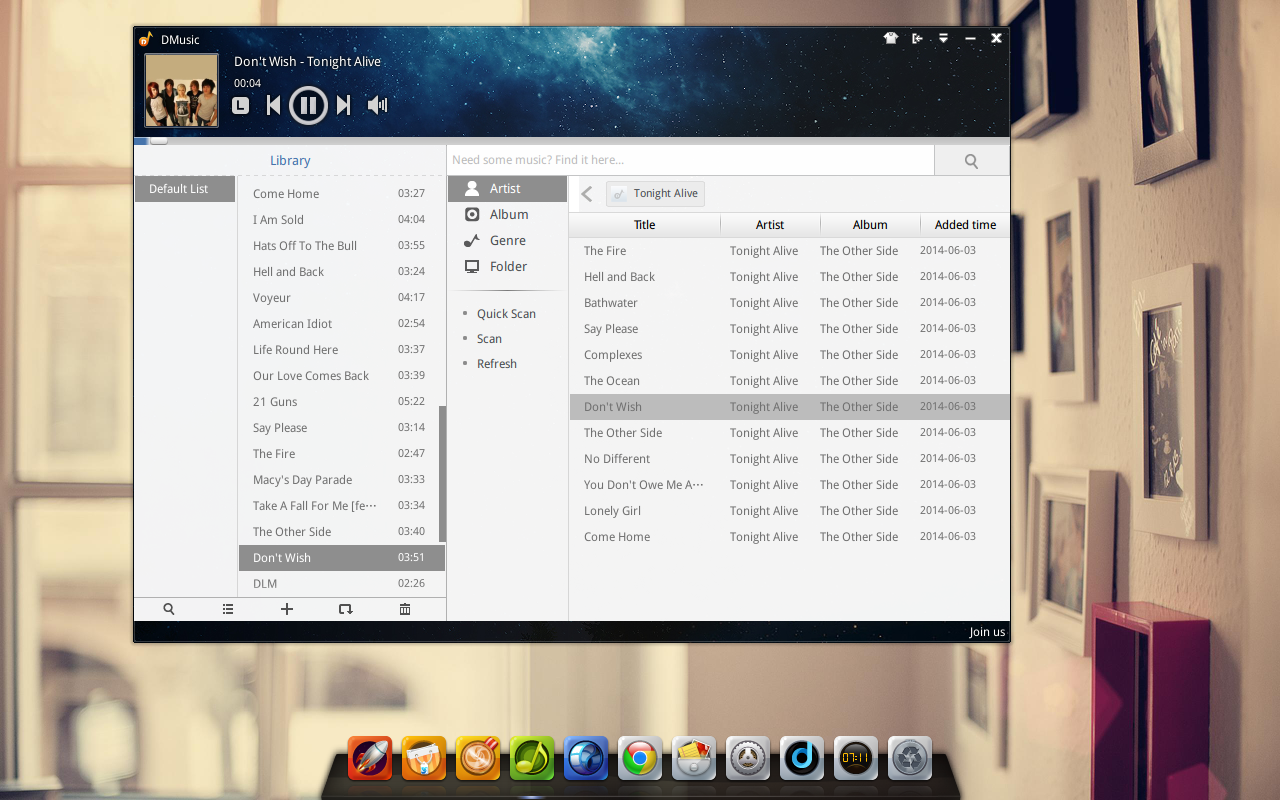
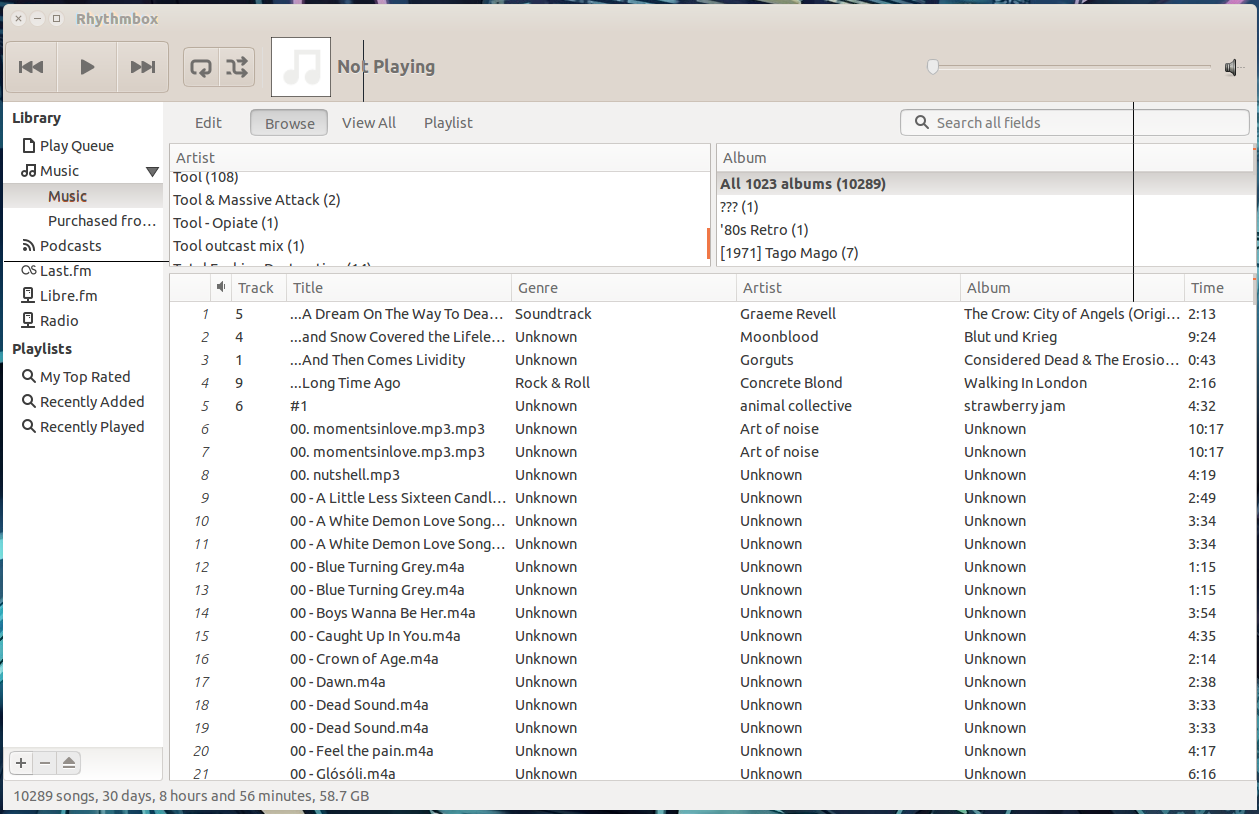
One of my issues with the common apps falls into that of audio players. Though I stream a lot of music (using the Spotify client), when I play music on my local drive, I always use Clementine. The default players are:
-
Ubuntu: Rhythmbox
-
Linux Mint: Banshee
-
Linux Deepen: DMusic.
Of the three, Banshee (Figure 1) offers the most features, DMusic (Figure 2) offers the best interface, and (surprisingly enough) Rhythmbox (Figure 3) is, by far, the least reliable.
So, how do they score? Like so:
1. Linux Mint
2. Ubuntu Linux
3. Linux Deepin
App store
This category cannot go without being addressed. Why? Because the app store can easily make or break a Linux distribution for a new user. There will always be apps needed and no new user wants to jump through the hoops of learning the command line. Each distribution has their own take on the app store.
-
Ubuntu: Ubuntu Software Center
-
Mint: Software Manager
-
Linux Deepin: Deepin Software Center
It should be said, that each of these tools is based on the Ubuntu Software Center. What is odd about this is that it is the Ubuntu Software Center that lands squarely on the bottom. The primary reason for this is the Ubuntu Software Center is very slow – even on an incredibly powerful machine.
I would order the app stores as such:
1. Linux Deepin
2. Linux Mint
3. Ubuntu Linux
Each of the app stores functions in a very similar manner. The reason Linux Deepin gets the top bill is twofold: The interface is easier to navigate and the application opens far faster than either the Ubuntu Software Manager or the Mint Software Manager.
Modern interface
This is the category in which Linux Mint falls way, way behind. Even though it does offer a bit of eye candy and a more shallow learning curve, Linux Mint still suffers from what is, by comparison, a very outdated desktop. Even on powerful hardware (with solid graphics), Linux Mint still looks like it could very easily have been transported from the late 1990s. To that end, we must look to either Ubuntu Linux or Linux Deepin to bring us into the future. The winner is:
1. Linux Deepin
2. Ubuntu Linux
3. Linux Mint
What Linux Deepin does is use GNOME 3 to create an amalgam of GNOME and OSX that works so beautifully, you think you’re dealing with a piece of interactive art.
The overall winner
Although this is very rudimentary, the order of our best Linux distro for new users would be:
1. Linux Mint with a collective score of 7
2. Linux Deepin with a collective score of 8
3. Ubuntu Linux with a collective score of 9
If you’re wondering about the ‘writer opinion’ of this piece, know this: I have used Ubuntu Linux for years (and still do). I have recently been quoted as saying “If there’s a Linux distro that will sway me from Ubuntu, it’s Linux Deepin.” Although I appreciate Linux Mint for what it is, I only use it for testing purposes. With that said, Linux Mint is the clear winner, when it comes to best Linux distribution for new users.
Here’s the real truth of this matter – you can’t go wrong with any of these Linux desktops. They each shine in their own right. If you’re looking for a true beauty, go with Linux Deepin. If you want a combination of beauty and ease of use, go with Ubuntu Linux. If you just want simplicity and you don’t care about eye candy, go with Linux Mint. No matter which way you go, it’s a win-win-win scenario.
What do you think? How would you rank the three chosen desktops? Or, would you write in a completely different Linux distribution for best in show for the new users (and why)?