There is a world of file managers beyond GNOME’s Nautilus and KDE’s Dolphin. These are perfectly good file managers, but they’re fairly heavyweight and drag in a ton of dependencies. Gentoo File Manager, Rox-filer, Xfe, and PCManFM are some excellent alternatives that are lightweight, powerful, very configurable, independent of any particular desktop environment, and well-maintained. All of them have complete graphical functionality, and also support keyboard shortcuts and command-line operations. If you’re looking for something a little different, give these a try.
Gentoo File Manager
The Gentoo File Manager has nothing to do with Gentoo Linux. It was named for the Gentoo penguin, and has been around longer than Gentoo Linux. Gentoo is lightweight and fast, and a tweaker’s dream cram-full of functionality. It has two panes, and you can configure each pane independently. If two panes aren’t enough you can split them horizontally or vertically.
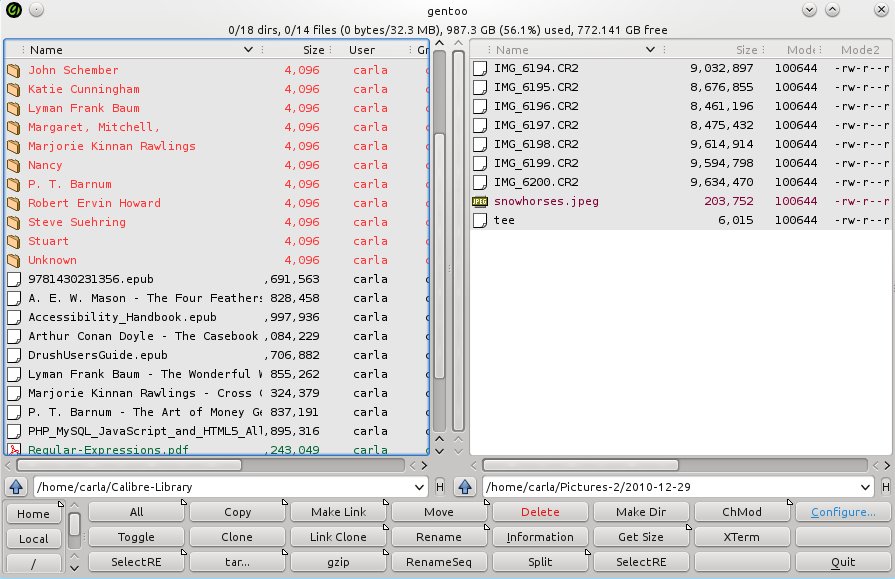
The default sheet of buttons across the bottom is just the beginning. You can edit the existing buttons by changing the button or font color, and changing the command. There are two steps to creating a new button with a new command, or editing an existing button. First you go to Configure ._ Buttons -> Definitions, select an existing button or create a new row, and click the Command icon. This brings up a list of commands to choose from, for example new_shell for opening an X terminal. The default is xterm. If you prefer a different X terminal, then go to Commands -> Definitions to change the definition of the new_shell command. This allows multiple commands, and the button will execute all of them. You can also create new custom commands here.
Gentoo file manager is designed to do everything with a button-click or right mouse click, and also allows performing complex operations using regular expressions. Filetypes are color-coded, delete really means delete, and configurable context menus open files in whatever app you want. Once you get it arranged to your liking it’s very fast to work in.
ROX-Filer
ROX-Filer is a fast graphical file manager with a deceptively simple interface. It relies on context menus, configurable buttons, and right-click menus. A lot of the buttons are toggles, for example show/hide thumbnails, change sort order, and show/hide extra details, so it’s very fast to see what you want.
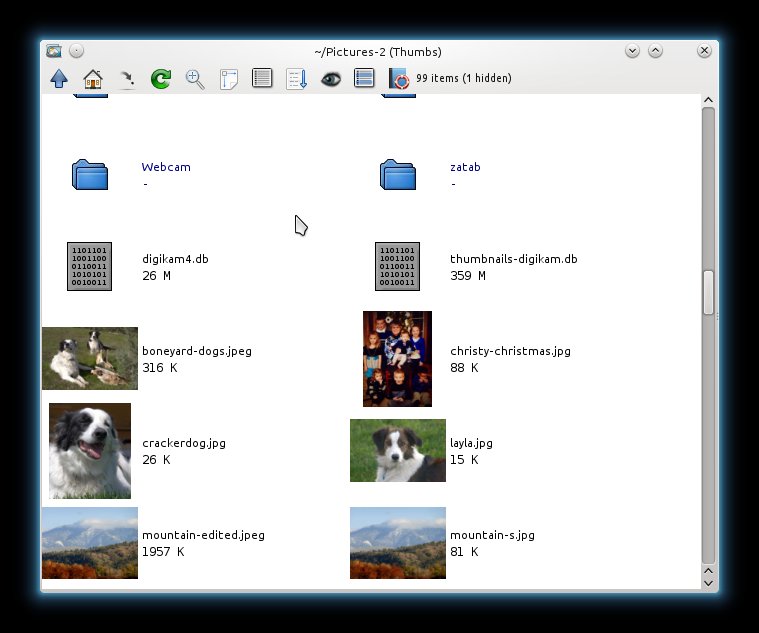
Left-click opens a file or directory, middle-click opens in a new window, and right-click opens the main menu. The main menu includes the Options dialogue for configuring ROX-filer. Left-click drag draws a box around a group of items to select them, and pressing the Escape key un-selects. Use Control+ left-click to select an arbitrary group of items.
You can open multiple windows and drag and drop files between them, and save file locations in the Bookmarks menu. There is a slick trick for quickly returning to a previous directory: Press Ctrl+1 on the directory you want to bookmark. Close it, and then return to it from any ROX window by pressing 1. Make multiple saves with 2, 3, and so on.
Hit the up arrow or Backspace key to return to the parent directory, Home and End navigate to the start and end of the directory, and Page Up/Page Down navigate up and down a screen at a time.
The Pinboard gives you a place to drag selected files, and Pinboards are automatically saved. Pinboards are directories with symlinks to your selected files, so it’s a fast and ingenious way to save arbitrary batches of files.
ROX-Filer supports mounting removable media, running shell commands, virtual filesystems, batch operations, and lots more. Find out all about it in the excellent ROX-filer manual.
Xfe
Xfe, the X file explorer, is a little-known gem that includes multiple panes, an editable location bar, and a navigation panel. It has buttons all over the place, so you’re never far from whatever you want to click, and my favorite feature is the panel focus indicator, which is a little green light to show which panel has focus.
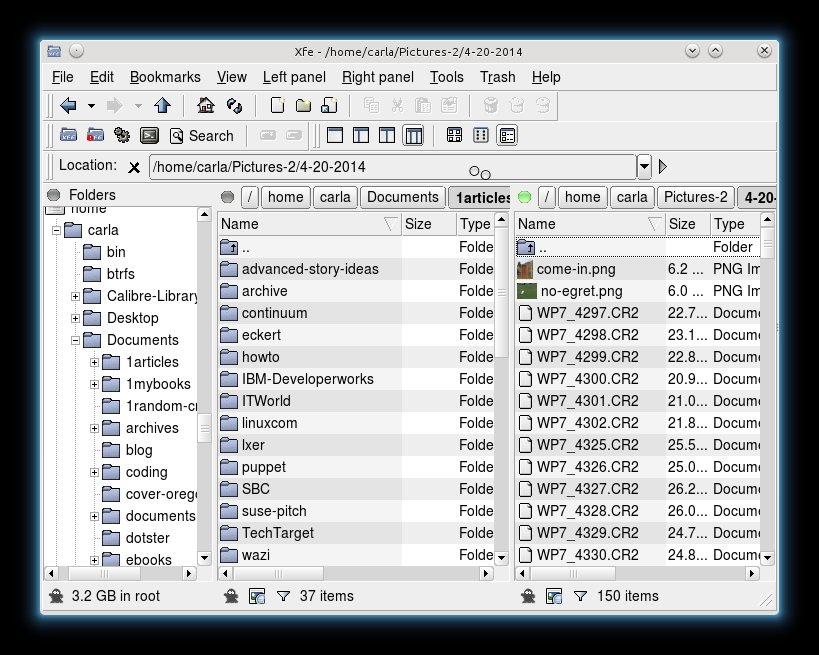
You can have a single panel, two panels, and a tree pane in any combination. It supports image thumbnails, though it does not support thumbnails for RAW photo files. It’s one click to open it in a root session, open a terminal, and to run scripts and commands. You can create files and directories, symlinks, mount and unmount filesystems, and copy and move files. It includes a nice batch of configurable keyboard shortcuts, and multiple themes, including Windows 95 for any recent Linux converts who want a familiar interface. Xfe, like ROX-filer, also has some good documentation.
PCManFM
PCManFM is a nice tabbed file manager with a clean, uncluttered interface. It is the default file manager for the LXDE desktop. You can open directories in new tabs or new windows, and drag-and-drop files between them. It has an optional sidebar that displays either Places or your file tree. It also supports two panes, and the pane without focus is shaded.
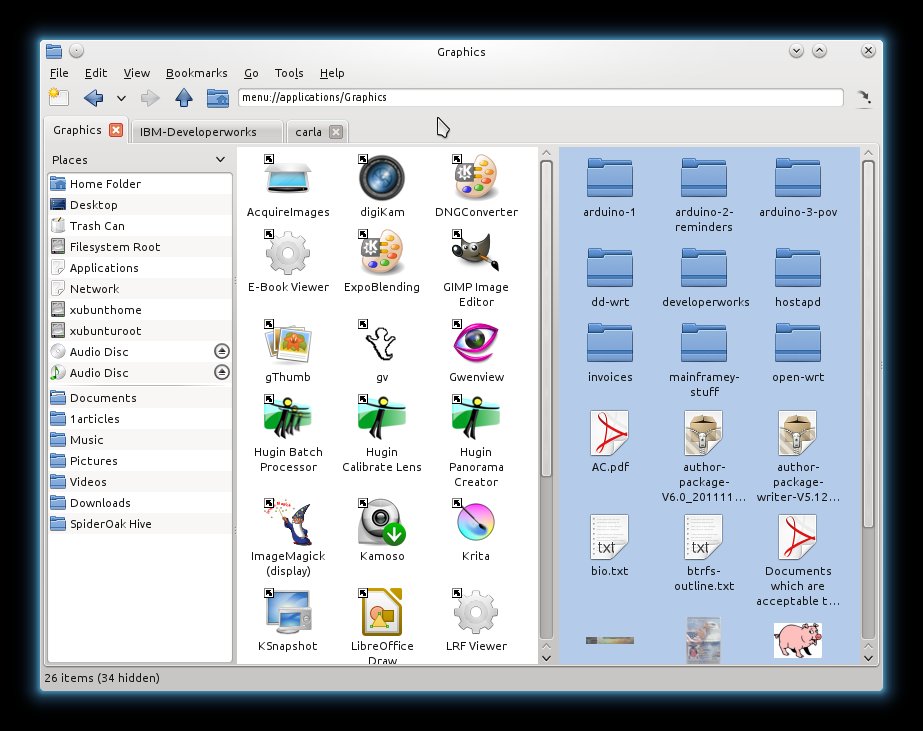
PCManFM comes with a more complete default configuration than the others in this roundup, with good right-click menus already set up with useful Open With, Open in New Tab/Window, Properties, Rename, and other common commands, and it handles removable music and movie media nicely. It even has an application launcher. It’s pretty easy to find your way around PCManFM, and there is a bit of documentation on the LXDE wiki.

 Well,
Well, 