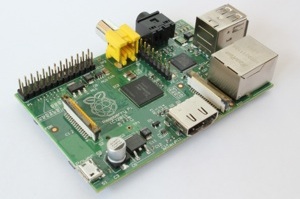
 Previously, in a tutorial titled How to Install the LTSI-3.10 Kernel on Raspberry Pi and MinnowBoard, I introduced how you can build and install a kernel with an LTSI (Long Term Support Initiative) patch applied on Raspberry Pi and MinnowBoard. That time, I installed a kernel image that I built by downloading the kernel source and applying the patch. This time, however, I created a package for easier management. The following describes how you can do that. Most of the steps are actually a repetition of what we did previously, so this time it’ll be quicker. This time, though, I worked on an actual machine in both cases, so it does take some time to compile the kernel.
1. Creating a Kernel Package on Raspberry Pi
For the operating system, I used Raspbian. Since this is based on Debian, the steps to create a kernel package are the same as on Debian. First, obtain the kernel source using the same steps as the last time.
Go to the GitHub page for the Raspberry Pi kernel, and press the Download ZIP button you’ll find toward the bottom right. Then, a kernel source file named linux-rpi-3.10.y.zip will be downloaded. Unpack the file in a suitable location. I unpacked it under /usr/local/src.
root@raspberrypi:/usr/local/src $ gunzip linux-rpi-3.10.y.zip
The version I downloaded was an RPi kernel based on 3.10.33. Next, download the LTSI patch from http://ltsi.linuxfoundation.org/.The version I downloaded was patch-3.10.31-LTSI.gz. Apply this patch to the kernel you downloaded earlier.
root@raspberrypi:/usr/local/src $ cd /usr/local/src/linux-rpi-3.10.y
root@raspberrypi:/usr/local/src/linux-rpi-3.10.y $ gunzip < /usr/local/src/patch-3.10.31-ltsi.gz | patch -p1
A Makefile.rej will be created because the source versions do not match (3.10.31 and 3.10.33). Since the only change is the version information, go ahead and edit the Makefile yourself.
SUBLEVEL = 33
EXTRAVERSION = -ltsi
Next, prepare a .config file. Use the one that is currently executed.
root@raspberrypi:/usr/local/src/linux-rpi-3.10.y $ cat /proc/config.gz | gunzip > .config
root@raspberrypi:/usr/local/src/linux-rpi-3.10.y $ make oldconfig
The question you get asked with make oldconfig is a new parameter that is not in the version that is being executed, so go with the default settings for now. If you wish to change other parameters, you can do that with the following command.:
root@raspberrypi:/usr/local/src/linux-rpi-3.10.y $ make menuconfig
Now, we’re ready to start creating a kernel package. First, prepare the tools you need to create a package.
root@raspberrypi:/usr/local/src $ apt-get install build-essential kernel-package libncurses5-dev bc
Let’s get it started.
root@raspberrypi:/usr/local/src/linux-rpi-3.10.y $ make-kpkg clean
root@raspberrypi:/usr/local/src/linux-rpi-3.10.y $ make-kpkg --revision 1.0 --initrd kernel-image kernel-headers kernel-source
This will probably take much longer than a coffee break, so go ahead and take a nap. If you wish to run it in the background, do the following.
root@raspberrypi:/usr/local/src/linux-rpi-3.10.y $ nohup make-kpkg --revision 1.0 --initrd kernel-image kernel-headers kernel-source 2>&1 > /tmp/log.txt &
This should keep it running even after you’ve logged out. When you get up in the morning, you should find the following package under /usr/local/src.
root@raspberrypi:/usr/local/src $ ls
linux-headers-3.10.33-ltsi_1.0_armhf.deb
linux-rpi-3.10.y.tgz
linux-image-3.10.33-ltsi_1.0_armhf.deb
linux-source-3.10.33-ltsi_1.0_all.deb
linux-rpi-3.10.y
patch-3.10.31-ltsi.gz
(The reason you’re seeing linux-rpi-3.10.y.tgz here is that, for some reason, the zip file could not be unpacked properly on Raspberry Pi. So I unpacked it on another machine, created a tgz file, and then put it back to Raspberry Pi. I hope it works on your Raspberry Pi.) Now, let’s install.
root@raspberrypi:/usr/local/src $ dpkg -i *.deb
You’ll see a lot of messages, but there shouldn’t be any problem. A kernel boot image will be created under /boot. You’ll need to change its name.
root@raspberrypi:/boot# ls -l
Total 24160
 -rwxr-xr-x 1 root root 18974 Sep 26 06:57 LICENSE.oracle
-rwxr-xr-x 1 root root 1433275 Mar 22 09:38 System.map-3.10.33-ltsi
-rwxr-xr-x 1 root root 17824 Jan 8 04:50 bootcode.bin
-rwxr-xr-x 1 root root 142 Jan 8 06:13 cmdline.txt
-rwxr-xr-x 1 root root 87181 Mar 22 08:41 config-3.10.33-ltsi
-rwxr-xr-x 1 root root 1237 Feb 3 23:21 config.txt
-rwxr-xr-x 1 root root 5783 Jan 8 04:50 fixup.dat
-rwxr-xr-x 1 root root 2068 Jan 8 04:50 fixup_cd.dat
-rwxr-xr-x 1 root root 8829 Jan 8 04:50 fixup_x.dat
-rwxr-xr-x 1 root root 3700976 Jan 22 11:16 initrd.img-3.10.33-ltsi
-rwxr-xr-x 1 root root 137 Jan 8 08:34 issue.txt
-rwxr-xr-x 1 root root 9789752 Jan 8 04:50 kernel_emergency.img
-rwxr-xr-x 1 root root 2514136 Jan 8 04:50 start.elf
-rwxr-xr-x 1 root root 480216 Jan 8 04:50 start_cd.elf
-rwxr-xr-x 1 root root 3495816 Jan 8 04:50 start_x.elf
-rwxr-xr-x 1 root root 3112072 Jan 22 15:58 vmlinuz-3.10.33-ltsi
root@raspberrypi:/boot# mv kernel.img kernel.org
root@raspberrypi:/boot# mv vmlinuz-3.10.33-ltsi kernel.img
To be safe, perform sync and reboot.
root@raspberrypi:/boot# sync
root@raspberrypi:/boot# reboot
After reboot, connect and check.
root@raspberrypi:/boot# uname -a
Linux raspberrypi 3.10.33-ltsi #3 PREEMPT Sat Mar 22 08:49:28 JST 2014 armv6l
GNU/Linux
Well, that’s it. This package is posted on http://ltsi.linuxfoundation.org/downloads, so if you need it, feel free to take it. But no guarantees.
2. Creating a Kernel Package on MinnowBoard
The distribution stored in the SD card that comes with MinnowBoard is Angstrom. As I confessed the last time, I’m not an expert on Angstrom nor Yocto, so I used Debian. I set up Debian on MinnowBoard on a USB flash drive following the Minnowboard:Debian Bare Minimum Bootstrapping steps I will describe below. While it says Minimum, it’s still Debian, so the steps to create a kernel package are the same as on Debian.
First, obtain the kernel source using the same steps as the previous tutorial. Obtain the same source version as the LTSI on Kernel.org. Here, I downloaded linux-3.10.31.tgz. In my case, I needed 8GB of storage in order to build a kernel package. So I prepared a USB flash drive specifically for the build other than for Debian itself. Mount a USB flash drive for the build in a desired location. I mounted it under /mnt and extracted the kernel source.
root@DebianMinnow:/ $ mount /dev/sdb1 /mnt
root@DebianMinnow:/$ cd /mnt
root@DebianMinnow:/mnt $ tar xvzf /tmp/linux-3.10.31.tgz
Next, download the LTSI patch from http://ltsi.linuxfoundation.org/.The version I downloaded was patch-3.10.31-LTSI.gz. Apply this patch to the kernel you downloaded earlier.
root@DebianMinnow:/mnt $ gunzip < /tmp/patch-3.10.31-ltsi.gz | patch -p1
Next, prepare a .config file. Use the one that is currently executed.
root@DebianMinnow:/mnt $ cp /boot/config-3.13-1-686-pae > .config
root@DebianMinnow:/mnt $ make oldconfig
The question you get asked with make oldconfig is a new parameter that was not in the version that was being executed, so go with the default settings for now. If you wish to change other parameters, you can do that with the following command:
root@DebianMinnow:/mnt $ make menuconfig
Now, we’re ready to start creating a kernel package. Prepare the tools you need to create a package.
root@DebianMinnow:/mnt $ apt-get install build-essential kernel-package libncurses5-dev bc
Let’s get it started.
root@DebianMinnow:/mnt $ make-kpkg clean
root@DebianMinnow:/mnt $ make-kpkg --revision 1.0 --initrd kernel-image kernel-headers kernel-source
Again, this will probably take much longer than a coffee break, so go ahead and take a nap. But it should be faster than Raspberry Pi. If you wish to run it in the background, do the following:
root@DebianMinnow:/mnt $ nohup make-kpkg –revision 1.0 –initrd kernel-image kernel-headers kernel-source 2>&1 > /tmp/log.txt &
This should keep it running even after you’ve logged out. When you get up in the morning, you should find the following package under /mnt.
root@DebianMinnow:/mnt $ ls
linux-3.10.33
 linux-headers-3.10.33-ltsi_1.0_i386.deb
linux-image-3.10.33-ltsi_1.0_i386.deb
 linux-source-3.10.33-ltsi_1.0_all.deb
 patch-3.10.31-ltsi.gz
Now, let’s install.
root@DebianMinnow:/mnt $ dpkg -i *.deb
You’ll see a lot of messages, but there shouldn’t be any problem. A kernel boot image will be created under /boot.
root@DebianMinnow:/boot# ls -l
Total 33180
-rw-r--r-- 1 root root 1764023 Mar 23 22:00 System.map-3.10.31-ltsi
-rw-r--r-- 1 root root 1842504 Mar 6 01:27 System.map-3.13-1-686-pae
-rw-r--r-- 1 root root 149556 Mar 23 17:07 config-3.10.31-ltsi
-rw-r--r-- 1 root root 155052 Mar 6 01:27 config-3.13-1-686-pae drwxr-xr-x 2 root root 4096 Mar 18 18:15 grub
 -rw-r--r-- 1 root root 12166605 Jan 1 2001 initrd.img-3.10.31-ltsi
-rw-r--r-- 1 root root 12456051 Jan 1 2001 initrd.img-3.13-1-686-pae
-rw-r--r-- 1 root root 2631440 Mar 23 22:00 vmlinuz-3.10.31-ltsi
-rw-r--r-- 1 root root 2735776 Mar 6 01:26 vmlinuz-3.13-1-686-pae
Back up the vmlinuz (symbolic link to /boot/vmlinuz-3.13-1-686-pae) under /, and create a new vmlinuz (symbolic link to /boot/vmlinuz-3.10.31-ltsi).
root@DebianMinnow:/# mv vmlinuz vmlinuz.org
root@DebianMinnow:/# ln -s boot/vmlinuz-3.10.31-ltsi vmlinuz
root@DebianMinnow:/# ls -l vmlinuz*
 lrwxrwxrwx 1 root root 25 Jan 1 2001 vmlinuz -> boot/vmlinuz-3.10.31-ltsi
lrwxrwxrwx 1 root root 27 Mar 18 17:56 vmlinuz.org -> boot/vmlinuz-3.13-1-686-pae
Although the new OS should start up when rebooted as-is, rewrite grub.conf so that the old OS can be selected.
root@DebianMinnow:/# mount /dev/sda1 /efi
root@DebianMinnow:/# cd /efi/EFI/BOOT
Edit the grub.conf under here. I will show only the relevant portion.
#For MBR
menuentry "Debian 7.0 i686 (32-bit, EFI/MBR)" {
insmod part_msdos
insmod ext2
set root='(hd0,msdos2)'
 linux /vmlinuz.org root=/dev/sda2 ro rootwait console=ttyPCH0,115200 console=tty0 vmalloc=256MB snd-hda-intel.enable_msi=0
initrd /initrd.img.org }
Copy the above, and add an entry for vmlinuz.org.
#For MBR(LTSI)
menuentry "Debian 7.0 i686-ltsi (32-bit, EFI/MBR)" {
insmod part_msdos
insmod ext2
 set root='(hd0,msdos2)'
linux /vmlinuz root=/dev/sda2 ro rootwait console=ttyPCH0,115200 console=tty0 vmalloc=256MB snd-hda-intel.enable_msi=0
initrd /initrd.img
}
#For MBR
menuentry "Debian 7.0 i686 (32-bit, EFI/MBR)" {
 insmod part_msdos
insmod ext2
set root='(hd0,msdos2)'
linux /vmlinuz.org root=/dev/sda2 ro rootwait console=ttyPCH0,115200 console=tty0 vmalloc=256MB snd-hda-intel.enable_msi=0
initrd /initrd.img.org
}
Once edited, save and then sync the file, and reboot.
root@DebianMinnow:/# umount /dev/sda1
root@DebianMinnow:/#sync
root@DebianMinnow:/#reboot
After reboot, connect and check.
root@DebianMinnow:/boot# uname -a
 Linux DebianMinnow 3.10.31-ltsi #4 SMP Sun Mar 23 17:18:20 JST 2014 i686 GNU/Linux
Well, that’s it. This package is posted on http://ltsi.linuxfoundation.org/downloads, so if you need it, feel free to take it. But no guarantees.
3. For those Who Wish to Execute in a Cross-build Environment
Although I built the kernel on an actual machine this time, you may want to execute in a cross-build environment due to time or storage capacity reasons. It’s easy if you’re using MinnowBoard. Since the machine is Atom, you should be able to build the kernel and create a package as-is in a cross-build environment as well. In the case of Raspberry Pi, build a cross-build environment as explained in the previous tutorial, and then configure make-kpkg options. Since I haven’t tried it myself, I will not be able to describe the steps in detail. Go ahead and give it a try.
Hisashi Hashimoto is a Senior Engineer at Hitachi.

 One reason technology choices are so difficult is technology is always a work in progress; your one choice has lasting consequences since the technology rarely ever lives on its own, and most good technology is never done — that is unless you’re Windows XP. As most of us know,