
Verizon Wireless joins the Ubuntu Carrier Advisory Group. This move sets Verizon up to be the first carrier to bring the Ubuntu-Linux based smartphone to the US.
Read more at Enterprise Open Source Toolkit
The 3.10 Linux kernel release late last month brought a raft of new features worth celebrating for Linux developers and sysadmins alike. This release was especially satisfying, though, to kernel developer Kent Overstreet who saw years of hard work pay off with the inclusion of the Bcache patch set in 3.10.
Bcache allows Linux machines to use flash-based SSDs (solid-state drives) as cache for other, slower and less expensive, hard disk drives. It can be used in servers, workstations, high-end storage arrays, or “anywhere you want IO to be faster, really,” Overstreet said.
 “If you don’t want to shell out for all SSD storage, using bcache makes the machine you’re using feel just about as fast as if it was using just SSDs,” he said. “I’ve been using it on my various machines at home and at work for quite a while now.”
It lives in the kernel’s block layer, below the filesystem, alongside other block device utilities such as md RAID, device mapper, and DRBD fit. (See the bcache documentation and a full list of bcache features and performance notes.)
Overstreet originally took on bcache “for fun” as a side project and worked on it alone for more than a year before it started getting attention. Then Google took notice and hired him to work specifically on bcache.
He worked on coding it for another year, with help from Adam Berkan and Ricky Benitez at Google who contributed some code, along with design and code reviews. But bcache was never rolled out on a large scale at Google, “for reasons of a political/”vision” nature,” Overstreet said.
He’s since worked mostly alone to maintain it, with help from the open source and Linux kernel communities on patches and testing, “which is hugely important and impossible for me to fully cover myself,” Overstreet said.
He’s now moved on to a new company, Datera, which will be relying heavily on bcache, “so development should pick back up again,” he said.
Overstreet can celebrate the 3.10 release, at least a little, now that Bcache is mostly complete with no big changes remaining. But in the near future – though probably not as soon as 3.11 – he has a number of bcache enhancements planned. These include:
– RAID stripe awareness.
“Partial stripe writes on raid 5/6 are quite expensive, they require a read/modify/write of the parity blocks. This will add knowledge of the stripe layout to the writeback code, so that when deciding which writes to do writeback for it biases in favor of stripes that are already dirty, and background writeback preferentially flushes full stripes first.”
– The ability to add miss data to the cache when the btree node is full.
“If we get a cache miss and the btree node it’d go in is full, we can’t add that data to the cache. On normal workloads this is mostly a non-issue, because there’ll be some write activity and the btree node splits will just happen on writes.
“But if you’re benchmarking reads or random reads, and trying to warm the cache by just doing reads – it’s a really annoying issue then because the cache never fully warms up and if you don’t know about this issue, it’s quite baffling and frustrating.”
In the longer term, Overstreet would like to add multiple SSDs in a cache set and full data checksumming. He’s already made some progress on these changes; the potential for supporting multiple SSDs was “baked into the design ages ago.”
Multiple SSDs “will allow us to mirror dirty data and metadata, but not clean data – you get redundancy without wasting SSD space duplicating clean cached data,” he said.
Even farther off he sees the potential for using bcache as the basis for a new, faster local filesystem with smaller and cleaner code. “But who knows when I’ll have time to work on it?” he said.
So there I was with a perfectly good desktop system running various flavors of Linux, and then I says to myself, I said “Self, it’s time for an upgrade!” My old system ran on an AMD Phenom X3, a mere 4GB RAM, and a ragtag gaggle of external audio interfaces and multiple printers, all housed in a nice quiet Antec case. It was my main system for three years, a stout workhorse that handled every crazy thing I tried to do with it: audio and video production, server 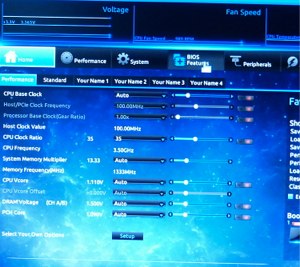 experiments, and virtual machines galore. Multimedia and virtual machines are demanding of system resources, and that was all the excuse I needed to drop a few hundred clams on new innards: Intel i7-4770K quad-core CPU, 16GB memory, a flashy fancy Gigabyte GA-Z87X-UD3H motherboard, and a couple 2TB hard drives for just because. This is about four times more powerful than my old system.
So what’s involved with a major upgrade like this for Linux users? Hardware compatibility isn’t the problem it used to be, especially with better-quality components, and it’s not unusual anymore for vendors to claim Linux support. The quickest way to learn of any Linux hassles is to search the user reviews on busy sites like Fry’s, Amazon, and Newegg.
Watch your motherboard size. The trend is for smaller boards, but this Gigabyte board is a full-sized board that fills the Antec case. I like the bigger cases because they are easy to work in, quiet, and cool.
Choose your power supply wisely. I’m not a hardcore gamer with multiple video cards and overclocking, so I don’t need some stadium-capable multi-fan mondo-watt monster. Newegg has a great article on calculating how much power you need, and picking a compatible PSU with the right connectors. A nice option is modular cabling, which lets you use just the connectors you need for a clean and uncluttered case.
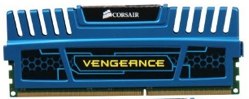
New motherboards are very finicky about their RAM, and if you install the wrong memory modules your system will be unstable. The best resource for choosing the exactly correct RAM modules is the memory vendors’ own compatibility databases, because motherboard vendors only test a limited number of modules and don’t update their information. All the major RAM manufacturers have their own memory finders, like Kingston’s for one example. Dual-channel modules come in pairs, and you must place them in the exactly correct slots. If you’re hanging on to older internal expansion cards such as video, audio, network, or Firewire time is marching on– PCIe is not backwards-compatible with AGP and PCI, and if you’re clinging to any IDE drives they might not be supported either.
 Intel vs. AMD is one of those endless debates. AMD costs less and delivers a lot of bang for your buck. Intel makes great processors with excellent Linux support. My Gigabyte board has onboard Intel gigabit Ethernet, HDMI audio and 3D video, and they just work. Probably the video is not adequate for an über gamer, but it plays Tux Racer and GL screensavers just fine, and handles Blender 3D animations without hiccups.
There are two ways to dodge UEFI Secure Boot follies: buy your computers from ace independent Linux experts like System76 and ZaReason, or buy motherboards. Don’t buy Windows 8 systems (unless you really want Windows 8); you can disable Secure Boot in the BIOS, but the the method varies with different vendors, and sometimes it takes more than just disabling it to boot Linux or external media because of tricksy “features” like malformed partition tables. The major Linux distributions have adapted to our sparkly new Secure Boot overlords in various ways, but it’s still a pain in the keister. (Please read Matthew Garrett’s journal to get the straight story on Secure Boot.)
UEFI– Unified Extensible Firmware Interface— replaces the stodgy, antiquated old PC BIOS which has long been entirely inadequate for modern systems. UEFI is a little operating system and is very flexible, and can support a raft of add-on applications. Which, in the case of my Gigabyte board only work in Windows, which is a testimonial to the inertia of market-dominant poo.
Let’s take a stroll down Identifying Hardware on Linux lane, because you can learn everything about your hardware without opening the case. Remember to update your pciidsdatabase regularly, so that the lspci command will give you current information. Do this by running the update-pciids command. The PCI ID repository is maintained by Martin Mares, Michal Vaner, and various volunteers, so you can send them thanks and product data if you have it.
Alrighty then, armed with updated information (/usr/share/hwdata/pci.ids and /usr/share/misc/pci.ids on Linux Mint) let us see what is connected to the PCI bus of my shiny new beast:
$ lspci
00:00.0 Host bridge: Intel Corporation 4th Gen Core Processor DRAM Controller (rev 06)
00:02.0 VGA compatible controller: Intel Corporation Xeon E3-1200 v3/4th Gen Core Processor Integrated Graphics Controller (rev 06)
00:03.0 Audio device: Intel Corporation Xeon E3-1200 v3/4th Gen Core Processor HD Audio Controller (rev 06)
00:14.0 USB controller: Intel Corporation 8 Series/C220 Series Chipset Family USB xHCI (rev 04)
00:16.0 Communication controller: Intel Corporation 8 Series/C220 Series Chipset Family MEI Controller #1 (rev 04)
00:19.0 Ethernet controller: Intel Corporation Ethernet Connection I217-V (rev 04)
[...]
And much more. lspci -v gives detailed information, and lspci -k names the kernel modules:
$ lspci -k
00:1b.0 Audio device: Intel Corporation 8 Series/C220 Series Chipset High Definition Audio Controller (rev 04)
        Subsystem: Gigabyte Technology Co., Ltd Device a002
        Kernel driver in use: snd_hda_intel
        Kernel modules: snd-hda-intel
What if you want to know more about a particular kernel module? Try the modinfo command to spit out a ton of information:
$ modinfo snd_hda_intel
filename:       /lib/modules/3.2.0-23-generic/kernel/sound/pci/hda/snd-hda-intel.ko
description:    Intel HDA driver
license:        GPL
srcversion:     E9BB291A81F648652C216F8
alias:          pci:v00001022d*sv*sd*bc04sc03i00*
[...]
The Gigabyte board supports SATA revision 3.0, which is (theoretically) 6 gigabits per second data transfer. If you’ve accumulated a stack of hard disks how do you know how fast they are? The hdparm command tells the tale:
$ sudo hdparm -I /dev/sdc | grep -i speed
           *    Gen1 signaling speed (1.5Gb/s)
           *    Gen2 signaling speed (3.0Gb/s)
           *    Gen3 signaling speed (6.0Gb/s)
All SATA standards are backwards-compatible, so this drive will work anywhere.
Now what about your USB devices? Yes, Linux has a command for those too, lsusb:
$ lsusb
Bus 001 Device 001: ID 1d6b:0002 Linux Foundation 2.0 root hub
Bus 003 Device 004: ID 047f:0ca1 Plantronics, Inc. USB DSP v4 Audio Interface
Bus 003 Device 005: ID 0763:200f Midiman M-Audio MobilePre
Bus 003 Device 006: ID 058f:6254 Alcor Micro Corp. USB Hub
Bus 003 Device 007: ID 046d:c00e Logitech, Inc. M-BJ58/M-BJ69 Optical Wheel Mouse
Bus 003 Device 008: ID 03f0:3217 Hewlett-Packard LaserJet 3050
Bus 003 Device 009: ID 0bda:8187 Realtek Semiconductor Corp. RTL8187 Wireless Adapter
You can also learn extremely detailed information about your devices and USB buses with the -v switch. For example, the bcdUSB descriptor field tells your USB specification, which is 1.1, 2.0, or 3.0. 1.1 is dual-speed, either 1.5 Mbit/s “low speed” or 12 Mbit/s “full speed”. 2.0 is 480 Mbit/s, and 3.0 is 4 Gbit/s. (Of course these are theoretical, and in real life your transfer speeds are lower.) I use my favorite awk incantation to get the detailed spec on a single device, like this abbreviated example that shows my MobilePre digital audio interface is bus-powered, USB 1.1, and it supports sampling rates from 8kHz to 48kHz:
$ sudo lsusb -v | awk '/MobilePre/,/^$/'
Bus 003 Device 005: ID 0763:200f Midiman M-Audio MobilePre
Device Descriptor:
  bcdUSB               1.10
  idVendor           0x0763 Midiman
  idProduct          0x200f M-Audio MobilePre
        (Bus Powered)
    MaxPower              200mA

      AudioStreaming Interface Descriptor:
        tSamFreq[ 0]         8000
        tSamFreq[ 1]         9600
        tSamFreq[ 2]        11025
        tSamFreq[ 3]        12000
        tSamFreq[ 4]        16000
        tSamFreq[ 5]        22050
        tSamFreq[ 6]        24000
        tSamFreq[ 7]        32000
        tSamFreq[ 8]        44100
        tSamFreq[ 9]        48000
There is a command to update your USB database too, update-usbids. This is maintained by Stephen Gowdy.
I have a great fondness for the USB bus because it’s dead-easy to plug in anything anytime. Remember the bad old days of serial and parallel ports, and how hard it was to connect peripherals? Figure 3 shows the back of my PC with a gaggle of devices plugged in, and there is a front USB panel too.
That nice new Intel i7 processor with four physical cores? Thanks to hyperthreading it appears to your operating system as 8 cores. To see all your cores run top and then press the 1 key:
 $ top
top - 07:35:37 up  1:21,  3 users,  load average: 0.45, 0.56, 0.57
Tasks: 223 total,   2 running, 221 sleeping,   0 stopped,   0 zombie
Cpu0  :  1.0%us,  0.3%sy,  0.0%ni, 98.3%id,  0.3%wa,  0.0%hi,  0.0%si,  0.0%st
Cpu1  :  4.3%us,  0.7%sy,  0.0%ni, 95.0%id,  0.0%wa,  0.0%hi,  0.0%si,  0.0%st
Cpu2  :  1.0%us,  0.3%sy,  0.0%ni, 98.7%id,  0.0%wa,  0.0%hi,  0.0%si,  0.0%st
Cpu3  :  0.3%us,  0.0%sy,  0.0%ni, 99.7%id,  0.0%wa,  0.0%hi,  0.0%si,  0.0%st
Cpu4  :  0.0%us,  0.3%sy,  0.0%ni, 99.7%id,  0.0%wa,  0.0%hi,  0.0%si,  0.0%st
Cpu5  :  0.0%us,  0.3%sy,  0.0%ni, 99.7%id,  0.0%wa,  0.0%hi,  0.0%si,  0.0%st
Cpu6  :  0.0%us,  0.0%sy,  0.0%ni,100.0%id,  0.0%wa,  0.0%hi,  0.0%si,  0.0%st
Cpu7  :  0.0%us,  0.0%sy,  0.0%ni,100.0%id,  0.0%wa,  0.0%hi,  0.0%si,  0.0%st
Mem:  16321076k total,  6266676k used, 10054400k free,   946456k buffers
Swap:  4485116k total,        0k used,  4485116k free,  2099644k cached
In our next installment ( Using the New GUID Partition Table in Linux ) we’ll look at preparing a hard disk for a new Linux installation, and learn about the GUID Partition Table (GPT), and other issues related to UEFI.
Editor’s Note: This is a guest post from James Morris, the Linux kernel security subsystem maintainer and manager of the mainline Linux kernel development team at Oracle.
In this article, we’ll take a high-level look at the security features of the Linux kernel. We’ll start with a brief overview of traditional Unix security, and the  rationale for extending that for Linux, then we’ll discuss the Linux security extensions.
Linux was initially developed as a clone of the Unix operating system in the early 1990s. As such, it inherits the core Unix security model—a form of Discretionary Access Control (DAC). The security features of the Linux kernel have evolved significantly to meet modern requirements, although Unix DAC remains as the core model.
Briefly, Unix DAC allows the owner of an object (such as a file) to set the security policy for that object—which is why it’s called a discretionary scheme. As a user, you can, for example, create a new file in your home directory and decide who else may read or write the file. This policy is implemented as permission bits attached to the file’s inode, which may be set by the owner of the file. Permissions for accessing the file, such as read and write, may be set separately for the owner, a specific group, and other (i.e. everyone else). This is a relatively simple form of access control lists (ACLs).
Programs launched by a user run with all of the rights of that user, whether they need them or not. There is also a superuser—an all-powerful entity which bypasses Unix DAC policy for the purpose of managing the system. Running a program as the superuser provides that program with all rights on the system.
Unix DAC is a relatively simple security scheme, although, designed in 1969, it does not meet all of the needs of security in the Internet age. It does not adequately protect against buggy or misconfigured software, for example, which may be exploited by an attacker seeking unauthorized access to resources. Privileged applications, those running as the superuser (by design or otherwise), are particularly risky in this respect. Once compromised, they can provide full system access to an attacker.
Functional requirements for security have also evolved over time. For example, many users require finer-grained policy than Unix DAC provides, and to control access to resources not covered by Unix DAC such as network packet flows.
It’s worth noting that a critical design constraint for integrating new security features into the Linux kernel is that existing applications must not be broken. This is general constraint imposed by Linus for all new features. The option of designing a totally new security system from the ground up is not available—new features have to be retrofitted and compatible with the existing design of the system. In practical terms, this has meant that we end up with a collection of security enhancements rather than a monolithic security architecture.
We’ll now take a look at the major Linux security extensions.
Several of the first extensions to the Linux security model were to enhancements of existing Unix DAC features. The proprietary Unix systems of the time had typically evolved their own security enhancements, often very similarly to each other, and there were some (failed) efforts to standardize these.
POSIX Access Control Lists for Linux are based on a draft POSIX standard. They extend the abbreviated Unix DAC ACLs to a much finer-grained scheme, allowing separate permissions for individual users and different groups. They’re managed with the setfacl and getfacl commands. The ACLs are managed on disk via extended attributes, an extensible mechanism for storing metadata with files.
POSIX Capabilities are similarly based on a draft standard. The aim of this feature is to break up the power of the superuser, so that an application requiring some privilege does not get all privileges. The application runs with one or more coarse-grained privileges, such as CAP_NET_ADMIN for managing network facilities. Capabilities for programs may be managed with the setcap and getcap utilities. It’s possible to reduce the number of setuid applications on the system by assigning specific capabilities to them, however, some capabilities are very coarse-grained and effectively provide a great deal of privilege.
Namespaces in Linux derive from the Plan 9 operating system (the successor research project to Unix). It’s a lightweight form of partitioning resources as seen by processes, so that they may, for example, have their own view of filesystem mounts or even the process table. This is not primarily a security feature, but is useful for implementing security. One example is where each process can be launched with its own, private /tmp directory, invisible to other processes, and which works seamlessly with existing application code, to eliminate an entire class of security threats.
The potential security applications are diverse. Linux Namespaces have been used to help implement multi-level security, where files are labeled with security classifications, and potentially entirely hidden from users without an appropriate security clearance.
On many systems, namespaces are configured via Pluggable Authentication Modules (PAM)–see the pam_namespace(8) man page.
Linux has a very comprehensive and capable networking stack, supporting many protocols and features. Linux can be used both as an endpoint node on a network, and also as a router, passing traffic between interfaces according to networking policies.
Netfilter is an IP network layer framework which hooks packets which pass into, through and from the system. Kernel-level modules may hook into this framework to examine packets and make security decisions about them. iptables is one such module, which implements an IPv4 firewalling scheme, managed via the userland iptables tool. Access control rules for IPv4 packets are installed into the kernel, and each packet must pass these rules to proceed through the networking stack. Also implemented in this codebase is stateful packet inspection and Network Access Translation (NAT). Firewalling is similarly implemented for IPv6.
ebtables provides filtering at the link layer, and is used to implement access control for Linux bridges, while arptables provides filtering of ARP packets.
The networking stack also includes an implementation of IPsec, which provides confidentiality, authenticity, and integrity protection of IP networking. It can be used to implement VPNs, and also point to point security.
A cryptographic API is provided for use by kernel subsystems. It provides support for a wide range of cryptographic algorithms and operating modes, including commonly deployed ciphers, hash functions, and limited support for asymmetric cryptography. There are synchronous and asynchronous interfaces, the latter being useful for supporting cryptographic hardware, which offloads processing from general CPUs.
Support for hardware-based cryptographic features is growing, and several algorithms have optimized assembler implementations on common architectures. A key management subsystem is provided for managing cryptographic keys within the kernel.
Kernel users of the cryptographic API include the IPsec code, disk encryption schemes including ecryptfs and dm-crypt, and kernel module signature verification.
The Linux Security Modules (LSM) API implements hooks at all security-critical points within the kernel. A user of the framework (an “LSM”) can register with the API and receive callbacks from these hooks. All security-relevant information is safely passed to the LSM, avoiding race conditions, and the LSM may deny the operation. This is similar to the Netfilter hook-based API, although applied to the general kernel.
The LSM API allows different security models to be plugged into the kernel—typically access control frameworks. To ensure compatibility with existing applications, the LSM hooks are placed so that the Unix DAC checks are performed first, and only if they succeed, is LSM code invoked.
The following LSMs have been incorporated into the mainline Linux kernel:
Security Enhanced Linux (SELinux) is an implementation of fine-grained Mandatory Access Control (MAC) designed to meet a wide range of security requirements, from general purpose use, through to government and military systems which manage classified information. MAC security differs from DAC in that the security policy is administered centrally, and users do not administer policy for their own resources. This helps contain attacks which exploit userland software bugs and misconfiguration.
In SELinux, all objects on the system, such as files and processes, are assigned security labels. All security-relevant interactions between entities on the system are hooked by LSM and passed to the SELinux module, which consults its security policy to determine whether the operation should continue. The SELinux security policy is loaded from userland, and may be modified to meet a range of different security goals. Many previous MAC schemes had fixed policies, which limited their application to general purpose computing.
SELinux is implemented as a standard feature in Fedora-based distributions, and widely deployed.
The Smack LSM was designed to provide a simple form of MAC security, in response to the relative complexity of SELinux. It’s also implemented as a label-based scheme with a customizable policy. Smack is part of the Tizen security architecture and has seen adoption generally in the embedded space.
AppArmor is a MAC scheme for confining applications, and was designed to be simple to manage. Policy is configured as application profiles using familiar Unix-style abstractions such as pathnames. It is fundamentally different to SELinux and Smack in that instead of direct labeling of objects, security policy is applied to pathnames. AppArmor also features a learning mode, where the security behavior of an application is observed and converted automatically into a security profile.
AppArmor is shipped with Ubuntu and OpenSUSE, and is also widely deployed.
The TOMOYO module is another MAC scheme which implements path-based security rather than object labeling. It’s also aimed at simplicity, by utilizing a learning mode similar to AppArmor’s where the behavior of the system is observed for the purpose of generating security policy.
What’s different about TOMOYO is that what’s recorded are trees of process invocation, described as “domains”. For example, when the system boots, from init, as series of tasks are invoked which lead to a logged in user running a shell, and ultimately executing a command, say ping. This particular chain of tasks is recorded as a valid domain for the execution of that application, and other invocations which have not been recorded are denied.
TOMOYO is intended for end users rather than system administrators, although it has not yet seen any appreciable adoption.
The Yama LSM is not an access control scheme like those described above. It’s where miscellaneous DAC security enhancements are collected, typically from external projects such as grsecurity.
Currently, enhanced restrictions on ptrace are implemented in Yama, and the module may be stacked with other LSMs in a similar manner to the capabilities module.
The Linux kernel features a comprehensive audit subsystem, which was designed to meet government certification requirements, but also actually turns out to be useful. LSMs and other security components utilize the kernel Audit API. The userland components are extensible and highly configurable.
Audit logs are useful for analyzing system behavior, and may help detect attempts at compromising the system.
Secure computing mode (seccomp) is a mechanism which restricts access to system calls by processes. The idea is to reduce the attack surface of the kernel by preventing applications from entering system calls they don’t need. The system call API is a wide gateway to the kernel, and as with all code, there have and are likely to be bugs present somewhere. Given the privileged nature of the kernel, bugs in system calls are potential avenues of attack. If an application only needs to use a limited number of system calls, then restricting it to only being able to invoke those calls reduces the overall risk of a successful attack.
The original seccomp code, also known as “mode 1”, provided access to only four system calls: read, write, exit, and sigreturn. These are the minimum required for a useful application, and this was intended to be used to run untrusted code on otherwise idle systems.
A recent update to the code allows for arbitrary specification of which system calls are permitted for a process, and integration with audit logging. This “mode 2” seccomp was developed for use as part of the Google Chrome OS.
The kernel’s integrity management subsystem may be used to maintain the integrity of files on the system. The Integrity Measurement Architecture (IMA) component performs runtime integrity measurements of files using cryptographic hashes, comparing them with a list of valid hashes. The list itself may be verified via an aggregate hash stored in the TPM. Measurements performed by IMA may be logged via the audit subsystem, and also used for remote attestation, where an external system verifies their correctness.
IMA may also be used for local integrity enforcement via the Appraisal extension. Valid measured hashes of files are stored as extended attributes with the files, and subsequently checked on access. These extended attributes (as well as other security-related extended attributes), are protected against offline attack by the Extended Verification Module(EVM) component, ideally in conjunction with the TPM. If a file has been modified, IMA may be configured via policy to deny access to the file. The Digital Signature extension allows IMA to verify the authenticity of files in addition to integrity by checking RSA-signed measurement hashes.
A simpler approach to integrity management is the dm-verity module. This is a device mapper target which manages file integrity at the block level. It’s intended to be used as part of a verified boot process, where an appropriately authorized caller brings a device online, say, a trusted partition containing kernel modules to be loaded later. The integrity of those modules will be transparently verified block by block as they are read from disk.
Hardening techniques have been applied at various levels, including in the build chain and in software, to help reduce the risk of system compromise.
Address Space Layout Randomization (ASLR) places various memory areas of a userland executable in random locations, which helps prevent certain classes of attacks. This was adapted from the external PaX/grsecurity projects, along with several other software-based hardening features.
The Linux kernel also supports hardware security features where available, such as NX, VT-d, the TPM, TXT, and SMAP, along with cryptographic processing as previously mentioned.
We’ve covered, at a very high-level, how Linux kernel security has evolved from its Unix roots, adapting to ever-changing security requirements. These requirements have been driven both by external changes, such as the continued growth of the Internet and the increasing value of information stored online, as well as the increasing scope of the Linux user base.
Ensuring that the security features of the Linux kernel continue to meet such a wide variety of requirements in a changing landscape is an ongoing and challenging process.
James Morris is the Linux kernel security subsystem maintainer. He is the author of sVirt (virtualization security), multi-category security, the kernel cryptographic API, and has contributed to the SELinux, Netfilter and IPsec projects. He works for Oracle as manager of the mainline Linux kernel development team, from his base in Sydney, Australia. Follow James on https://blogs.oracle.com/linuxkernel/.
ARM processors fuel the millions of video-ready smartphones and tablets that are pushing wireless telecom equipment to its limits with growing bandwidth demands, but they have done little to help transmit that data overload. That’s about to change. Much has been made of the growing role of ARM Cortex-A15 system-on-chips in the x86-dominated server market, and the greater server inroads expected from upcoming 64-bit, ARMv8 Cortex-A57 cores. Yet these are also the first ARM designs that actively target networking and telecom equipment – which typically run Linux — in addition to mobile and server applications.
 Until recently, ARM SoCs have been primarily limited to networking endpoint devices such as routers and network attached storage devices. Yet, ARM is increasingly seen on network appliances, broadband gateways, and even some small-scale 4G basestations using SoCs like Cavium’s Econa, Marvell’s Armada XP, or Mindspeed’s Comcerto and Transcede. As telecom networks and enterprises face larger electricity bills from networking, there’s growing interest in expanding the power-stingy ARM architecture to play a more central role in telecom.
PowerPC CPUs still dominate networking and telecom microprocessors, chiefly in the form of Freescale SoCs such as its PowerQUICC and newer QorIQ processors. Yet, the aging, IBM-sponsored Power architecture is expected to fade quickly over the coming years, with Intel x86 and ARM processors taking up the slack. According to 2012 estimates from the Linley Group, x86 is the fastest growing networking architecture, with MIPS in third place, and ARM far behind.
MIPS has slipped a bit, but is still in a strong position, with MIPS64 processors from Cavium (Octeon) and Broadcom (XLP) entrenched in high-end networking. New MIPS owner Imagination Technologies is looking to revive the architecture with an upcoming “Warrior” family of MIPS processors.
ARM’s networking share may be miniscule, but it’s beginning to make its move. Recent signs and portents include:
Linaro’s LNG — In February, ARM’s not-for-profit Linaro development firm formed a Linaro Networking Group (LNG) with members including chipmakers like ARM, AppliedMicro, Freescale, LSI, and Texas Instruments (TI). The goal is to define requirements for optimizing networking applications on ARM.
MontaVista, Wind River gain ARM CGL certification — For the first time this year, the Linux Foundation’s Carrier Grade Linux (CGL) group has registered Linux distros for the CGL spec using ARM platforms.
Cavium’s Project Thunder – MIPS leader Cavium has for several years offered an Econa line of ARM SoCs for low-end networking, but the high-end has been devoted to its MIPS64-based Octeon chips. Last year, Cavium announced new Project Thunder SoCs, which will harness 64-bit ARMv8 cores for Octeon-like networking and enterprise duty. In January, Cavium and Fedora announced a Linux SDK for Project Thunder.
TI’s Keystone II — One of the first ARM SoCs aimed at high-end networking and server duty has begun to ship. TI’s “Keystone II” TCI6636 SoC combines four 28nm Cortex-A15 cores with eight C66x DSP cores, and adds networking and security co-processors to handle packet processing.
Freescale QoriQ LS – PowerPC leader Freescale will soon sample its first QorIQ processors to use ARM instead of PowerPC. The QorIQ LS SoCs use a new Layerscape architecture that supports either PowerPC or ARM cores. The QorIQ LS-2 features two Cortex-A15 cores running at up to 1.5GHz with 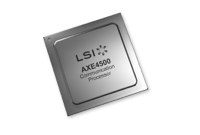 under 5W power consumption. Freescale also says it is licensing ARM’s Cortex-A57 design for future QorIQ networking SoCs.
AppliedMicro X-Gene — In early April, AppliedMicro, the other major PowerPC vendor after Freescale, announced its first ARM processor, a 64-bit, ARMv8 X-Gene SoC. Although the X-Gene is primarily aimed at servers, enterprise networking systems should also benefit. The X-Gene is said to be the first processor to contain a software-defined networking (SDN) controller on die, enabling it to provide network services like load balancing.
LSI Axxia — In January, MIPS and PowerPC chip vendor LSI Corp. announced its first ARM SoC aimed at next generation networks. The 28nm Axxia 4500 combines up to four Cortex-A15 cores with ARM’s new networking-focused CoreLink CCN-504 interconnect, plus SDN technology, and up to 100Gb/s of L2 switching functionality. In February it announced a similar Axxia 5500 SoC that supports up to 16 Cortex-A15 cores.
ARM is likely to trail other architectures in networking for years, but as PowerPC fades, it shares the momentum along with Intel. The x86 giant has a huge head start, however, benefiting from the fact that performance still trumps price and power consumption among networking customers, according to a survey by HeavyReading.
Intel sold off its ARM-based XScale/IXP networking chip business to Marvell in 2006, but is now finding success pushing its x86-based Xeon processors into networking gear. Last fall, Intel unveiled a “Crystal Forest” chipset that could prove to be catnip to NEPs (network equipment providers). The chipset combines Xeon cores with “QuickAssist” hardware for accelerating cryptography, packet processing, and deep-packet inspection. Among other targets, Crystal Forest is focused on emerging Cloud RAN, or C-RAN (Radio Access Network) basestations that offload processing to cloud servers.
ARM, however, could also benefit from the C-RAN craze, with SoC’s like Keystone II and X-Gene providing support. ARM is also favored by the trend toward smaller scale pico- and femto-cell basestations rather than macrocell basestations. Here, ARM’S performance/power ratio may well prove more attractive than x86 or MIPS designs. Then again, Intel’s low-power, 22nm Silvermont processors will be released in a networking SoC design in addition to other mobile and enterprise SoC platforms.
No matter which platform dominates in telecom, it’s all good for Linux developers. Linux continues to be the leader in networking and telecom on all major processor architectures capable of running an advanced OS. With demands growing for more powerful and sophisticated equipment, Linux should continue to siphon off market share from real-time operating systems, ARM or no ARM.