Given the sheer number of Linux distros out there, it’s a rare week indeed that doesn’t see the release of at least one or two major upgrades. Recently, however, that steady drizzle has been more of a downpour.
Update after update has been released lately, in fact, making it unusually difficult to keep track of all the latest Linux riches. Ready for a rundown? Here are a few of the latest highlights.
 1. Ubuntu 12.10 Beta
Starting with the most recent first, last week brought the release of the first beta version of the highly anticipated Ubuntu Linux 12.10 “Quantal Quetzal” for desktop, server, cloud, and core. Among the more notable features of this new release is a consolidated Ubuntu image on the client side. “There is no longer a traditional CD-sized image, DVD or alternate image, but rather a single 800MB Ubuntu image that can be used from USB or DVD,” the official announcement explains. Ubuntu Server, however, remains a traditional CD-sized image. Meanwhile, Kubuntu, Edubuntu, Lubuntu, and Ubuntu Studio also reached Beta 1 status last week.
 2. OpenSUSE 12.2
It may have encountered several delays along the way, but last week we also saw the release of the long-awaited openSUSE 12.2. Included among the bundled enhancements are a major speed boost, thanks in part to the inclusion of Linux 3.4 and KDE 4.8.4, as well as the GRUB2 bootloader, GNOME 3.4, Xfce 4.10, GIMP 2.8, LibreOffice 3.5, and a variety of powerful scientific tools.
3. PCLinuxOS 2012.08
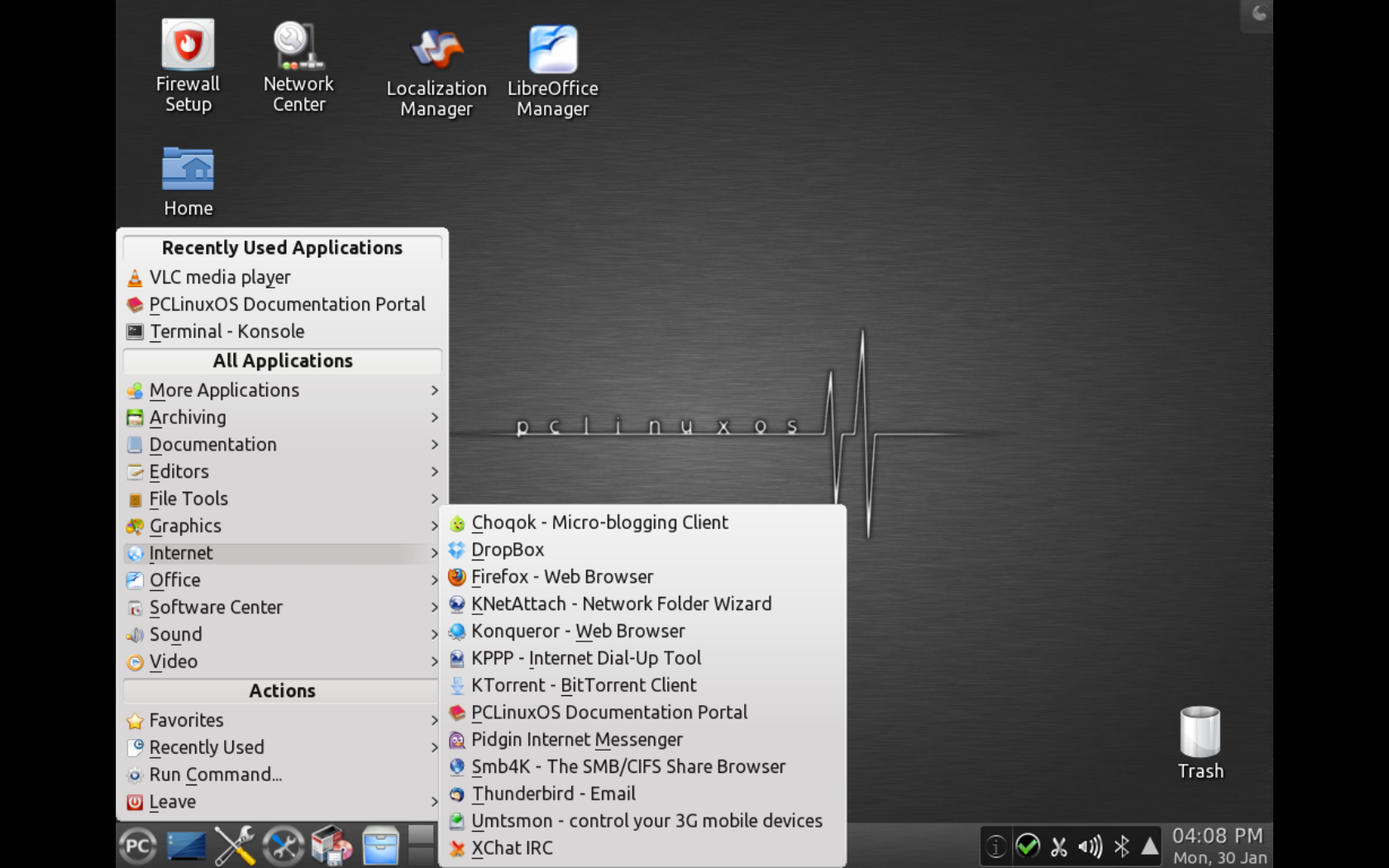
Reaching back a little farther, the end of August was when a new PCLinuxOS made its official debut. New in this latest version are KDE 4.8.3 as the default desktop, though versions with Xfce and LXDE are available as well. For those who prefer to pick and choose, meanwhile, a “MiniMe” version lets advanced users select only the applications they want to install and use. PCLinuxOS 2012.08 is based on the Linux kernel 3.2 and includes Nvidia and ATI fglrx driver support along with multimedia playback support for many popular formats and wireless support for many network devices. PCLinuxOS is now available in more than 60 languages.
 4. SolusOS 1.2
Relatively new to the Linux distro world, meanwhile, is SolusOS, a beginner-friendly desktop Linux distribution based on the latest stable release of Debian GNU/Linux. Including better printer, GPU and Bluetooth support, this maintenance 1.2 update to the “Eveline” 1.x series features Firefox 14.0.1 and Thunderbird 14.0; LibreOffice 3.6.0; Linux kernel 3.3.6; GNOME 2.30; and much more. For older chipsets and hardware, meanwhile, a “Legacy” edition is also available. Downloads are available on the SolusOS project site.
5. Damn Small Linux 4.11 RC
If ever a distro had a descriptive name it’s Damn Small Linux, and after four years that distro came back in early August with a brand-new release candidate for version 4.11. “The changes in this release are a step toward making DSL a friendly alternative for older hardware,” wrote project leader John Andrews in the official announcement. “I’ve fixed some bugs, updated some applications, and replaced others.” Highlights of the new release include xChat 1.8.9, the upgraded Dillo 3.0.2 Web browser, a sic 1.1 IRC client, and XCalc-color. Perhaps most intriguingly of all, this latest Damn Small Linux .iso file weighs in at just over 50MB.
6. Bodhi Linux 2.0.1
 Last but not least, Bodhi Linux is particularly notable for its use of the beautiful Enlightenment window manager, and in early August it also received a major update. Based on Ubuntu 12.04 LTS “Precise Pangolin,” Bodhi Linux 2.0.1 comes in both 32- and 64-bit flavors and features the Linux 3.2 kernel along with version 0.4.6 of the lightweight Midori Web browser, the PCManFM file manager, the Terminology terminal emulator, and countless bug fixes.
Of course, this is just a small sampling of all the many Linux distro updates that have come out in recent months. In addition, there have also been advances via HP’s webOS effort, the new “Pure GNOME” Ubuntu Linux, and the “31 Flavors of Fun” project.
If anything is clear, however, it’s that the wealth of Linux distros we have at our disposal today is making the choice harder — and more luxurious — than ever.

