
Microsoft, as it did with Vista, is giving Linux another chance to make the gains in the PC market with Windows 8, but can Linux take advantage of this opportunity?
Read more at Enterprise Open Source Toolkit
Fritzing is the sophisticated new electronics application with the funny name. It is a powerful tool for making schematics, prototyping circuits, and designing printed circuit boards.
This is the best time to get into electronics because we have an abundance of high-quality hardware for cheap and great software for free. Arduino, Beagleboard, and Raspberry Pi give us hundreds of inexpensive hardware components to play with. On the software side check out the new Fritzing project. Fritzing lets inexperienced electronics noobs make great-looking schematics and circuit diagrams, and even design and build their own printed circuit boards.
Fritzing is designed to encourage sharing, and has a “Share online” command in the File menu. This takes you to a login page on Fritzing.org; when you create an account you can upload and share your projects. You can browse the Projects page, and download project files without creating an account.
The current release is 0.7.7. You can download and install it, or you might be using a good Linux distro like Mint or Ubuntu that already includes it and keeps up with current releases. Fritzing is cross-platform and also runs on Mac OS X and MS Windows.
Fritzing can show your project in three views. The default is the Breadboard view (below).
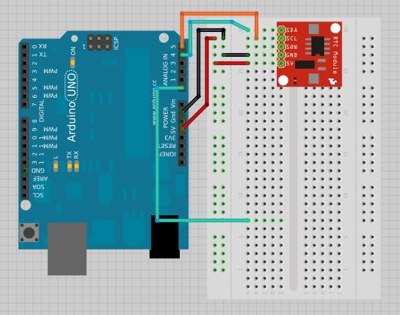
I work in Breadboard view the most because I’m not a wizened old electronics guru who can draw schematics in my sleep. Breadboard view is a brilliant simulation that comes with a giant library of parts organized by brand name and model, so you can drag and drop your exact parts into your diagram. If the parts you want are not in the library, then you can use the Parts Designer to create them. And remember, it’s nice to share — that’s how the parts libraries were created in the first place. Library parts need to be in specific sizes and file formats, and the Creating custom parts tutorial tells how. If you’re used to cobbling up diagrams like this in diagramming software, you will be pleased with the ease and prettiness of Fritzing.
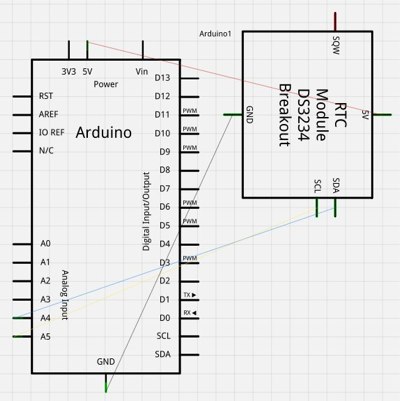
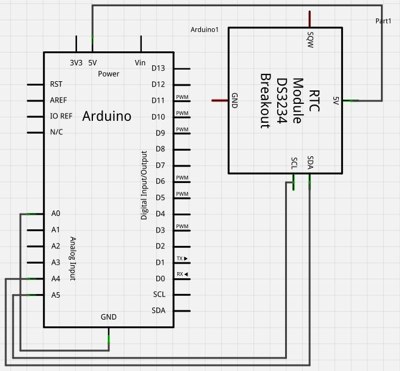
You also have the option of the Schematic view (below). Studying your own schematics is a great way to learn to read them. Understanding how to read schematics is essential if you really want to learn to hack electronics because schematics are product documentation and they tell you everything about the hardware that you buy.
The printed circuit board (PCB) view isn’t the best example because it’s just a conversion of the breadboard view, without any editing to put the traces in sensible locations. But you can put the traces wherever you want by simply clicking and dragging.
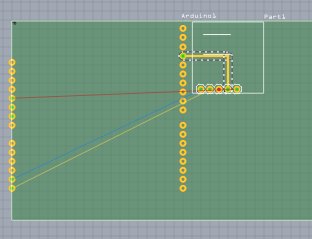
Any change you make in any of these views is automatically updated in the other views. Fritzing has a nice autorouting feature that cleans up your connections. Figure 4 is what Figure 2 looks like after autorouting. It’s pretty smart about autorouting, and you can still make manual edits.
When you’ve finished designing your project, check out the File > Export menu. You can export your project as a JPG, PDF, SVG, PNG, or Postscript file, and as a nice bonus it will generate a Bill of Materials for you. The default format is .fzz, and this is the one to use for sharing your projects.
Yes, you can design and fabricate your own PCBs, and it’s not very expensive, just smelly and a little bit dangerous. It is a subtractive etching process: you start with a piece of prefab PCB laminate, apply a mask to protect the copper layer that makes your circuits and an acid etches away the rest. So you must take safety precautions and have a method of safe disposal figured out before you start.
The mask is created in Fritzing by exporting your schematic to Etchable SVG or PDF. Then it has to be transferred to the laminate. There are several methods for making the transfer. One method is a direct toner transfer. This is inexpensive and doesn’t need special equipment, but the mask does not survive so it’s only good for making a single PCB. The mask is created by printing it with a laser printer onto transparency film, and then transferring the image to your laminate with a hot iron. Yes, the kind of iron that you iron clothes with. Don’t use steam. Some types of glossy paper also work, but not ordinary printer paper. Then you use the nasty chemicals to etch the board.
If you use photo-resistive laminates to make your circuit boards you can create a re-usable mask. Photo-resistive laminates have a special light-sensitive coating, so you use ultra-violet light to transfer your circuit mask to the laminate. The coating is weakened by light, so the exposed parts are etched away, leaving nice clean-cut copper traces. You’ll need some special equipment for this, including an ultra-violet imaging frame, a photograph development kit, and transparency film. This method lets you make precise, clean circuits, and thinner tracks than most other DIY methods can make.
If you prefer to send your designs to a commercial fab, Fritzing supports the Gerber format that they require. DIY PCB Etching is a good starting point to learn more.
If you design your own PCB, there are export options in the proper SVG or PDF formats, and even Gerber formats for fabricating your own PCBs.
The best thing about this modern wave of DIY electronics is the focus on being accessible and beginner-friendly. The Fritzing store has a bunch of excellent beginner’s kits, and the proceeds go to the Fritzing project. They’re they’re based in Berlin, so you can support Fritzing in other ways if you don’t want to hassle with international shipping. If you’re anywhere close to Berlin, you might take advantage of the many Fritzing and Arduino workshops.
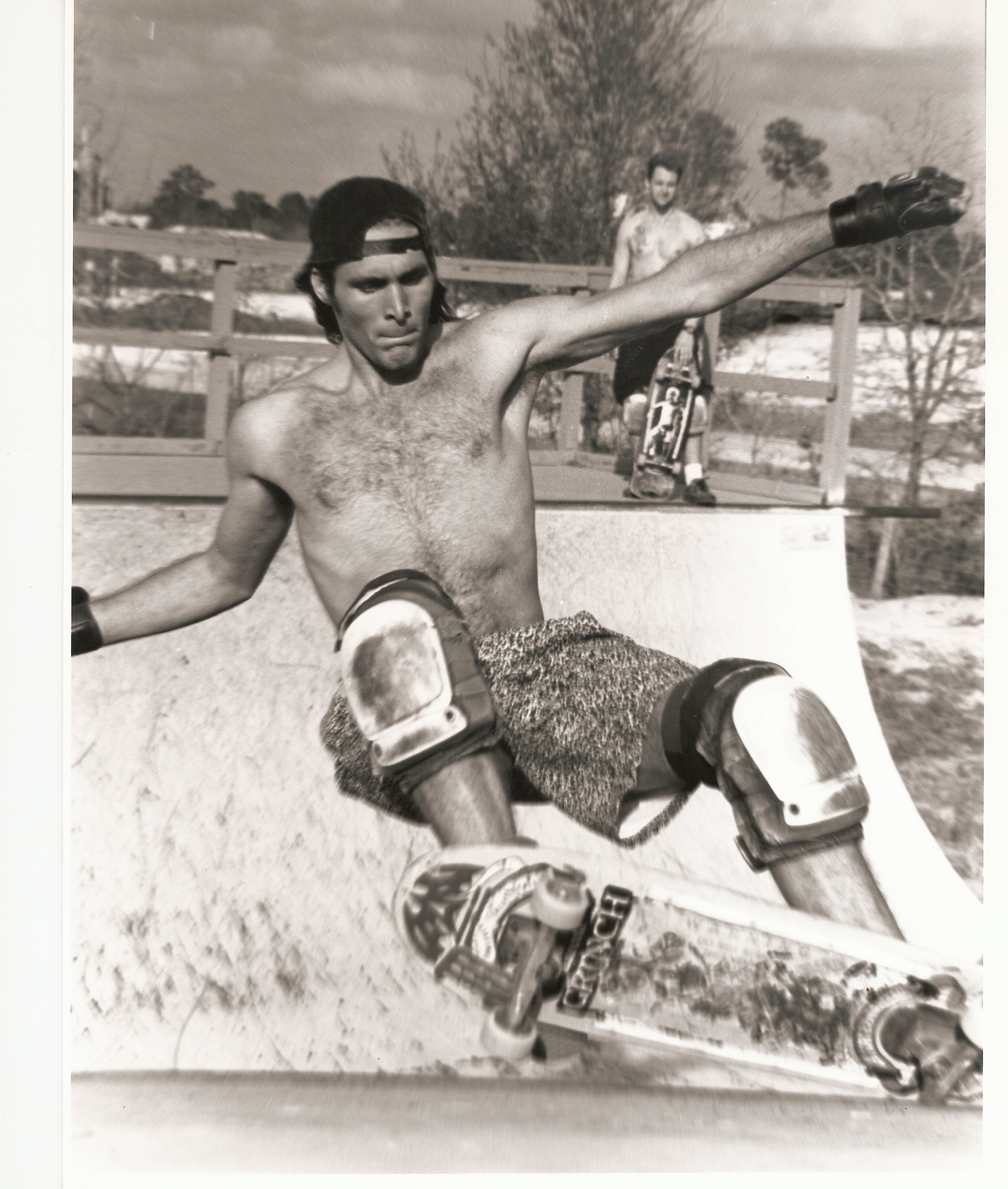 After the Linux Kernel Summit was done, the Linux kernel panel had wrapped and the LinuxCon and CloudOpen keynotes were finished, there was only one thing left to do at last week’s event: Skate. You might have heard rumblings and seen pictures of the skateboards that were given away as speaker and VIP gifts at this year’s event (you might have even scored one). Well, on Friday we took them out to the curb and put them to work – – with a little help from Linux kernel maintainer Greg Kroah-Hartman.
We uncovered an interesting fact during our quest to bring skateboards to LinuxCon/CloudOpen: Greg Kroah-Hartman is the original Skater Tux. He was working to score a board before the event even happened and we made a deal: We would personally make sure he got his board if he talked to us a little bit about his history with skateboarding. He generously agreed. He told us in this video interview that skateboarding is the only thing he’s been doing longer than programming.
Hear about how his worst wipeout impacted a whole year of high school and what his advice is for new skateboarders. For more fun, please join us at our next event: LinuxCon Europe in Barcelona November 5-7, 2012.