Address Space Layout Randomization (ASLR) is a memory-protection process for operating systems that guards against buffer-overflow attacks. It helps to ensure that the memory addresses associated with running processes on systems are not predictable, thus flaws or vulnerabilities associated with these processes will be more difficult to exploit.
ASLR is used today on Linux, Windows, and MacOS systems. It was first implemented on Linux in 2005. In 2007, the technique was deployed on Microsoft Windows and MacOS. While ASLR provides the same function on each of these operating systems, it is implemented differently on each one.
The effectiveness of ASLR is dependent on the entirety of the address space layout remaining unknown to the attacker.
I have to confess, this particular topic is a tough one to address. Why? First off, Linux is a productive operating system by design. Thanks to an incredibly reliable and stable platform, getting work done is easy. Second, to gauge effectiveness, you have to consider what type of work you need a productivity boost for. General office work? Development? School? Data mining? Human resources? You see how this question can get somewhat complicated.
That doesn’t mean, however, that some distributions aren’t able to do a better job of configuring and presenting that underlying operating system into an efficient platform for getting work done. Quite the contrary. Some distributions do a much better job of “getting out of the way,” so you don’t find yourself in a work-related hole, having to dig yourself out and catch up before the end of day. These distributions help strip away the complexity that can be found in Linux, thereby making your workflow painless.
Let’s take a look at the distros I consider to be your best bet for productivity. To help make sense of this, I’ve divided them into categories of productivity. That task itself was challenging, because everyone’s productivity varies. For the purposes of this list, however, I’ll look at:
General Productivity: For those who just need to work efficiently on multiple tasks.
Graphic Design: For those that work with the creation and manipulation of graphic images.
Development: For those who use their Linux desktops for programming.
Administration: For those who need a distribution to facilitate their system administration tasks.
Education: For those who need a desktop distribution to make them more productive in an educational environment.
Yes, there are more categories to be had, many of which can get very niche-y, but these five should fill most of your needs.
General Productivity
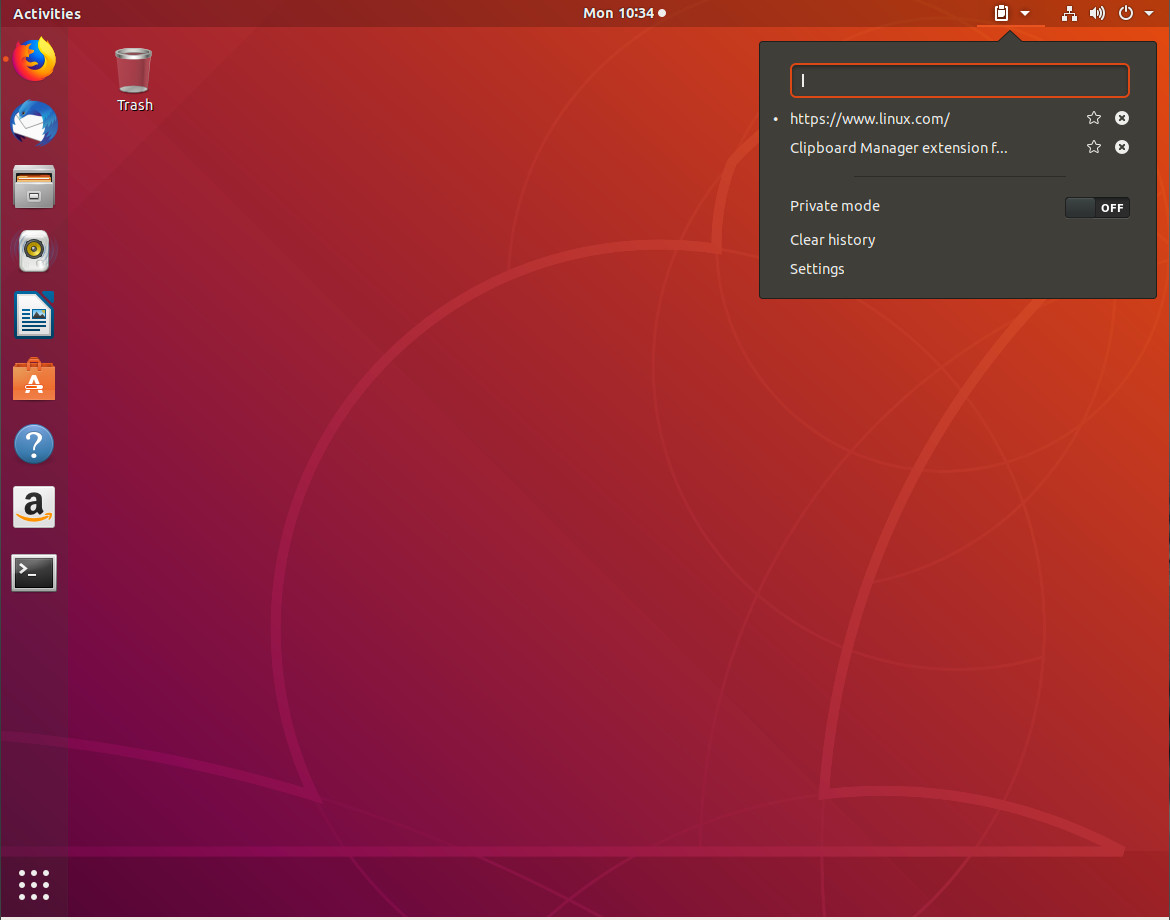
For general productivity, you won’t get much more efficient than Ubuntu. The primary reason for choosing Ubuntu for this category is the seamless integration of apps, services, and desktop. You might be wondering why I didn’t choose Linux Mint for this category? Because Ubuntu now defaults to the GNOME desktop, it gains the added advantage of GNOME Extensions (Figure 1).
Figure 1: The GNOME Clipboard Indicator extension in action.
These extensions go a very long way to aid in boosting productivity (so Ubuntu gets the nod over Mint). But Ubuntu didn’t just accept a vanilla GNOME desktop. Instead, they tweaked it to make it slightly more efficient and user-friendly, out of the box. And because Ubuntu contains just the right mixture of default, out-of-the-box, apps (that just work), it makes for a nearly perfect platform for productivity.
Whether you need to write a paper, work on a spreadsheet, code a new app, work on your company website, create marketing images, administer a server or network, or manage human resources from within your company HR tool, Ubuntu has you covered. The Ubuntu desktop distribution also doesn’t require the user to jump through many hoops to get things working … it simply works (and quite well). Finally, thanks to it’s Debian base, Ubuntu makes installing third-party apps incredibly easy.
Although Ubuntu tends to be the go-to for nearly every list of “top distributions for X,” it’s very hard to argue against this particular distribution topping the list of general productivity distributions.
Graphic Design
If you’re looking to up your graphic design productivity, you can’t go wrong with Fedora Design Suite. This Fedora respin was created by the team responsible for all Fedora-related art work. Although the default selection of apps isn’t a massive collection of tools, those it does include are geared specifically for the creation and manipulation of images.
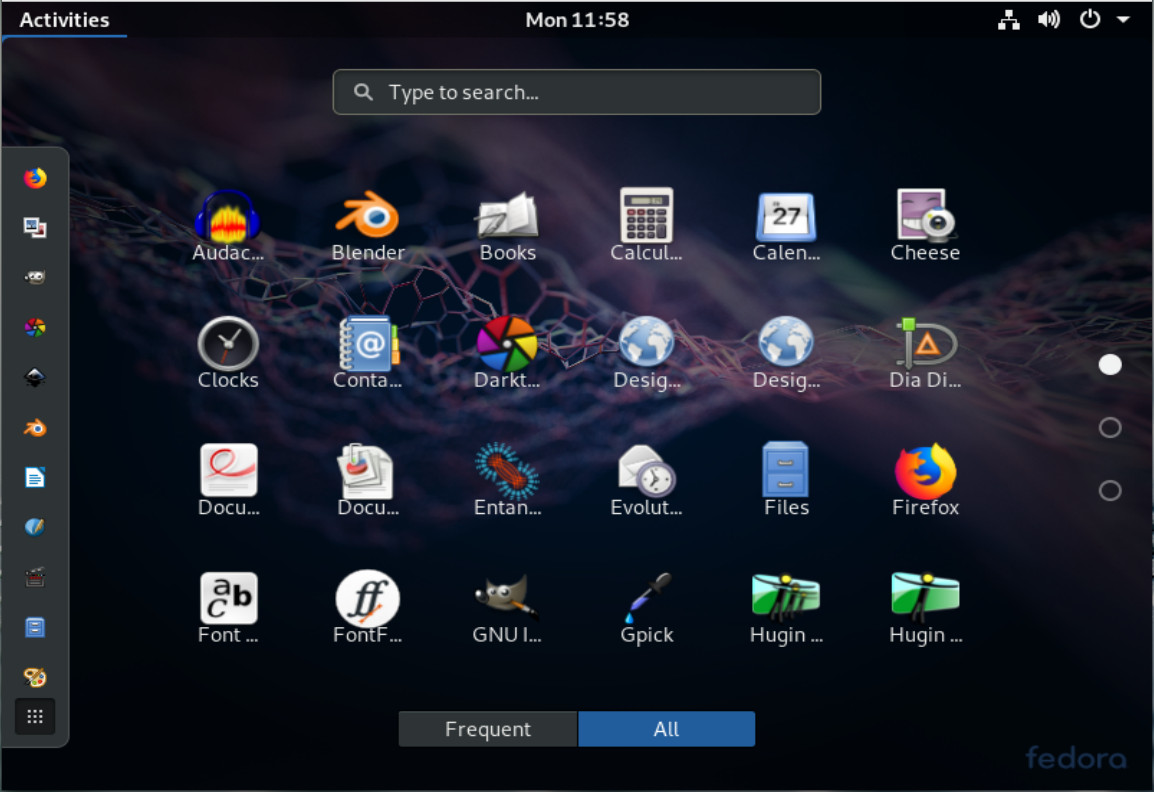
With apps like GIMP, Inkscape, Darktable, Krita, Entangle, Blender, Pitivi, Scribus, and more (Figure 2), you’ll find everything you need to get your image editing jobs done and done well. But Fedora Design Suite doesn’t end there. This desktop platform also includes a bevy of tutorials that cover countless subjects for many of the installed applications. For anyone trying to be as productive as possible, this is some seriously handy information to have at the ready. I will say, however, the tutorial entry in the GNOME Favorites is nothing more than a link to this page.
Figure 2: The Fedora Design Suite Favorites menu includes plenty of tools for getting your graphic design on.
Those that work with a digital camera will certainly appreciate the inclusion of the Entangle app, which allows you to control your DSLR from the desktop.
Development
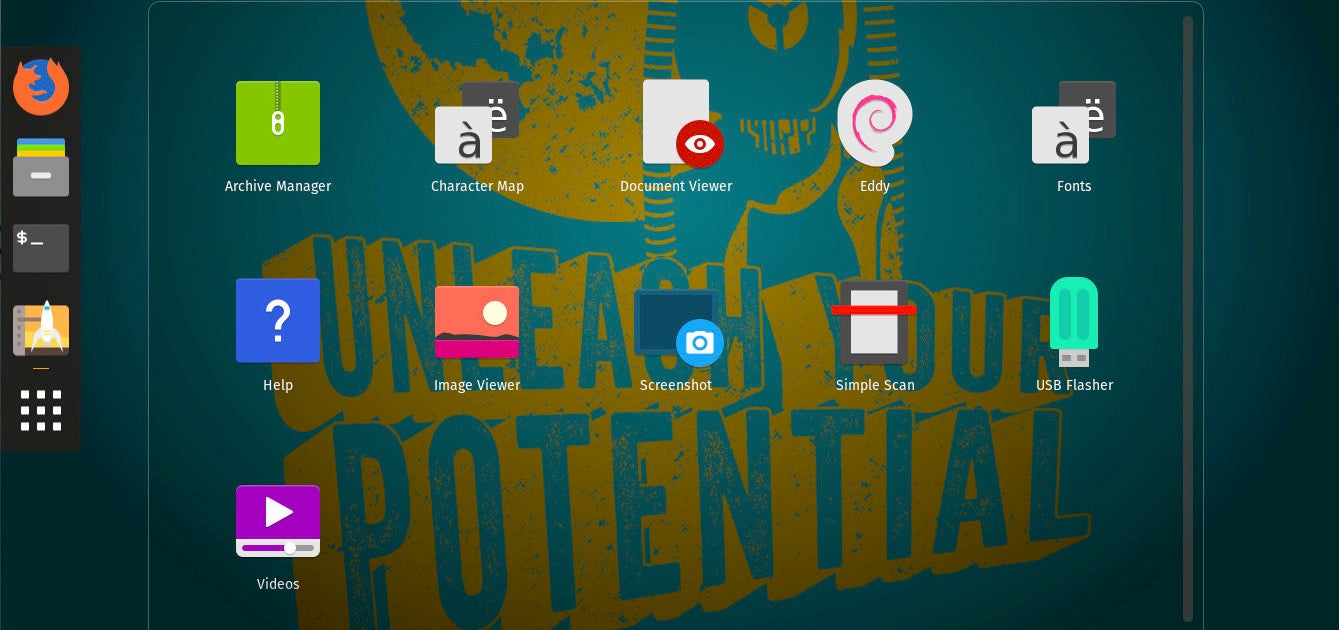
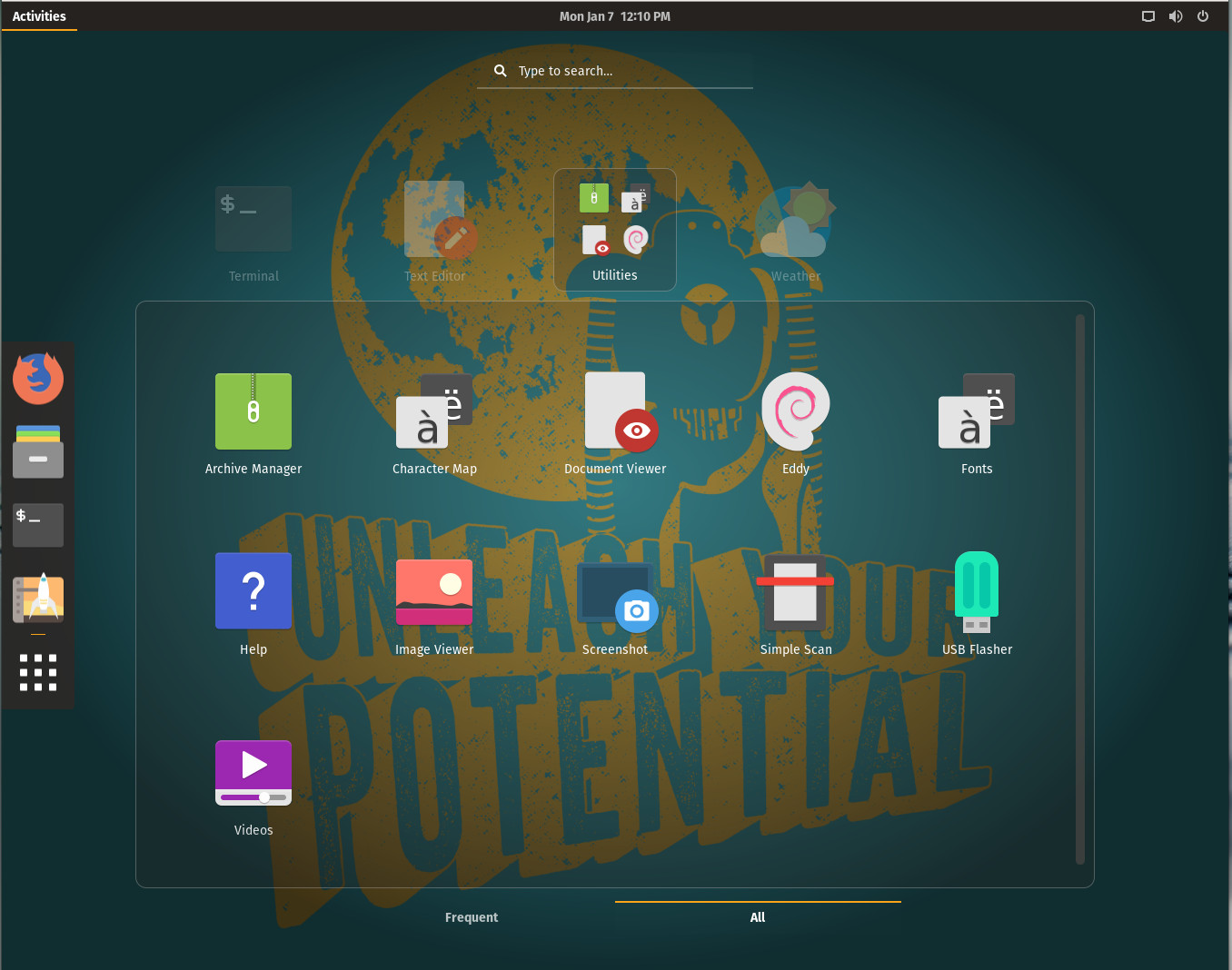
Nearly all Linux distributions are great platforms for programmers. However, one particular distributions stands out, above the rest, as one of the most productive tools you’ll find for the task. That OS comes from System76 and it’s called Pop!_OS. Pop!_OS is tailored specifically for creators, but not of the artistic type. Instead, Pop!_OS is geared toward creators who specialize in developing, programming, and making. If you need an environment that is not only perfected suited for your development work, but includes a desktop that’s sure to get out of your way, you won’t find a better option than Pop!_OS (Figure 3).
What might surprise you (given how “young” this operating system is), is that Pop!_OS is also one of the single most stable GNOME-based platforms you’ll ever use. This means Pop!_OS isn’t just for creators and makers, but anyone looking for a solid operating system. One thing that many users will greatly appreciate with Pop!_OS, is that you can download an ISO specifically for your video hardware. If you have Intel hardware, download the version for Intel/AMD. If your graphics card is NVIDIA, download that specific release. Either way, you are sure go get a solid platform for which to create your masterpiece.
Figure 3: The Pop!_OS take on GNOME Overview.
Interestingly enough, with Pop!_OS, you won’t find much in the way of pre-installed development tools. You won’t find an included IDE, or many other dev tools. You can, however, find all the development tools you need in the Pop Shop.
Administration
If you’re looking to find one of the most productive distributions for admin tasks, look no further than Debian. Why? Because Debian is not only incredibly reliable, it’s one of those distributions that gets out of your way better than most others. Debian is the perfect combination of ease of use and unlimited possibility. On top of which, because this is the distribution for which so many others are based, you can bet if there’s an admin tool you need for a task, it’s available for Debian. Of course, we’re talking about general admin tasks, which means most of the time you’ll be using a terminal window to SSH into your servers (Figure 4) or a browser to work with web-based GUI tools on your network. Why bother making use of a desktop that’s going to add layers of complexity (such as SELinux in Fedora, or YaST in openSUSE)? Instead, chose simplicity.
Figure 4: SSH’ing into a remote server on Debian.
And because you can select which desktop you want (from GNOME, Xfce, KDE, Cinnamon, MATE, LXDE), you can be sure to have the interface that best matches your work habits.
Education
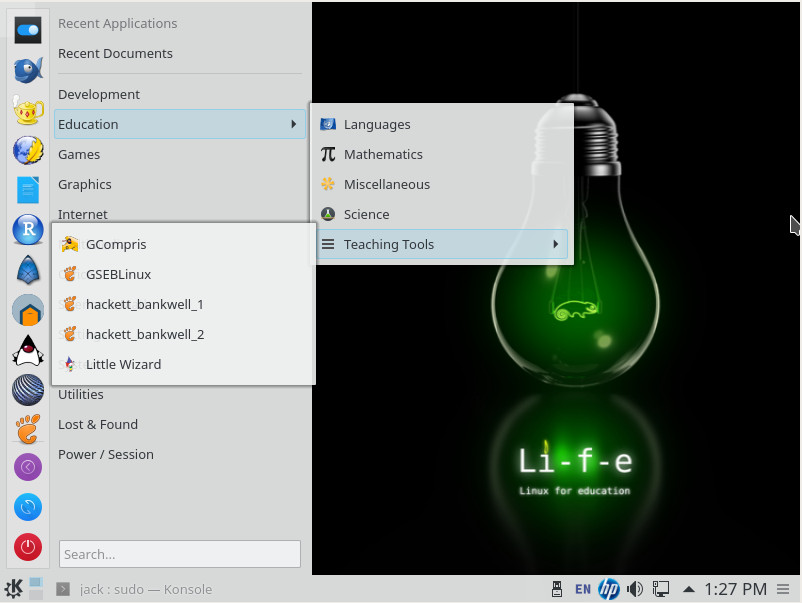
If you are a teacher or student, or otherwise involved in education, you need the right tools to be productive. Once upon a time, there existed the likes of Edubuntu. That distribution never failed to be listed in the top of education-related lists. However, that distro hasn’t been updated since it was based on Ubuntu 14.04. Fortunately, there’s a new education-based distribution ready to take that title, based on openSUSE. This spin is called openSUSE:Education-Li-f-e (Linux For Education – Figure 5), and is based on openSUSE Leap 42.1 (so it is slightly out of date).
openSUSE:Education-Li-f-e includes tools like:
Brain Workshop – A dual n-back brain exercise
GCompris – An educational software suite for young children
gElemental – A periodic table viewer
iGNUit – A general purpose flash card program
Little Wizard – Development environment for children based on Pascal
Stellarium – An astronomical sky simulator
TuxMath – An math tutor game
TuxPaint – A drawing program for young children
TuxType – An educational typing tutor for children
wxMaxima – A cross platform GUI for the computer algebra system
Inkscape – Vector graphics program
GIMP – Graphic image manipulation program
Pencil – GUI prototyping tool
Hugin – Panorama photo stitching and HDR merging program
Figure 5: The openSUSE:Education-Li-f-e distro has plenty of tools to help you be productive in or for school.
Also included with openSUSE:Education-Li-f-e is the KIWI-LTSP Server. The KIWI-LTSP Server is a flexible, cost effective solution aimed at empowering schools, businesses, and organizations all over the world to easily install and deploy desktop workstations. Although this might not directly aid the student to be more productive, it certainly enables educational institutions be more productive in deploying desktops for students to use. For more information on setting up KIWI-LTSP, check out the openSUSE KIWI-LTSP quick start guide.
Learn more about Linux through the free “Introduction to Linux” course from The Linux Foundation and edX.
Kubernetes is one of the most popular technologies around today. So, it’s no surprise that there are an awful lot of open source libraries, tools, and other assorted goodies out there on GitHub.
We like to keep an eye on what’s fresh for developers, so today we’re taking a look at five different Kubernetes tools for developers. From serverless functions to local development, GitHub has thousands of open source tools to enjoy. Here are five interesting ones we want to take a closer look at!
Minikube
Improve your local cluster experience with Minikube! Minikube is a tool that makes it easy to run Kubernetes locally. Minikube is often suggested to beginners, since it allows users to run a single-node Kubernetes cluster inside a VM on their laptop. That way, they can try the Kubernetes experience without needing to get everything set up. Minikube is also great for developers who are just dabbling and want a day-to-day developing setup.
How bad is this trio of trouble? With any of these a local user can gain root privileges. Worse still, Qualys reports that “To the best of our knowledge, all systemd-based Linux distributions are vulnerable.”
Heading into 2019, digitalization will accelerate business model innovation and drive the adoption of these emerging technologies for sustainable competitive advantage. Here’s a closer look at five technology trends that will change the way enterprises approach digital operations management in 2019:
Multi-Cloud Adoption Goes Mainstream
In FY18 Q3, the three leading cloud platforms (Amazon Web Services, Microsoft Azure and Google Cloud Platform) accounted for 65 percent of the market share of public cloud infrastructure and platform services. Enterprises are increasingly relying on multiple cloud providers to avoid lock-in and harness innovative product offerings, global presence and flexible pricing strategies. When it comes to multi-cloud adoption in 2019:
Lift-and-Shift Will Give Way to Rebuilding. In the initial phase of enterprise cloud adoption, CIOs preferred “lift-and-shift” strategies for migrating complex, legacy applications to public cloud services. In 2019, enterprises will rebuild legacy portfolios to truly take advantage of the cloud’s elasticity, security and utility pricing. Rebuilding is not only the right approach to modernize legacy systems, but also a viable solution for reducing technical debt and unleashing enterprise agility.
There are a ton of tasks you do every single day. Make it a little easier on yourself by downloading our cheat sheets.
9 Linux and open source cheat sheets
Python 3.7 Beginner’s Cheat Sheet
The Python programming language is known for its large community and diverse extension menu. Get acquainted with Python’s built-in pieces.
Advanced SSH Cheat Sheet
SSH is a tool for remote login, and it can be used in many other ways. Get common command-line options and their configuration file equivalents.
This week’s Consumer Electronics Show (CES) in Las Vegas has been even more dominated by automotive news than last year, with scores of announcements of new in-vehicle development platforms, automotive 5G services, self-driving concept cars, automotive cockpit UIs, assisted driving systems, and a host of electric vehicles. We’ve also seen numerous systems that provide Google Assistant or Alexa-driven in-vehicle interfaces such as Anker’s Google Assistant based Roav Bolt.
Here we take a brief look at some of the major development-focused CES automotive announcements to date. The mostly Linux-focused developments range from Hyundai joining the Automotive Grade Linux project to major self-driving or assisted ADAS platforms from Baidu, Intel, and Nvidia.
Hyundai jumps on AGL bandwagon
Just prior to the launch of CES, the Linux Foundation’s Automotive Grade Linux (AGL) project announced that South Korean automotive giant Hyundai has joined the group as a Bronze member. The news follows last month’s addition of BearingPoint, BedRock Systems, Big Lake Software, Cognomotiv, and Dellfer to the AGL project. In October, AGL announced seven other new members, including its first Chinese car manufacturer — Sitech Electric Automotive.
Hyundai’s membership does not commit it to using the group’s Unified Code Base (UCB) reference distribution for automotive in-vehicle infotainment, but it’s another example of the growing support for the open source, Linux-based IVI stack. Several major carmakers are members, including Honda, Mazda, Mitsubishi Electric, and Suzuki, yet Toyota is the only AGL automotive manufacturer to ship IVI systems based on UCB in most of its major models, from the Camry to its Lexus luxury cars. In June, AGL announced that Mercedes-Benz Vans was using UCB for upcoming vans, and we can expect more AGL commitments in 2019.
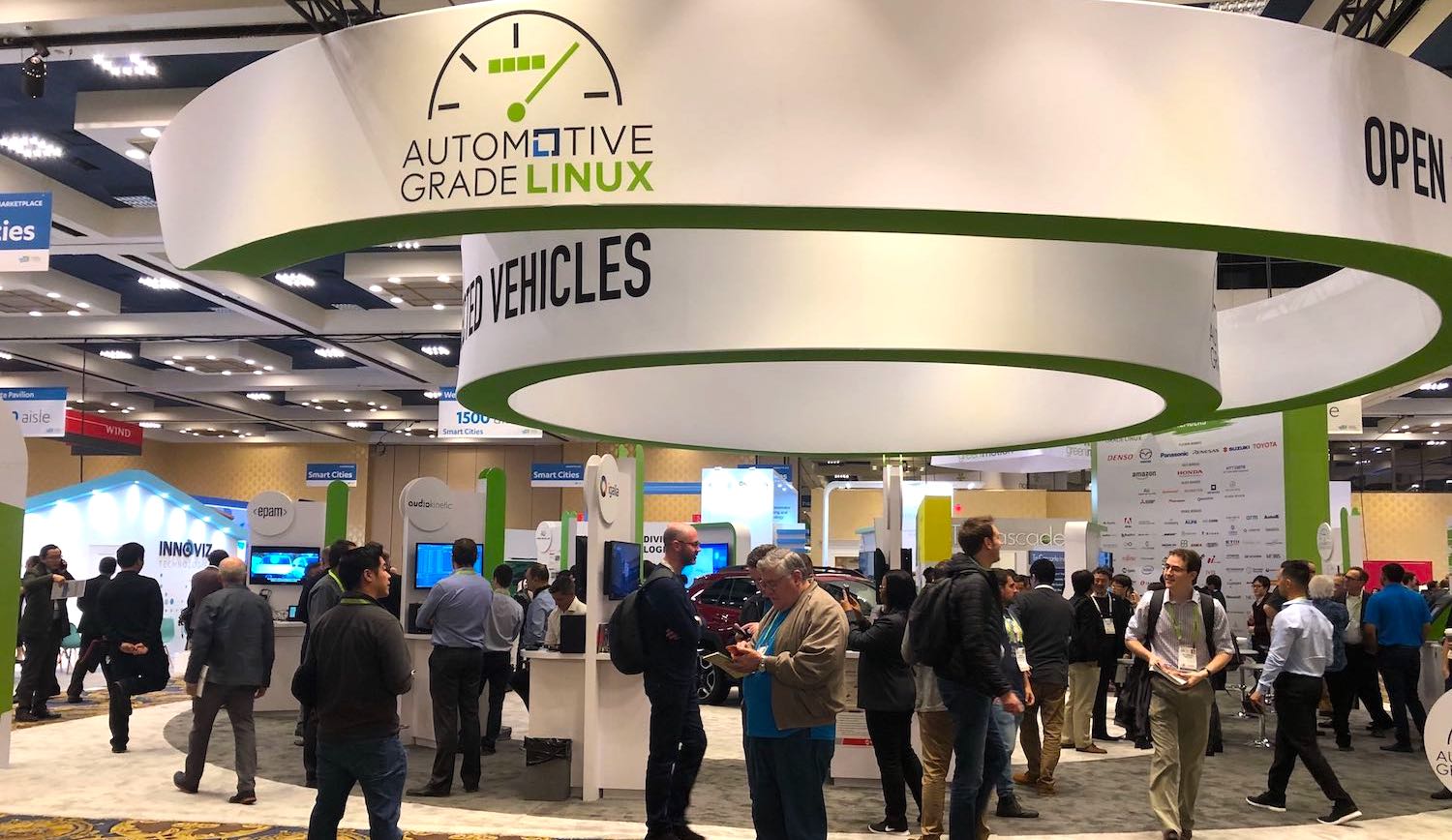
At the Westgate Hotel Pavilion (booth 1614) in Las Vegas this week, AGL is showing off a 2019 Toyota RAV4 equipped with AGL systems, and AGL members are offering demonstrations of AGL-based connected car services, audio innovations, instrument cluster, and security solutions.
Baidu releases open source Apollo 3.5 self-driving software
AGL is not the only automotive project offering an open source solution. For the past year, Chinese search and cloud giant Baidu has been developing its Linux-driven Apollo stack for self-driving cars. At CES, it announced Apollo 3.5, with new support for “complex urban and suburban driving scenarios.” A hardware platform is available with an Intel Core based Neousys industrial computer equipped with an Nvidia graphics card, among other components including Baidu’s own sensor fusion unit.
Baidu also announced an Apollo Enterprise platform built on top of Apollo designed for autonomous fleet operations. In addition, it revealed an open source OpenEdge cloud-enabled edge computing platform with development boards based on NXP and Intel technologies. The latter is designed for in-car video analytics and incorporates Intel’s Mobileye technology. Details were sketchy, however.
Intel AV
At CES, Intel unveiled an Intel AVcompute platform aimed at autonomous cars. It features a pair of Linux-driven Mobileye EyeQ5 sensor processing chips and a new Intel Atom 3xx4 CPU.
The Intel AV system provides 60 percent greater performance at the same 30W consumption as Nvidia’s automotive focused Jetson Xavier processor, claims Intel, The Mobileye EyeQ5 processors are each claimed to generate 24 trillion deep learning operations per second (TOPS) at 10W each. Volkswagen and Nissan have announced plans to use the earlier EyeQ4 processors when it launches later this year. An EyeQ5 Linux SDK with support for OpenCL, deep learning deployment tools, and adaptive AUTOSAR will be available later this year, and production will begin in 2020.
The Atom 3xx4 chip, meanwhile, borrows high-end multi-threading and virtualization technologies from Intel’s Xeon processors for running different tasks simultaneously on different systems around the car.
Nvidia Drive Autopilot
Intel is playing catchup with Nvidia in the autonomous vehicle computer contest. In recent years, Nvidia has increasingly focused on the automotive business, launching one of the first independent self-driving car computers with its Drive PX Pegasus based on its newly shipping, octa-core Arm-based Jetson AGX Xavier module. At CES, it followed up with a Xavier-based Nvidia Drive Autopilot system.
Unlike the fully autonomous, “Level 5” Drive PX Pegasus, the Drive Autopilot is designed for Level 2 assisted ADAS systems. Due to ship in vehicles in 2020, the system features a claimed 30 TOPS AI performance and provides “complete surround camera sensor data from outside the vehicle and inside the cabin.”
Drive Autopilot integrates a new Drive IX software stack that can map and memorize typical routes to improve performance in the future. It also provides driverless highway merge, lane change, lane splits, and as well as driver monitoring and AI copilot capabilities. We saw no OS details, but presumably Drive Autopilot runs the Tegra4Linux stack used on other Xavier based systems.
Whether you’re a business leader or a practitioner, here are key data trends to watch and explore in the months ahead.
Increasing focus on building data culture, organization, and training
In a recent O’Reilly survey, we found that the skills gap remains one of the key challenges holding back the adoption of machine learning. The demand for data skills (“the sexiest job of the 21st century”) hasn’t dissipated. LinkedIn recently found that demand for data scientists in the US is “off the charts,” and our survey indicated that the demand for data scientists and data engineers is strong not just in the US but globally.
With the average shelf life of a skill today at less than five years and the cost to replace an employee estimated at between six and nine months of the position’s salary, there is increasing pressure on tech leaders to retain and upskill rather than replace their employees in order to keep data projects (such as machine learning implementations) on track. We are also seeing more training programs aimed at executives and decision makers, who need to understand how these new ML technologies can impact their current operations and products.
Using open source code comes with a responsibility to comply with the terms of that code’s license, which can sometimes be challenging for users and organizations to manage. The goal of ACT is to consolidate investment in and increase interoperability and usability of, open source compliance tooling, which helps organizations manage compliance obligations.
Four Parts of ACT:
FOSSology: An open source license compliance software system and toolkit allowing users to run license, copyright and export control scans from the command line
QMSTR: Also known as Quartermaster, this tool creates an integrated open source toolchain that implements industry best practices of license compliance management. QMSTR integrates into the build systems to learn about the software products, their sources, and dependencies.
SPDXTools standing for Software Package Data Exchange (SPDX) is an open standard for communicating software bill of material information including components, licenses, copyrights, and security references.
Tern: Tern is an inspection tool to find the metadata of the packages installed in a container image. It provides a deeper understanding of a container’s bill of materials so better decisions can be made about container-based infrastructure, integration and deployment strategies.
“There are numerous open source compliance tooling projects, but the majority are unfunded and have limited scope to build out robust usability or advanced features,” commented Kate Stewart, Senior Director of Strategic Programs at The Linux Foundation. “We have also heard from many organizations that the tools that do exist do not meet their current needs.
DevOps was born from merging the practices of development and operations, removing the silos, aligning the focus, and improving efficiency and performance of both the teams and the product.
Security is a common silo in many organizations. Security’s core focus is protecting the organization, and sometimes this means creating barriers or policies that slow down the execution of new services or products to ensure that everything is well understood and done safely and that nothing introduces unnecessary risk to the organization.
DevSecOps looks at merging the security discipline within DevOps. By enhancing or building security into the developer and/or operational role, or including a security role within the product engineering team, security naturally finds itself in the product by design.
Gettings started with DevSecOps involves shifting security requirements and execution to the earliest possible stage in the development process. It ultimately creates a shift in culture where security becomes everyone’s responsibility, not only the security team’s.