Home Blog Page 364

How to Measure the Impact of your Open Source Project

Conventional metrics of open source projects lack the power to predict their impact. The bad news is, there is no significant correlation between open source activity metrics and project impact. The good news? There are paths forward.

Let’s start with some questions: How do you measure the impact of your open source project? What value does your project provide to other projects? How is your project important within an open source ecosystem? Can you predict your project’s impact using open source metrics that you can follow day to day?

If these questions resonate, chances are you care about measuring the impact of your open source project. On Opensource.com, we have already learned about measuring the project’s health, the community manager’s performance, the tools available for measuring, and the right metrics to use—and we understand that not all metrics are to be trusted.

While all these factors are critical in building a comprehensive picture of open source project health, there is more to the story. Indeed, many metrics fail to provide the information we need in a timely fashion. We want to use predictive metrics on a daily basis—metrics that are correlated with, and that act as predictors of, the outcomes and impact metrics that we care about.

Read more at OpenSource.com

Learn more in the OS Guides for the Enterprise from The TODO Group.

​ICANN Makes Last Minute WHOIS Changes to Address GDPR Requirements

The Board of Directors of the Internet Corporation for Assigned Names and Numbers (ICANN) struggled and sweated and with days left came up with a way to make the Domain Name System (DNS) and WHOIS, the master database of who owns what website name, compliant with the European Union (EU)’s General Data Protection Regulation (GDPR).

We’ll see.

It doesn’t appear to me that ICANN’s “Temporary Specification for gTLD Registration Data” will pass muster with the GDPR Article 29 working party, the GDPR enforcement group.

ICANN had wanted a year of grace to address WHOIS’s data privacy problems. They didn’t get it.

ICANN argued, “Unless there is a moratorium, we may no longer be able to … maintain WHOIS. Without resolution of these issues, the WHOIS system will become fragmented … A fragmented WHOIS would no longer employ a common framework for generic top-level domain (gTLD) registration directory services.”

Read more at ZDNet

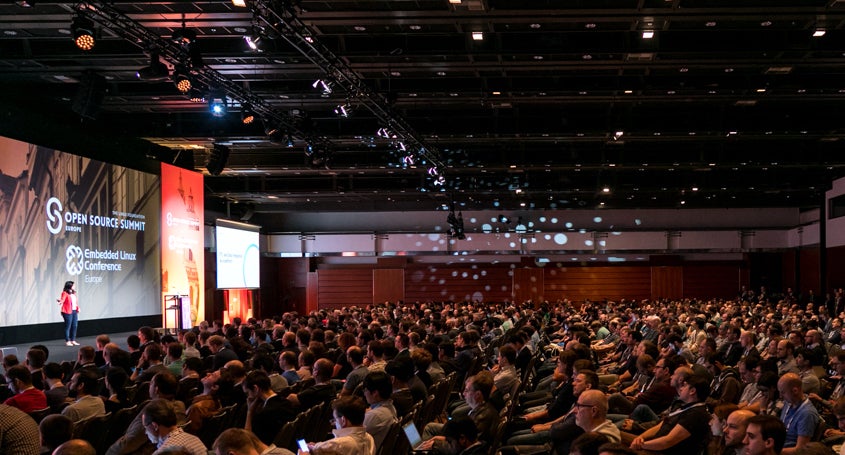
Speak at Open Source Summit Europe – Submit by July 1

Share your expertise and speak at Open Source Summit Europe in Edinburgh, October 22 – 24, 2018. We are accepting proposals through Sunday, July 1, 2018.

Open Source Summit Europe is the leading technical conference for professional open source. Join developers, sysadmins, DevOps professionals, architects and community members, to collaborate and learn about the latest open source technologies, and to gain a competitive advantage by using innovative open solutions.

As open source continues to evolve, so does the content covered at Open Source Summit. We’re excited to announce all-new tracks and content that make our conference more inclusive and feature a broader range of technologies driving open source innovation today.

Read more at The Linux Foundation

Comprehensive Beginner’s Guide to Jupyter Notebooks for Data Science & Machine Learning

Jupyter Notebooks allow data scientists to create and share their documents, from codes to full blown reports. They help data scientists streamline their work and enable more productivity and easy collaboration. Due to these and several other reasons you will see below, Jupyter Notebooks are one of the most popular tools among data scientists.

In this article, we will introduce you to Jupyter notebooks and deep dive into it’s features and advantages.

By the time you reach the end of the article, you will have a good idea as to why you should leverage it for your machine learning projects and why Jupyter Notebooks are considered better than other standard tools in this domain!

What is a Jupyter Notebook?

Jupyter Notebook is an open-source web application that allows us to create and share codes and documents.

It provides an environment, where you can document your code, run it, look at the outcome, visualize data and see the results without leaving the environment. This makes it a handy tool for performing end to end data science workflows – data cleaning, statistical modeling, building and training machine learning models, visualizing data, and many, many other uses.

Jupyter Notebooks really shine when you are still in the prototyping phase. This is because your code is written in indepedent cells, which are executed individually. 

Read more at Analytics Vidhya

Kubernetes and the Challenge of Adding Persistent Storage

Kubernetes adoption is exploding, but hype aside, Kubernetes remains very new — and has a long way to go before it ever might become an integral part of most IT infrastructures.

In the meantime, many, if not most, enterprises and IT shops are just looking to get their feet wet as they enter this brave new world of Kubernetes. And before developers can begin to do their work on the platform; the admins, operations teams and/or DevOps must lay the groundwork to add traditional, yet vital data management components to the mix: persistent storage is a good example of a necessary component in a Kubernetes deployment, while it is not always easy to implement.

Adding Persistent to Stateless

A key demand enterprises should have is that developers should be able to store data in Kubernetes clusters without having to worry about how persistent storage is working under the hood.

Read more at The New Stack

AsteroidOS and OpenWatch Aim to Open Up Smartwatch Market

The AsteroidOS project has released version 1.0 of its open source, Linux-based smartwatch distribution. Designed for after-market installation on “Wear OS by Google” (formerly Android Wear) watches, AsteroidOS can now be dual booted on seven different models. The release follows the late March announcement of an OpenWatch Project for building Android based open source custom ROMs on Wear OS watches.

Despite the widespread view that wearables have been a disappointment, both smartwatches and other wearables are growing in popularity, with better days projected ahead (see farther below).

In truth, it’s not so much wearables that have been a disappointment as it is Wear OS. According to a recent Strategy Analytics report, Wear OS devices have cumulatively slipped from second to third place this year, slightly behind Samsung’s Tizen Linux based Gear watches. They both trail the AppleWatch, which owns about half the smartwatch market.

One problem is that unlike Android in general, Wear OS is, like Android Things, primarily a proprietary platform. Tizen is more open source, but unlike Google, Samsung has yet to encourage third party hardware vendors, and some software developers chafe at a platform controlled by one giant corporation.

Open source may not be a cure-all for technology market success, but wearables could benefit greatly from more developer participation. AsteroidOS and OpenWatch may offer a way forward.

AsteroidOS 1.0

AsteroidOS was developed by Florent Revest as an open source, privacy-oriented smartwatch platform. The distribution appeared last summer on the Connect Watch, but the product failed to reach its crowdfunding goal and quickly disappeared. An AsteroidOS blog post at the end of the year suggested that the company — essentially one individual — turned out to be unreliable and uncommunicative. (For example, as we noted in our story, Connect Watch never revealed that the prototype was actually an Android Wear watch from KingWear.)

The campaign was good for AsteroidOS, however. Revest says that the project has drawn on contributions from about 100 developers. The new stable release is ready to replace or dual-boot with Wear OS stacks on the Sony Smartwatch 3, the LG G Watch, G Watch Urbane, and G Watch R, as well as the Asus Zenwatch 1, 2, and 3.

Under the hood, AsteroidOS is built on open source Linux components such as OpenEmbedded, opkg, Wayland, Qt5, systemd, BlueZ, and PulseAudio. The platform uses libhybris for porting to Android Wear.

Version 1.0 provides phone notifications, agenda, alarm clock, calculator, music remote control, settings customizations, stopwatch, timer, and a weather forecast app. There is support for 20 languages and numerous watchface designs, and an open source SDK enables developers to add more of each.

Future plans may include an always-on display, grouped notification, calendar synchronization, and sync apps for more platforms. Farther out, there’s the potential for a personal assistant.

OpenWatch Project

The OpenWatch Project emerged from the Phonebloks inspired Blocks project, which in 2014 announced a modular Blocks watch that was to run Tizen on an Intel Edison module. The company quickly switched to Android Wear, but found that just as limiting and finally settled on its own platform based on Android 5.0.

The following year, Blocks ran a successful, $1.6 million Kickstarter campaign for a new Blocks watch that ran Android 5.0. Like the original, the design is unusual in that it houses modular components in the watchband links. Yet unlike the original, it’s proprietary rather than open source.

After significant delays, the Blocks watch was improved to keep up with the times. It switched to a higher resolution, 400 x 400 screen and swapped out the dual-core Snapdragon 400 for a quad-core MediaTek MTK6580M. Earlier this year, Blocks said it was finally shipping to backers, and it opened new pre-orders starting at $259. Yet, recent angry comments on the Kickstarter page suggest that many are still waiting.

In March, Blocks launched Project OpenWatch. The project is not open sourcing the full Blocks stack, but only key components including a Linux kernel and an Android Oreo based BSP. The idea is that others can build their own custom ROMs.

Early partners include LineageOS — the main fork of the discontinued CyanogenMod — as well as CarbonROM, a newer project that similarly produces smartphone aftermarket firmware based on Android Open Source Project (AOSP). Both projects are building their own custom ROMs based on OpenWatch.

Initially, OpenWatch will run only on watches built on the MediaTek MTK6580M SoC. These include low-end Android Wear devices like the Zeblaze Thor, Lemfo LES1, and KingWear KW88, KW98, and KW99.

Future Smartwatch

Despite the slow growth of wearables, the category appears to be gaining speed. The market grew 15.1 percent in 2018, totaling 132.9 million units, according to an IDC report released in March. The research firm projects that the segment will see compound growth of 13.4 percent through 2022, when it projects 219.4 million unit shipments. Explanations for the growth include lower prices and a larger choice of sensors.

IDC’s wearables definition includes fitness bands, smart earbuds, and smart clothing in addition to smartwatches, which IDC projects will represent “almost two out of every five wearable devices shipped in 2022.” Low-end health tracking wristbands, which led the way in the early years, will drop from a 36 percent share in 2018 to 22 percent in 2022. The fastest growing categories will be earbuds with voice assistant technology and sensor-laden clothing aimed at athletes, says IDC.

The Apple Watch represented over half of all smartwatches that shipped in 2017, says IDC. A Forrester report from last November pegged it as slightly less than half, with Samsung and Garmin coming in second and third.

Like Garmin, FitBit has introduced a proprietary stack for its first full-fledged smartwatch, the fitness oriented FitBit Ionic. FitBit acquired Pebble, and now aims to build up its app library with the help of Pebble developers.

A lack of apps could be the reason why Samsung is rumored to be switching from Tizen to Wear OS for its next watch. Years ago, Samsung released the Sony Smartwatch line of Android Wear watches, but flopped with the Wear-based Gear Live, and never looked back.

If the rumors are true, Samsung could draw on a much wider selection of apps available for Wear OS. Yet, in a May 22 9to5Google post about the unconfirmed rumor, Ben Schoon suggests that Samsung might consider sticking to Tizen. He acknowledges Google’s huge app advantage and says that Wear OS offers easier setup and better security. Yet, he argues that the Gear watches are superior in both hardware and software and have better battery life.

The story also notes that Google is rumored to be releasing its own Pixel-branded smartwatch in the fall based on Wear OS. Considering that Google never sufficiently opened up Wear OS to enable true innovation, perhaps it should have gone that route in the first place.

Join us at Open Source Summit + Embedded Linux Conference Europe in Edinburgh, UK on October 22-24, 2018, for 100+ sessions on Linux, Cloud, Containers, AI, Community, and more.

How to Connect your Android Device to your Linux Desktop

If you’re an Android and Linux user, you know well the frustration of not being able to connect those two together, especially given that Android makes use of so much of the Linux kernel. Out of the box, these two should easily communicate. They don’t. Fortunately, a lot of work has gone into making this happen, by way of a GNOME Shell extension and an Android app, developed by the KDE Community.

I want to show you how to install the necessary components, and then get your Android device communicating with your Linux desktop.

What you’ll need

Obviously you’ll need an Android device and a Linux desktop. The Linux machine will need to be running the GNOME desktop environment. You’ll also need to install the KDE Connect app on your Android device (found on the Google Play Store).

Let’s install.

Read more at Tech Republic

When to Use Git Reset, Git Revert & Git Checkout

Git toolbox provides multiple unique tools for fixing up mistakes during your development. Commands such as git reset, git checkout, and git revert allow you to undo erroneous changes in your repository.

Because they perform similar operations, it is very easy to mix them up. There are a few guidelines and rules for when each command should and should not be used. Let’s take a look!

Be careful! You can’t always redo after an undo. This is one of the few areas in Git where you may lose some work if you do it wrong.

Undoing with Git Commands

I will start off by clarifying the main differences between these three commands.

Read more at Dev.to

Catch Up on the Cloud Foundry Training Series

We’ve been talking a lot about the cloud on Linux.com lately, with a look at the recent KubeCon + CloudNativeCon Europe in Copenhagen and new Linux and cloud training options, including a new Certified Kubernetes Application Developer (CKAD) Exam and corresponding Kubernetes for Developers course through the Cloud Native Computing Foundation.

We also just wrapped up a tutorial series previewing the Cloud Foundry for Developers training course. In these articles, we provided an overview of Cloud Foundry and how to get started using it to develop applications. The first three articles covered basic concepts, terminology, and architecture. Then, in the last two articles, we showed how to write and push an app to a Cloud Foundry instance. You can catch up on the entire series here:

And download the sample chapter for more information.

The Cloud Foundry for Developers training course teaches you how to use Cloud Foundry to build, deploy and manage a cloud-native microservices solution. Topics include:

  • Cloud Foundry Motivators: Industry changes which have led to the cloud-native movement and the role of Cloud Foundry in the enterprise.

  • Basic Definitions & Core Themes: Established a basic lexicon around simple Cloud Foundry concepts like targets, orgs, spaces, users, and roles. 

  • Technical Overview: The main technical components/areas of Cloud Foundry, from the perspective of a developer interacting with the platform.

  • Best Practices: Best practices for designing, deploying, and managing applications.

  • Security: Using Cloud Foundry to secure applications and endpoints.

  • CI/CD & Automation: Best practices in automating the lifecycle of applications.

The information in this article series is based on the Cloud Foundry for Developers (LFD232) training course from Cloud Foundry and The Linux Foundation. You can download a sample chapter here.

Best Linux Laptops of 2018

There was a time, not so long ago, when Linux was seen as an outcast operating system… times have now changed as the operating system – which launched in September 1991, has made some serious inroads in the server market, then in the cloud – not forgetting that it underpins the most popular ecosystem out there: Android on smartphones.

Because none of the main notebook vendors – bar Dell – offer Linux as an OS option, this leaves other smaller companies the ability to carve a niche for themselves.

Below are the five best Linux laptops of 2018 we’ve picked out using our expert eye – note that they have been fine-tuned to run a specific flavour of Linux (such as Ubuntu, for example).

1. Dell XPS 13 Developer Edition

The XPS 13 retains its crown as the undisputed champion of the Ultrabook market, and one can only admire Dell for its unwavering Linux support on a flagship machine.

Read more at TechRadar