Home Blog Page 498

Agile2017: What the Agile Development Model Needs To Do Next

It’s more than 16 years old now, but Agile still struggles to achieve broad enterprise adoption. Here’s what Agile2017 speakers and attendees are suggesting for the future. More than 16 years after the Agile Manifesto was written, “Agile is still hard,” admitted Tricia Broderick, the chair of Agile2017 in Orlando, Fla.

Just released data from a survey of more than 150 managers by CA Technologies underscores that fact — only 12% say their entire organization is on a path to achieving an Agile development model, even while 70% say they know it’s the process that can help them be organized and respond faster.

Read more at TechTarget

Container Networking Challenges the Focus of Tigera Calico Update

Tigera is adding new features to its Calico container networking product in an attempt to ease Kubernetes-based management and hit enterprise-grade needs.

The boldly named Essentials for Kubernetes product is the firm’s first commercial packaged platform. The product is specifically targeted at management of the container networking space, which includes a set of interfaces for adding and removing containers from a network.

Tigera is targeting a handful of connectivity platforms, including Container Networking Interface (CNI), its own Calico offer, Flannel, and Istio. CNI was initially proposed by CoreOS to define a common interface between network plugins and container execution. It has limited responsibility over network connectivity of containers, and it removes allocated resources when the container is deleted.

Read more at SDxCentral

Future Proof Your SysAdmin Career: Locking Down Security

For today’s system administrators, gaining competencies that move them up the technology stack and broaden their skillsets is increasingly important. However, core skills like networking remain just as crucial. Previously in this series, we’ve provided an overview of essentials and looked at evolving network skills. In this part, we focus on another core skill: security.

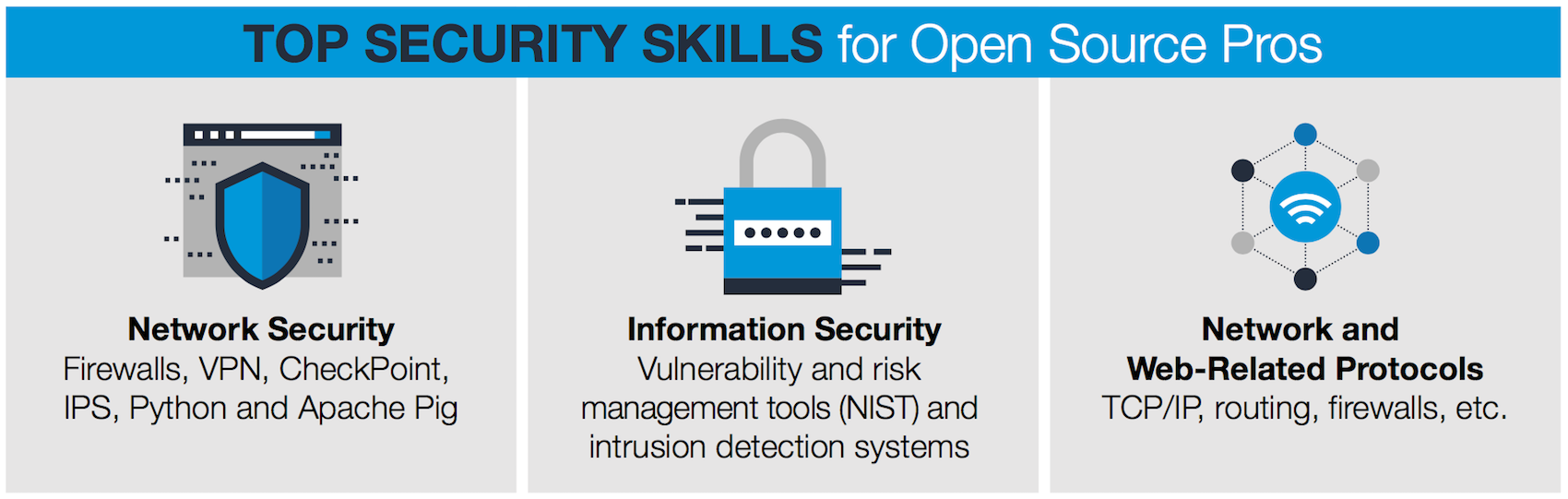
With ever more impactful security threats emerging, the demand for fluency with network security tools and practices is increasing for sysadmins. That means understanding everything from the Open Systems Interconnect (OSI) model to devices and protocols that facilitate communication across a network.

future proof ebook

Locking down systems also means understanding the infrastructure of a network, which may or may not be Linux-based. In fact, many of today’s sysadmins serve heterogeneous technology environments where multiple operating systems are running. Securing a network requires competency with routers, firewalls, VPNs, end-user systems, server security, and virtual machines.

Securing systems and networks calls for varying skillsets depending on platform infrastructure, as is clear if you spend just a few minutes perusing, say, a Fedora security guide or the Securing Debian Manual. However, there are good resources that sysadmins can leverage to learn fundamental security skills.

For example, The Linux Foundation has published a Linux workstation security checklist that covers a lot of good ground. It’s aimed at sysadmins and includes discussion of tools that can thwart attacks. These include SecureBoot and Trusted Platform Module (TPM). For Linux sysadmins, the checklist is comprehensive.

The widespread use of cloud platforms such as OpenStack is also introducing new requirements for sysadmins. According to The Linux Foundation’s Guide to the Open Cloud: “Security is still a top concern among companies considering moving workloads to the public cloud, according to Gartner, despite a strong track record of security and increased transparency from cloud providers. Rather, security is still an issue largely due to companies’ inexperience and improper use of cloud services,” and a sysadmin with deeply entrenched cloud skills can be a valuable asset.

Most operating systems and widely used Linux distributions feature timely and trusted security updates, and part of a good sysadmin’s job is to keep up with these. Many organizations and administrators shun spin-off and “community rebuilt” platform infrastructure tools because they don’t have the same level of trusted updating.

Network challenges

Networks, of course, present their own security challenges. The smallest holes in implementation of routers, firewalls, VPNs, and virtual machines can leave room for big security problems. Most organizations are strategic about combating malware, viruses, denial-of-service attacks, and other types of hacks, and good sysadmins should study the tools deployed.

Freely available security and monitoring tools can also go a long way toward avoiding problems. Here are a few good tools for sysadmins to know about:

  • Wireshark, a packet analyzer for sysadmins

  • KeePass Password Safe, a free open source password manager

  • Malwarebytes, a free anti-malware and antivirus tool

  • NMAP, a powerful security scanner

  • NIKTO, an open source web server scanner

  • Ansible, a tool for automating secure IT provisioning

  • Metasploit, a tool for understanding attack vectors and doing penetration testing

For a lot of these tools, sysadmins can pick up skills by leveraging free online tutorials. For example, there is a whole tutorial series for Metasploit, and there are video tutorials for Wireshark.

Also on the topic of free resources, we’ve previously covered a free ebook from the editors at The New Stack called Networking, Security & Storage with Docker & Containers. It covers the latest approaches to secure container networking, as well as native efforts by Docker to create efficient and secure networking practices. The ebook is loaded with best practices for locking down security at scale.

Training and certification, of course, can make a huge difference for sysadmins as we discussed in “7 Steps to Start Your Linux Sysadmin Career.”

For Linux-focused sysadmins, The Linux Foundation’s Linux Security Fundamentals (LFS216) is a great online course for gaining well-rounded skills. The class starts with an overview of security and covers how security affects everyone in the chain of development, implementation, and administration, as well as end users. The self-paced course covers a wide range of Linux distributions, so you can apply the concepts across distributions. The Foundation offers other training and certification options, several of which cover security topics. For example, LFS201 Essentials of Linux System Administration includes security training.

Also note that CompTIA Linux+ incorporates security into training options, as does the Linux Professional Institute. Technology vendors offer some good choices as well; for example, Red Hat offers sysadmin training options that incorporate security fundamentals. Meanwhile, Mirantis offers three-day “bootcamp” training options that can help sysadmins keep an OpenStack deployment secure and optimized.

In the 2016 Linux Foundation/Dice Open Source Jobs Report, 48 percent of respondents reported that they are actively looking for sysadmins. Job postings abound on online recruitment sites, and online forums remain a good way for sysadmins to learn from each other and discover job prospects. So the market remains healthy, but the key for sysadmins is to gain differentiated types of skillsets. Mastering hardened security is surely a differentiator, and so is moving up the technology stack — which we will cover in upcoming articles.

Learn more about essential sysadmin skills: Download the Future Proof Your SysAdmin Career ebook now.


Read more:

Future Proof Your SysAdmin Career: An Introduction to Essential Skills 

Future Proof Your SysAdmin Career: New Networking Essentials

Future Proof Your SysAdmin Career: Locking Down Security

Future Proof Your SysAdmin Career: Looking to the Cloud

Future Proof Your SysAdmin Career: Configuration and Automation

Future Proof Your SysAdmin Career: Embracing DevOps

Future Proof Your SysAdmin Career: Getting Certified

Future Proof Your SysAdmin Career: Communication and Collaboration

Future Proof Your SysAdmin Career: Advancing with Open Source

The Rise of Test Impact Analysis

Test Impact Analysis (TIA) is a modern way of speeding up the test automation phase of a build. It works by analyzing the call-graph of the source code to work out which tests should be run after a change to production code. Microsoft has done some extensive work on this approach, but it’s also possible for development teams to implement something useful quite cheaply.

One curse of modern software development is having “too many” tests to run all of them prior to check-in. When that becomes true, developers use a costly coping strategy of not running any tests on their local developer workstation. Instead they rely on tests running later on an integration server. And quite often even those fall into disrepair, which is inevitable when shift right becomes normal for a dev team.

Of course, everything that you test pre-integrate should immediately be tested post-integrate in the Continuous Integration (CI) infrastructure. Even the highest functioning development teams might experience breakages born from timing alone for commits landing in real time. 

Read more at Martin Fowler

Everything Is an HTTPS Interface

In the Linux world everything is file, in the Serverless world everything is an HTTPS interface.

Serverless applications by their nature are heavily decomposed into a variety of services, such as autonomous functions, object storage, authentication services, document databases, and pub/sub message queues. The interfaces between these services are typically HTTPS. When you’re using the AWS SDK to call an AWS services, the interface it’s calling under the hood is an HTTPS interface. This is true for the majority of cloud platforms, with some alternative protocols occasionally being used (WebSockets and MQTT) in specific use cases.

In the same way that in Linux you can access all the resources of the underlying machine through the file system, in a serverless world you can access all the resources of the underlying cloud platform through an HTTPS interface.

Read more at Serverless.Zone

Dumping Windows and Installing Linux Mint, in Just 10 Minutes

One of my older netbook computers, an Acer Aspire V5, is still being used by my partner. It still runs Windows 7, but it has been acting up very badly recently, and I finally decided that rather than spend a few hours trying to get it to limp along a while longer again, I would just trash everything on it and install Linux Mint for her.

Besides the obvious step of dumping Windows, there is another big step for me in this. I am not going to make my usual multi-boot Linux configuration on this netbook, I am only going to install Linux Mint, and let it use the entire disk as it sees fit.

The first step is to download the latest Linux Mint installation image, from the Download Linux Mint page

Read more at ZDNet

Containers to Eclipse VMs in Application Platform Space, SDxCentral Survey Says

Enterprises looking to garner more efficiency from their cloud operations are increasingly turning to containers.

SDxCentral recently conducted a survey as part of our 2017 Container and Cloud Orchestration report,  and found a spike in container usage. In fact, it appears that containers could surpass virtual machines (VMs) as the application development platform of choice.

One of the more striking takeaways from the survey was the increased use of containers, which surged from just 8 percent in 2016, to 45 percent this year. Of the 55 percent of respondents not currently using containers, 45 percent said they expect to make the move in the next year.

Read more at SDxCentral

Unix: How Random Is Random?

On Unix systems, random numbers are generated in a number of ways and random data can serve many purposes. From simple commands to fairly complex processes, the question “How random is random?” is worth asking.

EZ random numbers

If all you need is a casual list of random numbers, the RANDOM variable is an easy choice. Type “echo $RANDOM” and you’ll get a number between 0 and 32,767 (the largest number that two bytes can hold).

$ echo $RANDOM
29366

Of course, this process is actually providing a “pseudo-random” number. 

Read more at NetworkWorld

Linux cksum Command Explained for Beginners (with Examples)

There are times when we download a file (say an ISO image) hosted somewhere on the Internet only to find that it’s not working as expected (or, at all). There could be multiple reasons behind this, with one among them being file corruption (the file got corrupted during the download process, or the original, hosted file itself was corrupt). But how to confirm that such a corruption has occurred?

In Linux, there’s a command line tool that you can use to create/verify checksum. It’s dubbed cksum. Most vendors offer a checksum (or a checksum-like code) corresponding to the file(s) being downloaded. If the file doesn’t behave in an expected way, user’s can recompute the file’s checksum and compare it with the original checksum provided by the vendor to see if the file is intact or got corrupted.

Well, there does exist a solution to this problem. In most cases, what’s done is, when the file is originally created, a checksum is computed which is unique to that file. Even if there’s a slight change in the file, the checksum – when computed again – changes.

So most vendors offer a checksum (or a checksum-like code) corresponding to the file(s) being downloaded. If the file doesn’t behave in expected way, user’s can recompute the file’s checksum and compare it with the original checksum provided by the vendor to see if the file is intact or got corrupted.

Read more at HowtoForge

pdd – Tool to Find Date and Time Difference in Linux Command Line

In some occasions where you want to check by how many years someone older than you, how old you are (in days, years or months), the countdown to an event or the next flash sale. There is a python-based command line application known as pdd which enables you to calculate date and time differences. Now, there’s no go online and search for websites for date and time calculations. In this article, we’ll give you more insight into “pdd” tool and teach you how to use it.

Installing pdd

To install pdd in Ubuntu/Debian, we first have to install the dependencies – pdd requires Python 3.5 or newer and the dateutil module.

Read more at LinOxide