Home Blog Page 556

How to Safely and Securely Back Up Your Linux Workstation

Even seasoned system administrators can overlook Linux workstation backups or do them in a haphazard, unsafe manner. At a minimum, you should set up encrypted workstation backups to external storage. But it’s also nice to use zero-knowledge backup tools for off-site/cloud backups for more peace of mind.

Let’s explore each of these methods in more depth. You can also download the entire set of recommendations as a handy guide and checklist.

Full encrypted backups to external storage

It is handy to have an external hard drive where you can dump full backups without having to worry about such things like bandwidth and upstream speeds (in this day and age, most providers still offer dramatically asymmetric upload/download speeds). Needless to say, this hard drive needs to be in itself encrypted (again, via LUKS), or you should use a backup tool that creates encrypted backups, such as duplicity or its GUI companion, deja-dup. I recommend using the latter with a good randomly generated passphrase, stored in a safe offline place. If you travel with your laptop, leave this drive at home to have something to come back to in case your laptop is lost or stolen.

In addition to your home directory, you should also back up /etc and /var/log for various forensic purposes. Above all, avoid copying your home directory onto any unencrypted storage, even as a quick way to move your files around between systems, as you will most certainly forget to erase it once you’re done, exposing potentially private or otherwise security sensitive data to snooping hands — especially if you keep that storage media in the same bag with your laptop or in your office desk drawer.

Selective zero-knowledge backups off-site

Off-site backups are also extremely important and can be done either to your employer, if they offer space for it, or to a cloud provider. You can set up a separate duplicity/deja-dup profile to only include most important files in order to avoid transferring huge amounts of data that you don’t really care to back up off-site (internet cache, music, downloads, etc.).

Alternatively, you can use a zero-knowledge backup tool, such as SpiderOak, which offers an excellent Linux GUI tool and has additional useful features such as synchronizing content between multiple systems and platforms.

The first part of this series walked through distro installation and some pre- and post-installation security guidelines. In the next article, we’ll dive into some more general best practices around web browser security, SSH and private keys, and more.

Workstation Security

Read more:

Part 5: 9 Ways to Harden Your Linux Workstation After Distro Installation

Part 1: 3 Security Features to Consider When Choosing a Linux Workstation
Release Update: Prometheus 1.6.1 and Sneak Peak at 2.0

After 1.5.0 earlier in the year, Prometheus 1.6.1 is now out. There’s a plethora of changes, so let’s dive in.

The biggest change is to how memory is managed. The -storage.local.memory-chunks and -storage.local.max-chunks-to-persist flags have been replaced by -storage.local.target-heap-sizePrometheus will attempt to keep the heap at the given size in bytes. For various technical reasons, actual memory usage will be higher so leave a buffer on top of this. Setting this flag to 2/3 of how much RAM you’d like to use should be safe.

The GOGC environment variable has been defaulted to 40, rather than its default of 100. This will reduce memory usage, at the cost of some additional CPU.

A feature of major note is that experimental remote read support has been added, allowing the read back of data from long term storage and other systems.

Read more at CNCF

Best Linux Distros for Gaming in 2017

Linux can be used for everything, including gaming. When it comes to Linux gaming and distros, you have many options to choose from. We hand-picked and tested all distros and only included the best ones. All with a detailed overview, minimum requirements, and screenshots.

Gaming in Linux has evolved a lot in the past few years. Now, you have dozens of distros pre-optimized for gaming and gamers. We tested all of them and hand-picked the best. There are a few other articles and lists of this type out there, but they don’t really go into detail and they are pretty outdated. This is an up-to-date list with any info you’d need.

Continue reading

Martin Casado at ONS: Making SDN Real

Software Defined Networking (SDN) has evolved significantly since the concept began to be considered in the 1990s, and Martin Casado, General Partner, Andreessen Horowitz, used his keynote at the Open Networking Summit to talk about how he’s seen SDN change over the past 10 years. 

As one of the co-founders of Nicira in 2007, Casado was on the leading edge of some of this SDN evolution. At Nicira, they were focused on addressing two main issues in networking. First, if you look at the industry, specific, even customer level functionality, is tied down to the hardware, and second, operations are tied down to a box. As computer scientists, they assumed that these problems could be solved by creating high-level abstractions and using a modern development environment to reduce the complexity of implementing network systems; however, they quickly learned that networking is not computing. Networking, Casado says, is less about computation and more about distributed state management. This led Nicira down the path of creating a distributed SDN operating system based on the idea that a general platform would simplify the distribution model for application developers. They came to realize that it wasn’t quite this easy.

First, networking isn’t a single problem; different parts of the network have different problems. Second, it can be hard to reduce complexity in the platform when applications need to be able to manage this complexity in order to scale. The biggest change happening in the industry around this time in late 2008 and early 2009 was the idea of using a vSwitch as an access layer to the network for implementation of network functionality, and this proved to be a successful idea.

They also had the idea of creating a domain specific language that would help reduce some of the complexity; however, the downside was that they were never quite clear that they were able to get full coverage of the existing model, and by changing the abstractions, they were creating a massive learning curve and breaking existing tool chains. The turning point was when they decided that the abstractions themselves could be networks with logical networks sitting on top of a network virtualization layer / hypervisor that acts as the interface to the physical network. 

All of this work led Casado to four key lessons:

  • Put product before platform.
  • Virtualize before changing abstractions.
  • Software over hardware.
  • Sales / Go to market are as important as technology

Watch the video of Casado’s entire talk to learn more about what he’s learned about the evolution of SDN over the past 10 years.

https://www.youtube.com/watch?v=oNXwxl2Q1tQ?list=PLbzoR-pLrL6p01ZHHvEeSozpGeVFkFBQZ

Interested in open source SDN? The “Software Defined Networking Fundamentals” training course from The Linux Foundation provides system and network administrators and engineers with the skills to maintain an SDN deployment in a virtual networking environment. Download the sample chapter today!

Check back with Open Networking Summit for upcoming news on ONS 2018. 

Google Zero-Trust Security Framework Goes Beyond Passwords

With a sprawling workforce, a wide range of devices running on multiple platforms, and a growing reliance on cloud infrastructure and applications, the idea of the corporate network as the castle and security defenses as walls and moats protecting the perimeter doesn’t really work anymore. Which is why, over the past year, Google has been talking about BeyondCorp, the zero-trust perimeter-less security framework it uses to secure access for its 61,000 employees and their devices. 

The core premise of BeyondCorp is that traffic originating from within the enterprise’s network is not automatically more trustworthy than traffic that originated externally.

Read more at InfoWorld

OpenStack for Research Computing

In this video from Switzerland HPC Conference, Stig Telfer from StackHPC presents: OpenStack for Research Computing. OpenStack is a cloud operating system that controls large pools of compute, storage, and networking resources throughout a datacenter, all managed through a dashboard that gives administrators control while empowering their users to provision resources through a web interface.

“This talk will present the motivating factors for considering OpenStack for the management of research computing infrastructure. Stig will give an overview of the differences in design criteria between cloud, HPC and data analytics, and how these differences can be mitigated through architectural and configuration choices of an OpenStack private cloud…”

Read more at insideHPC

NASA’s 10 Coding Rules for Writing Safety Critical Program

The large and complex software projects use some sort of coding standards and guidelines. These guidelines establish the ground rules that are to be followed while writing software.

a) How the code should be structured?

b) Which language feature should or should not be used?

In order to be effective, the set of rules has to be small and must be specific enough that it can be easily understood and remembered.

The world’s top programmers working for NASA follow a set of guidelines for developing safety critical code. In fact, many organizations, including NASA’s Jet Propulsion Laboratory (JPL) focus on code written in C programming language.

Read more at RankRed

Receiving an AES67 Stream with GStreamer

GStreamer is great for all kinds of multimedia applications, but did you know it could also be used to create studio grade professional audio applications?

Written by Olivier Crete, Multimedia Lead at Collabora.

GStreamer is great for all kinds of multimedia applications, but did you know it could also be used to create studio grade professional audio applications? For example, with GStreamer you can easily receive a AES67 stream, the standard which allows inter-operability between different IP based audio networking systems and transfers of live audio between profesionnal grade systems.

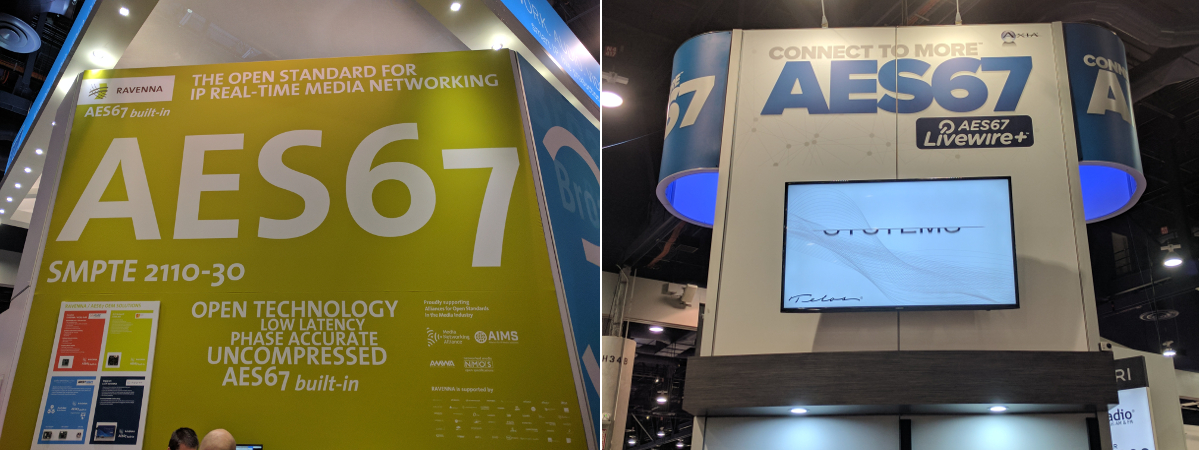
Figure 1. AES67 at the NAB Show in Las Vegas, April 22-27.

Receiving an AES67 stream requires two main components, the first being the reception of the media itself. AES67 is simple because it’s just a stream of RTP packets containing uncompressed PCM data. In other words, this means it can be received with a simple pipeline, such as “udpsrc ! rtpjitterbuffer latency=5 ! rtpL24depay ! …”. There isn’t much more needed, as this pipeline will receive the stream and introduce 5ms of latency, which, as long as the network is uncongested, should already sound great.

The second component is the clock synchronization, one of the important things in Pro Audio. The goal of this component is for the sender and the receiver of the audio to use the same clock so that there aren’t any glitches introduced by a clock running to fast or too slow. The standard used for this is called the Precise Time Protocol version 2 (PTP), defined by the IEEE 1588-2008 standard. While there are a number of free implementations that can be used as master or slave PTP clocks, GStreamer provides the GstPTPClock class that can act as a slave that can synchronize itself from a PTP clock master on the network.

Continue reading on Collabora’s blog.

On Multi-Cloud Tradeoffs and the Paradox of Openness

In any technology adoption decision organisations are faced with a balancing act between openness and convenience. Open standards and open source, while in theory driving commoditization and lower cost, also create associated management overheads. Choice comes at a cost. Managing heterogeneous networks is generally more complicated, and therefore resource intensive, than managing homogenous ones, which explains why in every tech wave the best packager wins and wins big – they make decisions on behalf of the user which serve to increase convenience and manageability at the individual or organisational level.

One of the key reasons that Web Scale companies can do what they do, managing huge networks at scale, is aggressive control of hardware, software, networks and system images …

Read more at RedMonk

Linux Foundation Launches EdgeX Foundry for IoT Edge Interoperability

There is a new internet of things (IoT) project launching at the Linux Foundation today—EdgeX Foundry. Dell is contributing its Fuse IoT code base as the initial code for EdgeX Foundry, providing an open framework for IoT interoperability.

“We lack a common framework for building edge IoT solutions—above individual devices and sensors but below the connection to the cloud,” Philip DesAutels, senior director of IoT at the Linux Foundation, told eWEEK. “That means every development that gets done today is bespoke, and that means it is fragile, costly and immobile.”

DesAutels said that with its common framework, EdgeX aims to help solve some of the current challenges of IoT deployment. EdgeX provides with developers a plug-and-play infrastructure to create edge solutions. 

Read more at eWeek