Home Blog Page 600

Time-Travel Debugging with ChakraCore and Node.js

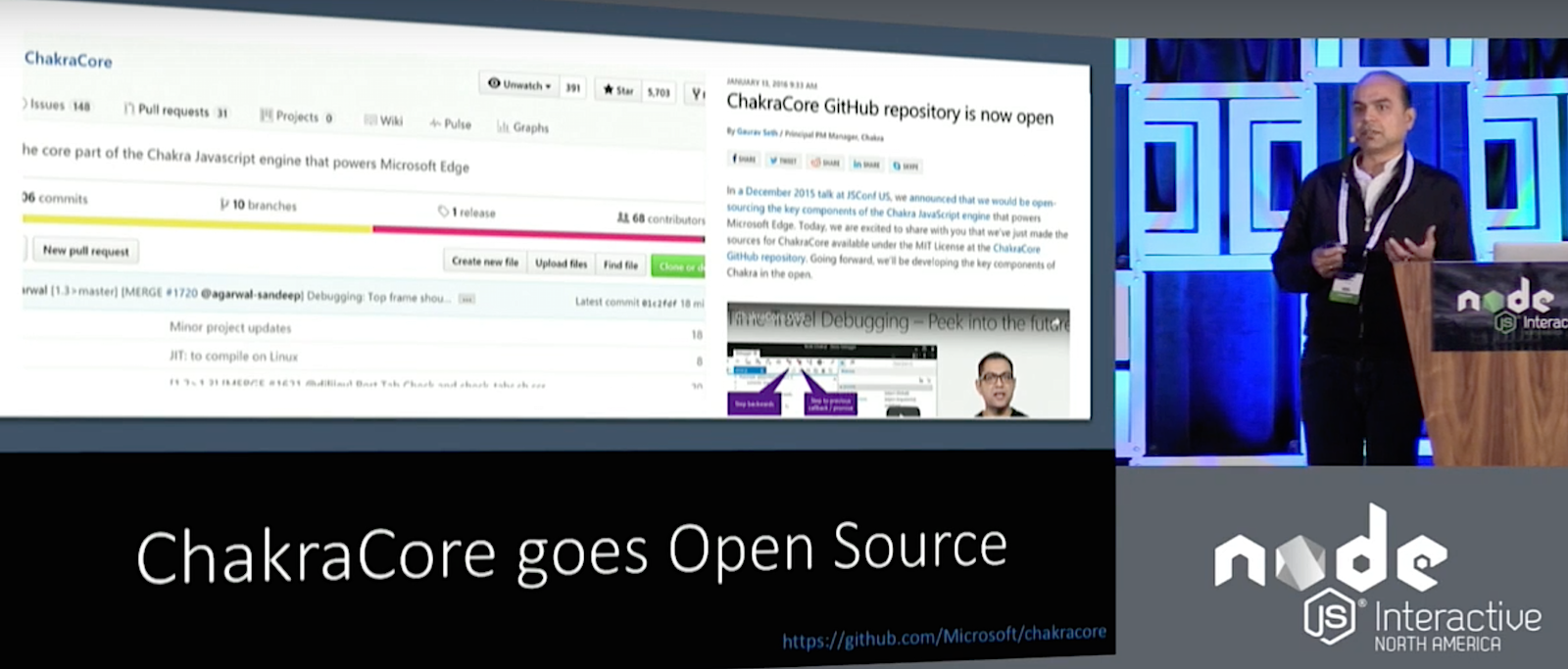
ChakraCore is the Core part of Microsoft Edge’s JavaScript Engine as used in Windows 10. It’s a standalone JavaScript engine in its own right but does not include bindings and the API for Windows because this is provided by a larger framework, Chakra. Arunesh Chandra, Senior Program Manager at Microsoft, introduced ChakraCore and how it fits into the larger Node ecosystem at Node.js Interactive.

ChakraCore is open source, distributed under the MIT license (it’s source code is available on GitHub) and, to a certain degree cross-platform, as it works on Windows, Linux, and MacOS, although only as an interpreter on the latter two for now. That said, Chandra’s team plan to provide JIT and High Performance Garbage Collection with ChakraCore on all three platforms soon.

Yet Another JavaScript Engine

One of the reasons that led Microsoft to develop ChakraCore is that, although Node.js runs almost everywhere, on x86, x64, and ARMv7, it did not run on ARM Thumb-2. This architecture is important for Microsoft because Thumb-2 instruction set is one of the main targets of Windows 10 IoT. Node ChakraCore brings Node.js to ARM Thumb-2.

To make Node.js run using ChakraCore, the team created a shim that binds with the V8 API and sits on the ChakraCore engine. In this scenario, ChakraCore serves all the calls, similar to how Mozilla’s SpiderMonkey does in SpiderNode.

After submitting a pull request to Node.js, ChakraCore has now been accepted into the project, albeit in a separate repo, and Node ChakraCore binaries are now available at Node’s nightly download site.

Time-Travel Debugging

Chandra’s team have partnered with Microsoft Research to push the state of art in Node.js diagnostics, and one of the ways of doing that is bringing Time-Travel Debugging to Node.js ChakraCore. Time-Travel Debugging allows you not only to trace execution of your code forwards — as you run your program step by step from beginning to end — but also backwards, moving back in the state of your application to help you locate bugs after the application fails.

Time-Travel Debugging is already available as beta on Windows on VSCode and as a preview for Mac and Linux.

In other news, perfomance-wise, ChakraCore works well on Microsoft Edge, but it still needs work on other platforms, such as Chrome and Firefox.

NAPI / VM-Neutrality

Another thing Chandra’s team is working on is NAPI. The aim of having VM_Neutrality for Node is that it would allow Node.js to become a ubiquitous application platform, one that allows applications to run on any device and for any workload.

Chandra points out there is a trend in which different organizations fork Node to optimize it for specific scenarios. Samsung has iotjs, Microsoft has ChakraCore, Mozilla has SpiderNode. VM Neutrality developers envision creating an infrastructure for VM owners and authors to plug in their VMs in the existing ecosystem without having to fork Node.

Another layer of abstraction is the ABI Stable Node (or Node.js APi or NAPI). NAPI comes about because of the current issues with native modules. Native modules used to break when there was an upgrade to Node.js. Although modern native modules are protected thanks to the NAN project, they still need to be recompiled each time you switch Node.js version.

That is where NAPI comes in. NAPI is a layer between the Native Module and JavaScript Engine that aims to provide ABI compatibility guarantees across different versions of Node and Node VMs. It allows enabled native modules to work across different versions and flavors of Node.js without the need for recompilations.

In his demo, Chandra showed how using an app that depended on native modules didn’t break and the modules themselves didn’t need to be recompiled when he ran the app on different versions of Node and even when he switched engines to ChakraCore.

The Road Ahead

Although Chandra showed working demos of all the technologies he mentioned in his presentation, he admitted that, in many cases, they were still in early stages of development. His team is working on stabilizing all ChakraCore’s features and porting the new debugging tools to all platforms.

Watch the complete presentation below:

https://www.youtube.com/watch?v=zGmQR7iBfD4?list=PLfMzBWSH11xYaaHMalNKqcEurBH8LstB8

If you are interested in speaking or attending Node.js Interactive North America 2017 – happening in Vancouver, Canada next fall – please subscribe to the Node.js community newsletter to keep abreast with dates and time.


Node.js & ChakraCore by Arunesh Chandra, Microsoft

https://www.youtube.com/watch?v=zGmQR7iBfD4?list=PLfMzBWSH11xYaaHMalNKqcEurBH8LstB8

This talk discusses how Node-ChakraCore is innovating to improve debugging in Node.js with Time-Travel Debugging and helping grow the Node.js ecosystem.

An Overview of Open Standards for IoT Communication Protocols

In its simplest terms, an IoT solution is a collection of sensors combined with a centralized management application permitting the user to modify the environment in some way. Examples include being able to monitor the temperature of your home and adjust it based on occupancy; and being able to monitor the progress of an assembly line and validate manufacturing tolerances.

If you’ve recognized that the communications between these devices benefits from standardization, and could be prone to attack, then you’re asking the right questions. Today, there are a variety of IoT communication protocols and standards designed to simplify IoT designs and increase the ability of vendors to innovate quickly. The following list is far from exhaustive, but gives both an overview for some of the popular choices as well as an indication of their security state.

Read more at Black Duck

Docker’s Tops for DevOps, AWS Is the Cloud King

RightScale’s ‘State of the Cloud’ survey also shows hybrid cloud beating public-only and private-only clouds, and Microsoft Azure making major inroads.

If there’s one devops tool that’s out in front with cloud-conscious companies, it’s Docker. Thirty-five percent of respondents were already using it, and 32 percent had plans to do so. These numbers outstripped those of Chef, Puppet, Ansible, Salt, Mesosphere, and Rancher.

Read more at InfoWorld

Optimizing Graphics Memory Bandwidth with Compression and Tiling: Notes on DRM Format Modifiers

Written by Varad Gautam, Consultant Associate Software Engineer at Collabora.

Over the past few weeks, I have been working for Collabora on plumbing DRM format modifier support across a number of components in the graphics stack. This post documents the work and the related consequences/implications.

The need for modifiers

Until recently, the FourCC format code of a buffer provided a nearly comprehensive description of its contents. But as hardware design has advanced, placing the buffers in a non-traditional (nonlinear) fashion has become more important in order to gain performance. A given buffer layout can prove to be more suited for particular use-cases than others, such as tiled formats to improve locality of access and enable fast local buffering.

Alternatively, a buffer may hold compressed data that requires external metadata to decompress before the buffer is used. Just using the FourCC format code then falls short of being able to convey the complete information about how a buffer is placed in memory, especially when the buffers are to be shared across processes or even IP blocks. Moreover, newer hardware generation may add further usage capabilities for a layout.

Figure 1. Intel Buffer Tiling Layouts.

Figure 1. Intel Buffer Tiling Layouts. Memory organization per-tile for two of the Intel-hardware supported buffer tiling layouts. An XMAJOR 4KB tile is stored as an 8×32 WxH array of 16Byte data (row order) while a YMAJOR 4KB tile is laid as 32×8 WxH 16B data (column order).CC-BY-ND from Intel Graphics PRM Vol 5: Memory Views
 

As an example, modern Intel hardware can use multiple layout types for performance depending on the memory access patterns. The Linear layout places data in row-adjacent format, making the buffer suited for scanline-order traversal. In contrast, the Y-Tiled layout splits and packs pixels in memory such that the geometrically close-by pixels fit into the same cache line, reducing misses for x- and y- adjacent pixel data when sampled – but couldn’t be used for scan-out buffers before the Skylake generation due to hardware constraints. Skylake also allows the single-sampled buffer data to be compressed in-hardware before being passed around to cut down bus bandwidth, with an extra auxiliary buffer to contain the compression metadata. The Intel Memory Views Reference Manual describes these and more layout orders in depth.

Besides access-pattern related optimizations, a similar need for layout communication arises when propagating buffers through the multimedia stack. The msm vidc video decoder (present on some Samsung and Qualcomm SoCs) arranges decoded frames in a tiled variant of the NV12 fourcc format – the NV12_64Z32. With a modifier associated with the buffer, the GPU driver can use the information to program the texture samplers accordingly – as is the case with the a3xx, using the hardware path to avoid explicitly detiling the frame.
 

Figure 2. Buffer Layout for NV12 Format with Tiled Modifier.

Figure 2. Buffer Layout for NV12 Format with Tiled Modifier. The data is laid out as 64×32 WxH tiles similar to NV12, but the tiles appear in a zigzag order instead of linear.
 

To ease this situation, an extra 64b ‘modifier’ field was added into DRM’s kernel modesetting to contain this vendor specific buffer layout information. These modifier codes are defined in the drm_fourcc.h header file.

Current state of affairs across components

With the AddFB2 ioctl, DRM lets userspace attach a modifier to buffers it imports. For userspace, libdrm support is also planned to allow probing the kernel support and scanout-ability of a given buffer layout, now representable as a fourcc+modifier combination. A modifier aware GetPlane ioctl analog, ‘GetPlane2’ is up for consideration. With recent patches from Intel, GBM becomes capable of allocating modifier-abiding surfaces too, for Wayland compositors and the X11 server to render to.

Collabora and others recently published an EGL extension, EGL_EXT_image_dma_buf_import_modifiers, which makes it possible to create EGLImages out of dmabuf buffers with a format modifier via eglCreateImageKHR, which can then be bound as external textures for the hardware to render into and sample from. It also introduces format and modifier query entrypoints that allow for easier buffer constraint negotiation with knowing the GL capabilities beforehand to avoid hit-and-trial guesswork and bailout scenarios that can arise for compositors.

Mesa provides an implementation for the extension, along with driver support on Skylake to import and sample compressed color buffers. The patchset discussions can be found at mesa-dev: ver1 ver2.

The Wayland protocol has been extended to allow the compositor to advertise platform supported format modifiers to its client applications, with Weston supporting this.

With the full end-to-end client-to-display pipeline now supporting tiled and compressed modes, users can transparently benefit from the reduced memory bandwidth requirements.

Further reads

Some GPUs find the 64b modifier to be too restrictive and require more storage to convey layout and related metadata. AMDGPU associates 256 bytes of information with each texture buffer to describe the buffer layout.

To standardize buffer allocation and cross-platform sharing, the Unix Device Memory Allocation project is being discussed.

Thanks to Google for sponsoring a large part of this work as part of ChromeOS development.

Linux Foundation Releases Business Open Source Basics Ebook

Want to know how your business can get the most from open source? This free ebook can help.

Developers know that open source is great. Even Microsoft is now on the open-source bandwagon. But, outside of the IT department, many companies don’t understand why and how open source can help their businesses. The Linux Foundation has the answers you need in its new free Open Source Software Basics ebook.

Read more at ZDNet

How to Install pandom: A True Random Number Generator for Linux

This tutorial explains how to install pandom: a timing jitter true random number generator maintained by ncomputers.org. The built-in Linux kernel true random number generator provides low throughput under modern circumstances, as for example: personal computers with solid state drives (SSD) and virtual private servers (VPS). This problem is becoming popular in Linux implementations, because of the continuously increasing need for true random numbers, mainly by diverse cryptographic purposes.

This tutorial is for amd64 / x86_64 linux kernel versions greater and equal to 2.6.9. It explains how to install pandom: a timing jitter true random number generator maintained by ncomputers.org.

Read more at HowToForge

Understanding the Difference Between sudo and su

In one of our earlier articles, we discussed the ‘sudo’ command in detail. Towards the ends of that tutorial, there was a mention of another similar command ‘su’ in a small note. 

In this article, we will discuss in detail the ‘su’ command as well as how it differs from the ‘sudo’ command. The main work of the su command is to let you switch to some other user during a login session. In other words, the tool lets you assume the identity of some other user without having to logout and then login (as that user).

Read more at HowtoForge

How to Integrate Video Streaming Into Your C or C++ Application Using Nex Gen Media

The Nex Gen Media Server is a small-footprint shared library that allows users to easily build video media and telephony applications. It supports several popular streaming protocols such as RTMP, RTSP and Apple’s HTTP Live, and can capture live video streams and adapt them so they can be received by another type of device. For instance, using the NGMS you could capture a HD video feed and convert it so that it may be received by an iPhone over a 3G connection. This makes it a particularly useful tool for developers, so let’s take a closer look and see just how you can integrate the NGMS API to control streaming features directly in a C application:


1. Download and read the NGMS user guide

As always, the first step lies of any process lies in understanding its backbone. To that end, you’ll need to download and read the NGMS user guide from http://ngmsvid.com/ngms.php and its respective API reference guide from http://ngmsvid.com/develop.php before you begin coding. These cover the basics of the library and its main utilities. Then, proceed to download the NGMS package for Linux. Once you’ve done that, unzip its contents into the directory of your choice.

2. Set up the application

In order for NGMS to be directly integrated into an application, you’ll need to include ngms/include/ngmslib.h into your code. You’ll also have to include selected libraries such as ngms/lib/libngms.so and ngms/lib/libxcode.so. Be aware that libngms.so depends on libngms.so, so be sure to specify that in the linker options.

3. Create a simple makefile

Here is an example of what things should look like:
#Example Makefile CC=gcc CFLAGS=-ggdb INCLUDES+= -I ngms/include LDFLAGS+= -L ngms/lib -lngms -xlcode -crypto all: myapp %.o: %.c $(CC) $(CFLAGS) $(INCLUDES) -o $@ -c $< myapp: myapp.o $(CC) -fpic -o myapp myapp.o $(LDFLAGS)

And here is the source to myapp.c. 

/** * * Example myapp application * */ typedef unsigned int uint32_t; typedef unsigned long long uint64_t; #include <stdio.h> #include “ngmslib.h” int main(int argc, char *argv[]) { NGMSLIB_STREAM_PARAMS_T ngmsConfig; NGMS_RC_T returnCode; returnCode = ngmslib_open(&ngmsConfig); if(NGMS_RC_OK != returnCode) { fprintf(stderr, “ngmslib_open failedn”); return -1; } ngmsConfig.inputs[0] = “mediaTestFile.mp4”; ngmsConfig.output = “rtp://127.0.0.1:5004”; returnCode = ngmslib_stream(&ngmsConfig); if(NGMS_RC_OK != returnCode) { fprintf(stderr, “ngmslib_open failedn”); } ngmslib_close(&ngmsConfig); return 0; }

It’s worth mentioning that the code uses the NGMSLIB_STREAM_PARAMS_T struct type in order to control the NGMS library. To that end, you’ll need to call to ngmslib_open so you can “preset” the struct. After that you can fill out whatever options you’d like in the struct, and then proceed to ngmslib_stream in order to create the output video.

4. Open the stream in VLC player and test it out

This one’s easy. Just do:

VLC Player -> Open Network rtp://@:5004

Now you can stream a media file directly from your application. Since the ngmslib_stream function is what’s called as a blocking operation, you can actually interrupt the stream by doing ngmslib_close from another thread and the ngmslib_stream call will exit.

5. Add in the final touches

You can also add support for an embedded Flash player by adding the following lines of code:

    ngmsConfig.rtmplive = “1935”;     

ngmsConfig.live = “8080”;

Or, instead of playing a file, you might want to change the input so that it’s a live video stream. You can create two separate instances of the application, one of which will output the video to port 5006, while the other will capture video on port 5006 and output it to port 5004. It looks something like this:

//ngmsConfig.inputs[0] = “mediaTestFile.mp4”;     

ngmsConfig.inputs[0] = “rtp://127.0.0.1:5006”;     

ngmsConfig.strfilters[0] = “type=m2t”;

In conclusion, it is fairly easy to add video streaming support to your own application. The aforementioned code was done using C, but C++ developers can adapt it by wrapping all the calls to ngmslib using the “extern “C”” keyword. Java developers can also do it, but it will require building a JNI interface and wrapping each of the calls down to NGMS. Still, the NGMS library is quite useful, with potential applications that include building your own video streaming client as well.

5 Tips on Enterprise Open Source Success From Capital One, Google, and Walmart

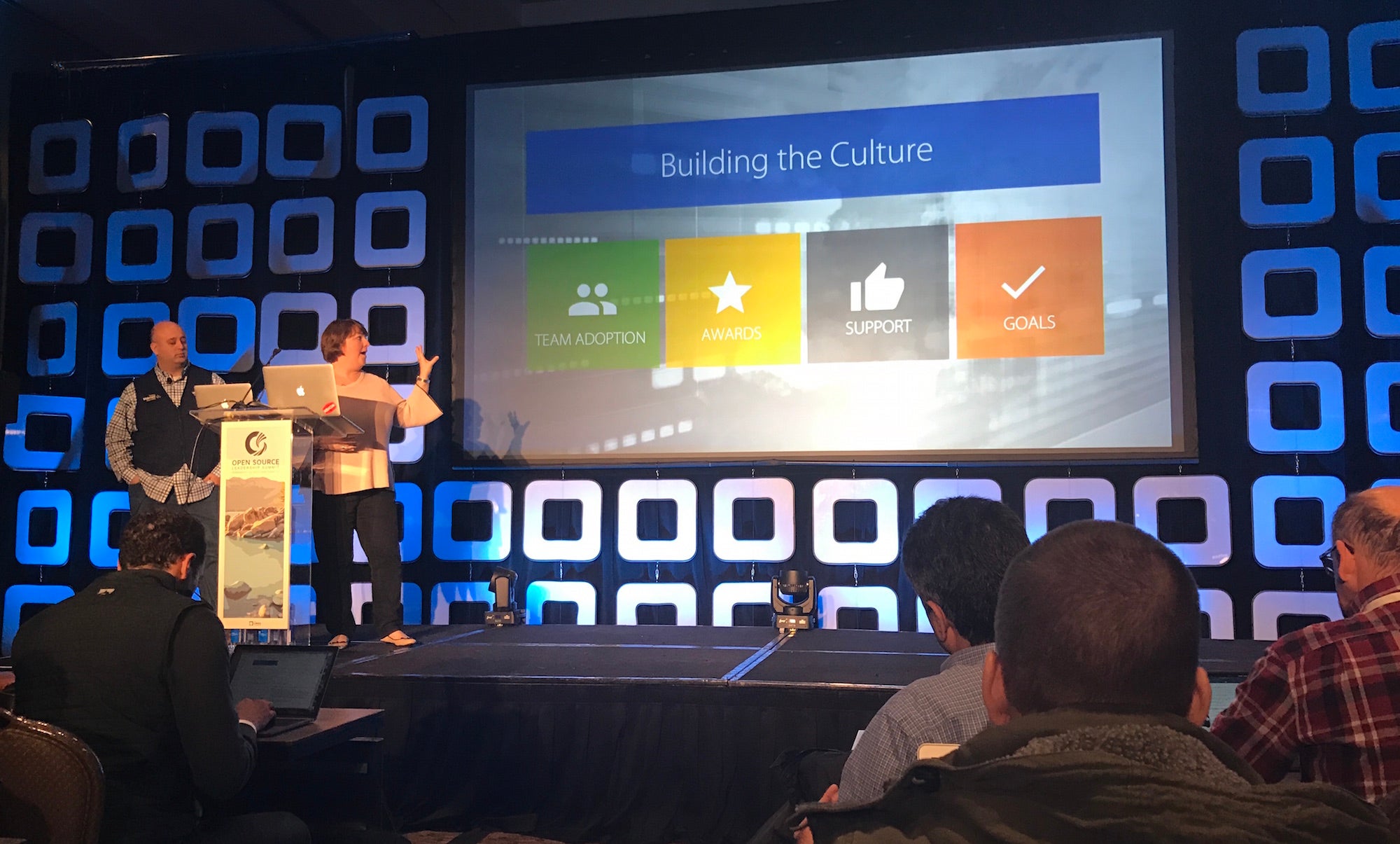
Some of the world’s largest and most successful companies gathered this week at Open Source Leadership Summit in Lake Tahoe to share best practices around open source use and participation. Companies from diverse industries — from healthcare and finance, to telecom and high tech — discussed the strategies and processes they have adopted to create business success with open source software.

Below, are five lessons learned, taken from a sampling of talks by engineers and community managers at Capital One, Google, and Walmart, which have all adopted a strategic approach to open source.  

1. Give developers freedom to contribute

Walmart has worked hard to develop a culture that embraces open source. Key to this cultural transformation has been convincing managers that it’s beneficial to devote developer resources to open source contributions — and to give developers the freedom to contribute however they wish.

“We’ve found that the team members that have a choice of what (open source projects) to work on are the most passionate about really diving in,” said Megan Rossetti, senior engineer, cloud technology, at Walmart.

2. Always be evaluating open source options

Walmart has also created an open source management structure and process to help institutionalize and enable open source participation. The company has an internal open source team to find and shepherd new open source projects and contributions.

“As we onboard new projects, we are always evaluating where does it make sense to bring in open source and to contribute back to open source,” said Andrew Mitry, a senior distinguished engineer at Walmart.

3. Use the right license

Capital One has also made significant strides to become a good open source partner in a way that doesn’t compromise customers or violate financial industry regulations. The company sees a great benefit in releasing open source projects that encourage broad use and participation from other companies. They’ve learned that this means projects must be structured in a way that encourages openness.

“If you want to make sure your code can be used, you really should pick a license written by someone who knows what they’re doing, preferably one of the ones approved by the FSF (Free Software Foundation) or OSI (Open Source Initiative),” said Jonathan Bodner, lead software engineer, technology fellows at Capital One.

“Also, if you want to encourage companies to join the community for your software you probably should pick one of the permissive licenses.”

4. Lead from behind

Kubernetes, an open source project hosted by the Cloud Native Computing Foundation, is one of the fastest growing open source communities on GitHub. Despite massive participation, the project always needs good leaders – those willing to “chop wood and carry water,” said Sarah Novotny, head of the Kubernetes Community Program at Google.

“Being a leader in the open source community is not always about control and it is not always about making sure you have the most commits or the only viewpoint or the only direction,” Novotny said. “We need people willing to do work that is not as glamorous, that’s not as much in the fore. This is very much leadership from behind… It’s making sure that you have influence in the community that is longstanding and promotes the health of the project long term.”

5. Let go of IP

By releasing its Kubernetes container orchestration technology as open source and donating it to The Linux Foundation (under CNCF), Google opened up the project to outside contribution and increased enterprise participation. That, in turn, helped the technology become ubiquitous and profitable for Google which built cloud services on top of the project. Letting go of the project’s intellectual property was ultimately what created that success, said Craig McLuckie, CEO and founder of Heptio, and founder of Kubernetes at Google.

“Nothing poisons an ecosystem faster than playing heavy with trademark,” McLuckie said. “One of the first things we did with Kubernetes was donate it to the Linux Foundation to make it very clear that we were not going to play those games. And in many ways that actually opened up the community…

“It would have really held us back if we had held the IP. If we’d held that trademark and copyright on the project it would have hurt us.”


Want to learn more about open source in the enterprise? Recorded keynote talks from Open Source Leadership Summit 2017 are available now on YouTube. Watch now!