OVN is a virtual networking platform developed by the fine folks over at openvswitch.org. The project has been in the works for nearly two years now and is starting to mature to the point of being production ready. In this posting I’ll walk through the basics of configuring a simple layer-2 overlay network between 3 hosts. But first, a brief overview of how the system functions.
OVN works on the premise of a distributed control plane where components are co-located on each node in the network. The roles within OVN are:
OVN Central – Currently a single host supports this role and this host acts as a central point of API integration by external resources such as a cloud management platform. The central control houses the OVN northbound database, …
As container use continues to grow, Mark Shuttleworth provides some definition on why he’s backing Kubernetes but isn’t a fan of OpenStack Magnum.
Mark Shuttleworth, the founder of Ubuntu Linux, was an early backer of OpenStack as well as containers. This week, Shuttleworth’s company Canonical announced new commercial support for Kubernetes, which is a widely deployed container orchestration and management engine. In an interview with Datamation Shuttleworth emphasized that it’s important to understand the different use cases for containers and what the different types of container systems are all about.
“There are going to be different types of container co-ordination systems,” Shuttleworth said. “There will trucks, tractors and cars.”
Neural nets aren’t new. The concept dates back to the 1950s, and many of the key algorithmic breakthroughs occurred in the 1980s and 1990s. What’s changed is that today computer scientists have finally harnessed both the vast computational power and the enormous storehouses of data—images, video, audio, and text files strewn across the Internet—that, it turns out, are essential to making neural nets work well. “This is deep learning’s Cambrian explosion,” says Frank Chen, a partner at the Andreessen Horowitz venture capital firm, alluding to the geological era when most higher animal species suddenly burst onto the scene.
Think of deep learning as a subset of a subset. “Artificial intelligence” encompasses a vast range of technologies—like traditional logic and rules-based systems—that enable computers and robots to solve problems in ways that at least superficially resemble thinking. Within that realm is a smaller category called machine learning, which is the name for a whole toolbox of arcane but important mathematical techniques that enable computers to improve at performing tasks with experience. Finally, within machine learning is the smaller subcategory called deep learning.
The Internet Corporation for Assigned Names and Numbers is moving — carefully — to upgrade the DNS root zone key by which all domains can be authenticated under the DNS Security Extensions protocol.
ICANN is the organization responsible for managing the Domain Name System, and DNS Security Extensions (DNSSEC) authenticates DNS responses, preventing man-in-the-middle attacks in which the attacker hijacks legitimate domain resolution requests and replaces them with fraudulent domain addresses.
DNSSEC still relies on the original DNS root zone key generated in 2010. That 1024-bit RSA key is scheduled to be replaced with a 2048-bit RSA key next October. Although experts are split over the effectiveness of DNSSEC, the update of the current root zone key signing key (KSK) is long overdue.
“SDN can really transform the way we do networks,” said Tom Bie, VP of Technology & Operation of Data Center, Networking and Server, Tencent, during his Wednesday keynote address at the Open Daylight Summit. The China telecom giant should know about the issues of massive scale networks: they have more than 200 million users for QQ instant messaging, 300 million users of their payment service, and more than 800 million users of their VChat service. Bie noted that Tencent also operates one of the largest gaming networks in the world, along with video services, audio services, online literature services, news portals, and a range other digital content services.
Tencent has a three-pronged core communication strategy based on “connecting everything.” They focus on people to people, people to services, and people to devices (IoT). The foundation is an open platform for partners to connect to public clouds. Here, third parties can run their applications on top of the infrastructure designed for the massive scale that Tencent deals with every day. Today, millions of applications are running along the “beachhead” applications of Tencent. To ensure they have a steady flow of new and interesting services, they’ve created an innovation space for startup companies to develop and commercialize new services. Bie noted that there are currently 4 million startups involved with the innovation space.
Working at such massive scale has forced Tencent to look for new solutions and innovations in networking technology to overcome their challenges. These challenges, Bie noted, include Agility and Scalability, End-to-End Quality of Service (QoS), Global View, Deep Insights, Automation, and Intelligence. The first two are driven from the business perspective. Services must always be available and of sufficient quality — and Tencent must be able to scale fast. The next two are from an operational perspective. A key concern here is the need to quickly find a problem anywhere in the network to minimize the impact on services and on their business. Having a global view of the entire network with real-time deep insights enables a rapid response to network anomalies and failures. Today, the information provided to the controller or management plane is not fast enough or good enough to enable a rapid response.
This massive scale requires automation, said Bie. People, he noted, are too slow and too error prone. Automation must apply throughout the life cycle of the service and include provisioning, operations, and finally decommissioning. Bringing intelligence to the network is key. With programmable networks, massive amounts of data can be generated and acted upon by analytics and even machine learning to drive actionable intelligence.
The first SDN use case Bie discussed was that of the Data Center Interconnect Backbone. Tencent has major datacenters in China and across Asia as well as on other continents. Their backbone must support all of their applications so users can have quality services no matter where they are. This backbone is based on MPLS, MPLS-TE (Traffic Engineering), and MPLS VPNs. Currently, it is challenging to manage and to operate. By adding ODL-based controllers, Tencent realizes global path optimization, fast convergence around failures or congestions, and end-to-end quality of service.
The second use case Bie discussed was managing the network within a datacenter. They use VxLANs over the fabric controller to control both the overlay networks and underlay networks. Bie noted the capability required to scale out firewalls. Here, Tencent uses flow-based load balancing, real-time monitoring, and automatic traffic schedule to scale out to up to 24 firewall pairs. The final use case involved their Internet-facing networks. A key feature Bie noted was the ability of the ODL controller to collect routes from BGP routers, determine the optimal path, and then overwrite the BGP routing tables.
Bie concluded by noting that the Internet has always been empowered by what he called an open spirit. He called out the increasing scope and range of open source initiatives around the globe. Lastly, he highlighted ODL for adding value to cluster performance and scale, southbound interfaces for load balancing, software maintenance including the mandatory ISSU (In Service Software Upgrades, aka Hitless upgrades), and northbound interfaces standardized on Yang Modeling.
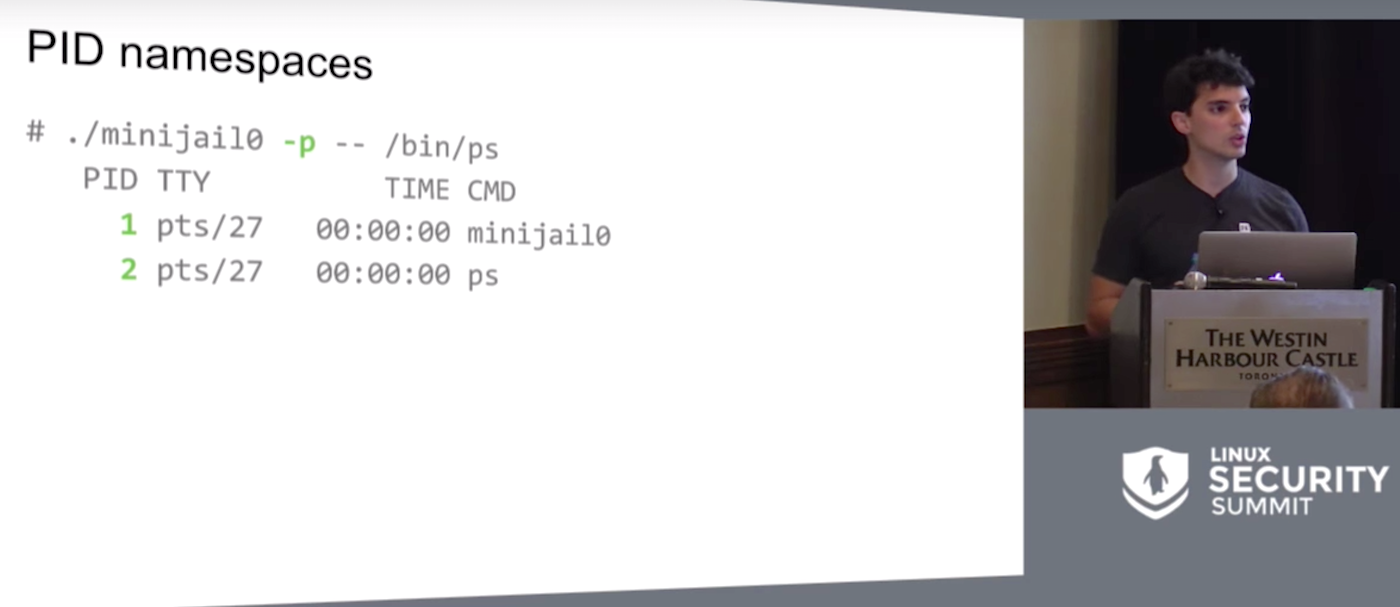
This talk describes Minijail, a sandboxing and containment tool initially developed for Chrome OS and now used across Google, including client platforms (like Android) and server environments (like Chrome’s fuzzing infrastructure ClusterFuzz).
We’ve covered the growth of OpenStack jobs and how you can become involved in the community. Maybe that even inspired you to search for OpenStack jobs and explore the professional opportunities for Stackers. You probably have questions, so we’re here to answer the frequent questions about working on OpenStack professionally.
Am I qualified? How do I know?
Taking stock of your current skills can be difficult. Here’s a common method that will give you a generic barometer of your qualifications:
Head to the OpenStack Jobs board, or a search for OpenStack on your preferred job posting aggregator (like Indeed, LinkedIn, Jobr, etc.), and pull down a handful of descriptions that pique your interest.
Create a separate list of your current skills and rank them in strength (using an A-F grading system can be helpful here).
Compare the requested experience to your list: Looking across the set of descriptions, is there a skill you’re constantly missing? Is there an area of “high priority” for the company that’s in your “weakest” category? Don’t let a one-off mismatch deter you, but if you’re continually missing a particular requirement or it’s constantly at the bottom of your skillset, that’s the area you’ll want to focus on building up.
As you gain more experience and improve your OpenStack skills, keep coming back to your checklist and adding new job descriptions to your set. When you have a passing grade for their requested skills, that’s a good time to apply!
How much Python do I need to know?
OpenStack is written in Python, but how proficient your Python skills need to be vary by your role. Developers will need more advanced Python, while operators can successfully work on OpenStack with more minimal Python knowledge. As always, the OpenStack community is here to help one another. It’s not uncommon to see sessions like “Python Basics for Operators Troubleshooting OpenStack” at Summits (the aforementioned talk was featured at the OpenStack Summit Austin).
Do I need to have a significant contribution history to get hired?
This answer varies by employer, but being a Project Team Lead (PTL) of an OpenStack project isn’t a hiring requirement! While a history of contributions never hurts, companies who have embraced OpenStack are equally as eager to find professionals who fit their technical culture. In transitioning to OpenStack, many companies have also shifted their tech cultures to be focused on open source, such as Walmart, who will be presenting about their transition at the OpenStack Summit Barcelona. Being passionate about open source and understanding how open source contributes to innovation will set you off on the right foot with any OpenStack ecosystem organization.
Where can I find OpenStack jobs?
The OpenStack community job board is located at openstack.org/jobs. Here you’ll find organizations hiring for roles like “OpenStack Developer,” “OpenStack Cloud Architect,” “OpenStack Cloud Administrator,” “Senior Software Engineer for Cloud Services.” The list goes on. Companies posting here are looking specifically for people familiar with OpenStack and who are actively involved in the OpenStack community.
Another great place to find an OpenStack job is at an OpenStack event. Networking is always your friend in securing a new job. In the previous post, we outlined the various OpenStack events. At the OpenStack Summit, companies will post a “We’re Hiring!” sign at their booth in the OpenStack Summit Marketplace if they have open positions. Take a spin around the Marketplace and shake a few hands. If you can’t make it to a Summit, your local OpenStack Days event or find a local user group, which are full of networking opportunities.
I’ve played with OpenStack outside of work, I think I have the qualifications; how can I show I’m ready for an OpenStack job?
This is the game-winning question, and there’s lots to say! So much so, our entire fourth post will be dedicated to making the transition from “OpenStack hobbyist” to “OpenStack professional.”
Want to learn the basics of OpenStack? Take the new, free online course from The Linux Foundation and EdX. Register Now!
The OpenStack Summit is the most important gathering of IT leaders, telco operators, cloud administrators, app developers and OpenStack contributors building the future of cloud computing. Hear business cases and operational experience directly from users, learn about new products in the ecosystem and build your skills at OpenStack Summit, Oct. 25-28, 2016, in Barcelona, Spain. Register Now!
Google’s Minijail sandboxing tool could be used by developers and sysadmins to run untrusted programs safely for debugging and security checks, according to Google Software Engineer Jorge Lucangeli Obes, who spoke last month at the Linux Security Summit. Obes is the platform security lead for Brillo, Google’s Android-based operating system for Internet-connected devices.
Minijail was designed for sandboxing on Chrome OS and Android, to handle “anything that the Linux kernels grew.” Obes shared that Google teams use it on the server side, for build farms, for fuzzing, and pretty much everywhere.
Since “essentially one bug separates you and any random attacker,” Google wanted to create a reliable means to swiftly identify problems with privileges and exploits in app development and easily enable developers to “do the right thing.”
The tool is designed to assist admins who struggle with deciding what permissions their software actually needs, and developers who are vexed with trying to second guess which environment the software is going to run in. In both cases, sandboxing and privilege dropping tends to be a hit or miss affair.
Even when developers use the privilege dropping mechanisms provided by the Linux kernel, sometimes things go awry due to numerous pitfalls along that path. One common example Obes cited was trying to ride a switch user function that will drop-root and then forgetting to check the result of the situation relief, or setuid function, afterwards.
In this scenario, the exploit is in causing the setuid call to fail which still allows the program to run with root privileges. This in turn will exploit another bug in the process. The best way to stop this kind of exploit is to create a fix that will abort the program in the case of a setuid call fail.
Find and Fix
While security pros may be quick to scoff at such a rudimentary mistake, it’s often the simplest oversights that lead to the biggest security problems. Rather than judge one another, Obes said, remember that the goal is to find and fix problems in the software. Although there will always be bugs, eradicating as many as possible, from the simple to the sophisticated, is always the goal.
Minijail first identifies and flags roots where problems exist. It is unnecessary for developers to understand all the intricacies of dropping privileges using Linux kernels because the tool provides a single library for privilege dropping code.
“By using Minijail, we turned the 15+ lines of sign-in capabilities to one or three, because of formatting,” he said. The system never fails to check the results, such as result of a setuid call, and it provides for unit and integration testing, too, to ensure the app always works.
Eventually the team realized that Minijail was roughly 85 percent of the way to building real containers so they took the tool the rest of the way. “Minijail is essentially underlying this new technology that Google added to Chrome OS which allows you to run Android applications, natively with no emulation or distortion,” he said. “It’s just an Android system running inside a container.” Thus, Minijail evolved to be both a sandboxing and containment helper.
It accomplishes this primarily by blocking some root permissions through the use of capabilities to partition the information. In this way, developers can “grant specific subsets of that functionality directly to a process without granting the whole function to do that process.”
Obes returned to his Bluetooth D example as it needs permissions to configure a network interface. “That shouldn’t give it permissions to, for example, reboot the system or mount things,” he explained.
Few things are more tantalizing than a good mystery, and Google is making waves for an open source-centric mystery that may end up having profound implications. It all started in August when an extensive and unusualcode repository for a new operating system called Fuchsia was discovered online, and now the growing source code set is on GitHub.
Thus far, Google officials have been mostly mum on the aim of this operating system, although they have made a few things clear in chat forums. Two developers listed on Fuchsia’s GitHub page — Christopher Anderson and Brian Swetland — are known for their work with embedded systems. The Verge, among other sites, has madea few logical deductions about the possible embedded systems focus for Fuchsia: “Looking into Fuchsia’s code points gives us a few clues. For example, the OS is built on Magenta, a “medium-sized microkernel” that is itself based on a project called LittleKernel, which is designed to be used in embedded systems,” the site reports.
TheGitHub postingsthat confirm that Fuchsia is based on Magenta are particularly notable because Magenta has had applications in the embedded systems space. Here are some direct quotes: “Magenta is a new kernel that powers the Fuchsia OS. Magenta is composed of a microkernel as well as a small set of userspace services, drivers, and libraries necessary for the system to boot, talk to hardware, load userspace processes and run them, etc. Fuchsia builds a much larger OS on top of this foundation.”
Meanwhile, Fast Company has focused on the fact thatGoogle is building this new OS seemingly from scratch, which could mean that it is reimagining longstanding kernel technology such as the Linux kernel: “Here’s something you might not realize about your phones, tablets, and laptops,” Fast Company reports. “For the most part, they’re adaptations of software ‘kernels’ that are quite old.”
Could Google be completely reinventing the core functionality of what we consider to be an operating system? There are certainly historical precedents for that. When Google launched a beta release of Gmail in 2004, Hotmail, Yahoo! Mail, AOL Mail and other services had absolutely dominant positions in the online email space. Look what happened. Google reimagined online email. Likewise, Chrome OS reimagined the operating system with unprecedented security features and cloud-centricity.
One could argue that Android and Chrome OS have roots in the same playbook, but the fact is that they are both based on Linux. Fuchsia, is not.
Android Police is convincedthat Fuchsia may be aimed at the Internet of Things, and that could be a good guess. The embedded systems folks behind the new operating system would be logical choices to develop an IoT-targeted platform, and why would an IoT-focused operating system necessarily need to resemble our current ones? Additionally, let’s not forget that Google is already in the embedded hardware and home-focused hardware business, with the OnHub router and Google Home.
Wouldn’t it make sense that Google might try to front-run the build out of the Internet of Things with a new, portable and lightweight operating system that can work like an embedded system OS on a variety of Net-connected device? After all, the early creation of Android, building on Linux roots, enabled Google to be very agile as the mobile device revolution took shape. Surely, the company learned from that experience that an open source Hail Mary can result in a very timely touchdown.
You can find a Google developer commenting succinctly on Fuchsiaon this page, but speculation abounds.
There is an old saying about Google — that the company “likes to throw spaghetti at the wall and see what sticks.” We’re likely to hear more about Fuchsia soon, but one of the early, clear indications is that it won’t have much to do with the operating systems that you’re used to.
Previously in this series (see links below), I’ve described the dig utility and its many uses in performing DNS lookups, along with several examples to help solve specific problems. In this final installment, I’ll look briefly at some security options and wrap up with additional examples.
All Secure Here
Many of you will have come across DNSSec in the past. It’s not an area that I have explored in great detail, I admit, but as you would expect the excellent dig utility takes the securing of DNS in its stride with the following option:
# dig @8.8.8.8 chrisbinnie.tld A +dnssec +multiline
where I request an “A” record and any associated DNSSec records with it.
We can see the inclusion of DNSSec records in Figure 1. For clarity, we are purposefully interrogating a non-existent domain name so you can see the response from the a root server (a.root-servers.net) again.
Figure 1: Shows setting dig to request that DNSSec records are also sent with the query’s answer.
Custom Fitted
To facilitate those readers with a compulsive, painstaking need to make certain configuration changes with the dig utility, there’s a config file option which reads from within a user’s home directory, named as follows:
As you can see, my “.digrc” file is simple and to the point, but it keeps the output straightforward. Note that the standard “A Record” is the default lookup unless another type of record is specified such as “MX” etc. That might affect how much information you usually want from your output, and thus how you set up your “.digrc” file, should you be looking up less popular record types more frequently.
Negatory
It would be remiss not to mention at this stage that I have intentionally — to keep things simple for newcomers to the dreaded DNS realm — so far not mentioned the fact that each and every one (barring a couple exceptions where it simply wouldn’t make sense) of the powerful dig utility’s command-line options can be negated with a prepended “no”.
A simple example, which I will leave you to apply to your heart’s content, might be as follows:
# dig chrisbinnie.tld +notrace
I’m sure you get the gist and that any further explanation would be futile. You can try any of the other options with a “no” in front if you’re unsure.
Eggs, Beans, Spam
With the viral outbreak of spam during the latter years of the Internet, clearly it’s critical that the largely successful attempt by the community to suppress it within DNS be integrated into the dig utility.
Step forward TXT record checking. You can either point at a “@server” to query directly or use something like this in the same format as before:
# dig chrisbinnie.tld txt
If you look closely at the ANSWER section, the IP addresses that SPF (Sender Policy Framework) pays attention to should be fairly obvious. In brief, this shows which IP addresses are authorized to send email on behalf of a domain name amongst other settings. Another important parameter is how strictly to enforce such settings before bouncing or blackholing an email as spam.
Suit Yourself
In keeping with the truly accommodating perspective with which the dig utility was written, there are also a couple of useful options that have caught my eye in the past.
First, the try-hard dig utility offers the ability to look past any malformed or corrupted responses received from name servers with the following option:
# dig @8.8.8.8 chrisbinnie.tld A +besteffort
In other words, this says to display some corruption if it exists, even if the output is a little nonsensical, in the hope that some useful information might be gleaned. You might see why this could be very useful if I mention that the dig utility even pays attention to non-ASCII based domain names.
Referred to as IDN Support, (which the manual reports is Internationalized Domain Name Support), the mighty dig tool can covertly change its character set before receiving an answer or sending a question to an international name server. On today’s Internet, this is of significant value and will likely only become more useful in the future as international languages meld further.
Actually, It’s A Feature
One concluding note, which I enjoyed reading from the June 30th, 2000 version of dig’s man pages, was at the foot of the information under the “BUGS” section. This line might be read differently on a number of levels but expresses simple sentiments if read literally.
The BUGS section of the manual is usually a way of briefing declaring known issues. In dig’s case, however, the line “There are probably too many query options.” is all that exists.
I’m afraid that on the surface I would have to agree, but I suspect that, at one stage or another, each one of those DNS options has been very useful to someone, somewhere. I mention this because it’s not always obvious how far to delve into DNS, even when faced with relatively complex scenarios such as using name servers for failing-over between web servers. Be assured, however, that whatever you need from a DNS query, the ever-faithful dig utility will almost certainly provide it, in varying levels of detail, to suit your preference.
Summary
I have barely scratched the surface of the dig utility’s feature list and how DNS actually works. If you are new to working as a sysadmin, there will likely be many opportunities for you to learn DNS and evolve your knowledge over time.
My hope in writing these articles was to give you the confidence required to turn to the dig utility if you ever need to query DNS in detail. And, having written this series, I have come to realize that “dig www.domainname.tld” is actually shorter than using the “host” command alternative. You never know, maybe my daily DNS habits have been changed forever as a result, and I will turn to the dutiful dig over the “host” command from now on.
Chris Binnie is a Technical Consultant with 20 years of Linux experience and a writer for Linux Magazine and Admin Magazine. His new book Linux Server Security: Hack and Defend teaches you how to launch sophisticated attacks, make your servers invisible and crack complex passwords.