Home Blog Page 701

Matthew Garrett Explains How to Increase Security at Boot Time

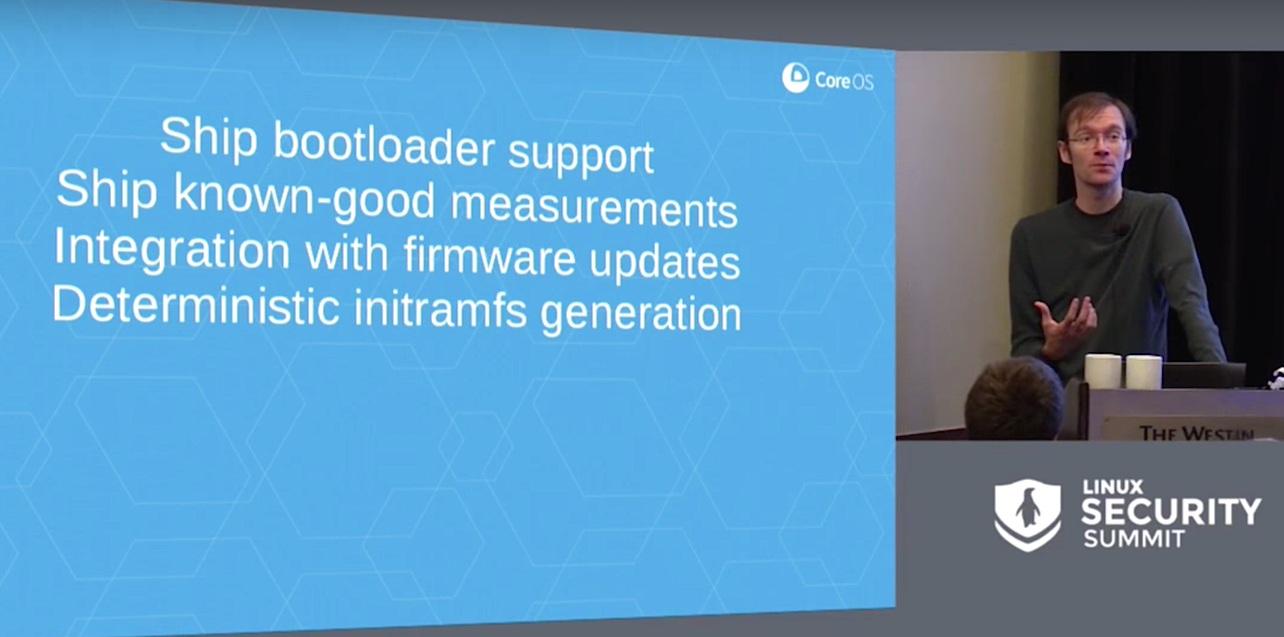
Security of the boot chain is a vital component of any other security solution, said Matthew Garrett of CoreOS in his presentation at Linux Security Summit. If someone is able to tamper with your boot chain then any other security functionality can be subverted. And, if someone can interfere with your kernel, any amount of self-protection the kernel might have doesn’t really matter.

“The boot loader is in a kind of intermediate position,” Garrett said. It can modify the kernel before it passes control to it, and then there’s no way the kernel can verify itself once it’s running. In the Linux ecosystem, he continued, the primary protection in the desktop and server space is UEFI secure boot, which is a firmware feature whereby the firmware verifies a signature on the bootloader before it executes it. The bootloader in turn verifies a signature on the next step of the boot process, and so on. 

Garrett admitted that it’s difficult to protect against hardware attacks in any straightforward way. If someone has a hardware keylogger, for example, secure boot will not help you there. But, he said, “there are other things we can protect against, and measured boot is a component of such protection.”

“Measured boot is based around trusted computing,” Garrett explained. One of the hardware components of trusted computing is the trusted platform module (TPM).

Something Magical

At boot time, Garrett said, we measure things, and we store those measurements in platform configuration registers (PCRs). The idea is to store something that represents the next part of the boot process. So, the firmware measures the boot sector, the boot sector measures the boot loader, and the boot loader measures the kernel. PCRs, however, are not directly writable; you have to ask the TPM to store some data in there and then “something magical happens.”

If you could set PCR values directly, you could potentially change values at any point and defeat the object entirely. To prevent this, the existing value of the PCR is taken along with the new value, and they are concatenated, producing a 40-byte value. Then, the hash of that value is taken and that is the value that is stored. Like magic.

Outside system memory, there’s an associated log, and each measurement event also results in a new log entry describing the value. However, it’s stored in RAM and is easily overwritten — more on this later.

To have measured boot, Garrett continued, you need to be able to measure each component, which means you need firmware that can do this and you need support in the later part of the bootchain. However, no standard Linux bootloader does this out of the box, he said.

So, Garrett decided to write his own support code, which is partly based on trusted GRUB and partly written from scratch. And, now he has a bootloader that supports measuring the kernel, but things are not so simple. Other things can occur to alter the security of the system, Garrett said. The configuration that’s passed to the kernel, for example, is very relevant. The command line is relevant. And, measuring what happens during the GRUB phase is pretty important.

Known Policy

Let’s go back to the logfile mentioned earlier — it’s just stored in RAM so it can be overwritten, but Garrett described improvements that involve matching a known policy against log entries. Where does this policy come from? CoreOS builds it automatically. As of three months ago, Garrett said, every release they build ships with a file describing the known good hashes for every component of the operating system and a policy that describes a valid GRUB configuration. Nonetheless, he said, this approach is not complete. You still need to validate firmware — which is not provided by CoreOS — and he doesn’t know any firmware vendors doing that.

Garrett said you could also ask the TPM to encrypt data and only decrypt it if the PCR values match the imposed policy. He described an example using a one-time password (OTP) generator. You run this, it prints a QR code, and you scan the QR code with your phone. When the system boots, it shows you a 6-digit number, and you make sure that the 6-digit number on your phone is the same as the one on your computer. If the TPM decrypted this number, you know your system has not been tampered with.

An unsolved problem, Garrett said, is that when you upgrade the firmware, the PCR values will change and the disk will refuse to decrypt your OTP key. And then your system won’t boot. A solution is needed that seals the information when you perform system updates, and this problem needs to be solved to make measured boot truly usable, he said.

An audience member asked whether there were plans to upstream Garrett’s trusted GRUB 2 code. The short answer is yes. Garrett said, “After a certain amount of discussion with Richard Stallman, I finally managed to convince him that we could use TPMs for purposes of good rather than being intrinsically evil.”

However, Garrett said, GRUB 2 has new maintainers, with whom he will need to work out some copyright issues. Part of the new code is based on old GRUB, and Garrett can’t assign copyright for code he didn’t write. Ideally, these issues will be addressed, and the code will be upstreamed.

Watch the complete presentation below:

linux-com_ctas_security_090716_452x150.jpg?itok=XsvIOO55

You won’t want to miss the stellar lineup of keynotes, 185+ sessions and plenty of extracurricular events for networking at LinuxCon + ContainerCon Europe in Berlin. Secure your spot before it’s too late! Register now.


Managing Log Files and More With Elastic Stack

Managing log files is becoming increasingly harder with growing amounts of data and differing file formats. Giovanni Bechis, in his upcoming talk at LinuxCon Europe, describes a solution using the ELK stack (ElasticSearch, Logstash, Kibana), which he says let’s you easily collect, parse, and manage log files from different sources.

We talked with Bechis, a Software Engineer at SNB S.r.l., a to learn more about how ELK can be used to aggregate any kind of data in a productive way.

Giovanni Bechis, Software Engineer at SNB S.r.l.
Linux.com: Can you briefly explain what ELK is?

Giovanni Bechis: ELK stands for Elastic Stack, and it is composed of Elasticsearch, a search engine; Logstash, a log collector; and Kibana, a powerful web interface. The Elastic Stack makes searching and analyzing data easier than ever before by delivering actionable insights in real time from almost any type of structured and unstructured data source.

Linux.com: How does ELK make log management easier?

Giovanni: Log management is easier than before because unstructured log files are now saved on a non-relational database and can be analyzed through a web interface. Through Kibana, you can then create graphs and summarize important informations without writing complex programs.

It is easier to manage and merge, for example, log files coming from different email software (e.g., Postfix and OpenSMTPD) and you can look at log files in real time even if they are coming from different hosts. There are also no problems due to the management of very big text files.

Linux.com: Who should be using ELK and why?

Giovanni: Every system administrator that manages more than one server should switch to ELK; managing log files in a multi-server environment could be very complicated and analyzing data to provide fancy graphs could create lot of headaches without a good framework to work with.

In an ELK world, all log files have a similar structure (JSON); this way it’s easier to create programs to query log files.

Linux.com: What are some examples of data other than log files that ELK could be used for?

Giovanni: For some customers, we use ELK to analyze data coming from their management software to be able to detect possible problems on their warehouses. Salesforce and Microsoft use ELK to analyze events generated from their CRM.

Elasticsearch is used without the other parts of the stack as a very powerful search engine by many web sites, from Facebook to MSN, to the New York Times.

Linux.com: Are there other features you’d like to implement? If so, what?

Giovanni: I am working on software to easily create alarms or execute actions if a log entry matches an expression. It will be an open source alternative to “watcher” — an Elasticsearch BV commercial product. We are using it at work to detect anomalies on our email servers and XSS attacks on our hosting platform.

You won’t want to miss the stellar lineup of keynotes, 185+ sessions and plenty of extracurricular events for networking at LinuxCon + ContainerCon Europe in Berlin. Secure your spot before it’s too late! Register now. 


Object Storage Leading the Advancement of Software-Defined Storage

Software-defined storage (SDS) is one of those terms that has been readily hijacked by vendors over the past few years. The term developed from the adoption of software-defined networking (SDN), used to define the separation of control and data traffic in the networking world, which provides the abstraction needed to deliver more efficient network management and to virtualise network functionality.

…Part of the problem with finding an adequate definition is that data storage has two components: both a persistent side for storing and recalling data, and a transmission side to cover how data passes from host to external storage. SDN by contrast only has to worry about the data transit definitions, so has fewer concerns around performance and throughput as far as an individual host is concerned. To add to the confusion, storage is moving back into the server with hyper-converged solutions, making it more difficult to come up with a consistent definition.

Read more at The Register


National Software Reference Library: An Important Digital Tool for Forensic Investigators

The story starts with Stephen M. Cabrinety, the Stanford University Libraries, and NIST’s National Software Reference Library (NSRL). Cabrinety collected more than 50,000 pieces of commercial software and nearly 300 functioning microcomputer systems—some dating back to the mid-1980s. Stanford University Libraries acquired Cabrinety’s collection in 2009, fourteen years after Cabrinety died from Hodgkin’s lymphoma. The acquisition and preservation of the collection had been a dream of his.

One has to wonder why the NIST and NSRL became involved. Truth be told, it’s their job. The agency has been tasked with collecting, archiving, and making verifiable forensic information on individual pieces of software available to public and private organizations. In fact, NSRL is likely the largest publicly-held repository of digital software in the world. The NIST press release Digital Forensics Rescues Retro Video Games and Software explains why the collection is important:…

Read more at Tech Republic

Industrial IoT Group Releases Security Framework

The Industrial Internet Consortium (IIC) , which was founded by AT&T, Cisco, GE, IBM, and Intel, released a common framework for security that it hopes will help industrial Internet of Things (IoT) deployments better address securityproblems. Security is critical to industrial IoT because attacks could have dire consequences, such as impacting human lives or the environment, said Hamed Soroush, senior research security engineer with Real-Time Innovations and the co-chair of the IIC security working group.

The IIC doesn’t create standards but instead is a consensus-building group that will provide recommendations for organizations building industrial IoT systems. The group’s security framework assesses various types of threats and helps companies protect themselves by providing best practices and strategies to thwart these attacks…

Read more at SDx Central


Linux Disable USB Devices (Disable loading of USB Storage Driver)

The USB storage drive automatically detects USB flash or hard drives. You can quickly force and disable USB storage devices under any Linux distribution. The modprobe program used for automatic kernel module loading. It can be configured not load the USB storage driver upon demand. This will prevent the modprobe program from loading the usb-storage module, but will not prevent root (or another privileged program) from using the insmod/modprobe program to load the module manually. USB sticks containing harmful malware may be used to steal your personal data. It is not uncommon for USB sticks to be used to carry and transmit destructive malware and viruses to Linux based computers.

This tutorial explains how to block USB storage devices on Linux.


OpenDaylight Rolls Out ‘Boron’ SDN Platform Release

OpenDaylight’s fifth release of its SDN platform puts a focus on the cloud, NFV, performance and tools.

The OpenDaylight Project effort to create a common platform for network virtualization continues to mature with the unveiling of the group’s fifth release, dubbed “Boron.”

The industry consortium announced the Boron release Sept. 21, a week before the OpenDaylight Summit kicks off in Seattle Sept. 27. Project officials said the new release brings with it improvements around the cloud and network-functions virtualization (NFV), and is the result of contributions by consortium members in a range of areas, including performance and tools.

Read more at EWeek.

Beginning Grep for Linux SysAdmins

GNU grep is an amazing power tool for finding words, numbers, spaces, punctuation, and random text strings inside of files, and this introduction will get you up and running quickly.

We’ll stick to GNU grep and the Bash shell, because both are the defaults on most Linux distros. You can verify that you have GNU grep, and not some other grep:

$grep -V
grep (GNU grep) 2.21
Copyright (C) 2014 Free Software Foundation, Inc.

It’s unlikely that you will bump into a non-GNU grep on Linux unless you put it there. There are some differences between GNU grep and Unix grep, and these are often discussed in documentation and forums as though we spend our days traipsing through multiples Linuxes and Unixes with gay abandon. Which sounds like fun, but if you use only Linux then you don’t need to worry about any differences.

Basic grep

We humans tend to think in terms of the numbers, words, names, and typos we want to find, but grep doesn’t know about these things; it looks for patterns of text strings to match. That is why you see the phrase “pattern matching” when you’re studying grep and other GNU text-processing tools.

I suggest making a plain text file to use for practicing the following examples because it limits the scope, and you can quickly make changes.

Most of us know how to use grep in simple ways, like finding all occurrences of a word in a file. First type your search term, and then the file to search:

$ grep word filename

By default, grep performs a case-sensitive search. You can perform a recursive case-insensitive search in a directory and its subdirectories:

$ grep -ir word dirname

This is an easy and useful way to find things, but it has a disadvantage: grep doesn’t look for words, it looks for text strings, so when you search for “word” grep thinks that “wordplay” and “sword” are matches. When you want an exact word match use -w:

$ grep -w word filename

Use ^ and $ to find matches at the beginnings and ends of lines:

$ grep ^word filename
$ grep word$ filename

Use -v to invert your match and find the lines that do not contain your search string:

$ grep -v word filename

You can search a list of space-delimited files, which is useful when you have just a few files to search. grep prefixes each match with its filename, so you know which files your matches are in:

$ grep word filename1 filename2 filename3
filename1:Most of us know how to use <code>grep</code> in simple ways
filename2:<pre><code>$ grep word filename</code></pre>
filename3:This is an easy and useful way to find things

You can also see the line numbers with -n, which is fab for large files:

$ grep -n word filename1 filename2 filename3

Sometimes you want to see the surrounding lines, for example when you’re searching log or configuration files. The -Cn option prints the number of preceding and following lines that you specify, which in this example is 4:

$ grep -nC4 word filename

Use -Bn to print your desired number of lines before your match, and -An after.

So how do you search for phrases when grep sees the word after a space as a filename? Search for phrases by enclosing them in single quotes:

$ grep 'two words' filename

What about double quotes? These behave differently than single quotes in Bash. Single quotes perform a literal search, so use these for plain text searches. Use double quotes when you want shell expansion on variables. Try it with this simple example: first create a new Bash variable using a text string that is in your test file, verify it, and then use grep to find it:

$ VAR1=strings
$ echo $VAR1
strings
$ grep "$VAR1" filename
strings

Wildcards

Now let’s play with wildcards. The . matches any single character except newlines. I could use this to match all occurrences of “Linuxes” and “Unixes” in this article:

$ grep -w Linux.. grep_cheat_sheet.html
$ grep -w Unix.. grep_cheat_sheet.html

Or do it in one command:

$ grep -wE '(Linux..|Unix..)' grep_cheat_sheet.html

That is an OR search that matches either one. What about an AND search to find lines that contain both? It looks a little clunky—but this is how it’s done, piping the results of the first grep search to the second one:

$ grep -w Linux.. grep_cheat_sheet.html |grep -w Unix..

I use this one for finding HTML tag pairs:

$ grep -i '<h3>.*</h3>' filename

Or find all header tags:

$ grep -i '<h.>.*</h.>' filename

You need both the dot and the asterisk to behave as a wildcard that matches anything: . means “match a single character,” and * means “match the preceding element 0 or more times.”

Bracket Expressions

Bracket expressions find all kinds of complicated matches. grep matches anything inside the brackets that it finds. For example, you can find specific upper- and lower-case matches in a word:

$ grep -w '[lL]inux' filename 

This example finds all lines with pairs of parentheses that are enclosing any letters and spaces. A-Z and a-z define a range of patterns, A to Z inclusive uppercase, and a to z inclusive lowercase. For a space simply press the spacebar, and you can make it any number of spaces you want:

$ grep '([A-Za-z ]*)' filename 

Character classes are nice shortcuts for complicated expressions. This example finds all of your punctuation, and uses the -o option to display only the punctuation and not the surrounding text:

$ grep -o "[[:punct:]]" filename
<
>
,
.
<
/
>

That example isn’t all that practical, but it looks kind of cool. A more common type of search is using character classes to find lines that start or end with numbers, letters, or spaces. This example finds lines that start with numbers:

$ grep "^[[:digit:]]" filename

Trailing spaces goof up some scripts, so find them with the space character class:

$ grep "[[:space:]]$" filename

Basic Building Blocks

These are the basic building blocks of grep searches. When you understand how these work, you’ll find that the advanced incantations are understandable. GNU grep is ancient and full of functionality, so study the GNU grep manual or man grep to dig deeper.


Learn more about system management in the Essentials of System Administration training course from The Linux Foundation.

Navigating OpenStack: Community, Release Cycles and Events

Hopefully last week we piqued your interest in a career path in OpenStack. Adoption is growing and so is the number of OpenStack jobs. Like any other open source project, if you’re going to use it—professionally or personally—it’s important to understand its community and design/release patterns.

The OpenStack community

OpenStack has an international community of more than 60,700 individual members. Not all of these members contribute code, but they are all involved in developing, evangelizing or supporting the project.

Individuals have contributed over 20 million lines of code to OpenStack since its inception in 2010. OpenStack’s next release, Newton, will arrive the first week of October and has more than 2,500 individual contributors. You need not be an expert in infrastructure development to contribute—OpenStack project teams include groups like the internationalization team (which helps translate the dashboard and docs into dozens of languages) and the docs team—work that’s equally important to OpenStack’s success.

You can find a full list of projects here, ranging from core services like compute and storage to emerging solutions like container networking.

The release cycle

OpenStack releases run on a six-month schedule. Releases are named in alphabetical order after a landmark near the location of that release cycle’s Summit, the big event where the community gathers to plan the next release. The first release was named Austin; the current release is Mitaka and the upcoming release is Newton.

Release planning will soon undergo a change in response to community feedback. In the A-N releases, developers and contributors both met with users to gather parameter and worked on solutions in their teams at the OpenStack Summit (an event we’ll talk about momentarily—you don’t want to miss them!). This started to become too large of a task for the allotted time.

Starting next year, the community will try something new: what used to be the Design Summit will be split into two events. More strategic planning conversations and requirements gathering will continue to happen at the Summit in an event to be called the “Forum.” More detailed implementation discussions will happen among contributors at the smaller Project Teams Gathering (PTG), which will occur in between the Summits.

If you’re a developer or administrator working professionally on OpenStack, you might find yourself attending the Forum to give your input on the upcoming release, or becoming a contributor on a project team and attending the PTG!

Learn more about what’s new in the Newton release with the Newton Design video series.

Summits, Hackathons and everything in between

With such a large and active community, there’s no shortage of ways to meet up with other Stackers. The biggest, mark-your-calendar-don’t-miss-it event is the OpenStack Summit. The Summit is a bi-annual gathering of community members, IT leaders, developers and ecosystem supporters. Each year one Summit is held in North America and one Summit rotates between APAC and EMEA. In April 2016, the Austin, Texas Summit brought more than 7,800 Stackers. October 25-28, 2016, the community heads to Barcelona, Spain. Summits are a week of hands-on workshops, intensive trainings, stories and advice from real OpenStack users, and discussions submitted and voted on by the community.

In between Summits, community members host OpenStack Days—one or two day gatherings that draw everyone from active contributors to business leaders interested in learning more about OpenStack. Topics are determined by community organizers, and often reflect the challenges pertinent to that community as well as the local industries’ specialties.

The newest OpenStack events for cloud app developers are OpenStack App Hackathons, another community-led event. Ever wondered what you could build if you had 48 hours, unlimited cloud resources and a bunch of pizza? Taiwan hosted the first Hackathon, where the winning team created a tool that helped rehabilitate damaged neuromuscular connections, followed by Guadalajara, where the winning team created an app that gave users storage of and access to their healthcare records, a major problem in the team’s local community.  

And of course, there’s no shortage of local user groups and Meetups to explore around the world.

Getting Started

In the subsequent pieces in this series, we’ll discuss the tools and resources available for sharpening your OpenStack skills and developing the necessary experience to work on OpenStack professionally. But if you’re ready to start exploring, the community has multiple low risk options to start getting involved.

If you’re interested in development, DevStack is a full OpenStack deployment that you can run on your laptop. If you’re interested in building apps on OpenStack or playing with a public cloud-like environment, you can use TryStack, a free testing sandbox. There is also a plethora of OpenStack Powered clouds in the OpenStack Marketplace.

As you’re exploring OpenStack, keep ask.openstack.org handy—it’s the OpenStack-only version of Stackoverflow.

Common Concerns

You’ve seen the job market, you’ve gotten the community layout, and surely you have more questions. In our third installment, we’ll address the experience it takes to get hired to work on OpenStack, and share the resources you can use to help get you there. If you have a question you want answered, Tweet us at @OpenStack.


Want to learn the basics of OpenStack? Take the new, free online course from The Linux Foundation and EdX. Register Now!

The OpenStack Summit is the most important gathering of IT leaders, telco operators, cloud administrators, app developers and OpenStack contributors building the future of cloud computing. Hear business cases and operational experience directly from users, learn about new products in the ecosystem and build your skills at OpenStack Summit, Oct. 25-28, 2016, in Barcelona, Spain. Register Now!

Cloud Foundry Releases Free Online Courses

As an open source Platform as a Service (PaaS) solution, Cloud Foundry makes it extremely easy to focus on delivering services and apps without having to worry about the platform. However, it’s not always so easy for developers and administrators new to Cloud Foundry to quickly get up to speed on the technology.

Pivotal has created a wealth of courses to help developers and others who are interested in learning Cloud Foundry. So far these courses were available internally or were offered through Cloud Foundry Foundation (CFF) events.  Pivotal donated these courses in August to the Cloud Foundry Foundation, and CFF is now releasing the community training and education material under the  Apache 2.0 license.

“This content is the same as we have used for the three courses offered at Cloud Foundry summits across the world for the last year or so,” said Tim Harris, Director of Certification Programs, Cloud Foundry Foundation in an interview.

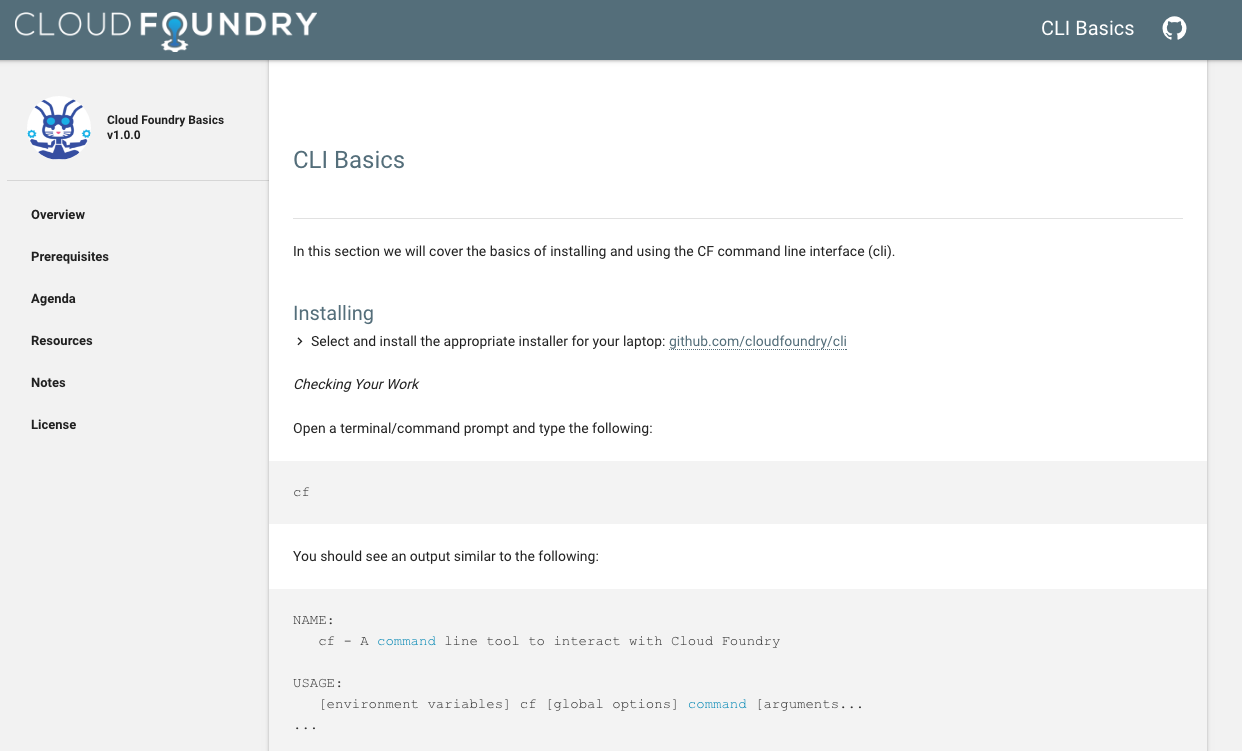
These courses were developed by Pivotal, and now anyone can take the course online or use the materials for their own training programs. Not only can you use them, since they are available under the Apache open source licence, people can also contribute to them. Materials are available on GitHub.

“As Cloud Foundry becomes the de facto standard for deploying multi clouds, the need for skilled engineers becomes increasingly critical,” said Sam Ramji, CEO, Cloud Foundry Foundation. “We deeply appreciate Pivotal’s effort in developing the material and generosity in open sourcing it to benefit the community.”

Three available courses

Based on the three sets of content, the material spans from beginner to intermediate levels:  “Zero to Hero” (beginner), “Microservices” and “Operating Cloud Foundry”. The courses consist of slides, extensive lab exercises and some sample applications. Each course is meant to be one day long.

Zero to Hero
As the name implies, the course is targeted at people who do have experience with web-based applications, but have little or no Cloud Foundry experience.  Zero to Hero covers deploying and managing applications on Cloud Foundry. Meant for beginners it gives an “overview of Cloud Foundry and how it works, including specifics relating to services, buildpacks, and architecture,” according to the project page.

Microservices on Cloud Foundry: Going Cloud Native 
This course offers hands on experience with designing applications for Cloud Foundry. It’s targeting applications developers who are interested in deploying microservice-based systems into the cloud. The course gives an overview of CF and its tools. It talks about “how to architect polyglot applications for deployment and scaling in the cloud.”

Operating a Platform: BOSH and Everything Else

This course targets those who have experience with managing Linux-based systems, but are not well-versed with Cloud Foundry BOSH experience. The course helps in understanding “the basics of how to deploy and manage the Cloud Foundry platform as well as the stateful data services that power cloud-native applications. It includes an operational overview of Cloud Foundry and data services, and how these can be deployed with the cluster orchestration tool, ‘BOSH’.”

Get Hands-on

There is an abundance of online articles about Cloud Foundry, so what value does this educational material provide? Harris explained, “These courses are heavy with hands-on lab exercises, and hence will provide the Cloud Foundry community with a much more detailed experience than can be obtained by simply reading articles.”

These are typical web 1.0 courses where you consume them instead of interacting with instructors. When we inquired about follow-ups or further questions a new learner might have Harris said that CF will continue to offer instructor led courses at Cloud Foundry Summit events, where you can interact with instructors. There are two upcoming CF events where these courses will be offered: Sept. 26 at the Cloud Foundry Summit in Frankfurt, Germany, and also at the North American Cloud Foundry Summit in May of 2017.

There is clearly a need and demand for such courses that are developed and designed by the projects themselves, and CF is addressing that need.