I am happy to announce, that the PerfView source code is now open source as a GitHub repository. It is available at
https://github.com/Microsoft/perfview
The readme associated with the GitHub repository has getting started information (how to fetch the repository, how to build, test and deploy the code. We use Visual Studio 2015. You can download a free copy of Visual Studio 2015 Community Edition that has everything you need to clone, build test and deploy PerfView. Thus you can get going with PerfView RIGHT NOW. The instructions on the PerfView repository tell you how to get started even if you know nothing about GIT (although knowing something about GIT and Visual Studio certainly helps).
The readme also talks about how you can log issues as well as contribute to PerfView. You should definitely read the documentation about contributing if you intend to do that (probably best however to just start with learning to build / run / debug and get familiar with the code.
We could definitely use help in both documentation and testing, so this is a great place to contribute, especially to start with.
So there you are, you and your ace tech team, all excited about DevOps. You know that DevOps is the methodology that will move you past “yak shaving” and into building an IT infrastructure that will streamline and move your company forward. But how do you sell this to your bosses, and especially your non-technical bosses? Victoria Blessing, Operations Engineer for the College of Architecture at Texas A&M University, described the basics in her LinuxCon North America 2016 presentation.
To start, Blessing explained the meaning of “yak shaving,” which was coined by Carlin Vieri at MIT. It refers to a series of tasks that must be completed in order for you to be able to do what you were trying to do in the first place. While it can really be applied to any aspect of life, it’s something that we, in IT, constantly fall victim to. Getting caught up in the little details it takes to get things done, and then we’re constantly fighting fires. It’s a part of the culture problem that we have.”
The speed of business is very fast these days, and keeps getting faster, and we can’t afford inefficiencies. But implementing DevOps usually means making a giant cultural shift in your company, and the price of change is often steep. Blessing said, “I’m not going to lie to you. There will be initial technical debt. That often ends up being a stumbling block or a barrier to entry for many organizations. “Oh, we don’t have the time to implement that, or the right tools.” But you have to be willing to take the leap in order to reap the rewards. Yes, there’s initial technical debt, but the rewards are exponential.”
You know the benefits of breaking down the traditional silos, the barriers between the different departments in your company where everyone is doing their own thing, and nobody knows what anyone else is doing, and somehow you’re all supposed to magically coordinate your efforts to develop and release products on time without anyone seeing the big picture. How do you talk to your boss about this? You know that if you start going on about tools like Chef and Puppet, Nagios and Zabbix, Git and Subversion, microservices, orchestration, and all of those good things you risk putting your boss to sleep.
Avoid this trap and follow Blessing’s advice: “The best way to sell something to someone is to show them why it matters to them. Interest is often directly proportional to personal investment. For management, decision drivers are often monetary ones. You’re going to have to show that the benefits outweigh the costs. Ask yourself, “In what ways does this save us money, and in what ways does this make us money?”…Listen to your audience and use their questions to help you adapt your content to make sure that you’re getting your point across.”
Watch Blessing’s presentation below to learn how to persuade your bosses and co-workers to buy in to your DevOps vision.
You won’t want to miss the stellar lineup of keynotes, 185+ sessions and plenty of extracurricular events for networking at LinuxCon + ContainerCon Europe, Oct. 4-6 in Berlin. Secure your spot before it’s too late! Register now.
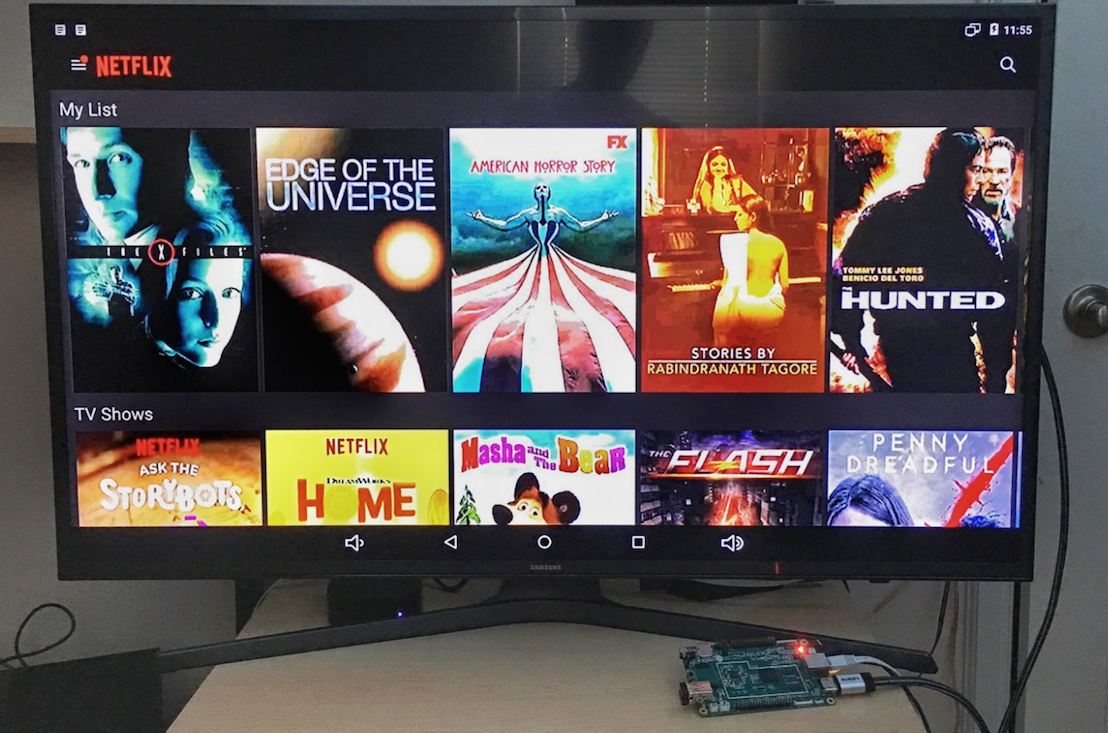
Do you have an HDMI-enabled dumb TV sitting around that needs a dedicated set-top box or game console to be used? Are you planning to buy a new smart TV? Stop. Here is a tutorial that will turn your current TV into a great Android Linux powered smart TV. At most, you have to spend $30 on it.
What you need
$29 Pine64 (2GB model)
32GB or 64GB micro SD card
Ethernet cable (Bluetooth/Wifi module if you want to play games, or need wireless connectivity)
A 5v power adapter with micro USB (a cellphone charger will work)
HDMI enabled TV
Now download Android from the Pine64 official page. Make sure to download the version for the size of micro SD card that you’re using. Next, unzip the compressed file to extract .img image and use the dd command to write the image to the SD card:
Once the card is ready, plug in the card, connect the HDMI cable to your TV, connect the Ethernet cable, and plug in the keyboard/base. Then, connect the power supply. If everything went well, you will see Pine64 boot screen on your TV, and then the familiar Android 5.x.
First things first
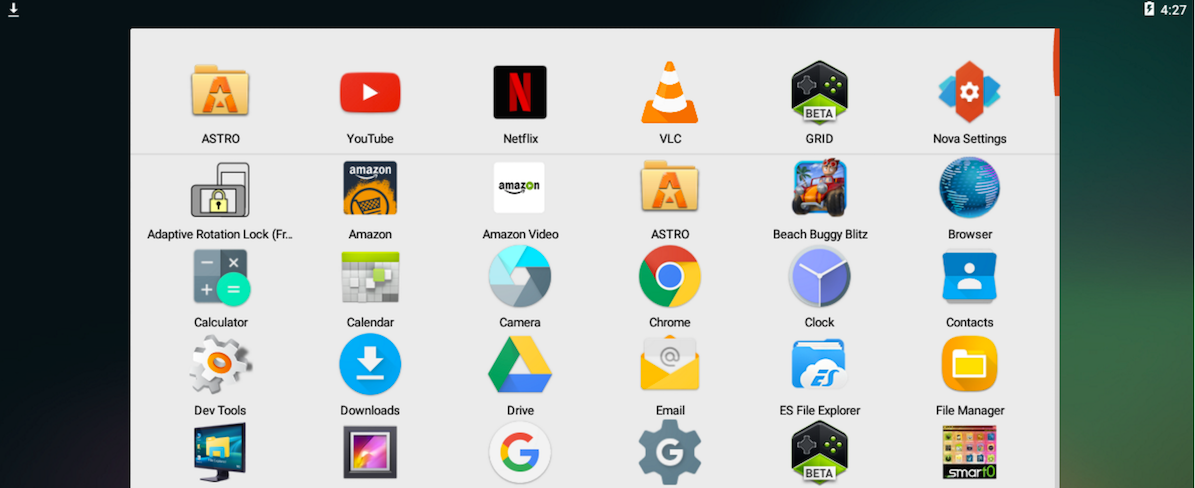
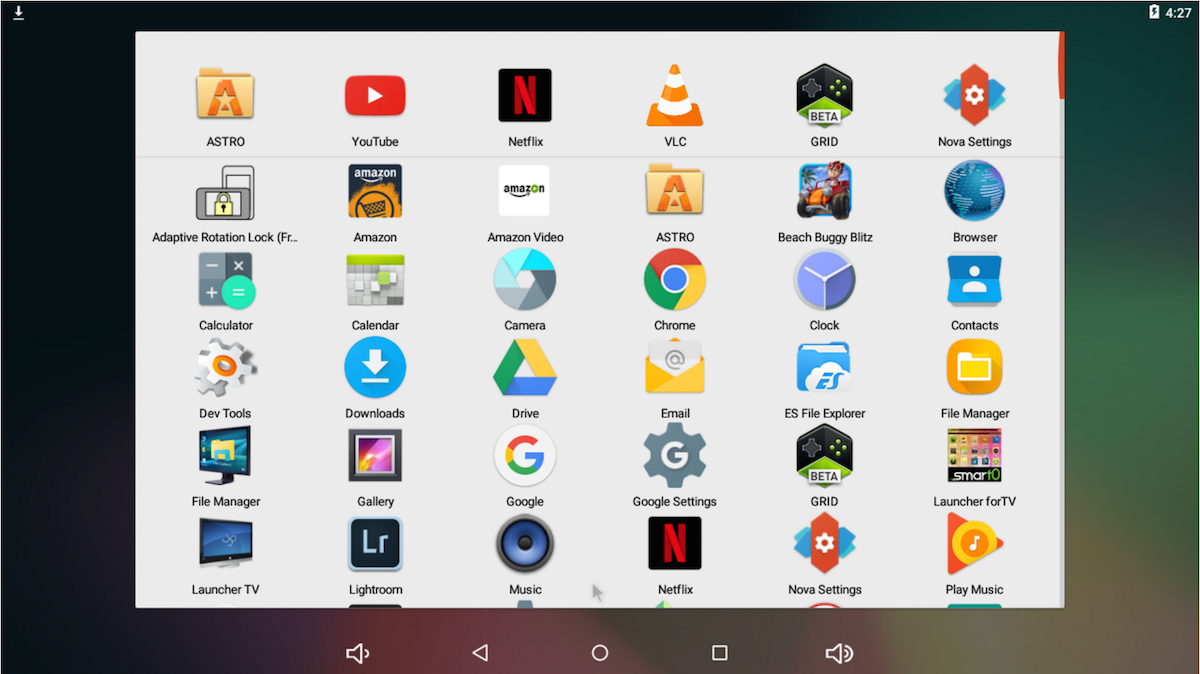
Log into your Gmail Account so that you can manage apps. Then, install Rotation Lock Adaptive app, open the app, and lock the screen in landscape mode. You need to do this because many apps detect Pine64 as a mobile phone and open in portrait mode. This workaround fixes that.
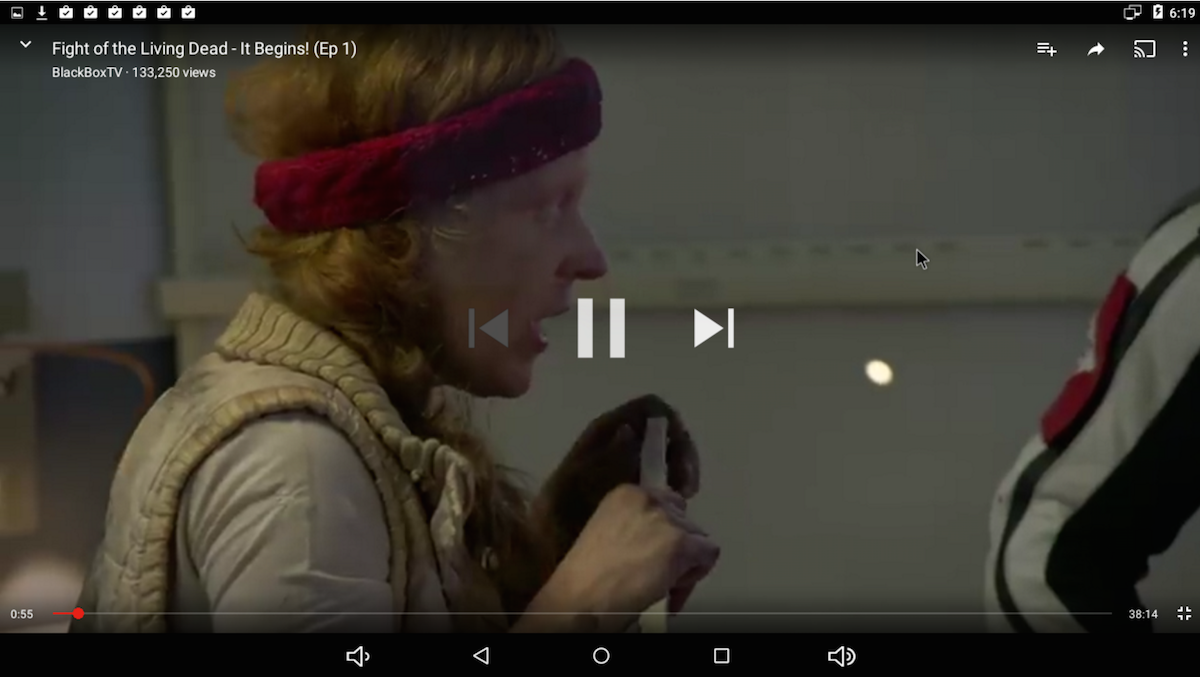
Android for Pine64 doesn’t come with Google apps preloaded so you will have to install a few apps to get things set up. All the apps that are available for Android are at your disposal. I installed YouTube, HBO Go (to complete Game of Thrones), Hulu Plus, Google Play Movies, Amazon Prime, VLC, and Plex.
For music, I installed Amazon Prime Music, YouTube Red (which offers free Google Play Music subscription), Pandora, Spotify, and so on. I am assuming soon Apple Music will also be available.
The good news is that Android also supports USB storage devices, so you can use a powered external hard drive or USB flash drive to watch movies from it, using VLC or file managers like ES File Manager.
If you don’t like the default UI, many launchers are available for Android that you can install from the Play Store. There are also some that also offer a smart TV-like interface.
Why Android?
I used Android rather than a Linux distribution because wanted to add smart TV capabilities to my basic TV and not use it as a desktop PC. Beyond that, Android has a far richer app ecosystem than desktop Linux. Whether you are talking about Netflix, Hulu Plus, Amazon Prime or whatever,…everything is available on Android as an app. And, if you want to use it as a casual gaming system then everything from Angry Birds to Asphalt is available, too. You just need to find a compatible Bluetooth game controller that works with Android.
Although this is a full-fledged smart TV setup with 4K support, it can also support casual web browsing and let you get some work done.
Why not Raspberry Pi?
I love my Raspberry Pi, but there isn’t any official Android port, as far as I am aware. Additionally, 1GB RAM is just not enough to get a decent experience here. On top of that, 4K HDMI output is the killer feature of Pine64.
Why not Chromecast?
As much as I love my Chromecast, I despise its dependence on a smartphone. If you have to take a phone call or leave home, then you leave the program running on your TV in limbo. And, if you are playing a game or something, you can’t use your phone.
Why not just buy a smart TV?
I prefer a dedicated smart TV; but if your TV already has an HDMI input, you don’t need to spend hundreds of dollars buying a smart TV. Smart TVs also have a locked down app ecosystem, so you don’t get access to all the apps and games that you need. Additionally, TV vendors are often quite lazy when it comes to keeping such apps updated. By building your own Smart TV, you are in complete control of what runs on your device.
Conclusion
I own a Samsung smart TV, but I really despise the lack of app and game selection there. I actually prefer my $30 Pine64 smart TV over the expensive alternative. Besides, it’s a cool and fun project to build and run your own Android Linux powered smart TV.
Want to learn how to do more awesome projects with Linux? Learn the basics with the free Intro to Linux course from The Linux Foundation and edX.
The second day at Node Interactive Europe last week had two keynotes that concentrated on specific tools and modules. Kat Marchán talked about the npm packaging tool, and Doug Wilson explored the state of the express module.
Kat Marchán on npm
Kat Marchán gave a comprehensive talk on the state of npm. For those of you new to npm, it may seem that npm is to Node.js what APT is to Debian and Ubuntu, but deep down, it is much more.
Kat reviewed core and basic functionalities of the utility and then moved on to more exotic commands. She explained what was new in the upcoming version 4 and what was being phased out for existing versions. Specifically, npm 2 will go into maintenance mode. This means no updates, just the occasional patch for major vulnerabilities. The current version — npm 3 — will become the long-term support (LTS) version that will go into Node.js 6 (even-numbered Node releases are LTS by default). Becoming LTS implies receiving patches but no new features. Version 4 of npm will probably go into Node.js 7, and npm 5 will probably be part of Node.js 8, another LTS release.
Probably the most surprising moment of Kat’s talk was when she revealed that she is part of a team of only three people, and only two of them actually code. This is, of course, a problem. Feature requests have to be ignored, for example, in favor of patching and stabilizing the code.
This is consistent with what Kat feels is the team’s responsibility with the entire community. Pursuing the development of new features that may have been required by some users, but not others, takes a back seat, she says, to developing a tool that is reliable and consistent and that improves its performance with each release.
Doug Wilson on Express
Doug Wilson talked about what has become the other essential piece to complete the Node.js jigsaw puzzle. Express is the undisputed crown jewel of modules. As Doug modestly puts it: “Express adds a little bit of sugar on top of the core.” Express simplifies building HTTP-enabled servers and provides utilities for routing, low-level HTTP functions, and more.
Express became a part of the Node.js Foundation as an incubated project at the beginning of 2016, and, although this will have little impact on the users of the code, it does help to internally manage the project, said Doug. The developers now have mentors to guide the project and help with the project governance, thus improving its chances of survival and making it more transparent to contributors.
As for the code itself, Doug explained how express is not so much a monolithic piece of code, as much as it is the sum of three projects spread over three GitHub organizations. The expressjs organization is the main entry point where the actual express module is stored and developed.
The pillarjs organization contains what Doug calls the “building blocks” of express. The express module is made up of several pieces, such as the router, how requests to a view engine are handled, error handling, and so on. All these pieces are split out in pillarjs. If you want to use some pieces of express, but not the whole thing, or want to use some of express’s code in your own module, this is where you will find it.
Finally, the jshttp organization contains the low-level code for http-related interactions. After laying out the current state of the project, Doug described what was in store for express 5.0, the next version of express. Version 5.0, among other things, promises support for routing, a better template rendering system which will read templates asynchronously, improved query string and cookie handling, and new route syntax additions.
Doug ended his talk by explaining what the team is doing to get more contributors into the project. As part of the mentoring, they are receiving from the Node.js Foundation, the members of express are working on making their project more transparent by publishing documentation about the internal workings of the organization, by explicitly stating their goals, guides on how to contribute, how the organization is structured, and where their resources are located. They are also publishing what they call “Level up guides” that help users become committers, or even opt to become a member of express’s technical board.
Being understaffed seems to be a common issue even within Node.js’s most popular projects. Hopefully, the strategies they are implementing will pay off.
Oracle barely shows up on the charts of biggest IaaS providers. The vendor is looking to change that.
Larry Ellison, Oracle’s founder and CTO, announced the new services from the opening keynote at Oracle OpenWorld, the company’s big customer conference, which kicked off Sunday.
Ksenija Stanojevic first became acquainted with the Linux kernel community after being accepted for an Outreachy internship. She was one of 14 aspiring IT professionals to receive a 2016 Linux Foundation Training (LiFT) scholarship, announced last month.
After experimenting a bit with the kernel, Ksenija quickly began submitting patches, specifically working on splitting an existing input/output driver to better support a multi-function device (MFD). She is looking forward to learning more about device drivers, and eventually writing her own drivers.
Ksenija Stanojevic, is a 2016 LiFT Scholarship winner in the Linux Kernel Guru category.
Linux.com: How did you learn Linux?
Ksenija Stanojevic: A few years ago I decided to try Linux and it was surprisingly easy to install and use. Since I started with Ubuntu there were already lots of tutorials online for beginners. Initially I was interested in learning about the Linux kernel but using Linux led me to discovery of new tools such as vim, git, and bash shell.
I started experimenting with the kernel over a year ago when I wrote a simple hello module and loaded it into the kernel. After that I started making simple fixes using scripts such as checkpatch.pl and submitting patches. My confidence grew and eventually I joined the Eudyptula challenge to deepen my knowledge and I started making even bigger changes to the kernel tree. After being accepted into the Outreachy program, I had the opportunity to learn more about driver development and also got to work on embedded ARM devices running the Linux operating system.
Linux.com: How did you get involved in the kernel development community and how are you contributing?
Ksenija: My first interaction with the Linux kernel development community was over a year ago, when I decided to apply for an Outreachy internship. In a short period of time I became familiar with sending patches and using vim and git, tools that were previously foreign to me.
During the internship I worked on splitting the existing I/O driver into MFD with adc and touchscreen parts (patchwork: https://patchwork.kernel.org/project/linux-input/list/?submitter=130571). This was very exciting because I got to work on embedded hardware and test my patches. Also I contributed to the y2038 project led by Arnd Bergmann, preventing the crash in year 2038 on certain 32-bit systems.
I learned a lot by working with the community, especially from comments made by other developers, which are usually very detailed. Every time a patch got accepted I felt happy and driven to continue contributing. I want to learn more about device drivers and make more valuable contributions, and maybe eventually write my own driver. You can see my accepted patches.
Linux.com: Why do you want to be a kernel developer?
Ksenija: I love the idea of making code that will make certain functionality of hardware work and that gives me a sense of accomplishment. That also pushes me to have a deeper understanding of the underlying hardware and I like the challenge of using a wide variety of skills and components.
Linux.com: What is your dream job and how will the LiFT scholarship help you achieve that?
Ksenija: I am currently seeking a full-time position as a linux kernel developer, preferably in open source. This scholarship will directly help me achieve my goals. Apart from giving more job opportunities it will allow me to work in a field that I love and am passionate about.
I want to be a more valuable contributor to the Linux kernel open source community and eventually a reviewer. I believe that hands-on contributing is one of the most effective ways to learn, because it allows interaction with more knowledgeable developers while giving back to the community. This Training Scholarship could help me get closer to that goal. I’m very hard-working, passionate and curious and also make the most of opportunities presented to me.
This week in Linux and OSS news, GitHub CEO shares thoughts on tech industry’s heavyweights shifting to Linux, National Law Review spotlights Hyperledger, and more! Read on to get caught up on this week’s top Linux and open source headlines.
GitHub CEO Chris Wanstrath speaks about how tech industry heavyweights are “no longer opposed to open source software” and why.
1) “Big companies are now embracing open source. If more companies are turning to software, they are going to need someplace to store all that code. Enter GitHub…”
When GNOME Shell (aka GNOME 3) dropped into the world of Linux, many criticized it for not being flexible enough. The new-look GNOME was seen as a step backward in productivity and efficiency. GNOME however had a few tricks up its sleeve to silence such naysayers. One such trick is GNOME Shell Extensions, which bring some much-needed configuration options to the GNOME 3 desktop environment. Offering everything from aesthetics to actual productivity, there’s a GNOME Shell Extension to fill whatever void you see in the latest version of GNOME.
But where to start? Right here. I’m going to list 10 GNOME Shell Extensions that you should already be using to help make your desktop experience more efficient, productive, and enjoyable.
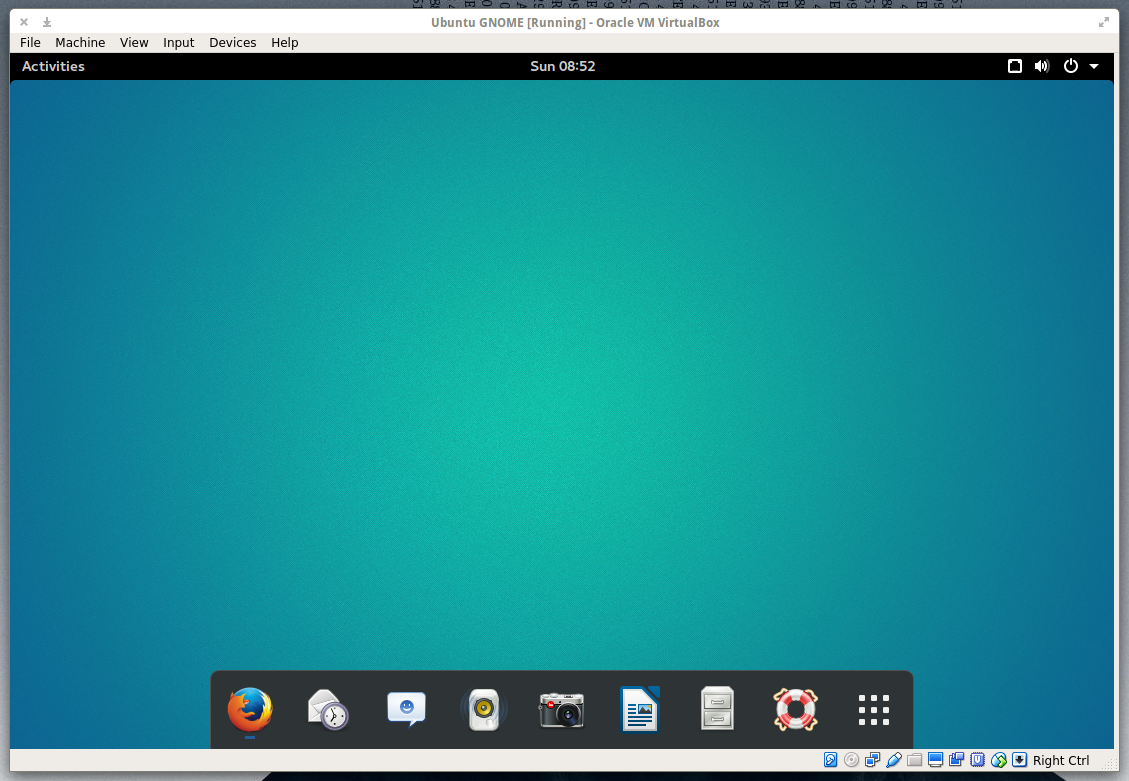
If one of the issues keeping you from being productive on GNOME 3 is the Dash, and you miss the idea of having a panel or a dock, just install Dash To Dock and all of your Dash favorites will appear on a quickly accessed dock (Figure 1). You can place Dash To Dock on the left or right side or on the bottom of your screen and even enable auto-hide. To get to the Dash To Dock settings, right-click the nine-square grid icon (the Show Applications button).
Figure 1: Dash To Dock is a quick fix for those that prefer quick access to applications.
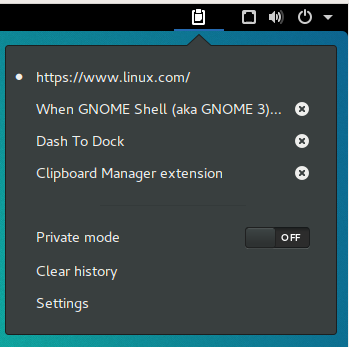
Figure 2: An extension to make any hard core fan of copy/paste happy.
For you consider yourself a clipboard power user, you’ll want this extension.
Once installed, Clipboard Indicator sets up home on the top panel and offers up a history of things you’ve copied to the clipboard. If you want to make use of an entry from your history, simply click on the indicator, and then click on the copied text you want to use (Figure 2). Go to the application to copy the text to and hit Ctrl+v and the text will appear.
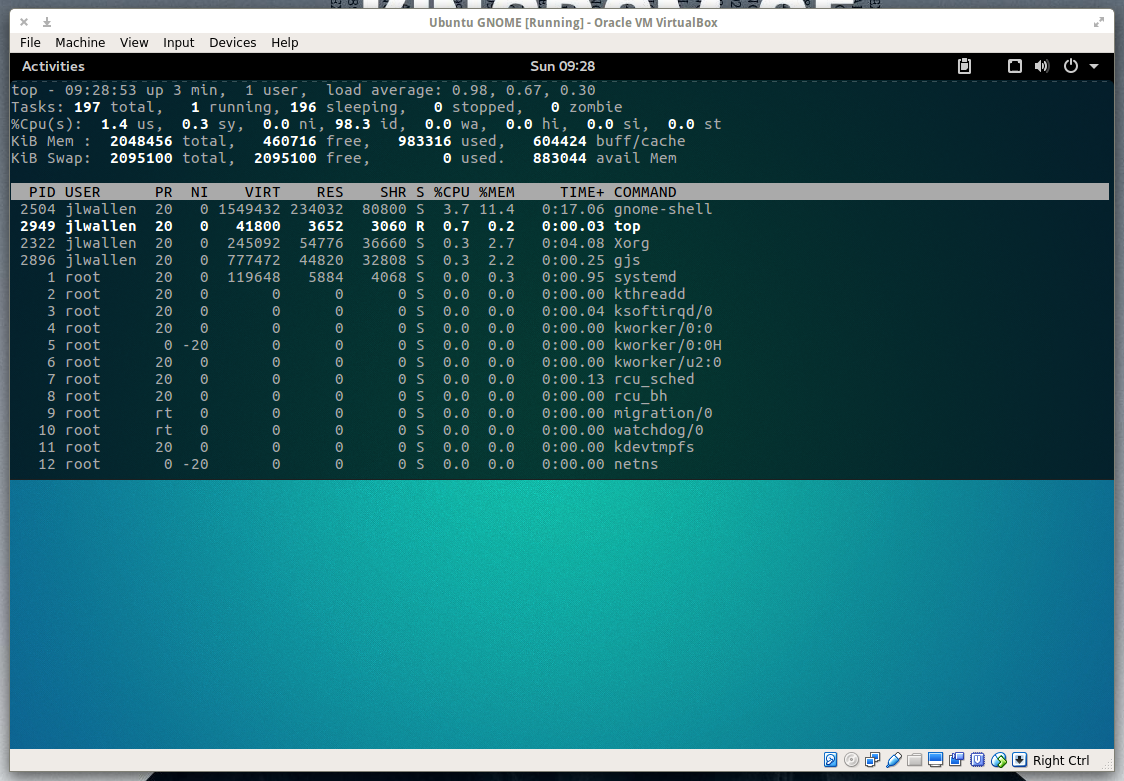
If you’re one to need a terminal at the ready, you’ve probably used the likes of Guake or Yakuake. If you’re using GNOME Shell, you don’t have to bother installing either of those tools, because there’s a simple GNOME Shell Extension that’ll do the trick perfectly. Drop Down Terminal offers a quick toggle terminal that can drop down from the top (Figure 3) or rise up from the bottom. Either way, your terminal experience will be far more efficient.
Figure 3: Drop Down Terminal running the top command.
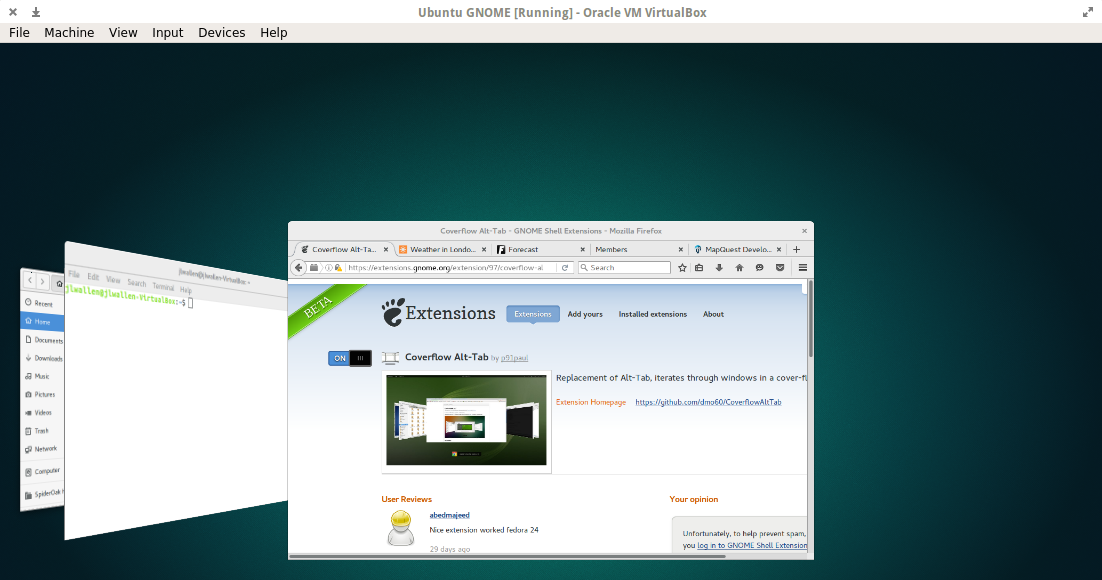
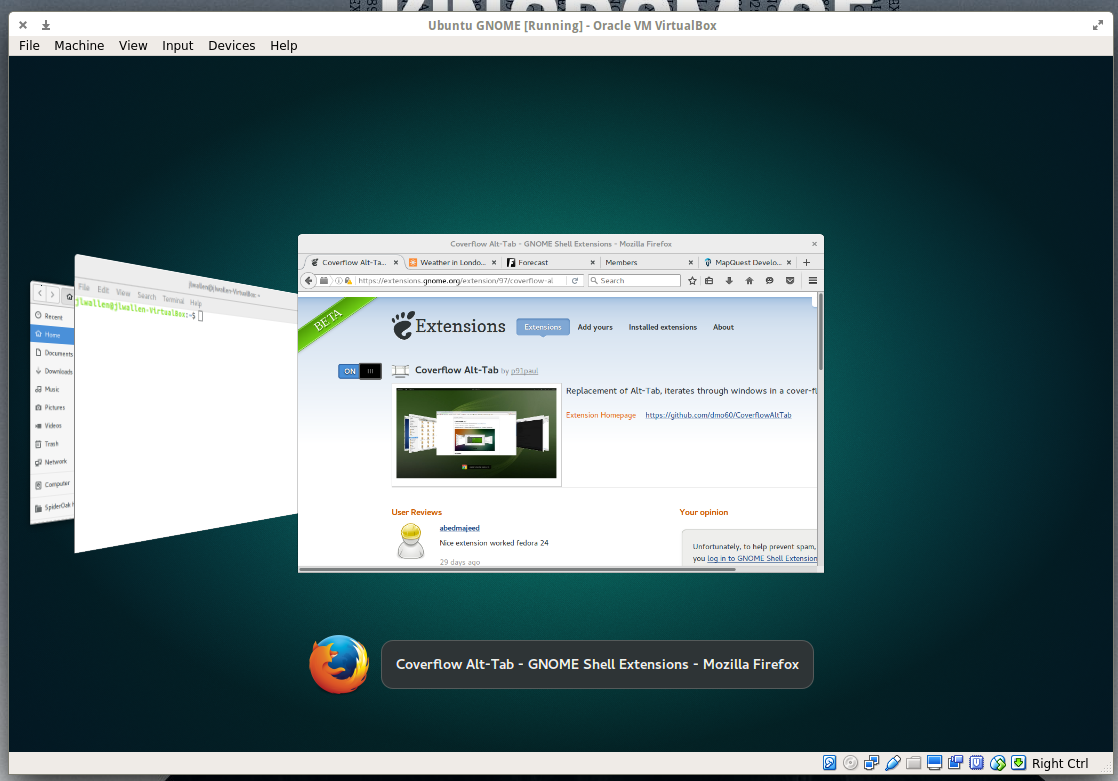
Although this extension may only seem to play on your aesthetic taste, it actually does make for a much more efficient means of scrolling through your open windows. If you press Alt+Tab, the extension will display open windows in a coverflow style (Figure 4).
Figure 4: Coverflow does make all of your open apps easier to scroll through.
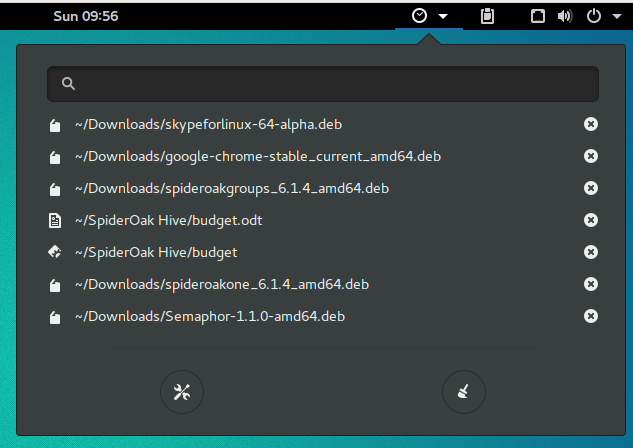
Figure 5: Gain quick access to your most recently opened items.
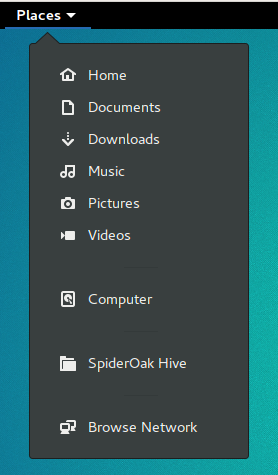
Figure 6: Click a location and your default file manager will open to reveal the mount point or folder.Recent Items
If you like to have quick access to files you’ve recently worked on, Recent Items is the extension you need. This extension will add a convenient button to your GNOME panel that you can click to reveal the most recent files you’ve worked with (Figure 5). Click on the listing you want to re-open and it will open in the associated application. Quick and easy.
If you want a quick drop-down indicator that will give you immediate access to your various mount points on your drive (Figure 6), Places Status Indicator is the way to go. This extension makes it incredibly convenient to access Home, Pictures, Videos, Documents, Downloads, Music, Computer, any associated cloud drives, and your network.
If you’ve ever needed the ability to easily capture a video/audio screencast of your GNOME desktop, look no further than this amazing extension. There’s no need to install anything beyond Easy Screen Cast… it’s all there.
Figure 7: Easy Screen Cast is the simplest way to capture video of your desktop.
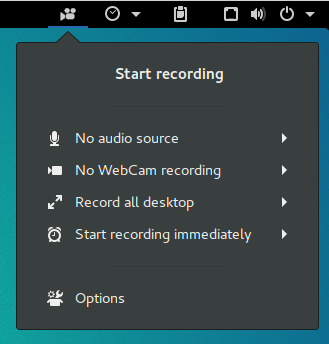
You can even change the video file container to MP4, WebM, Mkv, or Ogg. With Easy Screen Cast, all you have to do is click the camera icon in the panel and click Start Recording (Figure 7). When you’re done, click the icon and then click Stop Recording.
As a user of Elementary OS, I have to say that having the ability to make the top bar transparent in GNOME 3 gives me the feeling of being home. This is another extension focused solely on aesthetics, but for anyone that doesn’t like seeing the top panel all the time, this is the way to go.
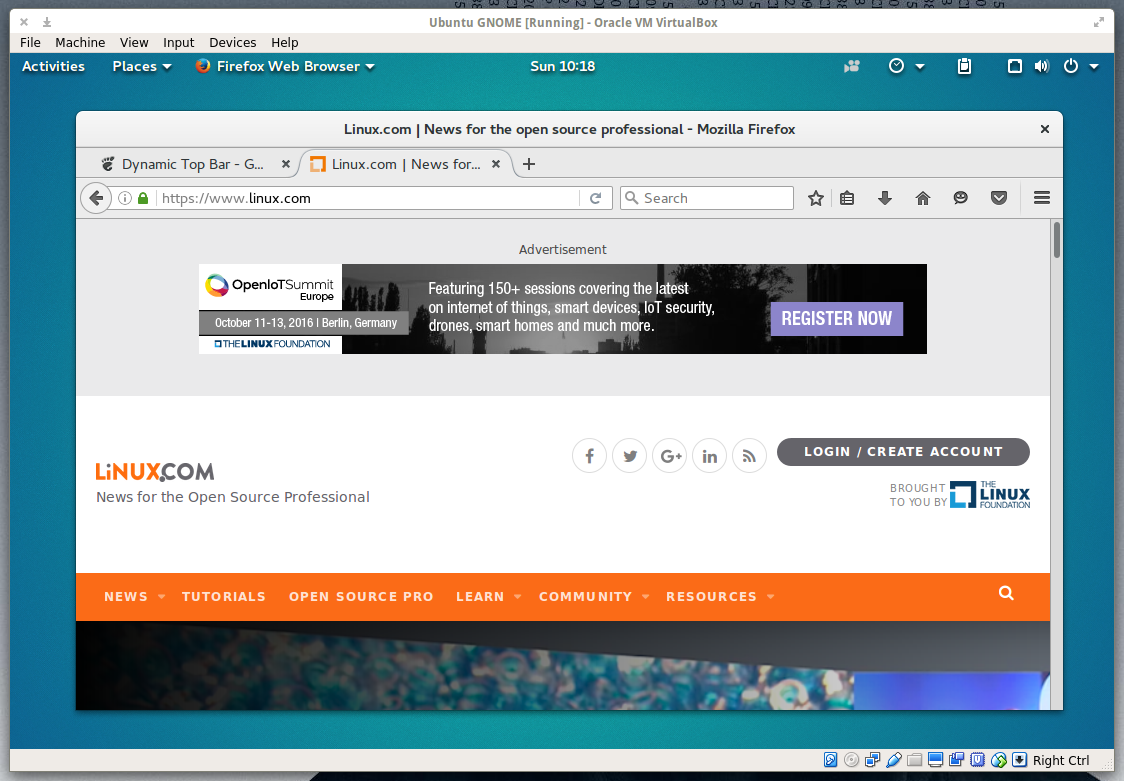
With Dynamic Top Bar, the top panel is only transparent when there isn’t a maximized window (Figure 8). As soon as you maximize a window, the top bar will return to its usual solid look.
Figure 8: Dynamic Top Bar gives your GNOME desktop a cleaner look.
Since I’ve been using Linux, I’ve found one of the most efficient things about the desktop is the ability to use workspaces. Used to be, there was always a quick access icon to switch between your various workspaces. Now, it’s not always so efficient. Top Panel Workspace Scroll fixes that. Once installed, all you have to do is move your cursor to the top panel and scroll through your workspaces (with your mouse scroll wheel or two finger scroll with a touchpad). There is no icon or indicator to let you know which workspace you are using; it’s just there and it works.
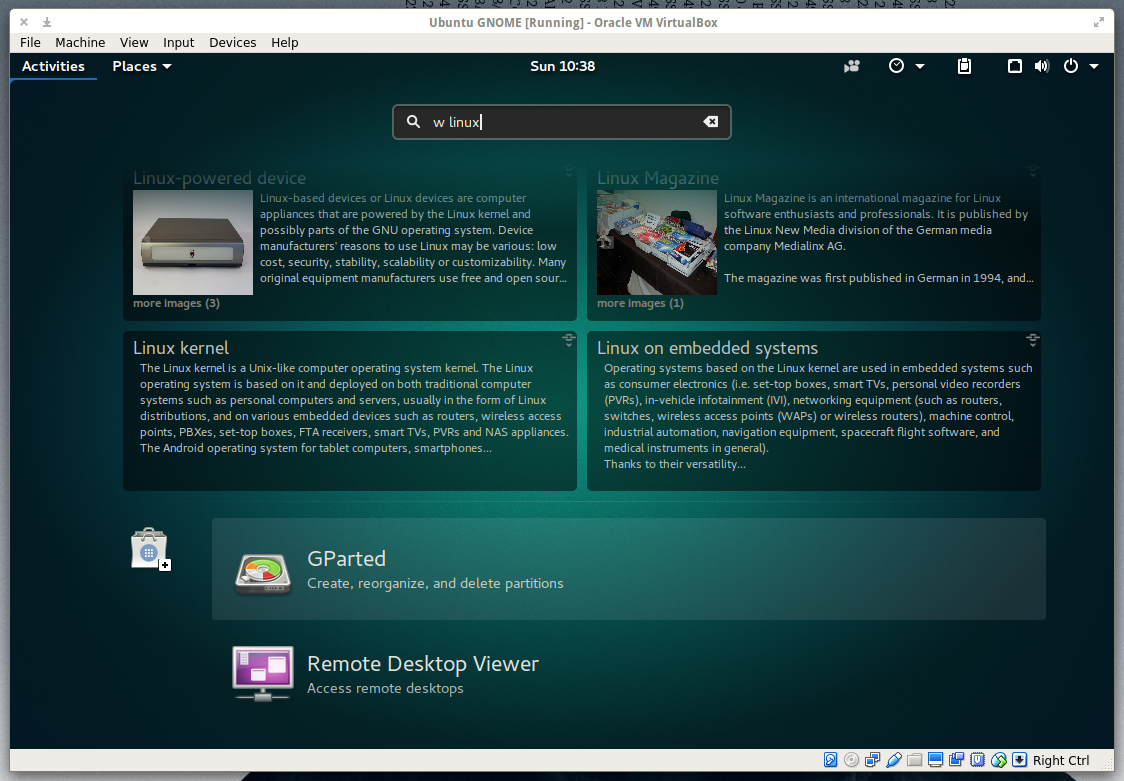
If you’re like me and you do a lot of searching within Wikipedia, you need this extension. Once installed, click on the Activities button and then type w SEARCHSTRING where SEARCHSTRING is the item you want to search for. For example, to search Wikipedia for linux, click on the Activities button, and then type w linux in the search box to reveal results from Wikipedia (Figure 9).Figure 9: Click on an entry and it will open your default browser to that page.
Keep searching… You’ll find more
You’ll find a massive collection of other handy GNOME Shell Extensions available. As you search, do use caution as you will also run into a few that are no longer in development. Look out for comments saying “Needs to be upgraded…” and avoid installing those extensions. GNOME Shell extensions certainly go a long way to make GNOME far more efficient, user-friendly, and sometimes just better to look at.
What GNOME Shell Extensions have you found that you can’t work without?
Almost exactly one year ago Node.js released version 4, the first release after the re-unification of the io.js and Node.js codebases, Mikeal Rogers, Node.js Community Manager, reminded attendees at the Node.js Interactive conference in Amsterdam on Thursday. Since then, the project has become the fastest growing open source community in the world, effectively doubling active members every year. Now, there are 87 committers working on the core repository alone, and more than 400 modules are published every day.
Rogers reflected on why Node.js, a Linux Foundation project, is so successful. Apart from running on all kinds of environments, from cloud, to desktop, to mobile, to IoT, he concluded that “Node lowers the barrier for all environments.” He pointed out how Cordova makes programming for all mobile platforms easy, how Electron eases the development of apps for any desktop, and how NodeBots is leading the way in development for robotics and micro-controlled devices.
State of the Node Union
James Snell, Technical Lead at IBM, furthered this message of growth in his “Core State of the Union” keynote. When Snell got involved with Node in January 2015, the team of core developers had actually shrunk down to 14 contributors after the io.js fork in December 2014.
Today, more than a thousand individuals contribute in total — with 476 members in the Node.js organization on GitHub, 103 related GitHub repositories, and 92 teams. However, the number of overall major commits has not grown proportionally to the number of contributors. This is not a bad thing, according to Snell. Instead of adding new functionality, most developers have focused on stabilizing the core, making transitioning from one version to the next a much easier process than with earlier releases.
Another task involves adapting all major commits to as many architectures as possible. Important changes to the core are tested on everything, from all major flavors of Linux (including Raspbian), to Windows, MacOS X, and FreeBSD, plus several dockerized and virtual systems. This means that whatever you are running Node.js on, the core team will probably test that changes will not break your setup.
As for ongoing work, Snell said the team were working hard to improve standards compliance in Node. Developers are on track to fully comply with the HTTP 1.1 specifications and are making headway in complying with HTTP/2. Efforts are also underway to implement support for ES6 (ECMAScript version 6), but this is happening more slowly, he said.
The Event Loop, Untangled
Bert Belder, a Node.js core developer and founder of StrongLoop, wanted to help the audience understand how the all-important event loop worked. Despite being one of the most critical components of the Node.js architecture, Belder explained that the event loop is very poorly understood and that most graphical interpretations trying to explain it are plain wrong.
In his rather technical talk, Belder described how the Event Loop doesn’t actually branch out to carry out tasks but delegates their execution to workers. Callbacks and parsing the results from tasks are handled by the so-called “unicorn process.” As callbacks are declared, a counter is increased by 1 in the unicorn process. As callback functions finish, a 1 is subtracted from the counter, and, when it reaches zero, the loop exits and the program finishes.
Promoting Diversity
Focusing more on the human side of things, both Ashley Williams and Tracy Hinds described the need to promote inclusiveness and diversity within the Node.js community.
Ashley Williams is the founder of NodeTogether, a work group that travels the world teaching Node.js to people that may not be included in the mainstream community of Node.js developers. In five-hour sessions, Williams and the NodeTogether mentors teach students to create a practical and working web app that they can deploy online. She explained that by creating a safe space devoid of prejudice, where all participants come from diverse backgrounds, NodeTogether has managed to create stable communities of Node developers within underrepresented groups, made up of mentors and students that continued working beyond the sessions.
Node.js Education Community Manager Tracy Hinds then explained the efforts being carried out by Node.js’s own Inclusivity Program. Hinds posited that Node.js’s lack of diversity may stem from a tyranny of structurelessness, arguing that the community had grown organically, concerned mainly with technological matters and disregarding inclusiveness. This, she said, is a mistake, because diversity has proven to have a long-term positive impact on communities and projects.
Hinds thinks that “to improve we have to take fault” and implement explicit and proactive strategies to promote inclusiveness. The inclusivity work group is, for example, promoting more diverse panels and lineups of speakers at conferences and encouraging the inclusion of underrepresented groups. They are also aiming to improve online communication and establishing a code of conduct and moderation for the Node IRC and GitHub. The work group has also set up a board to field complaints about inappropriate interactions. Finally, they are setting measurable goals to gauge the effectiveness of these strategies.
The aim, ultimately, is to make Node.js a first-class technology and to build a first-class community to go with it.
As organizations of all sizes seek to transform themselves into digital businesses, the need for an agile IT infrastructure becomes ever more acute. Network virtualization (NV) can increase IT agility, according to emerging case studies and user feedback.
Here’s an example of one of the challenges in IT agility: A virtual machine (VM) can be provisioned in a matter of minutes. But the networking resources required to support that VM still often require weeks to provision. At a time when many IT organizations are trying to maintain control over application workloads that are being moved into public clouds (which are simpler to provision), lack of network flexibility has become a pressing issue for IT leaders.