Home Blog Page 763

Make Peace With Your Processes: Part 4

The principle of basing as much as possible on Unix-like systems around files is a well-advised approach. It could be said that this principle also extends to the Process Table, which I have discussed in previous articles in this series. Consider, for example, the treasure trove of gems to be found if you delve deeply into the “procfs” pseudo-filesystem, located in root level “/proc” on your filesystem.

Everything Is A File

Elements of the innards of /proc can only be read from and not written to. The key file here is “/etc/sysctl.conf” where you can also change many tunable kernel settings so that they persist after a reboot. One not-so-trivial caveat is that, almost magically, any freshly entered parameters into /proc are usually set live instantly, so be careful!

Clearly, this approach has a number of advantages. There’s no messing about with stopping and starting daemons, but be warned that if you are the slightest bit unsure of making a change (especially to servers) then take a deep breath before doing so. Rest assured that a reboot will revert any changes that you make if they are not entered into the file “/etc/sysctl.conf”.

There are zillions of hidden corridors and secret rooms to explore inside /proc, and sadly we will only be able to look at a tiny percentage of them here. Needless to say, on a test virtual machine or development machine, you should spend a long time tweaking, fiddling, and breaking your current kernel’s procfs settings. If you’re like me, then you might even find such activity vaguely cathartic, and the immediacy of the changes will certainly appeal to the impatient.

You can, for example, look further into a particular process that you’ve found using the excellent ps command, as we’ve already seen. The path of Process ID 23022, for example, is simply “/proc/23022” in relation to /proc.

If we enter that directory, then we are shown (after some complaints that we don’t have access to parts of the directory structure if we’re not logged in as root) the contents is presented in Listing 1:

dr-xr-xr-x.   8 apache apache 0 Feb 26 03:15 .

dr-xr-xr-x. 144 root   root   0 Feb 11 13:31 ..

dr-xr-xr-x.   2 apache apache 0 Feb 26 04:03 attr

-rw-r--r--.   1 root   root   0 Feb 28 08:25 autogroup

-r--------.   1 root   root   0 Feb 28 08:25 auxv

-r--r--r--.   1 root   root   0 Feb 28 08:25 cgroup

--w-------.   1 root   root   0 Feb 28 08:25 clear_refs

-r--r--r--.   1 root   root   0 Feb 26 04:03 cmdline

-rw-r--r--.   1 root   root   0 Feb 28 08:25 comm

-rw-r--r--.   1 root   root   0 Feb 28 08:25 coredump_filter

-r--r--r--.   1 root   root   0 Feb 28 08:25 cpuset

lrwxrwxrwx.   1 root   root   0 Feb 28 08:25 cwd -> /

-r--------.   1 root   root   0 Feb 27 14:01 environ

lrwxrwxrwx.   1 root   root   0 Feb 28 08:25 exe -> /usr/sbin/apache2

dr-x------.   2 root   root   0 Feb 26 04:03 fd

dr-x------.   2 root   root   0 Feb 28 08:25 fdinfo

-r--------.   1 root   root   0 Feb 28 08:25 io

-rw-------.   1 root   root   0 Feb 28 08:25 limits

-rw-r--r--.   1 root   root   0 Feb 28 08:25 loginuid

-r--r--r--.   1 root   root   0 Feb 28 08:25 maps

-rw-------.   1 root   root   0 Feb 28 08:25 mem

-r--r--r--.   1 root   root   0 Feb 28 08:25 mountinfo

-r--r--r--.   1 root   root   0 Feb 28 08:25 mounts

-r--------.   1 root   root   0 Feb 28 08:25 mountstats

dr-xr-xr-x.   4 apache apache 0 Feb 28 08:25 net

dr-x--x--x.   2 root   root   0 Feb 28 08:25 ns

-r--r--r--.   1 root   root   0 Feb 28 08:25 numa_maps

-rw-r--r--.   1 root   root   0 Feb 28 08:25 oom_adj

-r--r--r--.   1 root   root   0 Feb 28 08:25 oom_score

-rw-r--r--.   1 root   root   0 Feb 28 08:25 oom_score_adj

-r--r--r--.   1 root   root   0 Feb 28 08:25 pagemap

-r--r--r--.   1 root   root   0 Feb 28 08:25 personality

lrwxrwxrwx.   1 root   root   0 Feb 28 08:25 root -> /

-rw-r--r--.   1 root   root   0 Feb 28 08:25 sched

-r--r--r--.   1 root   root   0 Feb 28 08:25 schedstat

-r--r--r--.   1 root   root   0 Feb 28 08:25 sessionid

-r--r--r--.   1 root   root   0 Feb 28 07:52 smaps

-r--r--r--.   1 root   root   0 Feb 28 08:25 stack

-r--r--r--.   1 root   root   0 Feb 26 03:15 stat

-r--r--r--.   1 root   root   0 Feb 26 03:15 statm

-r--r--r--.   1 root   root   0 Feb 26 04:03 status

-r--r--r--.   1 root   root   0 Feb 28 08:25 syscall

dr-xr-xr-x.   3 apache apache 0 Feb 27 11:41 task

-r--r--r--.   1 root   root   0 Feb 28 08:25 wchan

Listing 1: Inside “/proc/23022” we can see a number of pseudo files and directories for our web server.

You might want to think of this content as belonging to runtime system information. It has been said that /proc is a centralized config system for the kernel, and it’s easy to see that the directory contains a mountain of information for just one process. As suggested, rummaging through these directories and looking up which file does what might be described as therapeutic. Anyway, it’s well worth the effort.

Pseudo Filesystems

It’s hard to dismiss the power that /proc wields. Be aware, however, that there’s a lot going on inside your server when it is running, even if no one is hitting your website. As a result, wouldn’t it be sensible to separate the tricksy hardware settings from the kernel settings and Process Table?

Continuing with our “Everything Is A File” mantra, that’s exactly what Unix-type operating systems do. Step forward /dev.

When dealing with physical devices, whether they are connected to the machine or not, we turn to /dev and not /proc.

An abbreviated directory listing of /dev is shown in Listing 2.

drwxr-xr-x.  2 root root         740 Feb 11 13:31 block

drwxr-xr-x.  2 root root          80 Feb 11 13:31 bsg

lrwxrwxrwx.  1 root root           3 Feb 11 13:31 cdrom -> sr0

lrwxrwxrwx.  1 root root           3 Feb 11 13:31 cdrw -> sr0

drwxr-xr-x.  2 root root           2.5K Feb 11 13:31 char

crw-------.  1 root root            5,1 Feb 11 13:31 console

lrwxrwxrwx.  1 root root         11 Feb 11 13:31 core -> /proc/kcore

drwxr-xr-x.  4 root root          80 Feb 11 13:31 cpu

crw-rw----.  1 root root          10,  61 Feb 11 13:31 cpu_dma_latency

crw-rw----.  1 root root          10,  62 Feb 11 13:31 crash

drwxr-xr-x.  5 root root         100 Feb 11 13:31 disk

Listing 2: We can see an abbreviated list of some of the devices that /dev deals with.

What about another example of what “/dev” can do for us? Let’s take a look, for example, at the superb “lsof” utility. If you’re not familiar with lsof, then it’s unquestionably worth a look at. I’m a big fan. The abbreviation “lsof” stands for “list open files,” and its seemingly endless functionality is exceptionally useful.

Listing 3 shows output from “lsof” when looking up information relating to the /var/log directory. We can display this information by running the following command:


# lsof +D /var/log/


COMMAND PID   USER   FD   TYPE DEVICE SIZE/OFF   NODE NAME

rsyslogd       1103   root    1w   REG  253,4     2743     19 /var/log/messages

rsyslogd       1103   root    2w   REG  253,4     1906     17 /var/log/cron

rsyslogd       1103   root    4w   REG  253,4      747     18 /var/log/maillog

rsyslogd       1103   root    5w   REG  253,4     1753     27 /var/log/secure

apache2       22856   root    2w   REG  253,4      245 131095 /var/log/apache2/error_log

apache2       22856   root    6w   REG  253,4        0 131104 /var/log/apache2/access_log

apache2       23022 apache    2w   REG  253,4      245 131095 /var/log/apache2/error_log

apache2       23022 apache    6w   REG  253,4        0 131104 /var/log/apache2/access_log

apache2       23024 apache    2w   REG  253,4      245 131095 /var/log/apache2/error_log

apache2       23024 apache    6w   REG  253,4        0 131104 /var/log/apache2/access_log

apache2       23026 apache    2w   REG  253,4      245 131095 /var/log/apache2/error_log

apache2       23026 apache    6w   REG  253,4        0 131104 /var/log/apache2/access_log

apache2       23027 apache    2w   REG  253,4      245 131095 /var/log/apache2/error_log

apache2       23027 apache    6w   REG  253,4        0 131104 /var/log/apache2/access_log

apache2       23028 apache    2w   REG  253,4      245 131095 /var/log/apache2/error_log

apache2       23028 apache    6w   REG  253,4        0 131104 /var/log/apache2/access_log

apache2       23029 apache    2w   REG  253,4      245 131095 /var/log/apache2/error_log

apache2       23029 apache    6w   REG  253,4        0 131104 /var/log/apache2/access_log

apache2       23030 apache    2w   REG  253,4      245 131095 /var/log/apache2/error_log

apache2       23030 apache    6w   REG  253,4        0 131104 /var/log/apache2/access_log

apache2       23031 apache    2w   REG  253,4      245 131095 /var/log/apache2/error_log

apache2       23031 apache    6w   REG  253,4        0 131104 /var/log/apache2/access_log

Listing 3: The output from the mighty “lsof” looks much like that from the ps command.

I am using this “lsof” example, because it highlights how a system weaves in and out referencing data from both /proc and /dev. I won’t pretend to understand the nuances.

From its manual, we learn that the versatile “lsof” transparently informs us of how it gathered such information about that directory, by telling us which files it references:

  • /dev/kmem — the kernel virtual memory device

  • /dev/mem — the physical memory device

  • /dev/swap — the system paging device

From what I can gather, these files change between varying Unix versions, but they should at least give you a taste of which file is responsible for which task.

As we can see /dev and /proc are useful for all sorts of things — including network information, devices (real or virtual), disks (loop disks and physical drives), and much more.

Next Time

So far, I’ve looked at the Process Table and pseudo filesystems, and I talked about /dev and /proc. Next time, in the final article of this series, I’ll examine some additional command-line tools that may come in very handy at some point in the future.

Read the previous articles in this series:

Part 1

Part 2

Part 3

Chris Binnie is a Technical Consultant with 20 years of Linux experience and a writer for Linux Magazine and Admin Magazine. His new book Linux Server Security: Hack and Defend teaches you how to launch sophisticated attacks, make your servers invisible and crack complex passwords.

 

Microsoft Says It’s in Love With Linux. Now It’s Finally Proving It

Today, the company released .NET Core 1.0, a version of its popular software development platform that will run not just on its own Windows operating systems, but on the Linux and Mac OS X operating systems as well. What’s more, .NET Core is open source, meaning that any developer can not only use it for free to build their own applications, but also modify and improve the platform to suit their needs and the needs of others.

All this highlights an enormous change not only in Microsoft, but in the software industry as a whole. Over the last decade, the world’s tech businesses, from Google and Facebook and Twitter on down, have increasingly used Linux and other open source software to build their online services and other technologies…

Read more at Wired

Automotive Grade Linux Wants to Help Open Source Your Next Car

The Linux Foundation is bringing open source to the auto industry, thanks to Automotive Grade Linux. 

The foundation started Automotive Grade Linux (AGL) to create open source software solutions for automotive applications. Their initial focus is on In-Vehicle-Infotainment (IVI) and their long-term goals include the addition of instrument clusters and telematics systems. Already AGL already has the likes of Ford, Jaguar, Land Rover, Mazda, Mitsubishi Motors, Nissan, Subaru, and Toyota on board and that list will only continue to grow.

AGL is completely open. In fact, you can already download the source for Automotive Grade Linux and run it on supported hardware (Renasas R-CAR M2 PORTER, Renasas R-CAR E2 SILK, QEMU x86). Because AGL is open source, car manufacturers won’t be dealing with a collection of proprietary code that will work for a single model, …

Read more at TechRepublic


The End of Cattle vs. Pets

Metaphors and models have finite lifespans. 

This usually happens for one of two reasons.

The first is that metaphors and models simplify and abstract a messy real world down to especially relevant or important points. Over time, these simplifications can come to be seen as too simple or not adequately capturing essential aspects of reality. (This seems to be what’s going on with the increasing pushback on “bimodal IT.” But that’s a topic for another day.)

The other reason is that the world changes in such a way that it drifts away from the one that was modeled.

Or it can be a bit of both. That’s the case with the pets and cattle analogy as it’s been applied to virtualized enterprise infrastructure and private clouds. 

The “pets vs. cattle” metaphor is usually attributed to Bill Baker, then of Microsoft. The idea is that traditional workloads are pets. If a pet gets sick, you take it to the vet and try to make it better. New-style, cloud-native workloads, on the other hand are cattle. If the cow gets sick, well, you get a new cow.


Read more at Connections Blog

Codenvy, Microsoft and Red Hat Collaborate on a Protocol for Sharing Programming Language Guidance

Codenvy, Microsoft and Red Hat have banded together to bring a more consistent developer experience across different code editors, by way of a new protocol that would allow any editing tool to check user’s code against a set of rules and best practices formed for each language.

For the keepers of programming languages, the Language Server Protocol project could help them provide better support for their users, without worrying about the underlying platform. 

With these specifications, code editors can offer advanced functionality such as syntax analysis, code completion, outlining and refactoring that are designed for specific languages. 

Read more at The New Stack

Keynote: Spark 2.0 – Matei Zaharia, Apache Spark Creator and CTO of Databricks

https://www.youtube.com/watch?v=L029ZNBG7bk?list=PLGeM09tlguZQVL7ZsfNMffX9h1rGNVqnC

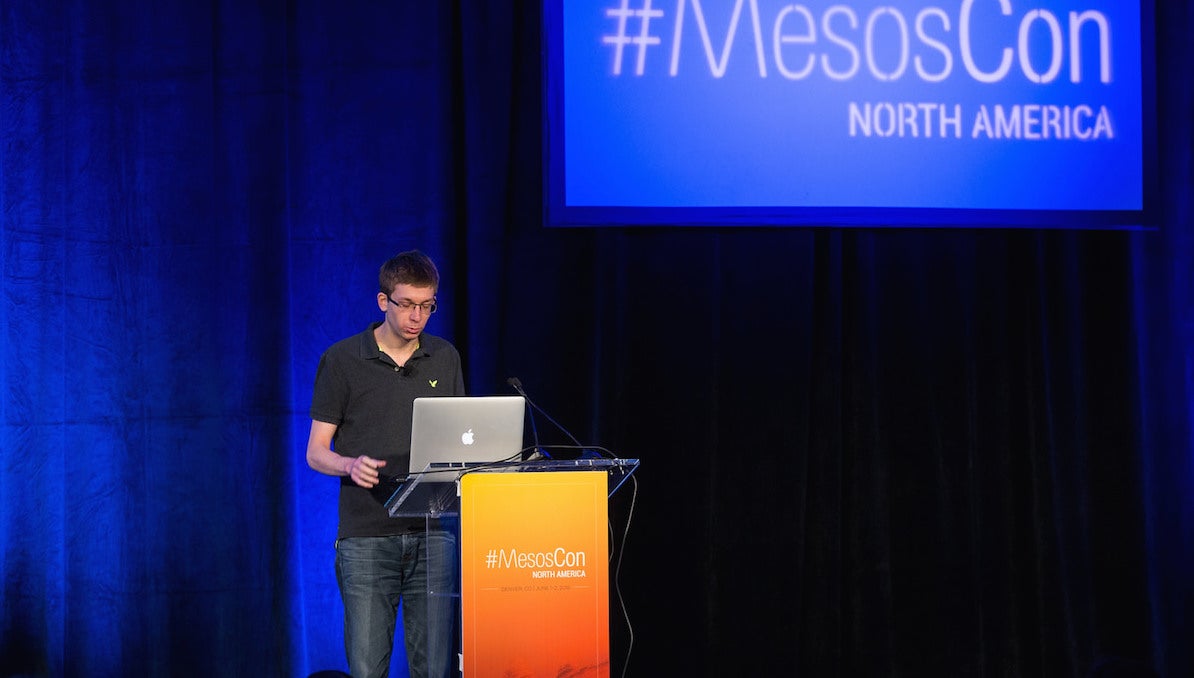
Matei Zaharia, the CTO of Databricks and creator of Spark, talked about Spark’s advanced data analysis power and new features in its upcoming 2.0 release in this MesosCon 2016 keynote.

Why Container Skills Aren’t a Priority in Hiring Open Source Pros (Yet)

It should come as no surprise that open source training and hiring is typically predicated on what skills are trending in tech. As an example, Big Data, cloud and security are three of the most in-demand skillsets today, which explains why more and more open source professionals look to develop these particular skillsets and why these professionals are amongst the most sought after. One skillset that employers have not found as useful as professionals is container management.

While 19% of open source professionals said that containers will have a big impact on open source hiring in 2016, only 8% of employers felt this way, according to the 2016 Open Source Jobs Report. One potential reason for this mismatch may be that professionals see a greater benefit in adopting container technologies than employers do at present. Technical professionals have been able to see the advantages of container packaging and development workflows, but the relative youth of orchestration technologies have made it more difficult for organizations, particularly large enterprises, to widely adopt container infrastructures.

In the past year, the adoption of containers has skyrocketed along with the amount of software easily available to developers and container builders, but significant questions in the management and operation of containers have remained – specifically questions around security, networking and persistent data storage in container-based environments. While developers have been able to create flexible application architectures with containers, there are still many areas where the difficulty in overcoming challenges has made adoption less likely in more risk-averse environments.

The rapid pace of change and evolution in the container ecosphere have also presented challenges to employers in finding personnel who have the skills to cope with the rapid pace of change while maintaining stable production environments. Therefore, as an open source professional with container skills and strong soft skills, you can be a key asset and contributor.

With a robust knowledge of containers, you have the ability to help foster greater collaboration within your team. In addition to providing tech teams with application portability, containers let individuals have greater flexibility and control of their work. Docker, as an example, one of the two most prominent technologies associated with containers, allows developers to have complete ownership of their code and operations teams to have the ability to manage and scale their operating systems.

A search on Dice for professionals with Docker experience generates a results page with various job titles (i.e. data analytics software engineer, cloud architect, senior principal DevOps engineer, etc.).  Employers want team members who have skillsets that can help them work more quickly, efficiently and independently. That isn’t a requirement that is title specific. With that said, there remains some concern amongst employers around data persistence, with many companies adopting Docker tending to be environments that need to operate at large scales.

Open source professionals who are also familiar with CoreOS, specifically its rkt product, may have a leg up with security-minded organizations. CoreOS’s rkt product offers an alternative approach to Docker, focusing more on security and composability, something many employers have voiced their concerns over with containers. For that reason, utilize this skill to your advantage during the interview and hiring process.

Still new to the tech world, employers and professionals alike have a lot more to learn about containers as the technology continues to develop. As a result, uncertainty, particularly amongst employers, remains in terms of what type of impact containers will have on open source hiring in the future. With that being said, continuous evolution of the container ecosphere has caused some of the initial concerns around the technology to dissipate. For an open source professional with container skills, use this time to demonstrate to employers as well as professionals the value of containers and how they can be used to improve team dynamics and workflow.

Yuri Bykov manages Data Science at Dice.

linux-com_ctas_may2016_v2_opensource.jpg?itok=Hdu0RIJn

Apache Spark Creator Matei Zaharia Describes Structured Streaming in Spark 2.0 [Video]

Apache Spark has been an integral part of Mesos from its inception. Spark is one of the most widely used big data processing systems for clusters. Matei Zaharia, the CTO of Databricks and creator of Spark, talked about Spark’s advanced data analysis power and new features in its upcoming 2.0 release in his MesosCon 2016 keynote.

Spark’s Design Goals

Spark was created to meet two needs: to provide a unified engine for big data processing, and a concise high-level API for working with big data.

“A lot of data and analysis is exploratory and interactive. So, unlike things like high-performance computing, where you write a program and then you run it for many years, and you can afford to spend a few months optimizing it, in data science, what you really do is write a program and you run it once, and then you realize it was computing the wrong thing and you never run it again. So you can’t actually spend a lot of time sitting down and tuning your program. The solution is to have very high-level APIs that try to get you pretty good performance and are faster to iterate, so that you can actually explore your data,” said Zaharia.

Spark uses libraries for data processing, such as SQL and data frames for structured data, streaming libraries for incremental processing, and graphics processing. According to Zaharia, “These all build on top of the Resilient Distributed Dataset (RDD) API, and the cool thing is when we look at users, most users do use a mix of these. I think something like 75% of users use two libraries or more. It’s actually useful for people trying to build applications.”

Spark 2.0

Spark 2.0 has not yet been released, but you can try out the preview release. The most significant new feature is structured streaming, which greatly expands Spark’s real-time data analysis capabilities.

“It has event time, which means your records can have time stamps set from outside, and they can come in out of order, and you can still do aggregation and windowing by the original time in the data. It’s got windowing, sessions, sessionization, and a really nice API for plugging in data sources and syncs… With structured streaming, you’re able to take the data in a stream, build a table in Spark SQL, and serve the table through JBDC, and anything that docks SQL can query the real time state of your stream,” Zaharia said.

Watch Matei Zaharia’s full keynote presentation below to learn about other new 2.0 features, and see a live demonstration of structured streaming.

https://www.youtube.com/watch?v=L029ZNBG7bk?list=PLGeM09tlguZQVL7ZsfNMffX9h1rGNVqnC

More Mesos Large-Scale Solutions

You might enjoy these previous articles about MesosCon:

4 Unique Ways Uber, Twitter, PayPal, and Hubspot Use Apache Mesos

How Verizon Labs Built a 600 Node Bare Metal Mesos Cluster in Two Weeks

Running Distributed Applications at Scale on Mesos from Twitter and CloudBees

New Tools and Techniques for Managing and Monitoring Mesos

And, watch this spot for more blogs on ingenious and creative ways to hack Mesos for large-scale tasks.

MesosCon Europe 2016 offers you the chance to learn from and collaborate with the leaders, developers and users of Apache Mesos. Don’t miss your chance to attend! Register by July 15 to save $100.

mesoscon-video-cta-2016.jpg?itok=PVP-FqWv

Apache, Apache Mesos, and Mesos are either registered trademarks or trademarks of the Apache Software Foundation (ASF) in the United States and/or other countries. MesosCon is run in partnership with the ASF.

All Hail the New Docker Swarm

As part of the Docker Captains program, I was given a preview of Docker 1.12 including the new Swarm integration which is Docker’s native clustering/orchestration solution (also known as SwarmKit, but that’s really the repo/library name). And it’s certainly a big change. In this post I’ll try to highlight the changes and why they’re important.

The first and most obvious change is the move into Docker core; to start a Docker Swarm is now as simple as running dockerswarm init on the manager node and docker swarm join $IP:PORT on the worker nodes, where IP:PORT is the address of the leader. You can then use the top level node command to get more information on the swarm e.g:

Read more at Container Solutions

The Heartbeat of Open Source Projects Can be Heard with GitHub Data

GitHub released charts last week that tell a story about the heartbeat of a few open source, giving insights into activity, productivity and collaboration of software development.

Salted throughout the GitHub website are analytics, and there is an application programming interface (API) that data-driven enterprises can use to create their own analytics to measure the progress and health of any public open source projects important to them. A dashboard displaying the project’s heartbeat could be built with the API.

Read more at NetworkWorld