Home Blog Page 809

Automotive Grade Linux: An Open-Source Platform for the Entire Car Industry

Automotive Grade Linux could be the answer to today’s woefully fragmented, often frustrating automotive operating-system landscape. A project of the Linux Foundation, AGL is currently focused on providing an operating system for in-vehicle infotainment consoles. But its backers envision an OS that can control instrument clusters and handle everything from connected-car features to autonomous vehicles. Toyota, Honda, Mazda, Nissan, Subaru, Mitsubishi, Ford, and Jaguar Land Rover are all participating.

I spoke with Dan Cauchy, general manager of the Automotive Grade Linux project at the Linux Foundation, to learn more about this project.

Read more at PCWorld

Live from Apache Big Data: A 5-Point System for Data Project Success [Video]

It takes a village to make data projects work – and the most important members of the team may not have anything to do with the data science itself.

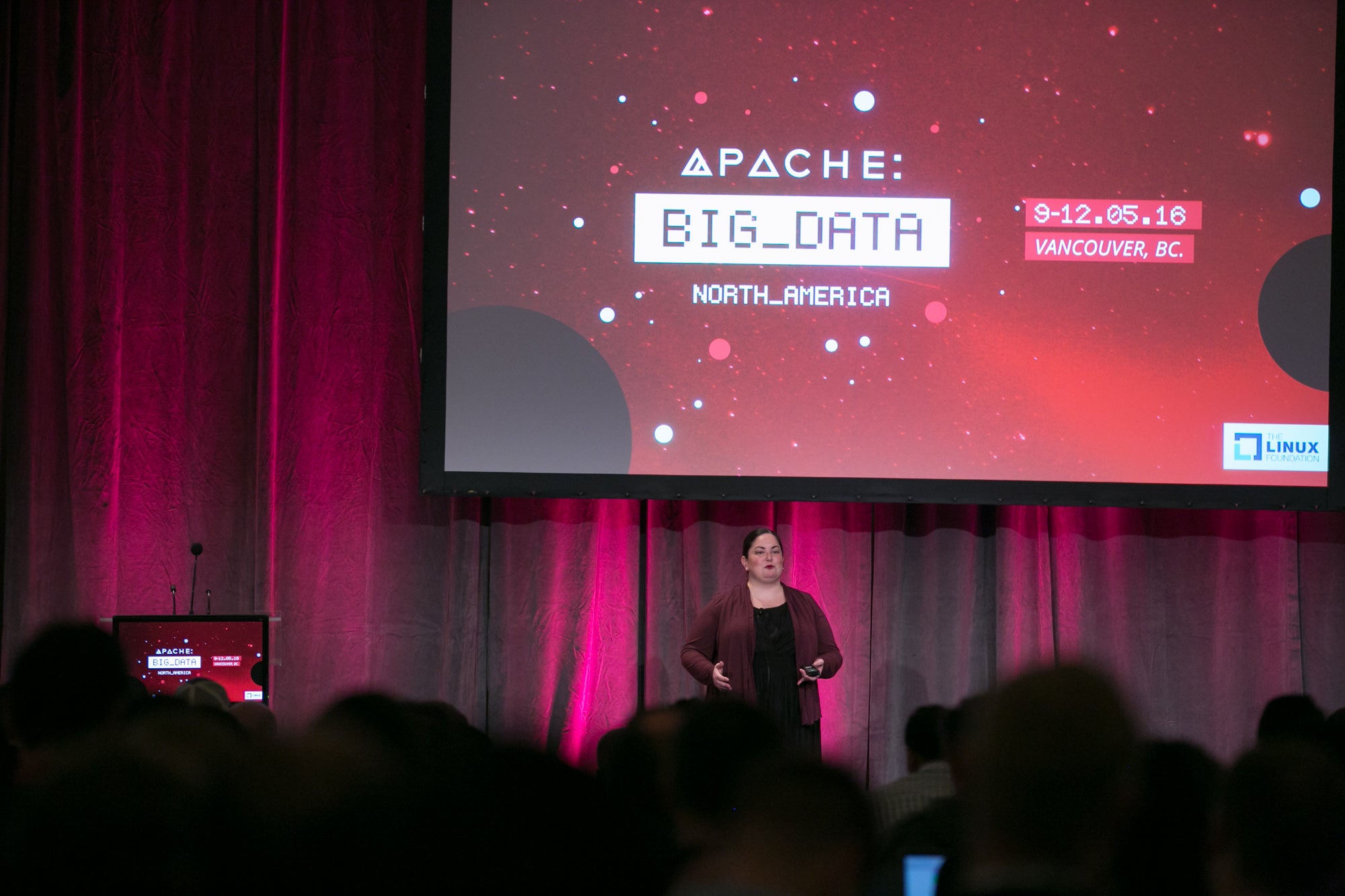
That’s been the experience of Amy Gaskins, a data scientist with more than 10 years experience as a senior intelligence analyst supporting various agencies within the United States Intelligence Community and Department of Defense. She delivered the final keynote this morning at Apache’s Big Data Conference in Vancouver.

Gaskins took the crowd through three diverse projects she’s worked on – with the Department of Defense, MetLife and the National Oceanographic and Atmospheric Administration – and highlighted the successes and failures of each project.

And in each one, it was the subject matter experts (SMEs), not the data scientists, that were the glue holding the whole project together.

“It’s the non-data SMEs that prevent IT and business from fighting each other,” Gaskins said. “It’s like magic, and I don’t say that lightly.”

SMEs are just one piece of a five point system that Gaskins believes leads to the best chance for success for data projects. The full system is:

  • Buy-in – Needed from senior leadership, middle management and the workers themselves.

  • Urgency – Everyone needs to understand that there is an existential threat to the business if the project isn’t done.

  • Transparency – People inside and outside the organization need to know what’s being done, and why. This means it can be repeated!

  • Non data science SMEs – These are the people who actually know the gritty details of how things work in their field, and how things actually get done.

  • Psychological safety – Your cross-functional team members must be able to trust each other.

“All of these facets need to be continuously tended,” Gaskins said. “It’s a system, and any part of the system can collapse at any time.”

Of the three projects she highlighted from personal experience, two found success in hitting all five marks, and each relied heavily on the subject matter experts involved with the process.

She worked with 43rd Sustainment Brigade in Afghanistan to learn more about corruption in the southern part of the country, looking to stem the amount of financial aid that found its way into the hands of the Taliban.

Gaskins said the unit was wildly understaffed, and had to recruit everyone from machine gunners to truck drivers to help with the process. So her team created a training system to bring new people on board, and were able to “train soldiers, combine the new data with existing sources, analyze it, report it up and out, learn from it and then train others.”

At MetLife’s Dubai office, her team was able to create an automated insurance fraud solution that provided a 400 percent return on investment in preventing fraud. Yet again, a crucial piece was the SMEs – in this case, insurance claims adjusters.

“One of the really critical things to getting this done was understanding the knowledge in each of the claims adjusters heads,” she said. “We wanted to make sure we gathered that knowledge; they had to be part of the hypotheses process.”

The third project, opening and commercializing NOAA’s weather data, suffered from a lack of buy-in and urgency from the government agency’s political leadership, according to Gaskins. But the scientists were all-in on the effort to open up the data and drove the successes the project did have.

“It was a team of volunteers, so it was a team of people very passionate about getting it done,” Gaskins said. “It was an egalitarian style team with no titles, which allowed everyone to make decisions very easily. We were open, transparent, and this made the team really safe. [The participants] said it was unlike any other government team they’d worked on.”

https://www.youtube.com/watch?v=3DAXs4x6EW4?list=PLGeM09tlguZQ3ouijqG4r1YIIZYxCKsLp


linux-com_ctas_apache_052316_452x121.png?itok=eJwyR2ye

Opening up networks to choice, at last

Choice in networks is emerging, and everyone—from consumers to data centers—stands to benefit.

Creating choice is one of the fundamental drivers of innovation. Choice sparks debate, fosters competition and drives innovation. There’s always someone else in the market looking to offer us a choice from what is already here, and the decision people typically make is to go with the choice that makes life easier.

For example, consider the choices people make when it comes to their mobile device. In the beginning, the majority of us in business had only one choice to access work email and applications—Blackberry. Today, with devices like iPhones and Androids that utilize open APIs, we have more choices than ever. Furthermore, each person’s mobile device can be unique and personalized to their liking.

Yet much of the networking world is still bound by a lack of choice in the form of proprietary technology. The majority of today’s communications networks across the globe are made up of fully-integrated solutions that allow for very little latitude in deployment design. In a world that was previously incapable of being software-driven, fully-integrated solutions once upon a time made sense. There was no choice, and it was the easiest way.

Read more at Network World.

Live from Apache Big Data: Netflix Uses Open Source Tools for Global Content Expansion

“We measured, we learned, we innovated, and we grew.”

Brian Sullivan, Director of Streaming Data Engineering & Analytics at Netflix, recited this recipe for the streaming video giant’s success several times during his keynote address at the Apache Big Data conference in Vancouver today. It was this mantra, combined with an open source toolkit, that took the stand-alone streaming product from a tiny test launch in Canada to making Netflix a global presence.

That certainly sounds like the Silicon Valley version of the famous phrase uttered by Julius Caesar – “I came, I saw, I conquered.” Both Netflix and the Roman general took a look at the map of the known world and set out to conquering it. In January, Netflix completed a roll out of service so they can stream video in just about every country in the world – with China as the major exception, and Netflix is confident their negotiations will make that happen, too.

Sullivan said they won’t be resting on their laurels any time soon.

“Instead of feeling like this is the end of our international growth, it feels like the beginning, especially for our data and analytics teams,” Sullivan said.

Netflix uses data and analytics to consistently improve its service and add value for the customer. Sullivan pointed out that Netflix is fortunate because it’s only got one customer – the user. It doesn’t need to sell customer data for advertising or develop other products that distract from their main mission: a great experience watching video.

“We have a holistic relationship with our customer,” Sullivan said. “They’re giving us money to stream video. If we can innovate and do a good job, they’ll keep their subscription. If we don’t, they stop giving us money.”

In order to continue to innovate – according to the recipe – first Netflix must measure and learn.  And because of that simple “holistic relationship,” Netflix is mostly looking to increase only one metric: retention. They want people to watch more video. The more people watch, the more likely they are to find the subscription valuable and remain customers. So Netflix is constantly A/B testing different approaches to improve the experience and seeing which little tweaks lead people to spend more time watching their content.

Each internal Netflix team tests tweaks to try to improve their piece of the puzzle: from the user interface, to the quality of playback on the dozens of different devices, to which movies or TV series to produce or purchase rights for, to which box art for each show is the most enticing in different parts of the world.

With 81 million or more subscribers watching 125 million hours of video each day, it’s not too hard to get a statistically significant sample. This is a big part of the culture: a bias towards action. Think you have a potential improvement to the service? Try it! Better to run the test and have your hypothesis proven false than stagnate.

Sullivan said Netflix uses a whole host of open source technologies – several from Apache – including Hadoop, Pig, Hive, Spark, and Cassandra to collect, store and analyze all that data they produce from these little experiments. Sullivan said that folks at Netflix are “big believers in the cloud;” the company uses Amazon Web Services and run in S3 specifically.

The elasticity of S3 allows them to spin up clusters of servers to meet demand, and keep their compute layer completely separate from their storage layer. Cloud services usage is another thing Netflix is constantly testing and tweaking to ensure it’s the most cost efficient it can be. With 3 petabytes of data read and 300 terabytes written daily, it’s easy to see why that’s important.

“Throughout this expansion we’ve turned to big data,” Sullivan said.

As the company grows its content library, customer base and global reach, more data will flow in, and the virtuous circle of Measure, Learn, Innovate and Grow will continue.

Editor’s note: This article has been modified from its original version. The primary metric Netflix wants to increase is customer retention.

https://www.youtube.com/watch?v=hTfIAWhd3qI?list=PLGeM09tlguZQ3ouijqG4r1YIIZYxCKsLp

linux-com_ctas_apache_052316_452x121.png?itok=eJwyR2ye

How to Migrate Cacti to a New Server

Cacti is a widely used network graphing tool that is used by many service providers. For those of you who have been using Cacti to graph various elements of your network, it is sometimes necessary to migrate Cacti and all its graph datasets from one server to another. Why? The current server may be old, […]
Continue reading…

The post How to migrate Cacti to a new server appeared first on Xmodulo.

CoreOS Funding Hits $48M as Container Momentum Builds

At the CoreOS Fest event in Berlin, CoreOS announced a new $28 million round funding, bringing total funding to date to $48 million. In addition to the new funding, CoreOS unveiled multiple new efforts, including a new version of its etcd distributed key store, BitTorrent-based container image pulls with QuayCTL and JWTproxy technology as a new way to authenticate microservices.

In an exclusive video interview with eWEEK, Brandon Philips, co-founder and CTO of CoreOS, discusses all the CoreOS Fest news and why it will help push the container market forward.

“We continue to grow the business quite nicely,” Philips said about the new funding round, which received investment from GV (formerly Google Ventures), Accel, Fuel Capital, Kleiner Perkins Caufield & Byers (KPCB) and Y Combinator Continuity Fund. “This whole industry that is emerging around containers continues to grow, so we have new customers that we have to continue to support and new projects that we need to invest in.”

On the container networking front, Philips said that the CoreOS-led open-source flannel project’s connectivity layer is being brought together with Project Calico’s policy layer to provide a more robust system for users running Kubernetes. CoreOS is also adding BitTorrent support to its Quay container image repository with a project called QuayCTL, enabling users to more easily download large images.

Read more at eWeek.

Welcome Prometheus

Hi – my name is Alexis Richardson, and I’m the chairman of the Cloud Native Computing Foundation TOC – Technical Oversight Committee.  The TOC is an elected board of nine people.  Representing the interests of CNCF’s members, we define and execute the CNCF’s technology strategy.  I’m also the CEO and co-founder of Weaveworks, a CNCF member company.

Prometheus and the CNCF

Prometheus is high-quality software for monitoring and analysis of cloud native architectures and time series data.  The integration of these features is important for Cloud Native apps, due to the high frequency and volume of instrumentation data in modern architectures.  

With today’s announcement that Prometheus is the second project to join the CNCF, I want to talk about what the TOC is doing.  Our doors are open to other projects to apply, and we are actively pursuing projects in specific areas.

The CNCF’s goal is to accelerate customer success with Cloud Native applications.  When it comes to their software decisions, we believe that customers are looking for guidance, clarity and quality.  To that end we aim to:

  1. Increase customer trust in Cloud Native software

  2. Decrease confusion about how to assemble software into real applications

The mechanism for achieving this is to unite high quality and relevant projects into a foundation.  Customers can trust the CNCF to identify and support the very best projects, and, over time, use them to implement a wide range of use cases using Cloud Native architectures.  For a summary of why this matters please have a look at this article I wrote on TNS last year.

What projects is CNCF looking for?

In broad terms: right now we want excellent open source projects, that are already up and running, and proven to solve a problem for Cloud Native applications.  Not all projects are suited to the CNCF.  We have brand values and selection criteria, which I spoke about at a recent Linux conference (slides).

Our criteria are: First a project must demonstrate high quality and high velocity; Second, a project must be Cloud Native; and Third, the project must have an affinity with the foundation – i.e. the community of developers and users have to want it.  

The Prometheus vote was unanimous, because it exemplifies the type of project that the CNCF TOC is looking for.  To learn more, please read the project proposal and intro slides.  And the community are happy.  The TOC’s unanimous vote shows how the CNCF members can unite and act together decisively for the benefit of the wider Cloud Native community.

What’s next for Prometheus?

Originated at SoundCloud, Prometheus gained adoption in a short time with an impressive spread of end users.  For example at Weaveworks we are very happy Prometheus users: along with Docker, Kubernetes and Terraform it underpins our cloud service.    

In addition to customer adoption, Prometheus’ product development continues to move at high speed.  With help from the CNCF, these will now accelerate even further.  Some CNCF members will work on the project to broaden its use cases.  And we intend to raise the profile of the project through demonstrating examples, interoperability and performance.

I’ll leave the last word with the community on prometheus.io:

“By joining the CNCF, we hope to establish a clear and sustainable project governance model, as well as benefit from the resources, infrastructure, and advice that the independent foundation provides to its members”

There is much more to come.  Watch this space.

— Alexis

This article originally appeared at Cloud Native Computing Foundation.

The Cloud Foundry Way: Open Source, Pair Programming and Well Defined Processes

This is a series of posts about Cloud Foundry–both the community and the project–and how these teams work. Please comment and ask questions so we can answer them in future posts!

Cloud Foundry is a unique open source software project. Actually, it’s a collection of projects that all together make a product that helps organizations run applications on an industry standard, multi-cloud infrastructure. A whole bunch of developers and product managers, who believe it should be easier to develop, deploy and maintain apps in the enterprise, have gotten together to make this possible. Cloud Foundry helps organizations run applications across languages and clouds.

Unlike many open source software projects, Cloud Foundry has been created with a set of deeply thought out engineering practices that originated with Pivotal and have been added to and adapted by many. There’s a clear path to becoming part of the project with time given each week to ensure the projects are well-balanced and have the necessary resources. This allows many large companies like Pivotal, IBM, EMC, SAP, GE, HPE, Fujitsu and others to collaborate not only on the code, but also on the direction of the project.

So how does it work?

  • Anyone interested in Cloud Foundry can follow along on mailing lists and Slack.
  • Developers can track changes and submit pull requests in github.
  • Each project has a product lead. The product leads are responsible for managing the backlog of each project in public trackers.
  • There is a monthly Community Advisory Board (CAB) where all the product leads get together, give updates and let anyone ask questions. You can join the next one!
  • While anyone can submit a pull request, the path to becoming a contributor is clearly defined.
  • New potential contributors apply to a Dojo. To apply, they take a test. If accepted, they are expect to spend 6 weeks physically at the Dojo pairing with more experienced project members.
  • After contributors finish their six weeks in the Dojo, they are Cloud Foundry committers and they agree to spend a year working on Cloud Foundry.

The bar to entry is high – some that take the entry test do not pass – and the requirement to spend 6 to 8 weeks physically in a Dojo with the expectation of a long term commitment to work on Cloud Foundry likely means you must work for a company that wants to invest in Cloud Foundry.

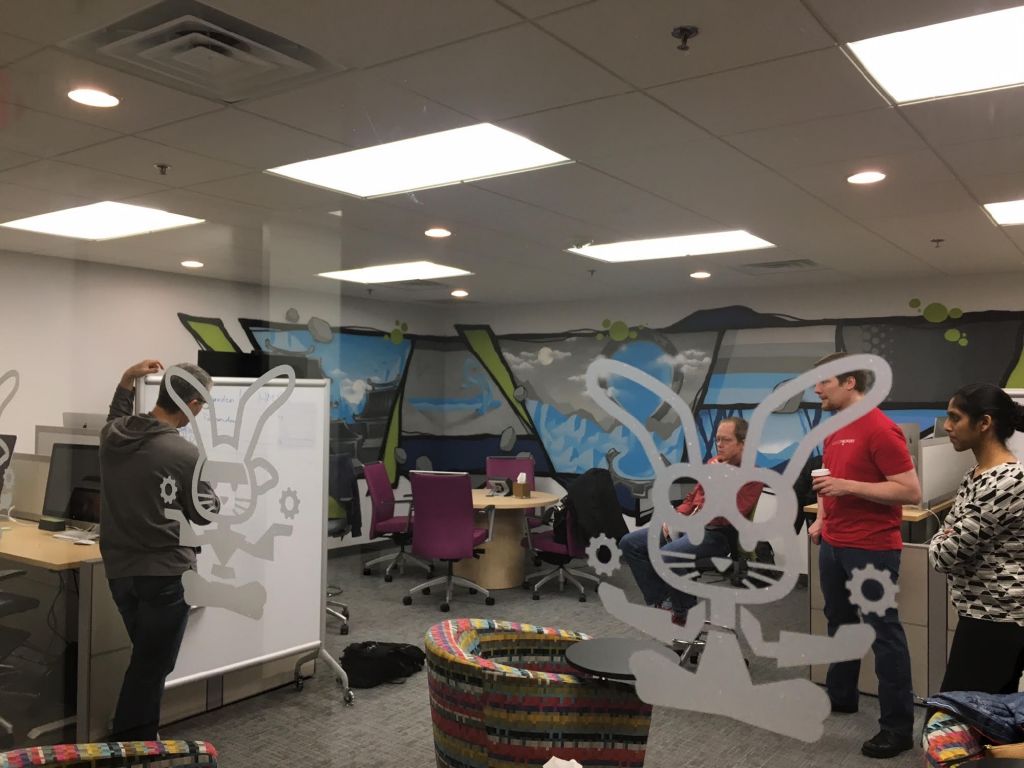
A Dojo is a physical space that resembles a big open office or co-working space, often occupied by standing desks. These dojos are hosted by Cloud Foundry member companies and can be found in the San Francisco Pivotal offices, in Raleigh at IBM, in Cambridge at EMC, and at other locations around the world. While some spaces are more quiet than others, people used to cubicles or co-working spaces might find the amount of talking surprising at first. This is because pairs of programmers are talking to each other and collaborating all day.

One of the unique things about Cloud Foundry is that all code is written in pairs. Two programmers work together to write each piece of code. We’ve discovered this greatly improves code quality in addition to morale and work/life balance for the developers. They start their morning with a standup meeting then spend the day working together, taking an occasional break for a game of ping pong or lunch. They don’t spend much of the day on social media or email – they spend it coding together. We’ve experimented some with remote pairs as well.

“Pairing is liberating. It forces you to “think out loud” and correlate your understanding of the feature with your pair. The net result is high confidence, high quality and ultra high velocity (no more building the wrong thing).”
– Steve Greenberg, Pivotal

Developers interview to be assigned full-time to projects. In addition to a team of developers, each project team has an engineering manager from one of the participating companies assigned to support them. Project leads meet weekly at the Allocations (LL) meetings to make sure resources are balanced while developers move around to make sure all projects are covered. Also included is “the anchor” – a developer who has agreed to remain on that project long term for consistency instead of moving around as projects need a particular expertise.

“Pairing can initially be intimidating, especially since someone is watching your every move, but very quickly you appreciate having another person around to help get through a frustrating story, give you another perspective, and my favorite part, teach you something new. It’s a fun way to develop, a fast way to learn, and most importantly a great way to efficiently collaborate.”
– Swetha Repakula, IBM

New projects are proposed by anyone, but typically a product lead or contributor, often by one of our member companies, is the one to start a new project.

While the product leads are the ones that make day-to-day decisions and manage the backlog (i.e. roadmap), there is also a Technical Advisory Board (TAB) that discusses and influences the long-term direction of the project. TAB members are nominated from the Cloud Foundry member companies.

Requirements across projects and the roadmap are discussed weekly and coordinated across all projects. The combination of clearly defined processes for becoming a committer with working relationships across companies, combined with clear, open communication paths, creates a quiet, confident group of developers that focus on producing high quality code.

This article was originally published at Cloud Foundry.

Build An Off-Road Raspberry Pi Robot: Part 3

In parts 1 and 2 of this series, we took at look at building and powering the Mantis robot kit (pictured above). A Raspberry Pi was mounted to it, and I described how to get the Pi talking to a RoboClaw motor controller. This time, I will show how to move the robot around using with the keyboard or a PS3 controller.

Before that, however, I want to mention a couple of modifications that you might want to consider. One very useful addition to a Mantis kit is to get two more 18-inch channels with the screw plates and use two 3-inch channels to separate the 18-inch sides from each other. On top of that, some 1-inch standoffs can separate three 4.5×6-inch flat channels to give a nice surface that you can connect things to (Figure 1).

Figure 1: Dual rail with standoffs.
Also, if you do get some spare channels and some standoffs, you can then side-load the batteries to give a lower center of gravity (Figure 2). Some foam at the base (and sides) is a good investment to protect the battery from damage.

Figure 2: You can sideload batteries for a lower center of gravity.

The RoboClaw Class

It is convenient to encapsulate the communication with the RoboClaw controller into a RoboClaw class that provides nice methods and uses types that are expected on a computer rather than a microcontroller. For example, you might like to know the current voltage of the main battery as a floating point value to treat as a voltage rather than as an integer, which is a value in 0.1 volts or 0.01 volts.

The following code is a rewrite of the getversion command using the new RoboClaw class. The getVersion method will be issuing the same command 21 to the RoboClaw, but it is much simpler and more natural for the C++ program to simply call getVersion().

#include <boost/asio.hpp>
#include <boost/asio/serial_port.hpp> 
#include <boost/bind.hpp>
#include <boost/integer.hpp>
using namespace boost;
using namespace boost::asio;

#include <string>
#include <iostream>
using namespace std;

#include "RoboClaw.h"

int main( int argc, char** argv )
{
   std::string serialDev = "/dev/roboclaw";
   
   if( argc > 1 )
   {
       serialDev = argv[1];
   }
   cerr << "serialDevice: " << serialDev << endl;
   
   boost::asio::io_service io;
   RoboClaw rc( io, serialDev );

   for( int i=0; i<10; i++ ) 
   {
       cout << "version        : " << rc.getVersion() << endl;
       cout << "battery voltage: " << rc.getBatteryVoltageMain() << endl;
       cout << "temperature    : " << rc.getTemperature() << endl;
       sleep(1);
   }
   return 0;
}

The RoboClaw::getBatteryVoltageMain() is code we haven’t seen before. It uses the private issueCommandU16() method to send a command that expects a 16-bit number as the result. The getVersion() method just issues the command and returns the result read from the RoboClaw. Communication with the RoboClaw is protected with a two-byte CRC.

For getVersion(), I just read those bytes and didn’t bother to check that they were valid. For issueCommandU16(), the CRC is calculated locally and compared with the CRC read from the RoboClaw after issuing the command. If these CRCs do not match, then something very bad has happened, and we should know about that rather than continuing to drive the robot assuming that everything is fine.

To track the CRC, the issueCommandU16() method uses writeTrackCRC() instead of directly calling write(). The writeTrackCRC() will first zero the CRC member variable and then calculate it for every byte it writes. The read2() method by default updates the CRC member variable to include each byte that was read. The crcOK can then read the two-byte CRC from the RoboClaw (without updating the CRC member variable) and throw an exception if the read CRC does not match the expected value.

float
RoboClaw::getBatteryVoltageMain()
{
   float ret = issueCommandU16( 24 );
   return ret / 10.0;
}

uint16_t
RoboClaw::issueCommandU16( uint8_t cmd )
{
   uint8_t commands[] = { roboclawAddress, cmd };
   writeTrackCRC( boost::asio::buffer(commands, 2));
   uint16_t ret = read2();
   crcOK();
   return ret;
}

Keyboard Robot Drive

A duty cycle simply describes what percentage of time you want to run an electric motor. A duty cycle of 50 percent will run the motor about half the time. Note that the power to the motor might turn on and off many times extremely quickly, so you won’t notice that this is happening.

The above RoboClaw class and driver program can be extended to allow the motors to be controlled from the keyboard. The main() driver program below uses the new MantisMovement and InputTimeoutHandler classes.

The console program uses curses to present the robot state to the user and to read keys from the keyboard without blocking. You also get handing of the keyboard arrows using the keypad() curses function. The screen is set up using the code shown below. A window ‘w’ is created so that specific settings can be applied to the window.

initscr();
noecho();
w = newwin( 0, 0, 0, 0 );
keypad( w, true );
timeout(1);
wtimeout(w,1);

This setup is the same as getversion2 above, but we create instances of MantisMovement and InputTimeoutHandler for later use.

boost::asio::io_service io;
RoboClaw rc( io, serialDev );
MantisMovement mm;
InputTimeoutHandler timeoutHandler;  

The main loop begins by checking how long it has been since a keyboard input was received from the user. After 1 second, we clear the display of the last movement command from the screen. After 5 seconds, it is assumed that there is a problem with input and the robot is stopped before the program exits.

Notice that the rampDown() call takes the current power level that is used for the left and right wheels. The rampDown() method will gradually, but over a fairly short time interval, slow down each motor to a stop. This is to make a nicer stop if the robot happened to be running at full speed when communications were lost, it’s better to try to stop gradually than to tell the motors to stop instantly.

while( true )
{
   uint32_t diff = timeoutHandler.diff();
   if( diff > 1 )
   {
       mvwprintw( w,1,1,"      " );
   }
   if( diff > 5 )
   {
       mvwprintw( w,1,1,"TIMEOUT  " );
       wrefresh(w);

       std::pair< float, float > d = mm.getActiveDuty();
       rc.rampDown( d.first, d.second );
   
       sleep(5);
       break;
   }  

The rest of the main loop reads a character from the input — if there is one — and adjusts the speed and heading of the robot to reflect the user input. Finally, the current settings are shown to the user and the speed of each motor is set using RoboClaw::setMotorDuty().

   int c = wgetch( w );
   if( c > 0 )
   {
       timeoutHandler.update();
   
       const float incrSpeed = 0.5;
       const float incrHeading = 0.05;
       if( c == '0' )
           break;
       switch( c )
       {
           case KEY_LEFT:
               mvwprintw( w,1,1,"LEFT  " );
               mm.adjustHeading( -1 * incrHeading );
               break;
           case KEY_RIGHT:
               mvwprintw( w,1,1,"RIGHT " );
               mm.adjustHeading(  1 * incrHeading );
               break;
           case KEY_UP:
               mvwprintw( w,1,1,"UP    " );
               mm.adjustSpeed(  1 * incrSpeed );
               break;
           case KEY_DOWN:
               mvwprintw( w,1,1,"DOWN  " );
               mm.adjustSpeed( -1 * incrSpeed );
               break;
           default:
               mvwprintw( w,5,0,". have char: %d", c );
               break;
       }            
   }

   std::pair< float, float > d = mm.getActiveDuty();
   mvwprintw( w,0,0,"speed: %+3.2f  heading: %+1.1f  d1:%+3f d2:%+3f",
              mm.getSpeed(),
              mm.getHeading(),
              d.first, d.second );

   rc.setMotorDuty( d.first, d.second );

   usleep( 20 * 1000 );
}

The new helper class MantisMovement is responsible for maintaining the robot’s speed and heading and allowing the values to be updated. When you set the speed or heading, the MantisMovement updates internal variables to allow you to get the duty cycle for the left and right motors. The MantisMovement class knows nothing about the RoboClaw class; it is only interested in working out what the duty cycle (from -100% to +100%) should be in order to give the desired speed and heading. If MantisMovement returns a negative duty cycle, then you need to turn the motors in a reverse direction.

In MantisMovement, the speed ranges between -100 and +100, and the heading ranges between -1 and +1. The adjustHeading updates a member variable and calls updateMotorDuty() to update what the duty cycle needs to be to give the desired movement. The updateMotorDuty() delegates to updateMotorDutyOnlyForwards(), which is shown below in simplified form.

The duty cycle for the left and right motors starts out has the desired speed and is then modified to take the desired heading into account. As the heading ranges from -1 to +1, if we simply add 1 to the heading, then we get a range from 0 to 2. If we multiply the left duty cycle by a number from 0 to 2, then we either stop the motor completely or double the speed depending on whether we want to turn fully left or fully right. To find the correct duty cycle, we can reverse the value range to 2-(0 to 2) to get a range of 2 down to 0.

Because there are multiple left and right wheels, each of which have quite a bit of grip on them, I found that letting any wheel stop during a turn was extremely bad. Robots with only two drive wheels might get away with holding a wheel stationary and pivoting on the spot, but this sort of turning doesn’t work well for the Mantis. So, the dampen factor was added to allow the range to be cut back. For example, a dampen value of 0.6 will allow the heading to generate a finally motor speed between 40 percent and 160 percent of the original speed.

void
MantisMovement::adjustHeading( float v )
{
   heading += v;
   if( heading > 1 )  heading = 1;
   if( heading < -1 ) heading = -1;
   updateMotorDuty();
}

void
MantisMovement::updateMotorDutyOnlyForwards( float dampen )
{
   d1 = speed;
   d2 = speed;

   // heading ranges from -1 to 1.
   float headingRangeOffset = 1;
   float headingRangeDelta  = 2;
   float h = heading * dampen;
   d1 = ( h + headingRangeOffset ) * d1;
   d2 = ( headingRangeDelta - (h + headingRangeOffset)) * d2;
}

The whole reason for the InputTimeoutHandler class to exist is to track whether user input has not been received for a given amount of time. The InputTimeoutHandler::update() method updates the internal timestamp to the current time. The diff() method returns the number of seconds since update() had been called. When a new keyboard event is received from the user, the update() is called. And, every time around the main loop, the diff() is used to check if no input has come in for too long. The diff() method uses timeval_subtract(), which is is adapted from the same function in the GNU libc manual.

Next Time

With the above tools, the robot can be controlled over WiFi using a keyboard to set the speed and control the direction. This is great to see that things are working as expected. In the next article, I’ll show you how to control the robot using a PS3 joystick to control the robot over Bluetooth. This is much easier than trying to juggle a keyboard while you are watching where you are going.

Read the previous articles in this series:

Build an Off-Road Raspberry Pi Robot: Part 1

Build an Off-Road Raspberry Pi Robot: Part 2


What Are Microservices and Why Should You Use Them?

Traditionally, software developers created large, monolithic applications. The single monolith would encompass all the business activities for a single application. As the requirements of the application grew, so did the monolith.

In this model, implementing an improved piece of business functionality required developers to make changes within the single application, often with many other developers attempting to make changes to the same single application at the same time. In that environment, developers could easily step on each other’s toes and make conflicting changes that resulted in problems and outages.

Dealing with monolithic applications often caused development organizations to get stuck in the muck, resulting in slower, less-reliable applications and longer and longer development schedules. The companies who create those applications, as a result, end up losing customers and money.

Read more at Programmable Web