Home Blog Page 825

Distribution Release: Quirky 8.0

Barry Kauler has announced the launch of Quirky 8.0. The new release of the Quirky distribution is binary compatible with Ubuntu 16.04 and can install Deb packages from the Ubuntu software repositories. The new version of Quirky includes support for booting on UEFI-enabled computers and features version 4.4.7 of the Linux kernel.

“8.0 has Linux kernel 4.4.7, SeaMonkey 2.40, and a host of applications to fill every need. As per inheritance from Puppy Linux, Quirky includes the ‘kitchen sink’ in a very small download. Significant new features for 8.0, in no particular order, are BluePup GUI management for Bluetooth, the ISO now boots on UEFI-firmware machines, YASSM GUI to manage Samba,…”

Read more at DistroWatch


Ubuntu 16.04 LTS (Xenial Xerus) Officially Released, Here’s What’s New

Today, April 21, 2016, Canonical has officially launched the new version of its widely used Ubuntu Linux operating system for PCs, laptops, netbooks, tablets, and smartphones.

Ubuntu 16.04 is now the latest and most advanced version of the Ubuntu OS, which has been dubbed Xenial Xerus by Canonical founder Mark Shuttleworth. It is an LTS (Long Term Support) release that will receive updates and security patches for five years, during which multiple point releases will be made available (Ubuntu 16.04.1, Ubuntu 16.04.2, etc.). Best of all, Ubuntu 16.04 LTS (Xenial Xerus) uses a long-term supported Linux kernel, version 4.4, which will also receive security updates and bug fixes for a few more years than a normal kernel release would. 

Read more at Softpedia

Diamanti Exits Stealth with a Converged Appliance for Running Containers

One of the main reasons behind the popularity of containers is that they make it much easier to deploy applications than traditional virtualization software. But the technology doesn’t live up to the promise all the time, especially when it comes to enterprise workloads with complex operational requirements. A newly launched startup called Diamanti Inc. is trying to address the challenge with a converged appliance that automates much of the implementation process, starting with the initial hardware configuration.

The system combines speedy flash storage and networking gear in an integrated chassis that removes the need for organizations to piece together their deployment one building block at a time According to Diamanti, its appliance can be quickly hooked up to a company’s existing server infrastructure and set up with its custom choice of software. 

Read more at Silicon Angle

Tibbo Announces its First Linux-based Tibbo Project System (LTPS) Board


Size3 Tibbo Project PCB

Pinguinistas of the world, rejoice! Our Tibbo Project System (TPS) family now includes a Linux-based Tibbo Project PCB (LTPP).

Based on the powerful 1GHz Cortex-A8 Sitara CPU from Texas Instruments and carrying 512MB of RAM and 512MB of flash memory, the new LTPP3 board runs our own, highly polished distribution of Linux that is derived from the RedHat line and updated with the latest and greatest kernel and drivers.

The LTPP3 is mechanically and electrically compatible with our Tibbit blocks and size 3 Tibbo Project Box (TPB3) enclosures. This sets the LTPP3 apart from plain vanilla products such as Raspberry Pi and BeagleBone. While offering affordable Linux-based computing in a compact package, these devices do very little toward providing an attractive housing or a quick way to add desired I/O resources. In contrast, Tibbo Project System delivers aesthetically pleasing TPB enclosures to house the board, and a plethora of Tibbit modules and connectors to expand the board’s IO capabilities.

The ingenious feature of the Tibbo Project System is that the top and bottom walls of its enclosures are formed by Connector Tibbits. The result is a neat, professionally looking housing every time, even for projects with the production quantity of one. This eliminates a huge problem of any low-volume production operation – the necessity to fit into and customize (drill, cut, etc.) off-the-shelf enclosures.

tpp3-perspective.jpg

Size 3 Tibbo Project System (TPS3) with Tibbit blocks and
Tibbo Project Box (TPB) enclosure (top cover not shown).

There are four distinctive ways in which you can use the new LTPP3.

Use it with Embedded AggreGate

Immediately upon the release of the LTPP3, you will be able to order your Linux TPS system with Embedded AggreGate software. Serving as the board’s execution environment, AggreGate lends LTPP3 its immense power of data collection, processing, and visualization. Further, AggreGate provides a uniform, consistent access to external data, devices, and systems using more than 100 supported communications protocols. Via a specially designed middleware C library, Embedded AggreGate is also able to access the board’s hardware resources, such as GPIO lines, serial ports, as well as Tibbit modules installed in board’s sockets.

Run Node.js applications

LTPP3 comes with Node.js preinstalled. We are currently developing Node.js modules for accessing the board’s hardware resources and installed Tibbit blocks. You can also utilize many existing Node.js modules, such as serialport and socket.io.

Execute TiOS applications

We are currently porting our popular Tibbo OS (TiOS) to Linux. When this work is completed, you will be able to run TiOS as a Linux application and execute existing Tibbo BASIC and Tibbo C code with little or no modifications. Needless to say, the new LTPP3 board will crunch Tibbo BASIC and Tibbo C apps at unparalleled speeds.

Use the LTPP3 as a generic Linux board…

… that comes in an attractive housing and may be extended with Tibbit blocks. Linux can be utilized in myriad different ways. Choose yours and deliver your project on the LTPP3 board and TPS product family.

The LTPP3 board is available for preorder. Deliveries start in May 2016. Click here to order yours.

Machine Learning and AI Coming Soon to Networking [Video]

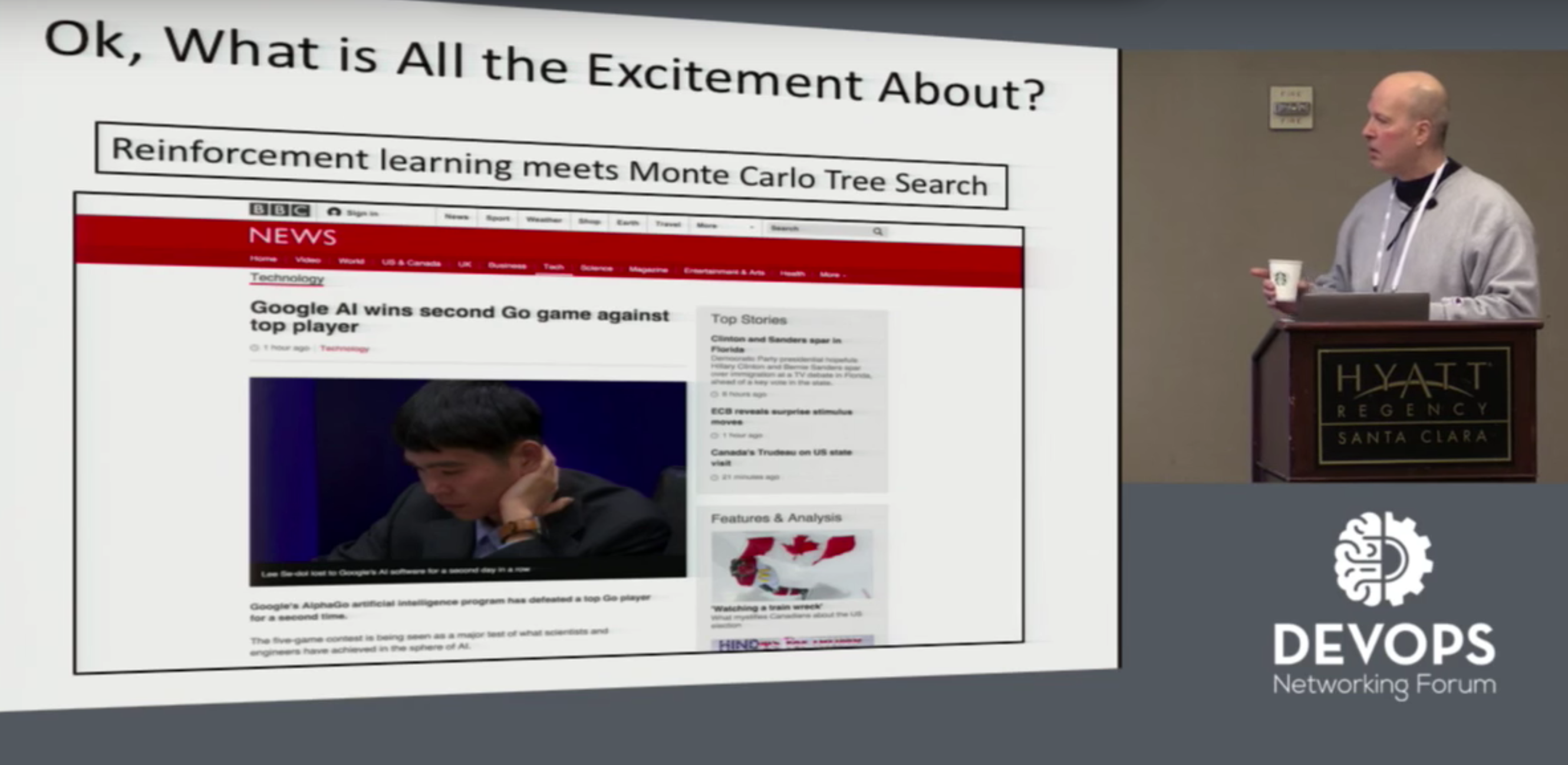
Machine learning and artificial intelligence have gained notoriety among the general public through applications such as Siri, Alexa or Google Now. But, beyond consumer applications, these new hot areas of innovation are bringing unbelievable benefits to the different components of IT infrastructure that enable it, said David Meyer, Chairman of the Board at OpenDaylight, a Collaborative Project at The Linux Foundation, in his presentation at the DevOps Networking Forum last month.

This is most evident in compute technology, which grew more and more powerful to make machine learning and AI happen. It’s less obvious how networking contributes to and benefits from AI, he said. It’s still a new and growing area for networking — but it’s coming.

“I’ve never seen a technology this powerful that’s moving as fast or is as cool,” Meyer said. “Everybody I know who’s in networking or any other discipline when they understand what this is, they want to work on it.”

Meyer mentioned a talk on the future of telemetry at the NANOG 64 event that included machine learning as one example that the networking industry is starting to pay attention to it. The Internet Research Task Force (IRTF) is starting a working group on machine learning in networking, he said. And OPNFV’s failure prediction project is also a foray into machine learning.

It’s still unclear, however, how these and other networking projects will actually incorporate machine learning and AI. One among the many ideas that Meyer shared on stage was a huge sensor network that learns from previous experiences and predicts future outcomes.

”So what if you could do something like say, “Hey, this interface just flapped. We know from experience that this will cause, maybe, blackholing of some traffic or something,” Meyer said. “It depends on what’s in your data to know what you can learn and what you can predict, but this is the kind of capability we want to have and we’ve done some of this already.”

The potential applications for the networking industry are extremely powerful, he said.

“Remember that unlike statistical models that people are using, these things learn a computation, they learn a function,” he said. “We’re going to see more emphasis on real-time, control, and online learning, and reinforcement learning, and things like that.”

And it may be coming sooner than you think.

“All this stuff seems exotic maybe today,” Meyer said. “In a month or two, three months, four months, that kind of time frame, it’s going to start popping up in your space.”

Watch Meyer’s full presentation on the intersection of machine learning, networking, and DevOps, below.

Watch all 13 keynote videos from DevOps Networking Forum.

https://www.youtube.com/watch?v=IUksoV7l8ww


linux-com_cta_ons.png?itok=2Fnu27xm

Finding Everything in Git

In previous articles about the Git version control system, I provided a Git cheat sheet and showed how to fix mistakes in Git. In this article, however, I will show how to mine your Git log to find information on everything that happened in your repository: what happened, who did it, and when.

Git Log Tells All

You can run the git log command to see a complete commit history for your repository, from most recent to oldest. Run it with no options as shown here to display the commit hash, author, date, and comment.

$ git log

commit baffcc6389f4499624f51dce3fe59864d0
Author: Dev Loper <devlop@example.com>
Date:   Fri Apr 15 12:46:47 2016 +0200

   Fix loading the storage autoloader

commit cc034cd893752f23f6e51b8fdd6425bd11e
Author: Co Derr <coderr@example.com>
Date:   Fri Apr 15 12:01:13 2016 +0200

   Move apitranslate to apiversiontranslate

The git log –state command adds a list of changed files to the git log output:

lib/private/version.php   | 382 +++
lib/private/checkhttp.php | 753 +++++++
lib/private/username.php  |  62 +++++++
lib/private/htaccess.php  | 382 -----------
lib/private/apicheck.php  | 753 --------------
lib/private/errortext.php |  62 -------
6 files changed, 1197 insertions(+), 1197 deletions(-)

You can view all details of a single commit. This displays everything: date, committer, diff, and entire content of the commit.

$ git show baffcc63

Using git log –no-merges streamlines output by displaying only commits, and not merges. You can view only merges with git log –merges, and see who made the merges with git log –merges –author.

You can also view the diffs of the commits with the -p (patch) option:

$ git log -p

commit faf693af499797735b9a6309d520fbf3fc90b268
Author: Com Mitter <committer@example.com>
Date:   Fri Apr 15 12:04:45 2016 -0700

   link to file.html
   
   describes configuration settings and examples for last three versions

diff --git a/config.file b/config.file
index c2671f9..86dffa2 100644
--- a/config.file
+++ b/config.file
@@ -430,14 +430,14 @@ $CONFIG = array(

You can limit the number of commits displayed, for example, diff only the most recent five commits with git log -p -5.

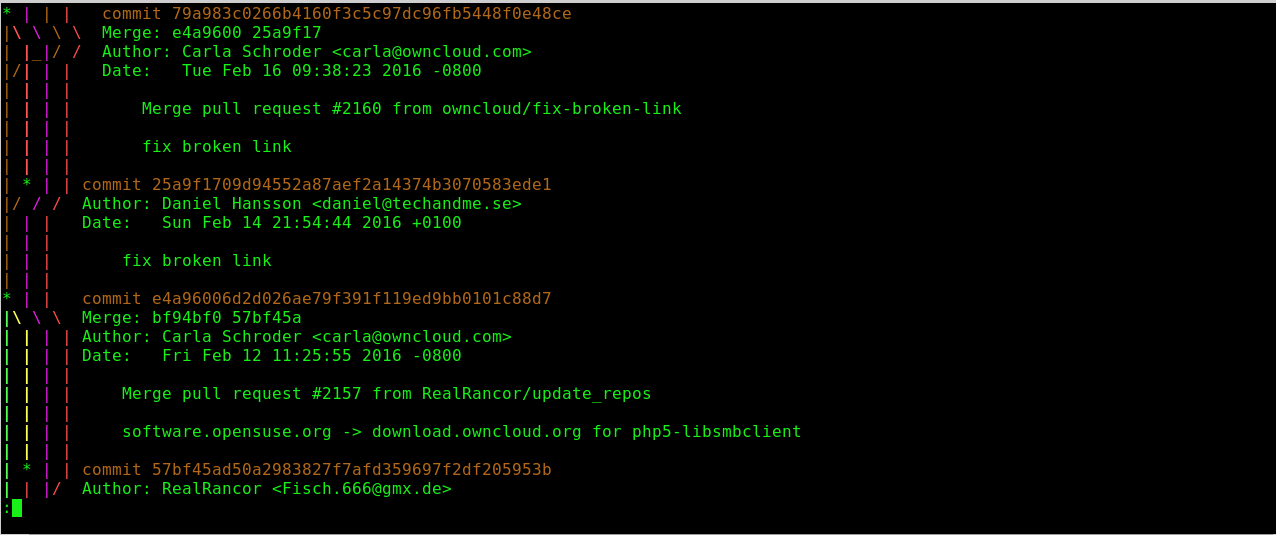
There is a graph view, which can be rather fun to trace on complex projects.

$ git log --graph
| |     
* |   commit 03fea9e18d613f844c111e6cbe03ad7f3b7
|   Merge: 2fdd888 174af8e
| | | Author: donym <donym@example.com>
| | | Date:   Thu Feb 4 11:33:01 2016 -0800
| | | 
| | |     Merge pull request #133 from repo/libs
| | |     
| | |     corrections to public api

View commits by name with git log –committer=carla and git log –author=carla. Substituting your own name, of course, or the name of anyone on the project. You may search for commits on a specific file:

$ git log -- path/tofile

Searching in Date Ranges

Add a date range to your search; this is a great tool for fine-tuning your searches:

$ git log --graph --author=carla --after="2015-06-15" /
 --before="2016-07-15" --no-merges -- path/tofile

You may use –after= and –before= by themselves.

Use the –oneline= option to create a streamlined summary of your commits in a time period. This makes a nice report to give your boss when he’s grumping how he never knows what you’re doing:

$ git log --author="layla" --after="1 week ago" --oneline
54ccc4e corrections to public api
40774df Update user README
5146605 Update dev docs
a833ee3 Revert "advance version number"
ff2247c Merge pull request #351 from eagle/backport_235
fa0ffa4 clarify temp storage location

File Histories

You can also display a simplified history of a file:

$ git log -- path/tofile

Or, see all commits on a file, including renames:

$ git log --follow -- path/tofile

The Blame Game

Using git blame — path/tofile outputs a history of everyone who made commits on the file, with the date and changes. You can even narrow your search to a range of lines in the file:

$ git blame  -L 5,15 -- path/tofile

Finding Content in Files

Suppose you want to hunt down everything related to the word “http”. You can do this in Git with git grep. It works just like plain grep, as in this case-insensitive search for http:

$ git grep -i http

Just like grep, this outputs a list of files and quotes the line your search term is found in. You can limit the results to filenames only with the -l option:

$ git grep -l http

Or, you can add the line number to the output with -n:

$ git grep -in http

You can search for a specific code snippet. This example looks for anything pertaining to “Apache”, and displays single-line commit summaries:

$ git log --oneline -S'Apache'
a7b2056 corrections to htaccess
5b05e61 add warning to use only Apache 2.4
d539643 list Apache module dependencies
f0b2428 list supported HTTP servers

Of course, Git offers much more functionality than I’ve covered here. I recommend you look at git-log – Show commit logs and 2.3 Git Basics – Viewing the Commit History to learn more.

And, remember, to save time and headaches, always consult the official Git documentation first.



All Star Code Trains Underrepresented Young Men in NYC

The All Star Code initiative prepares qualified young black and Latino men for jobs in the tech industry by providing mentorship, industry exposure, and intensive training in computer science.

The Linux Foundation is working with All Star Code to provide opportunities for students to learn more about Linux and the open source community through industry exposure, training, and events. The Linux Foundation donates training scholarships, offers complimentary event passes and other resources to students in an attempt to encourage technical innovation and collaboration.

This year’s All Star Code Summer Intensive program ran from July 11 to August 19. Here, All Star Code answers our questions about the program and tells us how to get involved.

Linux.com: What is the Summer Intensive program and what are its goals? 

All Star Code: Our Summer Intensive is a free six-week program for young men of color, which provides them with the skills, networks, and know-how to thrive in the tech industry. Our interactive program provides 210 hours of computer science and coding lessons and also places a strong emphasis on entrepreneurship and soft skills. Industry exposure is one of our main programmatic goals. Throughout the program, students visit tech companies throughout the city and tech professionals interact with students as speakers and mentors. This summer, our program will include 80 talented high school males in New York City.

In just six weeks, the All Star Code Summer Intensive shows evidence of lasting positive impact in educational achievement, entrepreneurialism, and persistence in computer science. Our survey results show that students exhibit increased confidence, success in achieving paid work opportunities, and increased enthusiasm for school. In a post-program survey, 74% of our alumni said they decided to work harder in school as a result of the Summer Intensive.

Ultimately, the goal of the program is to close the opportunity gap between young men of color and the tech industry. In a post-program survey, nearly all students (94%) said that the Summer Intensive boosted their confidence in their ability to succeed in tech.

All Star Code Workshop at AOL

Linux.com: How can companies/individuals within New York City help support the summer intensive program?

All Star Code:

  • Hosting a cohort of 20 students

  • Inviting students for a site visit at their offices with an interactive employee panel

  • Hosting an Orientation or Demo Day event at their offices

  • Becoming a lead sponsor for a cohort of 20 students

  • Donating to support program costs

  • Contributing marketing swag, such as t-shirts, USBs, portable chargers, laptop bags, etc. Our students love swag!

Linux.com: How can companies/individuals outside of New York city help support the summer intensive program? (e.g. speakers, mentors, companies to host, donations, sponsors). 

All Star Code:

  • Becoming a lead sponsor for a cohort of 20 students

  • Donating to support program costs

  • Contributing marketing swag, such as t-shirts, USBs, portable chargers, laptop bags, etc. Our students love swag!

Companies can also encourage employees to join us as mentors and volunteers during the program. Opportunities include visiting the Summer Intensive classroom during our Speaker Series, where employees share their experiences along their educational and career paths and conduct a Q&A with the students.

All Star Code Workshop at General Assembly

Linux.com: What topics would you like speakers to present?

All Star Code: At All Star Code, we are creating new futures through technology and a culture that embraces exploration, promotes change and celebrates the anti-stereotype. We would like speakers to talk about what it takes to ‘crack the codes’, specifically for Black and Latino men. Topics may include but are not limited to: failure and resiliency, diversity and inclusion efforts, and personal details about speakers’ educational and professional path.

Linux.com: Can you share a few success stories of boys who have completed the summer intensive program? 

All Star Code: Two of our alumni, Mamadou Diallo and Austin Carvey, completed the 2014 Summer Intensive and went on to co-found The Young Hackers, an organization run by high school students who aim to empower the next generation of programmers. Based in NYC, The Young Hackers have hosted six hackathons since August 2014 and have organized site visits (which they have coined ‘HackVentures’) to top tech companies. After the Summer Intensive, Austin went on to intern with CultureIQ, has plans to be 2016 Summer Intensive Teaching Fellow, and is waiting to hear back from his top college prospects, including Carnegie Mellon and Columbia University. Mamadou was recently profiled in a CNN Money article and is currently deciding where he will attend college in the fall. Stanford University and Harvard University are two of his top choices.

Linux.com: Which companies have sponsored the summer intensive program before? 

All Star Code: The Summer Intensive Program is generously sponsored by AT&T, Cognizant, Dentons Venture Technology, Dropbox, Ford Foundation, Goldman Sachs Gives, Google, and News Corporation. Many companies have provided in-kind support for the program, including AlleyNYC, Microsoft, AppNexus, Civic Hall, Google, Uber, and TicTail.

Linux.com:  How can companies become sponsors, and how can someone apply to be a tech speaker or mentor?

All Star Code: Contact Christina Licata, Head of Operations & Development, at licata@allstarcode.org for more information about how to get involved! All Star Code will be finalizing speakers and site visits by May 20, 2016. Sponsors are able to support All Star Code’s Summer Intensive program any time throughout the year. This year’s program runs from July 11 to August 19, 2016. For inclusion on All Star Code 2016 Summer Intensive t-shirts, sponsors should confirm their contributions by May 30.


Learn more about The Linux Foundation’s Diversity Programs.

DRAM Bitflipping Exploits That Hiijack Computers Just Got Easier

New research into the “Rowhammer” bug that resides in certain types of DDR memory chips raises a troubling new prospect: attacks that use Web applications or booby-trapped videos and documents to trigger so-called bitflipping exploits that allow hackers to take control of vulnerable computers.

The scenario is based on a finding that the Rowhammer vulnerability can be triggered by what’s known as non-temporal code instructions. That opens vulnerable machines to several types of exploits that haven’t been discussed in previous research papers. For instance, malicious Web applications could use non-temporal code to cause code to break out of browser security sandboxes and access sensitive parts of an operating system. 

Read more at Ars Technica

Tech Coalitions Pen Open Letter to Burr and Feinstein Over Bill Banning Encryption

A group of tech coalitions has written an open letter to Senators Richard Burr (R-N.C.) and Dianne Feinstein (D-Calif.), concerning their bill requiring all encryption to be breakable on command, which achieved infamy in record time following the leak of a draft earlier this month.

The highly diplomatic letter begins: We write to express our deep concerns about well-intentioned but ultimately unworkable policies around encryption that would weaken the very defenses we need to protect us from people who want to cause economic and physical harm.

Read more at TechCrunch

Trending Free and Open Source Log Management Software

All the Operating Systems that we use now-a-days, either Windows or an Open Source platform like Linux, comprise of various sets of programs and events that keeps running in the background to carry out the tasks to maintain efficient and reliable use of system resources. These events may happen in system software, for example the init process, or user applications such as Apache, FTP and others.

Now the question that arises in everyone’s mind is – how to keep an eye on working state of the system and different applications that are running in the background? One of the general solutions is that the system administrator himself keeps a review on the Log-files on a daily basis from the Production Environment.

But is this really a productive and easy factor to check each Log file on a daily basis which involves reviewing each log file from several system areas and applications. Still it is possible but making a user available at daily basis is not always a possible task. Here come the Log software management tools into action. They help to monitor, review, analyse and even generate reports from different log files as configured by a System Administrator.

Whether it’s a brand new car or just a Chipotle burrito, free stuff makes you happy. The same goes here with these Log management software as all of these are free to download and easy to manage. We have put together a list of the best free Log management software solutions out there for you to compare and contrast accordingly to you needs.


1. Graylog 2.

Being a fully integrated Open Source Log management software Graylog 2 enables a user to collect, index, and analyse both framed, systematic and disorganized data from any available source systems. Apart from this, the tool helps in running analytics, alerting, monitoring and powerful searches over your whole log base.

Its web interface is designed in Ruby on Rails while the server is programmed in Java. All of the source code can be accessed through Github.

When it comes to Features. Graylog 2 consist of following features

1. More Reliable due to its Features

2. Enabled with dashboard and a notification system

3. Can work from any log source

4. Real time log processing

5. Parsing of unstructured data can be easily carried out


2. Logcheck

Logcheck is a full platform to monitor and control your system. It helps a system administrator to Identify unknown problems that occurs automatically in Log-files. During configuration the system administrator provides with an email address such that all of the analysis report is automatically forwarded to this email ID on a periodic basis.

All of the Log system rebooting is done on an hourly basis that occur by default. Log-check enables with different layer of filtering done depending on the system. These are:

1. Paranoid: is maintain for high-security systems where the services that runs are very less in number.

2. Server: this is the default filtering level for log-check and its rules are defined accordingly to different systems.

3. Workstation: it is for sheltered systems and helps to filter most of the messages. It also includes rules defined under paranoid and server levels.

Logwatch


3. ClearOS Log Viewer

The powerful Log Viewer by ClearOS serves something more than just log management – it keeps your system safe and also checks system status and health. Need to manage huge log files, no issue. ClearOS Log Viewer is capable of handling and reviewing large databases with great precision. It shows a tabular display of all log files in your system, making the search process easy for you.


4. Logwatch

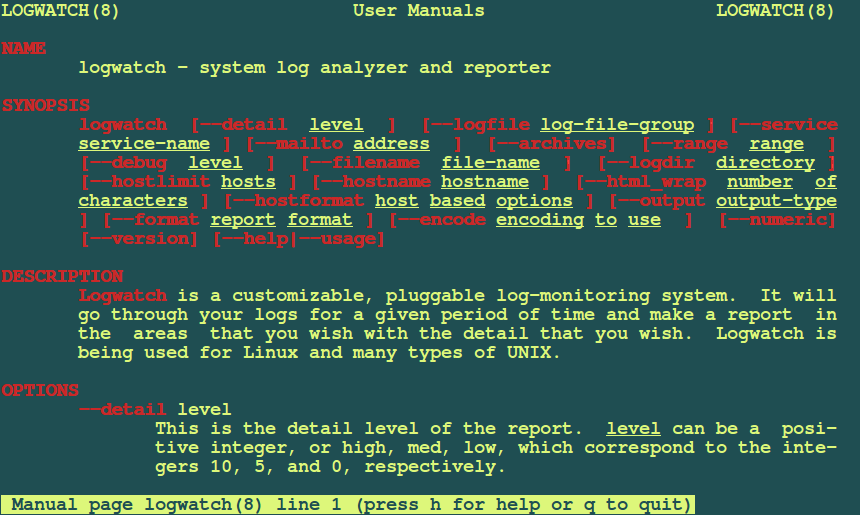
Logwatch is an easily customizable Open Source Log management tool that carries out features such as reviewing Log files for a given period of time and then generating report for the same based on the areas set by the administrator itself. That is one only need to set up his own information area.

One of the most essential features of this logging system is that it is easy to use for new System Administrator and it also works on most Linux distributions available and many Unix systems.

It enables a system administrator to add additional plug-ins, create custom scripts that serve specific logging needs.

LOGWATCH


5. Logstash

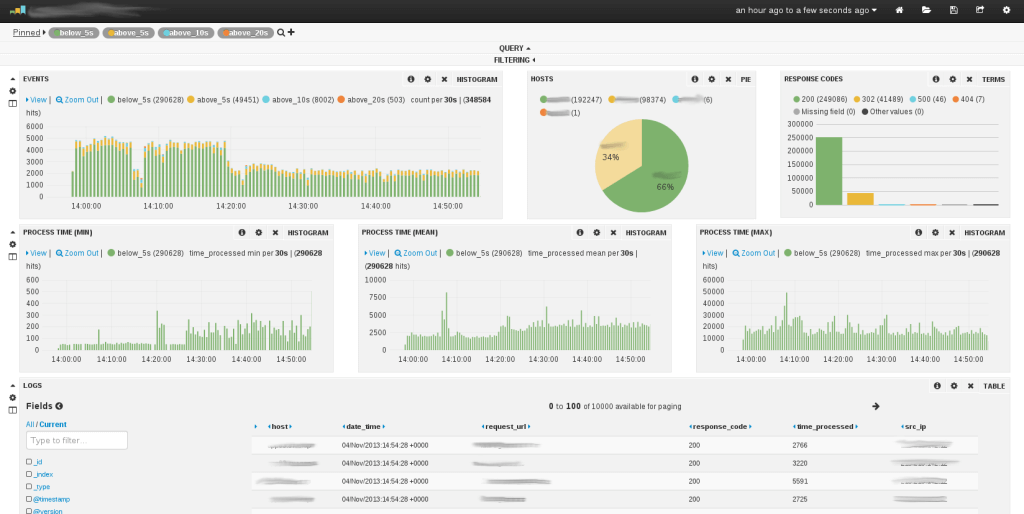
Just like the other open source Log management tools available on Linux defined above, Logstash resembles its own functionality of Real-time pipelining. As it was originally intended to maintain data collection but if we told about the new updated version integrated with several other features that collects a wide range of input data formats, works as an Open Source Filter and also output plug-ins and formats.

Logstash also allows System Administrators to cleanse, compare and standardize all their logging data for distinct advanced analytics and also create visualization use cases as well.


Logstash