Home Blog Page 870

12 examples to decode man pages in Linux/Unix

 feel man is one of the frequently used command along ls and cd commands in Linux. Have some more which you think we use frequently then post it in comments. Many people who are new to Linux do not know its potential. They just read a man page for a specific command and go away or just use “man commandâ€. This post is mainly meant for newbies to Linux/Unix. Do you know there are other commands which are similar to man command? Below are the list of commands which I call cousins to man pages.

Other helpful manuals available in Linux

  • info
  • help
  • –help
  • which
  • where

To know more about these commands you should visit my other post on them.

As I said man(abbreviation to manual) command is useful to read more details about any command you want.

Example 1: Get information about passwd command such as what it do, options available, examples to use it, related commands etc.

man passwd

This will be opened in a default file viewer, most of the Linux distributions use less as default editor. To exit from man pages use â€œqâ€.

Example 2: As I said man pages are opened in a default viewer, if you want to change that use -P to change to some other viewer. Below example uses cat command for viewing man pages.

man -P cat passwd

Example 3: How about reading man with man pages. We can do that with following command.

man man

This post is about details displayed from above command(man man) output.

Example 4: There is a perception that man pages are written only for Linux command. That is not true. We have man pages written for normal commands, admin commands, configuration files, concepts etc. Below is the list of man categories.

Man pages types in Linux

 1 Executable programs or shell commands 2 System calls (functions provided by the kernel) 3 Library calls (functions within program libraries) 4 Special files (usually found in /dev) 5 File formats and conventions eg /etc/passwd 6 Games 7 Miscellaneous (including macro packages and conventions), e.g. man(7), groff(7) 8 System administration commands (usually only for root) 9 Kernel routines [Non standard]

If you see there are total 9 type of man pages available. This number varies on different flavours of Linux/Unix. What that means for you? Let me explain with an example.

Suppose you want to know more about passwd command in Linux we just give man passwd. But if you want to learn more about /etc/passwd file format then you have to use man 5 passwd. Both command outputs are different, see it your self by using below examples.

man <catagory-number> <keyword>

Example:

man 1ssl passwd
man passwd
man 5 passwd

All above commands will give you different information depending on category where they fall.

Where are my man pages located?

Example 5:  All the man pages are located in /usr/share/man. If you want to know where a perticular man page located use whereis commnad

whereis passwd

Output:

passwd: /usr/bin/passwd /etc/passwd /usr/share/man/man5/passwd.5.gz /usr/share/man/man1/passwd.1.gz /usr/share/man/man1/passwd.1ssl.gz

If you observe output, we have different man pages(man5, man1, man1) located in different locations. These corsponds to man page types which we seen in above example.

Example 6: Not liking all the man pages in short and bit confused about the output, use -w for finding location of a man page.

man -w <type> command

Example

surendra@sanne-taggle:~$ man -w 5 passwd/usr/share/man/man5/passwd.5.gz

Example 7: Want to display all these commands in single command instead of using man 1, man 5 etc? Use -a for that.

man -a passwd

Example 8: How about viewing multiple man pages for different commands at same time. You can use man command to append commands.

man ls pwd whoami

The Linux man page categories

Each man page is categorised in to different sections for easy use. Suppose if you want just basic options use first section or if you want learn about each option in detail use second section.

Below are the common categories(not necessary all or in the same order) we see in most of the man pages.

NAME -One line answer about what this command do. This is the same output we see inwhatis command output.

Read Full Post:   http://www.linuxnix.com/understand-man-pages-in-linux/

42 Best Free Linux Graphics Software

Linux has matured into an excellent platform for artists, photographers, animators, and designers. With inexpensive hardware, free software, and a modicum of talent and inspiration, anyone can create professional-looking computer graphics.

There is a huge range of open source software available to create, modify and convert 2D and 3D computer graphics. To provide an insight into the software that is available, we have compiled a list of 42 high quality Linux graphics applications.

<A HREF=”http://www.linuxlinks.com/article/20160228044751101/GraphicsSoftware.html“>Full article</A>

Hackery to get going RDO Kilo on Fedora 23

Sequence of hacks required to get going RDO Kilo on Fedora 23 is caused by existence of many areas where Nova has a hard dependency on Glance v1. Per https://specs.openstack.org/openstack/nova-specs/specs/mitaka/approved/use-glance-v2-api.html

The key areas that still use Glance v1 include:

  • Nova’s Image API, that is effectively just a proxy of Glance’s v1 API
  • Virt driver specific download of images and upload of images
  • CRUD operations on image metadata
  • Creating and deleting snapshots in common code.

According to  https://bugs.launchpad.net/glance/+bug/1476770  I can see that for python-glanceclient status is “In Progress”. So, to get things working right now only one option is available (for myself of course) , it is to try to convert into F23 downstream temporary patch abandoned commit   and test would it help me or no. As of time of writing I’ve got positive results on AIO RDO Kilo set up on F23.

Complete text maybe seen here

How To: Install/Upgrade to Linux Kernel 4.4.3 in Ubuntu/Linux Mint Systems

The Linux Kernel 4.4.3 is now available for the users, announced Linus Torvalds. This Linux Kernel version comes with plenty of fixes and improvements. This article will guide you to install or upgrade to Linux Kernel 4.4.3 in your Ubuntu or Linux Mint system.

Installation

For 32-Bit Systems

Download the .deb packages.

$ wget kernel.ubuntu.com/~kernel-ppa/mainline/v4.4.3-wily/linux-headers-4.4.3-040403_4.4.3-040403.201602251634_all.deb
$ wget kernel.ubuntu.com/~kernel-ppa/mainline/v4.4.3-wily/linux-headers-4.4.3-040403-generic_4.4.3-040403.201602251634_i386.deb
$ wget kernel.ubuntu.com/~kernel-ppa/mainline/v4.4.3-wily/linux-image-4.4.3-040403-generic_4.4.3-040403.201602251634_i386.deb

Install them.

$ sudo dpkg -i linux-headers-4.4.3*.deb linux-image-4.4.3*.deb

Reboot the system.

sudo reboot

Full article here


Linux directory structure explained:/etc folder

ETC is a folder which contain all your system configuration files in it. Then why the etc name?

“etc” is an English word which means etcetera i.e in layman words it is “and so on”. The naming convention of this folder is having some interesting history.

The history /etc folder in Linux/Unix

In initial days of UNIX OS development there is a folder for each type of data like /bin folder for all your executable binaries
/boot folder for all booting related information.
/dev folder for all hardware devices attached to machine.
But people encountered a situation to keep some files which can be a config file or a data file or a socket file or some other files. So they implemented a folder to keep all these files in it and they named it as /etc(As said earlier etcetera). As time passed the meaning of this folder has changed but not the name “etc”. Now /etc folder means a central location for all your configuration files are located and this can be treated as nerve centre of your Linux/Unix machine.

Read Full Post:  http://www.linuxnix.com/linux-directory-structure-explainedetc-folder/

This Week in Linux News: Emily Ratliff Named Among Most Powerful Women Engineers, Open Mainframe Announces New Areas of Focus, & More

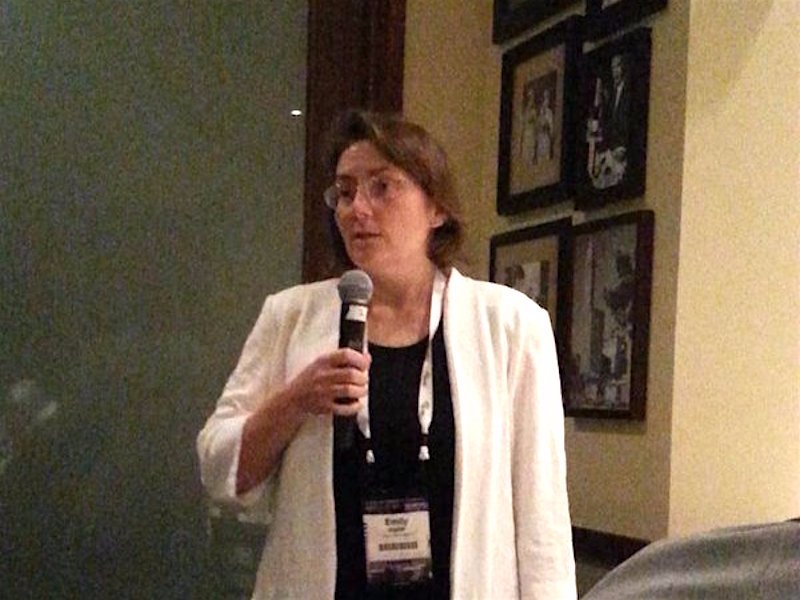
Emily RatliffThis week in Linux news, The Linux Foundation’s senior director of security, Emily Ratliff, ranks among Business Insider’s list of the “Most Powerful Women Engineers,” The Open Mainframe Project announces new areas of focus, and more! Stay informed with these recent top Linux headlines:
1) Emily Ratliff, senior director of security at The Linux Foundation, is #15 on Business Insider’s “26 of the most powerful women engineers in 2016” list. 

26 of the Most Powerful Women Engineers in 2016– Business Insider

2) The Open Mainframe Project, a Linux Foundation Collaborative Project, announces new initiatives, investments, and an internship program.

Linux’s Open Mainframe Project Declares Areas of Focus– SD Times

3) Users report an inability to join calls on Skype for Linux and blame Microsoft for shirking OSS. 

Skype for Linux Reportedly Facing Issues, Microsoft Accused of Neglecting OS– NDTV

4) A version of Linux Mint has been hacked to contain a backdoor and trick users into downloading.

Linux Mint Website Hacked to Trick Users Into Downloading Version With Backdoor– ZDNet

5) Linus Torvalds explains his practical approach to sharing code in a talk at TED 2016. 

Why Linux Creator Linus Torvalds Doesn’t Really Care About Open Source– TechRepublic

Linux Kernel 4.4.3 LTS Officially Released with Btrfs, ARM, and PowerPC Changes

linux-kernel-4-4-3changesGreg Kroah-Hartman has just announced earlier today, February 26, 2016, the general availability of the third maintenance release in the stable, long-term supported Linux 4.4 kernel series.

Linux kernel 4.4.3 LTS is a fully loaded release that promises to add better support for various hardware architectures, among which we can mention ARM, ARM64 (AArch64), m32r, PowerPC, and x86. Multiple drivers have been updated as well, in particular for things like iiO, IOMMU (I/O Memory Management Unit), NVDIMM, Phy, SCSI, iSCSI, TTY, and USB. But that’s not all, …

Read more at Softpedia

90 Percent of All SSL VPNs Use Insecure or Outdated Encryption

vpn-use-insecureInformation security firm High-Tech Bridge has conducted a study of SSL VPNs (Virtual Private Networks) and discovered that nine out of ten such servers don’t provide the security they should be offering, mainly because they are using insecure or outdated encryption.

Additionally, researchers also note that 74% of certificates are signed with SHA-1 signatures, and 5% with MD5 hashes, both considered outdated. 41% of all SSL VPNs also used insecure 1024 key lengths for their RSA certificates, even if, for the past years, any RSA key length below 2048 was considered to be highly insecure.

Read more at Softpedia

Yahoo Releases CaffeOnSpark Deep Learning Software to Open Source Community

The machine learning software is now open for further development and use by applications outside of Yahoo’s ecosystem.

Yahoo has opened the gates for open-source developers to take advantage of CaffeOnSpark, deep learning software which powers Flickr’s image capabilities. Based on the Apache Spark open source cluster computing framework, Yahoo says the system bolsters the Spark framework, which already comes with Spark MLib, a package of non-deep learning algorithms for classifying data. 

Read more at ZDNet News

Development Release: Xubuntu 16.04 Beta 1

xubuntu-smallThe Ubuntu Release Team has announced the availability of new beta test images for select community editions. The new development release, which carries the designation 16.04 Beta 1, is recommended for testers only and is not considered suitable for daily use.

“This beta features images for Lubuntu, Ubuntu Cloud, Ubuntu GNOMEUbuntu MATEUbuntu KylinUbuntu Studioand Xubuntu. Pre-releases of Xenial Xerus are not encouraged for anyone needing a stable system or anyone who is not comfortable running into occasional, even frequent breakage. They are, however, recommended for Ubuntu flavour developers and those who want to help in testing, reporting and fixing bugs as we work towards getting this release ready.” Additional information can be found in the release announcement