Home Blog Page 904

IBM Refreshes LinuxONE, Expands Platform’s Ecosystem

290x195linux2012IBM enhances LinuxONE for hybrid cloud environments, adding data management and API tools for service providers, small, mid-size businesses.
IBM has announced a host of new features and collaborations for its LinuxONE family of high-performance Linux systems, broadening its ecosystem and adding new platform support.The enhancements will enable organizations of all sizes to develop, deploy and manage applications for the cloud with robust security, IBM said.A key move to expand the LinuxONE ecosystem includes providing support for the Go programming language.

Read more at eWeek

Public Cloud Services Spending to Grow Rapidly, Gartner and IDC Say

Spending in 2016 will hit $204 billion, according to Gartner analysts, while IDC says it will reach more than $141 billion by 2019. Spending on public cloud services will increase sharply this year and through 2019, according to analysts with IDC and Gartner.

In a report Jan. 25, Gartner analysts said the global public cloud services market will jump 16.5 percent this year compared with 2015.

In a report issued last week, IDC analysts took a look at projected market growth in public cloud spending between 2014 and 2019, when the space will increase by 19.4 percent, to more than $141 billion. The growth rate is almost six times the rate of overall IT spending during that time, the analysts said.

Read more at eWeek

Time-lapse Video: Edison Supercomputer Moves to Berkeley

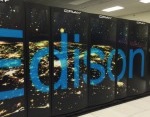
edison-150x150In this video, engineers move the NERSC Edison Supercomputer from Oakland to Berkeley. The one week long move is condensed into :41 seconds in this time lapse video, shot during the entire process. Edison is a Cray XC30, with a peak performance of 2.57 petaflops/sec, 133,824 compute cores, 357 terabytes of memory, and 7.56 petabytes of disk.

Read more at insideHPC

Linux 101: Check Disk Space Command

I recently switched from a Windows server to a Linux server operating system. I am using Ubuntu LTS server. How do I find out disk space utilization information using command line option?

Linux command to check disk space

  • df command – Shows the amount of disk space used and available on Linux file systems.
  • du command – Display the amount of disk space used by the specified files and for each subdirectory.
  • btrfs fi df /device/ – Show disk space usage information for a btrfs based mount point/file system. Read more

Read more….


Interested in learning more about Linux administration? Explore these Linux training courses.


Find Out If Patch Number ( CVE ) Has Been Applied To RHEL / CentOS Linux

I know how to update my system using the yum command. So many many vulnerabilities out there, how can I find out that patch has been applied to a package? How do I search CVE patch number applied to a package under a Red Hat Enterprise Linux/CentOS/RHEL/Fedora Linux based system? 

Read more…


GitLab Rev Zeroes in on Speed, Search, and GitHub

On the occasion of its 50th release, GitLab challenges GitHub with performance monitoring and faster search.

GitLab, a code-hosting alternative to GitHub, is adding performance monitoring and “super-powered” search to the 50th release of the platform. Version 8.4, unveiled late last week, also makes it easier to work with large files or large volumes of artifacts. Performance monitoring gathers data on the time it took to complete a transaction, time spent running SQL queries, time spent executing Ruby methods, and system statistics like process memory usage. 

Read more at InfoWorld

How to Use Docker in a Practical Way (Part 1 – Introduction)

It is not an uncommon situation, for early adopters of newly introduced concepts and technologies, to be totally confused when these can fundamentally change the ways of developing and delivering services. Especially when everybody talks about something like Docker, and how awesome and game changing it is. This confusion happens when we try things early on and rushing straight to testing them without grasping the whole concept and background of this newly introduced technology.

Read more at HowtoForge

42 Best Free Linux Video Software

There is an excellent set of free, open source video software available on the Linux platform which is both fully featured and mature. Become a digital video editing master, turn your Linux machine into a Home Theatre box are two options that are explored in this article.

We previously published an article on excellent open source video tools in 2008. Some of the tools featured in that article have ceased development. There were often developed by one or a few developers. They ceased working on the projects, in part because better alternatives sprung forward. Given the length of time that has elapsed, we thought it best to update the article.

<A HREF=”http://www.linuxlinks.com/article/20160125121909407/Video.html“>Full article</A>

Best Linux Desktop Environments for 2016

DE-2Linux creates a friendly environment for choices and options. For example, there are many Linux-based distributions out there that use different desktop environments for you to choose from. I have picked some of the best desktop environments that you will see in the Linux world.

Plasma

I consider KDE’s Plasma desktop to be the most advanced desktop environment (DE). It’s the most feature-rich and customizable desktop environment that I have ever seen; even Mac OS X and Windows don’t come near Plasma when it comes to complete control by the user.

I also love Plasma because of its awesome file manager, Dolphin. One reason I prefer Plasma over Gnome-based systems is the file manager. One of my biggest gripes with Gnome is that its file manager, Files, can’t handle basic tasks, such as batch-files renaming. That’s important for me because I take a lot of pictures, and Gnome makes it impossible for me to rename image files. On Dolphin, it’s a walk in the park.

Then, you can add more functionality to Plasma with plugins. Plasma comes with some incredible software including Krita, Kdenlive, Calligra Office Suite, digiKam, Kwrite, and many other applications being developed by the KDE community.

The only weakness of the Plasma desktop is its default email client, Kmail. It’s way too complicated to set up, and I also wish that setting up Kmail also configured the Address Book and Calendar.

Plasma is the default desktop environment of many major distributions including openSUSE.

GNOME

GNOME (GNU Network Object Model Environment) was founded by Miguel de Icaza and Federico Mena in 1997 because KDE used Qt toolkit, which was released under a proprietary license. Unlike KDE, where there were numerous customizations, GNOME focused on keeping things simple. GNOME became extremely popular due to its simplicity and ease of use. A factor that I think contributed heavily to Gnome’s popularity was the fact that Ubuntu, one of the most popular Linux distributions, picked it as their default desktop environment.

With changing times, GNOME needed a change. Therefore, with GNOME 3 the developers introduced the GNOME 3 Shell, which brought with it an entirely new design paradigm. That in turn led to some conflict with Canonical’s plans with Ubuntu, and they created their own shell for GNOME called Unity. Initially, GNOME 3 Shell was plagued by many issues — most notably, the fact that extensions would stop working after updates. This major shift in design and the various problems then led to many forks of GNOME, such as the Cinnamon and Mate desktops.

That said, what makes GNOME desktop interesting is that they are targeting touch-based devices, so if you have new laptops that come with a touchscreen, Gnome is the best suited DE for them.

With version 3.18, GNOME has made some impressive improvements. The most interesting thing that they have done is Google Drive integration where users can mount their Google Drive as a remote file storage and work with files without having to use a web browser. I also love GNOME’s awesome integration of email client with calendar and address book. Despite all this awesomeness, however, the one thing that keeps me from using GNOME is its file manager, which can’t handle batch file renames. I will stick to Plasma until GNOME developers fix this problem.

DE-fig1

Unity

Unity is technically not a desktop environment, it’s a graphical shell developed by Canonical for Ubuntu. Unity runs on top of GNOME desktop environment and uses most stock GNOME apps and tools. The Ubuntu team has forked a few GNOME components to better suit the needs of Unity users.

Unity plays a very important role in Ubuntu’s convergence story and with Unity 8, the company is bringing the desktop and mobile world together. Canonical has developed many intriguing technologies for Unity including HUD (Head-up Display). They also took a unique approach with lenses and scopes making it easy for users to find appropriate content.

The upcoming release of Ubuntu, 16.04, is expected to ship with Unity 8 so users will get to experience all the work that developers have put into this open source software. One of the biggest criticisms with Unity was opt-out integration of Amazon ads and other services. With the upcoming release, though, Canonical is removing Amazon ads from Dash, making it a privacy-respecting OS by default.

Cinnamon

Cinnamon was initially developed by Linux Mint — the most popular distro on DistroWatch. Cinnamon is a fork of GNOME Shell, just like Unity. Later, however, it evolved into a desktop environment as Linux Mint developers forked many components of the GNOME desktop, including Files, to address the needs of their users.

Because Linux Mint was based on regular releases of Ubuntu, the developers continued to chase the moving target that was Ubuntu. As a result, despite great promises Cinnamon was full of bugs and problems. With the 17.x release, however, Linux Mint developers moved to LTS edition of Ubuntu that allowed them to focus on core components of Cinnamon without having to worry about the base. As a result of this move, Cinnamon has become incredibly stable and bug free. The developers have started adding more features to the desktop.

For those who prefer the good old Windows-like UI on top of the simplicity of GNOME, Cinnamon is the best desktop environment.

MATE Desktop

The MATE desktop environment is also a fork of GNOME. However, unlike Cinnamon, it’s not a fork of GNOME 3; instead it’s a fork of GNOME 2 codebase, which is not unmaintained. A few developers didn’t like Gnome 3 and wanted to “continue” GNOME 2, so they took the codebase and created MATE. The MATE project forked many components of the GNOME project and created a few from scratch. To avoid any conflict with GNOME 3, they renamed all their packages: Nautilus become Caja, Gedit became Pluma, Evince became Atril, and so on.

Although MATE is a continuation of GNOME 2, that doesn’t mean they are using old and obsolete technologies; they are using newer technologies to offer a modern GNOME 2 experience.

What makes MATE an impressive desktop environment is that it’s extremely resource efficient. You can run it on older hardware or newer less powerful hardware, such as Raspberry Pi or Chromebook Flip. What’s makes it even more interesting is that using it on powerful systems frees most system resources for applications instead of the resources being consumed by the desktop environment itself.

LXQt

LXQt is the successor of LXDE, one of the most lightweight desktop environments. It’s a merger of two open source projects LXDE and Razor-Qt. The first usable version of LXQt (v 0.9) was released in 2015. Initially, the developers used Qt4 but then all compatibility with it was dropped, and they moved to Qt5 and KDE Frameworks 5 for speedy development. I have tried LXQt on my Arch systems, and its a great lightweight desktop environment, but it has a long way to go before it becomes the rightful successor of LXDE.

Xfce

Xfce predates the KDE desktop environment. It is one of the oldest and lightest desktop environments around. The latest release of Xfce is 4.15, which was released in 2015 and uses modern technologies like GTK+ 3. Xfce is used by many special purpose distributions, such as Ubuntu Studio, because — much like MATE — it frees most system resources for applications. It’s also the default desktop environment of many notable Linux distributions including Manjaro Linux, PC/OS, Salix, and Mythbuntu.

Budgie

Budgie is a new desktop environment being developed by the Solus Linux team. Solus is new Linux distribution that’s being developed from scratch, and Budgie is a core component of it. Budgie uses many GNOME components and offers a minimalistic UI. Because there’s not much information about the new desktop, I talked to the core developer of Solus, Ikey Doherty, and he explained, “We ship our own desktop, the Budgie Desktop. Unlike some other desktops, this is not a fork, rather it aims for full integration into the GNOME stack. It’s written from scratch, and is specifically designed to cater for the experience Solus is offering. We work with upstream GNOME here as much as we can, contributing fixes, and advocate and support their work.”

Pantheon

Pantheon needs no introduction, it’s the desktop environment powering the lovely Linux distribution elementary OS. Similar to Budgie, Pantheon is not a fork of GNOME as many may assume. elementary OS team comes from design background so they pay very close attention to minute details, as a result Pantheon is extremely polished desktop environment. At the moment, it may lack many feature found in DEs like Plasma, but the developers are taking their time in order to stick to the design principle.

DE-3

Conclusion

As I went through this story, I realized the awesomeness of open source and Linux. There is something for everyone. As Jon “maddog” Hall said during the latest SCaLE 14, “Yes, there are 300 Linux distributions. I can try them and stick to the one that I like!”

So, enjoy this diversity and use the one that floats your boat!

Hands-On: Kali Linux Light (Xfce) and Mini Distributions

kali-scrotIn addition to their full distribution, Kali Linux offers Light and Mini versions. Here’s how I got on with them.

In my previous post, I looked at the Full version of the new Kali Linux 2016.1 Rolling release. That version uses the Gnome 3 desktop and includes a large number of security, forensic, and penetration-testing utilities. In this post I am going to look at the Light version, which uses the Xfce desktop and includes only a few security utilities in the base installation, and the Mini version, which lets you choose your desktop, but includes no additional utilities in the base installation.

Read more at ZDNet News