 Months ago, I covered Solus Project as an alternative to Chrome OS. It made sense, as the Budgie desktop environment resembled the Chrome OS UI and the system integrated well with the user’s Google cloud account. Even at that early iteration, Solus was a solid distribution that made Linux incredibly easy to use.
Fast forward to now and Solus no longer exists as a shadow of Chrome OS. Solus is a distribution that lives somewhere in the intersection of the GNOME, Chrome OS, and Xfce Venn diagram. It is simultaneously familiar and brand new. With that “brand new familiarity” comes an ease of introduction you won’t find with other 1.0 distributions sporting a new desktop environment.
At the heart of the 1.0 release of Solus is, of course, Budgie. As I mentioned, the first iterations of Budgie were very much in line with the Chrome OS interface. Now? Not so much, In fact, Budgie has very much taken on a life of its own. Imagine, if you will, the GNOME panel, the Xfce menu, and the simplicity of Chrome OS cobbled together to form an elegant whole. In fact, Budgie manages to one-up the likes of Mate and Cinnamon by bringing a modernity to the tried and true single-panel interface others have yet to achieve.
The Bits and Pieces of Budgie
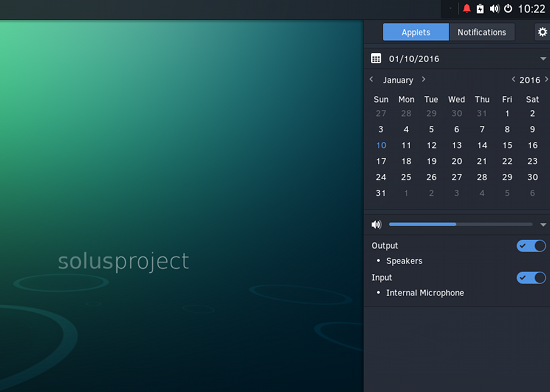
When you first glance at the desktop, the inclination will be to think That’s just a GNOME panel without the Dash! And with that, you’d be wrong. Budgie is its own beast. In fact, it goes quite the opposite route of GNOME. Instead of having a pop-up Dash, Budgie has a pop-up panel (for notifications and other features) called Raven. Raven serves as an applet, a notification center, and customization center. When you click on the standard notification area, Raven will pop out (Figure 1 above).
Out of the box, Raven only includes the Calendar and sound applets. Don’t be fooled by this. There is so much more you can do from within Raven. For example, click on the Notifications button to reveal any existing notifications (Figure 2).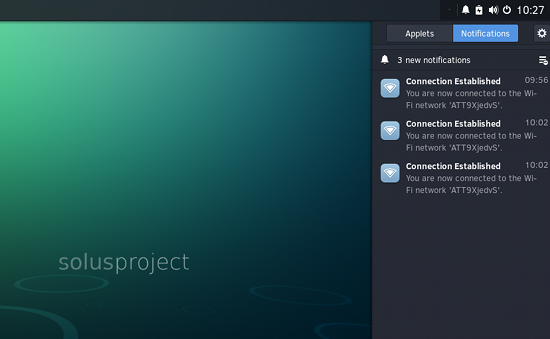
You will also notice not one, but two gear icons within Raven. The top-right gear icon opens the Raven settings panel (Figure 3).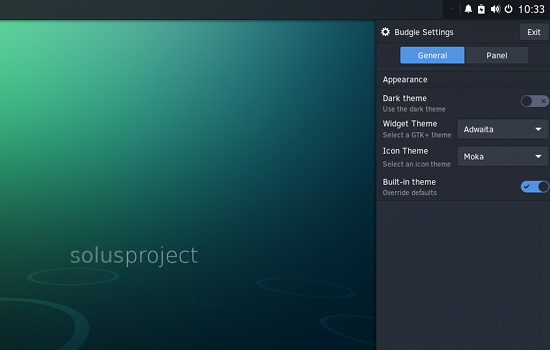
I suspect much more will be coming to Raven in the near future.
Obviously, it would be a challenge to function with a desktop unless there were a menu at play. Budgie’s menu is simple. For those users of Mate, Cinnamon, or Xfce, the Budgie menu will be all too familiar. Why? Because it sticks with the basics and makes excellent work of it. In fact, the Budgie menu (Figure 4) is so basic, you won’t find a favorites menu or even the ability to configure. This is very much a what you see is what you get menu. And that’s fine—because it works very well.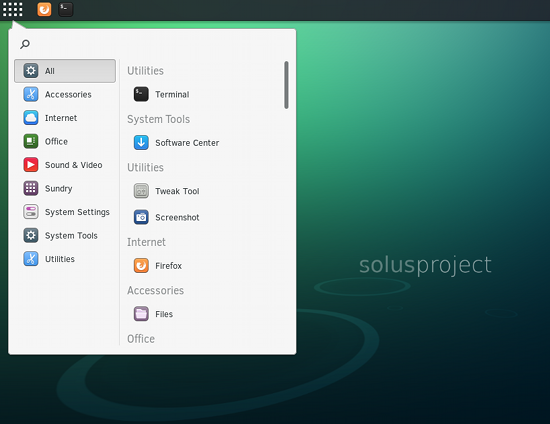
Click on a category within the menu and see all the related apps you have installed. Click an app to launch. Simple. The menu also includes a very helpful Search feature. Open the menu, type in your search text, and click on the desired results.
As strange as it may sound, that’s pretty much the gist of the Budgie desktop. The developers set out to create a desktop that doesn’t interfere with the work at hand and they achieved just that…to near perfection.
Package Management
This is where some might well look at Solus a bit cross-eyed. Instead of going with the standard .deb or .rpm packages, the developers instead opted for eopkg. This means you will either be limited to what is offered in the Solus Software Center (more on that in a moment), or you’ll have to package your own files. For example, say you want to install Chrome on Solus (out of the box, there is only Firefox). To do this, you would have to follow these steps:
-
Open up a terminal window (under Utilities in the menu)
-
To create the .eopkg file for Chrome, issue the command sudo eopkg bi –ignore-safetyhttps://raw.githubusercontent.com/solus-project/3rd-party/master/network/web/browser/google-chrome-stable/pspec.xml
-
Type yes to install the necessary dependencies
-
To install Chrome, issue the command sudo eopkg it google-chrome-*.eopkg && sudo rm google-chrome-*.eopkg
-
Allow the installation to complete and Chrome will automatically be added to the menu
The Software Center for Solus does something that the likes of Ubuntu should take notice of—it combines both the installation of packages and updates into one, very well-designed, interface (Figure 5).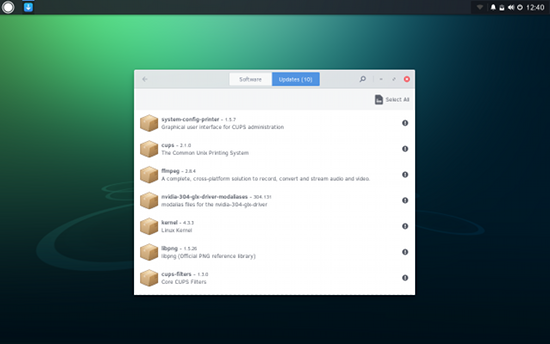
Because Solus went the road less travelled with package management, you will find fewer available apps in the Software Center. I look for this to change very quickly. The development team works tirelessly on this distribution. In fact, since installing Solus a week ago, I’ve watched the included package list grow. I’m certain this trend will continue.
Online Accounts
One of the key features (for me) was the ease of connecting my Google Drive account to Solus. For anyone that happens to be a Google Drive power user, you’ll love this feature. Effectively, what Solus does is mount your Google Drive in the file manager—so you can easily access your Drive files. This, of course, isn’t ideal for the likes of a laptop. Why? The second you shut down, that Google Drive is unmounted. Upon reboot, you will then have to open up the Files app and remount the drive (with a single click of the Drive entry—Figure 6).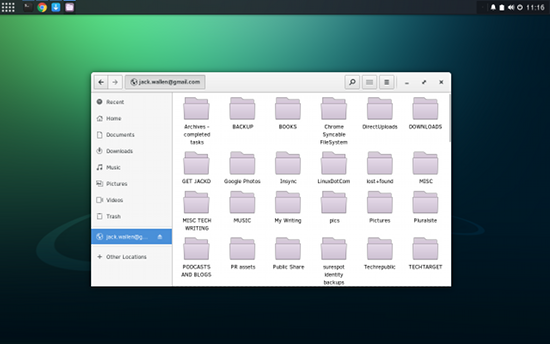
How do you connect Solus to your Google account? Simple:
-
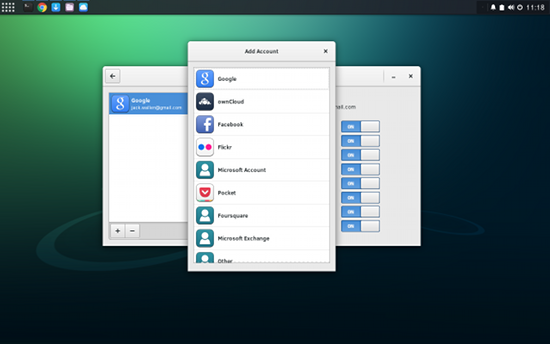
Open up the Settings app (from either Raven > Online Accounts or menu > System Settings > Online Accounts)
-
Click the + button from the Online Accounts setting page
-
Select Google from the listing (Figure 7)
-
Enter your Google account credentials
 As I said, this isn’t a seamless integration with the likes of Google. I much prefer the Insync tool to keeping my Google account in sync with my desktop (as opposed to simply mounting/unmounting it). Of course, you could mount your Google Drive and then use a backup tool to back it up to another directory. Fortunately, there is a backup tool available in the Software Center (grsync), which can be used just for this purpose.
Should You Try Solus?
If you’re looking for a new distribution (one I predict will have a massive break-out year in 2016) that offers the Linux platform in an amazingly simple and elegant form, you cannot go wrong with Solus. Yes, it’s in its infancy; but already it performs with the solidity of a distribution that’s been around for a while.
Solus is going places, that’s for sure. Give it a try, and you might find yourself not going back.

 Anke Boersma has announced the release of KaOS 2016.01, a new version of the project’s desktop Linux distribution featuring KDE’s Plasma 5 desktop: “It is with great pleasure to present to you a first KaOS ISO image for 2016. As always with this rolling distribution, you will find the very latest packages for the Plasma Desktop; this includes Frameworks 5.18.0, Plasma 5.5.3.
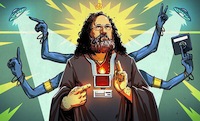 We all owe [Richard Stallman] a large debt for his contributions to computing. With a career that began in MIT’s AI lab, [Stallman] was there for the creation of some of the most cutting edge technology of the time. He was there for some of the earliest Lisp machines, the birth of the Internet, and was a necessary contributor for Emacs, GCC, and was foundational in the creation of GPL, the license that made a toy OS from a Finnish CS student the most popular operating system on the planet. It’s not an exaggeration to say that without [Stallman], open source software wouldn’t exist….
 Canonical, through Michael Vogt, proudly
  The Debian developers have publicly