 Meet Amelia Lorenz, the Disney animator behind our new #WorldWithoutLinux series.
Where are you from and where do you live today?
I am from Sebastopol, a little hippie town about an hour north of San Francisco. Today I live in Glendale, California, because it’s very close to the studio. In fact, many animation studios are located all around the Glendale/Burbank area. It’s a good place and there is an enormous animation community here!
When did you first become interested in animation? What other projects have you worked on?
I always enjoyed drawing as a kid, but when I was 13 or 14 I saw a behind-the-scenes vignette on how the animation studio Pixar made Monsters, Inc. That little vignette made me realize people actually draw for a living! So I have pursued animation ever since.
I interned at Pixar over the summer of 2011. The following summer I interned at JibJab and then was hired as an animator and storyboard artist. I was there for a year and a half before moving to Disney TV.
I have worked on a TV show called Gravity Falls, and I am currently working on a TV show called Star vs the Forces of Evil.
What’s it like working at Disney?
Working at Disney TV is great. I enjoy drawing characters acting and reacting. That’s really the most fun part to me. One cool perk is that I can bring a few friends to Disneyland with me for free. I have taken advantage of that quite a lot in the year and a half that I’ve worked there.

What inspires you to be an animator?
I am inspired by the people around me, by nature, and by stories. Animation is a way for me to observe how cool life is and interpret it the way I see it. I am often inspired by music, art, and other animators’ work.
How did you connect with Linux Foundation? What got you excited and interested in doing this project?
The Linux Foundation’s video producer, Gary Schillinger, found one of my student films online and contacted me. When he told me he was interested in working in a similar style for a new project, I realized this was a pretty unique opportunity. It’s not often I get to do something in my own style unless I’m just sketching for myself.
What is unique or fun to you about the World Without Linux series?
These characters are constantly getting into predicaments that may frustrate the average joe, but they always react in a light-hearted and fun manner. No character is ever mean spirited or a bully to another character, and yet it stays entertaining the entire time. I think that kind of storytelling is hard to do, so bravo, writers and voice actors!
What was your favorite part of drawing this series? What was most challenging?
I loved the process of designing the two characters, Annie and Sam. Initially, I thought I might be animating a little Linux penguin, which also sounds pretty fun, haha. But I got to animate characters that I designed myself. It was a pretty unique opportunity.
The most challenging part of the project was probably balancing work and life stuff. All of the work on this series was done on evenings and weekends, but I also never felt the “pressure” to work on it. The Linux Foundation made it very clear to me that they didn’t want this project to take over my free time, and that was a big relief.
What was your process? How did you approach this work?
Once I get a script, we talk about the shots we want and what kind of location the characters should be in. If we have some time to spare, I work on the background illustrations while we wait for the voices to be recorded.
Then I am sent the audio file of the voice actors reading the script. Sometimes I work from an animatic I’m provided, and other times I create the animatic. An animatic is when you take the storyboard of the script and time it to the voices, like a blueprint of the short.
Once that is approved, I move on to animation. This part takes the longest, especially character dialog. Sometimes it takes a whole month to get through it! But once the animation is approved, I put a few texture filters over the animation to give it a more “paper-y” feel, and then composite the animation, and backgrounds together into the final vignette.
The video producer at the Linux Foundation adds music, sound effects, and title cards to make it into the final version you see on the website!
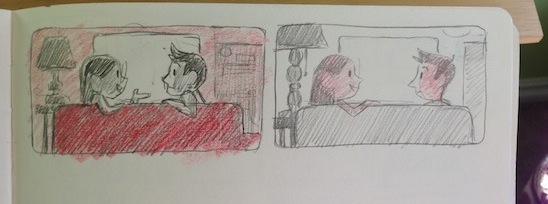
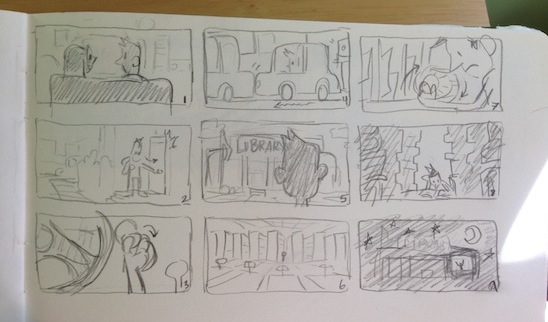
Did you develop a relationship with the characters? If so, how?
I find myself quoting Annie sometimes. Just the way that she phrases her sentences is very fun and funny. I like her a lot.
What’s your favorite episode? Why?
I think “Space” is my favorite episode (“a world without Linux is a world without exploration”); it was fun to work on because I got to research the ISS, and it was a bit simpler an episode to tackle. Annie is the star, and she has a handful of funny one-liners. {Editor’s Note: this episode is scheduled to be released in November or December.)
What kind of environment do you create for when you draw? Do you listen to music? Go outdoors, indoors?
If I could work outdoors I totally would! But my work is digital these days, so I am tied to the computer. I do make it a point to go outside and take walks, get boba drinks, and listen to music or audio books.
One benefit of working at home is that my cat will sometimes curl up on my lap. This has been beneficial in that she keeps me company; plus I am obligated to work a little while longer, since I can’t get up if she’s sitting on me.
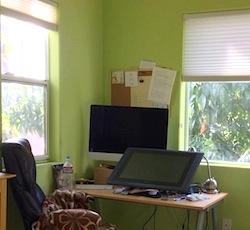
What’s your workspace like?
I have a nice cozy corner to work at. My favorite part is that I am on the second story of the building, and the windows are right at tree-level. Kinda feels like I am working in a tree fort.
Now that you know a little bit about Linux, what do you think of it? What have you learned?
I have a much better appreciation for Linux after having worked on the series! To be very honest, Linux intimidated me a little when I had to use it at Pixar over my internship a few years ago. But now, I would welcome any classes on how to use it. There is such a strong, positive, intelligent community creating Linux together, that I am honored now to somehow be a part of that. Thank you, Linux!

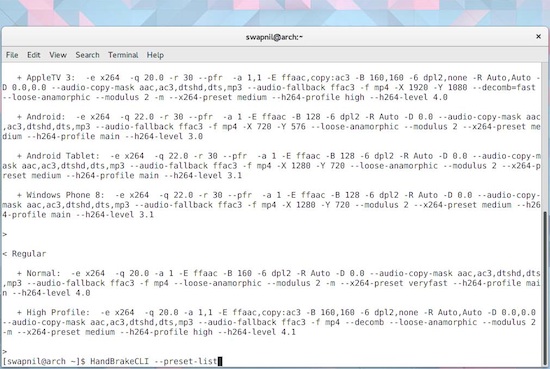 Linux users don’t need to transcode video files, because they have VLC and many other apps at their disposal that can play almost any media format out there. However, if you want to play videos on mobile devices such as your iPhone or iPad, or if you run streaming servers, then transcoding your videos into supported formats becomes essential.
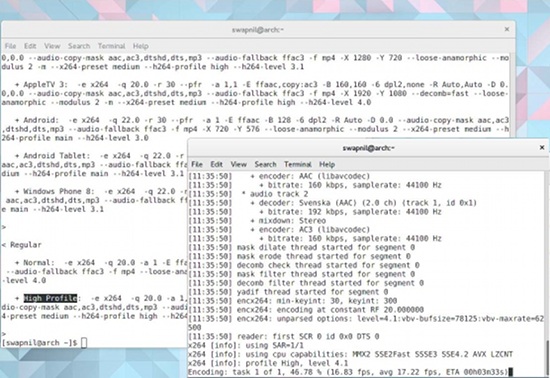 The file was downloaded to the Downloads folder in my home directory, and I wanted to save the transcoded file in the Videos folder, so this is the command I ran: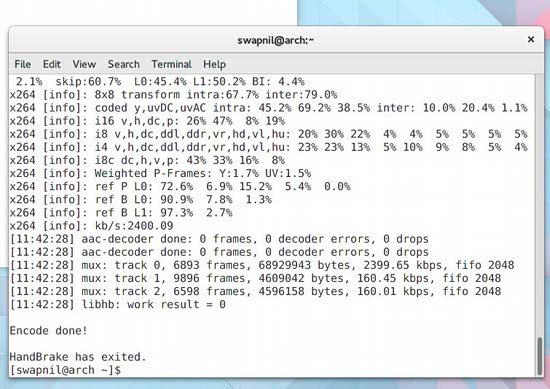
 The Linux Foundation
 Linus Torvalds has just announced that Linux kernel 4.3 RC4 has been released, taking this kernel branch a little bit closer to a final release.
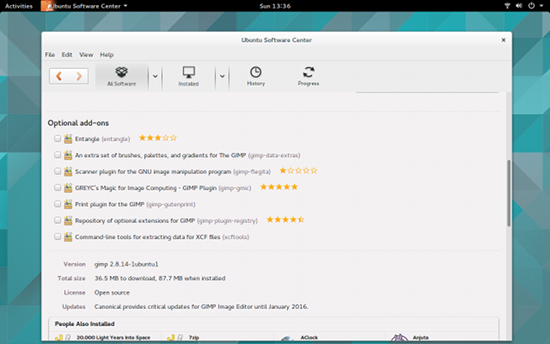 I’ve been doing graphic design for a long, long time. During that time, I’ve used one tool and only one tool…
 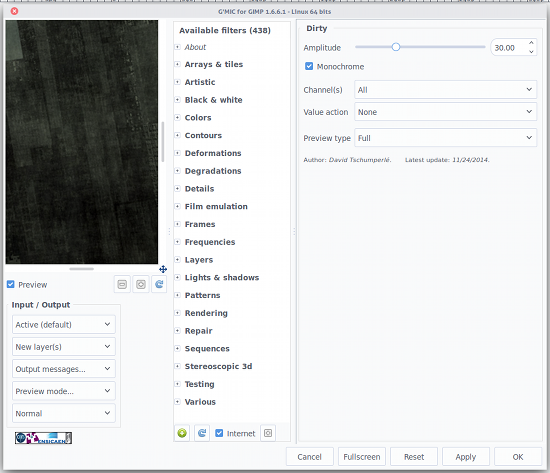 The first thing you need to know is the Input/Output section (bottom left corner). Here you can decide, first, what G’MIC is working on. For example, you can tell G’MIC to use the currently active layer for Input but to output to a brand new layer. This can sometimes be handy so you’re not changing the current working layer (you might not want to do destructive editing on something you’ve spent hours on). If you like what G’MIC did with the layer, you can then move it into place and delete (or hide) the original layer.
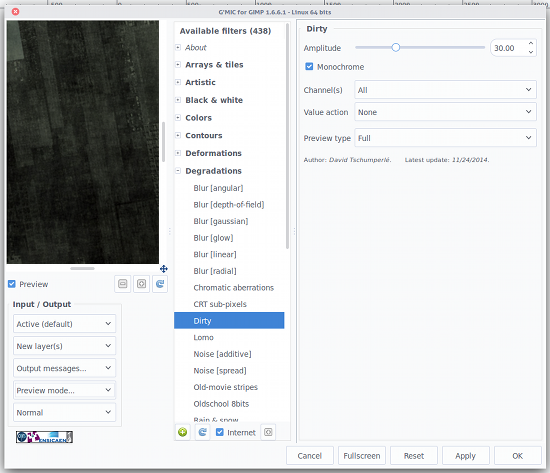 One thing you must get used to is making sure to select the layer you want to work on before opening G’MIC. If you don’t, you’ll have to close G’MIC, select the correct layer, and re-open G’MIC. You also need to understand that some of the filters take much longer to work their magic than others. You’ll see a progress bar at the bottom of the Gimp window, indicating the filter/effect is being applied.