 If Linux is your desktop of choice (and why wouldn’t it be?), then most likely you’ve come across one reason or another to play a video. Sure, you can watch all the YouTube, Hulu, and Netflix you want within your browser, but what happens when that video file you want to view isn’t offered on those services? What if it’s a local movie you’re wanting to play or a DVD? What are your options?
Remember, it’s Linux, so there are plenty of options. In fact, there are so many choices for video, you might not have the slightest idea where to begin. Most people, of course, would tell you to set your sights on the likes of VLC and forget about the rest. A few short years ago, that would have been sound advice—as many of the “lesser” video players fell very short of offering what VLC offered. That was then, this is now, and most of the “little guys” have caught up (or almost) with what many consider to be the de facto standard video player.
There is, of course, one caveat to video players in Linux. That’s DVDs. If you still hold tight to your DVD collection, know that playing DVDs in Linux is often fraught with issues because of licensing and legal hurdles. To get around that, you must install libdvdread4 (which can be found in your standard repositories) and then issue the command /usr/share/doc/libdvdread4/install-css.sh.
Upon running that command, you should reboot and cross your fingers that DVDs play. If they do not play, you most likely have to set the region of your device. Here’s how you do that:
- Install the regionset application (In Ubuntu, use sudo apt-get install regionset)
- Run the regionset command (such as, sudo regionset /dev/sr0)
- Enter y so you can change the region
- Enter the correct region code (here’s a listing of codes)
NOTE: You can only change regions FIVE times. After the fifth time, your device will remain on that region, and it cannot be changed.
With that out of the way, let’s take a look at a few video players that get the job done.
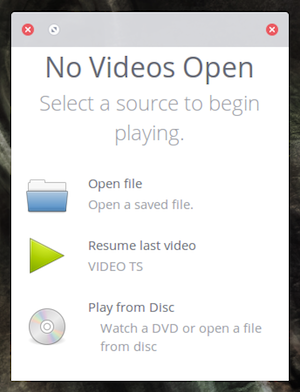
This is the default video player for Elementary OS Freya. It’s clean, simple, and very easy to use. Audience is very much a minimalist player. When you open the app, you’ll quickly notice there isn’t much there—a window and a couple of buttons prompting you to select a source to begin playing (see Figure 1 above).
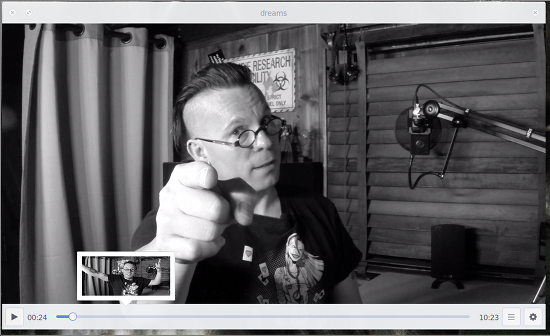
Audience does have an always-on progress bar at the bottom of the window, which features previews that appear when you hover your cursor over a spot in the timeline (Figure 2).
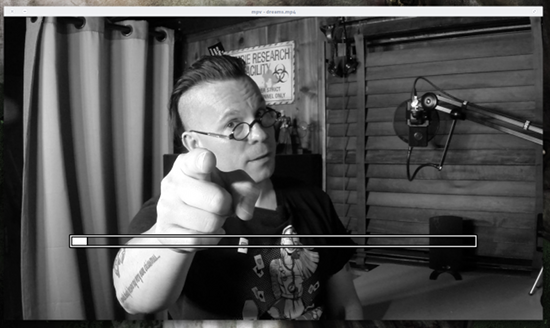
MPV is based on Mplayer and mplayer2 and goes even further with the minimalism. You get video/audio playback, mousewheel timeline control (Figure 3), and little more. But video playback is quite good, so it’s definitely worth your time. If you’re looking for one of the better video players that stays out of your way so you can focus on watching your videos, MPV might be the one you want.
MPV should be found in your standard repositories, so you can install it with a command similar to sudo apt-get install mpv.
The one caveat to MPV is that it doesn’t handle DVD table of contents as well as some other players. So, if you’re looking for a player to mostly play back DVDs, you might want to look elsewhere.
Videos (formerly known as Totem) is the default player for the GNOME 3 desktop and might well be one of the finest video players (that isn’t VLC) on the Linux market. It does a great job of playing back nearly any format (as long as you’ve enabled the necessary codecs) with ease. The interface allows for easy full-screen playback or window mode. Playing back in window mode gets you access to the Playlist sidebar, audio controls, and the timeline (Figure 4).
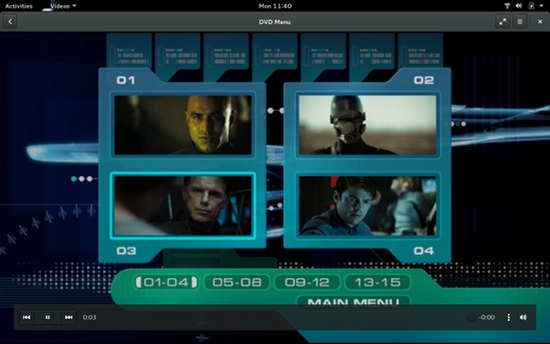
Videos is probably the only player on par with VLC at handling DVD table of contents, so if you’re planning on viewing DVDs, you’ll want this app. Videos also features a plugin system that allows you to extend the features of the GNOME default video playback app.
Miro is much more than just a video player. With this app, you can view YouTube, Hulu, RSS video feeds, TED Talks, and much more. With Miro, you can also convert videos from within the GUI itself (Figure 5).
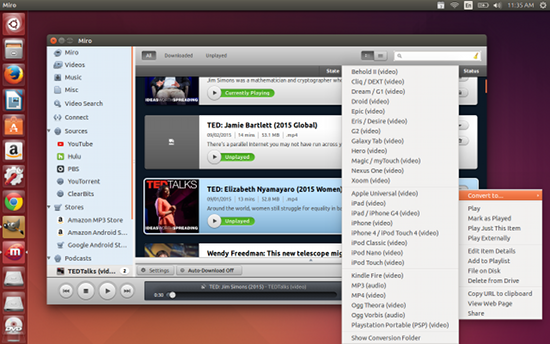
There is only one caveat to Miro—and it’s a big one. Miro currently lacks any level of stability. For example, watching TED Talks is hit and miss, and trying to watch a YouTube video crashes the app all together. The problem is that, although Miro has been updated to version 6, the developers have not released a build for anything beyond Ubuntu 12.10. If you avoid YouTube while using Miro, you should be good to go.
If the developers would hop back on board with Miro, this could easily become one of the most popular Linux media players on the market.
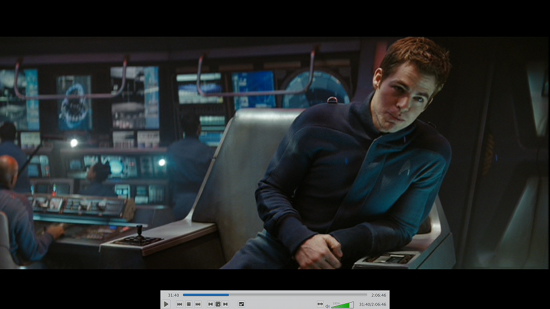
And now we must make mention of the tool that will most likely wind up being everyone’s go-to video player—VLC. Not only does VLC handle DVDs better than any other Linux video player, but the feature list is amazing. VLC supports nearly every codec imaginable, offers a good amount of filters (to change playback to suit your needs), handles subtitles perfectly, can output video to ascii art, and much more. Playback is stunning and offers a very well thought-out tool bar when either in window or full-screen mode (Figure 6).
Other video players are available, too. Unfortunately, the other options failed to handle DVDs well enough to be considered “best bets” here. And, even though Miro hasn’t had a new release in quite some time, the feature set (especially the video conversion tool) keeps it in the running.
The truth of the matter is, thanks to legal issues, video playback in Linux (especially with DVD/Blu-ray media) isn’t exactly where it should be. Yes, you can play all the local, YouTube, Hulu, and Netflix videos you want. But considering the amount of hoops one has to jump through to get a simple DVD to play, video playback on Linux has a way to go.
Even so, with these players, you should find one that will suit your needs just fine.

 KDE Frameworks 5.14.0 has just been announced by the KDE Community. The new version is now out and expected to hit repositories from all over the world very soon. Like many of the versions before it, the new Frameworks update is an important one, and it will have repercussions from now on.
 This week in Linux news, Jim Zemlin disusses the Linux Foundation’s expanding role in collaborative projects, Node v4.0.0 is released, and more! Get up to speed on the latest Linux news with our picks for the top 5 stories of the week.