

Read more at LinuxInsider

Literacy used to be the domain of scribes and priests. Then the world became more complicated and demanded that everyone read and write. Computing is also a form of literacy, but having it only understood by a priesthood of programmers is not going to be enough for our complex, online world. “Learn to code” has become a mantra for education at all ages. But after clearing away the hype, why do people need to learn to code? What does it get us exactly?
The release of the Linux 4.1 kernel is more significant than most, and not only because it was designated as a long term stable (LTS) release, or that it included contributions from 1,539 developers, the most in in Linux history. The release improves Btrfs file-system support for massive servers, adds encryption support to the latest ext4 file system, and offers enhanced support for Chrome OS, RAID 5/6 storage, and ACPI power management on 64-bit ARM systems.
Hardware improvements include native Nouveau acceleration on Nvidia GeForce GTX 750 graphics, as well as support for the upcoming “Skylake” Core CPUs. This performance and power-optimized “tock” answer to the similarly 14nm “Broadwell” “tick” line of 5th Generation Cores, expected to be announced in early August.
From an embedded perspective, the biggest hardware news in Linux 4.1, however, is a boost in performance of the 22nm- and 14nm-fabricated lines of Intel Atom system-on-chips. The Atom centers Intel’s Internet of Things strategy along with its lower-power Quark chip, and also aims to cut into ARM’s dominant share of the mobile device market. A Linux 4.1 Git Pull posting, a submission from Intel’s Kristen Carlson Accardi “changes one of the intel_pstate’s P-state selection parameters for Baytrail and Cherrytrail CPUs to significantly improve performance at the cost of a small increase in energy consumption.”
The performance improvements, which relate to Intel’s 22nm-fabricated Bay Trail Atom and Celeron system-on-chips, as well as its new 14nm Cherry Trail Atoms, are significant indeed, according to recent Phoronix benchmarks. Phoronix tested a pre-release version of Linux 4.1 running on Ubuntu. The targets were the new Intel Compute Stick running the tablet-oriented Atom Z3735F (Bay Trail-T), as well as an Intel NUC mini-PC running on a Celeron N2820 (Bay Trail-D).
As the Phoronix benchmarks show, the kernel’s Atomic improvements actually started with Linux 4.0. Compared to tests run with Linux 3.19, there were modest gains on graphics tests for Linux 4.0 and even more of a spread for Linux 4.1. There were more significant gains on CPU load, especially on the Atom Z3000-based Compute Stick. In almost all the tests, Linux 4.1 beat or matched Linux 4.0 by a considerable margin, and there was usually a larger gap between Linux 4.0 and Linux 3.19.
The Linux 4.1 improvements derived from changing the CPU frequency scaling driver setpoint from 97 to 60. This is said to make the P-State more aggressive in increasing the power/performance states when a heavy load is encountered. Note that the current Ubuntu 15.04 version available for the Compute Stick and NUC still use kernel 3.19, so you would have to load the new kernel yourself.
The improvements bode well for the Intel Atom family, which has traditionally been faster than similarly priced ARM SoCs while struggling to keep up on power efficiency. The Atom has made gains in efficiency, especially with the latest Cherry Trail models, but the new multi-core 64-bit Cortex-A53 SoCs are also more competitive on performance, as well.
The Linux 4.1 speed boost is likely similar on the embedded Intel Atom E3800 (Bay Trail-I), which has had a wider impact in the market than the other Bay Trails. The Atom E3800 is found on Intel boards like the Intel Edison and Minnowboard Max, not to mention countless embedded systems that have adopted the E3800 over the last two years.
The P-state changes have also been made to the 14nm Cherry Trail Atoms — the quad-core Atom x5 and x7 — which are already notable for major improvements in graphics performance over Bay Trail. At Computex earlier this month, Acer demonstrated one of the first Cherry Trail devices with its Atom x7-based Predator 8 Android gaming tablet. Cherry Trail has found faster acceptance on Windows tablets, including Microsoft’s Surface 3, which sheds Windows RT for the ARM-friendly Windows 10.
We saw no mention of the similar Celeron and Pentium branded “Braswell” line of processors, but we imagine the performance gains are about the same. Braswell SoCs like the quad-core, 1.6GHz Celeron N3150 and dual-core, 1.6GHz Celeron N3050 have the same 14nm foundation and kicked-up Intel Gen8 graphics as the Atom x5 and x7, and are otherwise quite similar except for adding desktop-like features such as SATA support.
It’s unclear whether the Linux 4.1 speedup would affect the 28nm Atom x3 (“Sofia”), which aims to take on ARM’s Cortex-A7 on the low end. The x3 models are aimed at budget smartphones and tablets sold to Asian markets, and include ARM Mali GPUs, and in some cases cellular basebands.
In April, Intel announced a rugged, IoT version of the Atom x3, which unlike the original model supports Linux, as well as the Linux-based Android. The IoT versions, which will be launched with developer kits later this year, feature seven years of extended product lifecycle support and optional extended temperature support.
Like the original Atom x3, which began shipping on a surprisingly affordable $70 Telcast X70 Android tablet in China, and is expected to arrive on some 45 different products by year’s end, the IoT versions include integrated basebands. This will enable long-range communications for sensor devices.
We’re still waiting for a true embedded version of Cherry Trail similar to the Atom E3800. So far, Braswell seems to be playing that role with TDP power efficiency ratings of 4-6 Watts. There has already been widespread Braswell adoption in recent weeks in Linux- and Windows 10-ready COM Express modules and Mini-ITX boards.
Whether it’s in mobile or embedded space, Intel’s Atom has some challenging competition from ARM. In addition to the arrival of 64-bit Cortex-A53 SoCs to drive high-end tablets and phones, there has been increasing support for Cortex-A7 in embedded devices. This week, for example, Freescale updated its line of popular, Cortex-A9-based i.MX6 SoCs with a more power-efficient i.MX7. The efficiency gains, including a claimed 15.7 DMIPS/mW performance/power ratio, not only derive from Cortex-A7, but also a 28nm process.
The i.MX7 reinforces how IoT has begun to shape the semiconductor industry. This is Freescale’s first i.MX line of SoCs to actually drop slightly in performance, although it also improves security, and adds a Cortex-M4 MCU and heterogeneous core management, in addition to extending battery life.
Interested in starting a new career in IT? Linux is one of the hottest technologies in the market today, with tens of thousands of job openings, and salaries outpacing many other IT specialties. This presentation demonstrates the steps you should take to launch your career in Linux.
Want to learn more? Check out our free ebook “A Brief Guide To Starting Your IT Career In Linux.”
When the time comes around for your distribution of choice to release a new iteration of its platform, you are faced with a seemingly simple choice—to upgrade or do a fresh installation. On one hand, you wind up having to do less work. On the other, the end result is a clean, fresh start.
Of course, nightmares do occur. Even the best-planned upgrade can go sideways. Does this mean you should always do a fresh install?
The question isn’t really all that simple because the answer depends on so many factors. I want to address the challenge of upgrades vs. fresh installs and see if I can help you determine which is the best route to take. Hopefully, in the end, you’ll have, on your hardware, the latest greatest operating system done in such a way to perfectly fit your needs.
The route you take to upgrading could already be determined for you. For example, if you happen to use a rolling release distribution, you most likely already have the latest greatest. Why is that? Because the rolling release distribution is constantly in a state of upgrade. Instead of using a sort of milestone release system, the rolling release uses a steady stream of “micro-updates” to keep your release up to date.
If you’re using the likes of Arch Linux, Arch Bang, Manjaro, Semplice Linux, openSUSE Tumbleweed, or Gentoo you are most like already using the latest release. On the other hand, if you’re using a distribution that is not a rolling release and tends to live on the cutting edge (such as Fedora), upgrades can tend to go sideways quite a bit. Your best bet with these types of distributions is to always do a fresh installation.
Some distributions have a much easier time with upgrading than others. For example, until recently I had been using Ubuntu Linux as my production desktop operating system. That system started with Ubuntu 13.04 and enjoyed upgrades to 13.10, 14.04, and 14.10—all with very minimal issues (all of which were third-party software). This should illustrate that some distributions are so solidly designed and their upgrades so well tested, that upgrading (even major release updates) go off without a hitch.
Consider this: Desktop versus server upgrades. Clearly a major upgrade to a desktop doesn’t hold nearly the risks of a major server upgrade. This is especially true when your server OS has been overly tweaked to meet your needs.
As a general rule of thumb, servers should always be handled with considerably more care than desktops. With regards to upgrading servers, your best bet is either virtualization or setting up brand new hardware (outside of production), testing, migrating data, and then (once all tests are complete) rolling the freshly installed server into production (and taking the old server down).
The last thing you need is to do a distribution upgrade on a server, only to watch the upgrade fail and your server wind up requiring data recovery and a fresh installation. This happens…even with Linux.
Consider what you have installed on your system. Have you, without fail, stuck with the distribution’s package management system (such as the Ubuntu Software Center, apt-get, dnf, Zypper, dpkg, etc)? Or have you gone off course and installed a number of packages from source?
Part of the draw of the open source platform is the ability to download the source of software, tweak it to fit your needs, and install (or re-distribute) it. But by installing from source, the package management system may not be aware of the installed software and the upgrade could break the application. That’s all fine and good if you’ve only installed a few packages in this manner. However, if you’ve installed the majority of packages from source, doing an upgrade will ultimately cause some serious problems and you’ll wind up having to remove and reinstall those packages anyway. To that end, a fresh install would be best.
For a very long time, it has been considered smart design to place your user’s home directory outside of the standard partitioning scheme. For example, you could house the user home directories on a completely different drive than the operating system. If this is the case, a fresh install of the operating system does no harm to user data. This does, however, pose a slight challenge to getting the new installation to recognize the location for the user’s ~/ (home) directory (a challenge that is handled post-install and requires a bit of /etc/fstab magic).
I have, for years, worked with a minimum of two drives in every Linux installation: one drive houses the operating system and the other drive houses all data. I will change all paths (such as Pictures, Music, Movies, Documents) to default to the second drive. By doing this, I can do a fresh installation without worrying about data.
One of the first things you should consider is why you want to do the upgrade in the first place. Three of the most common reasons for upgrading are:
You always want the latest-greatest.
Your current release is no longer supported.
You want a new feature or software release that you cannot get on your current iteration.
Clearly, if your current release is no longer supported, it’s time to upgrade. This might mean you are a fan of Long Term Support (LTS) releases (such as offered in Ubuntu). If that is the case, you will most certainly want to do a fresh installation. Upgrading from, say Ubuntu 12.04 to 14.04 could wind up a disaster.
If you are one that always wants the latest, you are probably working with a cutting edge distribution, so a fresh installation might be best.
Also, if your desire to upgrade is driven by a new feature or software release, an upgrade could be your best path (so long as you take in previously mentioned issues/concerns).
Say you’re an Ubuntu user and you’ve upgraded from 13.04 to 13.10 to 14.04 to 14.10 and each upgrade was flawless. Soon 15.04 will be released. There are two things to consider:
Should Canonical stick with X.org and Unity 7 for 15.04, the upgrade should go off as well as all others.
Should Canonical finally bring out Mir/Unity 8, you’ll want to do a fresh install (you might actually want to wait until 15.04.01 is released… but that’s a matter of opinion).
You will also want to consider how much time/effort you have spent customizing your installation as well as how many third-party applications you have installed. Customization takes time. Installing software takes time—especially if you have to track down repository information to add to your package management system (in order to install all of those third-party titles). One solution for this is to backup your sources file (such as /etc/apt/sources.list or all the files in /etc/yum.repos.d/) and save them to the cloud or on an external device. Once you’ve done a fresh installation, copy those sources back, update your package manager, and install away.
Finally, consider the partition type you prefer. New hardware (such as solid state drives) work much better with the btrfs and XFS file systems. If you’re using a distribution that previously defaulted to Ext4, an upgrade will continue with that file system. Your best bet, to take advantage of the more efficient file system, is to do a fresh installation.
In the end, the choice is yours. Make sure you choose wisely and you’ll wind up with a fresh desktop ready to serve you for the long haul or the short term. Upgrading Linux doesn’t have to be a nightmare. Plan accordingly, take into consideration all factors, and you can avoid any and all nightmares.
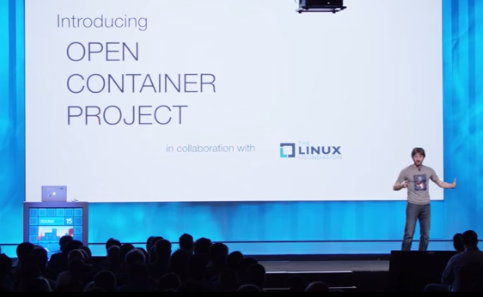 This week in Linux news, Linux kernel 4.1 is released, The Linux Foundation announces the Open Container Project, and more. Keep reading for the top Linux news stories of the past week.
1) Linux Kernel 4.1 is released.
Linux Kernel 4.1 LTS Officially Released by Linus Torvalds – Softpedia
2) Crytek’s CryEngine adopts Linux.
Crytek’s Powerful CryEngine is the Latest Gaming Engine to Embrace Linux– PCWorld
3) The Linux Foundation’s Core Infrastructure Initiative announces investment in grants for three new open source projects.
Linux Foundation Invests $452,000 in Open-Source Security Projects– eWeek
4) Adobe issues emergency patch fix for a vulnerability that could allow hackers to perform remote code execution.
Adobe Issues Emergency Patch for Flash Player Zero-Day Flaw– The Inquirer
5) The Linux Foundation announces the Open Container Project.
Docker and CoreOS Unite to Start the Open Container Project and Standardize Runtime, Image Format – VentureBeat
The OpenDaylight community is comprised of leading technologists from around the globe who are working together to transform networking with open source. This blog series highlights the developers, users and researchers collaborating within OpenDaylight to build an open, common platform for SDN and NFV.
 About Marcus Williams
Marcus Williams is a Network Software Engineer working on Intel’s OpenDaylight Team. He began his career at Intel working on open source Fibre Channel over Ethernet solutions supporting Intel 10Gbe Networking Cards. During this time, he managed external relationships with SUSE and Red Hat regarding new feature inclusion and bug fixes for Open FCoE, Open LLDP and Intel Storage Drivers. Marcus dabbles in gardening, loves to cook and is an avid soccer fan supporting the Portland Timbers and Everton.
What projects in OpenDaylight are you working on? Any new developments to share?
I’m currently working in the Integration project, Open Virtual Switch Database (OVSDB) project and on a bug that impacts OpenFlow Plugin project. My work in the Integration project centers on creating tests that measure OpenDaylight performance and scalability. I plan to add these tests to the OpenDaylight continuous integration work to enable automatic testing of nightly and weekly builds. In OVSDB, I’m part of a team of engineers working on migrating OVSDB plugin from the deprecated API-Driven Service Abstraction Layer to the Model-Driven Service Abstraction Layer. My portion revolves around the tunnel overlay functionality of the southbound implementation. In the past I contributed a multitude of unit tests to both Service Function Chaining and the OVSDB project.