Home Blog Page 1089

Longtime Linux User Contributes to Pacemaker, Founds New Project

Penguins on beach

I got started with Linux in the late 90s.

I worked in the Bell Labs Denver datacenter and had done lots of different kinds of work with UNIX since 1978; switching systems, and tools, and datacenter work, and we always had the source code for every kind of UNIX we had installed.

read more

Read more at OpenSource.com

Avidemux 2.6.10 Open Source Video Editor Improves x264 Multi-pass Encoding

Last month we reported the release of the Avidemux 2.6.9 open source and cross-platform video editor for GNU/Linux, Mac OS X, and Microsoft Windows operating systems, but today we see the release of Avidemux 2.6.10.

According to the release notes, which we have attached at the end of the blog post for reference… (read more)

Fedora 22 Linux Xfce Edition with Xfce 4.12 Screenshot Tour

The last article in our Fedora 22 screenshot tour series is for the Xfce Spin, which is built around the latest Xfce 4.12 desktop environment and offers a lightweight system for low-end machines and computers with old or semi-old hardware components.

Like any other Fedora flavor, the Xfce Spin is a unique as it provides users with one of the lightest and customizable desktop environments ever created, Xfce 4.12, which comes with a broad range of attractive new features.

… (read more)

SELinux Policy Store Migration Proposed for Fedora 23 Linux

After publishing details about the “Frappe Web Framework” and “System Firmware Update” proposals, Jan Kurik announced today a new system-wide change proposal for t… (read more)


Fanless Box-PCs Run Linux on Intel Haswell and Avoton

Logic Supply unveiled three fanless industrial PCs, including two using Intel 4th Gen Core processors and one with a quad- or octa-core Atom “Avoton” SoC. Logic Supply’s Linux-ready ML600 Series computers represent the next generation in the company’s ML series after last year’s ML400 Series. The systems are available pre-loaded with Ubuntu 14.04 LTS 64-bit, […]

Read more at LinuxGizmos

Learn Linux Performance and Scripting with Linux Foundation Instructor Frank Edwards

Frank Edwards instructorThe unending release of new tools for Linux performance management, paired with the demand for increased automation keeps Linux Foundation instructor Frank Edwards on his toes. He’s always updating his Linux Performance Tuning course with new material that ranges from scripting — whether shell or Python or Perl — to deployment automation and JIT (just-in-time) virtualization, he says.

“I try to be forward-looking in my courses (and my course materials),” said Edwards, a contract instructor with Computer Generated Solutions, Inc. “For example, it’s not enough to say, ‘here are the performance monitoring tools that exist today’ — it’s also important to keep a finger on the pulse of other projects so it’s possible to give the students pointers on where to be looking next.”

Edwards’ expertise lies in system and kernel-level programming on Linux, AIX and Solaris, with a focus on scripting in Perl, Bash/Korn, and Javascript. He also has experience coding with C/C++, Java, and Perl and teaches application programming and device driver development. He works as a contract developer and system administrator and has been teaching programming classes for 27 years for companies including IBM, AT&T, Shell Oil, Federal Express, Procter & Gamble, and many others.

Here Edwards tells us more about how he learned Linux and software development, his career path, how he stays current on technology, what to expect from his courses, and his roleplaying hobby.

Linux.com: What courses do you teach at the LF?

Frank Edwards: I’ve taught shell scripting and performance management, but my skill set runs the gamut of Linux topics so I expect I’ll be branching out in the future.

How long have you been teaching?

I taught my first class at the age of 25 in 1988. Since then I’ve been involved in training in various ways, occasionally working on code development.

How did you get started with Linux?

I was friends with the instructor/lab manager at a local junior college and he arranged a UUCP connection for me to Usenet. I grabbed the code when it was posted to comp.sources.unix in 1991, but didn’t do much with it until the Yggdrasil floppy releases became available. I had been working on AT&T SVR2 a lot (and some other smaller but similar environments, like OS/9 and UniFLEX) and relished the idea of running a Unix-like OS on my systems at home!

How did you learn?

Hands-on, all the way! I took courses at that junior college, but I absorbed the info faster than they could create programming classes (!) so a lot of it was self-taught.

What is your area of expertise now?

Anything related to system or kernel-level programming on Linux (and some other Unix versions, primarily AIX and Solaris). It’s extremely difficult to keep up with the rapid changes though, and I find myself being forced into smaller niches because I just can’t keep up with everything that’s happening everywhere!

How did you develop that? What has your career path been?

I started out writing code. Lots of it. (After writing code for an airline maintenance system, I moved on to teaching. But a friend later told me that my code was used as examples when they sold their software because of how well it was documented and structured. Big ego boost there. :))

I’m still a programmer at heart. For some it’s a job. For others it’s a career. For me it’s an obsession. 😉

I worked as an instructor for a Dallas-based company for 3.5 years until I got burnt out by all the travel. I quit that job on good terms (my supervisor’s reaction was, “Yeah, we thought that would happen.” Sigh) so after writing code for a year or so, I went back to teaching as a contractor. Better pay, more flexibility, and a built-in customer base (my previous employer). After that it was easy to pick up other clients as well.

What projects are you involved in currently? What are you working on?

Mostly I work on keeping my course material up to date! I’m currently building a third intermediate C++ programming course to go with my Intro to C++ and Advanced C++ courses. With the release of compilers that can handle C++11, there are a lot of changes. And C++14 will be adding more. It’s never done. 😉

I was lead developer for an open source Java project called RPTools (we’re at rptools.net and on GitHub) but Real Life has seriously gotten in the way of my ability to contribute code so I mostly act as advisor and general “herder of cats” as it relates to the contributors. 🙂

What are the hot button issues or latest trends in your area?

Hm. Well, there’s the C++ updates, those are pretty big. I’m seeing a lot of interest in Linux performance management so I’m constantly working to beef up that course — there are new tools coming out all the time so there’s another unending task! I’m dropping VMware support in the virtual images I use for my training materials until such time as they get fully onboard with the FOSS community, so that means learning the idiosyncrasies of VirtualBox.

What technologies and skills do you see coming down the pike that Linux professionals should be prepared for?

Automation is always big, so anything that plays into that: scripting, whether shell or Python or Perl; deployment automation; JIT virtualization. Anything related to performance since every environment is always interested in squeezing the last few ounces of blood from the rock.

How do you address these in the courses you teach?

I try to be forward-looking in my courses (and my course materials). For example, it’s not enough to say “here are the performance monitoring tools” that exist today — it’s also important to keep a finger on the pulse of other projects so it’s possible to give the students pointers on where to be looking next. There are plenty of analogies for that: “keep your eye on the ball, not on the bat” when playing baseball, or “look where you want to go” in car racing, and so on. This is tough because it means keeping up with a lot of different information sources: lwn.net, phoronix.com, and of course, linux.com.

Anything else you’d like us to know about you? 

Hobbies? I guess I’m a geek in that regard. I play D&D and Pathfinder, I like to autocross my car (but haven’t done that in awhile), I play poker and chess and backgammon, the comics are the first section of the newspaper that I read, and Babylon5 and Game of Thrones are my favorite shows of all time. 

Learn more about Linux Foundation Training courses and certification at http://training.linuxfoundation.org/.

Meet more Linux Foundation instructors:

Learn OpenStack with Linux Foundation Instructor Tim Serewicz

Learn KVM and Linux App Development with Linux Foundation Instructor Mike Day

Learn Cloud Administration With Linux Foundation Instructor Michael Clarkson

From Linux User, to Electrical Engineer, to Linux Foundation Instructor: Jan-Simon Möller

Linux Mint 17.1: Simplicity at Its Best

mint rebecca

Linux Mint is a special kind of Linux distribution—one that has gone a very long way to hold true to the form, function, and spirit that has guided Linux for a very long time. While other distributions march into the shiny, touch-friendly world that is the future, Mint remains grounded in what has worked for decades. With just the slightest of tweaks, Mint has gone boldly into that good night while keeping a foot deeply planted in the familiar.

With it’s latest release, 17.1 “Rebecca”, Linux Mint retains all of that which is familiar and beloved by its long time followers and adds enough polish to help attract new users.

It is those new users I would like to address. Why would you want to choose Linux Mint out of the hundreds of Linux distributions? When other distributions (such as Ubuntu, Elementary OS Freya, and Fedora) have adopted more modern takes on the user interface, why would you want to opt for a desktop operating system firmly entrenched in the past?

To answer that question, let us consider a path taken by the very proprietary solution, Windows. For decades, Windows functioned with an ideology of simplicity. That simplicity was so powerful, nearly every user interface adopted it…even if only in part.

  • Panels

  • Icons

  • Start menu

  • System tray

  • Toolbars

You get the idea. But then something unique happened. Hardware innovation surpassed software design and development and the touchscreen became commonplace. All of a sudden, software developers found themselves in need of modernizing their designs. And so, Windows 8 was born.

And the world responded. Negatively.

Of course, over time, those that responded with outrage, grew accustomed to the new take on the UI and moved on.

Now we return to the world of Linux and can see the very same pattern. For the longest time, Ubuntu was a distribution entrenched in GNOME and GNOME was at version 2.x. The old dual panel interface was what every user liked and wanted. But then, Ubuntu 11.04 was released with the drastically and wholly unique Ubuntu Unity as the default interface.

And the world responded. Negatively.

Of course, over time…you get the picture.

All the while, Linux Mint continued on…as is…mostly unchanged. And now, with the Long Term Support (LTS) release of 17.1, Linux Mint is at its polished, old-school best. So for those looking to find a new, stable, reliable alternative to Windows…one that won’t require you to learn a new way to get your work done…let me introduce you to Linux Mint “Rebecca.”

The pieces and parts

You may be hesitant to give a completely brand new platform a try—that is certainly understandable. With but a single glance towards Linux Mint, all that trepidation should ease away. Why? Familiarity.

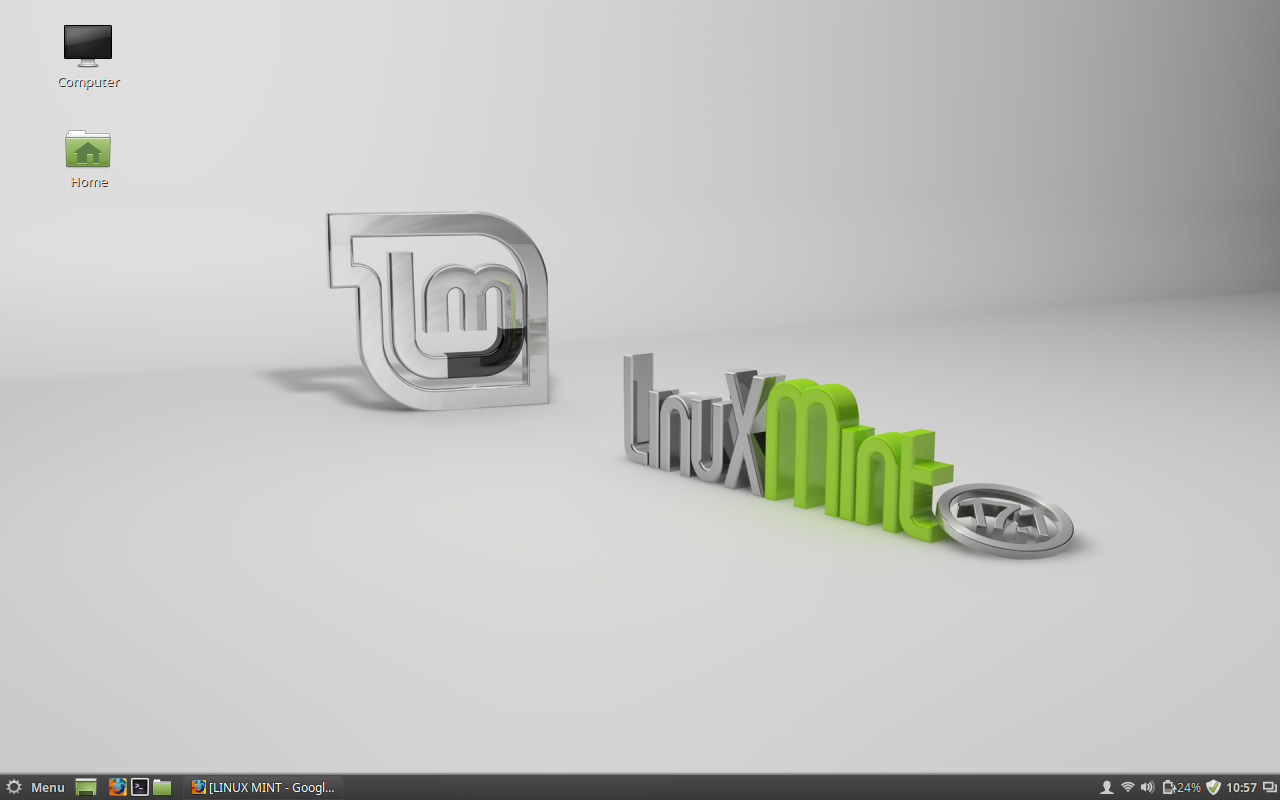
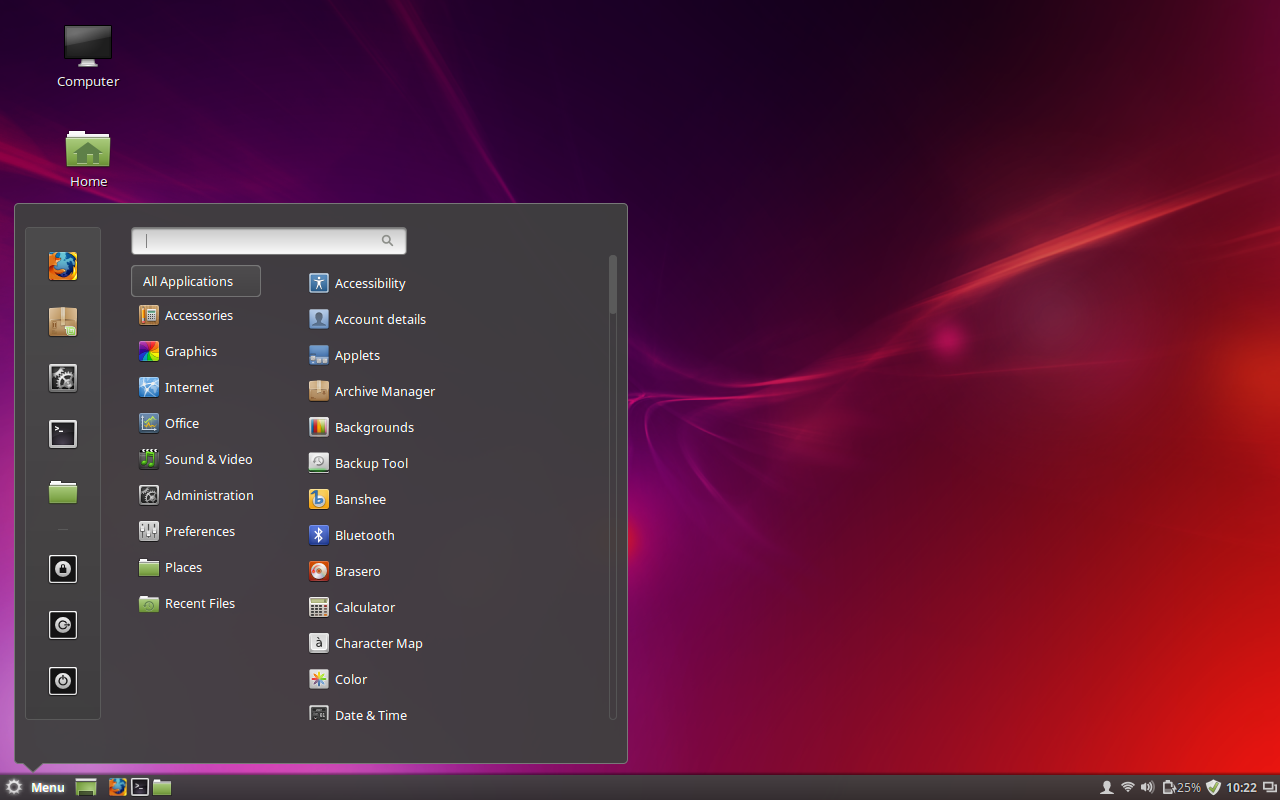
Let’s take a close look at the default Mint desktop (Figure 1). It’s called Cinnamon and it will be instantly familiar.

The Cinnamon desktop depends on three very familiar pieces:

  • Panel

  • Menu

  • System Tray

  • Launchers 

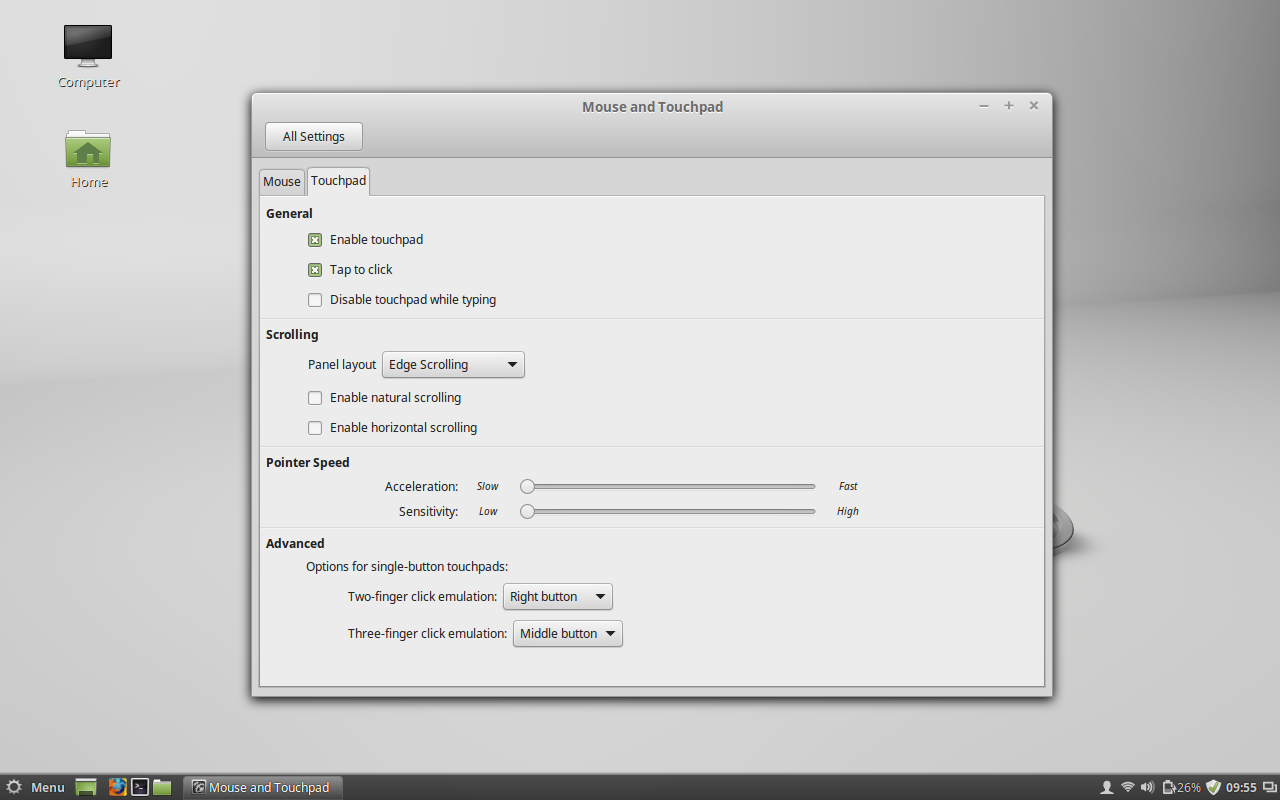
With these pieces firmly in place, what we have is simplicity at its best—a desktop that anyone could use with zero introduction. Some of the “under the hood” updates bring about functionalities that new-to-Linux users have grown to expect in the “competition”. Take, for example, the much improved single button trackpad support, brought about by the latest Linux kernel. That’s right, all of those touchpads and trackpads will now work exactly as expected. No more will new users fire up their laptops or attach their Logitech trackpads to find they barely function. If you’re planning on loading Linux Mint on a Macbook, 17.1 is a must have. To help this much-needed improvement along, the developers of Linux Mint have included a retooled Mouse and Touchpad section in the Settings app (Figure 2).

Figure 2: The new Touchpad settings tab.

If you open up the Settings tool, you’ll find the tool offers a bit more options than might be considered for a new user. What this does, however, is makes it far easier for those new users to find what they’re looking for. Want to change the default applications for your desktop? Open up Settings, click on Preferred Applications, and set accordingly. Want to add workspaces, edit your account details, configure Hot Corners…it’s all there. Linux Mint doesn’t tuck away features and settings.

Of course, this is Linux, so limiting the user interface to only the standard elements would be out of character. Back in the Settings window, you’ll find a few unfamiliar elements that can be added and configured:

  • Extensions (also called “Spices”) add small features to the Cinnamon desktop (such as a Coverflow window switcher, desktop cube effect, and much more). Check out all the Extensions on the official Spices page.

  • Applets: Add small applications to the panel. Many of these are simply quick access to features such as Bluetooth, Recent documents, Removable drives, etc.

  • Desklets: Add small applications to the desktop (such as Weather, Sticky Notes, Network Usage Monitor, etc).

If you’re wondering how to get to your applications, documents, and settings, the Cinnamon Menu is something special. When you click on the Menu button a sizable popup will appear with two panels (Figure 3).

mint cinnamon menu

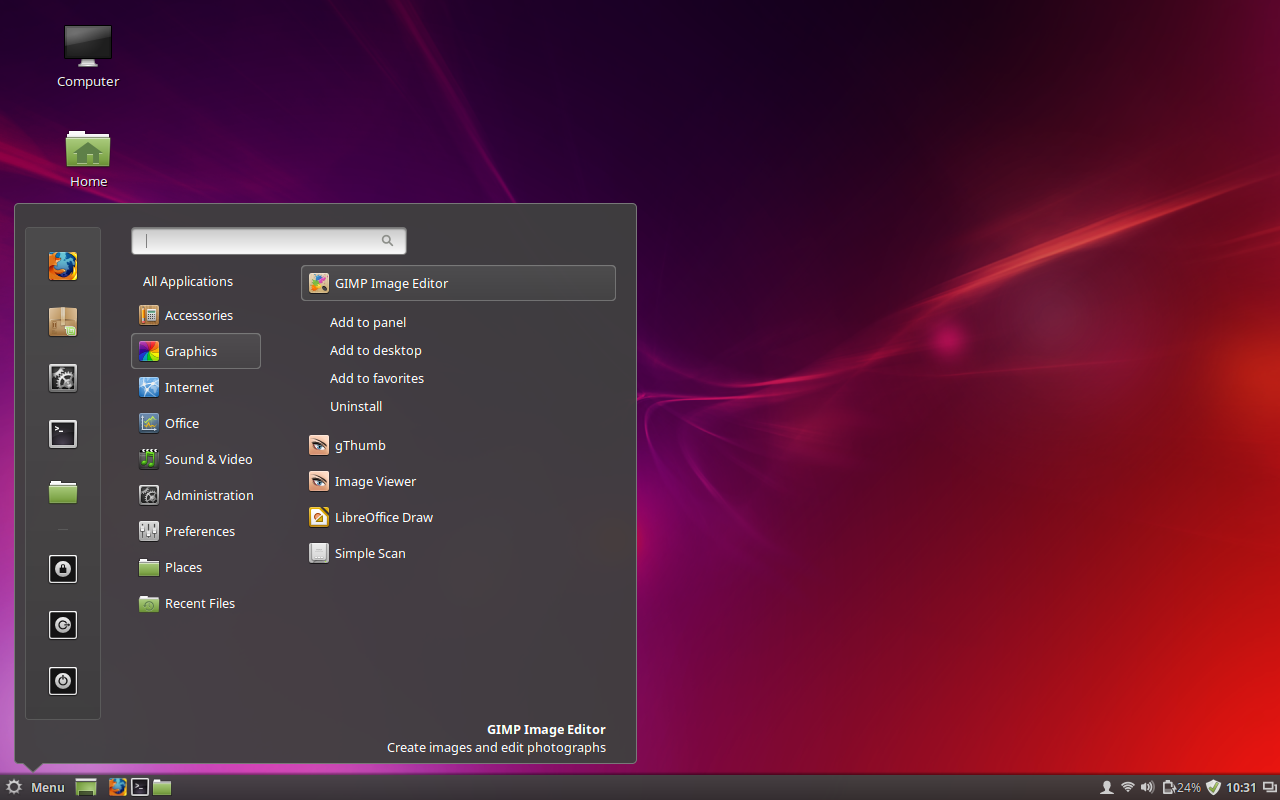
The left panel categorizes entries into Favorites (top half of the panel) and power options. You can easily add an application to the Favorites by doing the following:

  1. Locate the application within the menu hierarchy

  2. Right click the application entry

  3. Select Add to favorites (Figure 4).

Figure 4: Adding an app to the Favorites section of the Cinnamon menu.

To remove an application from the Favorites, locate the application in the menu hierarchy, right click the menu, and select Remove from favorites.

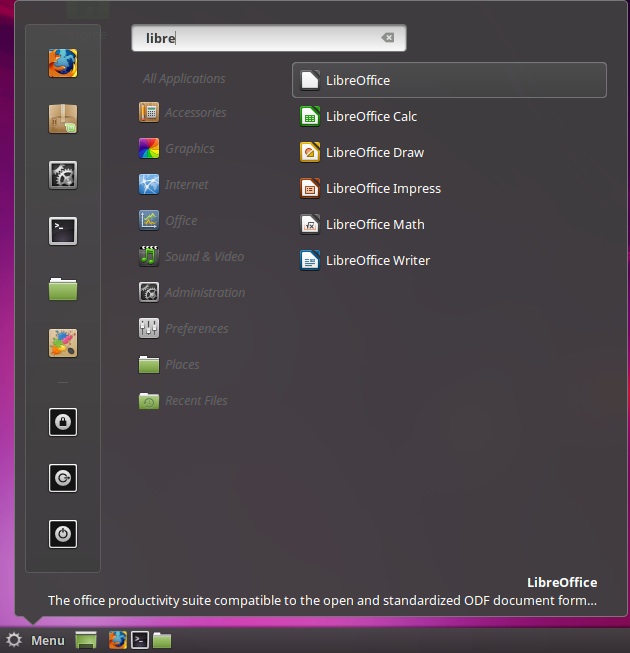
Outside of the stability and ease of use, one of the best things new users will will find with Linux Mint is the discovery of useful improvements over the standard desktop metaphor. Take, for instance, the ease at which you can locate items in the menu (applications, recently used files, etc). If you don’t want to dig through the menu structure, simply type what you’re looking for and related entries will appear. For instance, open the menu, type “Libre” (no quotes) in the search bar, and all LibreOffice components will appear, ready to launch (Figure 5).

Figure 5: Finding menu entries is simple with the search tool.

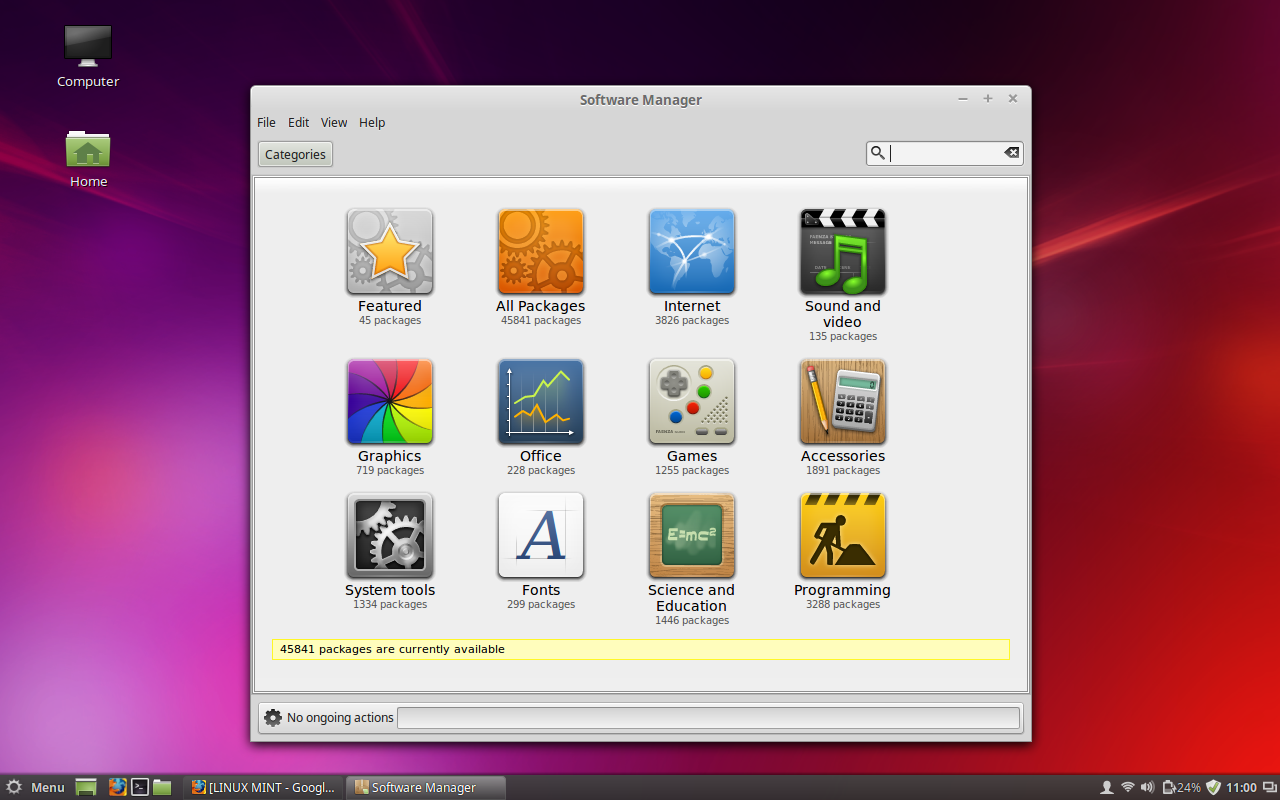
Another welcome improvement is found within the Software Manager. Linux Mint now categorizes software so that new users can more easily find what they are looking for (Figure 6).

mint software manager

Instead of having to dig through random software (or depend upon filters for “highest rated”, “recently added”, etc), you can simply click on a category and locate the software you want to install.

The best thing about Linux Mint 17.1 is that it is an ideal platform for any user, from the new-to-Linux to those who’ve been around the block a few times. The developers of Mint have done an outstanding job of making Linux incredibly easy to use. If you’re looking for a new operating system, one that you can depend on and get up to speed with quickly, you’d be remiss not to give Linux Mint 17.1 “Rebecca” a glance before any other distribution.

This Week in Linux News: Microsoft’s New Linux Monitoring Tool, Open Source Swift, and More

King Penguins at Salisbury PlainThis week in Linux news, Apple announces plans to open source Swift, Microsoft releases a Linux VM monitoring tool, and more! Read on for the top Linux headlines of the week.
1) Microsoft is building monitoring tools for Linux virtual machines running on Azure.

Microsoft to Linux Users: Explain Yourself– The Register

2) Apple announces decision to open source Swift.

Apple makes Swift 2 programming language open-source– CNET

3) Intel’s Internet of Things group VP suggests Android will following in Linux’s path, and commercial support will become necessary. 

Intel: Commercial Distributions Will Support Android, like Linux Before It– ZDNet

4) Valve’s Linux gaming machine is now available for order.
Linux-powered Steam Machines now available for order– BetaNews 

5) OPNFV, a Linux Foundation Collaborative Project, announces its first software release, called “Arno.”


The Rounded Linux Desktop

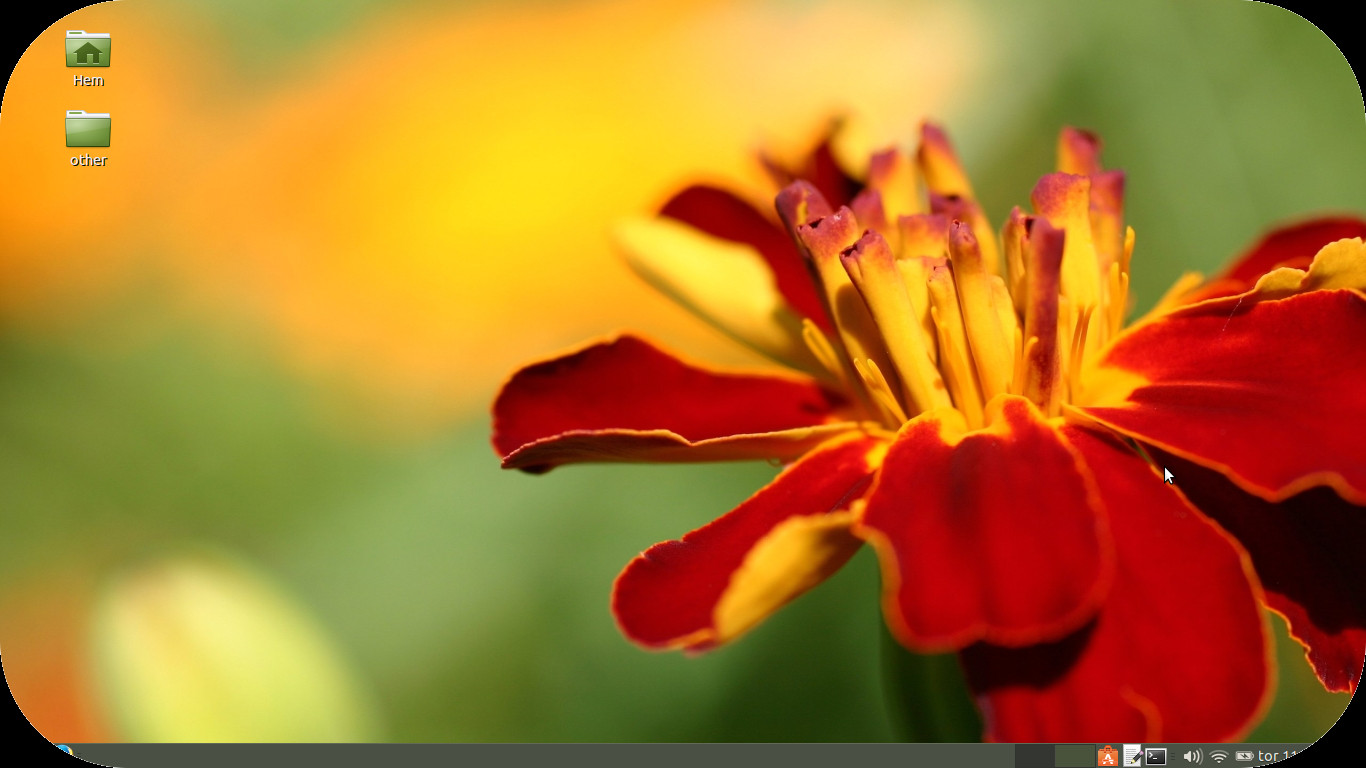
This idea is really simple. Even if you can maximize the area with sharp corners it might not be the most favorable surface for us to look at. Since many of us look at computer screens all day long why not have rounded corners for our rectangular surfaces. For the desktop I provided my rounded Ubuntu MATE. View the image in full screen for the maximum effect. Click once on the image and in Firefox press F11. Pretty cool.
More ideas at http://peroglyfer.se/

RoundDesktop

Are Affordable Mainframes the Future of Virtualization?

The new mainframes are faster, less expensive, and capable of toppling the standard server market for virtualization. But can it happen?

Read more at ZDNet News