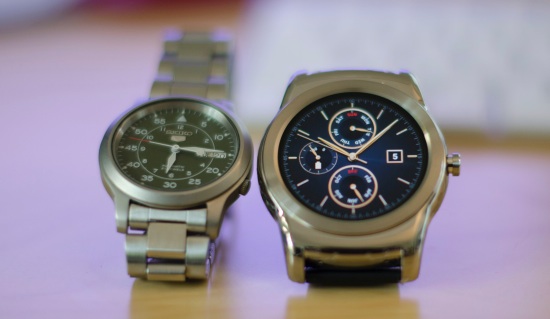
Being an early adopter of anything and everything Linux, I was quick to order the LG Watch Urbane the moment it was made available on Google Store. It was the most expensive watch around, there were no detailed reviews, but I was impressed by the design.
A reluctant buyer
Initially I never planned to buy a smartwatch as I didn’t see it anything more than an accessory or an extension of your phone. One thing that sold me to LG’s Urbane was the design. I am a watch wearer and love my Seiko. LG Urbane looked the most like my Seiko. Since I’ve never used a 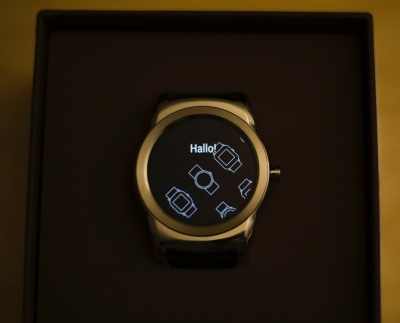 smartwatch I did want to give it a try.
The first look
I should not be talking about the packaging of the device… but this was one of the best looking packages for a Linux-powered device. The moment you see it in the box you know you want to wear it.
The hardware
I like the ‘watch-like’ design of Urbane, but it’s a matter of taste. At least it doesn’t look like an iPad shrunk down and strapped around your wrist. It looks like a watch.
The watch comes with a PPG (photoplethysmography) sensor to monitor the rate of blood flow as controlled by the heart’s pumping action. This hardware powers the heartbeat monitor of the watch. It also has a 9-axis gyroscope which is used to turn on the screen when a user looks at the watch.
It’s powered by a 1.2 GigaHertz Quad Core processor, 512 Megabytes of RAM and 4 Gigabytes of storage. The device has a bigger 410 Milli Amp Hours (mAh) battery as compared to 205 mAh powering the Apple Watch. The watch also has one of the best displays; its 1.3-inch P-OLED display with 320×320 pixel (245PPI) resolution. The display is protected by Corning Gorilla Glass 3.
The watch has a button, like the dials of a watch, which is used as an on/off switch as well as a home button. The watch comes with a ‘genuine leather’ strap. It’s the standard 22mm strap so unlike the Apple Watch, you can buy any strap from the market and use it on your watch.
There is a built-in microphone which is used for input. It comes with Bluetooth and WiFi chips for connectivity.
iFixit did a teardown of the watch and found it to be a much more elegant, and easy to repair, hardware assembly in comparison to the glued down Apple Watch.
The software
Android has been ahead of Apple’s iOS for a while and Android Wear is no exception. The watch is powered by the latest version of Android Wear. As usual, contrary to the Apple Watch, it puts the user in control of the device and not Google or LG.
While there are zero third-party watch faces for Apple Watch, on LG Watch Urbane there are at least half a dozen pre-installed watch faces. You can go to the Play Store and install as many watch faces as you want. As a result you can customize your watch to suit your personality or the occasion. Going to the gym? Get the fitness watch face. Going to a party? Get a luxurious one or choose a sober one for the office.
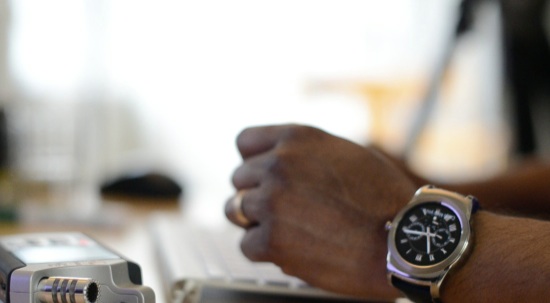
It’s all about swipes
It’s all about gestures. When you swipe the screen from the top to bottom you access system settings where it shows you the remaining battery and other settings. Other settings include changing it to the theater mode, which is pretty useful when you are in a movie theater or any similar event enjoying a show. This mode not only turns the screen off, it also mutes all notifications, so that your watch won’t light up in the dark room every now and then. In the theater mode the screen wakes up only when you tilt it or touch it once. There are many different settings to further enhance this feature. It’s also nice at night, during meetings, while enjoying a movie or play, etc.
 Another setting option is brightness boost. If you are outdoors and can’t see the screen, you can boost the brightness, though it will devour your battery faster. I didn’t have any problems reading the screen without boosting the brightness. I wish there was an ambient sensor like Moto 360 which would adjust the screen automatically.
Then there are system settings which will give you complete access to system settings including screen brightness, change watch face, restart or shut down the watch or restore to the factory settings.
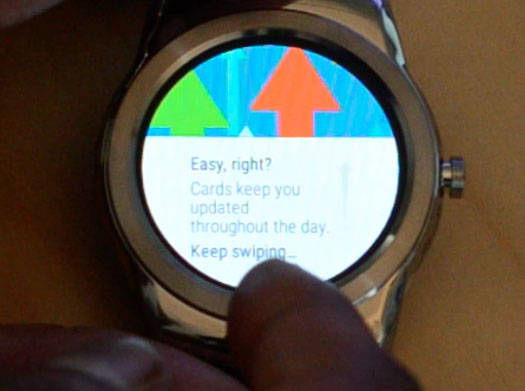
When you swipe the screen from the bottom to top, you access the great Google Now cards and other notifications. You can dismiss them by swiping to the right. This is where Android does a much better job than iPO/Apple Watch. It pulls information from apps and email. I can see the status of Amazon orders and my watch vibrates the moment Amazon ships an order or the moment UPS delivers it to my door. It will keep you updated with events added to the Google Calendar and alarms.
If your order from Amazon has been shipped or delivered you will get a notification on your watch. Alarms for important events will buzz on your watch.
To access all installed apps you have to swipe from right to left. Here you will see all the apps that you installed for the watch. You can open any app by tapping on it once and to get out of the app, just push the dial once.
How to install apps
First of all when you start the watch for the first time it will ask you to pair it with a phone. You need the Android Wear app installed on the supported smartphone. The initial pairing will be done over Bluetooth so you need to enable bluetooth on your smartphone. Once it is paired and synced to your device, you can start installing apps from your smart phone. Just open the Android Wear app on your phone and search for the apps.
Different apps work differently. You can use the Amazon app to search for an item and place the order directly from the watch without having to pull out the phone. You can do a quick Google search using Ok Google and get answers immediately. That’s where I found the watch to come in handy, for example if I were taking a walk and wanted to check something. I asked the question to my watch and it gave me the answer without needing the phone. The screen is big enough to read text. Checking weather and sending out a quick message are a few things that the watch does great. I am waiting for the Nest support for the watch so I don’t have to use my phone to control the temperature in my home.
It’s extremely easy to change watch faces. You do need your phone to install new watch faces. Just open the Android Wear app on your phone and then install the desired watch faces. You can set the current face either from the phone or by tapping and holding the home screen of the watch.
Battery life
I was able to get more than 18 hours of battery life after some tweaking. Just make sure to reduce the amount of notifications. I limited them to calls, sms, messages and important emails. Notifications seem to be the biggest consumers of the battery after the screen.
What can it do
You can make calls, but the watch itself won’t make a call; it will open the dialer on the phone and make the call from the phone. I have no problem with it, but in most cases I use Google Hangout for the calls and the watch can’t choose whether you want the cellular network or VoIP to make the call. That’s where I am envious of Apple Watch as it can make calls directly from the watch. That’s certainly what I would want from my Linux watch.
The camera app allows you to control the camera of your Android phone; a tap on the watch screen will take a picture.
Sending emoji was never this easy. You can draw and emoji on the watch using your finger, it will pull the emoji closest to your drawing! It works really well.
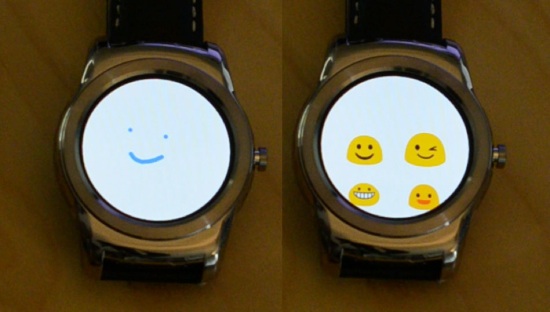
The fitness app allows you to monitor your heartbeats. There are two apps installed by default – Google Fit and LG’s own LG Pulse app. You can download third party apps as well.
You can play music on the phone, using the bluetooth headphones, or you can use it as a remote to manage music playback on your phone.
You can quickly take notes by using the apps like Google Keep, and you can also manage Wunderlist. However I found both these to be useless in a practical scenario because if I want to take down notes during a meeting I am not going to speak into the watch, I would be silently keying it on my phone using a keyboard.
I can easily record the whole content of the meeting. There are many voice recording apps for the watch which work fine.
One cool app on the watch is find my phone, which will ring your phone if you can’t find it. And that’s something that will happen a lot once you start using the watch as you won’t be carrying your phone around.
What’s Wifi doing on my watch
The latest version of Android Wear brings WiFi support to smart watches. It’s a great feature. First of all it’s extremely easy to configure the wifi on the watch. It automatically pulls the wifi info from the paired device and can connect to the desired wifi without having to enter password. The wifi kicks in when you move out of the bluetooth range of your phone; you continue to get updates and notifications; you can continue to use the watch because it’s using the network.
However, given that the watch can’t do much on its own; you would rather not leave your phone behind. That said, even if you are away from the watch you can send messages using the device.
What it can’t do
I was very excited about GPS navigation using the watch, but I was disappointed. I can search for a location on the watch but it opens the GPS on the phone and not the watch. I am not sure whether the watch can be used as a navigation device like Moto 360 or Apple Watch. Not being able to make calls from the watch is another deal breaker for me.
It’s not just Android watch
The limitations I pointed out are not limited to LG Watch Urbane, the reviewers of Apple Watch are also not very excited about what it still can’t do. Hardcore Apple fans are suggesting to wait for the next version of Apple Watch. I hope that Android players will up the game and stay ahead Apple, as they have so far.
Google I/O is coming up and I am looking forward to some major improvements to Android Wear. It’s already a great platform compared to iOS due to its open-ness, more control to users and the power of Google Now. However, LG has made a decent move with their first Android Watch and there are some features that we certainly want in a smart watch.
LG is planning to bring a more standalone smartwatch which will have built-in LTE and be able to make calls and do other stuff, but it’s not powered by Android. It’s powered by LG’s own proprietary OS and I am certainly not interested in any such proprietary technology.
I would rather see LG investing in Android Wear so users can not only benefit from the constantly growing repository of content and software in Google Play Store, but also have the confidence that buying an Android watch from LG won’t be a wrong decision as LG may not be fully committed to it.
To buy or not to buy?
Let’s be clear: currently smartwatches are mere extensions of your smartphones. You do need to pull out your phone to do things. I totally get that one device can’t replace the functionality of the other. A desktop is my main device and I spend more than 90 percent of my productive hours on there. There are many things that my Nexus 6, Nexus 7 or the iPad can’t do. I am not expecting the watch to change that, but there are many tasks that can be easily performed on the watch itself. The less I have to pull my phone out, the more reasons there will be to invest in a watch which costs more than $366.
In my opinion the LG Watch Urbane is like a knock on the door; it will tell you that someone is there. But you will have to get up, walk to the door and open it to greet your guest. Or, in other words, you will still need to pull your phone out and perform a task.
Now the question is: Are you are willing to pay for that knock on the door?

 Apparently, there’s a data corruption issue in the EXT4 file system for multiple Linux kernel branches, affecting several mainstream distributions, including Arch Linux, Fedora, and Debian GNU/Linux.
  Rarely does the juxtaposition between the push of innovation and the pull of caution become so evident than in the adoption of new technologies. Time after time, technological innovators introduce new software and hardware into the market that are eagerly consumed by early adopters and retail consumers. And yet it is businesses that tend to hold back, weighing their options before deciding how and if they will join the ranks of users for such new technologies.