Home Blog Page 1121

Zarafa in Movement: A Short Story about Communication, Sharing and No Outlook

In the Univention blog, Andreas Rösler, Sales Director DACH of Zarafa, shares Zarafa’s strategic reasons why the company will no longer support the Zarafa MAPI client, i.e. phasing out its Microsoft Outlook support. According to Zarafa, openness cannot be achieved if your main client depends on closed source services. As Zarafa does not want to compromise its company objective and philosophy of providing open and compatible groupware, it had to do this cut.

More in the Univention Blog!


Bridge Shield: for Raspberry Pi, Arduino UNO & Arduino Mega

We are happy to announce that every Backer who has pledged $81 and above will be getting an “ARDUINO UNO†(clone) with their reward.

The Initial Spark

We often faced lot of issues with multiple voltage levels, too many adapters & regulators in almost all our projects.  

We also realized that in many instance we do require some basic add on boards like RTC, Temperature sensor, IMU etc. Adding many add-on board clutters your board and makes it difficult to debug. Not just this you even need to take care of the mounting of these boards.  

Our favourite boards, the Arduino Uno and Raspberry Pi are both required in most automation projects but there are cases where only one of them will do. The problem was that each of them have different shields and both of them operate at different voltage levels.  

Many tinkerers use motors as actuators specially in a robotic application and in case your application is mobile it needs a battery along with it you also need a charging circuit so these addition keep on complicating the system with lot of wires and consumes lot of space.  

Keeping these points in mind we started developing the shield called the “Bridge Shield” where we have addressed most of the points mentioned above.

Bridge Shield Features

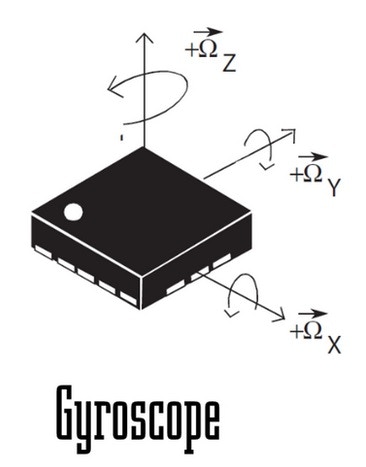
  • 10 DOF IMU (Accelerometer, Gyro, Magneto, Baro).
  • Compatible with Arduino Mega.
  • Two cell 7.4V Lithium Ion battery charger with led and signal pins to monitor battery charge status.
  • RTC with coin cell backup provision.
  • Open 5V-3.3V bidirectional voltage level converter.  
  • Level Shifting for SPI, I2C, UART between Arduino Uno & Raspberry Pi.
  • Temperature Sensor.
  • Dual Bridge motor driver which can drive motors up to 1Amp.
  • 8 channel Servo Motor Diver which works on I2C.
  • Attiny85 micro-controller loaded with Arduino boot loader.
  • IR Sensor for wireless remote control.
  • USB to UART converter.
  • Single input source of 12V which power Pi and Arduino Uno.
  • One variable voltage regulator of 3A.
  •  5V/3A voltage regulator. 
  •  3.3V/1A voltage regulator.
  • Intensity variable LED controlled through I2C.
  • Header for ESP8266 Wi-Fi Module.  
  • Header for HC-05 Bluetooth Module.
  • Its mechanical construction makes it compatible with most of the stack able Arduino Uno, Arduino Mega and Raspberry Pi shields.

What can you do with it?

You can build a internet controlled Tele-operated Robot or an autonomous robot or a self-balancing robot or make best use of the 10 DOF to create a drone. You can use it for home automation to control you light, fan etc.

Internet Controlled Robot
Self-Balancing  Robot
Self-Balancing Robot
Wireless Camera (Battery Backed)
Battery Monitoring using Attiny 85


Bridge Shield Powering Pi and UNO
Server
Server


By combining both Arduino and Raspberry Pi the application one can achieve are unlimited and beyond imagination. It is up to you how you can use our board to build tinkered projects which are fun and innovative.

We have completed the first prototype and are presently testing it. We are in the process on modifying our design and developing a second prototype and we are open to suggestion and need your help to develop and manufacture the bridge shield.

Where are we? and what is yet to be done

We have made a prototypes, and we are developing respective library and examples for the Bridge Shield. We have asked our manufacture for assistance regarding DFM and mass production.

Bridge Shield with Pi and UNO
Arduino UNO with Bridge Shield
Bridge Shield Assembly with Arduino & Pi
Prototype with Arduino UNO and Motor Driver Shield
Prototype with Raspberry Pi B and B+
Bridge shield with Arduino Mega & Raspberry PI B+
Bridge shield with Arduino Mega
Prototype with Pi and Arduino Shields

In a couple of days we will make our present code, examples available on our GitHub .We will make both the software code and hardware open sourced by the end of this campaign.

If this product is successfully funded, our focus will be on three things:

Developing Application examples:

After lot of effort and understanding we have come to a conclusion that if we show people examples on how this board can be used and share that example people actually learn and improvise. There is a possibility that they may come up with their own product. So we want to produce a lot of a library and application examples with this shields to make sure bridge shield users have an easy start in developing their own application. Doing this takes a lot of human resource and effort.

Developing the Bridge Shield for more flexibility and value addition:

We also wish to take a lot of feedback form the crowd funding website so that we can integrate at least some of it in the upcoming design and keep the cost minimum. We also wish to know the ergonomical perspective one gets from the first prototype so that we can improve it. Depending on the present user feedback and your valuable feedback we will release a new design.

Developing a custom image for the Pi with Bridge Shield:

The Pi OS needs a few changes made in order to make it work with Bridge Shield. In order to make the Bridge Shield as easy to use as possible, we will develop a custom image for download that will allow users to get started right out of the box, with minimal setup.

Share this and Help Us

This project will be an open source project. For any open source project building a community is essential. We will be sharing both the hardware and software as soon as we can. We also need your help in making this project popular. You can do this by sharing this project in your circle. Just press the share buttons. Together we can make this project a success.

The People

We are a small group of professionals who like to develop easy simple boards to execute hobby projects. The group consists of both well experienced as well has young and dynamic people capable of handling projects from design to production. We have in our team multidisciplinary design engineers as well as professional production and quality control people. This is our first crowd funding project but we assure you that we will see to that each of our project backer will be satisfied with our systematic approach and by our scheduled project product delivery.

We also take up design and development work along with manufacturing of projects. If you have any such project which you wish to outsource you can contact us.

Thank You

Armtronix

Excellent Console Log File Analyzers

We can use the tail utility to monitor a log file. But it’s often not that effective. An administrator of a system can suffer from information overload. Reviewing the log files in an efficient way can be a very time consuming task. There’s a need for an alternative.

Linux has a good range of logging tools, although many are designed for large-scale deployments. They need to be installed and configured for servers. Instead of a belt and braces approach, there’s still a need for a good log file analyzer for the terminal.

<A HREF=”http://www.linuxlinks.com/article/20150509093202743/LogFiles.html“>Continue reading</A>

Cutegram 2.2.0 Telegram Client For Linux Released, Install In Ubuntu/Linux Mint/Debian Based Distros


Cutegram 2.2.0 Telegram Client For Linux Released, Install In Ubuntu/Linux Mint/Debian Based Distros

Cutegram a nice Telegram client for Linux has released Cutegram 2.2.0with speed improvement, Username and Hashtag suggestion, search selected text on the web, bug fixes and many more. Cutegram also has support for Emoji. In this article I’ll be showing you some more features of Cutegram and also how to install Cutegram on Ubuntu 15.04/14.10/14.04 and Linux Mint and Other debian based Linux distributions.
 

Read At LinuxAndUbuntu

New Debian Project Leader Talks Open Source Careers, PPAs, and More

Neil McGovern was elected as Debian Project Leader in April. Neil McGovern was elected as Debian Project Leader in April. The project is going through some major changes such as a switch to systemd. We reached out to McGovern to understand his roles and plans for one of the most revered open source projects.

Linux.com: Can you tell us about yourself? Who you are, where do you live, and what do you do?

Neil McGovern: I live in Cambridge and I’m the Engineering Manager for Collabora Limited, a free software consultancy. In my spare time, I’m also the Debian Project Leader. 🙂

When did you come to know about Linux and Open Source?

McGovern: My first exposure to free software was from a friend at secondary school (high school in the U.S.) who started selling DVDs of Linux distributions. He initially introduced me to the concept. Before that, I’d mostly used Mac OS, in the olden days before OS X came along.

When did you start contributing to free software, and what was the driving force?

McGovern: When I went to University to study Computer Science, I joined University of Sheffield IT Committee. At the time, there weren’t any facilities offered for students to host web pages. This was originally running Mandrake. In my second year, I moved in with a housemate, who was a Debian developer, and I started packaging a client for Livejournal called Drivel.

Why did you choose to be associated with Debian and not any other free software project?

McGovern: I think Debian has a couple of unique attributes. Firstly, it’s a true community distribution – we’re run by thousands of volunteers. This makes it easy to get involved, and help contribute. The second is our social contract. Our five promises ensure that we will continue to remain open to our users.

Are you associated with any other projects? Can you tell us about those projects?

McGovern: A couple that are relevant: I’m a member of the NOC of the OFTC who host an IRC network that a number of free software projects use. Additionally, I was a board member of the Open Rights Group who campaign for digital rights in the UK.

What’s the lifestyle of an open source developer? Is he or she like a vigilante who has a day job and moonlights as a developer who writes software for social good? Or can free software development provide for a family?

McGovern: It’s a bit of a mix. In my day job, I’m responsible for a wide range of free software engineers – so it’s certainly possible to earn a living from your hobby. If you’re interested in this, then my best suggestion is to get involved with a project. Not only will you be able to create world-changing software, but there’s a good chance that someone will come along with a job offer. 🙂

Can you tell us about the role and responsibility of the Debian Project Leader?

McGovern: The Debian Project Leader (DPL) is the official representative of the Debian Project. They have two main functions, one internal and one external. In the external function, the project leader represents the Debian Project to others. This involves giving talks and presentations about Debian, as well as building good relationships with other organizations and companies.

Internally, the project leader manages the project and defines its vision. They should talk to other Debian developers, especially to the delegates, to see how they can assist their work. A main task of the project leader therefore involves coordination and communication. Additionally, the DPL controls the donations that Debian has received.

That said, a lot of the role is actually as a figurehead. As a volunteer organisation, I can’t tell people what to do. I simply try and guide the project along.

How does the organization behind Debian work?

McGovern: Each year, Debian elects a new project leader (or the same one if they stand again!). Any Debian project member may vote on the candidates, and the successful candidate serves as DPL for a year. To ensure separation of powers, the DPL can delegate areas of responsibility to other people in the project. For example, deciding what is allowed in the archive, or who becomes a project member. Those delegates make decisions on their own, but obviously are accountable to the project as a whole.

It seems quite complicated, but it’s a governance model that has served us well over the years and keeps a volunteer project working together.

You proposed the implementation of Personal Package Archives (PPA) for Debian. Do you think PPAs will improve the experience for Debian users looking for rock-solid, stable systems?

McGovern: I believe so, yes. The main aim of PPAs is to improve the workflow of Debian members, so they can easily create alternate versions of software which work with the main Debian system, and integrate them into the archive.

There are hundreds of PPAs for Ubuntu, will they work with Debian?

McGovern: I think that’s unlikely. Although Debian has a good relationship with Ubuntu, and other downstream distributions, we have a different focus. Keeping all the main libraries in sync would create a lot of effort to allow this to happen, and it’s not something we really have the time to do while developing our own distribution.

How easy or difficult will it be for developers who have Ubuntu PPAs to port them for Debian?
McGovern: I don’t think it would be particularly hard, but they’re really two different things. Essentially, the work is in creating Debian compliant packages, and a lot of the preliminary work will have been done in creating Ubuntu packages anyway.

Canonical is planning to move away from .deb packages and implementing their own Snappy/Click. What do you think about it? How does it affect Debian? Will it be more work for developers to create .deb packages and Snappy packages? Will either of the two distros suffer in the long term?

McGovern: The Snappy concept from Canonical seems to be geared towards cloud and IoT developments, rather than the traditional desktop or server offering. I think it offers some advantage for Canonical, but I’m a little concerned about the splitting off of development time and effort. It seems that they’ll eventually move a lot of the application side over to Snappy, and I don’t think that will help compatibility with the rest of the free software ecosystem.

What role do you see Debian playing in modern times when Docker and cloud are becoming popular in the enterprise segment?

McGovern: The key issue is trust – when Debian distributes a package, you know that it’s met various quality and stability standards. There’s a risk in moving to an entire container based model that people will simply download random applications from the internet. If a security problem is found in a shared library in Debian, we can fix it once. If that library is embedded in hundreds of different ‘apps’, then they’ll all need fixing independently. This would certainly be a challenge to overcome. Mind you, in our latest release we had over 45,000 binary packages, so I don’t think that there’s a lack of choice of software in Debian!

Swapnil: What is the funding model of Debian? How does the project support itself? Are there any corporate sponsors of Debian?

McGovern: As a volunteer organisation, we’re funded by voluntary donations. This ranges from individuals or companies who wish to offer hosting or hardware to the project through our partner programme. Additionally, we seek sponsors for our annual conference, DebConf which will be held in Heidelberg, Germany. However, important to note that the project is an independent one. We don’t have a controlling company that sets the direction of the project.

Swapnil: Can you tell us about how women are involved in the Debian community?

McGovern: Software engineering and free software has a problem with the lack of female representation in the industry. However, we have a Debian Women sub-project which aims to help increase this, and has been running since 2004. This group has conferences, runs mentorship programmes and seeks to encourage more women to get involved with Debian. They’re a great lot, so if you’re interested in getting involved, I would strongly encourage you to get in touch!

A Quick Introduction to LXD

With the recent release of Ubuntu 15.04, aka “Vivid Vervetâ€, the Ubuntu community has also unveiled an early release of LXD (pronounced “lex-deeâ€), a new project aimed at revitalizing the use of LXC and LXC-based containers in the face of application container efforts such as Docker and rkt. In this post, I’ll provide a quick introduction to LXD.

To make it easier to follow along with some of the examples of using LXD, I’ve created an lxd directory in my GitHub “learning-tools†repository. In that directory, you’ll find a Vagrantfile that will allow you to quickly and easily spin up one or more VMs with LXD.

Read more at Scott Lowe’s Blog.

Texts From Mom: IT Pros Pay Homage to Their Mothers

Inspired by the popular Internet meme, “Texts from Mom,” this slide show reinterprets real responses of IT pros paying homage to their mothers.

Read more at eWeek

A More Stable Future for Ubuntu

Ubuntu Snappy Core for Cloud

Canonical has announced plans to switch all versions of Ubuntu to its new Snappy package manager. The new tool offers the promise of greater stability and security for the system and applications. more>>

 
Read more at Linux Journal

Teclast X70 3G Is the First Tablet with Intel Atom x3, Sells for $50

This year, Intel introduced several new members to the Atom chip family, including the relatively powerful Atom x7 chip, the mid-range Atom x5, and the Atom x3 for low-cost smartphones, tablets and such.

While we have seen Atom x7 and Atom x5 juice up tablets like the Microsoft Surface 3 (which sells for $499 / €443), Atom x3 products have been absent from the market.

But not anymore, as one of the first 7-inch tablets taking advantage of the low-cost architecture has be… (read more)

Read more at Softpedia News

Musl Libc Support Lands In Mainline GCC

Musl has long aimed at being a lightweight, simple, free, and correct libc library. However, hindering its adoption has been out-of-tree patches required against GCC for supporting the Musl C library. Fortunately, Musl support has now been merged into GCC…

Read more at Phoronix