I’ve been an advocate of change on the Linux desktop for some time—at least until Ubuntu Unity came around. Once I started using Canonical’s entry into the desktop space, the race (for me) was over. Unity was my choice. I was fairly certain it would take a massive improvement on the desktop to get me to move away from my default.
That improvement might have come along—with the number 3.16. I’m talking about GNOME. The latest iteration of what was once the ruling king of the Linux desktop has made a strong case for wooing me away from Unity.
With that said, I wanted to take a moment to not just introduce you to the GNOME 3.16 desktop, but show you how to get a few things done with it. But first … what’s new?
Changes
The latest take on GNOME arrives with over 33,000 fixes. A lot of work has gone into this release, and it shows. The polish on GNOME 3.16 is as impressive a feat as I’ve witnessed to an update. The hit list of improvements include:
-
New global theme: Gone is the all black look. In its place a softer dark grey that is much more viewable.
-
Much improved animations. The animations for opening windows, viewing the dash, are cleaner and smoother than ever.
-
Better notifications: Banners are the new name for notifications and they are experienced at the top center of the screen (Figure 1). Click on the clock in the top panel to reveal the calendar and Banners. Banners can be closed (such as Calendar events) and some are interactive (such as instant messages, social statuses, and alarms).
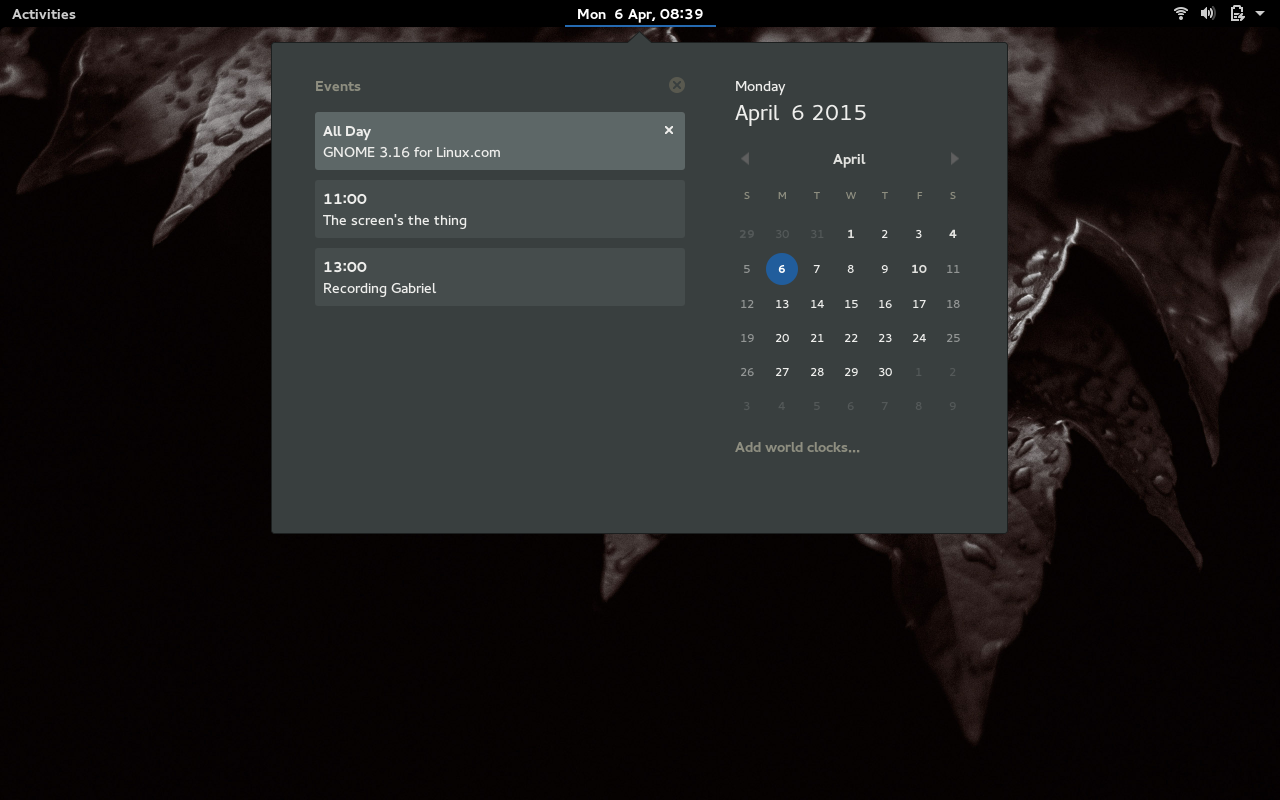
You can define what is shown in Banners by opening up the Settings tool, clicking on Notifications, and configuring what you want to include.
-
-
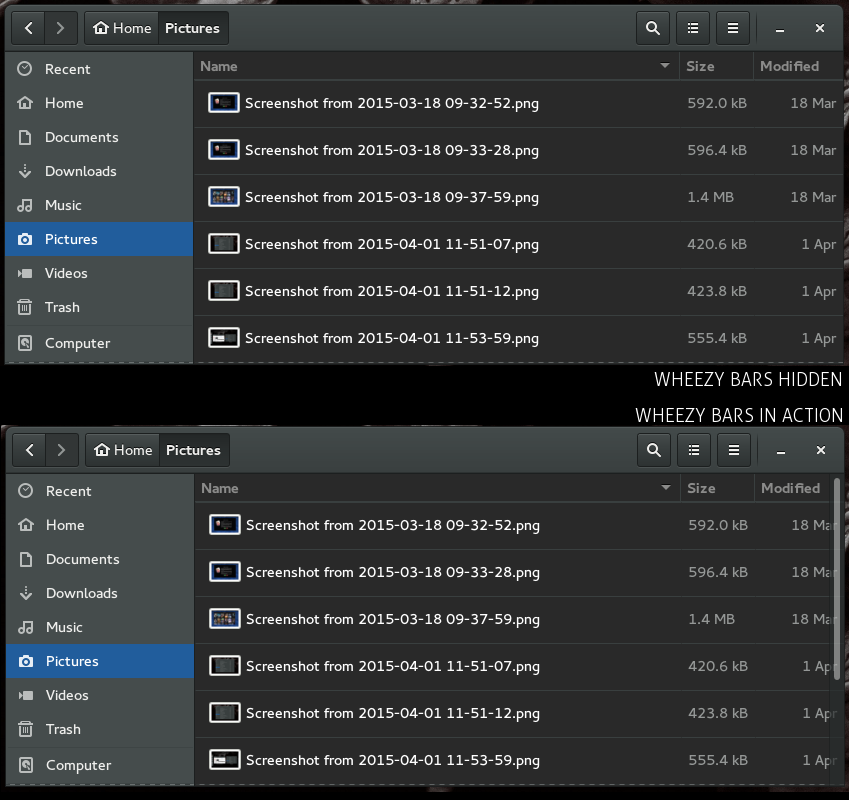
Wheezy Bars are the new scroll bars and are a major improvement over what Ubuntu Unity has done with its take on this tool. Wheezy bars are there when you hover your cursor and fade away when they aren’t needed (Figure 2). NOTE: The Wheezy bars do not integrate with all apps (yet).
-
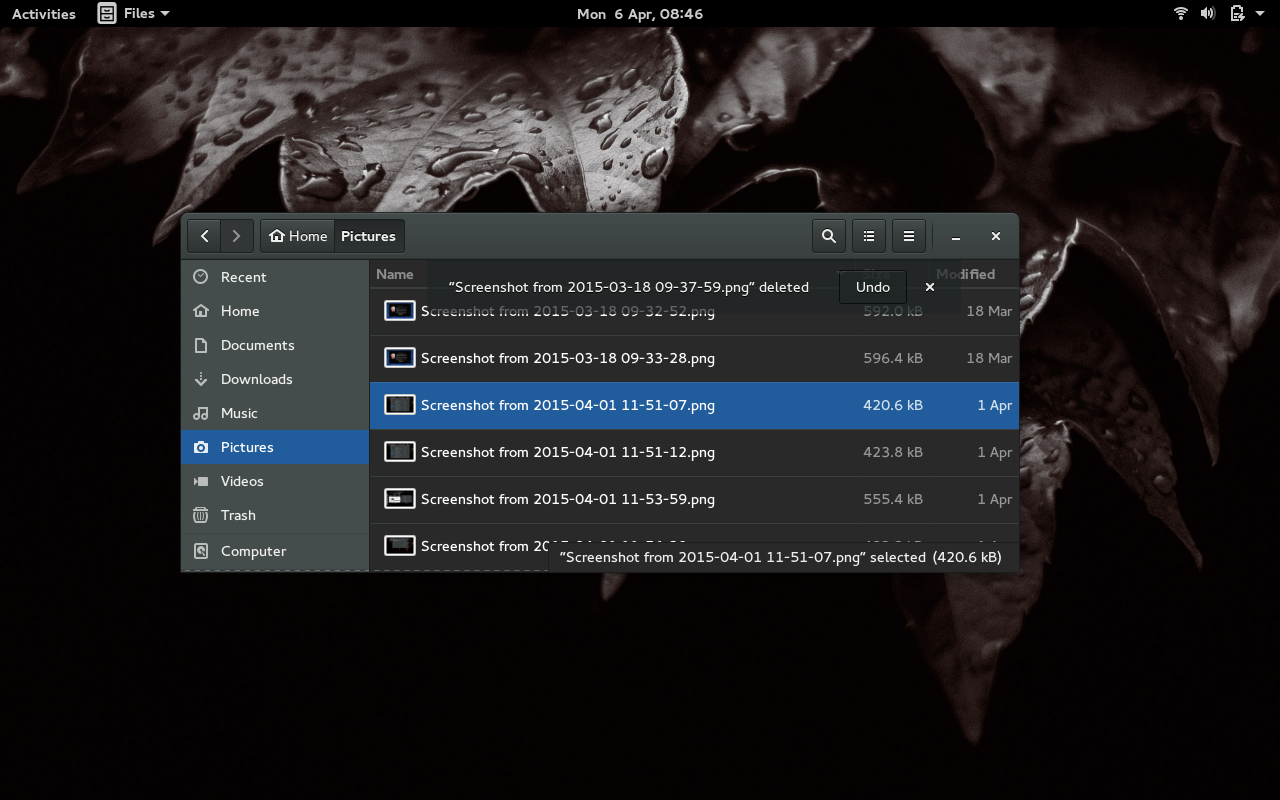
Files: The default file manager gets a number of improvements. One of the most helpful features is the Undo button that appears any time you send a file or folder to the trash. If you accidentally delete something, the Undo button will overlay in the window so you can recall that deleted item (Figure 3). Files also received a new dynamic popover menu system.
-
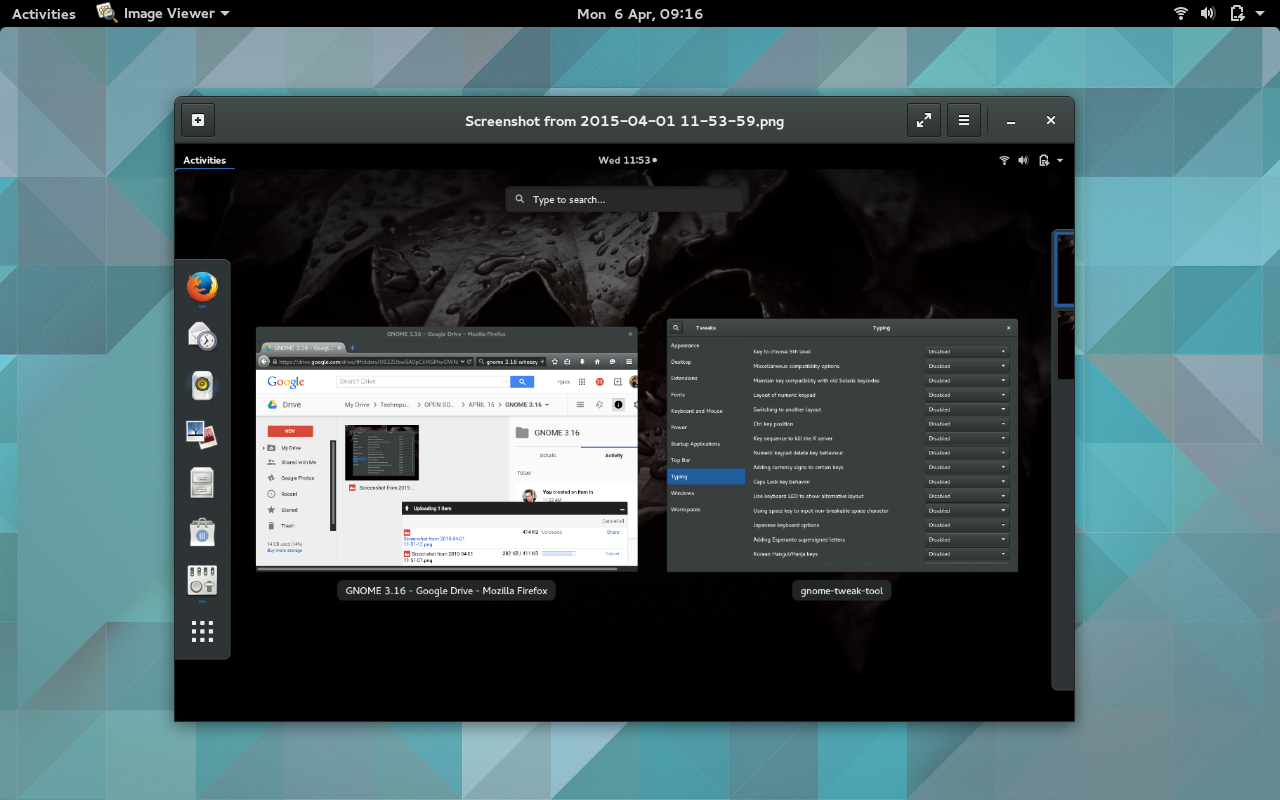
Apps: So many apps received some necessary love. Prior to 3.16 the GNOME Maps app was given the slight(by me) to Google Maps. That is no more. With the latest take on the Mapping tool, GNOME Maps gets the nod. Maps is sleek, easy to use, offers FourSquare checkins, Contacts integration, and much more. The Image Viewer app lost the majority of its window decoration (allowing you to get a clean look at the image—Figure 4).
There were plenty of other necessary improvements to just about every app in the GNOME toolbox.
-
GTK+ has also received a number of improvements, such as:
-
OpenGL support
-
A display system backend for the Mir display server
-
Themes can now simultaneously support multiple GTK+ versions
-
A new widget called GtkPopoverMenu was added and it can be used for creating menus contained with popovers (such as with the Files app).
Preview apps
It was rumored that GNOME 3.16 would include a few preview apps (Books, Calendar, and Characters) to give the user an idea of what else was coming down the pipeline. In my Fedora 22 alpha installation, these previews were missing. Installing these apps was as simple as opening the (much improved) Software app, search for each, and installing.
Of the three main preview apps, the Calendar is, by far, the most useful. Not only does it already work seamlessly with GNOME Banners, it can also sync with your Google Calendar (only the default calendar at the moment). The one oddity I find with Calendar is that it does not work with the GNOME Global Dark theme.
As a writer of fiction, it is outstanding to see the developers of GNOME including an app for reading books. Unfortunately, as of this writing, Books is unable to view either .mobi (books) or .cbr (comics) files. Once fully functional, however, Books will be a solid addition to the default GNOME application lineup.
Another preview app that should be available on the desktop is the IDE aptly named Builder. This particular app is special as it was given life thanks to a crowdfunding campaign. You won’t find Builder in the Shell Application Menu by default. Like Books, Calendar, and Character, you have to install Builder from the Software app. If you’re a developer, it is most certainly worth a look (even in the early preview stage).
Minor issues
The first issue is one I’ve been having for a while with GNOME. Back when GNOME was at 3.8, you could, with the help of the dconf-editor, add categories to the Shell Application Menu by:
-
Opening the dconf-editor
-
Navigating to org > gnome > shell
-
Locate an entry for app-folder-categories and add/remove categories.
This is no longer the case. In fact, the app-folder-categories option has come up missing within dconf-editor. This leads me to believe the developers have removed the ability to add categories to the Shell Application Menu. GNOME needs this back. In fact, it needs the ability for users to quickly create their own categories or folders within the Shell Application Menu (simply by dragging one launcher onto another). As you install more and more applications, that menu will become overwhelming. Yes, you can add favorites to the Launcher and you can make use of the wonderful search tool; but Linux users tend to want more control over their desktops—so the addition of such a functionality would go a long way.
The notification system is near perfect. However, it would be nice to be able to include the likes of Facebook and Twitter into Banners. As it is, you cannot add any third-party notifications. Even once you’ve added an online account it does not include interaction with the new notification system.
Performance
I was really surprised at how well GNOME 3.16 managed to perform on my aging test machine. Everything was snappy. Even with numerous applications running, the machine showed zero signs of fading performance. Animations were clean, window drawing and movement was spectacular, and nothing bogged down. You should expect GNOME 3.16 to run very well on any piece of supported modern hardware.
How do you get it?
As of now, the best way to get GNOME 3.16 is to be using the alpha release of Fedora 22 (beta release set for April 14) or openSUSE Tumbleweed. I did my testing on an alpha release of Fedora 22 and it was stellar. From either desktop, you should be able to upgrade GNOME to 3.16 using the standard package manager tools. One thing to note is that Fedora 22 is deprecating yum and moving to dnf, so at some point during the updating of Fedora 22, you will notice a warning to that effect. The dnf system is a drop-in replacement for yum.
If you are an Ubuntu user, your wait for GNOME 3.16 could extend all the way out to 15.10. However, if you want to simply take GNOME 3.16 out for a test drive, you can work with this USB-friendly Fedora-based image that will allow you to kick the tires of the latest iteration of GNOME.
Conclusion
I can say with confidence that GNOME 3.16 is the single most polished iteration of the GNOME desktop to date. In fact, I would go so far as to say this might well be the sleekest Linux desktop to ever be produced. Every single element of the desktop has been well thought out and realized, the interface is smooth and easy to use, and nothing seems extraneous or unwarranted.
As a long-time Unity fan, the Ubuntu default might wind up taking a back seat to GNOME, once it is available to my distribution of choice.


