
This is the second article in our OpenStack API tutorial series. If you’d like to learn more about using OpenStack, you can get more in-depth professional OpenStack training from The Linux Foundation.
In the previous article, we looked at the OpenStack API and how to get started using it. The idea is that you make HTTP calls to a server, which performs the requested command, and gives back some information. These commands can simply gather information, such as giving you a list of your running servers, or to do something more complex such as allocating servers. OpenStack includes an entire API for such operations, including managing storage, managing databases, allocating servers, de-allocating servers, creating images (which are used in the creation of servers), networking (such as allocating private networking), and more. In future articles we can look at tasks such as allocating private networking.
To make use of the API, you can take several routes. The simplest is to not make the calls through code, but rather use a console application. One such console application is the Horizon dashboard. Horizon is a fully-featured dashboard that runs in the browser, and allows you to perform OpenStack tasks. However, the dashboard is interactive in that you click and choose what you want to do. Some tasks you need to automate, in which case you’ll want to write scripts and programs. That’s where the APIs and SDKs come in. So let’s continue our discussion of the API, and try out a few more tasks.
Places to Test the API
Like with the previous article, I’m using Rackspace for these examples. I’m in no way endorsing Rackspace, but simply using them because their OpenStack API is a nearly complete implementation of OpenStack. And if you want to practice with Rackspace’s OpenStack API, you can do so at very little cost. But there are other options as well.
If you head over to the OpenStack website, you’ll find a page for getting started with OpenStack which includes a section on premium clouds (such as Rackspace) as well as a nice local environment you can download and install called DevStack. (If you’re really interested in OpenStack, I would recommend DevStack so you can get some experience actually installing everything.) There’s also a pretty coolwebsite called TryStack that you can check out.. But for now I’ll keep it simple by using RackSpace.
Find the images
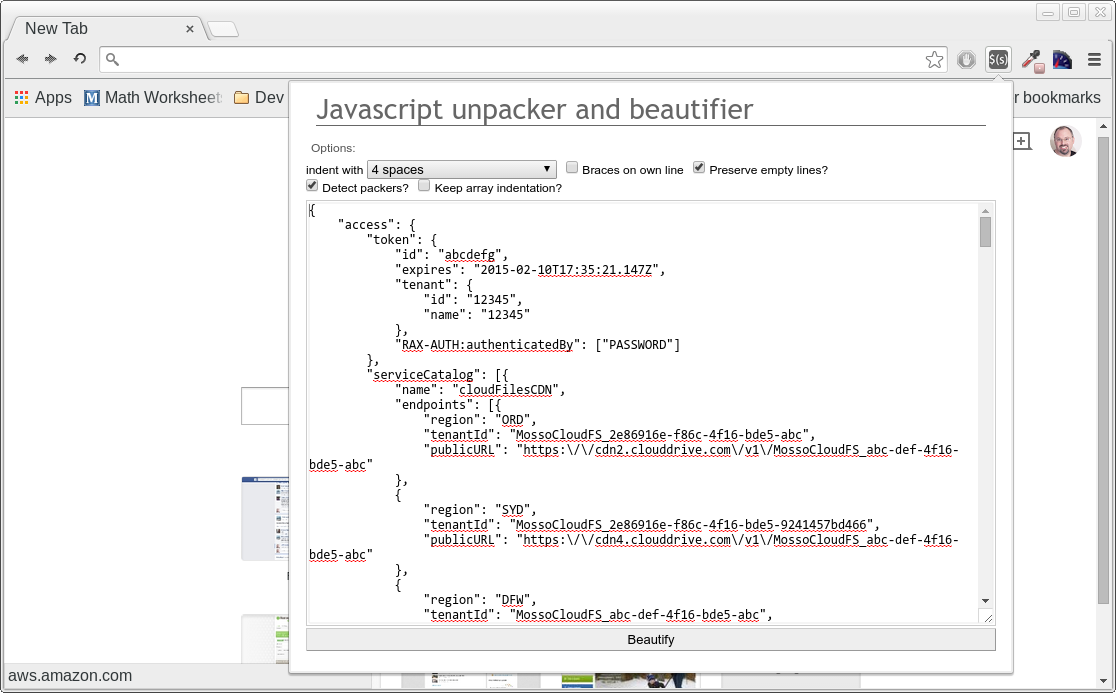
Let’s spin up a server with just an API call. To accomplish the API call, I’m going to use the cURL command-line tool. For this you’ll need to get an authentication token from Rackspace, as described in the previous article. Incidentally, here’s a quick tip that I didn’t provide last time: When you request the token, you get back a rather sizable JSON object that is not formatted at all. There are different ways to get this thing formatted into something we humans can read; I found a Chrome plugin that I like called JavaScript Unpacker and Beautifier, which you can find at http://jsbeautifier.org/. Note also that you might see backslashes before the forward slashes, because the JSON strings are escaped. You’ll need to remove the backslashes from the actual API calls.
In order to spin up a server, we also need to know what images are available. Images have different meanings depending on what cloud is using them. Here they’re essentially ISO images containing, for example, an Ubuntu installer. Here’s how we can list the publicly-available images using cURL:
curl -s https://iad.images.api.rackspacecloud.com/v2/images
    -H 'X-Auth-Token: abcdef123456'
You would replace the abcdef123456 with your token. Note also that because we’re requesting information, we use a GET method, instead of a post. (GET is the default for cURL, so we don’t have to specify it.) When I run this command, I get back another big JSON object. This one lists 25 images available. (But there’s actually more, as you’ll see shortly.)
Now here’s another tip for dealing with these JSON objects: Go into the Chrome browser, and open up the dev tools by pressing F12. Then in the console, type
x =
and paste in the JSON text you got back from the cURL call. This will store the JSON object into a variable called x. Then you can explore the members of the object by expanding the array items and the object members, as shown in the following figure.
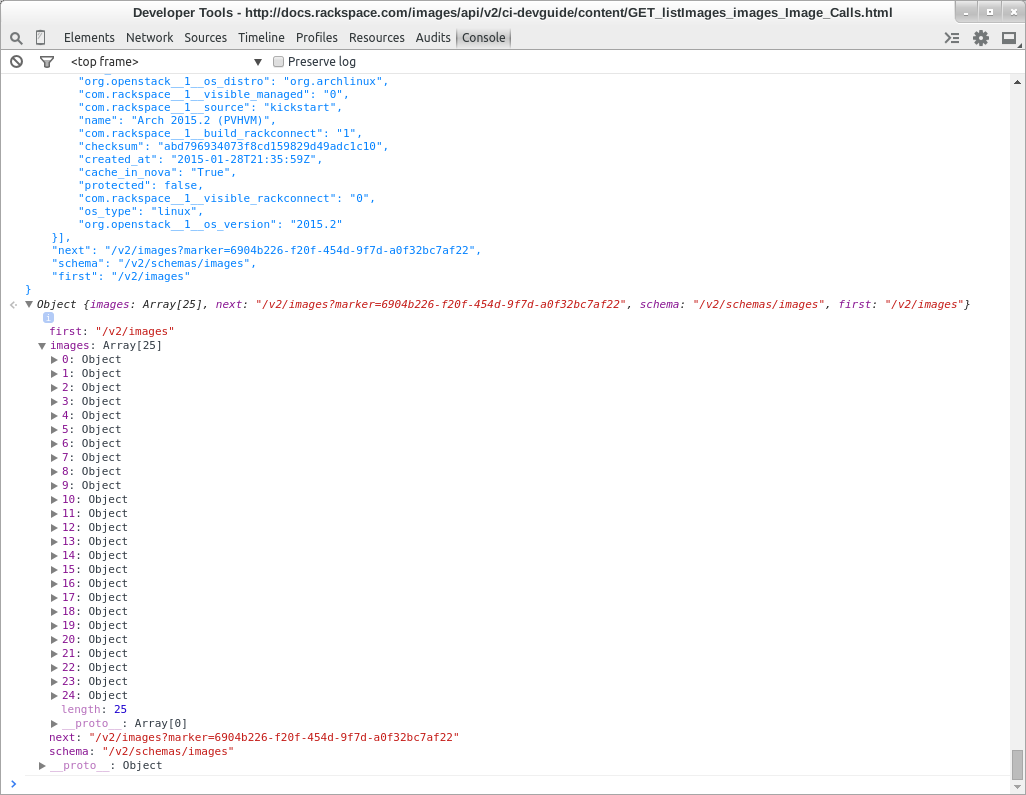
Notice at the very end of the JSON object is a member called next. That’s because we’ve reached the limit of how many Rackspace will give us for the image lists. Rackspace pages the data, so let’s request another page of data. To do so, we start with the URL given by the next field:
"next": "/v2/images?marker=abc123-f20f-454d-9f7d-abcdef"
This is the URL we use for the cURL command, prepended with the domain name and https. And then we get 25 more, as well as yet another next list. Looking through the 50 so far, I’m finding different images such as a Debian Wheezy. I don’t really want to dig through all of these looking for the one I want, so let’s try another cURL call, but this time we’ll include some parameters.
If you go to this page on Rackspace’s documentation, we can see what the parameters here. There are two places we can find the parameters: We can find those that OpenStack in general supports by going to the OpenStack documentation. But providers may include additional operations beyond OpenStack. So I’ll look at Rackspace’s own documentation.
If you look at the JSON objects we got back, there are even more members than are listed in the documentation. One such parameter is os_distro. Let’s try searching on that. For these parameters, we tack them onto the URL as query parameters. Let’s find the Ubuntu distros:
curl -s https://iad.images.api.rackspacecloud.com/v2/images? os_distro=ubuntu -H 'X-Auth-Token: abcdef123456'
It worked. I got back a big JSON object. Pasting it into Chrome’s dev tools, I can see I got back 10 objects. Now let’s suppose we’re working on a project that requires a 12.04 version of Ubuntu. It turns out Rackspace also has that information in the objects. So we can search on that as well. I’m going to add another parameter to my URL, which requires an ampersand. I don’t want the bash shell to use the ampersand, so I’ll add single quotes around my URL. Here goes:
curl -s 'https://iad.images.api.rackspacecloud.com/v2/images? os_distro=ubuntu&org. openstack__1__os_version=12.04 ' -H 'X-Auth-Token: abcdef123456'
You can see how I included both the os_distro and a parameter for the version. Now I just got back three images, and I can pick one. Again I’ll pull these into Chrome to see what’s what. Of course, this is still totally interactive, which means we’ll need to figure out a way to grind through these through code instead of copying them into Chrome. We’ll take that up in a future article. For now, I’m going to pick the one with the name “Ubuntu 12.04 LTS (Precise Pangolin) (PV)”.
Choose a Flavor
Before we can spin up a server, we need to choose a type of server, which is called a flavor. Just as we listed the available images, we can list the available flavors:
curl -s https://iad.servers.api.rackspacecloud.com/v2/12345/ flavors -H 'X-Auth-Token: abcdef123456'
You would replace 12345 with your tenant ID and as usual the abcdef123456 with your authentication token. Notice that the second word in the URL is “servers” because flavors fall under the servers section of the API. When I ran this, I got back a JSON object with 38 different delicious flavors. For this test server, I’ll pick a small one. Here’s the second in the list of flavors:
{
"id": "2",
"links": [{
"href": "https://iad.servers.api.
Now a quick point about this response; notice there are fields such as href and self. This is in line with one common approach to a RESTful interface, whereby you get back an array of links that include an href (the address) and a rel (a description, or, more precisely, a relationship).
Using the first href, I can get back detailed information about this flavor:
curl -s https://iad.servers.api.rackspacecloud.com/v2/12345/ flavors/2 -H 'X-Auth-Token: abcdef123456'
This gives me back the following details:
{
"flavor": {
"OS-FLV-WITH-EXT-SPECS:extra_
That flavor should work for our test. Now finally, before we spin up the server, I need to make one more point. You might be noticing that while it would be nice to be able to automate all this through scripts, there’s also a certain amount of interactivity here that could lend itself to a simple application. You might, for example, build a small app that requests flavors and available Ubuntu images and provides a list of choices for a user (or even yourself). You could make the same API calls we did here, provide the user the option to choose the flavor and image, and then finally spin up the server. There are many possibilities here. But note that by nature of the RESTful interface, we start with an API call that returns to us a set of data as well as additional URLs for other API calls. We then use those URLs for future calls.
Spin up the server
Now let’s finally spin up the server. You need the id of the image and the id of the flavor. Both of these are included in the JSON objects, both with the member name id. You also have to provide a name for your server:
- The id for the image is “71893ec7-b625-44a5-b333-
- ca19885b941d”.
- The id for the flavor is 2.
- The name we’ll go with is Ubuntu-1.
(Please don’t hardcode the image IDs, though, if you’re writing an app. Cloud hosts are continually updating their images and replacing old images, meaning this ID might not be valid tomorrow. That’s why you’ll want to traverse down through the results you get from the starting API calls.)
Creating a server requires a POST method. We use the same URL as listing servers, but the POST method tells Rackspace to create a server instead of listing it. For our ids and name, we construct a JSON object that we pass in through the -d parameter. Make sure you conform to true JSON, with member names enclosed in double-quotes. Here we go:
curl -X POST -s https://iad.servers.api.rackspacecloud.com/v2/12345/ servers -d '{"server": { "name": "Ubuntu-1", "imageRef":"71893ec7-b625- 44a5-b333-ca19885b941d", "flavorRef":"2" }}' -H 'X-Auth-Token: abcdef123456' -H "Content-Type: application/json"
If you type this incorrectly, you’ll get an error message describing what went wrong (such as malformed request body, which can happen if your JSON isn’t coded right). But if done correctly, you’ll get back a JSON object with information about your server that’s being built:
{
"server": {
"OS-DCF:diskConfig": "AUTO",
"id": "abcdef-02d0-41db-bb9f-abcdef"
Pay close attention to the adminPass field. You’ll need that for logging into your server!
Then you can use the first href to get information about the server:
curl -s https://iad.servers.api.rackspacecloud.com/v2/12345/ servers/abcdef-02d0-41db-bb9f- abcdef -H 'X-Auth-Token: abcdefXuS7KD34a'
Which tells me a lot of detail about the server, including its IP addresses. Here’s the first part of the JSON object:
{
"server": {
"status": "ACTIVE",
"updated": "2015-02-09T19:35:41Z",
"hostId": "
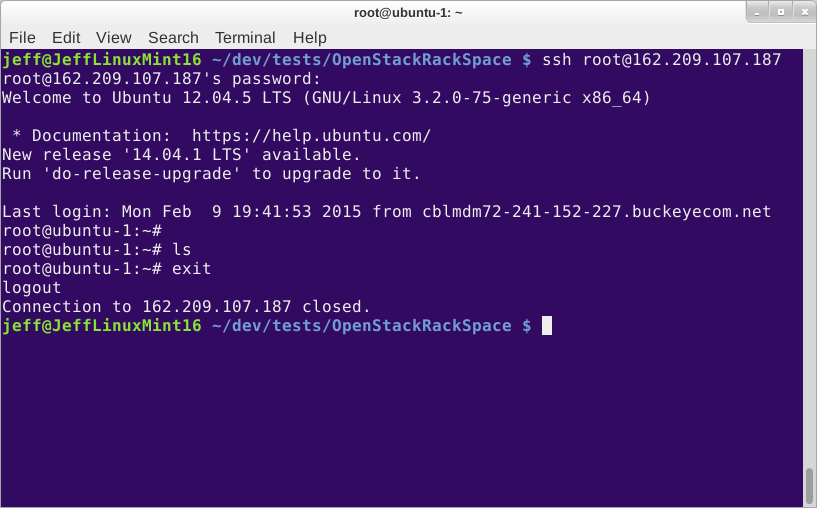
I can log into this using ssh, as shown in this screenshot:
Now don’t forget to delete the server. We can do that through the Rackspace web portal, but why not use the API since we’re here? Here’s the cURL:
curl -X DELETE
-s https://iad.servers.api.
And we’re done!
Conclusion
Spinning up a server is easy, if you follow the process of first obtaining information about images and flavors, and then using the ids from the image and flavor you choose. Make sure to use the URLs that you get back inside the JSON responses, as this will help your app conform to the rules of a RESTful interface. Next up, we’ll try using an SDK in a couple of languages.
 Hiring top Linux and open source talent isn’t as easy as initiating a search with your favorite recruiter. Linux and open source developers and SysAdmins are among the most sought after talent in tech; companies like IBM, Twitter, Facebook and many more understand that to attract these folks, they have to do things differently. I’ve been working in open source since the late 90s and have seen first hand many of these changes.
 The Korora 21 screenshot tour series ends with the Xfce edition, which is built around the lightweight and fast Xfce 4.10.1 graphical desktop environment and targeted at users of low-end machines or computers with old/semi-old hardware components.
  A new graphics card has been released by ASUS, one that bears a brand name often associated with gaming-grade hardware.
 Samsung recently launched its first Tizen OS smartphone in India and although initial reports said that the Korean tech giant managed to sell 50,000 units in the first 10 days, concerns were raised over Tizen’s skimpy app ecosystem.
 Administrators of tens of thousands of MongoDB databases around the world failed to enforce any security mechanisms, allowing access outside the backend and exposing information of millions of customers to unauthorized parties.