The Raspberry Pi 2 will launch later this year with the same astonishing $35 price tag, but this time, the new board is very likely to attract many more buyers thanks to Microsoft.
In case you’re wondering what Microsoft has to do with the Raspberry Pi 2, it all comes down to Redmond’s efforts to make its Windows 10 OS version available to as many users as possible.
So yes, the Raspberry Pi 2 will also run Windows 10, and what’s more important, this particular version of the operating system… (read more)
Open source is sitting at the head of the class in a growing number of schools with all levels of education. Its no-cost starting point and use-it-your-way flexibility gives open source technology an advantage over proprietary solutions with its no-license and no-fee lesson plan. For many education outlets looking to bring a fresh approach to technology, open source is an easy selling point. Don’t think so? LinuxInsider spoke with several technology administrators around the country who gave their open source experiences a solid A+.
Django is a web framework for python. It provides you with the basic components that are required to build your website like HTML templates, User Authentication, Web Server etc. In this tutorial I will describe how you can install Django 1.7 on Linux with the latest version of Python and PostgreSQl.
Step 1: Install Python 3.4 on your Linux machine. Ubuntu/Mint/Raspberry Pi users can skip this step as these distro’s generally have the latest versions of python (check by running “python –version”)
The first major version of the free and open-source security system Shadow Daemon is now available for download.
Shadow Daemon is a collection of tools to detect, protocol and preventattacks on web applications. Technically speaking, Shadow Daemon is a web application firewall that intercepts requests and filters out malicious parameters. It is a modular system that separates web application, analysis and interface to increase security, flexibility and expandability.
The system combines white- and blacklisting to accurately detect malicious requests and it supports applications that are written in PHP, Perl and Python at the moment. It can be managed by a clear and structured web interface.
FileZilla is free and Open-Source ftp/sftp client with features FTP, SFTP and FTPS (FTP over ssl/TLS). It has a very nice and easy to use user interface.FileZilla 3.10.1 released yesterday with bug fixes and minor changes.
We often need to transfer large amount data in the form of mp3 Songs, Video Songs, Movies and most importantly, large Games between android phones/tablets and Linux machine. Transferring via USB cable takes time, so let’s do it with ‘Airdroid‘ easily and quickly.
Airdroid is an android application that can transfer large files between any computer and Android device over wifi. Yes, wifi! Its faster than USB Cable. Let’s do it!
Requirements –
To transfer files between your Linux machine and Android, all you need is a browser on your Linux machine and Airdroid application installed on your android phone and tablet.
Now open any browser on computer and gotowww.airdroid.com. Scroll down and click on Airdroid Web.
After you click a new tab will open and that is the main interface to transfer files. Here you have a QR code that you will scan from your android phone after sometime.
Now move to your Android phone/tablet (Do not close browser tab) and connect it with the same wifi that you’re using on computer. Download and installAirdroidapp from Google Play. After you install Airdroid app open it and you’ll see the screen like below –
Now tap to QR code highlighted above and scan the QR code that you’ve in browser tab. As you scan the code, You are all done! You’ve now access to your android device from your linux machine.
Now to transfer files from phone to computer, click on the file and it will open the phone memory, there you also have SD card. Browse into the folders and select the files or folders that you want to transfer and click download. All files you selected will start downloading to computer.
To transfer files or folder from computer to phone, click on upload and select files/folders and click on upload. All the files will be uploaded to your phone.
Beside of transferring files you have so many interesting features. You can make calls from your computer, listen to music, play video and even you can capture photos from the phone camera. Use every function and it is very nice and faster.
BackBox is a free Linux Operating System based on the most popular Linux distribution, Ubuntu. BackBox provides penetration testing, incident responce, computer forensics and intelligence gathering tools. The latest Release 4.1 includes many interesting changes.
BackBox is an Open Source and free project and the release includes features such as Linux Kernel 3.13, EFI mode, Anonymous mode, LVM + Disk encryption installer, privacy additions and armhf Debian packages. The distribution also includes large number of applications in the repository including LibreOffice office suit and many more.
What’s new
Preinstalled Linux Kernel 3.13
New Ubuntu 14.04.1 base
Installer with LVM and Full Disk Encryption options
Handy Thunar custom actions
RAM wipe at shutdown/reboot
System improvements
Upstream components
Bug corrections
Performance boost
Improved Anonymous mode
Predisposition to ARM architecture (armhf Debian packages)
Predisposition to BackBox Cloud platform
New and updated hacking tools
The simple Ubuntu like boot screen allows to try BackBox without installing it.
Download BackBox 4.1
BackBox 4.1 is available for 32-bit and 63-bit systems. A Live DVD ISO image can be downloaded from the official website. They have set the donation to 5 but if you don’t will to donate then set 5 to 0 and click donate. You can also download through torrent clilent by downloading .torrent file.
Many Linux and open source leaders gave presentations at LinuxConf.Au 2015 a few weeks ago, including Linux Creator Linus Torvalds. All of the conference videos are available on YouTube, and there were many excellent presentations — so many it would be impossible to watch them all. The range of topics covered everything from open source governance and community management, to inspiring uses of Linux and open source technologies, to technical talks and tutorials. Here are ten interesting technical talks focused on Linux and the kernel. (Disclaimer: I have not watched every single minute of all of these videos. I’ll leave it to you to decide how captivating they are.)
1. Advanced Linux Server-Side Threats: How they work and what you can do about them
Olivier Bilodeau covers how malware and hacking have evolved on Linux servers from simple defacement, motivated by visibility, to organized crimeware, motivated by money and why you should care. He also covers the latest threats, how they work, and how to detect and respond to them.

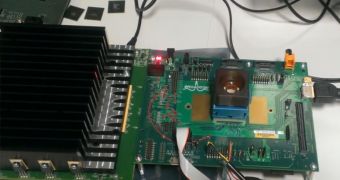 The Raspberry Pi 2 will launch later this year with the same astonishing $35 price tag, but this time, the new board is very likely to attract many more buyers thanks to Microsoft.


