
The learning curve to becoming a Linux kernel developer is pretty steep and choosing the right direction might be somewhat difficult (but not as hard as you think – see my previous article.) However, I have some ideas on how to start this beautiful journey. I hope that these guidelines will be useful for someone.
When I finished the Eudyptula Challenge, a series of programming exercises that teaches you how to contribute to the Linux kernel, I got involved in a discussion with *little* who is the penguin that runs the challenge. He asked me if I would like to contribute and when I confirmed, he asked me if I have any idea what I would like to do in the kernel.
I answered that given my current level of knowledge the best for me would be to work with one of the maintainers who could tell me what shall be done and later review my work so that I could learn and do something useful at the same time. Can you guess the answer? It was:
“No maintainer has that time, sorry.”
In this particular moment I understood what my attitude should be. I immediately saw that I need to be proactive because no one will do any kind of work for me. This reminded me of a quote from one of the hacker movies that I enjoyed as a teenager; it fits:
“This business is all about bits. It is up to us if we are one or zero.”
I decided to show the “1” attitude and find a couple of starting points for a newbie (wannabe) Linux kernel contributor.
1. Improve the code quality
This is the easiest type of task and as such it has a very good ratio of difficulty to the learning value. In essence it is about either making sure that the code follows the coding styleor eliminating the static code checker errors and warnings. In general the code is in pretty good shape because of the policy of not allowing patches which contain such flaws. However there are a few (enough work for everyone) weak spots where things should be improved.
The biggest advantage of this kind of assignment is that it allows you to learn a lot. In particular it teaches the proper coding style, then the various areas of the kernel code, and last but not least it makes you a better programmer with the experience that you get.
So now, let’s see how to work on the coding style and on the static code checker complaints.
Apply the coding style
There is a tool called *checkpatch.pl* which resides in the *scripts* directory of the kernel repository. This very clever script checks either the patches or files for issues in the coding style. Additionally, if the input file is a patch, it verifies if it conforms to the patch format.
The usage is very simple as it checks the input files, which by default are understood to be patches (the product of git format-patch.) There is **-f** option which tells the script that the input is a regular file so it will not check the format of the patch.
% scripts/checkpatch.pl ../patches/*patch
% scripts/checkpatch.pl -f drivers/tty/serial/jsm/*c
This is the sample output for one of the patches that I prepared. As you can see I was careless enough to sneak one coding style issue.
konrad in linux-mainline on jsm-work % scripts/checkpatch.pl ../patches/0001*patch
WARNING: Unnecessary space before function pointer arguments
#28: FILE: drivers/tty/serial/jsm/jsm.h:123:
+ void (*clear_break) (struct jsm_channel *ch);
total: 0 errors, 1 warnings, 32 lines checked
../patches/0001-serial-jsm-Remove-unnecessary-parameter-from-clear_b.patch has style problems, please review.
If any of these errors are false positives, please report
them to the maintainer, see CHECKPATCH in MAINTAINERS.
konrad in linux-mainline on jsm-work %
Static check the code
The next step, after improving the style, is to actually fix the broken code. The Linux kernel build system uses the sparse static code analyzer which, when enabled, runs over every file that is compiled and if there is anything wrong with it, reports it. It’s as simple as that.>
The prerequisite however is to install it which shouldn’t be an issue for a modern Linux distribution. On Ubuntu it is enough to type in the terminal:
% sudo apt-get install sparse
Moreover the releases can be downloaded from kernel.org and installed using the *make & make install* combo. The usage is very simple as there is a *make* option for it.
% make C=1
It will run static checker over every file that is being compiled in. This is the example output of running sparse over the dgap driver from the staging area. The code is in a pretty good state as there is only one warning reported.
konrad in linux-mainline (jsm-work) % make C=1 M=drivers/staging/dgap
LD drivers/staging/dgap/built-in.o
CHECK drivers/staging/dgap/dgap.c
drivers/staging/dgap/dgap.c:365:25: warning: too long initializer-string for array of char
CC [M] drivers/staging/dgap/dgap.o
Building modules, stage 2.
MODPOST 1 modules
CC drivers/staging/dgap/dgap.mod.o
LD [M] drivers/staging/dgap/dgap.ko
konrad in linux-mainline (jsm-work) %
2. Read the TODOs
Naturally, after a while of improving the code quality it is good to move on and seek different kinds of assignments. The source tree contains a number of TODO files which, to some extent, contain descriptions of work that shall be done. This is a starting point and a source of inspiration for anyone willing to do something in the kernel without a real idea on where to start. This was my way of getting involved in the development of *staging/dgnc* and later the *jsm* driver.
At the time of writing there are 53 TODO files in the kernel source tree. I figured out that the best way to browse them would be to merge the contents of each into one big text file for easier reading. I also wanted to know how long ago the TODO file had been updated. This is to check how accurate (or innacurate) the information might be. As a result I developed a terrible bash one liner which gave me what I wanted, here it is:
% echo "" > /tmp/todolist-kernel.txt; count=0; for entry in `find . -name "*TODO*"`; do echo $count". "$entry`git log --pretty=format:" Last edited %ar" $entry | head -1` >> /tmp/todolist-kernel.txt; echo "" >> /tmp/todolist-kernel.txt; sed 's/^/ /' $entry >> /tmp/todolist-kernel.txt; echo "" >> /tmp/todolist-kernel.txt; ((count=$count+1)); done
It takes a while to execute but at the end all the information is ready for checking out in the /tmp/todolist-kernel.txt file. It might be hard to browse as it contains around 1.2k lines however it gets better with Vim and the foldmethod set to *indent*. Nevertheless, choosing the area of interest is a time consuming process so do not rush, read it carefully and make your choice.
I have been told that the information in the TODOs, at least in the staging area, should be accurate. However for example, for the *dgnc* driver it was not the case as some of the bullet points have already been addressed. I assume that this might be the case for a few other TODOs as well.
In my case I found this to be good for me because I had a chance (been forced to) to learn the code and understand how it works to be able to sort out what is done and what is not. So in general this is a good experience unless the TODO is painfully old. In this case everything is possible including the driver being obsolete and/or abandoned for good.
As for me I focused on the driver for which I could understand the bullet points from the TODO. I did not really want to be stuck in some kind of really difficult development. I believe that this is very good approach for newcomers into the Linux kernel development and in general because having a chance to actually accomplish something is very important for self confidence. So if you do not know much about Linux kernel programming I recommend my approach.
The drivers/staging area
I mentioned the *staging* area a few times so far. Now it is high time to elaborate more on what it is. So basically the drivers/staging area is a home for not yet officially supported drivers. The whole area is supported by Greg KH, the Linux DriverProject is behind it and people involved communicate on thedriverdev-develmailing list.
The code in staging does not meet the quality standards and the job is to make it good enough to be promoted as a ‘real’ kernel driver. This makes it a perfect place to start from especially when combined with the information from TODOs.
It is important to know that there is a significant amount of people working in this area nowadays. So it is good to follow the mailing list just to get the gist of what people are working on. It would be unfortunate to learn, after sending the patch, that someone has made this change like a week ago or something.
3. Fix a kernel bug
As any other software project the kernel has bugs. It can be either a direct crash or just a glitch reported in the bug tracking system. Regardless of what it is, fixing it is a great, challenging adventure as fixing bugs is more advanced than improving the code quality.
Kernel OOPS
The kernel OOPS is a crash and it usually does not happen, nevertheless once in a
while it can be seen. Debugging such an issue is advanced stuff however it is a great learning experience. My best kernel patch so far is the one liner I implemented for the crash that I had a few months ago.
Bugzilla
Kernel bugs are tracked using Bugzilla. This is a good source of inspiration for the brave. 🙂
Summary
As you see there is many ways of contributing and still a lot of work to be done. In short you can:
* start in the drivers/staging area
* improve the code quality
* find inspiration in the TODOs
* fix an actual bug in the kernel.
And there is much more inspiration that you can find when you actually start.
This blog is republished with permission from Zapalowicz.pl.
Konrad Zapalowicz is a software developer at Cybercom Poland, a new Linux kernel contributor and a runner. You can reach him at zapalowicz.pl.

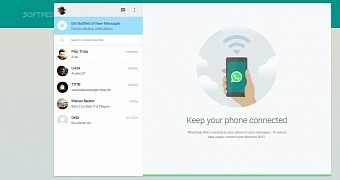 WhatsApp is the most used messenger service on mobile devices, but it’s also one of the few that don’t have an API or a client that can run on other devices as well, like PCs for example. That is no longer the case and Linux users now have access to WhatsApp by using the Google Chrome browser.
 Black Lab Linux, a distribution that is based on Ubuntu 14.04 LTS and is using the Xfce desktop environment, has been upgraded to version 6.0 SR 1.1 and is now available for download.
 Q4OS is a Linux distribution built to offer a desktop experience similar to that of Windows XP. The developers are preparing to launch version 1.0 and they have made quite a few changes.
 The Linux kernel is a very advanced piece of software that is able to cater to all the current hardware needs, but it’s also able to run on hardware that’s been decommissioned and is no longer produced for more than twenty years.

