
GNOME Builder is that interesting GNOME IDE project for developers…
Read more at Phoronix

As the virtualization of U.S. defense agencies commences, the technology’s many attributes—and drawbacks—are becoming apparent.
Virtualization has enabled users to pack more computing power in a smaller space than ever before. It has also created an abstraction layer between the operating system and hardware, which gives users choice, flexibility, vendor competition and best value for their requirements. But there is a price to be paid in the form of expensive and cumbersome equipment, software licensing and acquisition fees, and long install times and patch cycles.

LG’s attempt to resurrect webOS for smart TVs is entering a new phase at CES 2015. A wide range of webOS 2.0 TVs will be displayed in Vegas, and LG is focusing on performance; the company says that starting the YouTube app from the home screen is 70 percent faster, for example, and overall boot times should be up to 60 percent quicker.
Bean Bird is back
New OS features include a “My Channels” option that lets you access favorite channels from the launcher bar, along with a redesigned input picker and a quick settings mode that doesn’t interrupt the current TV show. LG is also working with the likes of Netflix and Amazon to secure options for 4K streaming content. And it looks like Bean Bird is back with a vengeance.
LG says that over…
Linux is a platform ready for everyone. If you have a niche, Linux is ready to meet or exceed the needs of said niche. One such niche is education. If you are a teacher or a student, Linux is ready to help you navigate the waters of nearly any level of the educational system. From study aids, to writing papers, to managing classes, to running an entire institution, Linux has you covered.
If you’re unsure how, let me introduce you to a few tools Linux has at the ready. Some of these tools require little to no learning curve, whereas others require a full blown system administrator to install, setup, and manage. We’ll start with the simple and make our way to the complex.
Everyone studies a bit differently and every class requires a different type and level of studying. Fortunately, Linux has plenty of study aids. Let’s take a look at a few examples:
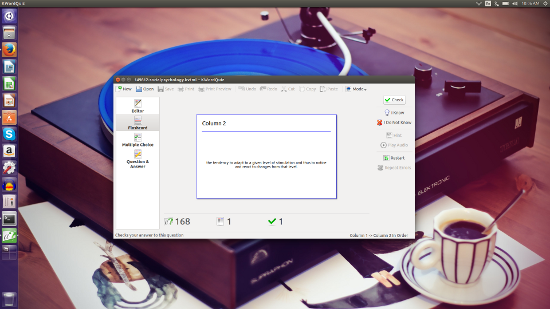
Flash Cards ─ KWordQuiz (Figure 1) is one of the many flashcard applications available for the Linux platform. KWordQuiz uses the kvtml file format and you can download plenty of pre-made, contributed files to use here. KWordQuiz is part of the KDE desktop environment, but can be installed on other desktops (KDE dependencies will be installed alongside the flashcard app).
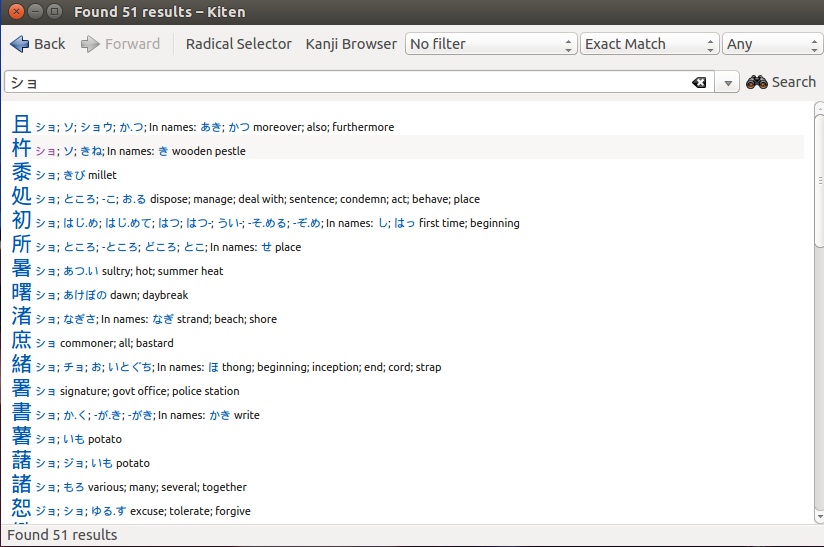
Thanks to an ever-shrinking world, foreign language has become a crucial element of education. You’ll find plenty of language tools, including Kiten (Figure 2) the kanji browser for the KDE desktop.
If Japanese isn’t your language, you could try Jargon Informatique. This dictionary is entirely in French and, so if you’re new to the language, you might want to stick with something like Google Translate.
Linux has everything you need to keep notes on a subject and write those term papers. Let’s start with taking notes. If you’re familiar with Microsoft OneNote, you’ll love BasKet Note Pads. With this app, you can create baskets for subjects and add just about anything ─ notes, links, images, cross references (to other baskets ─ Figure 3), app launchers, load from file, and more.
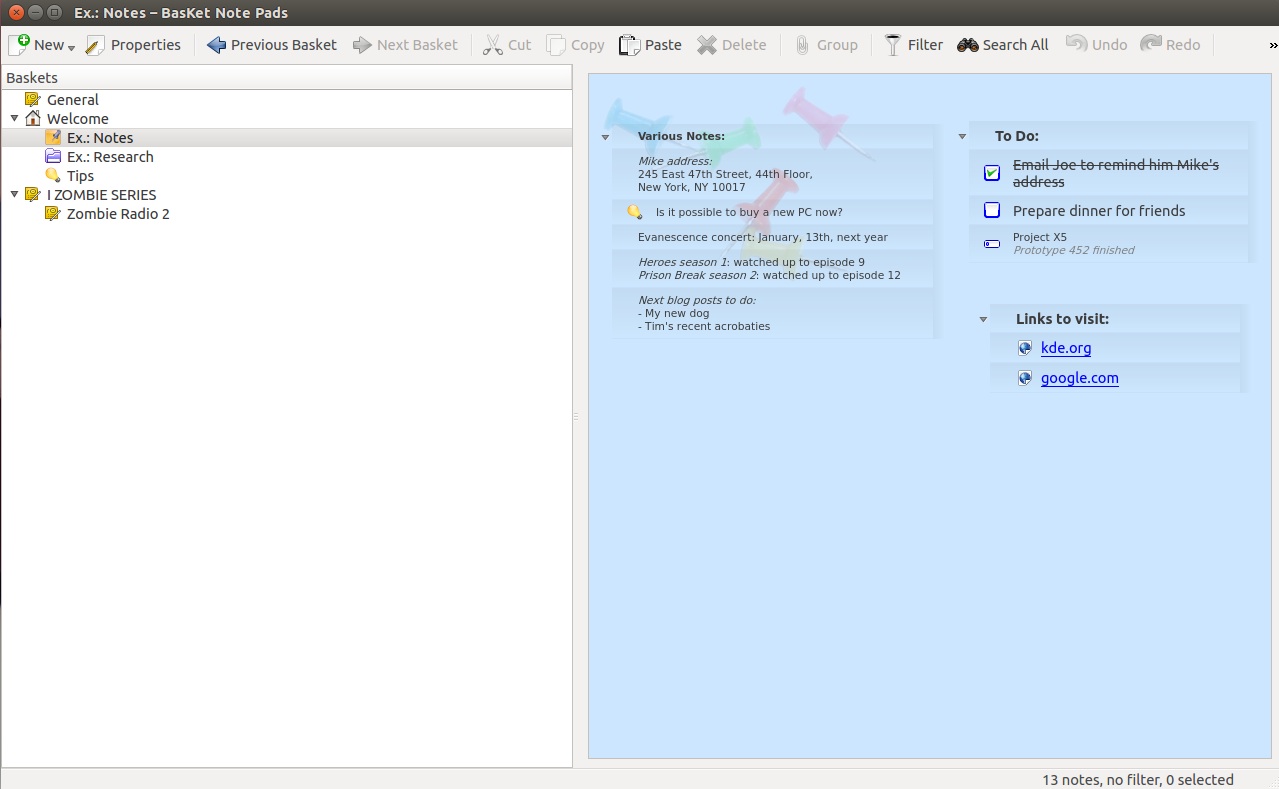
You can create baskets that are free-form, so elements can be moved around to suit your need. If you prefer a more ordered feel, create a columned basket to retain those notes walled in.
Of course, the mother of all writing aids for Linux would be LibreOffice. The default office suite on most Linux distributions, LibreOffice has your text documents, spreadsheets, presentations, databases, formula, and drawing covered.
The one caveat to using LibreOffice in an educational environment, is that you will most likely have to save your documents in the MS Office format.
With all of this said about Linux applications geared toward the student in mind, it might behoove you to take a look at one of the distributions created specifically for education. The best in breed is Edubuntu. This grassroots Linux distribution aims at getting Linux into schools, homes, and communities. Edubuntu uses the default Ubuntu desktop (the Unity shell) and adds the following software:
Edubuntu isn’t the only game in town. If you’d rather test other education-specific Linux distributions, here’s the short list:
This is where the Linux platform really shines. There are a number of tools geared specifically for administering. Let’s first look at tools specific to the classroom.
iTalc is a powerful didactical environment for the classroom. With this tool, teachers can view and control students desktops (supporting Linux and Windows). The iTalc system allows teachers to view what’s happening on a student’s desktop, take control of their desktop, lock their desktop, show demonstrations to desktops, power on/off desktops, send text messages to students’ desktops, and much more.
aTutor (Figure 4) is an open source Learning Management System (LMS) focused on developing online courses and e-learning content. Where aTutor really shines is the creation and management of online tests and quizzes. Of course, aTutor is not limited to testing purposes. With this powerful software, students and teachers can enjoy:
Social networking
Profiles
Messaging
Adaptive navigation
Work groups
File storage
Group blogs
and much more.
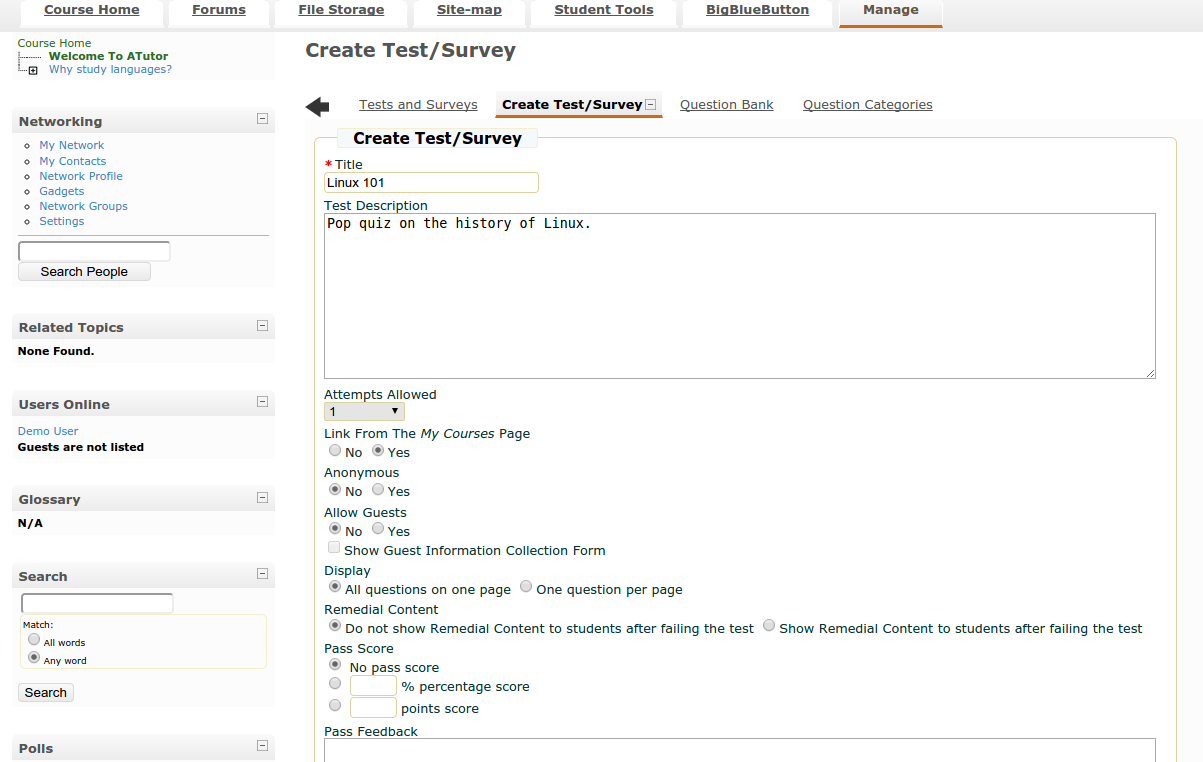
Course material is easy to create and deploy (you can even assign tests/quizzes to specific study groups).
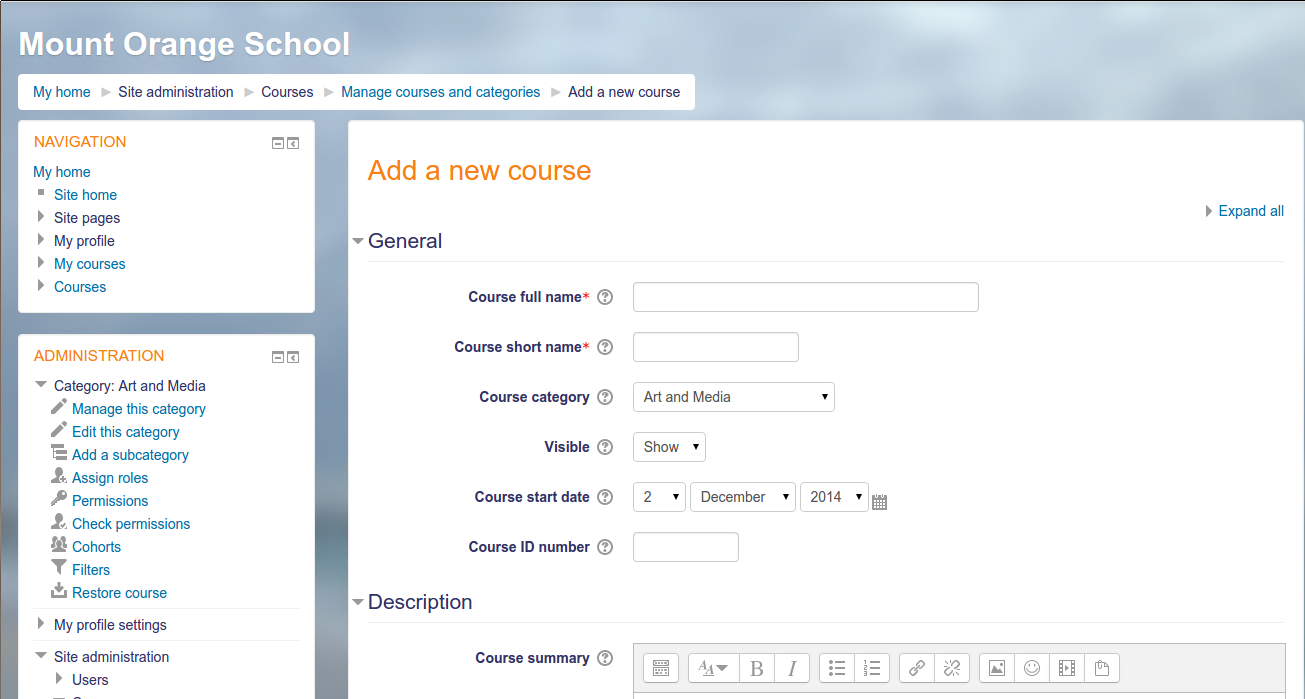
Moodle is one of the most widely used educational management software titles available. With Moodle you can manage, teach, learn, and even participate in your child’s education. This powerhouse software offers collaborative tools for teachers and students, exams, calendars, forums, file management, course management (Figure 5), notifications, progress tracking, mass enrollment, bulk course creation, attendance, and much more.
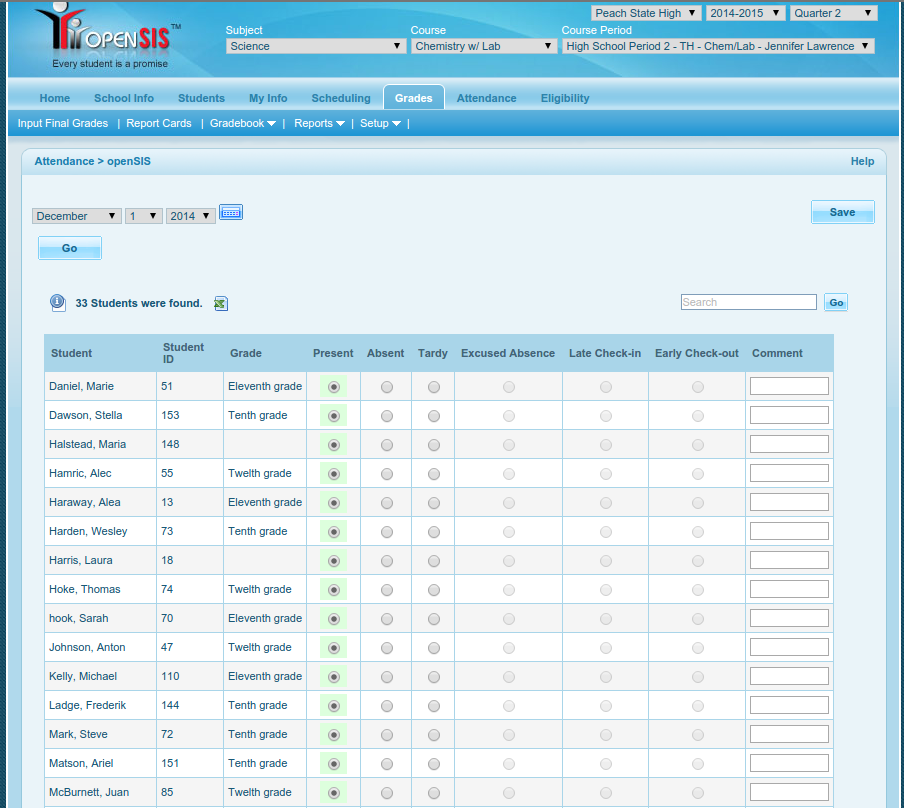
OpenSIS stands for Open Source Student Information System and does a great job of managing your educational institution. There is a free community edition, but even with the paid version you can look forward to reducing ownership costs for a school district by up to 75 percent (when compared to proprietary solutions).
OpenSIS includes the following features/modules:
Attendance (Figure 6)
Contact information
Student demographics
Gradebook
Scheduling
Health records
Report cards.
There are four editions of OpenSIS. Check out the feature comparison matrix here.
vufind is an outstanding library management system that allows students and teachers to easily browse for library resources such as:
Catalog Records
Locally Cached Journals
Digital Library Items
Institutional Repository
Institutional Bibliography
Other Library Collections and Resources.
The vufind system allows user login where authenticated users can save resources for quick recall and enjoy “more like this” results.
This list just barely scratches the surface of what is available for Linux in the educational arena. And, as you might expect, each tool is highly customizable and open source ─ so if the software doesn’t precisely meet your needs, you are free (in most cases) to modify the source and change it.
Linux and education go hand in hand. Whether you are a teacher, a student, or an administrator, you’ll find plenty of tools to help make the institution of education open, flexible, and powerful.
The latest version of Nvidia Graphics driver for Linux which is Nvidia 340.65 has been released and is available for download. It comes with plenty of fixes and changes. This article will guide you to install Nvidia 340.65 in Ubuntu and Linux Mint systems.
Read more at YourOwnLinux.
The Linux Kernel 3.18.1 is now available for the users, announced Linus Torvalds. This Linux Kernel version comes with plenty of fixes and improvements. This article will guide you to install or upgrade to Linux Kernel 3.18.1 in your Ubuntu or Linux Mint system.
Read more at YourOwnLinux.