The flood of Linux-based home automation hubs that has arrived over the last two years is now being joined by a wave of intermediary solutions that integrate multiple ecosystems. One of the most promising is Wink, a spinoff from crowd-investment firm Quirky. A week after announcing its Linux-based Wink home automation hub and mobile app, the well-heeled startup demonstrated the technology in a model smart home launch event in New York City, and announced 15 partners and 60 compatible devices.
Wink also released its Javascript-based API to developers interested in building Wink apps for the supported Android and iOS platforms. Last week, Wink announced it will also ship an Android Wear version that will run on Android Wear smartwatches like the LG G Watch and Samsung Gear Live. The Android Wear app will communicate with devices via the full Android smartphone app, rather than directly, and will offer more limited features.
The one partner that gives Wink a big jump on the competition is The Home Depot, which on July 7 will begin selling the Wink Hub for only $49 through Labor Day before raising the price to $79. The price is discounted to $25 if you buy the hub with a Wink-compatible product. The retailer will sell the Wink Hub along with 60 compatible products in nearly 2,000 U.S. stores, as well as online, and the hub will also be available at Amazon.com. One key selling point is that Wink will offer free, 24/7 tech support.
Upon entering the Wink smart home, I was struck by the incongruity of a suburban home stuffed into a walkup loft in trendy SoHo, and was also impressed by the wide range of products available. While most home automation startups ship with a few smart lights and sensors while promising future compatibility with some other ecosystems, Wink is ready to roll with a whole household of wireless-enabled gizmos.
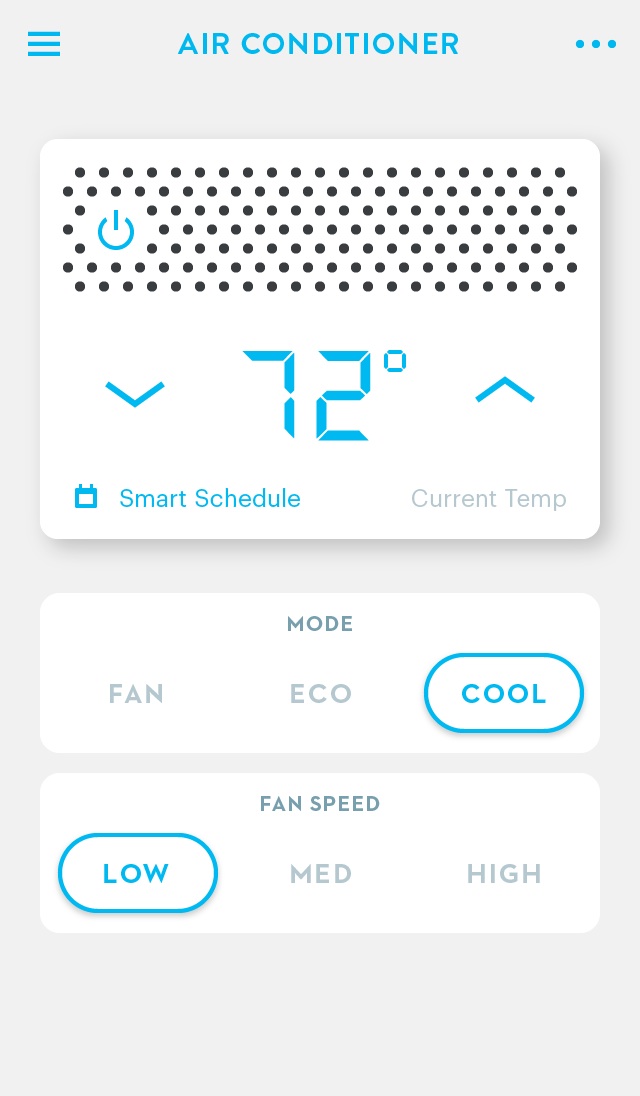 The devices are split into “Wink app ready” products that use WiFi and Bluetooth, and therefore can be controlled directly by the Wink mobile app and a standard WiFi router, and “Wink app compatible” products, which require the hub as an intermediary. A few other devices, such as Dropcam’s Linux-based home surveillance cameras, use their own cloud services, and are controlled by the Wink app via cloud-to-cloud exchanges. In late June, Google’s new home automation subsidiary Nest Labs, which makes a Linux-based smart thermostat and smoke detector, announced a deal to acquire Dropcam for $555 million.
In addition to routing WiFi and Bluetooth, the Wink Hub communicates with ZigBee and Z-Wave radios, as well as proprietary wireless protocols for Lutron lighting systems and shades (ClearConnect) and Kidde smoke alarms. Wink shared no more tech details aside from the hub’s Linux OS.
According to Wink VP Brett Worthington, who gave reporters a tour of the home, most of the growth is expected to come from directly connected WiFi devices. “Anything that doesn’t require a battery is increasingly going to WiFi,” he said as he selected options on the app to open blinds, close garage doors, and dim lights. Still, many home devices do use batteries, or otherwise use ZigBee and Z-Wave to reduce power consumption, and other major brands continue to use proprietary protocols. The hub may be around awhile.
Devices that use the hub include Bali window shades, Schlage and Kwikset smart deadbolts, Leviton lighting systems, and the aforementioned Lutron and Kidde devices. Also requiring the hub are several GE ovens and lighting systems, including newly announced GE Link smart bulbs, which start at a dirt-cheap $15 a pop.
Showcased devices that can be directly controlled by the app include Dropcam cameras, Philips Hue lights, TCP smart lights, Rheem water heaters, a new Rachio smart sprinkler, and the Chamberlain MyQ Garage Door Opener. In the case of more sophisticated, touchscreen-based products like Honeywell’s Wi-Fi Smart Thermostat, the Wink app performs major control functions, but leaves more arcane settings to the Honeywell app, said Worthington.
The Wink app also directly controls products jointly produced by GE and Wink parent Quirky, including the “Quirky+GE” Aros air conditioner, and Refuel smart propane tank gauge. Quirky has found considerable success with its unique, crowd-based scheme. Each week, the company selects the three best product ideas out of thousands of contributions sent in by hobbyist makers, then produces and markets the designs and shares the profits with the inventors.
Wink grew out of Quirky’s partnership with GE, in which it helped GE write apps for its growing list of smart devices. Going forward, Wink expects to make most of its money out of such consultancy arrangements, said Worthington.
“You have these 100-year old companies selling products at The Home Depot that need help with mobile apps,” said Worthington. “That’s where we make our money — helping these companies design interfaces for smart devices.”
According to Lutron VP Paul Lobo, who was on hand along with reps from other partner firms, Lutron chose Wink due to its Home Depot partnership and the openness of the platform. “It’s more open than many of these ecosystems,” he said.
Lobo also praised Wink for its app interface, which indeed looks to be easier to use than many competitors, with visual icons to help identify devices, and analog-like dimmer switches. The app also features intuitive gestures such as swiping upward to open a blind.
Like many of its competitors, Wink offers remote control of devices via the mobile app, as well as shortcut buttons and scheduling tools. It also offers automated if-then scripts it calls robots. Worthington demonstrated several robots that 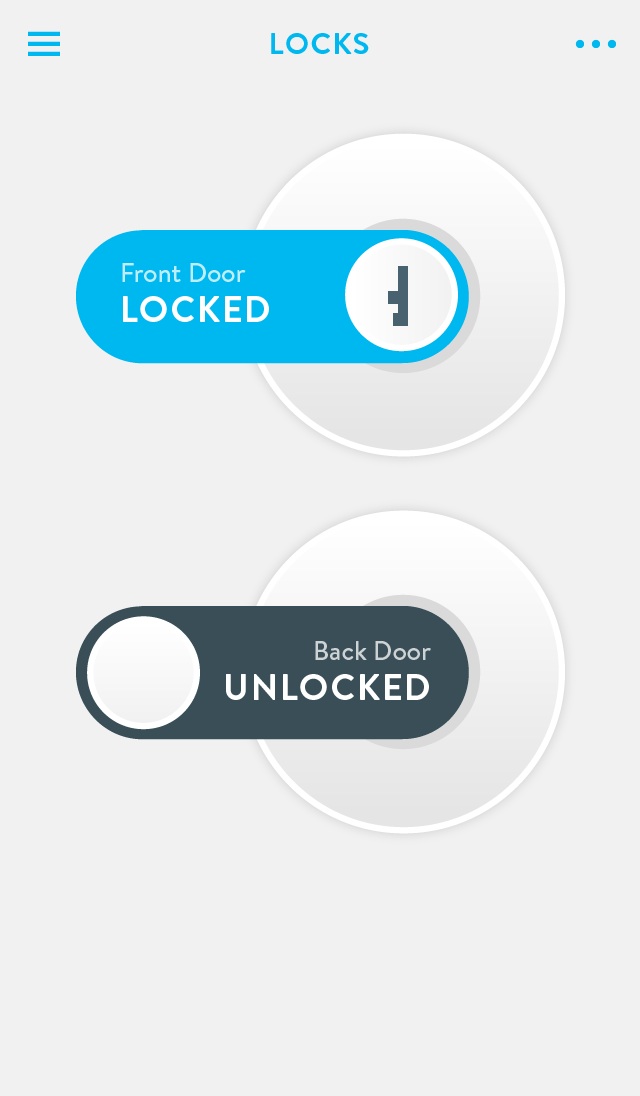 don’t require Javascript programming such as opening the blinds and adjusting HVAC systems when you open the Chamberlain garage door. Developers can create full-blown custom apps using the newly posted Wink API, which includes JSON-based requests and responses, trigger resources, and standard HTTP verbs. While the API is open source, the Wink Hub itself appears to be a closed design.
Like other home automation vendors, Wink promotes its ability to help reduce electricity usage via scheduling, monitoring, and more efficient devices. When asked about potential smart grid partnerships with energy providers, Worthington suggested the time was not yet right.
“It makes more sense to teach consumers how to control electricity on their own rather than implement a demand response system from outside,” said Worthington. “With Wink, you have control over your own data.”
Wink and The Home Depot are up against established hub-based ecosystems like Lowe’s Iris and Staples’ Connect, as well as other intermediary ecosystem standards like SmartThings, Revolv, and Insteon. Meanwhile, Google’s Nest will likely continue to build out its ecosystem beyond Dropcam cameras.
Lately, we’ve seen several home automation and Internet of Things gizmos using the open source AllJoyn framework in conjunction with the Linux Foundation’s supporting AllSeen Alliance. These include the OpenWRT Linux-based Qsmart lighting system and Musaic IoT hub, which doubles as a wireless speaker.
Other Linux-based home automation platforms we surveyed back in January include the Ivee Sleek, Ninja Block Kit, WeMo, WigWag, and Piper. The latter’s vendor — BlackSumac — has since been acquired by home security firm iControl Networks. Recently announced Android-based systems, meanwhile, include the ALYT system from Link Your Things, Habey’s HIO Wallpad, and the tablet-based Soap router.


 If you happen to manage a Red Hat Enpterprise Linux (RHEL) envronment, you may want to download Red Hat’s new Satellite 6 beta version of its management solution. It’s now