The BeagleBone Black is a small 1Ghz ARM machine with 512Mb of RAM, 2Gb of on board flash memory, and most importantly two headers each with two rows of pin sockets ready for your next embedded project. At around $45 the BeagleBone Black costs around twice what an Arduino board might set you back. For some projects the 32kb of storage space and kilobytes of SRAM offered by the Arduino might be sufficient. If you want to use 100Mb of RAM while talking to other hardware then something like the BeagleBone Black might be the perfect fit.
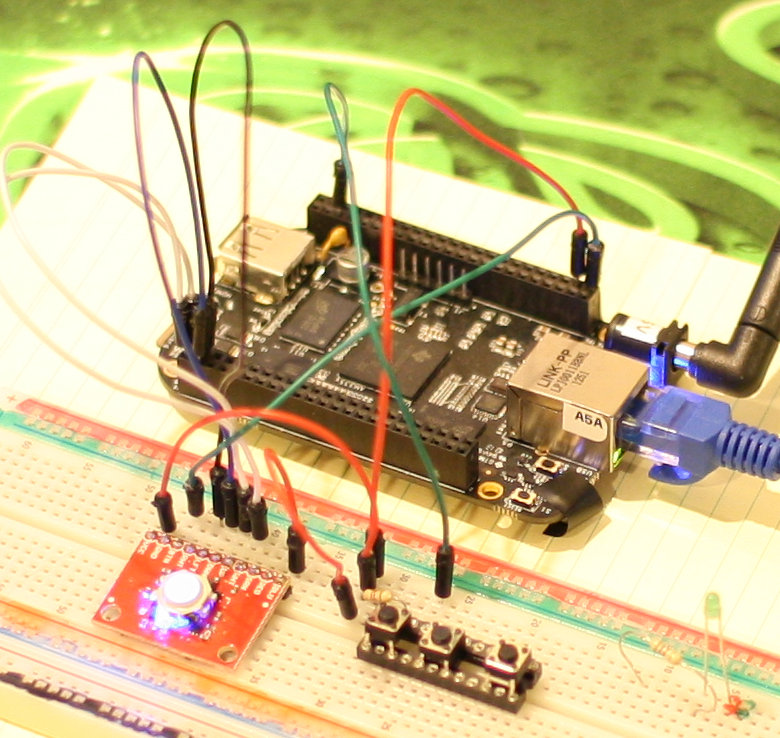 A previous article looked at the differences between the Arduino and the BeagleBone Black in how you go about accessing chips over the SPI. This time around the focus will be on how to receive interrupts from your hardware on the BeagleBone Black.
The header pins on each side of the BeagleBone Black can be used for General Purpose I/O (GPIO). This way you can set the voltage to high or low, or if you are reading you can see if the voltage is currently high or low on the pin. Generally, high might be 3.3 volts and low would be the common ground voltage. The GPIO support in Linux can optionally generate interrupts when the signal raises from ground to a high voltage, from the high voltage to ground, or if either of these cases occurs.
Expose the Pins
As I covered in “Getting Started with the BeagleBone Black” access to the various pins in the headers on the left and right side of the BBB is done through the Linux kernel using its GPIO Interfaces.
The below code exposes pin 42 (GPIO_7) through the Linux kernel and reads the current value of that pin. First you have to map the GPIO_7 pin into the filesystem. This is done by echoing the GPIO pin into the export file. As you can see, below, I created the new gpio7 link using the export file in order to read that pin.
root@bbb:/sys/class/gpio# echo 7 > /sys/class/gpio/export
root@bbb:/sys/class/gpio# ls -lh
total 0
--w------- 1 root root 4.0K Jun  1 10:54 export
lrwxrwxrwx 1 root root    0 Jun  1 10:54 gpio7 -> ../../devices/virtual/gpio/gpio7
lrwxrwxrwx 1 root root    0 Jan  1  2000 gpiochip0 -> ../../devices/virtual/gpio/gpiochip0
lrwxrwxrwx 1 root root    0 Jan  1  2000 gpiochip32 -> ../../devices/virtual/gpio/gpiochip32
lrwxrwxrwx 1 root root    0 Jan  1  2000 gpiochip64 -> ../../devices/virtual/gpio/gpiochip64
lrwxrwxrwx 1 root root    0 Jan  1  2000 gpiochip96 -> ../../devices/virtual/gpio/gpiochip96
--w------- 1 root root 4.0K Jan  1  2000 unexport
root@bbb:/sys/class/gpio# cd gpio7
root@bbb:/sys/class/gpio/gpio7# cat value
0
Generate Interrupts
One very simple way to generate interrupts is using a push button. I connected one side of the button to one of the 3.3v outputs on the P9 header and the other side through a resistor to pin 42 (GPIO_7). To verify that the button was working as expected I read the ‘value’ file to see 0, then held the button down and got a 1 while holding down the button which was reverted to 0 again after I released the button. If I was using interrupts I could have received a rising interrupt right when the button was pressed and a falling one right when it was released.
root@bbb:/sys/class/gpio/gpio7# cat value
0
root@bbb:/sys/class/gpio/gpio7# cat value
1
root@bbb:/sys/class/gpio/gpio7# cat value
0
If your hardware supports it for a pin you can turn on interrupts by echoing your desired setting into the edge file as shown below. I say if your hardware supports it because the GPIO in the Linux kernel might allow you to read or write to a pin but only certain pins might be setup in hardware to allow interrupts to be generated. For the BeagleBone Black, “In GPIO mode, each digital I/O can produce interrupts”.
root@bbb:~# echo both > /sys/class/gpio/gpio7/edge
Set up Monitoring
Then you want to watch the ‘value’ file in the gpio7 directory. As you saw above, the contents of that file did change when I held down the button. But we certainly don’t want to keep checking the file on a regular basis to see if the button is pressed or not. Initially when thinking of file monitoring I thought of inotify, which I didn’t manage to configure to give me an event when the gpio value file was updated by an interrupt. So then I started writing a C++ program to do the file monitoring. To simplify the code a little bit I used the glib2 library instead of the poll() or select() functions. The glib2 library can be used without a UI. Using glib2 made the code simpler and paves the way for graphical applications to get input from custom hardware.
The main() function is shown below. First the gpio7/value is opened and then a glib2 channel is created to trigger the onButtonEvent function whenever the gpio7/value file as a priority event. Note that onButtonEvent will be called right away because there is data available for the gpio7/value file. You could read the while gpio7/value file to stop this initial call to onButtonEvent if it would do something undesired.
int main( int argc, char** argv )
{
    GMainLoop* loop = g_main_loop_new( 0, 0 );

    int fd = open( "/sys/class/gpio/gpio7/value", O_RDONLY | O_NONBLOCK );
    GIOChannel* channel = g_io_channel_unix_new( fd );
    GIOCondition cond = GIOCondition( G_IO_PRI );
    guint id = g_io_add_watch( channel, cond, onButtonEvent, 0 );

    g_main_loop_run( loop );
}
Fix Interrupt Handler Loops
The “interrupt handler” is shown below. I use quotes here because this is just a normal C function and is not bound by any special requirements that a microcontroller interrupt handler might have. The one thing the onButtonEvent should do is make sure that the current change that triggered the glib2 channel will not trigger again when onButtonEvent returns. Otherwise onButtonEvent will be called again, and if it doesn’t do anything the event will still stand and onButtonEvent will be called again, and so on forever. Luckily there is a message shown on the console when onButtonEvent is called so you can detect and fix these interrupt handler loops fairly easily.
The file for the glib2 channel is what caused the onButtonEvent to be called. One way to clear the event and satisfy glib2 that we have handled the event is to read the file again. Because the file is still at the end of file offset, we have to seek to the beginning and then can read the contents to see if the button is pressed or released. Returning 1 from the onButtonEvent function means that glib2 will not remove the callback.
static gboolean
onButtonEvent( GIOChannel *channel,
               GIOCondition condition,
               gpointer user_data )
{
    cerr << "onButtonEvent" << endl;
    GError *error = 0;
    gsize bytes_read = 0;
    g_io_channel_seek_position( channel, 0, G_SEEK_SET, 0 );
    GIOStatus rc = g_io_channel_read_chars( channel,
                                            buf, buf_sz - 1,
                                            &bytes_read,
                                            &error );
    cerr << "rc:" << rc << "  data:" << buf << endl;

    // thank you, call again!
    return 1;
}
The build procedure just uses a simple Makefile as shown below. In the execution I have pressed the button once (data:1) and released it (data:0). The initial reading occurred right away because the code hadn’t already read the gpio7/value file.
$ cat Makefile
watch-button-glib: watch-button-glib.cpp Makefile
        g++ watch-button-glib.cpp -o watch-button-glib ` pkg-config glib-2.0  --cflags --libs`
$ make
$ ./watch-button-glib
onButtonEvent
rc:1  data:0
onButtonEvent
rc:1  data:1
onButtonEvent
rc:1  data:0
If you echo falling into the gpio7/edge file then onButtonEvent will only be called when you release the button.
Apply to other hardware
The same technique can be used to get input from hardware which looks much more advanced at first glance. For example, the Blackberry Trackballer Breakout has four Hall effect sensors which detect a magnetic field as a while ball rolls. Each time one of these Hall effect sensors triggers it sends an interrupt down the line for its direction of ball motion (up, down, left, right). All you need to do on the BeagleBone Black is monitor 4 GPIO ports and adjust the xaxis and yaxis variables as the interrupts come in. The following modified onButtonEvent function updates xaxis and yaxis as the ball moves and shows you the current value each time.
enum
{
    DIRECTION_UP = 1,
    DIRECTION_DOWN,
    DIRECTION_LEFT,
    DIRECTION_RIGHT
};
int xaxis = 0;
int yaxis = 0;
static gboolean
onButtonEvent( GIOChannel *channel,
               GIOCondition condition,
               gpointer user_data )
{
    cerr << "onButtonEvent" << endl;
    int direction = (int)user_data;
    GError *error = 0;
    gsize bytes_read = 0;

    g_io_channel_seek_position( channel, 0, G_SEEK_SET, 0 );
    GIOStatus rc = g_io_channel_read_chars( channel,
                                            buf, buf_sz - 1,
                                            &bytes_read,
                                            &error );
    switch( (int)user_data )
    {
        case DIRECTION_UP:
            yaxis++;
            break;
        case DIRECTION_DOWN:
            yaxis--;
            break;
        case DIRECTION_LEFT:
            xaxis--;
            break;
        case DIRECTION_RIGHT:
            xaxis++;
            break;
    }
    cerr << " direction:" << direction << " x:" << xaxis << " y:" << yaxis << endl;

    // thank you, call again!
    return 1;
}
I used GPIO pins 70 through 73 inclusive for input from the trackball. These pins are monitored the same way as GPIO 7 in the previous example. The user_data pointer used when setting up the onButtonEvent callback is one of the DIRECTION enum values.
Set permissions
The default permissions on the exported GPIO pins, for example the /sys/class/gpio/gpio72 directory, permit everybody to read the pin but only root to write to the files. This means that you have to permit your normal Linux user account to write to the edge file or setup the interrupts on the GPIO files by sshing into the BeagleBone Black as root. Changing the permissions to the /sys/class/gpio/export file to a user account still means that when a pin is exported, the created gpioNN directory and its files will only be writable by root. This would seem to be an issue that udev rules can solve.
Getting interrupts from your chips is fairly straightforward using the Linux GPIO interface. The collection of programming languages and libraries available on a Linux installation lets you choose which method to use to monitor your gpio/value files and respond to interrupts.

 I have often referred to edX as the Linux for learning. And last week, The Linux Foundation became one of our first non-university members to offer courses on edX. Linux joined us as part of a new membership structure aimed at giving our two million students from around the world a broader array of courses to choose from.