
Research out of Asia provides two scenarios for the Chromebook in 2014. One shows it taking a not-insignificant chunk of the global notebook market. [Read more]
Read more at CNET News
 Yesterday Red Hat announced the release of Red Hat Enterprise Linux 7 Beta. Released with an invitation to test and report, RHEL 7 Beta is based on Fedora 19 and is said to be “the future of IT. Whether rolling out new applications, virtualizing environments or scaling the business with cloud, Red Hat Enterprise Linux 7 delivers the keystone to IT success.”
RHEL 7 Beta ships with Linux 3.10, GCC 4.8, and GNOME 3 Classic. The latter features a “window list at the bottom of the screen and traditional Applications and Places menus.” KDE 4.10 is also available in RHEL 7 Beta with the new screen management tool KScreen.
Linux has come a long way in its short life, and it’s more reliable and stable than ever. But things still go wrong, and you can diagnose and fix just about anything.
Compositing window managers are a huge step forward in making graphical environments more stable. But sometimes your nice Linux graphical desktop still locks up, and then what do you do? Drop to a console is what you do, by pressing Ctrl+Alt+F2 on your keyboard. This takes you to a console that is independent of your graphical environment. Go ahead and login.
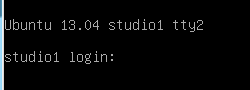
Now you can do stuff. If you have a notion what locked up your desktop, you can find its process number and kill it. For example, when I’m connected to a remote network share in my Dolphin graphical file manager and the network connection is interrupted, Dolphin locks up my whole desktop. So I drop to a console and run this command to find its process number:
$ ps aux | grep dolphin
carla 9218 ?  Sl  0:00 /usr/bin/dolphin
     --icon system-file-manager -caption Dolphin
This shows who owns the process (carla), who should be able to kill it with the kill command:
$ kill 9218
If root or a different user owns the process, then use sudo kill 9218.
Now press the up arrow on your keyboard to scroll back to the previous command, hit the Enter/Return key to re-run it, and see if it worked. If it didn’t then roll out the big gun:
$ kill -9 9218
-9 sends the SIGKILL signal, which is the nuclear option because it cannot be ignored.
What if you see a runaway process that has spawned child processes? You need to kill the parent process because that also takes out the children, and it prevents it from re-spawning any child processes that you kill. (If you’re not comfortable with this terminology, you have company because I’m not comfortable with it either.) Add the -f switch to see parent and child processes in a tree view, like this abbreviated example for the Plex media server:
root 1776 /bin/sh -e /proc/self/fd/9
plex 1803   _ /bin/sh /usr/sbin/start_pms
plex 1804     _ ./Plex Media Server
plex 1970     _Plex Plug-in [com.plexapp.system]
plex 2645     _ /usr/lib/plexmediaserver
plex 2690     _ Plex Plug-in
So you could use sudo kill 1776 to wipe out the whole works.
On most distros there are 6 consoles, tty1 to tty6. tty7 is usually your X session, so you get back to your graphical desktop by pressing Alt+F7. Which means you can get to your console with anything from Ctrl+Alt+F1 to Ctrl+Alt+F6.
What if you’re not sure which process is causing the problem? Try the good old top command:
$ top
top - 12:07:33 up 4:13, 7 users, load average: 0.56, 0.38, 0.34
[...]
PID USER  VIRT  RES   %CPU %MEM  COMMAND
6399 carla  493m 27m 94.2 0.2 konsole
4386 carla 1937m 819m  2.0  5.1 firefox
1511 root   613m 189m  1.3  1.2  Xorg
This (abbreviated) example points to Konsole as the troublemaker, as it’s sucking up 94.2% CPU. The process ID is right there in the output, so you know what process to kill.
Most services log their activities. If you look in /var/log you’ll see a set of logs such as CUPS, boot, dmesg, kern.log, syslog, and udev. When you install services they usually have configurable logging, so you can choose the location and amount of detail, from emergency to debug:
emergency outputs the least amount of information, and debug the most. info is a good everyday logging level, recording a mix of routine activity and warnings and errors. debug can be overwhelming, so a good tactic is to turn on debug when you’re investigating a problem, and put it back to info when it’s resolved. Where do you do this? Look in the /etc directory. Individual services have their own configuration files, like /etc/cups/cupsd.conf. The syslog is configured in /etc/syslog.conf, if your Linux has the old syslogd, or /etc/rsyslog.conf if you have the shiny new rsyslogd.
Logfiles aren’t exactly fun to read, but they’re essential to solving problems. You can home in on error messages with grep:
$ grep -i error /var/log/syslog
Or any text string to help you quickly find the information you want, like this example for seeing what Network Manager has been doing:
$ grep -i networkmanager /var/log/syslog
Dec 10 14:54:50 studio NetworkManager[1402]:
(eth1): DHCPv4 state changed bound -> renew
Dec 10 14:54:50 studio NetworkManager[1402]:
address 192.168.10.182
Dec 10 14:54:50 studio NetworkManager[1402]:prefix 24 (255.255.255.0)
Once you home in on the log messages that look helpful, you can reference your documentation to see what’s up, and hit the Googles to find out more.
Most graphical applications don’t generate logfiles, which is sad and unhelpful. But you can still see some command output by running the app from the command line. Like my favorite game, Super TuxKart:
$ supertuxkart
Irrlicht Engine version 1.8.0 Linux 3.8.0-19-generic
  #30-Ubuntu SMP Wed May 1 1
6:35:23 UTC 2013 x86_64 [FileManager] Data files will be fetched from:
    '/usr/share/games/supertuxkart'
[FileManager] Addons files will be stored in
   '/home/carla/.local/share/supertuxkart/addons'.
Debian requires all programs to have a man page, so if you’re running Debian, Ubuntu, or one of their derivatives you’ll always have man page to reference. If there isn’t a man page or other documentation try the -h switch to see a help menu, like supertuxkart -h. Of course I couldn’t get anything to misbehave so I would have an example to show you, but when you’re having problems with a graphical application this is a good way to see why it’s acting up. You may be missing a library or having a conflict, and chances are the command-line output will tell you.
The Fedora 20 release is tantalizingly close, but even without the final gold seal of approval we have a clear picture of the features that users will be enjoying very soon. One of the additions to Fedora 20 is the inclusion of Apache Hadoop packages, which will let users easily get up and running with Hadoop right out of the box. Fedora contributor Matthew Farrellee talked to us about the packaging effort, what this means for Fedora 20, and what’s coming in Fedora 21 and beyond.
For those who missed the Big Data hype a few years ago, Hadoop is the poster child project for organizations that are crunching big data. While not the only solution, it’s certainly the best-known.
 Farrellee says “Hadoop provides a powerful platform for computation and data management. That means when a Fedoran has log, media (identi.ca/twitter), click stream, geo-location, etc. data they can come to Fedora, yum install [Hadoop] and start processing it.”
Typically, big data crunching implies having a fair number of machines or instances to throw at a problem. Is Hadoop useful for those who are just working on a single desktop or laptop? Farrellee says it can be. “Hadoop can be used on a single machine, which is how many of us do our development and basic testing.”
“However,” says Farrellee, “to really get benefits from Hadoop, Fedorans will need to tie together many more machines. To help with that, we’re working on packaging the Apache Ambari project, which does multiple-system deployment and management of Hadoop.”
Ambari isn’t the only Hadoop tool that’s coming to Fedora in the future. Farrellee says that Hadoop is “the foundation of an entire ecosystem of tools and applications. Having Apache Hadoop in Fedora means we can start bringing projects like Hive, HBase, Pig, Solr, Flume and Mahout to Fedora.”
The version packaged for Fedora 20, Hadoop 2.2.0, is hot off the presses of the Apache Hadoop project (released on 15 October 2013). Farrellee says that this version has several interesting new features, in addition to the existing functionality of Hadoop that big data crunchers know and love.
The biggest change in this version, says Farrellee, is the general availability (GA) of Yet Another Resource Negotiator (YARN). “YARN gives Apache Hadoop the ability to concurrently manage multiple types of workloads on the same infrastructure. That means you can have MapReduce workloads on your Hadoop infrastructure right next to Spark workloads (a BDAS (Berkeley Data Analytics Stack project). And, it lets you consolidate your Hadoop ecosystem services to run on YARN instead of in parallel. The Hoya project is doing that for HBase.”
Farrellee also says that the release includes many enhancements to the Hadoop Distributed File System, including high availability, namespace federation, and snapshots.
The hardest part about getting Hadoop into Fedora? “Dependencies, dependencies, dependencies!” says Farrellee. In general, dependencies are often a sticking point, especially (as Farrellee points out) for those tools that depend on “languages other than C/C++, Perl or Python.”
For Hadoop? It was more difficult than usual. “There were some dependencies that were just missing and we had to work through those as you’d expect – there were a lot of these. Then there were dependencies that were older than what upstream was using – rare, I know, for Fedora, which aims to be on the bleeding edge. The hardest to deal with were dependencies that were newer than what upstream was using. We tried to write patches for these, but we weren’t always successful. When we did write patches we worked to get them upstream, but in at least one case, that of Jetty, it’s complicated because the version Fedora has does not work with Java 6 and the upstream community isn’t ready to give up on Java 6.”

Just because Hadoop is in Fedora 20, doesn’t mean the problem goes away. “Dependencies are, and will be, an ongoing effort, as Fedora rapidly consumes new upstream versions.”
With all that work to be done, Farrellee was far from the only person working on the packaging effort for Hadoop. He says that the team “came together under the umbrella of the Big Data SIG that Robyn [Bergeron] kicked off near the beginning of 2013” and has been “awesome” in pulling together to get the job done.
“We include people primarily interested in Hadoop, members from the Java SIG (which is key because the Hadoop ecosystem is mostly Java), random Fedorans who had an itch to scratch, and massively prolific packagers who were already looking at doing packages needed for Hadoop.”
What’s next in Fedora with the Hadoop ecosystem? Ambari, already mentioned, is a big one. “We’re working with the upstream Ambari community to get it ready for Fedora” says Farrellee. “It turns out to heavily use node.js, which does not have a strong presence in Fedora. HBase is on its way, along with Hive and a handful of others.”
The Big Data SIG also has a list of what’s been done, what’s in progress, and what’s to come. In standard Fedora fashion, Farrellee adds that “anyone is welcome to add to the future list or take things off and start packaging them!”
Guest contributor Joe Brockmeier works on the Open Source & Standards team at Red Hat.