Last year, Google’s Linux-based Chrome OS went from being an industry joke to a qualified success. That surge appears to have continued through the holidays. The ARM-based Samsung Chromebook is only a few days short of a 100-day run as Amazon.com’s best-selling laptop, and now Lenovo has joined the Chrome OS experiment, announcing a ThinkPad X131e Chromebook aimed at the education market. Meanwhile, Samsung has begun selling a new version of its Chromebox mini-PC updated with a 2.5GHz Intel Core i5 — making it the fastest Chrome OS system yet — and Acer is rumored to be prepping its own low-cost “Kiev” Chromebox.
Chrome OS still represents a tiny fraction of PC operating system share, and even with Lenovo, it’s supported by only three vendors. Yet, the momentum appears to be real. The question remains, however, whether Google will need to better integrate the platform with Android to achieve lasting success, or if it can continue on its own steam.
Lenovo’s ThinkPad X131e Chromebook
Chrome OS is already used in over 1,000 K-12 schools, according to Lenovo, which is hoping to extend that streak with the help of the ThinkPad brand name. Lenovo’s first Chrome OS device will open to volume bids from educational customers on Feb. 26, starting at a rather pricey $429.
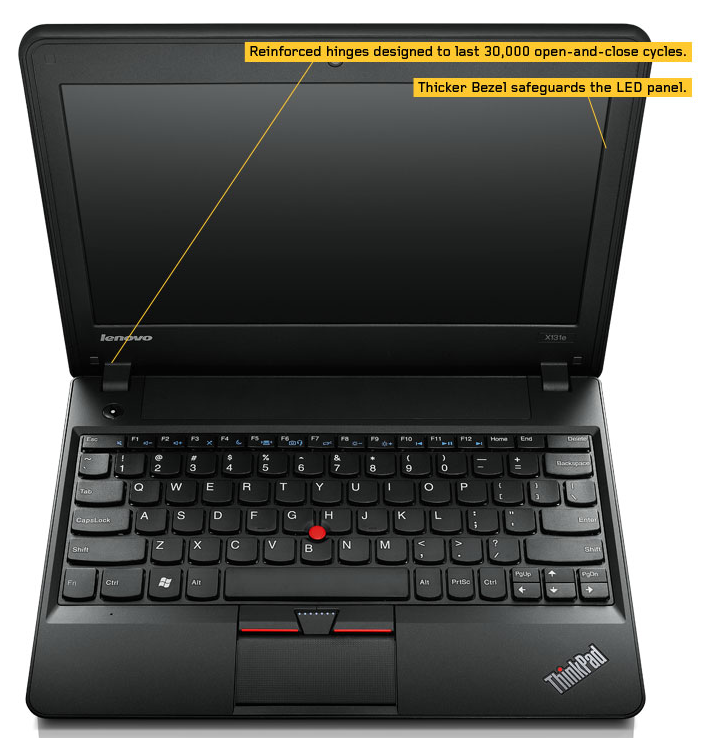 ThinkPad X131e Chromebook
The ThinkPad X131e Chromebook is a modified version of Lenovo’s Windows-based, K-12 targeted ThinkPad X131e. Lenovo did not mention which “Intel processor” would be used for the Chromebook, but the existing X131e supports modest Celeron or Core i3 chips. The 11.6-inch laptop offers 1366 x 768 resolution, HDMI and VGA ports, three USB ports, a webcam, and WiFi. Ruggedization features include rubber bumpers, stronger corners, and more robust hinges.
The laptops will be equipped with Google Apps for Education, and can be expanded with web apps from the Chrome Web Store. As with other Chromebooks aimed at schools, the ThinkPads are billed as being much easier to deploy and maintain than Windows laptops, and they feature remote security and management via a single dashboard.
Security and maintenance, of course, are also important to corporations, a market where ThinkPads are well entrenched. Should Lenovo’s Chrome OS experiment succeed, a corporate-targeted Chrome OS ThinkPad with a faster CPU may not be far off.
New Chromeboxes from Samsung and Acer
Samsung’s Chromebox — a compact “net-top” mini-PC without an integrated keyboard or monitor — has never sold as well as the Chromebooks. Yet, a new version that swaps out the 1.9GHz Celeron for a “Sandy Bridge” generation, dual-core 2.5GHz Intel Core i5 processor may well boost interest.
The new XE300M22-A02US Chromebox went on sale last week, demanding $405 for the pleasure of driving this fastest of all Chrome OS computers. Standard features are similar, including 4GB of RAM and a 16GB solid state drive, six USB ports, DisplayPort and Ethernet connections, and both WiFi and Bluetooth 3.0.
According to Liliputing, which first noticed the upgrade, Samsung also began selling a new, more consumer-oriented case design for the original Celeron-based Chromebox in the U.K. The new Core i5-based model, however, sticks with the original black case.
In November, Acer broke Chrome OS pricing records with a $199 C7 Chromebook, and then followed up with a $299 version that offers longer battery life, twice the RAM (4GB), and a larger 500GB hard drive. Now it is prepping its own Chromebox, according to a tip posted on Google+ by Francois Beaufort.
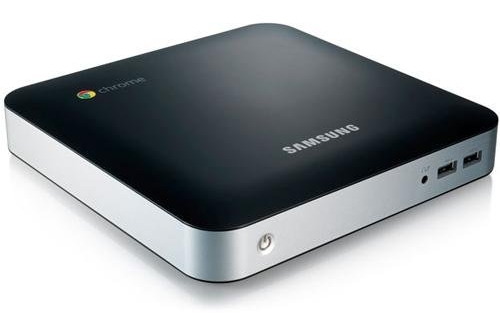 Samsung Chromebox
Code-named “Kiev,” the Acer Chromebox uses a dual-core 2.7GHz Intel Pentium G630 with 2GB of RAM and a 500GB hard drive, according to Jay Lee, who added to the report. Note, however, that those specs were dated to logs from last June.
The press widely repeated Lee’s speculation the system might debut at $99, despite the fact that his post read: “I’m going to take a stab in the dark and price it at $99 :-)” As Lee himself noted elsewhere, the G630 chip alone goes for $64, so this would be a bit of a stretch. Still, given the net-top form factor and previous Acer pricing, this will likely fall well below the $199 price for the C7, setting a new record.
Beyond Low Prices: Why Chrome OS Now?
Lower prices may be the main catalyst for the growing appeal of Chrome OS, but there’s a lot more to the story. In fact, the Samsung Chromebook is so popular, it’s selling for $330 — $81 over the original $249 price. (A 3G-ready version goes for $460.)
Another big draw for Samsung’s Chromebook is its ARM Cortex-A15, 1.7GHz, dual-core Samsung Exynos 5. While this is slower than most of the Intel processors running on other Chrome OS computers, the ARM architecture offers much better battery life, faster startups, and fanless operation.
Chromebook sales have also benefited from the expanding range of apps, and the improving Chrome OS software itself. In particular, last spring’s major “Aura” releaseshot down one of the biggest gripes about Chrome OS by greatly expanding offline capabilities.
Finally, consumers seem unmoved by Windows 8, and most can’t afford Macs. Despite Canonical’s best efforts, most consumers are either ignorant of Linux alternatives or are terrified of them. In short, people seem more willing than ever to look at alternatives, and Google’s name recognition and this fall’s major advertising campaign helped draw their attention.
While many users are letting their PCs go fallow while they invest in new tablets and smartphones, many others still want the keyboard and I/O options more commonly found on laptops. With a still fairly barebones, Chrome browser interface, Chrome OS offers a legitimate claim of being the easiest to learn PC OS on the planet while also acting as a future-looking foundation for web-based apps.
Analysts such as CNET’s Marguerite Reardon continue to call for greater integration between Chrome OS and Android in order to clarify Google’s OS strategy. Indeed, the two platforms are already slowly edging toward each other. The Chrome browser has become part of the Android ecosystem, and a touch version of Chrome OS is reportedly underway, which could be used for a long-rumored Chrome OS tablet.
Yet, Google will probably take its time here. Microsoft’s difficulty in selling the one-size-fits-all Windows 8 gives pause, and as long as Chrome OS is limited to non-touch computers, Google’s strategy remains fairly coherent. Once they start merging, however, all bets are off. The key problem is not so much the touch interface, but the fact it would be tough to bridge the native-app dynamic of Android and the web-based approach of Chrome OS.
Last week, The Street’s Anton Wahlman proclaimed that for Google, Chrome OS is now a bigger opportunity than Android. Wahlman suggested that rather than merge the two, Google might first consider dual-booting them, offering the best of both worlds. Chrome OS would provide greater simplicity, improved security, reduced storage requirements, and an end to fragmentation. Android would offer the touch interface, larger selection of apps, and the greater performance and responsiveness of native apps.
But just because today’s powerful multicore processors are more capable of effective dual-booting and smooth OS switching doesn’t mean users will flock to a hybrid design. So far, dual booting has rarely been a strong formula for success, and not only due to performance issues.
Perhaps a more achievable short-term goal, as recommended by ZDNet’s James Kendrick in a Dec. 31 blog posting, would be to add Android compatibility to Chrome OS via an emulator. This would further align Google’s two open source Linux platforms while the transition to mobile — and web apps — continues to shake itself out.

 Dice this week released it’s annual Salary Survey (2013-2012 Salary Survey) and the results were good news for everyone, showing the largest jump in tech salaries in more than a decade. But the news was especially sweet for Linux pro’s.
 From the ‘If you leave the keys out in the open it’s your own fault’ files:
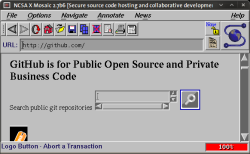 In this edition of The H’s Open Recall: retro browsing with NCSA Mosaic on Linux, Netrunner 12.12.1, Descent|OS 3.0.2, Half-Life on Linux, SystemRescueCd 3.3.0 and a first preview of the Consort Desktop Environment…
 or all you polyamorous types out there who don’t like the long-term monogamy demanded by most American wireless carriers when it comes to smartphones, I have bad news.
 Matthias Clasen
 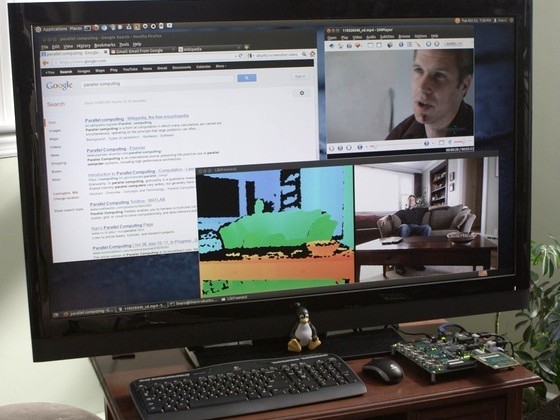 There was a time in computing when performance increases could be had by designing a more complex processor or turning up the clock speed. Those days are largely behind us and the most common solution at present is to add more cores to a symmetric multiprocessing (SMP) system, but this has practical scaling limits and there are downsides to a one-size-fits-all processor architecture.
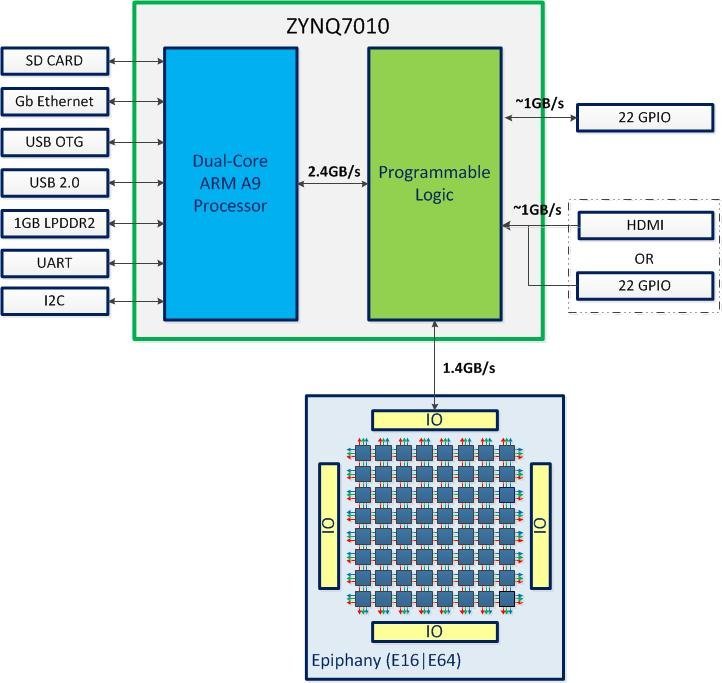 The Parallella Computer
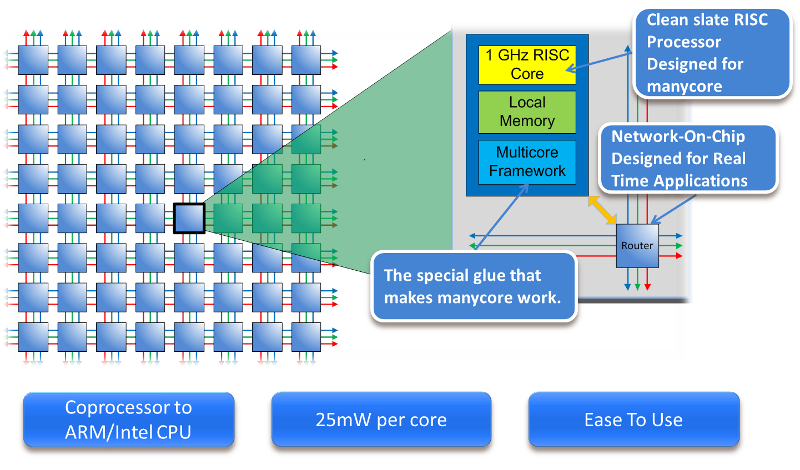 that cores are able to operate independently and the architecture is easier to program for a wider range of applications.
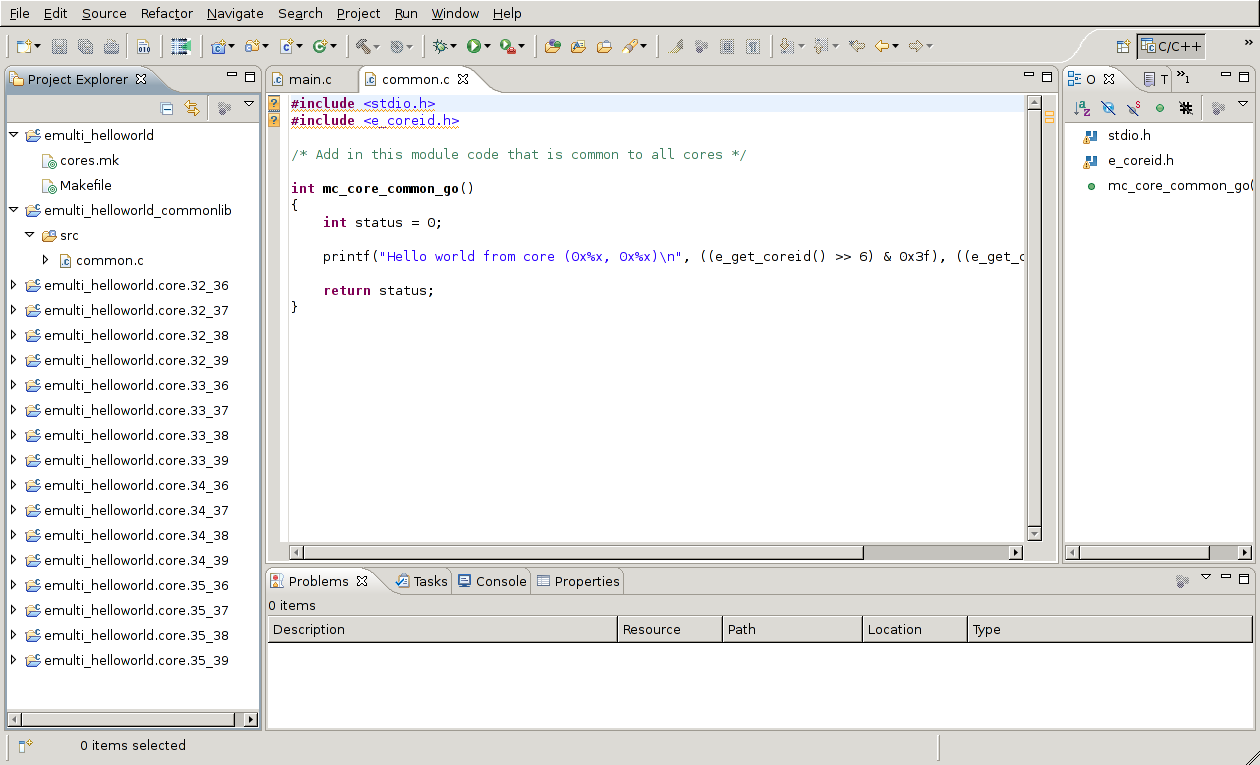 The Eclipse multicore IDE
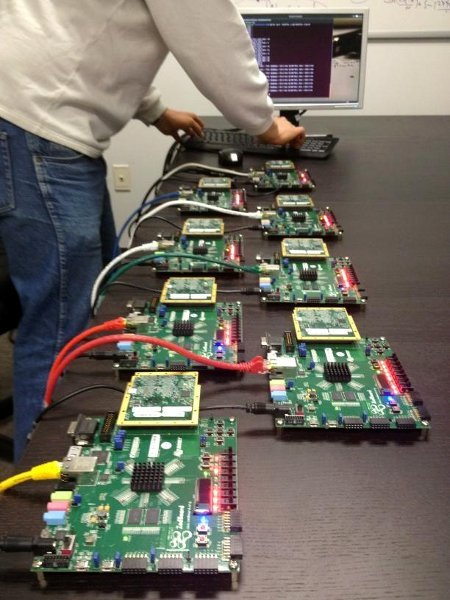 Project status
 The exact number of Linux users has always been an illusive answer. Everybody wants to know, several have tried, but no one really knows how many people use Linux. But openSUSE knows how many people downloaded their 12.2 images in the first 24 hours after release.