Home Blog Page 2071

30 Linux Kernel Developers in 30 Weeks: Frédéric Weisbecker


This week we talk to Frédéric Weisbecker in our 30 Linux Kernel Developers in 30 Weeks series. From the northeast regionof France, he tells us how we got started with Linux and gives some pretty specific and useful advice for people who want to do the same. He also shares his favorite April Fool’s Day fun with the Linux kernel community.

TuxName

Frédéric Weisbecker.

What role do you play in the community and/or what subsystem(s) do you work on?

That tends to evolve over time. I’ve been working on tracing with the ftrace and perf events subsystems. Then I spent some time helping remove the big kernel lock. while meanwhile contributing some cleanups here and there. Nowadays I’m mostly working on full dynticks support.

Where do you get your paycheck?

Red Hat. Red Hat is a really great company to work in for me because, besides assigning me to some Red Hat Enterprise kernel specific tasks, they give me enough freedom and time to work upstream on topics like full dynticks.

What part of the world do you live in? Why there?

In northeast France, because family and friends are here.

What are your favorite productivity tools for software development? What do you run on your desktop?

Nothing fancy on the tooling side: git, text editors and scripts. On my main desktop I use Fedora; then Xubuntu on testboxes and another laptop.

How did you get involved in Linux kernel development?

A friend of mine installed Linux on my desktop, something like nine years ago. I was not even into programming at that time, but it was about the same period when I started to wonder how software was made. That was early in my 20’s. I dug deeper and deeper, going from web programming (Php) to python to C and x86 assembly. Then I met that boundary with the kernel. I developed a big curiosity about how software communicates with hardware. Having detailed answers about that was hard, though. I read “Linux Device Drivers, 3rd Edition” several times. I only truly got my hands dirty a few years afterward, though. I had an Atheros wireless card and the driver (ath5k), which was not entirely ready. I wanted to help its development, so I tried to use mmiotrace in order to trace the IO made by the proprietary driver. There was just a missing feature to insert user messages in the middle of the trace to mark some steps. So I hacked that in ftrace and finally got sucked down there for good.

What keeps you interested in it?

Working with talented people. Debating best designs. And, having a large user base. Also as the time goes, I care much more about consolidation of work. Sublimation bonus when it ends with negative diffstats. This is a way to slightly delay the evolution to the final issue: our kernel imploding under its ever growing complication.

What’s the most amused you’ve ever been by the collaborative development process (flame war, silly code submission, amazing accomplishment)?

I’ve been amused many times by some patches from April 1st (April Fool’s Day), or even the rest of the year. A few examples:
http://thread.gmane.org/gmane.linux.power-management.general/15888 or https://lkml.org/lkml/2012/3/31/131

What’s your advice for developers who want to get involved?

A good thing would be to start by solving a problem you specifically have: a bug that impacts your machine or a missing driver. Now this kind of issue is harder to meet these days as more and more hardware is supported. So another way is to watch the bug reports in the Linux kernel mailing list, try to investigate and test people’s patches. Also watch new developments through patchsets posted in LKML (those are often listed there). Then apply these patches, run them, report the bugs you find. Once you get familiar with such process, you may start to solve the bugs yourself. Get familiar with a subsystem and what needs to be done there.

This process can take a while and you need to be patient and pugnacious but it’s worth it.

What do you listen to when you code?

I really can’t listen to any music when I code, unless I’m doing something very mechanical. But I’m very much into music otherwise, on a broad range of styles in general. I just have a specific affinity with metal and electronic music. And about that metal thing: I like it doom, black or gothic. Quoting some random bands: My Dying Bride, Verdunkeln, On Thorns I lay, Therion. Then when the amount of metal reaches the headache, I switch to The Gathering, Emiliana Torrini, NIN, Hooverphonics and more bands unrelated altogether.

What mailing list or IRC channel will people find you hanging out at? What conference(s)?

LKML. And I also hang in OFTC #linux-rt . About conferences it depends. I usually go to the Real Time Linux Workshop, sometimes Linux Plumbers Conference, Linux Foundation Collaboration Summit, and LinuxCon. And I usually don’t miss the Chemnitzer Linux Tage.

GCW Zero: Another Linux Game Console Attempt

In terms of Linux game consoles there’s the Android-based OUYA game console that was very successful last year on Kickstarter and is now shipping with a large following of gamers and developers for the modestly-priced solution. What I’m more excited about though is the Steam Linux console for both the living room and mobile solutions and that should surface later in 2013..

Read more at Phoronix

How To Back Up MySQL Databases With mylvmbackup On Ubuntu 12.10

mylvmbackup is a Perl script for quickly creating MySQL backups. It uses LVM’s snapshot feature to do so. To perform a backup, mylvmbackup obtains a read lock on all tables and flushes all server caches to disk, creates a snapshot of the volume containing the MySQL data directory, and unlocks the tables again. This article shows how to use it on an Ubuntu 12.10 server.

I do not issue any guarantee that this will work for you!

1 Preliminary Note

I’m assuming that MySQL is already set up and running on your system. The system must use LVM, and the MySQL data directory (/var/lib/mysql) should have an LVM partition of its own (although that is optional)….Read more at HowtoForge

5 Recipes For A Healthy FOSS Community

I got in the world of FOSS around 2003/04, I was lucky I got some good mentors. I felt like writing down what all I learnt after growing up in this world. Here is what I have learnt after following some awesome community like KDE, Ubuntu, OpenStack, etc.

1. Respect

Respect is one of the key ingredients for any successful FOSS community. Most of us who work in FOSS are hobbyist & we need respect/appreciation/love/care.  A leader needs to respect his contributors and vice versa. Success of your project does not depend on one individual but entire community.

2. Open expression of your views

What I meant by this is, if you have any indifference regarding any issue sort it out. Speak out in loud, don’t sleep over it because that will impact the overall project badly in long run. At times you never know what/why someone acted that way or certain decisions being made.

3. Mentoring…Read more at Muktware

MIT to conduct internal probe in wake of Aaron Swartz’s suicide

The Massachusetts Institute of Technology announced today it will conduct an internal investigation of the university’s role in the circumstances that led to the suicide Friday of Internet activist Aaron Swartz.

Swartz, 26, was arrested in July 2011 and accused of stealing 4 million documents from MIT and Jstor, an archive of scientific journals and academic papers. Authorities claimed he broke into a restricted-access computer wiring closet at MIT and accessed that network without authorization.

Swartz, a Reddit cofounder who championed open access to documents on the Internet, faced $4 million in fines and more than 50 years in prison if convicted…Read more at CNET News

Distribution Release: Pear Linux 6.1

Pear LinuxDavid Tavares has announced the release of Pear Linux 6.1, an Ubuntu remix with a simple but beautiful user interface (a customised GNOME 3) and out-of-the-box support for many popular multimedia codecs: “I am pleased to announce the release of Pear Linux 6.1. Pear Linux 6.1 builds on top of our popular previous release of Pear Linux 6 with newly updated software…Read more at DistroWatch

Oracle releases software update to fix Java vulnerability

Oracle released an emergency software update today to fix a security vulnerability in its Java software that could allow attackers to break into computers.

The update, which is available on Oracle’s Web site, fixes a critical vulnerability in Oracle’s Java 7 that could allow a remote, unauthenticated attacker to execute arbitrary code…Read more at CNET News

Learn Linux from the Experts: Live Linux Q&A January 16


There are a lot of Linux experts in the community who have amazing stories and great depths of information to share, including Linux kernel developers, Linux Foundation’s Linux training instructors, Linux.com writers and many, many more people working on Linux every day.

We bring many of these people together to collaborate at our Linux events throughout the year and offer resources to increase knowledge about Linux with our Linux training courses. Beginning today we’ll be offering another way to connect with community members and gain easier access to experts to learn more about Linux online:

Live Linux Q&As on our social channels, starting next week, Wednesday, January 16, on Facebook.

These Live Linux Q&As will rotate throughout our social channels, from Facebook to Google+ and Twitter to LinkedIn, so you can connect when/where it makes the most sense for you. And, we’ll be sourcing experts from a variety of areas that include Linux.com, our Linux training instructors, the Linux kernel development community, Linux community projects, our members and more.

carla-headshotWe’ll be starting with one of Linux.com’s freelance contributors Carla Schroder. Carla is part of an amazing team of freelance writers who are Linux experts and who write useful stories and Linux tutorials to share with the community every week. She is also a self-taught system and network administrator.
In the Live Linux Q&A on Facebook January 16, she’ll be answering questions from the community about how to get started with Linux. Carla will be online from 11 a.m. to 12 p.m. PT Wednesday, January 16, answering your questions about getting started with Linux, about distros, downloading and installing Linux, and more. Seasoned users are invited to join as well and to share their knowledge with the “newbies.”

Just visit the event on our Facebook page to add it to your events online.

Carla shared with us a handful of articles from Linux.com that can help get you thinking about what you might want to ask her during the Live Q&A.

How to Get Paid to Work on Linux

Weekend Project: Linux for Beginners

Weekend Project: Become a Linux Contributor

The 2012 Top 7 Best Linux Distributions for You

The Six Best Linux Community Server Distributions

Here are some related upcoming Linux Training courses and a new tutorial as well: 

Training: Introduction to Linux
Tutorial: How to Get Started Using Linux

Got a question but can’t be online at that time? Leave in the comment section and we’ll try to include in during the Q&A. And, you can read more about Carla here. 

Weekend Project: Linux For Beginners

There is more interest in Linux than ever, and it’s not always obvious to new users where to get started. Using Linux is just like using Mac or Windows– with a pointy-clicky graphical interface. No big deal there, and Linux supplies the added bonus of an extremely powerful command-line interface, which is far more sophisticated and capable than the CLI in Max OS X and Microsoft Windows. You don’t have to use it, it’s there for anyone who wants it, and it isn’t a big deal to learn it.

Getting Linux

There are hundreds of different Linux versions called distributions, because each one is a bundle of software packaged for easy distribution. Why so many? Because Linux is free/open source software, so it’s easy for anyone to modify and re-distribute it. There are Linux distributions specialized for all kinds of uses, from very tiny embedded devices to supercomputers and mainframes. There are many general-purpose distributions for laptops, desktops, and mid-range servers. So how do you know which one to try? That part is easy– I’ll recommend three.

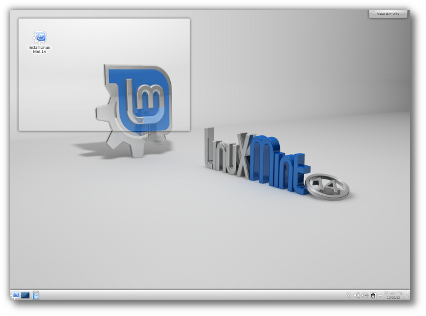
mint-kde

So what’s all this stuff about free and open source? Free software and open source software are closely related. They are organizations: the Free Software Foundation and the Open Source Initiative. They are software licenses, and they are philosophies. “Free” means freedom, not free of cost, though most Linux software is free of cost. The basic concept is that source code for all software should be open and freely-available, in contrast to closed proprietary software, like most Windows and Apple software. With free/open source software there is nowhere to hide sneaky user-hostile code, and users are free to run the software for any purpose, study it, modify it, and share it. As Phil Hughes, the founder of Linux Journal famously said “Would you buy a car with the hood welded shut?” Please visit the Free Software Foundation and Open Source Intitiative sites to learn more.

There are three ways to test-drive Linux:

  1. Boot from a live CD/DVD or USB stick. This is easy, non-destructive, and doesn’t change anything on your computer.
  2. Install Linux on your PC.
  3. Buy a computer with Linux pre-installed.

The coolest thing about Linux is it’s easy. You don’t have to jump through a bunch of hoops to get it, there are no license keys (with a few exceptions), and Linux distributors don’t treat you like you’re a criminal.

Which Linux to Try?

Of all of the excellent Linux distributions, there are three that I think are good starters for beginners:

These three are popular, with a lot of community support and good documentation. They’re designed to be very user-friendly, have excellent hardware detection to minimize driver hassles, and have good streamlined installers.

Live Bootable Media

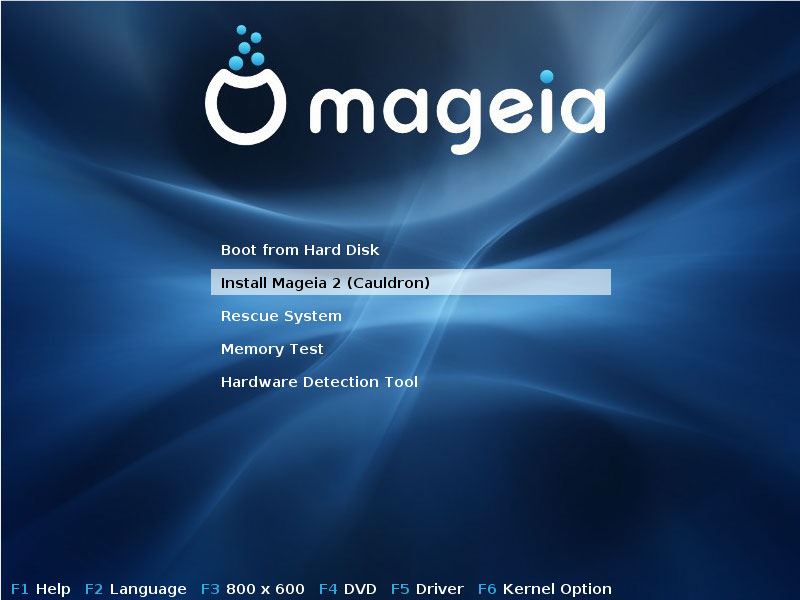
You can download an installation image and copy it to a CD/DVD or USB stick, and run it from there. Install Ubuntu 12.10 has instructions that work for all Ubuntu variants, including Xubuntu. The Mageia Wiki has instructions for Mageia, and Linux Mint manuals are here.

If you’re not experienced with creating bootable media and just want something ready to use, The Linux Mint Store offers inexpensive live DVDs, USB sticks, and SD cards that have Mint installed.

mageia

When you have your live bootable media all you do is pop it into your computer and boot to it. Your computer’s BIOS may not be configured to boot to removable media, so you might need to enter the BIOS, or press a key at startup to open a boot selector menu. For example, on Thinkpads the boot selector is the F11 key. This varies on different machines, so check your system’s documentation. If you don’t have a manual, then visit the manufacturer’s Web site.

One of the best reasons to try bootable media first is to test hardware support. Linux supports more hardware than any other operating system, but both Apple and Microsoft are uninterested in making it easy to run other operating systems on “their” hardware (it is your hardware!), so there may be components that require drivers that are not available to Linux. Graphics cards are the biggest potential hassle; you’ll always have at least a basic level of operation, but advanced features like 3D acceleration may not be available to Linux users.

Installing Linux

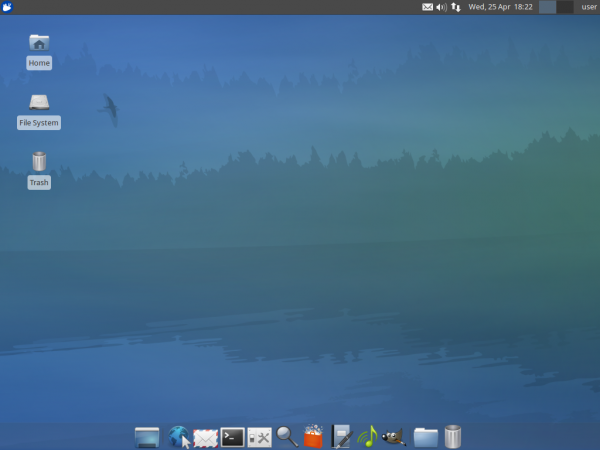
Linux is by far the easiest operating system to install. It is no small thing to install an operating system, and it is nearly-miraculous that Linux developers have made it as easy as they have. The easiest install is when you want to run Linux by itself, xubuntu so it can take over your whole hard drive. It gets complicated when you want to dual-boot with another operating system, or preserve certain partitions on your existing system, like data partitions. So you’ll need to understand hard-drive partitioning. You’ll also need to know how to set up a network connection to your local network, though Linux is good at auto-detection and should find it automatically. All three of my recommend Linuxes have good installation instructions, so do please study the documentation.

Pre-Installed Linux

The easiest and most sure-fire way to get a good working Linux system with no hassles is to buy one from one of the many excellent independent Linux vendors. You’ll get high-quality hardware, Linux working out of the box, and superior customer support. My two favorite independent Linux OEM vendors are System76 and ZaReason. They are true independent mom-and-pop shops that sell a nice range of high-quality desktops, servers, laptops, and specialized systems like media servers.

Getting More Help

There is this odd myth that Mac and Windows are easy, and Linux is hard. This myth is inexplicably persistent even though the very atmosphere is tinged blue from the curses of frustrated Mac and Windows users every day, and Mac and Windows users have purchased millions of howto books. Personal computers are complex, multi-purpose machines, and there is always a learning curve. So expect to spend some time learning how to use them. Learn to search online for help, and don’t be shy about collecting a few howto books. Here are a few resources to get you started:

And of course hang out here on Linux.com. I’ll be following up on this in the weeks to come, so please share your questions and helpful ideas in the comments.

Nokia: Yes, we decrypt HTTPS – but we don’t spy

Nokia logoNokia has admitted that the Nokia Xpress browser redirects even encrypted HTTPS traffic through Nokia servers – and that the data is temporarily decrypted in the process. Indian security researcher Gaurang Pandya noticed the network traffic on his Nokia Asha phone – which is equipped with the Symbian Series 40 user interface – and proceeded to examine the Xpress browser, Opera’s “Mini” browser and the browser traffic on an older Nokia device. In a response to Pandya’s research, Nokia pointed out that the server decryption is secure…Read more at The H